Building Your First Script

Welcome to uvi-script!

Welcome! This tutorial will guide you through creating your first functional uvi-script. We'll build a vibrato effect, and in the process, you'll learn the fundamental concepts of scripting in the UVI environment.

uvi-scripts are powerful modules written in the Lua programming language that can process and generate musical events in real-time. Think of them as MIDI effects on steroids. This tutorial uses UVI Falcon as the host: the scripts run inside a ScriptProcessor module of a Falcon program.

For this tutorial, you don't need to be a Lua expert, but some programming basics will be helpful. If you want to learn more about Lua, the online book Programming in Lua (for 5.1) and the official Lua 5.1 Reference Manual are excellent resources.

Step 1: Setting Up Your Script

First, you need a ScriptProcessor module in your instrument.

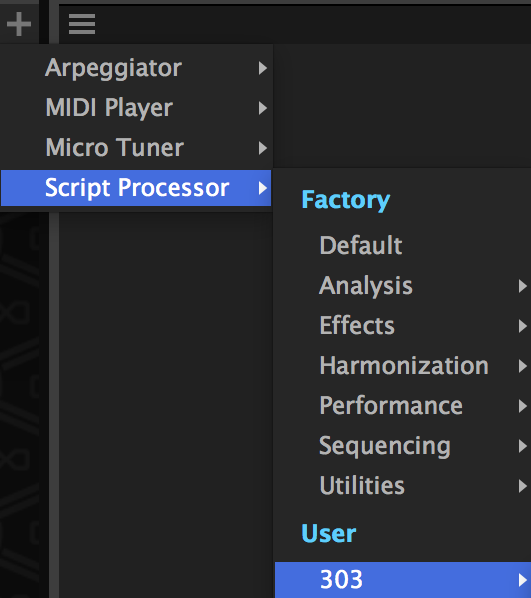
  1. In the main Edit page, click on the Event Processors tab, then click Add -> ScriptProcessor.
  2. Next, open your favorite text editor. We recommend a modern editor with Lua language support, like Visual Studio Code with a Lua extension.
  3. Create a new, empty text file and save it as vibrato.lua.
  4. Back in the ScriptProcessor, click the Load button and select the vibrato.lua file you just created.

You now have a valid, empty script loaded. As you make changes, remember to click Reload to apply them.

Where Output and Errors Appear

print(...) writes to the script console of the ScriptProcessor editor, not to a terminal. Errors — a syntax error at load time or a runtime error in a callback — are shown in the same console with their file and line number, and are also appended to ScriptProcessor.log: on macOS ~/Library/Logs/<host>/ScriptProcessor.log, on Windows APPDATA%\<host>\ScriptProcessor.log, where <host> is the host's short name. The log keeps the messages after the editor is closed. A runtime error stops the script and silences every playing note; the script then passes no event at all until you click Reload, so when it suddenly goes silent, look at the console first.

Step 2: Handling Notes with onNote

uvi-script is event-driven. This means it waits for something to happen (like a note being played) and then reacts to it. We define our reactions inside special functions called callbacks.

The most important callback is onNote(e), which runs every time you play a note. The e argument is an Event object that contains details about the note, like its pitch and velocity.

Let's start with the simplest possible script. Add this to your vibrato.lua file:

function onNote(e)
-- This function is called for every new note.
-- 'e' contains the note event data.
-- Forward the event to the output. If we don't do this, we won't hear anything!
end
void onNote(table e)
event callback that will receive all incoming note-on events if defined.
function postEvent(e, delta)
send a script event back to the script engine event queue.
Definition api.lua:959

Click Reload. Now, when you play a note, the script receives it, postEvent(e) forwards it, and you hear the sound.

Forwarding Rules

A callback you do not define forwards its events unchanged: with no onNote at all, notes pass straight through. Once you define a callback, even an empty one, nothing is forwarded unless you call postEvent(e) yourself.

This works per callback, which matters for the note-on / note-off pair. If onNote swallows a note (no postEvent) while onRelease is left undefined, the matching note-off is still forwarded, and the modules after the script receive a release for a note they never got. Define onRelease too, as an empty function onRelease(e) end if needed. Defining onEvent takes over every event type at once, and the same rule applies to it.

Step 3: Creating a Loop for the Effect

A vibrato is a continuous modulation, so we need a loop that runs as long as the note is held. We can do this with a while loop and the isNoteHeld() function.

We also need to get a unique ID for our note so we can modify it later. postEvent(e) conveniently returns this ID.

function onNote(e)
-- Post the event and store the unique voice ID it returns.
local id = postEvent(e)
-- Loop as long as the note is held down.
while isNoteHeld() do
-- We will add our vibrato logic here.
-- For now, the loop is empty.
end
end
function isNoteHeld()
return true if the note that created this callback is still held.
Definition api.lua:915

If you run this, you'll notice the script freezes! This is because the loop runs infinitely fast without giving the audio engine any time to breathe. We need to tell the script to pause on each iteration.

Step 4: Waiting and Time

To fix the frozen script, we add a wait() command inside the loop. This function pauses the script for a few milliseconds, yielding control back to the engine. This is a critical concept in uvi-script.

function onNote(e)
local id = postEvent(e)
local grain = 5 -- The update period in milliseconds.
while isNoteHeld() do
-- Pause for 5 milliseconds before the next loop iteration.
wait(grain)
end
end
function wait(ms)
suspend the current thread callback execution for the given number of milliseconds.
Definition wrapper.lua:39

Now the script runs correctly without freezing, but it still doesn't do anything. Let's create the vibrato.

Step 5: Building the Vibrato Effect

To create a vibrato, we need an oscillator. We can simulate one using math.sin(). We'll also use getTime() to get a constantly running clock, which ensures our vibrato speed is stable.

The final piece is changeTune(), the function that actually changes the pitch of a specific voice.

Here is the complete logic inside the onNote function:

function onNote(e)
-- Script parameters
local vibratoFreq = 4 -- Vibrato frequency in Hz
local vibratoDepth = 0.1 -- Vibrato depth in semitones
local grain = 5 -- Update rate in milliseconds
-- Post the note event and get its unique voice ID
local id = postEvent(e)
-- The onNote callback runs in its own thread for each note,
-- so we can create a loop here without blocking other notes.
while isNoteHeld() do
-- Calculate a sine wave value based on the current time.
-- This is our Low-Frequency Oscillator (LFO).
local lfo = math.sin(2 * math.pi * vibratoFreq * getTime() / 1000)
-- Calculate the final pitch modulation
local modulation = vibratoDepth * lfo
-- Apply the pitch change to our specific note
changeTune(id, modulation)
-- Wait for a few milliseconds before the next update
wait(grain)
end
end
The Synthesis primitive.
Definition Engine.cpp:413
function getTime()
get the number of milliseconds elapsed since the script engine start.
Definition api.lua:845
function changeTune(voiceId, shift, relative, immediate)
change the tuning of a specific voice in (fractional) semitones.
Definition api.lua:567
Note
Each onNote callback runs in its own lightweight thread, managed by the engine. This means you can create a while loop that uses wait() inside onNote without blocking other notes from playing. The engine automatically handles the parallelism required for polyphony.

Step 6: Adding UI Controls

Our script works, but the vibratoFreq and vibratoDepth are hard-coded. Let's add UI controls to change them on the fly.

We do this by replacing the variables with Knob widgets.

-- Create two knobs on the UI to control the effect.
local freqKnob = Knob("Frequency", 4.0, 0.1, 10.0)
local depthKnob = Knob("Depth", 0.1, 0.0, 1.0)
-- Set the unit display for the depth knob.
depthKnob.unit = Unit.SemiTones
-- Show this script's interface in the Player page, not only in the Edit page.
function onNote(e)
local grain = 5
local id = postEvent(e)
-- Loop to apply the vibrato effect.
-- This runs in a separate thread for each note, so it won't block others.
while isNoteHeld() do
-- Read the current value from the knobs
local vibratoFreq = freqKnob.value
local vibratoDepth = depthKnob.value
local lfo = math.sin(2 * math.pi * vibratoFreq * getTime() / 1000)
local modulation = vibratoDepth * lfo
changeTune(id, modulation)
wait(grain)
end
end
Knob widget.
Definition ui.cpp:1763
Predefined unit types.
Definition ui.cpp:803
ScriptProcessor & this
Reference to the current ScriptProcessor instance.
Definition Engine.cpp:692
void makePerformanceView()
make this script User Interface visible in performance view.
Definition ui.lua:101

The key changes are:

  1. local vibratoFreq = 4 became local freqKnob = Knob(...).
  2. Inside the loop, we now read freqKnob.value and depthKnob.value on each iteration to get the latest setting from the UI.
  3. makePerformanceView() publishes the knobs to the Player page. Without it they only appear in the ScriptProcessor's own editor in the Edit page. The Player page shows the interface of the first program-level script that calls it.

Mappers and Units

Knobs (and Sliders) accept a Mapper and a Unit that control how the widget behaves and displays its value.

A Mapper defines the curve between the widget's visual position and the actual parameter value. For example, a filter cutoff frequency spanning 20 Hz to 20 kHz sounds best with an exponential curve so that each visual increment represents the same perceived change:

local cutoff = Knob("Cutoff", 20000, 20, 20000)
cutoff.mapper = Mapper.Exponential -- natural feel for frequency ranges
Predefined mapper types.
Definition ui.cpp:745

Available mappers include Linear (default), Exponential, Quadratic, Cubic, SquareRoot, and more — see Mapper for the full list with formulas.

A Unit tells the engine how to format the displayed value. Instead of writing custom formatting code, just pick the appropriate unit:

depthKnob.unit = Unit.SemiTones -- displays "st" suffix
freqKnob.unit = Unit.Hertz -- displays "Hz", switches to "kHz" above 1000
gainKnob.unit = Unit.LinearGain -- converts linear 0..1 to dB display
mixKnob.unit = Unit.PercentNormalized -- displays 0..1 as 0%..100%
@ Hertz
display Hz symbol.
Definition ui.cpp:830
@ PercentNormalized
display % symbol but actual value is in the 0..1 range
Definition ui.cpp:818
@ SemiTones
display semitones symbol
Definition ui.cpp:854
@ LinearGain
display dB symbol but with normalized gain
Definition ui.cpp:838

See Unit for all available types (Seconds, MilliSeconds, Decibels, Cents, MidiKey, etc.).

Both can be set as properties or passed directly in the table constructor form:

local cutoff = Knob{"Cutoff", 20000, 20, 20000, mapper = Mapper.Exponential, unit = Unit.Hertz}
@ Exponential
Exponential mapper, the parameter's range should be strictly positive.
Definition ui.cpp:757

When no built-in unit fits your needs, you can override the display with the displayText property — see the monoBassLine example for a complete demonstration of mappers, units, and displayText in action.

Conclusion

Congratulations! You've built a complete, interactive vibrato effect.

In this tutorial, you have learned several core concepts:

  • How to set up a script and respond to notes with the onNote callback.
  • How to use while isNoteHeld() and wait() to create continuous effects.
  • How the engine handles polyphony by running each onNote in a separate thread.
  • How to get a unique voice ID from postEvent() and use it with changeTune().
  • How to create UI controls like Knob and read their .value.

From here, you can experiment by changing the parameters, browse the Examples Gallery for complete scripts, or explore more advanced topics in the UI Guide and the full API Reference.

Guides

These guides explain the core concepts of uvi-script with practical examples. They are ordered from fundamental concepts to more specialized topics.

Voice Manipulation

Creating, manipulating, and fading voices. Covers changeTune, changeVolume, changePan, fadein/fadeout, script modulation, and sample offset control.

Threading and Timing

Cooperative threading, wait/waitBeat, spawn/run, musical context queries (tempo, beat position, key state, MIDI CC), and common timing patterns.

User Interface

Building custom UIs with Knobs, Sliders, Buttons, Panels, and more. Covers layout, mappers, units, performance view, and Retina support.

Lottie Animations

Dressing knobs, sliders, buttons and meters with vector animations instead of bitmap strips: the two file forms, what drives the frame on each widget, packaged animations that answer the mouse, and sizing.

MIDI Event Generation

Generating outgoing MIDI events (CC, pitch bend, aftertouch, program change) and working with MIDI files.

Asynchronous Operations

Non-blocking file dialogs, sample loading, state persistence, custom data I/O, MIDI file operations, and impulse responses.

MultiSample (SampleMappingOscillator)

Multi-zone sample sets: the mapping file format (.dmap and the SFZ subset), loading a mapping from a script, dispatching notes to an articulation or a round-robin variant, purging layers to save memory, and the program-load sequence that decides where loading belongs.

Sample File Metadata

Which metadata the engine reads from WAV, AIFF and FLAC files — root keys, loops, ranges — and which of it a zone or a Sample Player actually uses. The page to read before porting a library from another sampler.

Porting from Kontakt (KSP)

Coming from Native Instruments Kontakt? A concept-by-concept mapping of KSP callbacks, events, engine access, UI and persistence onto uvi-script, with unit-conversion traps and a full side-by-side port.

Using AI Assistants

Drop-in AGENTS.md for AI coding assistants (Claude Code, Cursor, Codex, …) — orients the assistant to uvi-script's runtime, real-time constraints, and conventions.

Voice Manipulation

Overview

uvi-script provides per-voice control over tuning, volume, panning, and fading. Each voice represents a single playing note and has a unique ID that can be used to manipulate it individually.

This allows for sophisticated voice-level effects like vibrato, tremolo, detuning, crossfading, and dynamic expression that operate independently on each note.

Voice Lifecycle

Understanding the voice lifecycle is essential for effective voice manipulation:

  1. Voice Creation - A voice is created via playNote or postEvent, which returns a unique voice ID
  2. Voice Manipulation - The voice can be modified using changeTune, changePan, changeVolume
  3. Voice Fading - The voice can be faded using fadein, fadeout, or fade
  4. Voice Release - The voice ends via releaseVoice or automatic release when the note ends

Creating Voices

function onNote(e)
-- Method 1: Forward incoming event and get voice ID
local id1 = postEvent(e)
-- Method 2: Create new voice with explicit parameters
local id2 = playNote(e.note, e.velocity, -1) -- -1 = sustain until released
-- Method 3: Create voice with specific layer and channel
local id3 = playNote(60, 100, 1000, 1, 0) -- C4, vel 100, 1s duration, layer 1
end
void onNote(table e)
event callback that will receive all incoming note-on events if defined.
function playNote(note, vel, duration, layer, channel, input, vol, pan, tune, slice, oscIndex, dim1, dim2)
helper function to generate a note event.
Definition api.lua:1089
function postEvent(e, delta)
send a script event back to the script engine event queue.
Definition api.lua:959
Note
In Method 3, the fifth argument is the MIDI channel: 1-16 target a specific channel, and 0 means omni (all channels) — the same as omitting the argument. The event's input field follows the same convention with 1-4 and 0.
The automatic release of duration = -1 is tied to the note that triggered the current callback: it only works from inside the onNote callback thread itself, where the voice is released with that note. Anywhere else, what happens depends on what created the current thread:
  • no creator (onInit, a spawn / run at the top level of the script, onTransport, completion callbacks of asynchronous functions): the voice is released immediately and goes straight into its release phase;
  • a creator that is not a note-on (a non-note event callback such as onController or onRelease, or a thread started with spawn / run from any callback, including onNote): the voice is never released automatically and rings until you release it;
  • a widget's changed callback, which runs outside any script thread: playNote(..., -1) raises an error.

Outside onNote, therefore, pass an explicit duration, or use duration = 0 and call releaseVoice yourself.

Tracking Voice IDs

Always store voice IDs if you plan to manipulate them later:

function onNote(e)
local voiceId = postEvent(e) -- Store the ID
-- Later, manipulate this specific voice
wait(500)
changeTune(voiceId, 0.5) -- Bend up 50 cents
end
function wait(ms)
suspend the current thread callback execution for the given number of milliseconds.
Definition wrapper.lua:39
function changeTune(voiceId, shift, relative, immediate)
change the tuning of a specific voice in (fractional) semitones.
Definition api.lua:567

Managing Multiple Active Voices

Most real-world scripts need to track several playing voices simultaneously. The standard pattern is a table keyed by note number:

local voices = {} -- voices[note] = voiceId
function onNote(e)
local id = postEvent(e)
voices[e.note] = id
-- now you can manipulate this specific voice later
changePan(id, (e.note / 127) * 2 - 1) -- spread by pitch
end
function onRelease(e)
voices[e.note] = nil
end
void onRelease(table e)
event callback executed whenever a note off message is received.
function changePan(voiceId, pan, relative, immediate)
changes the pan position of a specific note event.
Definition api.lua:594

This pattern is essential for effects that need to act on all active voices, such as pitch bend applied from a controller:

local voices = {}
function onNote(e)
voices[e.note] = postEvent(e)
end
function onRelease(e)
voices[e.note] = nil
end
function onPitchBend(e)
for note, id in pairs(voices) do
changeTune(id, e.bend * 2) -- ±2 semitone range
end
end
void onPitchBend(table e)
event callback that will receive all incoming pitch-bend events if defined.

Voice Parameters

Tuning Control

Use changeTune to modify the pitch of a voice in semitones:

function onNote(e)
local id = postEvent(e)
-- Bend pitch up by 2 semitones (whole step)
changeTune(id, 2.0)
-- Bend pitch down by 1 semitone
changeTune(id, -1.0)
-- Detune by 10 cents
changeTune(id, 0.1)
end

Volume Control

Use changeVolume to modify the volume of a voice:

function onNote(e)
local id = postEvent(e)
-- Halve the amplitude (about -6 dB)
changeVolume(id, 0.5)
-- Back to unity gain (no change)
changeVolume(id, 1.0)
-- Mute the voice
changeVolume(id, 0.0)
end
function changeVolume(voiceId, gain, relative, immediate)
changes a voice's volume.
Definition api.lua:612

The value is a linear gain factor applied on top of the voice's own gain: 1.0 is unity (the voice is unchanged), 0.5 halves the amplitude (about -6 dB) and 0.0 silences it. Values above 1.0 boost the voice.

For decibel-based control, use changeVolumedB instead. This is often more intuitive for mixing tasks where you think in dB attenuation:

function onNote(e)
local id = postEvent(e)
-- Attenuate by 6 dB (roughly half the amplitude)
-- Boost by 3 dB
end
function changeVolumedB(voiceId, dBGain, relative, immediate)
change the volume of specific voice in decibels.
Definition api.lua:641

Panning Control

Use changePan to modify the stereo position of a voice:

function onNote(e)
local id = postEvent(e)
-- Pan hard left
changePan(id, -1.0)
-- Pan center
changePan(id, 0.0)
-- Pan hard right
changePan(id, 1.0)
-- Pan slightly right
changePan(id, 0.3)
end

Pan range: -1.0 (hard left) to 1.0 (hard right), 0.0 is center

Fading Voices

Control voice envelope with fade functions:

function onNote(e)
local id = postEvent(e)
-- Fade in over 500ms
fadein(id, 500)
-- Later, fade out over 1000ms and stop voice
wait(2000)
fadeout(id, 1000, true) -- true = release voice after fade
end
function fadeout(voiceId, duration, killVoice, reset, layer)
starts a volume fade-out.
Definition api.lua:698
function fade(voiceId, targetValue, duration, layer)
starts a volume fade.
Definition api.lua:751
function fadein(voiceId, duration, reset, layer)
starts a volume fade-in for a specific voice.
Definition api.lua:732

Common Use Cases

Detuning for Richness

Create a richer sound by layering slightly detuned copies:

function onNote(e)
-- Play root note
local id1 = playNote(e.note, e.velocity, -1)
-- Add slightly detuned copies for chorus effect
local id2 = playNote(e.note, e.velocity, -1)
local id3 = playNote(e.note, e.velocity, -1)
changeTune(id2, 0.05) -- +5 cents
changeTune(id3, -0.05) -- -5 cents
-- Optional: Pan them for width
changePan(id1, 0.0) -- Center
changePan(id2, -0.3) -- Slightly left
changePan(id3, 0.3) -- Slightly right
end

Dynamic Vibrato

Apply vibrato that intensifies over time:

local vibratoRate = Knob{"VibratoRate", 5, 0, 10, displayName = "Vibrato Rate"}
local vibratoDepth = Knob{"VibratoDepth", 0.1, 0, 0.5, displayName = "Vibrato Depth"}
function onNote(e)
local id = postEvent(e)
local elapsed = 0
while isNoteHeld() do
-- Vibrato depth increases over time
local depthEnvelope = math.min(elapsed / 1000, 1.0)
local phase = 2 * math.pi * vibratoRate.value * elapsed / 1000
local modulation = vibratoDepth.value * depthEnvelope * math.sin(phase)
changeTune(id, modulation)
wait(5)
elapsed = elapsed + 5
end
end
Knob widget.
Definition ui.cpp:1763
function isNoteHeld()
return true if the note that created this callback is still held.
Definition api.lua:915

Tremolo Effect

Create rhythmic volume modulation:

local tremoloRate = Knob{"TremoloRate", 5, 0, 20, displayName = "Tremolo Rate"}
local tremoloDepth = Knob{"TremoloDepth", 0.5, 0, 1, displayName = "Tremolo Depth"}
function onNote(e)
local id = postEvent(e)
while isNoteHeld() do
local phase = 2 * math.pi * tremoloRate.value * getTime() / 1000
local modulation = 1 - (tremoloDepth.value * (1 - math.cos(phase)) / 2)
changeVolume(id, modulation)
wait(5)
end
end
function getTime()
get the number of milliseconds elapsed since the script engine start.
Definition api.lua:845

Auto-Panning

Create movement in the stereo field:

local panRate = Knob{"PanRate", 0.5, 0, 5, displayName = "Pan Rate"}
function onNote(e)
local id = postEvent(e)
while isNoteHeld() do
local phase = 2 * math.pi * panRate.value * getTime() / 1000
local pan = math.sin(phase)
changePan(id, pan)
wait(10)
end
end

Voice Crossfading

Smoothly transition between voices:

function onNote(e)
-- Play two different layers
local voice1 = playNote(e.note, e.velocity, -1, 1) -- Layer 1
local voice2 = playNote(e.note, e.velocity, -1, 2) -- Layer 2
-- Start with layer 1 only
changeVolume(voice2, 0.0)
-- Crossfade from layer 1 to layer 2 over 2 seconds
for i = 0, 100 do
local mix = i / 100
changeVolume(voice1, 1.0 - mix)
changeVolume(voice2, mix)
wait(20)
end
end
A layer of sounds.
Definition Engine.cpp:367

Pitch Bend Effect

Create smooth pitch glides:

function onNote(e)
local id = postEvent(e)
-- Bend from -2 semitones to 0 over 500ms
for i = 0, 100 do
local bend = -2.0 + (2.0 * i / 100)
changeTune(id, bend, false, false) -- Smooth interpolation
wait(5)
end
end

Unison/Ensemble Effect

Create a thick unison sound with multiple detuned voices:

local unisonVoices = 5
local unisonDetune = Knob("Detune", 0.1, 0, 0.5)
local unisonSpread = Knob{"StereoSpread", 0.5, 0, 1, displayName = "Stereo Spread"}
function onNote(e)
for i = 1, unisonVoices do
local id = playNote(e.note, e.velocity, -1)
-- Detune each voice differently
local detune = (i - (unisonVoices + 1) / 2) * unisonDetune.value / unisonVoices
changeTune(id, detune)
-- Spread across stereo field
local pan = ((i - 1) / (unisonVoices - 1) - 0.5) * 2 * unisonSpread.value
changePan(id, pan)
end
end

Best Practices

Always Store Voice IDs
If you plan to manipulate a voice later, store its ID:
-- GOOD: Store ID for later use
local id = postEvent(e)
wait(1000)
changeTune(id, 0.5)
-- BAD: Can't manipulate the voice later
-- How do we change this voice now?
ScriptProcessor & this
Reference to the current ScriptProcessor instance.
Definition Engine.cpp:692
Clean Up Voice Data
Remove stored voice data when voices end:
local voiceData = {} -- voiceId -> per-voice data
function onNote(e)
local id = postEvent(e)
voiceData[id] = {startTime = getTime()}
-- Clean up
voiceData[id] = nil
end
function waitForRelease()
suspend the current thread callback execution until the note that created this callback is released b...
Definition wrapper.lua:51
Limit Voice Count
Be mindful of CPU usage when creating many voices:
-- GOOD: Reasonable voice count
function onNote(e)
for i = 1, 5 do
playNote(e.note, e.velocity, -1)
end
end
-- POTENTIALLY BAD: Too many voices
function onNote(e)
for i = 1, 50 do -- May cause CPU issues
playNote(e.note, e.velocity, -1)
end
end

Sample Start Offset

Use setSampleOffset to change where playback begins within a sample, specified in milliseconds. The offset is read once, when the voice starts rendering, so call it right after postEvent / playNote, before any wait. Setting it on a voice that is already sounding does not scrub it.

function onNote(e)
local id = postEvent(e)
-- Random start offset (0–80 ms) for natural variation on repeated notes
local offset = math.random() * 80
setSampleOffset(id, offset)
end
function setSampleOffset(voiceId, value)
changes a sample starting point in milliseconds.
Definition api.lua:658

Script Modulation

The voice functions (changeTune, changeVolume, changePan) give per-voice control but only over three fixed parameters. MIDI CC can modulate any parameter in the engine but is global — all voices receive the same value. Poly aftertouch is per-voice but limited to a single pressure dimension.

sendScriptModulation combines the best of both: per-voice targeting with access to any modulatable parameter in the engine (filter cutoff, resonance, effect mix, oscillator gain, etc.), plus built-in linear ramps with float precision. Think of it as a polyphonic CC with no 7-bit resolution limit.

Setup

In Falcon, add a Script Event Modulation source to the modulation list of a keygroup, then connect it to the parameter you want to control. Each source has an Event Id (0–127) that you reference from script. You can create multiple independent sources with different Event Ids to control several parameters at once.

API

Use sendScriptModulation to send a value to a modulation source:

  • id — modulation source index (must match the Event Id configured in Falcon)
  • targetValue — destination value, [0,1] unipolar or [-1,1] bipolar depending on the source configuration
  • rampTime — interpolation time in ms (default 20 ms, avoids zipper noise)
  • voiceId — optional; pass a voice ID for per-voice modulation, or omit to broadcast to all voices

Use sendScriptModulation2 for piece-wise linear ramps where you need an explicit start value. Parameters are the same, with an additional startValue before targetValue.

Use Cases

Per-voice velocity expression — drive any parameter per-voice at note-on, like poly aftertouch but not limited to pressure:

-- Per-voice filter cutoff driven by velocity (source 0 → filter Freq)
function onNote(e)
local id = postEvent(e)
local velNorm = e.velocity / 127
sendScriptModulation(0, velNorm, 0, id) -- immediate, per-voice
end
function sendScriptModulation(id, targetValue, rampTime, voiceId)
send a script modulation event to control a Script Modulation source.
Definition api.lua:507

MPE-style per-voice control — route MPE dimensions (Y, Z) to per-voice modulation destinations. MPE carries each note on its own MIDI channel, and CC / aftertouch events have no voice ID of their own — only note events do. Capture the voice ID at note-on in a table keyed by channel, look it up from the expression callbacks, and clear it at release. Events generated from the UI may carry no channel at all, hence the or 1 fallback:

-- MPE Y (CC74 / Brightness) → per-voice filter modulation (source 1)
-- MPE Z (aftertouch) → per-voice dynamics (source 2)
local voiceOnChannel = {} -- channel -> voiceId
function onNote(e)
local ch = e.channel or 1
voiceOnChannel[ch] = postEvent(e)
end
function onRelease(e)
local ch = e.channel or 1
voiceOnChannel[ch] = nil
end
function onController(e)
if e.controller == 74 then
local id = voiceOnChannel[e.channel or 1]
if id then
sendScriptModulation(1, e.value / 127, 20, id) -- per-voice, 20ms ramp
end
else
postEvent(e) -- forward everything but the expression CC
end
end
function onAfterTouch(e)
local id = voiceOnChannel[e.channel or 1]
if id then
sendScriptModulation(2, e.value / 127, 20, id) -- per-voice, 20ms ramp
end
end
void onController(table e)
event callback that will receive all incoming control-change events when defined.
void onAfterTouch(table e)
event callback that will receive all incoming channel after-touch events if defined.

Broadcast knob control — like a MIDI CC but with float precision and configurable ramp time. One call modulates all active voices:

-- Knob controlling effect depth (source 3 → effect mix)
fxDepthKnob.changed = function(self)
sendScriptModulation(3, self.value, 20) -- broadcast, 20ms ramp
end
function changed
callback function used by child widgets to be notified of changes.
Definition ui.cpp:1001

Script-built envelopes with sendScriptModulation2 — define an explicit start value for piece-wise linear ramps. Useful for per-voice attack transients or custom envelopes that go beyond what the built-in modulators offer:

-- Per-voice swell: ramp source 0 from 0 to 1 over 500 ms on note-on
function onNote(e)
local id = postEvent(e)
sendScriptModulation2(0, 0.0, 1.0, 500, id)
end
function sendScriptModulation2(id, startValue, targetValue, rampTime, voiceId)
send a script modulation event to control a Script Modulation source.
Definition api.lua:537

Comparison

Target Per-Voice Precision Ramp Control
changeTune / changeVolume / changePan 3 fixed params Yes Float Immediate or smoothed
MIDI CC Any parameter No (global) 7-bit (128 steps) Fixed exponential smoothing
Poly Aftertouch Any parameter Yes (by note) 7-bit Fixed exponential smoothing
sendScriptModulation Any parameter Yes (by voice ID) Float Configurable linear ramp (ms)

See Also

See also
Voice Manipulation - Voice Manipulation manipulation functions
playNote - Create a new voice
postEvent - Forward event and get voice ID
changeTune - Modify voice tuning
changeVolume - Modify voice volume (linear)
changeVolumedB - Modify voice volume (decibels)
changePan - Modify voice panning
setSampleOffset - Set sample playback start position
sendScriptModulation - Drive a script modulation source
sendScriptModulation2 - Drive a script modulation source with explicit start value
fadein - Fade voice in
fadeout - Fade voice out
releaseVoice - Release a voice
isNoteHeld - Check if note is still held
Threading and Timing - Threading and timing guide
Porting from Kontakt (KSP) - Porting voice/event code from Kontakt (KSP)
Examples Gallery - Examples gallery

Threading and Timing

Overview

uvi-script uses cooperative multithreading based on Lua coroutines. Each event callback runs as a lightweight micro-thread that can be suspended and resumed without blocking other threads or the audio processing.

This threading model enables complex, time-based behaviors while maintaining real-time performance guarantees.

Threading Model

Event Callbacks as Threads

Every event callback (onNote, onRelease, onController, etc.) executes as an independent thread:

function onNote(e)
-- Each note creates a new thread
local id = postEvent(e)
-- This loop runs independently for each note
while isNoteHeld() do
local lfo = math.sin(2 * math.pi * 5 * getTime() / 1000) -- 5 Hz vibrato
changeTune(id, 0.1 * lfo)
wait(5) -- Suspend this thread for 5ms
end
end
function getTime()
get the number of milliseconds elapsed since the script engine start.
Definition api.lua:845
function isNoteHeld()
return true if the note that created this callback is still held.
Definition api.lua:915
void onNote(table e)
event callback that will receive all incoming note-on events if defined.
function postEvent(e, delta)
send a script event back to the script engine event queue.
Definition api.lua:959
ScriptProcessor & this
Reference to the current ScriptProcessor instance.
Definition Engine.cpp:692
function wait(ms)
suspend the current thread callback execution for the given number of milliseconds.
Definition wrapper.lua:39
function changeTune(voiceId, shift, relative, immediate)
change the tuning of a specific voice in (fractional) semitones.
Definition api.lua:567

When multiple notes are played, each runs its own thread in parallel, maintaining separate state and execution flow.

Cooperative Scheduling

Threads are cooperative, meaning they must explicitly yield control using wait, waitBeat, or other waiting functions. A thread runs until it yields, and no other thread can execute in the meantime.

In practice this means every long-running loop needs a yield point:

-- BAD: infinite loop without yielding — blocks all note processing
function onNote(e)
while isNoteHeld() do
changeTune(e.id, math.random() * 0.1)
-- missing wait() here: nothing else can run!
end
end
-- GOOD: yield on every iteration
function onNote(e)
while isNoteHeld() do
changeTune(e.id, math.random() * 0.1)
wait(10) -- yield every 10 ms
end
end
function run(fun,...)
launch a function in a separate parallel execution thread.
Definition api.lua:1364

Thread-Local Variables

Use local variables within callbacks to maintain per-thread state:

function onNote(e)
local elapsed = 0 -- Separate for each note
local id = postEvent(e)
while isNoteHeld() do
elapsed = elapsed + 10
print("Note " .. e.note .. " held for " .. elapsed .. "ms")
wait(10)
end
end

Variables declared at file level are shared across all threads. This holds for globals and for file-level locals alike: the callbacks capture a file-level local as an upvalue, so every thread sees the same variable:

local noteCount = 0 -- File-level local (upvalue): shared across all threads
function onNote(e)
noteCount = noteCount + 1
print("Total notes played: " .. noteCount)
end

Waiting Strategies

Wait in Milliseconds

Use wait to suspend execution for a precise number of milliseconds:

function onNote(e)
playNote(60, 100, 500) -- Play C4
wait(1000) -- Wait exactly 1 second
playNote(64, 100, 500) -- Play E4
end
function playNote(note, vel, duration, layer, channel, input, vol, pan, tune, slice, oscIndex, dim1, dim2)
helper function to generate a note event.
Definition api.lua:1089

The wait function is sample-accurate and maintains precise timing even under CPU load.

Wait in Musical Time

Use waitBeat to suspend execution for a tempo-synchronized duration. The beat count is converted to milliseconds once, when waitBeat is called, using the tempo at that moment: a tempo change during the wait does not stretch or shorten it.

function onNote(e)
-- Create a tempo-synced arpeggio
playNote(e.note, e.velocity, 100)
waitBeat(0.25) -- Wait one sixteenth note
playNote(e.note + 4, e.velocity, 100)
waitBeat(0.25)
playNote(e.note + 7, e.velocity, 100)
waitBeat(0.5) -- Wait one eighth note
end
function waitBeat(beat)
Suspend execution for a tempo-synchronized duration in beats.
Definition conversions.lua:142

Common beat values:

  • waitBeat(0.25) - Sixteenth note
  • waitBeat(0.5) - Eighth note
  • waitBeat(1.0) - Quarter note (one beat)
  • waitBeat(2.0) - Half note
  • waitBeat(4.0) - Whole note

Wait for Note Release

Use waitForRelease to suspend until the triggering note is released:

function onNote(e)
local id = postEvent(e)
-- Wait for release, then play a release sample
playNote(e.note - 12, 50, 200) -- Play low release sound
end
function waitForRelease()
suspend the current thread callback execution until the note that created this callback is released b...
Definition wrapper.lua:51

Waiting for Conditions

Use isNoteHeld in loops to create conditional waiting:

function onNote(e)
local id = postEvent(e)
-- Vibrato that only plays while note is held
while isNoteHeld() do
local modulation = 0.1 * math.sin(2 * math.pi * 5 * getTime() / 1000)
changeTune(id, modulation)
wait(5)
end
end

Parallel Execution

Spawning New Threads

Use spawn to create new threads that run in parallel with the current one:

function onNote(e)
local id = postEvent(e) -- Play the note
-- Spawn a pitch glide that runs independently of this callback
spawn(function()
for i = 1, 100 do
changeTune(id, -1.0 + i * 0.01) -- glide up from -1 semitone
wait(5)
end
end)
-- This callback completes immediately while the glide continues
end
function spawn(fun,...)
Launch a function in a separate parallel execution thread (deferred execution)
Definition api.lua:1338

The spawned thread executes at the end of the current instant (callback cycle), so both the calling code and spawned function share the same initial timestamp.

Note
isNoteHeld and waitForRelease are tied to the note event that created the current callback thread. A thread started with spawn or run has no triggering note, so inside it isNoteHeld() always returns false and waitForRelease() returns immediately. Keep note-gated loops in the callback itself, and use spawned threads for work that does not depend on the note being held (or coordinate them through a shared variable, as shown below).

Running Threads Immediately

Use run to execute a function immediately in a new thread:

function onNote(e)
-- Run starts the thread immediately
run(function()
for i = 1, 4 do
playNote(e.note + i * 12, e.velocity, 100)
waitBeat(0.5)
end
end)
end

Difference between spawn and run functions:

  • spawn() - Defers execution until end of current instant
  • run() - Starts execution immediately

Coordinating Multiple Threads

Create complex behaviors by running several loops in parallel. Since isNoteHeld only works in the callback thread, the note-gated loop stays there, and the spawned threads watch a local variable shared through the closure:

function onNote(e)
local id = postEvent(e)
local playing = true -- shared with the spawned threads (closure upvalue)
-- Thread 2: Volume swell
spawn(function()
for vol = 0, 1, 0.01 do
if not playing then return end
changeVolume(id, vol)
wait(20)
end
end)
-- Thread 3: Panning oscillation
spawn(function()
while playing do
local pan = math.sin(2 * math.pi * 0.5 * getTime() / 1000)
changePan(id, pan)
wait(10)
end
end)
-- Thread 1 (this callback): vibrato, gated on the note
while isNoteHeld() do
local vib = 0.1 * math.sin(2 * math.pi * 5 * getTime() / 1000)
changeTune(id, vib)
wait(5)
end
playing = false -- the note ended: stop the spawned threads
end
function changeVolume(voiceId, gain, relative, immediate)
changes a voice's volume.
Definition api.lua:612
function changePan(voiceId, pan, relative, immediate)
changes the pan position of a specific note event.
Definition api.lua:594

All three effects run simultaneously for each note, and the two spawned threads exit on their next wake-up after the note is released.

Time Query Functions

Getting Current Time

Use getTime to retrieve the current sample-accurate time in milliseconds:

function onNote(e)
local startTime = getTime()
wait(1000)
local elapsed = getTime() - startTime
print("Elapsed: " .. elapsed .. "ms") -- Will print ~1000ms
end

Getting Musical Context

Query musical timing information:

function onNote(e)
local tempo = getTempo() -- Current tempo in BPM
local beat = getBeatTime() -- Current beat position
local num, den = getTimeSignature() -- Time signature (two values)
local beatDuration = getBeatDuration() -- Duration of one beat in ms
print("Tempo: " .. tempo .. " BPM")
print("Beat: " .. beat)
print("Time sig: " .. num .. "/" .. den)
end
function getBeatDuration()
return the duration of a beat in ms.
Definition api.lua:796
function getTimeSignature()
the current time signature in the form num,den.
Definition api.lua:823
function getBeatTime()
get song position in beats.
Definition api.lua:853
function getTempo()
return the current tempo.
Definition api.lua:812

Common Timing Patterns

Tempo-Synced Arpeggio

local notes = {0, 4, 7, 12} -- Major chord
local step = 0
function onNote(e)
while isNoteHeld() do
local interval = notes[(step % #notes) + 1]
playNote(e.note + interval, e.velocity, 100)
waitBeat(0.25) -- Sixteenth notes
step = step + 1
end
end

Delay Effect

function onNote(e)
postEvent(e) -- Play original note
-- Spawn delayed echoes
spawn(function()
for i = 1, 4 do
wait(250) -- Each echo 250ms after the previous one
local vel = e.velocity * (0.7 ^ i) -- Decay velocity
playNote(e.note, vel, 200)
end
end)
end

Tremolo Effect

local tremoloFreq = Knob{"TremoloRate", 5, 0, 20, displayName = "Tremolo Rate"}
local tremoloDepth = Knob{"TremoloDepth", 0.5, 0, 1, displayName = "Tremolo Depth"}
function onNote(e)
local id = postEvent(e)
while isNoteHeld() do
local phase = 2 * math.pi * tremoloFreq.value * getTime() / 1000
local modulation = 1 - (tremoloDepth.value * (1 - math.cos(phase)) / 2)
changeVolume(id, modulation)
wait(5)
end
end
Knob widget.
Definition ui.cpp:1763

Rhythmic Gate

function onNote(e)
local id = postEvent(e)
local gateOpen = true
while isNoteHeld() do
if gateOpen then
changeVolume(id, 1.0)
else
changeVolume(id, 0.0)
end
gateOpen = not gateOpen
waitBeat(0.25) -- Toggle every sixteenth note
end
end

Cancelling a Running Loop

When a new note should restart a sequencer or arpeggiator, you need to stop the previous loop cleanly. The standard pattern uses a shared counter: each loop checks whether its ID is still current before continuing.

local seqId = 0
function onNote(e)
seqId = seqId + 1 -- invalidate any running loop
local myId = seqId -- capture current ID
local step = 0
while myId == seqId do -- stop if a new note started
playNote(e.note + step, e.velocity, 200)
step = (step + 1) % 8
waitBeat(0.25)
end
end
function onRelease(e)
seqId = seqId + 1 -- also stop on release
end
void onRelease(table e)
event callback executed whenever a note off message is received.

This is safer than relying on isNoteHeld alone, because it handles the case where a new note arrives before the previous one is released (legato playing).

Musical Context Queries

Beyond basic time queries, the scripting API provides functions to inspect musical context, note state, and MIDI controller values. These are essential for building responsive instruments that react to performance in real time.

Duration Queries

Use getBarDuration and getBeatDuration to retrieve the current bar and beat durations in milliseconds. These update automatically when the host tempo changes. getSamplingRate returns the audio engine sample rate in Hz.

function onNote(e)
local barMs = getBarDuration() -- Full bar in ms (e.g. 2000 at 120 BPM, 4/4)
local beatMs = getBeatDuration() -- One beat in ms (e.g. 500 at 120 BPM)
local sr = getSamplingRate() -- Sample rate in Hz (e.g. 44100)
-- Compute a dotted-eighth delay time from the current tempo
local dottedEighth = beatMs * 0.75
print("Dotted eighth = " .. dottedEighth .. " ms")
end
function getBarDuration()
return the duration of a bar in ms.
Definition api.lua:788
function getSamplingRate()
return the current audio sampling rate.
Definition api.lua:804

Beat Position

getBeatTime returns the beat position reported by the host transport. It reflects the DAW playhead and jumps when the user relocates the cursor.

getRunningBeatTime uses an internal monotonic clock that keeps counting even when the host transport is stopped. This makes it suitable for free-running sequencers or arpeggios that should continue regardless of transport state.

function onNote(e)
-- Host-synced position — follows the DAW playhead
local hostBeat = getBeatTime()
-- Internal monotonic position — never resets or jumps
local runBeat = getRunningBeatTime()
print("Host beat: " .. hostBeat .. " Running beat: " .. runBeat)
end
function getRunningBeatTime()
get song position in beats.
Definition api.lua:862

Note and Key State

getNoteDuration returns the number of milliseconds elapsed since the last note-on for a given MIDI note number. isKeyDown returns true if a specific note is currently held, and isOctaveKeyDown returns true if any octave of that note class is held (e.g. any C).

-- Duration-sensitive release: short notes get a staccato sample,
-- long notes get a sustain-release sample
function onRelease(e)
postEvent(e) -- forward the note-off so the held note is released
local held = getNoteDuration(e.note)
if held < 200 then
-- Short press — trigger staccato release layer
playNote(e.note, e.velocity, 150)
else
-- Long press — trigger sustain release layer
playNote(e.note, math.min(e.velocity, 80), 400)
end
end
function onNote(e)
-- The triggering note already counts as held here, so
-- isOctaveKeyDown(e.note) and isKeyDown(e.note) are always true.
-- Test the octave below explicitly (e.g. for split behaviour).
if e.note >= 12 and isKeyDown(e.note - 12) then
print("The octave below is also held")
end
end
function isOctaveKeyDown(note)
test if a note is down ignoring octave.
Definition api.lua:901
function isKeyDown(note)
test whether a note's key is down.
Definition api.lua:886
function getNoteDuration(note)
return the number of ms since the last note-on for the given note.
Definition api.lua:870

MIDI State

getCC returns the last received value (0–127) for any MIDI continuous controller number. This lets scripts read controller state at any time, not only inside onController.

function onNote(e)
local id = postEvent(e)
while isNoteHeld() do
-- Read mod wheel (CC 1) to scale vibrato depth
local modWheel = getCC(1) / 127
local vib = modWheel * 0.5 * math.sin(2 * math.pi * 5 * getTime() / 1000)
changeTune(id, vib)
wait(5)
end
end
function getCC(cc)
Retrieve the last control change value received for the given cc number.
Definition api.lua:836

Best Practices

Always Yield in Loops
Never create infinite loops without yielding:
-- BAD: will freeze the script — no yield point
function onNote(e)
while isNoteHeld() do
changeVolume(e.id, math.random())
end
end
-- GOOD: yields every 10 ms
function onNote(e)
while isNoteHeld() do
changeVolume(e.id, math.random())
wait(10)
end
end
Use Tempo-Synced Timing for Musical Events
For musical timing, prefer waitBeat over wait functions:
-- GOOD: Duration follows the tempo in effect when waitBeat is called
function onNote(e)
playNote(60, 100, 100)
waitBeat(1.0) -- One beat at the current tempo
playNote(64, 100, 100)
end
-- LESS IDEAL: Fixed time, doesn't adapt to tempo
function onNote(e)
playNote(60, 100, 100)
wait(500) -- Always 500ms, tempo-independent
playNote(64, 100, 100)
end
Store Voice IDs for Later Manipulation
Always store voice IDs returned by playNote or postEvent functions:
function onNote(e)
local id = postEvent(e) -- Store the voice ID
spawn(function()
wait(1000)
changeTune(id, 0.5) -- Can modify this specific voice
end)
end
Use Local Variables for Thread State
Keep per-thread state in local variables:
function onNote(e)
local elapsed = 0 -- Unique to this thread
local id = postEvent(e)
while isNoteHeld() do
elapsed = elapsed + 10
-- Use elapsed...
wait(10)
end
end

Transport State

The onTransport callback is called whenever the host transport state changes (play/stop). This is useful for synchronizing sequencers or arpeggios with the host:

function onTransport(playing)
if playing then
print("Transport started")
else
print("Transport stopped")
end
end
void onTransport(bool playing)
event callback that is called when the host transport bar state changes.

See Also

See also
Time and Threading - Time and Threading manipulation functions
wait - Suspend execution for milliseconds
waitBeat - Suspend execution for musical beats
waitForRelease - Wait until note is released
spawn - Create new thread (deferred)
run - Create new thread (immediate)
getTime - Get current time
getTempo - Get current tempo
getBeatTime - Get current beat position
isNoteHeld - Check if note is still held
getBarDuration - Get bar duration in milliseconds
getBeatDuration - Get beat duration in milliseconds
getSamplingRate - Get audio sample rate
getRunningBeatTime - Get monotonic beat position
getNoteDuration - Get time since note-on for a note
isKeyDown - Check if a specific note is held
isOctaveKeyDown - Check if any octave of a note is held
getCC - Get last value of a MIDI CC
Porting from Kontakt (KSP) - Porting timing code from Kontakt (KSP)
Examples Gallery - Examples gallery

User Interface

This guide provides a comprehensive overview of how to create custom user interfaces for your scripts. For a detailed reference of all available widgets and functions, see the User Interface Classes and Functions group.

Overview

The uvi-script UI system allows you to build powerful, interactive control surfaces for your instruments and effects. You can create a variety of widgets, from simple buttons and knobs to complex tables and XY pads.

Key features include:

  • A rich library of over 20 widgets.
  • A flexible layout system with both automatic and manual positioning.
  • An intuitive event-handling system using per-widget callbacks.
  • A convenient table-based syntax for creating and configuring widgets.
Note
All UI widgets must be created during the main script execution. They cannot be created within real-time callbacks like onNote or onRelease.

Quick Start: A Simple Knob

Let's start with a complete example. This script creates a single knob that scales the velocity of incoming notes and a label to display the current value.

-- Create a Knob and a Label
local velScaleKnob = Knob{"VelocityScale", 0.5, 0.0, 1.0}
local valueLabel = Label{"Value"}
-- position label below the knob
valueLabel.bounds = {velScaleKnob.x, velScaleKnob.y + velScaleKnob.height, velScaleKnob.width, 20}
-- react to user input
function velScaleKnob:changed()
valueLabel.text = string.format("%.1f %%", self.value * 100)
end
velScaleKnob:changed()
-- use the value in your script
function onNote(e)
-- velocity is an integer in 1..127: round down, and never let it reach 0
local velocity = math.max(1, math.floor(e.velocity * velScaleKnob.value))
playNote(e.note, velocity)
end
Knob widget.
Definition ui.cpp:1763
text label widget.
Definition ui.cpp:1303
table bounds
widget bounding rect {x,y,width,height}
Definition ui.cpp:988
void onNote(table e)
event callback that will receive all incoming note-on events if defined.
function playNote(note, vel, duration, layer, channel, input, vol, pan, tune, slice, oscIndex, dim1, dim2)
helper function to generate a note event.
Definition api.lua:1089

This example demonstrates the three core steps: creating widgets, defining a changed callback to react to user input, and using the widget's value in your script's logic.

Creating Widgets: The Table Constructor

All widgets are created using a convenient table constructor syntax. This allows you to set properties like position, size, and the changed callback at the moment of creation.

Instead of writing this:

local button = Button("My Button")
button.x = 5
button.y = 20
button.width = 120
button.height = 20
button.changed = function(self) print(self.name .. " clicked") end
stateless transient button.
Definition ui.cpp:1036

You can write this, using curly brackets {}:

local button = Button{"My Button",
x = 5, y = 20, width = 120, height = 20,
changed = function(self) print(self.name .. " clicked") end
}
Warning
The name given to a Knob, Slider, NumBox, OnOffButton, Menu, MultiStateButton or Table is its parameter name. It must be an identifier: a letter, _ or : first, then letters, digits, _, : or . – no spaces or punctuation; use displayName for a readable caption. An invalid name raises an error (only a warning below script API version 11). The first six may not share a name either: the second one raises "parameter name already in use". Either error aborts the load at that line, so the interface stops there and nothing declared after it exists.

The Layout System

The UI canvas has a default width of 720px. By default, its height adjusts automatically to fit the widgets; use setSize to set custom dimensions (including widths beyond 720px) or setHeight to adjust the height only. You can arrange widgets using either the automatic grid system or by setting pixel-perfect manual coordinates.

Automatic Layout

By default, widgets are placed on a grid in their creation order. Each new widget is placed in the first available empty cell, flowing from left-to-right, top-to-bottom. This is useful for quickly creating simple layouts.

The grid consists of:

  • 6 columns, 120px apart, the first one 5px from the left edge.
  • Rows 25px apart (a 20px row plus a 5px gap), the first one 5px from the top. There is no row limit: rows are added as long as widgets keep coming.

A widget goes to the first cell where its default size overlaps no widget already placed and still fits within the panel width (at least 720px). Each Panel lays out its own sub-widgets the same way, relative to itself. Some widgets, like Knobs and Sliders, are larger and may span multiple rows or columns by default.

Manual Layout

For precise control, you can manually position and size widgets using their properties. You can set these during creation or modify them later.

  • x, y: The top-left coordinate of the widget.
  • width, height (aliases w, h): The dimensions of the widget.
  • position (alias pos): A table {x, y}.
  • size: A table {width, height}.
  • bounds: A table {x, y, width, height}.
-- Position a label at x=10, y=50 with a size of 100x20 pixels
local myLabel = Label{"Info", bounds = {10, 50, 100, 20}}

You can also use the moveControl() function to snap a widget to a specific cell in the auto-layout grid.

Script Size and Performance View

Use setSize to set the overall dimensions of your script UI, and setHeight if you only need to adjust the height (the width defaults to 720px):

setSize(650, 380) -- custom width and height
setHeight(200) -- adjust height only (720px width)
function setHeight(h)
sets the desired height of the user interface.
Definition ui.lua:69
void setSize(number w, number h)
set the script UI dimensions explicitly.

To make your script UI visible in the host's performance view, call makePerformanceView. This is what allows end users to see and interact with your UI during performance. It only marks the script as the one providing the performance view – it does not capture the widgets that exist so far – so its position in the script does not matter, as long as the call actually runs. An error while the script loads aborts every line after it, so calling it near the top keeps it from being skipped by a mistake further down:

setSize(650, 380)
-- create widgets and panels ...
void makePerformanceView()
make this script User Interface visible in performance view.
Definition ui.lua:101

A program shows one script UI on its Info page: that of the first program-level script that calls makePerformanceView. A second program script calling it is not shown there, and a script on a Layer shows its UI only in its own module editor. Keygroups cannot host scripts. An instrument that needs several pages builds them as tabs inside that one script (see Panel Switching).

Such a page can also control the program's effects. The parameter-bound widgets (see below) bind to any element parameter, including Bypass, so a custom FX page is a set of ParamKnob, ParamSlider, ParamOnOffButton, ParamMenu or ParamNumBox widgets pointed at Program.inserts[n], with a ParameterValue wherever script code needs to read or react to one of those parameters — the FXControls example builds one. A program locked with Protect Program keeps all of this working: the protection applies to the host's editors, while scripts, macros and automation still set parameters.

Handling User Input: The changed Callback

To respond to user interaction, you assign a function to a widget's changed property. This function is called whenever the widget's value changes.

The callback function always receives the widget instance as its first argument, conventionally named self.

local myKnob = Knob{"Frequency", 500, 20, 20000}
-- Assign a function to the 'changed' property
myKnob.changed = function(self)
print("New frequency: " .. self.value)
end

You can also use Lua's colon syntax, which provides the self argument implicitly:

function myKnob:changed()
print("New frequency: " .. self.value) -- self is implicit
end

For Table widgets, the callback receives a second argument: the index of the value that changed.

function myTable:changed(index)
print("Table value at index " .. index .. " changed to: " .. self:getValue(index))
end
Warning
Assigning value (or calling setValue(v)) from a script calls that widget's own changed handler whenever the value actually changes. Doing so from inside another changed handler therefore re-enters handlers, and two widgets that set each other – a radio group is the usual case – can recurse until the stack overflows. To update a widget without notifying it, call setValue(v, false); note that this form does not clamp v to the widget's range.
Note
Widget callbacks are not coroutines — you cannot call wait, waitBeat, or waitForRelease directly inside a changed callback. To perform delayed operations, use spawn to launch a separate thread from within the callback.

Temporary Value Display

A common pattern is to flash a knob's value on a Label, then revert to the default name after a delay. Since wait cannot be called in a widget callback, use spawn :

local flashCounters = {}
function flashLabel(label, text, defaultText, ms)
label.text = text
flashCounters[label] = (flashCounters[label] or 0) + 1
local myId = flashCounters[label]
spawn(function()
wait(ms or 1000)
if flashCounters[label] == myId then -- only revert if no newer update
label.text = defaultText
end
end)
end
local resLabel = Label{"RES"}
local resKnob = Knob{"Resonance", 0, 0, 1}
resKnob.changed = function(self)
flashLabel(resLabel, string.format("%.0f%%", self.value * 100), "RES", 1500)
end
function changed
callback function used by child widgets to be notified of changes.
Definition ui.cpp:1001
function wait(ms)
suspend the current thread callback execution for the given number of milliseconds.
Definition wrapper.lua:39
function spawn(fun,...)
Launch a function in a separate parallel execution thread (deferred execution)
Definition api.lua:1338

The counter ensures that only the last update reverts the label, so rapid knob turns don't cause flickering. See the TemporaryDisplay example for a complete working script.

Widget Catalogue

Value Controls

Knob — Rotary control, ideal for continuous parameters. Supports strip images for custom graphics via setStripImage().

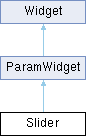
Slider — Horizontal or vertical fader. Set vertical to true in the constructor for a vertical slider. Supports background and handle images.

NumBox — Numeric text input. Users can click and drag or type a value directly.

local cutoff = Knob{"Cutoff", 20000, 20, 20000,
mapper = Mapper.Exponential, unit = Unit.Hertz}
local mix = Slider{"Mix", 0.5, 0, 1, unit = Unit.PercentNormalized}
local voices = NumBox{"Voices", 4, 1, 16, true} -- integer mode
Predefined mapper types.
Definition ui.cpp:745
@ Exponential
Exponential mapper, the parameter's range should be strictly positive.
Definition ui.cpp:757
Numeric input widget.
Definition ui.cpp:1624
Horizontal or vertical slider widget.
Definition ui.cpp:1687
Predefined unit types.
Definition ui.cpp:803
@ Hertz
display Hz symbol.
Definition ui.cpp:830
@ PercentNormalized
display % symbol but actual value is in the 0..1 range
Definition ui.cpp:818

Buttons

Button — Stateless push button. Triggers its callback once per click.

OnOffButton — Toggle button with on/off state. self.value is a boolean.

MultiStateButton — Cycles through multiple named states. Alternative to Menu for small option sets.

local trigger = Button{"Play"}
trigger.changed = function(self) playNote(60, 100, 500) end
local bypass = OnOffButton{"Bypass", false}
bypass.changed = function(self) print("Bypass:", self.value) end
local mode = MultiStateButton{"Mode", {"Poly", "Mono", "Legato"}}
mode.changed = function(self) print("Mode:", self.selectedText) end
MultiStateButton widget.
Definition ui.cpp:1485
2 states boolean button.
Definition ui.cpp:1128

Selection

Menu — Dropdown selector for longer lists of options.

local scale = Menu{"Scale", {"Major", "Minor", "Dorian", "Mixolydian"}}
scale.backgroundColour = "black"
scale.textColour = "white"
Menu widget.
Definition ui.cpp:1359
string backgroundColour
background colour: colour string that defines the desired colour.
Definition ui.cpp:1417

Set hierarchical to true to create nested sub-menus from path-like entries. Use "/" as separator — the menu builds the tree automatically:

local irMenu = Menu{"IR", {
"Halls/Large Hall", "Halls/Small Hall",
"Plates/Bright", "Plates/Dark",
"Rooms/Studio A", "Rooms/Studio B"
}, hierarchical = true}
irMenu.changed = function(self)
print("Selected:", self.selectedText) -- e.g. "Halls/Large Hall"
end

See the IRLoader example for a complete hierarchical menu with impulse response loading.

Display

Label — Text display with custom font, alignment, and colour.

Image — Displays a static image (PNG, JPG). Supports an overImage for mouse-over state.

SVG — Displays a Scalable Vector Graphics image.

local title = Label{"title", text = "My Instrument", align = "centred"}
local logo = Image("resources/logo.png")
logo.pos = {10, 10}
Image widget.
Definition ui.cpp:1214

Containers

Panel — Groups widgets together. Create sub-widgets using method syntax:

local panel = Panel{"Controls"}
panel.bounds = {0, 0, 720, 100}
panel.backgroundColour = "3f000000"
-- sub-widgets belong to the panel
local k = panel:Knob("Gain", 0.5, 0, 1)
local s = panel:Slider("Pan", 0, -1, 1)
local b = panel:OnOffButton("Mute", false)
Panel widget.
Definition ui.cpp:2234

Viewport — Scrollable container. Useful when content exceeds available space. A viewport shows a single child: each widget created in it replaces the previous one, so create one Panel in it and put the content in that panel.

Panel Switching (Tabs)

A common pattern for multi-page UIs: use OnOffButton as tab selectors and toggle Panel visibility. Each tab button deselects the others and shows only the matching panel:

local tabNames = {"Main", "FX", "Seq"}
local tabButtons, tabPanels = {}, {}
for i = 1, #tabNames do
tabButtons[i] = OnOffButton{tabNames[i], i == 1,
bounds = {(i - 1) * 80, 0, 78, 25},
backgroundColourOff = "333333", backgroundColourOn = "FF8800",
persistent = false}
tabPanels[i] = Panel{bounds = {0, 30, 500, 100}}
end
tabPanels[1]:Knob("Volume", 0.8, 0, 1)
tabPanels[2]:Knob("Cutoff", 20000, 20, 20000)
tabPanels[3]:Table("Steps", 8, 0, -12, 12, true)
for i = 1, #tabNames do
tabButtons[i].changed = function()
for j = 1, #tabNames do
tabButtons[j]:setValue(j == i, false) -- deselect others
tabPanels[j].visible = (j == i) -- show matching panel
end
end
end
tabButtons[1]:changed() -- show first tab
Table widget.
Definition ui.cpp:1556

See the PanelSwitcher example for a complete working script.

Data

Table — Multi-value bar editor. Commonly used for sequencer steps, velocity curves, or envelope shapes.

XY — Two-dimensional pad returning X and Y values.

local steps = Table{"Steps", 16, 0, -12, 12, true} -- 16 steps, int, range -12..12
steps.changed = function(self, index)
print("Step", index, "=", self:getValue(index))
end
-- an XY pad drives two existing parameters, named at construction
local padX = Knob("PadX", 0.5, 0, 1)
local padY = Knob("PadY", 0.5, 0, 1)
local pad = XY("PadX", "PadY")
padX.changed = function(self)
print("X:", self.value, "Y:", padY.value)
end
XY widget.
Definition ui.cpp:2386

Monitoring

AudioMeter — Real-time level meter bound to an element's audio bus.

WaveView — Displays the waveform of a sample.

local meter = AudioMeter("out", Program, true, 0, true)
meter.bounds = {680, 0, 40, 100}
AudioMeter widget.
Definition ui.cpp:2423
A Patch that represents a monotimbral instrument.
Definition Engine.cpp:350

File

FileSelector — Embedded file browser for selecting samples or presets.

DnDArea — Drag-and-drop zone. Fires a callback when a file is dropped, or when a text dragged from a Button of the same script is dropped (to drag widgets onto each other, e.g. to reorder slots).

local dnd = DnDArea{"Drop"}
dnd.fileDropped = function(self)
print("Dropped:", self.filepath)
end
-- text drag: the button carries "slot:1", the area takes the texts starting with "slot:"
local handle = Button("Handle")
handle.dragAndDropText = "slot:1"
dnd.acceptedText = "slot:"
dnd.textDropped = function(self)
print("Dropped:", self.droppedText)
end
DnDArea widget.
Definition ui.cpp:1258
FileFormat::Type acceptedFileFormat
accepted file format
Definition ui.cpp:1266
Predefined format file types.
Definition ui.cpp:904
@ Audio
Audio file type (wav, aiff, FLAC, ...)
Definition ui.cpp:915

Parameter-Bound Widgets

Parameter-bound widgets drive an existing Element parameter directly instead of carrying their own script value. This is the inverse of parameter export: rather than publishing a widget value to the host, the widget reads from and writes to a parameter that already lives on an Element — an oscillator, effect, modulation, etc. Range, default, Unit and Mapper all come from the target parameter, so no min/max/default is passed — only the element and the parameter name.

The first argument is an Element reference (or a path string identifying one); the second is the parameter name, the same name accepted by setParameter.

The main benefit over a plain widget is that the control adopts the parameter's Unit and Mapper. From the unit, values are both formatted for display and parsed back from typed text for free: the user can type "1.5 kHz", "-6 dB" or "50 %" and it is converted to the correct underlying value, with the right suffix shown. From the mapper, the control follows the parameter's own response curve (e.g. exponential for a frequency), so the knob travel matches the engine. You get all of this without setting unit, mapper or displayText yourself, and without writing a changed handler.

ParamKnob, ParamSlider, ParamOnOffButton, ParamMenu and ParamNumBox mirror their standard counterparts but bind to a parameter:

local flt = Program.layers[1].keygroups[1].inserts[1]
local cutoff = ParamKnob(flt, "Freq") -- knob follows the filter cutoff
local bypass = ParamOnOffButton(flt, "Bypass") -- toggle follows the bypass state
-- table form also accepts widget options (bounds, colours, ...)
local vol = ParamKnob{Program.auxs[1].inserts[4], "Volume", bounds = {0, 0, 80, 80}}
A knob bound to an existing Element parameter.
Definition ui.cpp:1840
An on/off button bound to an existing boolean Element parameter (e.g.
Definition ui.cpp:1969
table layers
Layer list for this Program (1-indexed, use #Program.layers to get the count)
Definition Engine.cpp:359
table auxs
all AuxEffect for this node, in position order. Falcon can add and delete them; a delete shifts the i...
Definition Engine.cpp:356

Moving the widget writes the parameter; changing the parameter elsewhere (host automation, modulation, preset load) updates the widget. No changed callback is required to keep them in sync.

Note
The Param* widgets never call a changed handler: assigning one is accepted but it is never invoked. To react to the parameter from script code, pair the widget with a ParameterValue on the same parameter and use its changed.

A bound widget can be retargeted with bind(elementOrPath, paramName), and can be created with a name only to start unbound. Widgets are created once, when the script loads, so this is how one set of controls follows an element chosen at run time:

local amount = ParamKnob("Amount") -- unbound: a placeholder for now
function editInsert(i) -- e.g. on a slot selection
amount:bind(Program.inserts[i], "Mix")
end
table inserts
all InsertEffect for this node
Definition Engine.cpp:355

If the bound element is deleted, the widget reads as unbound (value is nil) until it is bound again.

These five are also available as Panel methods, for placing them inside a container:

local panel = Panel{"Filter"}
panel:ParamKnob(flt, "Freq")
panel:ParamSlider(flt, "Q")
A fader bound to an existing Element parameter.
Definition ui.cpp:1903

ParameterValue is a non-visual, logical binding to a parameter — it draws nothing. Use it to read or drive a parameter from script code without placing a control on the UI. It is a global function only (not a Panel method) and does not accept layout options:

-- inserts[4] is a Gain effect: its Volume is a linear gain, 1.0 is unity
local vol = ParameterValue(Program.auxs[1].inserts[4], "Volume")
vol.value = 0.5 -- write the parameter (about -6 dB)
print(vol.value) -- read it back
vol.changed = function(self)
print("Volume is now", self:toString())
end
A non-visual (logical) binding to an existing Element parameter.
Definition ui.cpp:2161

Its changed handler is called each time the parameter changes, whoever changed it, and once more when the script's interface is built.

Note
Given an Element reference, a ParameterValue binds at once. Given a path string, it binds only when the script's interface is built: until then value reads nil, writes are dropped (both print a message in the script console) and bound is false. A write is also dropped when the Lua type does not match the parameter (a number for a float or integer parameter, a boolean for a boolean one, a string for a string one), with no error raised.

Mappers and Units

Knob, Slider, and NumBox accept a Mapper and a Unit to control the value curve and display formatting.

A Mapper defines the curve between the widget's visual position and the parameter value:

Mapper Formula Typical use
Linear (default) min + (max-min) × pos General purpose
Exponential min × (max/min)^pos Frequency, time
Quadratic min + (max-min) × pos² Gentle curve
Cubic min + (max-min) × pos³ Volume (perceptual)
SquareRoot min + (max-min) × √pos Inverse gentle

See Mapper for the full list (QuarticRoot, CubeRoot, Quartic, Quintic, etc.).

A Unit tells the engine how to format the displayed value:

Unit Display (float widget) Auto-scale
Hertz "440.00 Hz" → kHz from 1000 Hz
Seconds "2.00 s" → ms below 1 s, us below 1 ms
MilliSeconds "250 ms" → s from 1000 ms, us below 1 ms
Cents "50.00 Cents" → Semitones from ±100 cents, if the range exceeds ±100
SemiTones "7.00 Semitones" → Cents below ±1 semitone
LinearGain "-6.02 dB" linear gain shown in dB, 0 as "-oo dB"
Decibels "-6.00 dB" Direct dB value
Percent "50.00%" Direct percent value
PercentNormalized "50.00%" 0..1 shown as 0%..100%
Pan "Left 50", "Center", "Right 50" -1..1 shown as -100..100
MidiKey "C3" MIDI note name, integer widgets only

The scaling and most of the formats above apply to float widgets. An integer widget (created with the integer flag) formats only MidiKey (note name), SemiTones, Cents, Percent, Seconds, MilliSeconds (→ s from 1000 ms) and Hertz (→ kHz from 1000 Hz), without switching between cents and semitones; any other unit shows the bare number.

See Unit for the complete list.

When no built-in unit fits, use the displayText property to override:

gate.changed = function(self)
self.displayText = string.format("%d%%", self.value * 100)
end

Colours

All colour properties accept a string in one of these formats:

Format Example Description
Named "red", "darkgrey", "blue" CSS-style named colours
RGB hex "#FF00CC" or "FF00CC" 6-digit hex (opaque)
ARGB hex "#3C00FECD" or "3C00FECD" 8-digit hex, alpha first (00 transparent, FF opaque)

The leading # is optional and hex digits are case-insensitive. A string that is neither 6 or 8 hex digits nor a known colour name raises no error and sets no colour, so the widget keeps drawing with its default one.

Common colour properties: backgroundColour, textColour, fillColour, outlineColour, thumbColour, trackColour.

local k = Knob{"Gain", 0.5, 0, 1}
k.fillColour = "lightgrey"
k.outlineColour = "#FF8800" -- orange
local panel = Panel{"bg"}
panel.backgroundColour = "3f000000" -- semi-transparent black
string fillColour
fill colour.
Definition ui.cpp:1803
string backgroundColour
background colour.
Definition ui.cpp:2244

Images and Retina

Many widgets accept image paths for custom graphics. Supported formats: PNG and JPG.

setBackground("resources/background.png")
local btn = OnOffButton{"Play", false}
btn.normalImage = "resources/play_off.png" -- off state
btn.pressedImage = "resources/play_on.png" -- on state (and while held down)
local knob = Knob{"Filter", 0.5, 0, 1}
knob:setStripImage("resources/knob_strip.png", 128) -- 128 frames
string normalImage
image path for the off state
Definition ui.cpp:1146
void setBackground(string imagePath)
set the script background Image.

For Retina / HiDPI displays, place a @2x variant alongside the standard file:

  • resources/knob.png — standard resolution
  • resources/knob@2x.png — 2× pixel dimensions

The engine automatically picks the appropriate variant.

State and Persistence

Automatic Persistence

Set persistent to true (the default) to have widget values automatically saved and restored with the preset:

local mix = Knob{"Mix", 0.5, 0, 1}
mix.persistent = true -- value saved/restored automatically (default)
bool persistent
flag to tell if the widget values should be serialized when saving.
Definition ui.cpp:998

Parameter Export

Set exported to true to expose a widget as a host-automatable parameter. The widget's paramId is assigned automatically and is read-only:

local cutoff = Knob{"Cutoff", 20000, 20, 20000}
cutoff.exported = true -- visible to the host for automation
bool exported
default: false, set it to true to export this parameter as an automatable parameter
Definition ui.cpp:1016

Host automation slots are a shared resource: Falcon has 128 for the whole plugin instance. When they are all taken, exporting another widget reports an error in the console and the parameter stays unautomatable — see Widgets, parameters and automation.

For custom data beyond widget values, use onSave / onLoad callbacks. See Asynchronous Operations for file-based persistence with saveData / loadData.

Keyboard Colours

Use setKeyColour and resetKeyColour to colorize the on-screen keyboard. This is useful for indicating key ranges, keyswitches, or active notes:

-- mark keyswitch range in red
for i = 36, 43 do
setKeyColour(i, "FF0000")
end
-- mark the playable range: transparent white is not drawn as a colour, it
-- flags the key as valid; transparent black ("#00000000") flags it as invalid
for i = 48, 84 do
setKeyColour(i, "#00FFFFFF")
end
function setKeyColour(note, colour)
customize the keyboard colours.
Definition ui.lua:50

Next Steps

Explore the full widget reference with all properties and methods in the User Interface Classes and Functions module documentation.

Lottie Animations

What a Lottie is

A Lottie is a vector animation in a JSON file: shapes, colours and keyframes, not pixels. A widget wearing one asks it for a single frame at a time, so the file that would otherwise be a strip of bitmaps becomes one small document that is re-rendered at whatever size the widget happens to be.

That buys three things over a strip of bitmaps (see UIRetina for how those handle screen density):

  • one file, any size. No @2x variant to ship and nothing to redraw when a panel is laid out larger; the animation is rasterised at the size it is drawn, so it is as sharp at 200 px as at 40.
  • as many frames as the author wants. A knob strip is limited by the height of the bitmap someone exported; an animation is limited by nothing, so its sweep stays smooth.
  • states that are not just frames. A packaged animation can carry a state machine, which is what lets a control answer the mouse (see Packages and the mouse).

Two file forms are read, and the same call loads either:

  • .json — a single animation, exported by After Effects (Bodymovin), LottieLab, Rive's Lottie export, or written by hand.
  • .lottie — a zipped package: several animations and a state machine in one file, plus whatever palettes the machine draws on.

Dressing a widget

Every widget that can wear an animation takes a path, resolved exactly where image paths are: absolute, then next to the script, then next to the Program.

local cutoff = panel:Knob{"Cutoff", 0.5, 0, 1, bounds = {20, 20, 90, 90},
lottieAnimation = "knob.json"
}
local strike = panel:Button{"Strike", bounds = {130, 20, 70, 70}}
strike:setLottieAnimation("trigger.json", "trigger")
stateless transient button.
Definition ui.cpp:1036
Knob widget.
Definition ui.cpp:1763

The property is the short form and takes the defaults. The call form differs by widget: on Button, OnOffButton and ParamOnOffButton it takes the play mode as a second argument, which is required there – setLottieAnimation(path) with the path alone raises an error on a button, so use the property for the default "toggle" mode. On the other widgets the call takes the path only and is the same as the property. Calling it again with the same path and another mode only changes the mode – the file is not read twice. Both forms are available on Button, OnOffButton, Knob, Slider, ParamKnob, ParamSlider, ParamOnOffButton and AudioMeter.

The LottieControls example dresses a knob, a slider, both kinds of button and a meter, and ships the animations it loads.

Which frame shows

The widget decides, and each kind decides differently:

what drives the frame
widgetframe
Knob, Slider, ParamKnob, ParamSlider the value, mapped across the whole animation: frame 0 at the minimum, the last frame at the maximum
Button, OnOffButton, ParamOnOffButton the click. "toggle" (the default) runs up to the last frame when switched on and back down when switched off; "trigger" replays from the first frame on every click
AudioMeter the level it displays, in dB, mapped over the frames

A toggle flipped without a click — by automation, by a script writing value, by recalling a preset — catches up on its own, so the artwork always ends where the state says it should.

Packages and the mouse

A plain .json has one reel and no states beyond the frame being asked for. A .lottie package can also declare a state machine, and when it does the machine runs by itself as soon as the animation is loaded. Nothing in the script asks for it.

That machine is what gives a control its hovered and pressed look: pointer events reach an animation only while its machine is running. It redresses the control from inside the file — recolouring it is what most machines do, and a package holding several reels can switch between those too — while the click or the value goes on driving the frame underneath.

Switching reel does reset the frame, so a machine that swaps reels mid-travel sends a toggle back to its first frame. Recolouring has no such effect, which is one reason it is the common choice.

-- button_sm.lottie carries a machine that recolours the button as the pointer
-- enters, presses and leaves
local packaged = panel:OnOffButton{"Packaged", false, bounds = {20, 20, 80, 80},
lottieAnimation = "button_sm.lottie"
}
2 states boolean button.
Definition ui.cpp:1128

What a machine may do depends on the widget hosting it: it can change how the control looks, but it cannot take over the frame — that stays the widget's job. And a Slider is told when the pointer enters and leaves but not when it is pressed, so a slider has a hovered look and no pressed one.

The whole of it lives in the file. A script gives the path and nothing else: it cannot start, stop or steer a machine, pick a reel, or set a palette — those are the asset author's business, and there is no API for them. So an animation authored as a single .json has no hovered state at all: for that, either package it with a machine, or dress the widget with a six-frame strip image, which does have explicit hovered and held frames.

Size and proportion

The animation is fitted inside the widget with its own proportions kept, and, being vector, re-rendered at that size rather than stretched. A widget shaped unlike its asset simply leaves room empty: a square animation in a wide, short button ends up only as tall as the button.

So size the widget like the file. A 120 × 120 badge wants a square button; a 180 × 48 slider wants a wide, short one; a 30 × 200 VU wants a tall, narrow meter, and displayAsMono gives that one channel the whole width.

Note
A Knob is always laid out square, at its own height, whatever else it shows – hiding its labels does not give the animation the width back. So give a knob equal width and height, or count on the extra width going to the labels.

Alongside images

A widget wears one artwork at a time. While an animation path is set, the widget leaves its strip and its separate state images unused — so an animation wins, but give a widget one or the other anyway: the images are dead weight next to it.

Which to reach for:

  • an animation when the control is drawn from shapes, has to scale, or wants a smooth sweep — knobs, sliders, meters, and buttons whose states are colour changes.
  • a strip image when the artwork is a photograph or a rendered texture, or when the states are genuinely different pictures.

Authoring an asset

The animation is drawn by ThorVG, and what it can draw is the practical limit on what an asset may use. Their Lottie Support page is the list to check before leaning on a feature: shapes, strokes, gradient fills, masks and mattes, trim paths and repeaters, embedded JPG, PNG and WebP images, text, and layer effects such as drop shadow, gaussian blur, tint and tritone are all there. Images have to be embedded: a script's animation is handed to the renderer as bytes, with no folder to resolve a linked file against. The gaps are mostly in expressions – a good part of the scripting API of After Effects has no equivalent – and in a few loop modes.

Falcon carries ThorVG 1.0.2, so a feature their page credits to a later release will not render here, whatever the file says.

What the file should do

A handful of habits make the difference between an asset that tracks a control and one that merely plays near it:

  • the whole file is the sweep. For a knob, a slider or a meter, put the entire travel across the animation's frame range: frame 0 is the minimum, the last frame the maximum. There is no sub-range to point at.
  • keep the value-driven keyframes linear. The frame is picked by rounding the control's proportion onto the frame count, so any easing in the file bends the relation between where the control sits and where its needle points. Ease a button's reel if you like – nobody is dragging that.
  • more frames buy smoothness, and cost only what is drawn. Frames are rasterised as they are asked for, so a long sweep is not paid for up front. Only a few dozen rendered frames are held at a time, and resizing the widget drops them, so a slow drag across a long animation does re-render as it goes.
  • shape the artboard like the widget – see Size and proportion, it is the mistake that costs the most for the least reason.
  • inspect before you ship. The LottieFiles editor and the dotLottie tooling both show a file's layer names, reels and frame count, which is what has to match the intent above.

The formats themselves are specified away from us: Lottie for the animation, and dotLottie for the package – the latter is where the layout of a .lottie comes from, animations in a/ and the state machine in s/, and where the machine's own vocabulary of states, transitions, guards and inputs is defined.

When nothing shows

A path that no resource root holds, and a file the parser refuses, are both recorded in the script log — the first also prints in the script console. If a widget stays blank, that log names the file it looked for and the roots it looked in.

See also
User Interface, UIRetina, and the LottieControls example

MIDI Event Generation

Overview

Beyond receiving MIDI events through callbacks like onNote and onController, uvi-script can also generate outgoing MIDI events. This is useful for building arpeggiators, chord generators, MIDI processors, and automation scripts.

There are two approaches:

  • Helper functions — concise, dedicated functions for each event type
  • postEvent() — low-level, allows full control over all event fields

Helper Functions

These convenience functions wrap postEvent with the correct event type. All accept optional channel and input parameters for routing to specific Parts.

Control Change

Send a MIDI CC message:

function onNote(e)
-- send mod wheel (CC1) value 100 on the same channel
controlChange(1, 100, e.channel)
end
-- restore the usual controller defaults (e.g. from a "Reset" button)
local function resetControllers(channel)
controlChange(1, 0, channel) -- mod wheel: 0
controlChange(11, 127, channel) -- expression: 127 (full), not 0
controlChange(64, 0, channel) -- sustain pedal: off
pitchBend(0, channel) -- pitch bend: centre
end
void onNote(table e)
event callback that will receive all incoming note-on events if defined.
function postEvent(e, delta)
send a script event back to the script engine event queue.
Definition api.lua:959
function pitchBend(b, ch, inp)
sends a PitchBend event.
Definition api.lua:1235
function controlChange(cc, val, ch, inp)
sends a ControlChange event.
Definition api.lua:1204

A controller reset means sending each controller its own default value, not 0 across the board: CC 11 (expression) rests at 127, so zeroing it silences any instrument that maps expression to volume. Only reset the controllers your instrument actually uses.

Controllers 120-127 are channel-mode messages (all sound off, reset all controllers, all notes off, omni/mono/poly mode), not ordinary controllers. The script engine acts on two of them — CC 120 cuts every playing voice immediately and CC 123 releases every held note — while CC 121 (reset all controllers) is not interpreted by the engine, so it cannot replace the explicit reset above.

See also
controlChange, onController

Pitch Bend

Send a pitch bend message. The value is normalized to [-1.0; 1.0]:

-- pitch bend ramp on each note
function onNote(e)
spawn(function()
for i = 0, 100 do
pitchBend(i / 100) -- ramp from 0 to +1
wait(10)
end
pitchBend(0) -- reset
end)
end
function wait(ms)
suspend the current thread callback execution for the given number of milliseconds.
Definition wrapper.lua:39
function spawn(fun,...)
Launch a function in a separate parallel execution thread (deferred execution)
Definition api.lua:1338
See also
pitchBend, onPitchBend

Program Change

Send a program change message:

-- switch program based on velocity range
function onNote(e)
if e.velocity > 100 then
programChange(1) -- high velocity: program 1
else
programChange(0) -- low velocity: program 0
end
end
function programChange(val, ch, inp)
sends a ProgramChange event.
Definition api.lua:1220
See also
programChange, onProgramChange

Aftertouch

Send channel aftertouch or polyphonic aftertouch:

-- convert velocity to channel aftertouch
function onNote(e)
afterTouch(e.velocity)
end
-- per-note pressure from velocity
function onNote(e)
polyAfterTouch(e.velocity, e.note)
end
function afterTouch(v, ch, inp)
sends an AfterTouch event.
Definition api.lua:1250
function polyAfterTouch(v, n, ch, inp)
sends a PolyAfterTouch event.
Definition api.lua:1266
See also
afterTouch, polyAfterTouch, onAfterTouch, onPolyAfterTouch

Modifying Incoming Events

Instead of generating new events, you can modify incoming events before forwarding them with postEvent. This is the most efficient way to transform MIDI data:

-- Remap CC1 (mod wheel) to CC11 (expression)
function onController(e)
if e.controller == 1 then
e.controller = 11
end
end
void onController(table e)
event callback that will receive all incoming control-change events when defined.

You can modify any field of the event table before posting it:

-- Transpose all notes up one octave
function onNote(e)
e.note = e.note + 12
end
function onRelease(e)
e.note = e.note + 12
end
void onRelease(table e)
event callback executed whenever a note off message is received.
Note
When modifying onNote events, remember to apply the same transformation in onRelease so the engine can match the note-off to the correct voice.

RPN, NRPN and Data Entry CCs

A few controller numbers are consumed before they reach the script: CC 6 and CC 38 (data entry MSB/LSB), CC 98 and CC 99 (NRPN LSB/MSB), and CC 100 and CC 101 (RPN LSB/MSB) do not trigger onController (or onEvent) and do not update getCC. They are dropped by the script processor, so they do not reach the modules after the script either.

To receive them as plain CC events, opt in at script load time:

enable_rpn_as_cc(true) -- receive CC 100/101
enable_nrpn_as_cc(true) -- receive CC 98/99
enable_data_entry_as_cc(true) -- receive CC 6/38
function enable_rpn_as_cc(value)
lets the script receive RPN as plain CC.
Definition thread.lua:318
function enable_nrpn_as_cc(value)
lets the script receive NRPN as plain CC.
Definition thread.lua:336
function enable_data_entry_as_cc(value)
lets the script receive 'data entry' as plain CC.
Definition thread.lua:354

Once enabled, these controllers are ordinary CC events: they follow the usual forwarding rules, passing through when onController is not defined and only when your onController posts them otherwise. The MSB/LSB state machine is the script's responsibility: decode the parameter number from CC 99/98 (NRPN) or CC 101/100 (RPN), then the value from CC 6/38, inside onController.

Using postEvent Directly

The helper functions are shortcuts for postEvent. You can achieve the same result (and more) by constructing event tables directly:

-- these two are equivalent:
postEvent({type = Event.ControlChange, controller = 1, value = 64})
Event types.
Definition Engine.cpp:905

Using postEvent directly gives access to additional fields like layer, plus an optional second argument delta (timing offset in ms):

-- send CC to a specific layer with a 10ms delay
type = Event.ControlChange,
controller = 1,
value = 100,
layer = 2
}, 10)

Raw MIDI with postMidiEvent

For playback of MIDI files or raw MIDI data, use postMidiEvent with MidiEvent objects. The class lives in the uvi table, and the constructor takes the channel before the event type: uvi.MidiEvent(timestamp, channel, type, byte1, byte2). The Event type constants are global and need no prefix.

Note
MidiEvent objects use the raw 0-based MIDI channel in [0;15], unlike the event tables passed to callbacks and postEvent, which use 1-based channels in [1;16] (with 0 accepted by postEvent as omni). Channel 1 in an event table is channel 0 here.
-- note-on: channel 0, note 60, velocity 100
local event = uvi.MidiEvent(0, 0, Event.NoteOn, 60, 100)
void postMidiEvent(MidiEvent e)
send a MidiEvent directly to the script engine event queue.
Note
Events posted via postMidiEvent don't have voice IDs. For advanced voice tracking, use playNote and releaseVoice instead.
See also
MIDI, Events, Event Callbacks, Asynchronous Operations, Porting from Kontakt (KSP)

Asynchronous Operations

Overview

uvi-script provides asynchronous operations to prevent blocking the real-time audio thread when performing file I/O, loading samples, or other time-consuming tasks.

All asynchronous operations run on background threads and communicate their results back to the script thread safely, ensuring real-time audio processing is never interrupted.

Common Patterns

Callback Pattern

Async functions take a completion callback as their last argument. It is optional everywhere except in createMidiFile, which raises an error without one. This is the recommended pattern for most use cases:

browseForFile("open", "Select file", "", "*.wav", function(task)
if task.success then
print("Selected: " .. task.result)
else
print("Operation cancelled or failed")
end
end)
function browseForFile(mode, title, initialFileOrDirectory, filePatterns, callback)
launch a file chooser to select a file to open or save
Definition api.lua:33

The callback receives an AsyncTask object with the following properties:

  • task.success - Boolean indicating if the operation succeeded
  • task.finished - Boolean indicating completion status

Operation-specific results are exposed through dedicated properties:

loadData and loadTextData are different: their callback receives the loaded data directly (a Lua table or a string), not a task object — see Custom Data I/O below.

Polling Pattern

Alternatively, you can poll the task status in a loop. This is useful when you need to perform other work while waiting:

function onInit()
local task = purge(Program.layers[1])
-- Continue doing other work while the purge happens
while not task.finished do
print("Purging samples...")
wait(100) -- Check every 100ms
end
print("Purge complete!")
end
A Patch that represents a monotimbral instrument.
Definition Engine.cpp:350
function purge(target, callback)
purge an/several element(s)/oscillator(s) from its/their content in order to release memory.
Definition api.lua:440
void onInit()
initial callback, called once if the script was successfully analyzed.
function wait(ms)
suspend the current thread callback execution for the given number of milliseconds.
Definition wrapper.lua:39

Polling needs the task handle. Most async functions return it whether or not a callback is given, but loadSample returns nil when called without a callback — pass one (even an empty function) if you need to observe completion.

Polling only works where wait can actually suspend execution: inside an event callback, onInit, or a thread started with spawn / run. At the top level of the script, or in a widget's changed callback, wait() returns immediately and the loop spins without ever letting the task complete — use the callback pattern there instead.

Note
wait counts audio time — samples rendered — not wall-clock time. In an offline render running faster than real time, wait(100) passes in a fraction of 100 ms, so the loop above sees the task finish at a point in the audio that depends on how fast the machine did the work. That is fine for a progress readout, but never use a wait as a delay that "gives the load time", and do not make what the script plays depend on when a task finished if the result has to render the same way twice.

Available Async Operations

File Dialogs

Use browseForFile to let users select files without blocking audio:

-- Open file dialog
browseForFile("open", "Select Audio File", "", "*.wav;*.aif", function(task)
if task.success then
local filepath = task.result
print("User selected: " .. filepath)
end
end)
-- Save file dialog
browseForFile("save", "Save Preset", "MyPreset", "*.preset", function(task)
if task.success then
saveData(presetData, task.result)
end
end)
function saveData(data, path, callback)
save data to file.
Definition api.lua:261

Sample Management

Loading and purging samples can take time. Use async operations to avoid audio glitches:

function onInit()
-- Purge samples from a layer
local task = purge(Program.layers[1])
-- Optionally wait for completion (see the polling pattern above)
while not task.finished do
wait(50)
end
print("Layer purged successfully")
end
A layer of sounds.
Definition Engine.cpp:367
table layers
Layer list for this Program (1-indexed, use #Program.layers to get the count)
Definition Engine.cpp:359

purge and unpurge work on the sample-based oscillators under the node they are given. A MultiSample ignores them — it purges a layer of zones at a time with its own calls, and the program-load sequence decides where those belong; see Program load and warm-up.

State Management

Save and restore the entire ScriptProcessor state, including widget values and custom data stored via onSave / onLoad :

  • saveState — serialize the processor state to a file
  • loadState — restore processor state from a file
-- Let the user pick a destination, then save state
browseForFile("save", "Save State", "MyState", "*.state", function(task)
if task.success then
saveState(task.result, function(t)
if t.success then print("State saved") end
end)
end
end)
-- Restore state from a user-selected file
browseForFile("open", "Load State", "", "*.state", function(task)
if task.success then
loadState(task.result, function(t)
if t.success then print("State restored") end
end)
end
end)
function saveState(path, callback)
save state to file.
Definition api.lua:133
function loadState(path, callback)
load state from file.
Definition api.lua:118

Custom Data I/O

Save and load arbitrary data to and from files:

JSON encoding does not support cyclic references or userdata values. Only plain Lua types (numbers, strings, booleans, and nested tables) are serialized.

Warning
A table that mixes array entries and string keys is written as a JSON object, so its integer keys come back as strings: {1, 2, name = "x"} reloads with data["1"], and data[1] is nil. Keep arrays and maps in separate tables, e.g. {notes = {1, 2}, name = "x"}. The same applies to onSave / onLoad.

The save callbacks receive a task object (check task.success). The load callbacks receive the loaded data directly: a decoded Lua table for loadData, a plain string for loadTextData. If the file cannot be read, the load callback is simply not invoked.

-- Save a preset table as JSON
local preset = {name = "Warm Pad", cutoff = 800, resonance = 0.6}
saveData(preset, "/path/to/preset.json", function(task)
if task.success then print("Preset saved") end
end)
-- Load it back: the callback receives the decoded table
loadData("/path/to/preset.json", function(data)
print("Loaded preset: " .. data.name)
end)
-- Save raw text
saveTextData("some config line\nanother line", "/path/to/config.txt", function(task)
if task.success then print("Text saved") end
end)
-- Load raw text: the callback receives the file contents as a string
loadTextData("/path/to/config.txt", function(text)
print("Contents: " .. text)
end)
function saveTextData(data, path, callback)
save string to file.
Definition api.lua:190
function loadTextData(path, callback)
load string from file.
Definition api.lua:225
function loadData(path, callback)
load data from file.
Definition api.lua:163

When polling instead of passing a callback, nothing is decoded on your behalf: the returned task (an AsyncDataLoadTask) exposes the raw file contents through its data property — a string, or nil if the file could not be read. For files written by saveData, decode the JSON yourself with the uvi.json module, which provides decode and encode:

local json = require('uvi.json')
function onInit()
local task = loadData("/path/to/preset.json")
while not task.finished do
wait(50)
end
if type(task.data) == "string" then
local preset = json.decode(task.data)
print("Loaded preset: " .. preset.name)
end
end

Sample Loading

Load audio files into oscillators and configure their playback parameters:

  • loadSample — load an audio file into an oscillator
  • setPlaybackOptions — set start, end, loop points, and direction (units are in samples; loopType: 0=None, 1=Forward, 2=Alternate, 3=OneShot)
  • unpurge — reload previously purged samples
Note
None of these target a MultiSample, which loads a whole sample set from a mapping file and purges it a layer at a time — see MultiSample (SampleMappingOscillator).
local osc = Program.layers[1].keygroups[1].oscillators[1]
-- Load a sample and configure loop points
loadSample(osc, "/path/to/kick.wav", function(task)
if task.success then
-- Set playback: start=0, end=44100, loop Forward from 1000 to 40000, forward
setPlaybackOptions(osc, 0, 44100, 1, 1000, 40000, true, function(t)
if t.success then print("Playback configured") end
end)
end
end)
-- Reload purged samples
unpurge(osc, function(task)
if task.success then print("Samples reloaded") end
end)
function setPlaybackOptions(oscillator, start, end_, loopType, loopStart, loopEnd, playForward, callback)
set playback options inside the oscillator
Definition api.lua:104
function loadSample(oscillator, path, callback)
load a sample inside the oscillator
Definition api.lua:79
function unpurge(target, callback)
unpurge an/several element(s)/oscillator(s) content in order to load their memory.
Definition api.lua:474

Oscillator Introspection

After loading a sample, you can query the oscillator for metadata:

local osc = Program.layers[1].keygroups[1].oscillators[1]
-- Sample information (available on sample-based oscillators)
local info = osc.sampleInfo
if info then
print("Name:", info.name)
print("Duration:", info.duration, "ms")
print("Sample rate:", info.samplerate, "Hz")
print("Channels:", info.channels)
end
-- Slice information (LoopLab oscillators; numSlices is 0 on any other oscillator)
if osc.numSlices > 0 then
for i = 1, osc.numSlices do
local slice = osc:getSliceInfo(i)
print("Slice", i, "start:", slice.start, "ms", "duration:", slice.duration, "ms")
end
end

See Oscillator for the full list of properties including purged, looplabInfo, and numSlices.

MIDI File Operations

Load, create, and save MIDI files:

The task passed to the callback exposes the sequence through its midi property. Events are accessed per track with getNumEventsForTrack and getEvent (both 1-indexed).

-- Load a MIDI file and iterate the events of its first track
loadMidi("/path/to/pattern.mid", function(task)
if task.success then
local seq = task.midi
for i = 1, seq:getNumEventsForTrack(1) do
local event = seq:getEvent(1, i)
print("Event " .. i .. ": type=" .. event.type
.. " byte1=" .. event.byte1)
end
end
end)
-- Create an empty MIDI sequence (2 tracks, up to 256 events per track), then save
createMidiFile(2, 256, function(task)
if task.success then
local seq = task.midi
saveMidi(seq, "/path/to/output.mid", function(t)
if t.success then print("MIDI file saved") end
end)
end
end)
function createMidiFile(maxNumTracks, maxNumEvents, callback)
create a midi file asynchronously
Definition api.lua:350
function loadMidi(path, callback)
load a midi file asynchronously
Definition api.lua:334
function saveMidi(midifile, path, callback)
save a midi file asynchronously
Definition api.lua:375

Impulse Response Loading

Load impulse response files into a IReverb effect:

local reverb = Program.inserts[1] -- a SampledReverb effect
loadImpulse(reverb, "/path/to/hall.wav", function(task)
if task.success then print("IR loaded") end
end)
table inserts
all InsertEffect for this node
Definition Engine.cpp:355
SampledReverb.
Definition Engine.cpp:306
function loadImpulse(reverb, path, callback)
load an impulse response inside the reverb.
Definition api.lua:406

Insert Effect Chains

Edit the insert chain of any node that has inserts (Synth, Part, Program, Layer, Keygroup, AuxEffect):

  • insertEffect — insert a new effect of a given type, at a slot or at the end
  • removeEffect — remove the effect at a slot
  • moveEffect — move an effect to another slot, keeping its settings and audio state

These are methods of the node and take their callback as the last argument. The chain changes after the call returns: read inserts again in the callback.

Program:insertEffect("SparkVerb", nil, function(task) -- nil slot: append
if task.success then
Program:moveEffect(#Program.inserts, 1) -- and put it first
end
end)
Program & Program
convenience global pointing to the parent Program element
Definition Engine.cpp:702

File Paths

Functions that read a file resolve a relative path by trying, in order: the path as given, the folder of the script file, the folder of the program (preset), the folder of the multi, and the folder the program was originally loaded from. loadSample and loadImpulse also look in the Samples folder of the program's sound bank. require searches the same script and program folders for a .lua file of that name, so a script can be split into modules kept beside it.

Functions that write a file (saveData, saveTextData, saveState, saveMidi) do not resolve relative paths: the path is used as given. Pass an absolute path, typically one returned by browseForFile.

Thread Safety

Background Execution
All async operations execute on background threads, completely separate from the real-time audio thread. This ensures audio processing is never interrupted.
Callback Execution
The completion callback is run by the script's own scheduler, on the audio thread, like every other script callback. That makes it safe to access script variables and call uvi-script API functions — and subject to the same real-time rules as onNote — keep it short, and never block in it.
Data Sharing
The arguments and results of an async operation are copied between threads, so you never need locks in the script. That does not order the operation with the rest of the engine: a query made while an operation is in flight can still report the previous state. For instance, right after unpurgeZones returns, getLoadingStatus can still read 1 until the worker picks the request up, and a note played then lands on zones that are not loaded yet. Wait for the completion callback before relying on the result.

Best Practices

Check Success Status
Always verify the operation succeeded before using results:
browseForFile("open", "Select file", "", "*.*", function(task)
if task.success then
-- Safe to use task.result
print("File: " .. task.result)
else
-- User cancelled or error occurred
print("No file selected")
end
end)
See also
Async, AsyncTask, browseForFile, purge
spawn, wait, onSave, onLoad, Porting from Kontakt (KSP)

MultiSample (SampleMappingOscillator)

Overview

The MultiSample oscillator — named "MultiSample" in the host's element browser, MultiSample in the script API (element class and uvi.SampleMappingOscillator.* parameter constants) — is the same element under two names. A Sample oscillator plays one sample. A MultiSample plays a whole sample set: it holds a list of zones and picks one per note, along four axes — key, velocity, and two extra dimensions the script controls directly. That makes it the oscillator to use for multi-articulation instruments, multi-microphone sets, and round-robin variations, where the alternative would be one keygroup per articulation and a script juggling layers.

The zone list comes from a mapping file on disk (.dmap, .xml or .sfz). The program normally carries it — the oscillator's MappingPath is saved with the preset and loaded with it — and a script can load another one at run time. This guide covers the file format, the script API that loads mappings and dispatches notes into them, and what happens when a program loads, which decides where the loading belongs.

Note
A script cannot create a MultiSample oscillator — no scripting call inserts an element. It drives one the program already carries: load a mapping, purge zones, route notes. Inserting one is a user action, from the element browser, where the oscillator is listed as "MultiSample" (searching the browser for keymap, zones, layers or velocity finds it).

The dispatch model

The four axes

Every zone in a mapping declares a key range, a velocity range, and a position on two further axes:

axis meaning
key the zone's MIDI key range, lowKey … highKey
velocity the zone's velocity range, lowVel … highVel
dim1 the logical layer — articulation, microphone, dynamic level
dim2 the round-robin variant inside that layer

A note-on carries key and velocity as usual, and may carry dim1 and dim2 as extra fields — see Dispatching notes. Exactly one zone is selected, and the voice plays that zone's sample.

When a note-on carries no dimensions at all, dim1 is 0 and dim2 is chosen by the round-robin policy. A single-layer mapping therefore plays from plain MIDI notes with no dispatch code at all, leaving the script nothing to do but load it. The dimensions come in once one oscillator has to cover several articulations or several takes.

Note
The MIDI channel is deliberately not used as a fallback for dim1. Dimensions are only ever what the script puts in the event.

Which zones can sound

A zone is a candidate only when it is loaded and not purged. Both conditions matter in practice:

  • while a mapping loads, a note whose zone has not arrived yet is silent. Zones become playable one by one as their samples finish, so a mapping half-way through loading is partly audible, not mute — and until the new mapping is published at all, notes still play the previous one;
  • notes routed to a purged layer are silent until the layer is unpurged.

Neither case is an error and nothing is reported. The note still allocates a voice, which finds no zone to play and is dropped silently on its first block — so it produces no sound but was counted against the polyphony first. The same goes for a note whose zones all lie outside the dim1 / dim2 the script pins on it.

A key the mapping does not cover at all is a different case. When no zone, on any layer and in any variant, spans the note's key and velocity, the keygroup does not trigger: no voice is allocated, so the note does not count against the polyphony, steal a voice or cut an exclusive group. In the two morphing dynamics modes, Continuous and Velocity XFade, the velocity is not part of that test — any zone on the key keeps the note. A keygroup holding several oscillators triggers as soon as one of them, not bypassed, can play the note. An oscillator with no mapping at all produces no voice. When a mapping seems mute, check the load state first.

Note
This applies to real-time playing. An offline render is allowed to block, so a note triggered there waits for its zone instead of dropping it. A mapping that sounds full in a bounce but has a silent attack live is showing you the difference, not a bug in either — see Live playing and offline renders.

Round robin

When several zones match (key, velocity, dim1) — that is, when the layer holds several dim2 variants — the SampleMappingOscillator::RoundRobinMode parameter decides which one plays:

value mode behaviour
0 First always the lowest dim2
1 Cycle successive notes walk the variants in order (default)
2 Random a variant is drawn at random

Passing an explicit dim2 bypasses the policy entirely: the script has already named the variant it wants.

The Cycle counter belongs to the matching zones, not to the key: the first zone of the set holds it, so a zone spanning several keys walks one sequence across all of them, and purging that zone hands the walk to the next zone's own counter — usually a fresh one, unless that zone was already the head for other keys.

Mapping files

The extension selects the parser: .dmap and .xml are read as the UVI mapping format described below, .sfz as the SFZ subset. Any other extension is rejected.

The .dmap format

A mapping file is a layers root holding layer elements, each holding zone elements. The common shape is a single layer of key-split zones — a multisampled instrument, no dimensions involved:

<?xml version="1.0" encoding="utf-8"?>
<layers channelMax="2">
<layer name="default">
<zone path="../../Samples/Strings/Strings-C2.wav" baseNote="48"
lowKey="0" highKey="51" lowVel="1" highVel="127"/>
<zone path="../../Samples/Strings/Strings-C3.wav" baseNote="60"
lowKey="52" highKey="63" lowVel="1" highVel="127"/>
<zone path="../../Samples/Strings/Strings-C4.wav" baseNote="72"
lowKey="64" highKey="127" lowVel="1" highVel="127"/>
</layer>
</layers>

Layers and round-robin variants are what the extra dimensions address. Adding a second layer and a second take per zone:

<layers>
<layer name="sustain">
<zone path="Samples/vln_sus_C4_p.wav" baseNote="60"
lowKey="58" highKey="62" lowVel="1" highVel="63"/>
<zone path="Samples/vln_sus_C4_f.wav" baseNote="60"
lowKey="58" highKey="62" lowVel="64" highVel="127"/>
</layer>
<layer name="staccato">
<zone path="Samples/vln_stac_C4_a.wav" baseNote="60"
lowKey="58" highKey="62" rr="1"/>
<zone path="Samples/vln_stac_C4_b.wav" baseNote="60"
lowKey="58" highKey="62" rr="2"/>
</layer>
</layers>

dim1 0 is now the sustain layer, split into two velocity zones; dim1 1 is the staccato layer, with two round-robin variants (dim2 0 and 1) over the full velocity range.

A layer's dim1 is its position in the file**, counted from 0 in order of appearance. The name attribute is for people: the editor shows it next to the layer's zones, but nothing dispatches on it and no script call reads it.

zone attributes:

attribute type default notes
path string — required; relative to the mapping file's own folder, or absolute
lowKey / highKey 0…127 0 / 127 key range
lowVel / highVel 1…127 1 / 127 velocity range
baseNote 0…127 60 the sample's root note
rr ≥ 1 1 round-robin index; dim2 is rr - 1
tune number 0 fine tune in cents, on top of baseNote
gain number 0 zone gain in dB
purged 0 / 1 0 when 1, the zone is not loaded with the mapping
streaming 0 / 1 1 stream the sample from disk rather than hold it in memory
maxSampleStart number 0 ms; how far into the sample a voice may start, see Starting a note inside the sample
start / end frames sample play region; end is inclusive (the last frame played)
reverse 0 / 1 sample play the region backwards
loopMode name sample no_loop, one_shot, loop_continuous or loop_sustain, as SFZ loop_mode
loopType name sample forward or alternate (ping-pong)
loopStart / loopEnd frames sample loop points; loopEnd is inclusive
loopXfade frames sample loop crossfade length; 0 turns the sample's crossfade off
loopXfadeCenterX / loopXfadeCenterY 0…1 sample the crossfade curve's control point

Key, velocity and baseNote values outside their ranges are clamped; tune, gain and maxSampleStart are taken as written (maxSampleStart floors at 0). A zone whose key or velocity range is inverted (lowKey above highKey) or whose path is missing is skipped silently, so a typo costs you one zone rather than the whole file. Backslashes in a path are read as folder separators, so a mapping written on Windows loads unchanged elsewhere.

A zone may also carry a <velFilter> child, the per-zone timbre correction described in Velocity dynamics.

tune is where a tuning table belongs: per-zone cents are applied once when the zone is picked, which is cheaper than correcting pitch on every note the script plays.

The mapping and the sample file each own half of a zone. Root note, tune, gain and the key and velocity ranges come from the mapping alone: whatever root key, fine tune or ranges the sample file stores are ignored, and a zone without baseNote plays with root 60 whatever the file says. The playback points go the other way: the loop, its mode and crossfade, and the start and end points are read from the sample file every time the zone loads, unless the zone overrides them. Sample file metadata lists which chunks count, format by format.

Playback overrides

The attributes from start down in the table above override the sample file's playback options for one zone. Each is independent: whatever a zone leaves out still comes from the file, and a zone with none of them plays the file's options untouched, as every mapping did before they existed. Positions are in frames of the sample file, counted from 0, and both ends — end and loopEnd — are inclusive**, the last frame played, as in SFZ.

<zone path="Samples/pad_C3.wav" baseNote="48" lowKey="36" highKey="59"
start="512" end="176399"
loopMode="loop_continuous" loopType="forward"
loopStart="44100" loopEnd="132299" loopXfade="4410"/>

The loop rules are those of the SFZ subset below: without loopMode the zone loops only when the file carries a loop; a missing loopStart or loopEnd comes from the file's markers, or from the start or end of the play region when it has none; loop_sustain leaves the loop at note-off where loop_continuous keeps looping; and a loop shorter than three frames is dropped, the file's own loop playing instead. When only the points move, the file's loop keeps its direction and crossfade unless loopType or loopXfade say otherwise. The crossfade is counted in frames here, where SFZ counts seconds, so a zone reproduces a loop to the frame whatever the sample rate.

A region that would play nothing (end before start) is ignored and the file's points are kept. A loop never reaches outside the play region: a loop point past start or end is moved to it, the file's own loop included, and a file loop left shorter than three frames by the move is dropped. A zone with a loopXfade above 0 is loaded into memory whatever its streaming attribute says, unless its loopMode is no_loop or one_shot: a crossfaded loop cannot be streamed.

The optional channelMax attribute on layers declares the widest channel count in the set, so the oscillator can size its output bus before the first sample arrives. It is a floor, not an assertion: a wider sample still widens the bus. It can be left out, but see Purging zones for why a stereo set is better off declaring it. layers may also carry two children, <velGain> and <velXFade>, which belong to Velocity dynamics and are described there.

maxSampleStart can be written at any of the three levels and each inherits the one above: on layers it sets the default for every layer, on a layer for every zone in it, and on a zone for that zone alone. Declaring it once at the top is usually enough.

Loading fails outright — no zones, previous mapping kept — when the file cannot be parsed, when there is no layers root, or when not a single valid zone survives.

The SFZ subset

.sfz files are read with a deliberately small opcode set, enough to consume mappings exported by common sampler tools:

opcode maps to
sample the zone's sample path
lokey / hikey key range
key shorthand: sets lokey, hikey and pitch_keycenter at once
lovel / hivel velocity range (0 is clamped to 1)
pitch_keycenter baseNote
tune fine tune in cents
volume zone gain in dB
seq_position round-robin index; dim2 is seq_position - 1
group_label on a <group>: the layer's display name (ARIA extension)
loop_mode no_loop, one_shot, loop_continuous or loop_sustain
loop_start loop start, in frames
loop_end loop end, in frames, inclusive (the last frame played)
loop_crossfade loop crossfade length, in seconds

The SFZ v1 spellings loopmode, loopstart and loopend are accepted too.

Headers behave as SFZ implementations expect: <global> opcodes are inherited by every group, <group> opcodes by every region below it, and <region> produces one zone. <control> is read for default_path, which prefixes every relative sample path. Both // line comments and C-style block comments are stripped. Unrecognised opcodes are ignored rather than treated as errors.

Loops follow the SFZ rules, on top of the sample file. Unlike a .dmap, an SFZ region can set its own loop, and every loop opcode it leaves out falls back to the sample file:

  • without loop_mode, the zone loops only when the sample file carries loop markers — the file's loop plays as it is, unless loop_start, loop_end or loop_crossfade move it;
  • without loop_start or loop_end, the point comes from the file's markers and, when the file has none, from the start or end of the sample, so loop_mode=loop_continuous alone loops a marker-less sample over its whole length;
  • loop_continuous keeps looping through the release; loop_sustain leaves the loop at note-off and plays on to the end of the sample;
  • one_shot ignores the loop and the note-off alike: the sample always plays to its end, and the amplitude envelope is not released — as long as the MultiSample is the first oscillator of its keygroup, the one whose answer the keygroup asks at note-off;
  • no_loop plays straight through, even when the file carries a loop.

The crossfade is shortened to fit: it never runs longer than the loop itself, nor further back than the start of the sample, so a loop starting at frame 0 cannot crossfade. A loop shorter than three frames is dropped and the zone keeps the sample file's own loop settings. When only the points move, the file's loop keeps its direction (forward or alternating) and its crossfade.

Three limits of the subset are worth knowing before pointing it at a file you did not write. Values must be numbers: a note name such as lokey=c1 does not parse and silently leaves the inherited value in place — except on key, where an unparseable value collapses the region to note 60. Opcodes written before the first header are discarded, <master> is ignored altogether, and a second <global> replaces the first rather than adding to it.

Each <group> becomes a dim1 layer**, in order of appearance, so a single-group file — the common case — stays at dim1 0 and a multi-group file becomes a multi-layer mapping with no extra markup. Zones from an SFZ file are streamed, except those with a loop_crossfade, which are loaded whole (a crossfaded loop cannot be streamed), and they never start purged.

Path resolution

Two resolutions happen, and it is worth keeping them apart.

The zone paths inside a mapping file resolve against the folder holding that mapping file. A mapping in Mappings/violin.dmap with a zone path of Samples/vln_C4.wav reads Mappings/Samples/vln_C4.wav. Absolute paths are used as they are.

The mapping path passed to the script is tried against several bases, and the first one that exists wins:

  1. the path exactly as written;
  2. the folder holding the script;
  3. the folder holding the program;
  4. the folder holding the performance;
  5. the program's original folder;
  6. the samples folder declared by the program's volume, when it lives in one.

When none of them exists the string is passed on as written, and the load fails on it.

So a script shipped next to its mappings, and a script shipped next to the program that loads them, can both just say "Mappings/violin.dmap".

A path saved in a program is a third case, and the one that applies when a patch carries its mapping instead of loading it from script. It resolves against the program's root — but a plain-XML .uvip does not set that root, so a relative path saved in one is tried against the working directory and will normally miss. Store an absolute path, or a $Volume-prefixed one, which resolves on every load route. A program that cannot find its saved mapping still loads: silently, with no zones, and with MappingPath still reporting the stored string. An oscillator that is mute on a freshly opened patch is worth checking against that.

Velocity dynamics

Falcon 27 adds a second way for velocity to reach the sound. A multisampled instrument is recorded at a few dynamic levels, and the dispatch model above picks one of them per note: velocity selects the zone, and whatever the recording did not capture between two levels is left to the amp envelope's velocity amount. The oscillator can instead treat the recorded levels as a ladder and crossfade between two neighbouring rungs, continuously, from a position the performer moves while the note sounds. That is what a real crescendo on a held note needs, and what a shelf EQ can only imitate.

Three things cooperate, and each is declared where it belongs: the mode is an oscillator parameter; the crossfade shape and the level law are declared once in the mapping file, because they follow from how the set was recorded; and an optional per-zone timbre correction smooths the seam between layers in the plain mode.

Note
Velocity dynamics are a Falcon 27 feature. On a host without it the seven parameters below do not exist — hasParameter("DynamicsMode") returns false and setParameter on their names does nothing, silently — and a mapping's <velGain>, <velXFade> and <velFilter> elements are read past and ignored.

The three modes

The DynamicsMode parameter selects how velocity reaches the ladder:

value mode behaviour
0 Velocity one zone per note, selected by velocity (default)
1 Continuous velocity selects nothing; Morph is the position on the ladder, 0 lowest rung to 1 highest
2 Velocity XFade the played velocity sets the position at trigger; VelMorph is a bipolar offset on top, −1 … 1

Velocity** is the model described so far. Continuous hands the whole dynamic to a control: the note velocity is ignored for layer selection and Morph alone says where on the ladder the voice sits; the ladder can be any set ordered by velocity range, e.g. a hi-hat from closed to open. Velocity XFade keeps the played velocity as the base position and lets VelMorph push it either way, scaled so that +1 always reaches the loudest rung and −1 the softest whatever the base — 0 means "as played", which is the right rest position for a wheel or a pressure control.

In both morphing modes the voice sits between two rungs and plays both, with weights that follow the position; every other rung of the ladder advances in step, silently, so that moving the control later lands on a layer exactly in time with the ones sounding. A moving Morph or VelMorph is smoothed by the engine and rendered in short slices of 32 samples: the position is re-read on every slice, ramped across it, and a step between two slices is capped at one rung, so a layer never jumps from silent to full at once.

Two more parameters shape the position. DynamicRange (0 … 1, default 1) restricts it to the top of the ladder, so 0.5 leaves the softest half out of reach. Curve (0.25 … 4, default 1) bends it: above 1 the soft rungs get more of the travel, below 1 the loud ones. In Continuous mode they act on Morph. In Velocity XFade they act on the velocity base only — the VelMorph offset is added afterwards, unshaped, so a wheel pushed to −1 still reaches the softest rung whatever DynamicRange says. Both are exact passthroughs at their defaults, and neither has any effect in Velocity mode.

What makes a ladder

Nothing in the file declares a ladder. At trigger, the oscillator gathers every zone of the dim1 layer that covers the played key, across the whole velocity axis, and sorts them by velocity range. The morph engages when that set is a clean ladder, and silently falls back to the single-zone Velocity path for that voice when it is not:

  • at least two zones, all loaded and not purged — so purging rungs shrinks the ladder, and purging down to one rung turns the morph off for those keys;
  • velocity ranges that do not overlap. Zones sharing an identical range are round-robin variants and collapse to the lowest rr; a range that partially overlaps its neighbour is not a ladder;
  • rungs recorded alike: same channel count and sample rate, same loop (presence, points, crossfade length), same direction, release behaviour and start position, same baseNote and tune. Lengths may differ, except in reverse play: a rung that ends plays silence until the longest one ends;
  • at most 32 rungs, and at most 64 zones stacked on the key before variants are collapsed.

Round robin and morphing are therefore exclusive unless the note names its variant: with an explicit dim2 the ladder is built from that variant alone; otherwise RoundRobinMode is not consulted and the first variant plays.

Note
Switching DynamicsMode only affects the notes to come. Loading a mapping whose ladder is deeper or shallower than the previous one while a morphing mode is active cuts every voice of the keygroup — at publish when the file declares channelMax, otherwise once its last zone has loaded.

The crossfade shape

The default fade is a linear tent: the two weights sum to one, which is the law phase-aligned layers need, since their sum is what must stay constant. Layers recorded as independent takes need constant power instead, or the middle of the fade dips. The mapping declares which, once, on layers:

<layers channelMax="2">
<velXFade type="power" center="0.7071"/>
...
</layers>

center is the gain each layer carries at the middle of the fade: 0.5 is the linear tent, and the default when the element is absent; 0.7071 is constant power; values up to 0.9 make a pair sum hot. It is clamped to 0.5 … 0.9. This is deliberately not a parameter — the right shape follows from how the set was recorded, and no performance decision rides on it.

The velocity level law

Loudness across the ladder is a separate matter from which rungs play. The mapping can carry a velocity-to-gain law, calibrated against the set, so the data is self-contained and the preset's amp envelope can keep its velocity amount at 0:

<layers>
<velGain type="db" range="42.6" curve="1.13" rangeKeyTrack="0"/>
...
</layers>
attribute default meaning
range 0 dB dropped from the loudest velocity down to the softest; 0 disables the law
curve 1 exponent shaping that drop, 1 being dB-linear; floored at 0.01
rangeKeyTrack 0 dB added to range per octave above middle C, taken away below it

The law is gain_dB = -range × (1 - velocity/127)^curve, with range extended by the key tracking. It applies in every mode: in Velocity mode to the picked zone, in the morphing modes as a function of the morph position rather than the played velocity — the rungs are expected to be loudness-normalised, so the law owns the level and the crossfade does not count it twice.

The file's values are calibrated defaults. Every mapping load seeds the oscillator's VelGainRange, VelGainCurve and VelGainKeyTrack parameters from them, and those parameters own the law until the next load seeds them again. A value saved in the program is re-applied on top when the program opens; a script that wants its own law must set it after loadMapping has reported, not before.

Per-zone timbre correction

In Velocity mode the seam between two rungs is audible as a timbre step: the loudest note of the softer zone sits next to the softest note of the louder one. A zone can carry a correction that tilts it toward its softer neighbour as velocity falls through it:

<zone path="Samples/pno_C4_mf.wav" baseNote="60" lowKey="60" highKey="60"
lowVel="64" highVel="95">
<velFilter type="shelf" fc="1411" depth="-15.9" gain="0.7"/>
</zone>
attribute default meaning
fc 0 corner of the high-shelf cut in Hz, above which the zone is lowered by depth; 0 means no correction
depth 0 dB reached at the bottom of the zone (≤ 0); transparent at its top
gain 0 dB of make-up at the bottom of the zone, scaled the same way
static 0 dB applied at every velocity of the zone (≤ 0), for note-to-note uniformity
staticGain 0 make-up for static, constant across the zone

type defaults to shelf, so the attribute may be left out. The other type, lp, darkens the zone with a one-pole lowpass whose corner follows velocity across it — the filter a keygroup instrument builds from a OnePole and a velocity mapper, carried by the zone instead:

<zone path="Samples/pno_C4_p.wav" baseNote="60" lowKey="60" highKey="60"
lowVel="1" highVel="40">
<velFilter type="lp" fcLow="202" fcHigh="16828" curve="1"/>
</zone>
attribute default meaning
fcHigh 0 corner in Hz at the top of the zone (highVel); 0 means no filter
fcLow fcHigh corner in Hz at the bottom of the zone (lowVel); 0 disables the filter as well
curve 1 exponent on the position in the zone, floored at 0.01

The corner is interpolated in log-frequency, the way a Freq modulation moves: with u running from 0 at lowVel to 1 at highVel (1 when the zone spans a single velocity), fc = fcLow × (fcHigh / fcLow)^(u^curve), clamped to half the sample rate. Leaving out fcLow gives a fixed lowpass. Unlike the shelf, the lowpass has no make-up gain; compensate with the zone's gain where needed. A zone carries one <velFilter>, either a shelf or a lowpass: a second one is ignored, and so is an unknown type.

Either filter is fixed for the life of the voice — velocity only exists at trigger — so there is nothing to ramp. The shelf's figures are solved offline against the sample set rather than tuned by ear, and both filters are off in the morphing modes, where the crossfade replaces them.

Driving it from script

These parameters have no uvi.SampleMappingOscillator.* constant; address them by name, which setParameter accepts:

parameter range / values default scope
DynamicsMode 0 Velocity, 1 Continuous, 2 Velocity XFade 0 element; new notes only
Morph 0 … 1 0 per voice, Continuous only
VelMorph −1 … 1 0 per voice, Velocity XFade only
DynamicRange 0 … 1 1 element, morphing modes only
Curve 0.25 … 4 1 element, morphing modes only
VelGainRange 0 … 90 dB 0 element, seeded by <velGain range>
VelGainCurve 0.25 … 4 1 element, seeded by <velGain curve>
VelGainKeyTrack −6 … 6 dB per octave 0 element, seeded by <velGain rangeKeyTrack>

The ranges are the declared ones, which the UI and automation respect. DynamicsMode, Morph, VelMorph and DynamicRange clamp a script value to them; Curve and the three VelGain parameters store what they are given and only floor the curves at 0.01 and the range at 0 when they use them.

Morph and VelMorph are the ones to move while notes sound, each in its own mode. They are held per voice, so a modulation assigned to them in the program — a CC, aftertouch, MPE pressure — reaches each voice on its own; and they behave like a filter cutoff, not like a sample start: setting one from a script moves the voices already playing, from their next block on, rather than only the notes to come. At ratio 1, a CC sweeps Morph 0 … 1 and a bipolar source sweeps VelMorph −1 … 1. The other six are element-wide.

-- Sustained articulations morph under the mod wheel; one-shots stay in
-- Velocity mode, where a voice costs one stream.
local SUSTAINED = { true, false, false } -- one flag per dim1 layer
local function selectArticulation(index)
currentDim1 = index - 1
-- 2 = Velocity XFade, 0 = Velocity. Sounding voices keep their mode.
osc:setParameter("DynamicsMode", SUSTAINED[index] and 2 or 0)
end
function onController(e)
if e.controller == 1 then
-- centre = as played; either end reaches the softest / loudest rung
osc:setParameter("VelMorph", (e.value - 64) / 64)
end
end
void onController(table e)
event callback that will receive all incoming control-change events when defined.

setSampleOffset still works in the morphing modes, with one offset for the whole voice: the rungs must stay time-aligned, so the smallest maxSampleStart budget among the streamed rungs bounds all of them.

What it costs

In the morphing modes every rung of the ladder streams for every voice. Only the two around the position produce output; the others advance so that they are in time when the position reaches them, and each is a disk stream of its own. An eight-layer violin voice runs eight streams, not two. Every voice reserves its stream set as soon as the mode is not Velocity and the mapping holds a ladder at all, sized to the deepest ladder in the mapping whatever key the voice plays — unused slots are never triggered, so they cost memory, not disk. Keep the morphing modes for the articulations where a swell means something — sustains, rolls, loops — whose polyphony is low, and leave one-shots in Velocity mode.

Scripting the oscillator

Reaching the oscillator

The oscillator is reached by walking the engine hierarchy, like any other (see Engine):

local osc = Program.layers[1].keygroups[1].oscillators[1]
if osc.type == "SampleMappingOscillator" then
print(osc:getNumZones(), "zones loaded")
end
A Patch that represents a monotimbral instrument.
Definition Engine.cpp:350
table layers
Layer list for this Program (1-indexed, use #Program.layers to get the count)
Definition Engine.cpp:359
Warning
Check type before calling anything. Every method below exists only on this class, so on any other oscillator the call is not a no-op — the member is nil, which raises an error and kills the script. The guard is mandatory whenever the oscillator's type is not certain, such as a keygroup a user could have edited.

Loading a mapping

osc:loadMapping(path) starts a load and returns immediately — the samples arrive on a background thread. What you wait on is getLoadingStatus: it drops to 0 the moment a load is requested and climbs back to 1 when every zone has finished, so the same value both paces the wait and feeds a progress bar.

osc:loadMapping("Mappings/violin.dmap")
spawn(function()
while osc:getLoadingStatus() < 1.0 do
progressBar:setValue(osc:getLoadingStatus(), false)
wait(30)
end
progressBar.visible = false
end)
function wait(ms)
suspend the current thread callback execution for the given number of milliseconds.
Definition wrapper.lua:39
function spawn(fun,...)
Launch a function in a separate parallel execution thread (deferred execution)
Definition api.lua:1338

Whether the mapping actually loaded is a separate question, and a second argument answers it. Pass a function and it is called with the task once the load finishes, the same shape loadSample takes:

osc:loadMapping("Mappings/violin.dmap", function(task)
if not task.success then print("mapping missing or unreadable") end
end)

Pass true instead of a function to get the AsyncTask without a callback, for a script that would rather poll task.success itself. So the status is how you wait, and the callback is how you learn whether it worked.

Before writing either, be clear about when a script loads a mapping. Not in onInit for the program's own content — the program carries that mapping in MappingPath, and the engine loads it with the preset, before any script code runs. A mapping loaded from onInit instead only exists some time after the first notes have been handled, which live means silent notes and in a preview render means a silent preview; Program load and warm-up explains the sequence. A script loads a mapping when it switches one at run time — the player picks another instrument, another layer, another sound — and that is where the progress readout earns its place, because the samples are arriving while the player waits.

Which makes the guard the first thing in the function. A persistent widget's changed callback also fires while a preset is being restored, and re-loading then would re-hit the disk for a mapping the program already holds — the same userReady flag IRLoader uses:

local userReady = false -- flipped in onInit, after preset state is restored
local function loadInstrument(name)
if not userReady then return end
-- The mapping is about to be replaced: silence the layer and stop
-- triggering, since notes played against a half-loaded mapping are silent.
postEvent{ type = Event.ControlChange, controller = 120, value = 0, layer = 1 }
loading = true
progressBar.visible = true
osc:loadMapping("Mappings/" .. name .. ".dmap", function(task)
if not task.success then print("could not load", name) end
end)
spawn(function()
while osc:getLoadingStatus() < 1.0 do
progressBar:setValue(osc:getLoadingStatus(), false)
wait(30)
end
progressBar.visible = false
loading = false
end)
end
instrumentMenu.changed = function(self)
loadInstrument(self.selectedText)
end
function onInit()
-- The program's mapping was loaded with the preset; its samples may still
-- be arriving, but that is the engine's business, not a reason to wait here.
userReady = true
end
Event types.
Definition Engine.cpp:905
void onInit()
initial callback, called once if the script was successfully analyzed.
function postEvent(e, delta)
send a script event back to the script engine event queue.
Definition api.lua:959

The poll has to live in a spawn or a run — a widget callback is not a script thread, so it cannot wait itself.

Note
loadMapping's return value is not a success indicator: it says the request was accepted and nothing more, so if osc:loadMapping(p) then only ever fails on an empty path. Pass a callback when you want the outcome.

Loading a mapping replaces whatever the oscillator held before. Notes already sounding keep playing on the old zones until they end, so a swap under the player's fingers will not glitch — which is why the example above still silences the layer explicitly: the aim is to stop new notes from landing on a mapping that is only half there. clearMapping drops everything instead, cutting every voice of the keygroup and clearing MappingPath.

Warning
Two swaps do cut sounding voices. One is a change of ladder depth while a morphing mode is active, covered in Velocity dynamics. The other is a change of channel width: when the new mapping settles on a different bus width than the old one — a mono set after a stereo one, or the first stereo mapping over an empty oscillator — every voice of the keygroup is dropped at that moment, because the per-voice effect state was sized for the old bus. That holds when this oscillator is what sets the keygroup's width; a sibling stereo oscillator in the same keygroup holds the bus open. Give every mapping the script switches between the same channelMax and the width never moves.

Parameters

Set like any other element parameter (see Element):

The full parameter list, with ranges and defaults, is in Elements & Parameters.

osc:setParameter(uvi.SampleMappingOscillator.RoundRobinMode, 2) -- Random
osc:setParameter(uvi.SampleMappingOscillator.InterpolationMode, 2) -- Best
print(osc:getParameter(uvi.SampleMappingOscillator.MappingPath))
  • MappingPath — the mapping file the oscillator holds, as a string. Note that this is the resolved absolute path, not whatever relative string you passed to the load call. Read-only in practice: see the warning below.
  • InterpolationMode — resampling quality: 0 Lo-fi, 1 Standard (default), 2 Best.
  • RoundRobinMode — the variant policy described in Round robin: 0 First, 1 Cycle (default), 2 Random.
  • SampleStartMillisecond — per-voice sample start, covered in Starting a note inside the sample below. Reach it with setSampleOffset rather than by name; it shares its identifier with Sample, so uvi.SamplePlayer.SampleStartMillisecond and uvi.SampleMappingOscillator.SampleStartMillisecond are the same parameter.

The velocity-dynamics parameters — DynamicsMode, Morph, VelMorph and the five around them — have no constant here and are set by name; they are covered in Velocity dynamics.

Warning
Writing MappingPath does not load a mapping. The parameter's setter only records the string — it exists so a saved program can restore its path before the load runs. Assigning it leaves the oscillator playing whatever it held before while reporting the new path, which is worse than doing nothing. Load with osc:loadMapping, which sets the parameter itself. Do not read it back as a completion signal either: the worker writes it when it starts the load, and only rolls it back if the file turns out to be unparseable.

Starting a note inside the sample

setSampleOffset works on this oscillator, addressing whichever zone the voice resolved to:

function onNote(e)
local id = postEvent(e)
setSampleOffset(id, 40) -- start 40 ms into the zone's sample
end
void onNote(table e)
event callback that will receive all incoming note-on events if defined.
function setSampleOffset(voiceId, value)
changes a sample starting point in milliseconds.
Definition api.lua:658

How far in you may start depends on how the zone is held in memory, and this is where a mapping has to opt in. A zone the engine streams from disk only has its opening resident, so a voice may start no further in than the zone's maxSampleStart — which is 0 unless the mapping says otherwise, meaning a streamed zone ignores the offset entirely until you declare one. A zone held whole in memory has no such limit and honours any offset inside the sample.

Note
The limit follows how the sample is actually held, not the streaming attribute you wrote: the loader downgrades some samples to memory on its own — a sample whose loop carries a crossfade cannot be streamed and is always loaded whole — and such a zone then accepts any offset regardless of what the mapping declared. Do not read a working offset as proof that maxSampleStart was set correctly.

Declaring maxSampleStart widens the preload to cover that window, so it costs RAM per zone — the preload is shared by every voice of the zone, so the figure to declare is the furthest in you ever intend to start, not a round number. An over-budget request is not an error: the voice starts as far in as the preload allows rather than dying. The offset is also bounded by the playable window, which ends at the loop end on a looping sample rather than at the sample end. On a sample that plays in reverse the offset is taken off the end it starts from, so it still skips the opening of what you hear.

The value is consumed once, when the voice renders its first slice, so it has to be set in the same block as the note-on — which is what setSampleOffset does, it writes without smoothing. Setting it later will not scrub a sounding voice. To move future notes rather than one voice, set the parameter element-wide with osc:setParameter(uvi.SamplePlayer.SampleStartMillisecond, ms): every new voice is seeded from it.

Purging zones

Zones are purged and reloaded a layer at a time, which is how you keep a large multi-articulation set out of memory until the player needs it. Pass a negative dim2 to mean "the whole `dim1` layer":

osc:purgeZones(1, -1) -- free every sample of layer 1
osc:unpurgeZones(1, -1) -- load them back
osc:purgeZones(1, 3) -- free just the dim2 = 3 variant of layer 1

Unpurging is asynchronous: the samples arrive on a background thread, so the layer becomes audible some time after the call returns. A third argument says when — a function called once every zone of that batch is in, or true for the AsyncTask without a callback, exactly like the reporting form of loadMapping:

osc:unpurgeZones(1, -1, function(task)
if task.success then
currentDim1 = 1 -- only now is it safe to route notes here
end
end)

Take that callback rather than polling. getLoadingStatus answers a different question — how far along the mapping's loading is overall — and it still reads 1 in the window between your call and the worker picking it up, so a note fired on the strength of it lands on zones that have not arrived and plays silence.

A mapping may legitimately ship with every zone purged="1": that is the shape to use for a large multi-articulation set, where the program carries the whole map and the script unpurges only what the current preset needs.

Purges are part of the program: saving it records every purged zone, and loading it replays them over the freshly loaded mapping, so a preset comes back as lean as it was left. How to combine that with an articulation switch at start-up and at run time is the subject of the recommended pattern.

Note
Purging can also move the bus width, with the same consequence as a mapping swap: when the last stereo zones of a set are purged and the mapping declares no channelMax, the bus narrows and every voice of the keygroup is cut — and unpurging them back widens it and cuts again. An SFZ mapping cannot declare one, so it is always exposed; a .dmap whose channelMax matches its widest sample is immune.
Warning
None of the generic sample calls reach this oscillator, and they fail in three different ways — which is the trap. purge and unpurge do nothing at all, yet their task still reports success == true, so a script that trusts it concludes a purge happened. purged always reads false, whatever you purged, and sampleInfo reads nil. loadSample and setPlaybackOptions do not silently fail: they raise and kill the script, because this oscillator is not a SampleBasedOscillator. Use purgeZones / unpurgeZones, and load through the mapping.

Dispatching notes

dim1 and dim2 are extra fields on a note-on event table handed to postEvent —

function onNote(e)
e.dim1 = currentArticulation
local id = postEvent(e)
end

Adding the field to the incoming event and forwarding it is usually all it takes. Building the event from scratch works the same way:

local id = postEvent{ type = Event.NoteOn, note = 60, velocity = 100, dim1 = 2 }

Either field may be given on its own. dim1 alone selects a layer and leaves the variant to the round-robin policy — the common case. dim2 alone stays on layer 0 and names the variant. Negative values are treated as 0.

The usual note-on fields still apply: vol, pan, tune, oscIndex and id behave exactly as they do for a plain note-on.

playNote takes them too, as its two last parameters or as table fields:

playNote{note = 60, velocity = 100, duration = 500, dim1 = 2}
function playNote(note, vel, duration, layer, channel, input, vol, pan, tune, slice, oscIndex, dim1, dim2)
helper function to generate a note event.
Definition api.lua:1089

The note-off it schedules carries no dimensions — they address a note-on only. A slice trigger takes its own path through the engine and ignores both fields.

Incoming events can also carry dimensions: when the engine generates a note-on that targets specific zones, onNote sees e.dim1 and e.dim2. Both are absent on ordinary MIDI notes, so test before reading them.

Release triggers

Release samples can be played two ways, and the choice decides where they sit in the mapping.

From the patch.** A keygroup whose TriggerMode is one of the note-off modes (Off, Off+E, Off+V, Off+VE) starts its voice when the key is released. The note-on it builds from the note-off carries no dimensions, so its MultiSample plays dim1 0 with the round-robin policy choosing the variant. Release samples played this way therefore go in a keygroup of their own, with a mapping of their own that holds them on layer 0 — a release layer placed next to the sustain layers of one mapping is never reached by it. The velocity is the original note-on's, except in the two +V modes, which use the release velocity. TriggerMode is an ordinary keygroup parameter, so a script can set it too:

local rel = Program.layers[1].keygroups[2] -- the release keygroup
rel:setParameter("TriggerMode", 1) -- Off: start at note-off

From a script.** When the release samples share a mapping with the sustained ones, on a layer of their own, the script plays them itself from onRelease with playNote, naming the layer through dim1. The note-off velocity is not what release samples usually follow, so the note-on velocity is kept from onNote when the key goes down:

local releaseLayer = 1 -- dim1 of the release samples in the mapping
local velocities = {}
function onNote(e)
velocities[e.note] = e.velocity
end
function onRelease(e)
postEvent(e) -- release the sustained voice
playNote{note = e.note, velocity = velocities[e.note] or 64,
duration = 2000, dim1 = releaseLayer}
end
void onRelease(table e)
event callback executed whenever a note off message is received.

Defining onRelease means the script forwards the note-off itself, hence the postEvent(e). The duration is how long the release voice is held before its own note-off, which carries no dimensions either.

Either way, a key with nothing to release costs nothing when its mapping has no zone on that key at all: the keygroup is skipped and no voice is allocated (see Which zones can sound). With the script pattern the mapping covers the key on its sustain layer, so a release note on a key the release layer lacks still allocates a voice, which is then dropped silently.

Pitfalls

These all come from the same place — loading is asynchronous, and the calls that look synchronous are weaker than they appear.

Warning
getNumZones describes the mapping that is currently live, not the one you just asked for. A requested mapping only becomes live once the worker thread has parsed it, so a getNumZones read taken right after a load call still counts the previous mapping's zones, or returns 0 when none was loaded. Read it after the wait, not before. getLoadingStatus is the exception and is safe to wait on for a mapping load: it reports 0 from the moment loadMapping is called. That guarantee is specific to loadMapping — it does not extend to unpurgeZones, which reports through its completion argument instead (see Purging zones).
A failed load is invisible without a callback. A missing file, a malformed mapping, or a mapping with no usable zone raises a "Sample Not Found" error in the host and restores the previous mapping path. Nothing about that reaches a script that did not ask: getLoadingStatus simply returns to 1 with getNumZones unchanged, and notes go on playing the previous mapping. task.success is the only way to see it — and it also reports the softer failure, a mapping that parsed but lost some of its samples. That mapping is published, with the zones that did load, MappingPath keeps the new path, and one error is raised per missing sample — the first 32, then a single summary. So success == false does not mean the old mapping is still there; read getNumZones to know what you have.
Note
waitForLoading blocks its calling thread, and script code runs on the audio thread — calling it from a script interrupts audio. It also returns immediately when the load it was meant to wait for has not been picked up yet. Take the completion callback, or poll getLoadingStatus after a loadMapping; there is no good reason to call it from a script.

Program load and warm-up

A MultiSample instrument that is silent on its first notes, or renders a silent preview, is almost always doing its loading in the wrong phase. The phases are fixed, and they decide what a script can rely on and when.

The load sequence

When a program is opened, things happen in this order:

  1. Every MultiSample oscillator with a MappingPath loads its mapping, before any script code runs. The mapping structure is complete when this step ends: the zones and the lookup that picks them are in place, and the purge state saved with the program has been replayed. The samples are not: their loads are only submitted, so they may still be arriving while the script initialises and while the first notes come in. Zones marked purged="1", or saved purged, are part of the lookup but are not loaded at all. A mapping file that cannot be found leaves the oscillator with no zones and reports nothing (see Path resolution).
  2. The script's main chunk runs — the only place widgets can be created.
  3. Saved widget and parameter values are restored, and each restored widget's changed handler fires.
  4. onLoad is called with the state onSave returned, synchronously.
  5. onInit starts on the first audio block, as a thread of its own. It runs up to its first wait before the first note of that block is handled.

Nothing in this sequence holds notes back until the samples are in.

Script callbacks and threads run on the audio thread, and wait counts audio time — samples rendered, not seconds on the clock. In an offline render running faster than real time, wait(30) is 30 ms of rendered audio and a small fraction of that in wall time. So a wait is never a loading delay: it is too long on a fast disk, too short on a slow one, and next to nothing in a bounce.

Live playing and offline renders

The two situations treat an unfinished load differently.

  • Live, a note on a zone that is purged or not loaded yet allocates a voice that is dropped silently — no sound, but one voice counted against the polyphony. An oscillator with no mapping at all produces no voice. Loading is asynchronous, and a completion only tells you the zones were loaded: the first blocks of a streamed sample can still be on their way from disk. A note played in the first moments after an unpurgeZones or a loadMapping can therefore still be dropped. That is the time the load takes, not an error.
  • Offline — a DAW in offline rendering (bounce, export), a preset preview, a command-line render — the engine blocks at note trigger until the oscillator's queued mapping work (loadMapping, purgeZones, unpurgeZones, clearMapping), the zone loads it started and the sample data the note needs are in, so the note renders with its sample. The engine handles the asynchronous load itself; the script has nothing to add.

What offline rendering does not make deterministic is the script's view of the load. A loadMapping or unpurgeZones completion, and a getLoadingStatus poll, land at a position in the rendered audio that depends on how fast the machine loaded the files. A script that drops or holds notes until such a callback has fired therefore renders differently from one run to the next, and can lose the opening notes of a preview entirely. The pattern below never gates notes: it keeps routing to a layer that is known to be there.

The recommended pattern

  1. Let the program own the mapping. Load it on the oscillator in the program and save the program, so MappingPath is restored with the preset and step 1 above does the loading. In a plain-XML .uvip, store the path in a form that resolves on every load route — absolute or $Volume-prefixed, see Path resolution.
  2. Mark what is not needed at start-up purged="1" in the .dmap, or save the program with those layers purged. The mapping stays complete; only the samples are left on disk.
  3. **In onInit, unpurge the active articulation with no completion and no wait.** Live, that is the earliest the request can be made; offline, the notes that follow block until it is done.
  4. At run time, switch in the completion. Unpurge the new layer with a completion, route notes to it from inside that completion, and purge the layer you left only after that. Until the completion fires, notes keep playing the layer that is loaded.
local osc = Program.layers[1].keygroups[1].oscillators[1]
local ARTICULATIONS = { "Sustain", "Staccato", "Pizzicato" }
local userReady = false -- lifted in onInit, once the preset is restored
local currentDim1 = 0 -- the layer notes are routed to: always a loaded one
local wantedDim1 = 0 -- the layer last asked for
local function purgeAllBut(keep)
for i = 1, #ARTICULATIONS do
if i - 1 ~= keep then osc:purgeZones(i - 1, -1) end
end
end
artMenu = Menu{"Articulation", ARTICULATIONS}
artMenu.changed = function(self)
local dim1 = self.selected - 1
wantedDim1 = dim1
if not userReady then return end -- preset restore: onInit takes it from here
osc:unpurgeZones(dim1, -1, function(task)
-- A later choice overtook this one: its own completion will settle it.
if not task.success or wantedDim1 ~= dim1 then return end
currentDim1 = dim1
purgeAllBut(dim1)
end)
end
function onNote(e)
e.dim1 = currentDim1
end
function onInit()
wantedDim1 = artMenu.selected - 1
currentDim1 = wantedDim1
-- The mapping came with the program. Ask for the active layer and move on.
osc:unpurgeZones(currentDim1, -1)
userReady = true
end
Menu widget.
Definition ui.cpp:1359
function changed
callback function used by child widgets to be notified of changes.
Definition ui.cpp:1001

Purging every other layer, rather than just the previous one, keeps the result right when the player switches again before a completion has arrived. Leaving the previous layer resident is a valid choice too — it makes switching back instant, at the cost of its memory.

Gotchas

  • **Do not loadMapping the program's main content in onInit.** The mapping then only exists after the first notes have been handled: silent notes live, and in an offline render a completion whose position in the audio depends on the machine.
  • Do not wait for an unpurgeZones on getLoadingStatus. It can still read 1 until the worker picks the request up; take the completion instead. getLoadingStatus is only safe to wait on right after loadMapping.
  • **Do not use wait as a loading delay**, and do not call waitForLoading from a script: it blocks the audio thread.
  • Do not gate notes on a completion flag if the instrument has to render the same way twice. Route to a loaded layer instead of dropping notes, as the pattern above does.
  • Guard disk work in persistent widgets' handlers. They fire while the preset is restored (step 3), before onInit; a flag lifted in onInit keeps them from reloading what the program already carries.
  • The first stereo mapping over an empty oscillator cuts the keygroup's voices, and so does any change of bus width; declare channelMax (see Loading a mapping).
  • Writing MappingPath does not load anything, and the generic purge / unpurge / loadSample do not apply to this oscillator (see Parameters and Purging zones).

What stays in memory

Zones stream by default (streaming="1"). A streamed zone keeps only a preload — the opening of the sample — in memory, and the rest is read from disk while a voice plays. The preload length is the user's streaming preference, in the range of about 0.05 to 0.6 s; the default for an SSD is 0.2 s, 0.1 s for compressed samples. maxSampleStart widens it (see Starting a note inside the sample). A zone with streaming="0" is loaded whole, and so is any sample whose loop carries a crossfade, which cannot be streamed.

Purging frees what a zone holds; unpurging a streamed zone loads its preload back, and the rest streams again when a voice plays it. The memory a layer costs while resident is therefore its preloads plus its unstreamed samples, not the size of its files on disk.

A complete example

MappingArticulations in the example gallery puts the whole guide together: it loads a mapping asynchronously with a progress readout, selects the articulation with a menu, routes notes to it through dim1, and purges the layers that are not in use.

See also
MultiSample, Oscillator, Asynchronous Operations, postEvent

Sample File Metadata

Overview

Sample files carry more than audio: a root key, a fine tune, loop points, key and velocity ranges, a tempo. Which of those the engine reads depends on the file format, and which of the values it reads actually reach the sound depends on the oscillator. This page answers both questions, which is what matters when sample content is brought over from another sampler — a Kontakt library, an SFZ set, anything exported with loops and roots baked into the files.

The short version: loops live in the sample file, everything else lives in the mapping. A MultiSample zone takes its root, tune, gain and ranges from the .dmap and its loop from the file; the file's own root key and ranges are ignored there.

How a file is read

A file that starts with the FLAC signature (fLaC) is read as FLAC, whatever its extension says. Every other file — WAV, AIFF, and the other formats the engine opens — goes through the general reader. The two read different metadata, so the content of a file decides what is honoured, not its name.

What each format provides

information WAV AIFF FLAC
root key, fine tune smpl, inst INST embedded smpl / inst, or INST
key and velocity ranges inst INST embedded inst or INST
loop smpl (first loop) INST sustain loop + MARK embedded smpl, or INST sustain loop + MARK
loop crossfade, sample start UVI data in smpl — UVI data in embedded smpl
tempo, beats, time signature acid basc (tempo, beats) embedded acid
gain ignored ignored ignored

"Embedded" is the key word for FLAC, described below.

The smpl chunk

The smpl chunk (WAV, or embedded in FLAC) is where loops are expected:

  • the root key is dwMIDIUnityNote (0 … 127), and the fine tune comes from dwMIDIPitchFraction;
  • only the first loop is used; further loops are ignored;
  • loop type 0 plays forward, 1 ping-pong, and 2 (backward) plays forward; any other type leaves the sample unlooped;
  • dwStart and dwEnd are in sample frames and dwEnd is inclusive — the frame it names is the last one played;
  • the play count is ignored: a loop repeats for as long as the voice sustains.

A UVI sampler block inside smpl — the chunk's vendor-specific data — adds what the standard chunk cannot express: a loop crossfade and a sample start. It is honoured in WAV and FLAC alike.

The inst chunk

The inst chunk (WAV, or embedded in FLAC) supplies the root key, the fine tune in cents, and the key and velocity ranges. When a file has both chunks, the root key and fine tune of inst take precedence over those of smpl, whatever their order in the file. Its gain field is ignored.

The acid chunk

The acid chunk provides the tempo, the number of beats and the time signature. Its root note is used only when the chunk's root-note flag is set. In a FLAC file, an acid chunk that does not mark the file as a one-shot also loops the whole file forward; a WAV file's acid loop mode is ignored.

AIFF

An AIFF file's INST chunk supplies the root key, the detune and the key and velocity ranges; it must be the standard 20 bytes. The loop is its sustain loop, located by the MARK markers it points to: mode 1 plays forward, mode 2 ping-pong. The release loop and the gain are ignored. A basc chunk supplies the tempo and the number of beats.

FLAC

FLAC has no native loop or root metadata, so the reader looks for the foreign chunks that flac --keep-foreign-metadata stores when it encodes a WAV or AIFF file: APPLICATION blocks with the id riff or aiff. Their smpl, inst, acid, INST and MARK content is read as described above; together with STREAMINFO, that is all the reader takes from a FLAC file.

Everything else is ignored, notably:

  • VORBIS_COMMENT tags, including the LOOPSTART / LOOPLENGTH convention some tools write;
  • CUESHEET and PICTURE blocks;
  • embedded cue, LIST/adtl, bext and regn chunks.

So a FLAC loop survives only when the file was encoded from a looped WAV or AIFF with the foreign metadata kept. A FLAC file converted by a tool that drops it plays unlooped.

Ignored in every format

Cue points (cue), region lists (regn) and marker labels (LIST/adtl labl and ltxt) are never read, so markers and regions do not become loops or slices. Comment text is read from LIST/INFO ICMT, the AIFF COMT chunk, the Ogg comment and the bext description; the rest of bext is ignored.

What reaches the sound

MultiSample zones

For a zone of a MultiSample mapping, the split is strict:

from the mapping (.dmap, .xml, .sfz) from the sample file
root note (baseNote, 60 when absent) loop start and end
fine tune (tune) loop mode
gain (gain) loop crossfade
key and velocity ranges sample start and end

round-robin index, purge and streaming state |

The file's root key, fine tune and ranges are ignored, and the .dmap format has no loop attributes. The file side is read again every time the zone loads, so editing a sample's loop takes effect on the next load of the mapping, with nothing to change in the .dmap. See The .dmap format.

An SFZ mapping is the one exception to the right-hand column: its loop_mode, loop_start, loop_end and loop_crossfade opcodes override the file's loop, and whatever a region leaves out still comes from the file — see The SFZ subset.

SamplePlayer

A Sample takes its start, end, loop and crossfade from the file — until the program stores playback options of its own, which happens once they are edited in the wave editor or set with setPlaybackOptions. From then on the program's values win over the file's.

The root key is an oscillator parameter, not a property of the loaded sample. The file's root is copied into it only when an oscillator is created from a file in the user interface; the metadata mode of a drag-and-drop also copies the key and velocity ranges. loadSample from a script leaves the root key as it was. The file's gain is never applied.

Reading it from a script

sampleInfo reports what the file says, whether or not the oscillator uses it: basenote and finetune are the file's root and fine tune, and loopStart / loopEnd its loop points. On a MultiSample oscillator it reads nil, since there is no single sample to describe.

Porting checklist

  1. Write the root note, fine tune, gain and key and velocity ranges of every zone into the .dmap. Whatever the source sampler stored in the files will not be used.
  2. Put the loops in the sample files: a smpl chunk in WAV, or FLAC encoded with flac --keep-foreign-metadata from such a WAV. One loop per file.
  3. Remember that dwEnd is inclusive when converting loop points from a format that stores an exclusive end or a length.
  4. Do not rely on cue points, regions, marker labels or FLAC tags to carry a loop; none of them is read.
  5. Check the result from a script: sampleInfo on a Sample loaded with the file shows the loop points the engine found.
See also
MultiSample (SampleMappingOscillator), Sample, sampleInfo, Porting from Kontakt (KSP)

Porting from Kontakt (KSP)

If you have written scripts for Native Instruments Kontakt, you already know the hard parts: event-driven thinking, voice management, tempo-synced timing, building instrument UIs. This guide maps that knowledge onto uvi-script, concept by concept, and flags the places where the two environments genuinely differ — including unit conversions that will silently break a naive line-by-line port.

Each section shows the KSP idiom first, then the uvi-script equivalent. You do not need to read it in order; jump to the topic you are porting.

The big picture

The single most important difference: KSP is a domain-specific language, uvi-script is real Lua 5.1 with a music API on top. Most of the KSP workarounds you have internalized (polyphonic variables, functions without arguments, wait-based state machines guarded by callback IDs) simply disappear.

Concept KSP uvi-script
Language KSP dialect Lua 5.1 (real functions, tables, closures)
Variables declare $x in on init, $/%/~/?/@/! sigils plain Lua variables and tables, declared anywhere
Numbers separate integer / real types a single number type
Callbacks on note … end on function onNote(e) … end
Event data built-in variables ($EVENT_NOTE, …) an event table e (e.note, e.velocity, …)
Per-voice state declare polyphonic $x local variables (each callback runs in its own coroutine)
Periodic work on listener + set_listener() spawn() a loop with wait() / waitBeat()
Engine access set_engine_par($ENGINE_PAR_…, value, group, slot, generic) object tree: Program.layers[1].keygroups[1].inserts[1]:setParameter("Freq", 5000)
Engine values normalized integers 0 … 1000000 real-world values (Hz, dB, seconds, …); level Gain / Volume parameters are linear (1.0 = unity)
UI widgets declare ui_knob $k (0, 100, 1) + on ui_control widget objects: k = Knob("Gain", 0, 0, 100) + k.changed callback
Persistence make_persistent() per variable automatic for widgets; onSave / onLoad for the rest
Script slots / chaining 5 slots, set_event_par to communicate one script usually does the whole job

Unit cheat sheet

KSP expresses most quantities as scaled integers; uvi-script uses floating point in natural units. These conversions are the most common source of silent porting bugs — bookmark this table.

Quantity KSP uvi-script
Wait / fade durations microseconds (wait(500000)) milliseconds (wait(500))
Tuning millicents (change_tune(id, 100000, 0) = 1 semitone) fractional semitones (changeTune(id, 1.0)) — 0.01 = 1 cent
Volume millidecibels (change_vol(id, -6000, 0)) decibels (changeVolumedB(id, -6)) or linear gain (changeVolume(id, 0.5))
Pan -1000 … 1000 -1.0 … 1.0
Pitch bend -8192 … 8191 -1.0 … 1.0
Musical durations $DURATION_QUARTER (µs), MIDI ticks (960/quarter) beats: waitBeat(1), beat2ms(beats), ms2beat(ms)
Engine parameters 0 … 1000000 normalized natural units (Hz, dB, s, …) per parameter — except level Gain / Volume parameters, which are linear: 1.0 = unity, 0.5 ≈ -6 dB
Uptime clock $ENGINE_UPTIME (ms) getTime() (ms) — this one matches
Array / collection indices 0-based 1-based (Lua convention)

The language: from KSP to Lua

Everything you declared with sigils becomes a plain Lua value. There is no declare, no on init requirement for declarations, no integer/real split, and arrays are Lua tables — dynamic, nestable, and 1-based.

KSP:

on init
declare $count := 0
declare ~gain := 0.5
declare @name
declare %steps[16]
declare !labels[4]
$count := $count + 1
@name := "step " & $count
end on

uvi-script:

local count = 0
local gain = 0.5
local steps = {} -- grows as needed; steps[1] is the first element
local labels = { "A", "B", "C", "D" }
count = count + 1
local name = "step " .. count -- '..' concatenates, '&' does not exist

Operator and syntax translation:

KSP Lua
:= (assignment) =
= (comparison) ==
# (not equal) ~=
& (string concat) ..
x mod y x % y
.and. / .or. / .xor. / .not. / sh_left / sh_right (bitwise) Lua 5.1 has no native bitwise operators; the runtime provides a bit helper library
a xor b (logical) a ~= b (on booleans)
and / or / not (logical) and / or / not
if … end if if … then … end
else + nested if elseif
select() if/elseif chain, or a table used as a jump table
while … end while while … do … end, plus real for loops
exit return (leaves the callback — or the function, same nuance as KSP)
continue none in Lua 5.1 — restructure the loop, or wrap the body in repeat … break … until true
in_range(x, y, z) x >= y and x <= z
declare const $X := 5 a plain local X = 5
abs(), pow(), sqrt(), exp(), log(), ceil(), sin(), … the whole KSP math set maps to Lua's math library; round() → math.floor(x + 0.5)
num_elements(a) #a
sort(a, dir) table.sort(a) / table.sort(a, comparator)
search(a, v) / array_equal(a, b) no built-in — a plain for loop over the table
{ comment } -- comment / --[[ block ]]
random(min, max) math.random(min, max)
int() / real() unnecessary — one number type; math.floor when you need truncation
message("…") print("…") (console, debugging) or a Label for user-facing text

KSP functions cannot take arguments or return values; Lua functions do both, and recursion, locals, and closures all work:

KSP:

on init
declare $root_note
end on
function play_triad()
play_note($root_note, 100, 0, 300000)
play_note($root_note + 4, 100, 0, 300000)
play_note($root_note + 7, 100, 0, 300000)
end function
on note
$root_note := $EVENT_NOTE
call play_triad()
end on

uvi-script:

local function playTriad(root, velocity, ms)
for _, interval in ipairs({0, 4, 7}) do
playNote(root + interval, velocity, ms)
end
end
function onNote(e)
playTriad(e.note, e.velocity, 300)
end
function onRelease(e) end -- note-on was swallowed, swallow note-off too
void onNote(table e)
event callback that will receive all incoming note-on events if defined.
void onRelease(table e)
event callback executed whenever a note off message is received.
function playNote(note, vel, duration, layer, channel, input, vol, pan, tune, slice, oscIndex, dim1, dim2)
helper function to generate a note event.
Definition api.lua:1089

KSP's 10-million-iteration while guard becomes a watchdog: a callback that executes on the order of a billion consecutive instructions without yielding is aborted with an "infinite loop?" error. A loop on the script thread must yield with wait() / waitBeat() or finish quickly — see Threading and Timing for the threading model.

Note
Most commercial KSP scripts are written against a preprocessor (SublimeKSP / KScript) rather than raw KSP: macro / iterate_macro, USE_CODE_IF, SET_CONDITION, define, function with arguments, and literal arrays are all expanded away before Kontakt ever sees them. Port from the compiled output if you have it — otherwise expand the constructs yourself first, mapping macros and defines to real Lua functions, locals and loops. Lua gives you the language features the preprocessor was faking, so the expanded form is usually shorter than the source.
Warning
A large KSP on init translated line for line into top-level locals runs into Lua's fixed limit of 200 local variables per function — the main chunk counts as one — and a callback that refers to more than 60 of them fails too. Group constants and widgets into tables as you port; Language and memory limits has the details and the workarounds.

Callbacks and event flow

The callback set maps almost one to one. Event data arrives as a Lua table e instead of built-in variables:

KSP uvi-script
on init top-level script code (runs at load), plus onInit() if needed
on note onNote(e) — e.note, e.velocity, e.channel, …
on release onRelease(e)
on controller (CC via $CC_NUM) onController(e) — e.controller, e.value
on controller ($VCC_PITCH_BEND) onPitchBend(e) — e.bend in [-1;1]
on controller ($VCC_MONO_AT) onAfterTouch(e) — e.value
on poly_at onPolyAfterTouch(e)
— onProgramChange(e)
on listener (timer signals) a spawn()-ed loop — see below
on listener (transport signals) onTransport(playing)
on ui_control (<widget>) the widget's changed callback — see UI section
on ui_controls (global UI callback) assign the same Lua function to several widgets' changed
on ui_update not needed — use parameter-bound widgets
on persistence_changed onLoad(data)
on async_complete per-call completion callbacks — see Files & async
on midi_in (multi script) onEvent(e) — master callback for every event type
on rpn / on nrpn, on note_controller, on pgs_changed no direct equivalent — see gaps

Note that KSP's single on controller callback is split into three: CC, pitch bend, and channel pressure each get their own callback, already decoded — no $VCC_* discrimination needed.

ignore_event() is inverted: postEvent()

This is the most important behavioural difference in the event model, and it inverts KSP's default:

  • In KSP, an incoming event passes through unless you call ignore_event().
  • In uvi-script, as soon as you define a callback, nothing is forwarded unless you call postEvent(e). (Callbacks you do not define auto-forward, so an empty script is still transparent.)

So ignore_event($EVENT_ID) translates to simply not calling postEvent(e) — and a passthrough on note … end on needs an explicit postEvent(e).

One trap follows from this rule: if onNote swallows the note-on, you must also define onRelease (even empty), otherwise the engine auto-forwards the matching note-off and the instrument receives a release for a note it never saw:

function onNote(e)
-- swallowed: transformed notes are played manually instead
playNote(e.note + 12, e.velocity, -1)
end
function onRelease(e) end -- required: swallow the matching note-off too

To transform an event in place (KSP change_note() / change_velo()), modify the table before forwarding — no "only before the first wait()" restriction, because the event is not dispatched until you post it:

KSP:

on note
change_velo($EVENT_ID, 100)
change_note($EVENT_ID, $EVENT_NOTE + 12)
end on

uvi-script:

function onNote(e)
e.velocity = 100
e.note = e.note + 12
end
function postEvent(e, delta)
send a script event back to the script engine event queue.
Definition api.lua:959

Polyphonic variables become local variables

Every callback invocation runs in its own coroutine (see Threading and Timing), so a plain local behaves like declare polyphonic did — each note gets its own copy across wait() calls, with none of the 32 KB-per-variable cost:

KSP:

on init
declare polyphonic $a
end on
on note
ignore_event($EVENT_ID)
$a := 0
while ($a < 13 and $NOTE_HELD = 1)
play_note($EVENT_NOTE + $a, $EVENT_VELOCITY, 0, $DURATION_QUARTER / 2)
inc($a)
wait($DURATION_QUARTER)
end while
end on
function wait(ms)
suspend the current thread callback execution for the given number of milliseconds.
Definition wrapper.lua:39

uvi-script:

function onNote(e)
local a = 0 -- per-note by construction
while a < 13 and isNoteHeld() do
playNote(e.note + a, e.velocity, beat2ms(0.5))
a = a + 1
end
end
function onRelease(e) end -- note-on was swallowed, swallow note-off too
function isNoteHeld()
return true if the note that created this callback is still held.
Definition api.lua:915
function beat2ms(beat)
Convert beat duration to milliseconds based on the current tempo.
Definition conversions.lua:38
function waitBeat(beat)
Suspend execution for a tempo-synchronized duration in beats.
Definition conversions.lua:142

Global variables keep the role of KSP's regular variables: shared across all callbacks.

Timing, wait() and the listener

wait() exists with the same semantics — it suspends the current callback while others keep running — but takes milliseconds, not microseconds. wait(500000) in KSP is wait(500) here. Port the value, not just the call.

Tempo-synced code drops MIDI ticks and $DURATION_* constants in favour of beats:

KSP uvi-script
wait($DURATION_QUARTER) waitBeat(1)
wait_ticks(480) (960 = quarter) waitBeat(0.5)
$DURATION_QUARTER (µs) getBeatDuration() (ms) or beat2ms(1)
$DURATION_BAR getBarDuration()
ms_to_ticks() / ticks_to_ms() (µs despite the names!) ms2beat() / beat2ms() — real milliseconds
$NI_SONG_POSITION (ticks) getBeatTime() (beats, follows the host) — or getRunningBeatTime() for a monotonic position that keeps counting when the transport is stopped
$ENGINE_UPTIME (ms) getTime() (ms)
NOTE_DURATION[note] getNoteDuration(note) (ms since the last note-on)
$NOTE_HELD isNoteHeld()
KEY_DOWN[note] isKeyDown(note)
CC[num] getCC(num)
stop_wait(id, mode) no direct equivalent — make loop conditions check shared state instead
reset_ksp_timer / $KSP_TIMER (µs) keep a local t0 = getTime() and subtract (ms)
$SIGNATURE_NUM / $SIGNATURE_DENOM getTimeSignature()

The on listener machinery (a single timer you configure with set_listener() and discriminate with $NI_SIGNAL_TYPE) is replaced by spawning as many independent loops as you need, each with its own period — spawn() starts a coroutine that outlives the current callback:

KSP:

on init
declare ui_value_edit $Tempo (20, 300, 1)
declare ui_switch $Play
$Tempo := 120
set_listener($NI_SIGNAL_TIMER_MS, 60000000 / $Tempo)
end on
on listener
if ($NI_SIGNAL_TYPE = $NI_SIGNAL_TIMER_MS and $Play = 1)
play_note(60, 127, 0, $DURATION_EIGHTH)
end if
end on
on ui_control($Tempo)
change_listener_par($NI_SIGNAL_TIMER_MS, 60000000 / $Tempo)
end on

uvi-script:

Play = OnOffButton("Play", false)
local playId = 0 -- epoch token: bumping it retires older loops
Play.changed = function(self)
playId = playId + 1
if self.value then
local myId = playId
spawn(function()
while playId == myId do
playNote(60, 127, beat2ms(0.5))
waitBeat(1) -- follows the host tempo, no re-arming needed
end
end)
end
end
2 states boolean button.
Definition ui.cpp:1128
function spawn(fun,...)
Launch a function in a separate parallel execution thread (deferred execution)
Definition api.lua:1338

The widget callback starts the loop, and the epoch token stops it: every Play.changed bumps playId, so a running loop notices playId ~= myId after its current waitBeat and exits — the uvi-script answer to stop_wait(). The token (rather than testing Play.value directly) also guarantees that a quick off/on toggle never leaves two loops running: the new spawn gets a fresh ID, the old one dies at its next wake-up. The Arpeggiator example uses the same pattern. Each waitBeat call reads the current host tempo, so with short periods like this the KSP habit of re-arming the timer from on ui_control disappears (a single long waitBeat will not follow a tempo change mid-wait, though).

Note the intentional semantic change: the KSP original free-runs from its own $Tempo knob, while this port follows the host. If you want the independent rate, keep the knob and use wait(60000 / Tempo.value) as the loop period instead of waitBeat. Transport start/stop signals ($NI_SIGNAL_TRANSP_START / _STOP) become the onTransport(playing) callback. See Threading and Timing for patterns like beat-aligned sequencers.

Notes, events and voices

$EVENT_ID becomes a voice ID, returned by postEvent(e) and playNote(...). Everything KSP does with event IDs — tune, volume, pan, fades, release — takes that ID:

KSP uvi-script
$new_id := play_note(note, vel, offset_µs, dur_µs) local id = playNote(note, vel, dur_ms, layer, …)
play_note(…, -1) (release with triggering note) playNote(note, vel, -1) — same convention, and it is the default
play_note(…, 0) (plays the entire sample) closest: playNote(note, vel, 0) — the voice runs until you call releaseVoice(id)
sample offset argument (µs) setSampleOffset(id, ms)
note_off($new_id) releaseVoice(id)
change_tune(id, millicents, rel) changeTune(id, semitones, relative, immediate)
change_vol(id, millidB, rel) changeVolumedB(id, dB, relative, immediate) / changeVolume(id, gain)
change_pan(id, -1000…1000, rel) changePan(id, pan) with pan in [-1;1]
fade_in(id, µs) fadein(id, ms)
fade_out(id, µs, stop) fadeout(id, ms, killVoice)
change_note() / change_velo() edit e.note / e.velocity before postEvent(e)
event_status(id) track liveness yourself (see below)
set_event_mark() / by_marks() / $ALL_EVENTS plain Lua tables of voice IDs (see below)

The relative flag works like KSP's relative bit; immediate skips smoothing. Values are floating point in natural units — revisit the unit cheat sheet before porting any change_* call.

Event marks and $ALL_EVENTS become Lua tables

KSP needs marks and $ALL_EVENTS because it has no data structures for IDs. In Lua, a table of voice IDs is the idiom — and it replaces get_event_ids(), event_status(), and marks at once:

KSP:

on note
if ($EVENT_NOTE mod 12 = 0)
set_event_mark($EVENT_ID, $MARK_1)
end if
end on
on controller
if ($CC_NUM = 1)
change_tune(by_marks($MARK_1), %CC[1] * 1000, 0)
end if
end on

uvi-script:

local cNotes = {} -- voiceId -> true
function onNote(e)
local id = postEvent(e)
if e.note % 12 == 0 then
cNotes[id] = true
end
end
function onRelease(e)
cNotes[e.id] = nil -- e.id is the voice being released
end
function onController(e)
postEvent(e) -- keep forwarding CCs (MIDI learn, …)
if e.controller == 1 then
for id in pairs(cNotes) do
changeTune(id, e.value * 0.01) -- e.value cents, like the KSP original
end
end
end
void onController(table e)
event callback that will receive all incoming control-change events when defined.
function changeTune(voiceId, shift, relative, immediate)
change the tuning of a specific voice in (fractional) semitones.
Definition api.lua:567

A voice ID becomes invalid once the voice ends; pruning the table in onRelease (or after a fadeout(id, ms, true)) is the equivalent of checking event_status().

ignore_event()'s companion problem — losing volume/tune/pan set by earlier scripts when re-creating a note — mostly disappears: the event table carries e.vol, e.pan and e.tune, and you can hand them straight to playNote(note, vel, dur, layer, channel, input, vol, pan, tune).

MIDI input and output

Reading controllers was covered in the callbacks table: onController(e) for CCs, onPitchBend(e) for bend, onAfterTouch(e) for channel pressure, plus getCC(num) to poll the last value of any CC (the CC[] array equivalent).

Generating MIDI (set_controller() and multi-script set_midi()) maps to the MIDI generation group:

KSP uvi-script
set_controller(num, val) controlChange(num, val)
set_controller($VCC_PITCH_BEND, -8192…8191) pitchBend(bend) with bend in [-1;1]
set_controller($VCC_MONO_AT, val) afterTouch(val)
set_poly_at(note, val) polyAfterTouch(val, note)
ignore_controller define the callback and do not forward
set_midi(chan, cmd, b1, b2) (multi script) postMidiEvent(event) with a MidiEvent

Kontakt's multi script (on midi_in) exists because instrument scripts sit behind the note mapping. In Falcon the same script API runs at every level of the event chain, and the onEvent(e) master callback sees every incoming event with its raw type (Event.NoteOn, Event.ControlChange, …) — so a "multi script" is just a script that defines onEvent. See MIDI Event Generation.

Engine parameters, groups and purge

KSP addresses the engine positionally — parameter constant, group index, slot index, generic flag — with values normalized to 0 … 1000000. uvi-script exposes the engine as an object tree (Synth → Part → Program → Layer → Keygroup → Oscillator) where every node answers setParameter / getParameter with real-world values:

KSP:

{ cutoff of the filter in slot 1 of group 0, normalized }
set_engine_par($ENGINE_PAR_CUTOFF, 500000, 0, 0, -1)
declare @cutoff_str
@cutoff_str := get_engine_par_disp($ENGINE_PAR_CUTOFF, 0, 0, -1)

uvi-script:

local filter = Program.layers[1].keygroups[1].inserts[1]
filter:setParameter("Freq", 5000) -- 5000 Hz, no normalization
print(filter:getParameter("Freq"))
A Patch that represents a monotimbral instrument.
Definition Engine.cpp:350
table layers
Layer list for this Program (1-indexed, use #Program.layers to get the count)
Definition Engine.cpp:359

There is no get_engine_par_disp() because values never leave their natural unit; UI formatting is handled by widget units. One trap: the level parameters (Gain on programs, layers, keygroups and oscillators, the Volume of the Gain effect) are linear gain factors, not decibels — 1.0 is unity, the usual maximum 1.995 is about +6 dB, and setParameter("Gain", -6) does not attenuate by 6 dB. Their unit column on the Elements & Parameters page is empty, whereas a parameter in decibels says so there; convert with 10^(dB/20). Parameter names are strings — the full catalog per element type is on the Elements & Parameters page, and hasParameter() guards against typos. Effects are found by position (.inserts[i], .sends[i], .auxs[i]) and modulators by display name (.modulations["Amp. Env"]).

Kontakt groups vs Layers, Keygroups and Oscillators

The two engines slice an instrument differently, and this is the main mental-model shift on the engine side. In Kontakt, the group is one flat container that does everything at once: it holds the zones (sample mappings), selects the playback source mode, owns an amp envelope and a group-insert FX chain, and carries the start options (velocity ranges, round robins, cycle rules) that decide whether it plays the next note.

Falcon splits those responsibilities across three nested levels:

  • A Keygroup is the mapping unit: key/velocity ranges with crossfades (LowKey/HighKey, LowVelocity/HighVelocity, the …Fade parameters), plus the trigger logic that Kontakt puts in group start options — TriggerMode, TriggerRule, LatchTrigger, ExclusiveGroup. It contains one or more oscillators and can have its own FX and modulators (the per-voice level: filters and envelopes usually live here).
  • An Oscillator is the sound source inside a keygroup: a sample player for a Kontakt zone's sample, but possibly also slice, stretch, granular, wavetable, FM or analog oscillators — the choice Kontakt makes globally per group with the source-module mode is made per oscillator here.
  • A Layer is the musical grouping: a named set of keygroups with performance behaviour Kontakt keeps at instrument level or fakes in groups — PlayMode (poly/mono/legato), portamento, polyphony, velocity curve — plus its own FX, modulators and event processors.

Porting a sample library: start with a MultiSample. A large sample set does not need one keygroup per zone. A MultiSample oscillator holds a whole mapping (a .dmap or .sfz file, see Mapping files), and its two extra dimensions take over what Kontakt spreads across groups:

Kontakt Falcon, with a MultiSample
zones of a group zones of a mapping layer, each with its own key/velocity rectangle
groups selected per articulation or mic (allow_group()) mapping layers, picked per note with dim1
round-robin groups variants inside a layer (dim2), cycled by the oscillator's RoundRobinMode
the keygroup range the zones live in one Keygroup whose LowKey/HighKey span the mapped keys

A script then routes with e.dim1 = articulation before postEvent, or playNote{…, dim1 = n} — see Dispatching notes.

A keygroup covers a single contiguous key range, while a mapping's zones are independent rectangles that may leave holes. Holes cost nothing: a note on a key no zone of the mapping covers is skipped, and no voice is allocated. What does cost a voice is a key whose zones exist but cannot play — purged, not loaded yet, or outside the dim1 / dim2 the script sends. That voice plays nothing but counts against the polyphony, so purge and route with that in mind. Split articulations into separate keygroups when they need their own envelopes or FX, not to avoid holes.

The heuristics below describe the keygroup-per-zone layout instead: one keygroup and one sample oscillator per Kontakt zone. It is what dropping samples on Falcon's Mapping Editor produces, and it suits small sets and quick prototypes; for a full library, prefer the MultiSample layout above.

Rough translation heuristics:

Kontakt Falcon
instrument Program
group (articulation, mic position, velocity layer, RR set) Layer, or a set of keygroups (MultiSample: mapping layers and dim2 variants, above)
zone (one sample, key/vel range) Keygroup + its sample Oscillator (small sets; a MultiSample zone otherwise)
source module mode (Sampler / DFD / Time Machine / Tone Machine) the oscillator type (sample player, stretch, granular, …)
group amp envelope the keygroup's modulations["Amp. Env"]
group inserts keygroup.inserts or layer.inserts
instrument inserts / sends Program.inserts / .sends / .auxs
group start options, voice groups keygroup parameters: TriggerMode, TriggerRule, ExclusiveGroup, … (see Elements & parameters)

One upgrade worth noticing: Kontakt group start options are static patch configuration, while their Falcon counterparts are ordinary parameters — a script can rewire them live with setParameter().

Command mapping:

KSP uvi-script
get_group_idx("name") findLayer(name), or iterate Program.layers / .keygroups
group_name(idx) the tree is navigated by reference, not index — keep references
allow_group() / disallow_group() route notes instead: playNote(…, layer) takes a layer index (or a table of them), and e.layer routes a forwarded event
$NUM_GROUPS #Program.layers, #layer.keygroups
purge_group(idx, mode) Sample-based oscillators: purge(element, cb) / unpurge(element, cb) on any tree node, recursing down to them. MultiSample: osc:purgeZones(dim1, -1) / osc:unpurgeZones(dim1, -1, cb) on each oscillator — see Purging zones
get_purge_state() oscillator.purged — Sample-based oscillators only; on a MultiSample it always reads false
set_voice_limit() / get_voice_limit() polyphony is a Program/Layer parameter — see Elements & parameters

Group start options (velocity ranges, round robins, cycle conditions) are patch configuration in Falcon (keygroup mapping, triggers and rules), not script territory: scripts that used groups to fake round-robins can either rely on the mapping, or script it directly with playNote's layer / oscIndex arguments.

FX chains, sends and buses

Kontakt routes audio through fixed slots addressed positionally: a fixed set of insert slots per group, instrument insert / send / main slots, and up to 16 instrument buses — all reached through the same set_engine_par(par, value, group, slot, generic) call, with generic switching between $NI_INSERT_BUS, $NI_SEND_BUS, $NI_MAIN_BUS and $NI_BUS_OFFSET + n.

Falcon replaces the slot/constant arithmetic with collections that exist on every node of the tree:

  • .inserts[i] — the node's effect chain, in order. Any length, no eight-slot cap.
  • .sends[i] — send taps (BusRouter elements); the send amount is a parameter on the tap itself: keygroup.sends[2]:setParameter("Gain", 0.5).
  • .auxs[i] — auxiliary buses (on Synth, Part and Program), and each aux owns its own insert chain: Program.auxs[1].inserts[2]:setParameter("Volume", -6).
  • element.output — every element has an output-routing property, which covers what Kontakt's group→bus assignment and $ENGINE_PAR_OUTPUT_CHANNEL do.

So a KSP (group, slot, generic) triple becomes a path expression: "send slot 2 of the instrument" is Program.auxs[2], "insert slot 0 of group 3" is a keygroup.inserts[1] (mind the 1-based indices). Kontakt's 16-bus section maps onto layers acting as submixes (each with its own inserts) plus output routing, with aux buses for shared effects. The number of aux buses is not fixed either: the Program and the Master have at least 4, more can be added in the tree, and .auxs / .sends follow their position, so deleting an aux shifts the indices after it.

Since Kontakt 5.5, KSP can hot-swap the effect loaded in a slot ($ENGINE_PAR_EFFECT_TYPE / $ENGINE_PAR_EFFECT_SUBTYPE, asynchronous, with on async_complete). The Falcon equivalent edits the chain itself: insertEffect(), removeEffect() and moveEffect() are asynchronous too and report through an AsyncTask. A swap is a remove followed by an insert at the same slot:

-- KSP: set_engine_par($ENGINE_PAR_EFFECT_TYPE, $EFFECT_TYPE_PHASER, -1, 0, -1)
Program:removeEffect(1, function()
Program:insertEffect("Phaser", 1)
end)

Differences worth knowing: the chain has no fixed slots, so inserting shifts the effects after it; a newly inserted effect starts with its default settings and no modulation (KSP also drops the modulation assignments when the type changes); and moveEffect(), which KSP has no equivalent for, reorders an effect without recreating it, settings, modulations and audio tail included. See the FX Rack example.

When the user switches between a few known effects, loading every variant in the patch and scripting their Bypass parameter (every FX element has one) or mix is often the better design: the switch is immediate, glitch-free, and each variant keeps its settings:

local chorus, flanger = Program.inserts[1], Program.inserts[2]
FxSelect = Menu{"FX", {"Chorus", "Flanger"}}
FxSelect.changed = function(self)
chorus:setParameter("Bypass", self.value ~= 1)
flanger:setParameter("Bypass", self.value ~= 2)
end
FxSelect:changed()
Menu widget.
Definition ui.cpp:1359
table inserts
all InsertEffect for this node
Definition Engine.cpp:355
function changed
callback function used by child widgets to be notified of changes.
Definition ui.cpp:1001

To keep this tidy when there are many variants, use an Effect Rack: a single insert that hosts several parallel effect chains. Build one chain per Kontakt effect type in the patch, then have the script switch chains (each chain has Bypass and Gain parameters) — a one-slot, switchable multi-effect that behaves like Kontakt's swappable slot without touching the rest of the chain.

One thing KSP does not have: the script itself can be a modulation source. sendScriptModulation() feeds a value (optionally per-voice) that the patch can wire to any modulation target — often a cleaner design than driving parameters imperatively. See Voice Manipulation.

User interface

Widgets are objects, created at the top level of the script (the on init equivalent). The constructor replaces declare ui_*, properties replace set_control_par(), and the changed callback replaces on ui_control:

KSP:

on init
declare ui_knob $Rate (50, 1000, 1)
set_knob_unit($Rate, $KNOB_UNIT_MS)
set_knob_defval($Rate, 250)
set_control_par(get_ui_id($Rate), $CONTROL_PAR_POS_X, 10)
make_persistent($Rate)
end on
on ui_control ($Rate)
message("rate: " & $Rate)
end on

uvi-script:

Rate = Knob{"Rate", 250, 50, 1000, unit = Unit.MilliSeconds}
Rate.x = 10
Rate.changed = function(self)
print("rate:", self.value)
end
Rate:changed() -- idiom: run once at load to initialise dependent state
Knob widget.
Definition ui.cpp:1763
Predefined unit types.
Definition ui.cpp:803
@ MilliSeconds
display ms symbol.
Definition ui.cpp:826
int x
x position in pixels
Definition ui.cpp:979
function run(fun,...)
launch a function in a separate parallel execution thread.
Definition api.lua:1364

Ranges are real numbers (pass true as the fifth argument for integer-stepped controls), display formatting comes from unit = Unit.X instead of set_knob_unit, response curves from mapper = Mapper.X. make_persistent is gone: widget state persists automatically (see next section).

The widget model itself changes

Beyond the name mapping, five behavioural differences reshape how UI code is written. Porting widget by widget without knowing them produces code that compiles but behaves differently.

1. Values are real numbers — the display ratio disappears. A KSP knob holds an integer, and fractional values are faked with the display ratio: declare ui_knob $Freq (0, 1000, 10) shows 0.0 … 100.0 while $Freq is 0 … 1000, and every use of $Freq in the code carries the ×10 factor. In uvi-script value is a float: declare Knob("Freq", 25, 0, 100) and use Freq.value directly. When porting, divide the range and every downstream use by the ratio once — leaving a stray ×10 in a formula is the UI cousin of the µs→ms bug.

2. Response curves and formatting are declarative. KSP knobs are linear; exponential behaviour means lookup tables or pow math in the callback, and unit display means set_knob_unit plus set_knob_label string tricks. Here both are constructor options: mapper = Mapper.Exponential (or Mapper.Cubic when the range includes 0) and unit = Unit.Hertz — the unit also handles parsing when the user types a value. Delete the curve math from the callback when you port; do not stack a hand-rolled curve on top of a mapper.

3. Programmatic changes can fire the callback. In KSP, $Knob := x never triggers on ui_control — hence the idiom of wrapping callback logic in a function and call-ing it after every assignment and after read_persistent_var. Here it is the other way around: w:setValue(v) runs w.changed by default (pass false as the second argument to suppress it), and persistent widgets call their changed on preset reload automatically. The only boilerplate left is one w:changed() at the end of the script to initialise dependent state — the equivalent of KSP's manual function call in on init.

4. Layout is free pixels plus containers, not a fixed grid — and the window size cap is gone. Kontakt's UI is a 6 × 16 grid (move_control), grid and pixel parameters cannot be mixed, and even in pixel mode the performance view is hard-capped (set_ui_width_px 633 … 1000, set_ui_height_px 50 … 750). Here setSize(w, h) takes whatever you ask — a script UI can fill the whole Falcon window — and every widget has free .x / .y / .width / .height, and moveControl() remains only as a grid-style convenience. The KSP trick move_control($w, 0, 0) to hide a widget becomes w.visible = false. What Kontakt has no counterpart for: Panel containers auto-flow their children (panel:Knob(...) places itself), and Viewport gives you a scrollable UI. Build the layout with panels first — see the UI guide for the sizing rules.

5. Look and feel is per-widget, not skin-based. Kontakt customisation goes through the resource container and $CONTROL_PAR_PICTURE skins. Here every widget exposes colour properties (named colours or "#AARRGGBB" strings), Image / SVG widgets, TrueType fonts on labels, and setStripImage for film-strip knobs with automatic @2x Retina variants — no resource container step.

Also note the button nuance: KSP splits ui_button (fires on mouse-up, cannot be automated) from ui_switch (mouse-down, automatable). Here Button is the momentary action and OnOffButton the state, and automation is orthogonal — any value widget (knob, slider, button, menu…) becomes host-automatable with w.exported = true.

Widget mapping

KSP uvi-script
ui_knob Knob
ui_slider Slider
ui_button Button (momentary) / MultiStateButton
ui_switch OnOffButton
ui_menu + add_menu_item() Menu — pass the item list at construction, or addItem()
ui_label + set_text() Label — label.text = "…"
ui_text_edit Label with editable = true
ui_value_edit NumBox
ui_table Table
ui_xy XY
ui_waveform WaveView
ui_wavetable WaveView (closest; no wavetable-position display)
ui_level_meter + attach_level_meter() AudioMeter(name, element, …) — construction attaches it to any tree node's bus (Program, a layer, an insert…), input or output side, with per-dB-band colours, scale display, mono sum and strip images
ui_file_selector + fs_* FileSelector, or browseForFile for a dialog
ui_mouse_area DnDArea (drag & drop)
ui_panel Panel, plus Viewport for scrolling
— Image, SVG

Common UI commands:

KSP uvi-script
set_control_par(get_ui_id($w), $CONTROL_PAR_…, v) direct properties: w.x, w.y, w.width, w.height, w.tooltip, colours, …
get_ui_id() not needed — widgets are references
move_control($w, col, row) moveControl(w, col, row)
move_control_px() set w.x / w.y
set_ui_height_px() / set_ui_width_px() setSize(w, h) / setHeight(h)
make_perfview makePerformanceView()
set_key_color(note, $KEY_COLOR_RED) setKeyColour(note, "red") — named colours or "#RRGGBB" / "#AARRGGBB" strings
— reset resetKeyColour(note)
set_keyrange() / remove_keyrange() special colours mark the active range: setKeyColour(note, "#00FFFFFF") = valid key, "#00000000" = invalid
instrument wallpaper / set_skin_offset() setBackground(path), per-widget setStripImage for film-strip knobs
set_control_help() w.tooltip = "…"
hide_part(…, $HIDE_WHOLE_CONTROL) w.visible = false
hide_part() $HIDE_PART_TITLE / $HIDE_PART_VALUE w.showLabel; w.showValue on knobs

Two KSP patterns deserve a special mention:

  • Host automation: any value widget becomes a host-automatable parameter with w.exported = true — no $CONTROL_PAR_AUTOMATION_NAME dance.
  • on ui_update mirroring: the KSP idiom of polling get_engine_par() from on ui_update to keep a knob in sync with the engine is replaced by parameter-bound widgets: ParamKnob, ParamSlider, ParamOnOffButton, ParamMenu, ParamNumBox and ParameterValue bind to an Element parameter and stay in sync in both directions (host automation, modulation, preset loads), inheriting range, default and unit from the parameter:
local fx = Program.inserts[1]
Drive = ParamKnob(fx, "DriveAmount") -- two-way binding, no callback needed
A knob bound to an existing Element parameter.
Definition ui.cpp:1840

See User Interface for layout rules (the 120-px grid), Retina image support and the full widget reference.

Coming from Komplete UI (Kontakt 8)

Kontakt 8 introduced Komplete UI: the interface lives in separate .kscript modules (declarative components composed from primitives like Text, Rectangle, VStack/HStack/ZStack), bound to the KSP layer through expose_controls and control IDs, with its own toolchain (resource container komplete_scripts folder, VS Code extension, developer mode). Its main reason to exist is that classic Kontakt UI is fixed-resolution bitmap skins — Komplete UI is the HiDPI/vector layer bolted on top.

That motivation does not transfer: uvi-script UI is HiDPI-capable natively (@2x Retina image variants everywhere an image is accepted, plus the SVG widget), in the same single Lua script as the logic — no second language, no compile step, no ID indirection. What carries over, and what does not:

Has an equivalent:

  • Text → Label; Rectangle → Panel (backgroundColour, backgroundImage) or Image.
  • SVG vector assets → the SVG widget.
  • Component composition (building a custom control from primitives) → plain Lua: write a factory function that creates and configures a Panel with children and returns it.
  • The KSP-control binding (expose_controls + kscript-side ID lookup) → gone entirely; the widget object is the control, changed is the binding.
  • The "animation slider" trick (a KSP ui_slider the kscript layer observes) → drive widget properties (.x, .alpha, value, colours) directly from a spawn()-ed loop.

No equivalent:

  • Responsive stack layout (VStack/HStack/ZStack reflowing on resize) — layout here is fixed-size (setSize) with pixel positions and Panel auto-flow; there is no resize-driven reflow.
  • Canvas drawing (Bézier paths drawn at runtime) — closest are pre-rendered assets: SVG, Image, film-strip knobs.
  • A declarative animation/timeline system — animation is manual (spawn + wait() mutating properties), fine for fades and indicators, not for complex motion design. Level meters don't need any of this: AudioMeter listens to its bus by itself.

Persistence and snapshots

KSP persistence is opt-in per variable; uvi-script persistence is automatic for widgets and callback-based for everything else:

KSP uvi-script
make_persistent($widget) automatic — every widget's state is saved with the preset (including all Table cells)
opt out w.persistent = false
make_persistent(data) (non-UI data) return it from onSave(), restore in onLoad(data)
read_persistent_var() / on persistence_changed onLoad(data) runs after load with the saved table
set_snapshot_type() not needed — presets/programs are handled by Falcon and the host
make_instr_persistent() no direct equivalent (no snapshot/instrument split)
recorded = {}
function onSave()
return { recorded = recorded } -- any JSON-serialisable table
end
function onLoad(data)
recorded = data.recorded
end
table onSave()
callback that is called when saving the ScriptProcessor state.
void onLoad(table data)
callback that is called when restoring a ScriptProcessor state if custom data has been saved.

Files, arrays and async operations

KSP's global on async_complete callback — with its $NI_ASYNC_ID bookkeeping and wait_async() — becomes a completion callback passed to each async function. The callback receives a task object with a success flag plus an operation-specific result property (result for browseForFile, midi for loadMidi / createMidiFile; the loadData / loadTextData callbacks receive the loaded data directly), so the ID-matching boilerplate disappears:

KSP:

on init
declare $load_id
end on
on ui_control ($load)
$load_id := load_midi_file(<midi-file-path>)
while ($load_id # -1)
wait(1)
end while
message("MIDI file loaded!")
end on
on async_complete
if ($NI_ASYNC_ID = $load_id)
$load_id := -1
end if
end on

uvi-script:

loadMidi("/path/to/file.mid", function(task)
if task.success then
print("MIDI file loaded!")
end
end)
function loadMidi(path, callback)
load a midi file asynchronously
Definition api.lua:334
KSP uvi-script
save_array() / load_array() / _str saveData(table, path, cb) / loadData(path, cb) — whole nested tables as JSON
raw text files saveTextData / loadTextData
asking the user for a file browseForFile(mode, title, init, patterns, cb)
get_folder($GET_FOLDER_…) getLocation(loc) — "Script" (the script's folder), "ProgramPath", "OriginalProgramPath", plus "Home", "Documents", "Desktop", "Music", "Temp"
save_midi_file() / the mf_* command set loadMidi, createMidiFile, saveMidi and the MidiSequence / MidiEvent classes — events as objects instead of mf_get_next() iteration
load_ir_sample() loadImpulse(reverb, path, cb)
— saveState / loadState (whole script state to a file)

Sample access — KSP's zone commands — maps to oscillators in the tree: set_sample() becomes loadSample(oscillator, path, cb), and set_zone_par() / set_loop_par() playback settings (start, end, loop points) become setPlaybackOptions(...) plus oscillator parameters (see Elements & parameters). Slices are triggered through playNote's slice argument. There is no scriptable zone-mapping editor — key/velocity mapping belongs to the patch (see gaps below).

Moving the samples themselves over is a separate job, and the one that loses information silently: a Kontakt zone's root, tune, ranges and loop are not all read back from the exported files. Sample file metadata lists what the engine takes from WAV, AIFF and FLAC files, and what a MultiSample mapping has to carry itself — in short, roots and ranges go in the .dmap, loops stay in the files' smpl chunks.

See Asynchronous Operations for the complete async model.

What has no direct equivalent

Honesty section. If your script leans on one of these, expect redesign, not translation:

  • Music Information Retrieval (detect_pitch(), detect_key(), detect_drum_type(), …) — no equivalent analysis API. Sample metadata is available, though: Oscillator's sampleInfo exposes tempo, duration, sample rate and loop points (which covers the detect_tempo() use case), and slice oscillators add looplabInfo / getSliceInfo() for per-slice timing.
  • PGS and script chaining (pgs_set_key_val(), on pgs_changed, set_event_par($EVENT_PAR_0…3)) — there is no cross-script message bus. In practice the pattern exists because KSP splits work across 5 slots; a single uvi-script (real functions, modules, tables) usually absorbs the whole chain. For script → engine communication, script modulations cover most remaining cases.
  • Zone editing / user zones (set_zone_par($ZONE_PAR_HIGH_KEY), set_num_user_zones(), …) — key/velocity mapping is patch data, not script data. Scripts load samples into existing oscillators (loadSample) and configure playback (setPlaybackOptions), but do not build mappings. Generation of mappings is done in Falcon's editor (or by generating patch files offline) — a .dmap file per MultiSample oscillator is the usual target, with the loops kept in the sample files (see Sample File Metadata).
  • on rpn / on nrpn — there is no dedicated callback, but RPN/NRPN are just standard CC sequences, so decode them in onController. These controller numbers are consumed by default and never reach the script: opt in first with enable_nrpn_as_cc(true) / enable_data_entry_as_cc(true) (and enable_rpn_as_cc(true) for RPN) — see the MIDI guide. NRPN uses CC 99/98 (parameter MSB/LSB) then CC 6/38 (data MSB/LSB); RPN is identical with CC 101/100:
    enable_nrpn_as_cc(true) -- receive CC 98/99
    enable_data_entry_as_cc(true) -- receive CC 6/38
    local nrpnParam, nrpnValue = 0, 0
    function onController(e)
    local c, v = e.controller, e.value
    if c == 99 then nrpnParam = v * 128 -- param MSB
    elseif c == 98 then nrpnParam = nrpnParam + v -- param LSB
    elseif c == 6 then nrpnValue = v * 128 -- data MSB
    elseif c == 38 then -- data LSB completes it
    nrpnValue = nrpnValue + v
    onNrpn(nrpnParam, nrpnValue) -- your handler
    else postEvent(e) end
    end
    function enable_nrpn_as_cc(value)
    lets the script receive NRPN as plain CC.
    Definition thread.lua:336
    function enable_data_entry_as_cc(value)
    lets the script receive 'data entry' as plain CC.
    Definition thread.lua:354
  • MIDI 2.0 per-note controllers (on note_controller, set_note_controller(), set_rpn() / set_nrpn()) — not exposed. The underlying need (per-note expression) is served directly by per-voice control: changeTune, changeVolume, changePan and per-voice sendScriptModulation on any voice ID at any time — the restriction that made per-note controllers necessary does not exist here.
  • stop_wait() — no external interruption of a suspended coroutine. Structure loops so they re-check their condition after every wait/waitBeat (a shared flag variable does the job of stop_wait(id, 1)).
  • Keyboard metadata (set_key_name(), set_key_type()) — key names and types are not exposed; label keyswitches in your UI instead. Key ranges are covered, though: see the set_keyrange() row in the UI section.
  • redirect_output() — no per-event output-bus routing from the script; output routing is patch configuration in Falcon.
  • Komplete Kontrol / Creator Tools layer (GUI Designer performance views, get_font_id(), NKS hardware pages) — no NKS hardware-UI layer. Rebuild the panel with UI widgets, mark host-facing controls with w.exported = true, and call makePerformanceView. For the Kontakt 8 Komplete UI framework (load_komplete_ui(), expose_controls), see the UI section for what carries over and what does not.
  • System scripts (pedal and release-trigger preprocessor overrides: NO_SYS_SCRIPT_PEDAL, NO_SYS_SCRIPT_RLS_TRIG, …) — Falcon handles the sustain pedal natively and release triggers are a keygroup trigger setting in the patch; for custom pedal logic, read CC 64 from onController / getCC.
  • watch_var() debugging — use print() and the script console.
  • Resource container — keep assets next to the script or the instrument and locate them with getLocation("Script") / getLocation("ProgramPath").

A complete port, side by side

A small but representative script: a note repeater with a persistent rate knob. It exercises most of the traps at once — event forwarding, polyphonic state, µs → ms, persistence, and UI declaration.

KSP:

on init
declare ui_knob $Rate (50, 1000, 1)
set_knob_unit($Rate, $KNOB_UNIT_MS)
set_knob_defval($Rate, 250)
make_persistent($Rate)
make_perfview
end on
on note
ignore_event($EVENT_ID)
while ($NOTE_HELD = 1)
play_note($EVENT_NOTE, $EVENT_VELOCITY, 0, $Rate * 900)
wait($Rate * 1000)
end while
end on

uvi-script:

Rate = Knob{"Rate", 250, 50, 1000, unit = Unit.MilliSeconds}
function onNote(e)
while isNoteHeld() do
playNote(e.note, e.velocity, Rate.value * 0.9) -- ms, not µs
wait(Rate.value)
end
end
function onRelease(e) end -- note-on was swallowed: swallow the note-off too
setSize(120, 60)
void makePerformanceView()
make this script User Interface visible in performance view.
Definition ui.lua:101
void setSize(number w, number h)
set the script UI dimensions explicitly.

What changed, line by line:

  • declare ui_knob + set_knob_unit + set_knob_defval collapse into one Knob constructor; make_persistent is implicit.
  • ignore_event() is implicit too: defining onNote without postEvent(e) swallows the note — but that makes the empty onRelease mandatory.
  • No polyphonic declaration needed: each onNote runs in its own coroutine, so the loop state is per-note automatically.
  • $Rate * 1000 (ms → µs) disappears — wait() already takes milliseconds.
  • $NOTE_HELD → isNoteHeld().

Where to go next

Kontakt, KSP and Komplete are trademarks of Native Instruments GmbH. UVI is not affiliated with, nor endorsed by, Native Instruments. They are referenced here solely to assist developers migrating their scripts.

Using AI Assistants

Overview

Modern coding assistants — Claude Code, Cursor, Codex, and others — can be extremely effective at writing uvi-script, but they need a small amount of project-specific orientation to avoid common mistakes:

  • Picking the wrong Lua dialect (uvi-script is Lua 5.1, not LuaJIT or 5.4).
  • Calling functions that are not exposed by the sandbox (os.execute, io.open, io.read, …) or breaking the audio thread with busy-wait loops.
  • Mismanaging voice IDs, threading, or callback semantics.

The convention these tools follow is to look for an AGENTS.md file at the root of the workspace and treat its contents as standing instructions for the assistant.

How to use this

  1. Create a file at the root of your script folder (the same folder where your .lua scripts live). The filename depends on the assistant you use:
    • Claude Code → name it CLAUDE.md (most reliable; loaded automatically).
    • Cursor, Codex, and most other assistants → name it AGENTS.md.
    • If you use several assistants, just keep two copies of the same content.
  2. Copy the content of the block below into it, verbatim.
  3. Open your AI assistant in that folder.

The assistant will pick up the file automatically and use it as context for every prompt in that workspace. The content itself is tool-agnostic — only the filename differs.

Suggested content

Copy everything between the lines below into your CLAUDE.md or AGENTS.md (depending on the assistant — see the previous section):

# uvi-script — assistant guide

This workspace contains uvi-script Lua scripts. Each `.lua` file is a
standalone real-time event processor loaded by a UVI instrument. There is no
build step, no package manager, no module bundler — scripts are loaded as-is.

Full reference documentation:
https://lua.uvi.net

When you are unsure about a function signature or a parameter name, prefer
fetching the relevant page from the documentation above over guessing.

**Before writing any non-trivial script** — anything that resembles a
sequencer, arpeggiator, harmonizer, strummer, ensemble, generative
pattern, or voice-manipulation effect — start by browsing the working
example scripts at https://lua.uvi.net/_examples_page.html. The
canonical patterns for handling held-note sets, shared coroutines, voice
tracking, and multi-voice timing live there. Reusing one of those
skeletons is almost always better than reinventing the structure from
this guide alone.

---

## 1. Real-time safety (read this first)

Callbacks (`onNote`, `onRelease`, `onController`, …) execute on the audio
thread. Anything that blocks, allocates wildly, or syscalls there will glitch
the audio.

The sandbox does not expose blocking I/O or system access at all: the
entire `os` and `io` libraries are unavailable (no `os.execute`, no
`os.clock`, no `os.time`, no `io.open`, …), and `require` reaches only the
engine's own modules and `.lua` files beside the script or the preset. Do not
try to call the rest — they are not "discouraged", they are absent. For file
I/O or dialogs, use the **Async** APIs instead:
`browseForFile`, `loadSample`, `loadMidi`, `saveData`, `loadData`. They run
on a background thread and call back into the script thread when done.

Inside a callback or any `spawn`-ed coroutine, also avoid:

- Busy-wait of any kind. The Lua-classic `while os.clock() < t do end`
  pattern would not even run here (`os` is unavailable), and any equivalent
  loop on `getTime()` would still freeze the thread. Use `wait(ms)` or
  `waitBeat(beats)` instead.
- Allocating large tables in a hot loop. Pre-allocate at script load time.
- Spamming `print` from a hot path — it is for debugging only.

## 2. Lua dialect

uvi-script runs **Lua 5.1**. This means:

- No LuaJIT, no FFI.
- No `goto` / labels (Lua 5.2+).
- No native bitwise operators (`&`, `|`, `~`, `<<`, `>>`). Use the provided
  `bit` helpers if you need bit math.
- No integer division `//` (Lua 5.3+). It is a syntax error, so it takes the
  whole script down at load with nothing but an aborted interface to show for
  it — `math.floor(a / b)` is the 5.1 spelling.
- Available standard libraries: `math`, `string`, `table`, plus a `bit`
  library for bitwise ops. The `os` and `io` libraries are **not** exposed
  at all — no `os.clock`, `os.time`, `os.date`, no `io.*`. For wall-clock
  or musical time, use the engine APIs `getTime()` (ms since script load)
  and `getBeatTime()` (current beat position).
- The `coroutine` and `debug` globals are hidden too (`require` still reaches
  them; don't use it, it breaks the scheduler). Cooperative threading
  is reached through `spawn` / `wait` / `waitBeat` (see below), never through
  `coroutine.create` / `coroutine.yield`.
- The garbage collector runs on the audio thread budget. Do not call
  `collectgarbage` aggressively.
- The compiler is stock Lua 5.1.4, so its fixed limits apply: **200 active
  locals per function** — the main chunk is one, so every top-level `local`
  counts, each name of `local a, b, c` separately, and a `for` adds three hidden
  ones — and **60 upvalues per function**, i.e. a callback may refer to at most
  60 distinct top-level locals. The errors read `main function has more than 200
  local variables` and `function at line N has more than 60 upvalues`. Globals
  do not count. Group constants and widgets into tables (one local, one upvalue)
  and wrap one-shot setup in `do … end`; don't port a big KSP `on init` as one
  `local` per variable.
- No single Lua allocation above about 1 MB succeeds (`not enough memory`): that
  caps one string — including the JSON built from what `onSave` returns — and an
  embedded script's source.
- An embedded script's errors are labelled `[string "<its first line>..."]:12:`
  rather than a file name; the number is still the line.

## 3. Event-driven model

A script reacts to events by defining global callbacks. Names and casing
matter — the engine looks up these exact identifiers:

- `onInit()`              — called once when the script loads.
- `onNote(e)`             — incoming note-on.
- `onRelease(e)`          — note-off.
- `onController(e)`       — MIDI CC. Fields: `e.controller`, `e.value`.
- `onPitchBend(e)`        — pitch bend.
- `onAfterTouch(e)`       — channel aftertouch (note the camelCase).
- `onPolyAfterTouch(e)`   — polyphonic aftertouch.
- `onProgramChange(e)`    — MIDI program change.
- `onEvent(e)`            — generic catch-all; use `e.type` against
                             `Event.NoteOn` / `Event.NoteOff` to discriminate.
- `onTransport(playing)`  — host transport state changed (`playing` is a bool).
- `onSave()`              — return a table of state to persist with the preset.
- `onLoad(state)`         — restore state previously returned by `onSave`.

There is no `onIdle` callback — to run periodic work, use `spawn` with
`wait` / `waitBeat` (see threading section).

Note event fields (as carried by `onNote` / `onRelease`): `e.note`,
`e.velocity`, `e.layer`, `e.channel`, `e.input`, `e.vol`, `e.pan`, `e.tune`,
`e.slice`. When forwarding a note via `playNote`, real scripts often pass
the full set so the voice inherits the input's routing/expression.

Two further fields exist for `SampleMappingOscillator` only: `e.dim1` (logical
layer) and `e.dim2` (round-robin variant). They are absent on regular MIDI
notes; setting either before `postEvent(e)` routes the note to that zone set,
which is how a script switches articulation on a mapping oscillator — one
keygroup, one oscillator, one `<layer>` per articulation in the dmap:

```lua
function onNote(e)
  e.dim1 = selectedArticulation   -- 0-based, matches <layer> order in the dmap
  postEvent(e)
end
```

`playNote` accepts them as well, as table fields or as its two last positional
parameters: `playNote{note=60, velocity=100, dim1=selectedArticulation}`.

**Forwarding rules.** If a callback is **defined** (even as an empty
function) the engine does NOT auto-forward — you decide whether to call
`postEvent(e)` or not. If a callback is **undefined**, the engine
auto-forwards the event via `postEvent(e)` for you.

This matters most for the NoteOn / NoteOff pair. If `onNote` swallows the
input (no `postEvent`), then `onRelease` must also be defined — at
minimum as an empty `function onRelease(e) end` — otherwise the engine
auto-forwards the matching NoteOff downstream and you get a spurious
release event for a voice your script never created.

To transform an event, modify `e` (or build a new event) and call
`postEvent(e)` from inside your defined callback.

## 4. Voices

A voice is one playing note. Voice manipulation functions take a `voiceId`,
which is returned when the voice is created:

```lua
function onNote(e)
  local id  = postEvent(e)              -- forward the incoming note, capture its voice
  local id2 = playNote(60, 100)         -- C4 vel=100, sustain until released
  local id3 = playNote(72, 100, 250)    -- C5 vel=100, auto-release after 250 ms
end
```

`playNote(note, vel, duration?, layer?, channel?, input?, vol?, pan?, tune?,
slice?, oscIndex?)` — only `note` and `vel` are required. Production scripts
that forward an incoming note often pass the full set so the new voice
inherits the input event's routing and expression:

```lua
local id = playNote(e.note, e.velocity, -1,   -- -1: released with the key
                    e.layer, e.channel, e.input,
                    e.vol, e.pan, e.tune, e.slice)
```

`duration` is the one to get right: `-1` (the default) releases the voice with
the key that played it, a positive value after that many ms, and `0` never —
only the note-on is sent, and the voice rings until you call `releaseVoice(id)`
yourself, typically from `onRelease`.

Once you have a `voiceId` you can use:

- `changeTune(id, semitones, relative?, immediate?)`   — fractional semitones
  (`0.01` = 1 cent, clamped to ±96); NOT cents.
- `changeVolume(id, gain, relative?, immediate?)` — **linear** gain, `1` =
  unity, `0.5` ≈ -6 dB, `2` ≈ +6 dB (not clamped to 1) / `changeVolumedB(id, dB)`
- `changePan(id, pan, relative?, immediate?)`           — pan in `[-1, 1]`
- `fadein(id, ms, reset?, layer?)`
- `fadeout(id, ms, killVoice?, reset?, layer?)`
- `releaseVoice(id)`

A `voiceId` becomes invalid after the voice ends (release or fadeout-with-kill).
Do not reuse it.

## 5. Cooperative threading

uvi-script uses cooperative coroutines, not OS threads. Two important
consequences:

- Each event callback (`onNote`, `onController`, …) already runs in its own
  coroutine. That means you can call `wait(ms)` or `waitBeat(beats)`
  **directly inside the callback** — you do not have to wrap it in `spawn`.
  The canonical "do something while the note is held" pattern is a `while
  isNoteHeld() do … wait(N) end` loop right inside `onNote` (see the
  vibrato example below).
- Use `spawn(fn, ...)` only when you need work that **outlives** the
  current event — e.g. a sequencer that keeps running across notes, or a
  watchdog. `spawn` returns immediately; the spawned coroutine yields via
  `wait` / `waitBeat` like any other.

`wait(ms)` and `waitBeat(beats)` are the only correct way to pause — never
busy-wait.

Useful query helpers from inside such loops: `isNoteHeld()` (true as long
as the note that triggered the current `onNote` is held), `isKeyDown(note)`
(true if a specific MIDI key is currently pressed).

## 6. UI widgets

Widgets are declared at the top level of the script (script-load time, not in
a callback). They appear as the script's user interface and **all of their
state is serialised automatically** with the preset — including the
contents of compound widgets like `Table` (every cell value is saved).
You do **not** need to copy widget values into `onSave` / `onLoad`; only
non-widget Lua state needs that (use `.persistent = false` to opt a
widget out of auto-persistence).

The convention in real scripts is to declare widgets as **globals**
(capitalised name) so they are reachable from any callback, then assign
`.changed` and call `:changed()` once to initialise display state:

```lua
Freq = Knob{"Freq", 4.0, 0, 10, unit = Unit.Hertz}
Freq.changed = function(self)
  -- ... react to value change ...
end
Freq:changed()                          -- init once at load
```

Common patterns:

- The integer flag is the 5th positional argument: `Knob("Steps", 4, 1, 16, true)`.
- The widget's first argument is its **internal parameter name** — it must
  be a valid identifier (letters, digits, underscore; **no spaces, no
  parentheses, no punctuation**). For a human-readable label with spaces or
  symbols, pass `displayName` as a keyword in the table-call form alongside
  `tooltip`, `unit`, `bounds`, etc.:

  ```lua
  PitchTable = Table{"PitchSt", MAX_STEPS, 0, -12, 12, true,
                     displayName = "Pitch (semitones)",
                     tooltip     = "Per-step pitch offset"}
  ```

  Using an invalid name like `Table{"Pitch (st)", ...}` errors at load with
  `'Pitch (st)' is not a valid parameter name`. Most widget options
  (`displayName`, `tooltip`, `unit`, `mapper`, `bounds`, `showLabel`,
  `showValue`, `backgroundColourOff`/`On`, …) can be set the same way —
  positional args first, keyword args after.
- Set `.tooltip` for hover help.
- Set `.persistent = false` on widgets whose state should not be saved
  with the preset (e.g. transient indicators).
- For value formatting, **prefer `unit = Unit.X`** in the constructor
  (table-call form) when the format is a standard one — the engine handles
  the display, suffix, and locale. Available values: `Unit.Hertz`,
  `Unit.Decibels`, `Unit.MilliSeconds`, `Unit.Seconds`, `Unit.Percent`,
  `Unit.PercentNormalized`, `Unit.SemiTones`, `Unit.Cents`, `Unit.Pan`,
  `Unit.LinearGain`, `Unit.MidiKey`, `Unit.Megabyte`, `Unit.Generic`. Fall
  back to setting `self.displayText` inside `.changed` only when you need a
  custom format the units don't cover. `displayText` only changes the on-screen
  widget: host automation still shows the raw value, while `unit` also drives
  the DAW's parameter text. `unit` is ignored on integer knobs (the 5th
  positional flag), so use a float knob when you want a unit; for discrete
  labelled steps, use a `Menu`.
- Mappers work the same way: `mapper = Mapper.Exponential` for log-style
  knobs (e.g. frequency). **`Mapper.Exponential` requires a strictly
  positive range** — `min` and `max` must both be > 0. A range like
  `0.0 .. 5.0` errors at construction with `'Exponential Mapper range
  should be strictly positive'`. When the range must include zero (e.g.
  ADSR times that should be allowed to go to 0), use **`Mapper.Cubic`**
  instead — it gives a similar curve-feel to Exponential but tolerates
  zero. `Mapper.Linear` is the other fallback if you don't want any
  curvature at all.

Widget types: `Knob`, `Slider`, `Button`, `OnOffButton`, `MultiStateButton`,
`Menu`, `NumBox`, `Label`, `Image`, `SVG`, `Panel`, `Viewport`, `Table`, `XY`,
`AudioMeter`, `WaveView`, `FileSelector`, `DnDArea`.

Parameter-bound widgets: `ParamKnob`, `ParamSlider`, `ParamOnOffButton`,
`ParamMenu`, `ParamNumBox` take an element and one of its parameter names
(`ParamKnob(osc, "FineTune")`) instead of a name/default/range, and
`ParameterValue` is the same binding with no control on screen. When the goal
is to put an engine parameter on the UI, these are the idiom, not a `Knob`
whose `changed` calls `setParameter` (see section 7).


## 7. Engine access — navigating the synthesis tree

A pure MIDI processor often does not touch the engine, but as soon as you
need to drive synthesis parameters, swap samples, or build a custom patch
UI, you traverse the synthesis tree. Get this part wrong and the LLM will
invent methods (`getLayer(0)`, `addModulator()`, …) that do not exist.

**Root globals** (always available, no construction needed):

- `Synth`   — the master element (top of the tree).
- `Part`    — the current part (in multi-timbral contexts).
- `Program` — the current program / patch. **The most useful entry point**
              for almost every script.
- `Layer`   — context shorthand.

`Program` and `Part.program` refer to the same thing in a single-part
patch.

**Hierarchy and indexing**:

```
Synth.parts[i]              (1-indexed table of Part)
  → Part.program            (single Program reference)
    → Program.layers[i]     (1-indexed table of Layer)
      → Layer.keygroups[i]  (1-indexed table of Keygroup)
        → Keygroup.oscillators[i]   (1-indexed table of Oscillator)
```

All those collections index like Lua arrays: `[i]` works (Lua is
**1-based**), `ipairs(...)` iterates them, and `#` gives the count. They
are read-only views onto the engine, not plain Lua tables, so `table`
library functions (`table.insert`, `table.remove`, ...) do not work on
them.

**Effect chains and sends are 1-indexed arrays too.** On every level the
engine exposes:

- `.inserts[i]` — insert effects chain, in order. Index by integer.
- `.sends[i]`   — send buses, in order. Index by integer.
- `.auxs[i]`    — auxiliary effect buses (on `Synth`, `Part` and `Program`).
                   Index by integer.

In Falcon the Program and the Master (`Synth`) have 4 auxes or more: the
user can add and delete them. `.auxs` follows their position, and each Layer
and Keygroup (each Part, for the Master auxes) has one send per aux, in the
same order. Deleting an aux shifts the index of every aux after it, and of
the matching sends, by one. Saving and reloading keeps the positions.

```lua
local reverb = Program.inserts[3]
keygroup.sends[2]:setParameter("Gain", 0.5)
Program.auxs[1].inserts[4]:setParameter("Volume", 0.5)   -- linear: ~-6 dB
```

`Gain` and `Volume` parameters are **linear** gains, not dB: `1` is unity and
`0.5` is about -6 dB. Writing `-6` there is not -6 dB — a negative gain inverts
the phase. Convert with `10^(dB/20)`.

**Modulations are the only string-keyed collection.** `.modulations` is a
dictionary keyed by the modulator's display name (the name visible in the
UI):

```lua
local ampEnv  = Program.layers[1].keygroups[1].modulations["Amp. Env"]
local dahdsr  = Program.modulations["DAHDSR 2"]
local multiEg = keygroup.modulations["Multi Envelope 1"]
```

`.modulations` is a plain table keyed by name, so `#` reads 0 on it and
`pairs` walks it in no defined order. To count or enumerate modulators, use
`.mods`: the same modulators as a 1-indexed array, in engine order, that
answers to `#` and `ipairs` like the collections above:

```lua
for i, mod in ipairs(kg.mods) do print(i, mod.name) end
```

**Parent references.** `keygroup.layer`, `layer.program`,
`oscillator.keygroup` walk back up the tree without recomputing the path.

**Uniform parameter API.** Every node inherits from `Element` and exposes:

```lua
node:setParameter(name, value)
node:getParameter(name)
node:hasParameter(name)
node:getParameterConnections(name)   -- modulation/automation connections
```

Parameter names are strings (e.g. `"Pan"`, `"Gain"`, `"CoarseTune"`,
`"AttackTime"`, …). The canonical list per element type lives in the
**Elements** reference page of the documentation — when in doubt, fetch
it. Use `:hasParameter(name)` to guard the call:

- When you control both the script and the patch (you know the node
  type and the parameter name exists by construction), prefer
  `assert(node:hasParameter("X"))` at script-load time. Loud failure
  beats silent skip — if a future patch tweak removes the parameter,
  you find out immediately instead of silently no-op-ing.
- When the user can change the target node or the parameter name at
  runtime (e.g. a "pick any insert / any param" mapper), use a silent
  `if node:hasParameter(name) then node:setParameter(name, v) end` so
  invalid combinations are forgiving rather than fatal.

**The tree is stable.** Layers, keygroups, modulators and oscillators are
configured in the patch — there is no public API to add or remove them
from a script (no `addLayer`, `addModulator`). A script *tweaks*
existing nodes; it does not build the patch. The one exception is insert
effect chains: `node:insertEffect(type, slot, cb)`, `node:removeEffect(slot, cb)`
and `node:moveEffect(from, to, cb)` on any node with `.inserts` (1-based slots,
nil slot = append). They are **asynchronous** — the chain changes after the
call returns, so re-read `node.inserts` in the callback, and check
`task.success` (false for an unknown type or a stale slot). `moveEffect` keeps
the effect instance (settings, modulation, audio tail, references); a removed
effect's reference expires. Cache references to the rest of the tree
once at script-load time:

```lua
local kg     = Program.layers[1].keygroups[1]
local osc    = kg.oscillators[1]
local ampEnv = kg.modulations["Amp. Env"]

-- Idiomatic: walk a layer's keygroups, set a parameter on each.
for _, keygroup in ipairs(Program.layers[1].keygroups) do
  keygroup:setParameter("Pan", 0)
end

-- Put an oscillator parameter on the UI: a bound widget. It takes the
-- parameter's range, unit and curve, follows automation and preset loads,
-- and is saved with the patch — no `changed` handler to write.
Detune = ParamKnob(osc, "FineTune")

-- A plain Knob + `changed` only when the script must compute the value it
-- writes, e.g. one control driving several parameters.
Spread = Knob("Spread", 0, 0, 1)
Spread.changed = function(self)
  for i, o in ipairs(kg.oscillators) do
    o:setParameter("FineTune", (i - 1) * self.value)
  end
end
Spread:changed()
```

**`loadSample`** targets a Sample Player oscillator, not a path or buffer:

```lua
loadSample(osc, "/path/to/sample.wav", function(task)
  if not task.success then print("load failed") end
end)
```

**`loadMapping` is a method of the mapping oscillator, and a load reports
when it is done.** `osc:loadMapping(path, cb)` replaces the oscillator's zones
with the file's and `osc:clearMapping()` empties it. The callback fires once
the last zone has loaded — with `success = false` if a later `loadMapping` on
the same oscillator overtook this one, so a failed report is not always a bad
file. `osc:getLoadingStatus()` is the other way to know, for a loop that
waits: it reads 0 from the moment a load is requested rather than from when
the worker reaches it, so `while osc:getLoadingStatus() < 1 do wait(50) end`
does not fall through on its first pass. Neither wants a timeout beside it:
that is a guess at how long a disk takes, and a "loading" notice taken down
on a timer comes down while the samples are still arriving. Count the loads
you have outstanding and let the callbacks bring the count back to zero.

**The program owns its mapping; `loadMapping` is for switching at run time.**
A MultiSample oscillator's `MappingPath` is saved with the program and loaded
with it *before any script code runs* — zones and saved purge state are in
place, though the samples may still be arriving. Do not `loadMapping` the
program's own content in `onInit`: it would only exist after the first notes
were handled, which is silent live and a silent preview render. The pattern:
zones not needed at start-up marked `purged="1"` in the `.dmap`;
`osc:unpurgeZones(dim1, -1)` for the active articulation in `onInit`, with no
completion and no wait; at run time, unpurge the new layer with a completion,
set the `dim1` you route to inside it, and purge the old layer after. Never
wait for an `unpurgeZones` on `getLoadingStatus` (it can still read 1 until
the worker picks it up), never call `waitForLoading` (it blocks the audio
thread), and never use `wait()` as a loading delay: `wait` counts rendered
audio, so in a faster-than-realtime bounce `wait(30)` is almost no wall time.
Live, loading is asynchronous: even after the completion, the first streamed
blocks may still be arriving, so a note played right after an unpurge can be
dropped — that is load time, not a bug. Offline renders (DAW offline bounce,
preview, command line) block each note until its zones and sample data are in,
so notes render —
but completions land at a point in the audio that depends on machine speed, so
a script that drops notes until a callback fired renders differently each time.
Route to a layer that is loaded instead of dropping notes.

**Sample files carry the loops; the mapping carries everything else.** A
`.dmap` zone's root (`baseNote`, default 60), `tune`, `gain` and key/velocity
ranges come from the mapping only — the file's root and ranges are ignored —
while loop points, loop mode, crossfade and start/end are read from the file
(WAV `smpl`, AIFF `INST`/`MARK`, FLAC only via `flac --keep-foreign-metadata`).
The `.dmap` has no loop attributes; an `.sfz` region may override the file's
loop with `loop_mode` / `loop_start` / `loop_end` (inclusive) / `loop_crossfade`
(seconds), unset ones falling back to the file, then to the whole sample. Cue points,
regions, marker labels and FLAC Vorbis tags are never read. Porting a library:
roots and ranges into the `.dmap`, loops into the files' `smpl` chunks.

**Common LLM hallucinations to avoid**: `getLayer(i)` (use
`Program.layers[i]`), `addModulator(...)` (does not exist — set parameters
on existing modulators instead), `addEffect(...)` (it is
`node:insertEffect(type, slot, cb)`, asynchronous),
`Program:getLayers()` (it is a field `.layers`, not a method), 0-based
indices.

## 8. UI layout

The default Panel layout auto-flows child widgets — that works only if
the panel's size matches its content. Two rules to keep the UI from
looking broken:

1. **Build, then layout.** Declare all widgets and panels first. Set
   geometry at the END of the script in a single block, with relative
   positioning so panels flow consistently:

   ```lua
   local margin = 10

   oscPanel.x      = margin
   oscPanel.y      = margin
   oscPanel.width  = 400
   oscPanel.height = 60                           -- one row of knobs

   filterPanel.x      = oscPanel.x
   filterPanel.y      = oscPanel.y + oscPanel.height + margin
   filterPanel.width  = 400
   filterPanel.height = 60

   setSize(650, 380)                              -- overall window
   makePerformanceView()                          -- this script is the perf view (5.)
   ```

   Use the `.x` / `.y` / `.width` / `.height` properties separately
   instead of `panel.bounds = {x, y, w, h}` so later panels can refer to
   `oscPanel.y + oscPanel.height` cleanly.

2. **Size panels to fit their content.** The engine uses a 120-px column
   grid (one labelled widget per column). Practical rules:

   - labelled Knob, Menu, or Slider: **~120 px wide × ~45 px tall**
     (the engine default is `InnerColWidth × (2 * RowHeight + Margin)`
     which is 110 × 45, with 5 px margins on each side → 120 footprint)
   - Table: whatever you give it; typical 500 × 120
   - Label / single-line widget: ~120 × 20

   Panel width = `N * 120` for a row of N labelled widgets. Panel height
   for a knob row is ~60 (knob + small header padding). For panels with
   a Table + secondary row underneath, allow `tableH + 60`.

   The factory monoBassLine uses **400 / 400 / 500 / 630** across its
   four panels (3 knobs / 3 knobs / 4 knobs / Table+menu+knob); copy
   that scale rather than guessing tighter.

3. **`setSize(W, H)` must match the bounding box of all panels.** Compute
   from `math.max` of every panel's right edge plus a margin:

   ```lua
   local totalW = math.max(oscPanel.x  + oscPanel.width,
                           filtPanel.x + filtPanel.width,
                           envPanel.x  + envPanel.width,
                           seqPanel.x  + seqPanel.width) + margin
   local totalH = seqPanel.y + seqPanel.height + margin
   setSize(totalW, totalH)
   ```

4. **Inner widgets auto-flow.** Widgets created with `panel:Knob(...)`,
   `panel:Menu(...)`, etc. position themselves left-to-right within the
   panel as long as the panel is wide enough. Override with per-widget
   `.x` / `.y` / `.width` / `.height` only for non-flow placement
   (Tables, secondary indicators, etc.).

5. **`makePerformanceView()`** only sets a flag marking this script as the one
   providing the program UI; the host reads the widgets later, from whatever
   the script body built. It captures nothing, so it can go anywhere in the
   script body. The one thing its position decides is what happens when the
   load fails: the flag stays set past a later error, so called **early** the
   performance view still shows the widgets declared before the failing line
   (framed in red), while called last it is never reached and there is no
   performance view at all. Always call it for instrument scripts.

## 9. Examples

### Good: vibrato (LFO loop running while the note is held)

This is the canonical idiom in production scripts: drive an LFO inside the
`onNote` callback, sample the value at a fixed period with `wait(ms)`, and
apply it to the voice via `changeTune`. `isNoteHeld()` returns true as long
as the originating note is held, which makes the loop self-terminating.

```lua
Freq  = Knob("Freq",  4.0, 0, 10)   -- Hz
Depth = Knob("Depth", 25,  0, 100)  -- cents

function onNote(e)
  local id    = postEvent(e)
  local phase = 0
  while isNoteHeld() do
    -- changeTune takes semitones: divide the cents knob by 100
    changeTune(id, (Depth.value / 100) * math.sin(2 * math.pi * phase))
    wait(5)
    phase = phase + (5 / 1000.0) * Freq.value
  end
end
```

### Good: velocity remap with a UI knob

```lua
Curve = Knob("Curve", 1.0, 0.25, 4.0)

function onNote(e)
  e.velocity = math.floor(127 * math.pow(e.velocity / 127, Curve.value) + 0.5)
  postEvent(e)
end
```

### Good: tracking voiceIds per held note

When several voices can play on the same note, track them in a table
indexed by note number so a later CC or release can address them:

```lua
heldVoices = {}

function onNote(e)
  local id = postEvent(e)
  heldVoices[e.note] = heldVoices[e.note] or {}
  table.insert(heldVoices[e.note], id)
end

function onRelease(e)
  postEvent(e)               -- forward the note-off so the engine ends the voice
  heldVoices[e.note] = nil   -- ids are now invalid
end
```

### Good: persisting non-widget state with onSave / onLoad

Widgets serialise themselves (knob positions, table cells, menu selections,
…), so you only need `onSave` / `onLoad` for *Lua-side* state that has no
widget — or for widgets you deliberately opted out of auto-persistence
with `.persistent = false` and want to round-trip yourself. Real scripts
keep this minimal: return a table, restore from it, no defensive nil
handling:

The state goes through JSON, so a table that mixes array entries and string
keys comes back with its integer keys as *strings* (`t[1]` becomes `t["1"]`):
keep arrays and keyed records in separate tables.

```lua
recordedNotes = {}

function onSave()
  return { recordedNotes = recordedNotes }
end

function onLoad(data)
  recordedNotes = data.recordedNotes
end
```

### Bad: busy-wait — never do this

```lua
-- ❌ Won't even run: os is not exposed by the sandbox.
-- And even with a working clock, this would freeze the audio thread.
local t = os.clock() + 0.5
while os.clock() < t do end
```

```lua
-- ✅ Yield the coroutine. wait/waitBeat work directly inside callbacks.
wait(500)
```

### Bad: synchronous file I/O — not available in the sandbox

```lua
-- ❌ io.open / io.read / os.execute are not exposed; this will error.
local f = io.open("/path/to/file.wav", "rb")
```

```lua
-- ✅ Use the async API; the callback runs on the script thread.
-- loadSample requires a sample oscillator as its first argument — it loads
-- the file *into* that oscillator, it does not return audio data.
local osc = Program.layers[1].keygroups[1].oscillators[1]

browseForFile("open", "Select sample", "", "*.wav", function(task)
  if task.success then
    loadSample(osc, task.result, function(t)
      if t.success then print("loaded", task.result) end
    end)
  end
end)
```

## 10. Failure modes, and where output goes

- **Errors are reported twice, with a line number.** Every uncaught Lua error is
  printed to the script console in the host UI *and* appended to
  `ScriptProcessor.log` — macOS `~/Library/Logs/<host>/ScriptProcessor.log`,
  Windows `%APPDATA%\<host>\ScriptProcessor.log`. `print` output goes to the same
  console. The log is the one that survives closing the editor, so it is the
  better place to look after the fact.
- **An error while the script loads aborts everything after it.** Widget
  declarations and `makePerformanceView()` past the failing line never run, so a
  mistake in the middle of a script surfaces as an instrument with a missing or
  empty interface. When that happens the cause is already written down — read the
  console or the log rather than assuming the API is at fault.
- **Do not wrap everything in `pcall`.** A swallowed error is indistinguishable
  from a value that is legitimately absent, which turns one bug into a wrong
  conclusion about the API. Use `pcall` only where you are genuinely testing
  whether something exists, and let everything else throw so it reaches the log.
  The call most often wrapped is also one that never raises: `setParameter`
  with a name the element does not have is not an error, it does nothing — so
  `pcall(function() layer:setParameter("Mute", true) end)` reports success and
  nothing is muted, because the parameter is `MidiMute`. The guard for a name
  is `hasParameter`, and the place for it is script load.
- **`local` used before its declaration is the classic silent trap.** A `local`
  is only visible to code compiled after it, so referring to one from a function
  defined earlier resolves to a nil *global* — which fails when that function
  runs, not where the mistake is:

  ```lua
  local function caller() helper() end   -- ❌ 'helper' is a nil global here
  local function helper() end            --    (declared too late)
  ```

  Declare `local helper` up front, or order the definitions so callees come
  first. The same applies to values: a `local` config table read from a function
  written above it is nil at run time.

## 11. Traps worth knowing before you hit them

Each of these fails in a way that does not point at its cause.

- **Two widgets may not share a parameter name.** The second declaration aborts
  the load, so the interface stops at that line — the symptom is a half-built
  UI, and the cause is in the console with its line number. Names built from a
  prefix are the easy way to collide by accident (`key .. "ArpRate"` written in
  two places); if you generate names in a loop, it is worth grepping the script
  for the suffixes you generate.
- **Never assign `.value` on another widget from inside a `changed` handler.**
  Assigning it re-enters that widget's own handler; two widgets that set each
  other — a radio group is the usual case — recurse until the C stack goes.
  Use `widget:setValue(v, false)`, which moves the control and updates the UI
  without calling back into the script. Pass `true` only when you *want* the
  target's handler to run.
- **A note you post by hand is never released.** `postEvent{type =
  Event.NoteOn, …}` creates a voice that no key owns: it plays to the end of its
  sample, and the amplitude envelope's release never fires — so a release knob
  appears to do nothing at all. `playNote` is what ties a voice to the key that
  asked for it: its default `duration` of -1 registers the voice on the calling
  note's thread and the engine releases it on note-off — by the key, not the
  pitch, so a snapped or transposed note needs no record of what was really
  played, where a transposed `postEvent(e)` needs its note-off transposed the
  same way. That default means something only inside `onNote`. Anywhere else
  the voice has no key to wait for, and the failures differ: from `onInit`,
  `onTransport`, an async completion callback, or a coroutine spawned from the
  script body or a widget's handler it is released on the spot, a click and a
  tail; from `onRelease`, `onController` (any callback whose event is not a
  note-on) or a coroutine spawned inside any callback, `onNote` included, it is
  never released at all; and in a widget's `changed` handler run by a user
  gesture it raises an error, because that handler runs outside any script
  thread. A
  sequencer's steps pass a positive duration, and 0 only when you will release
  the id yourself — a gate that can reach 0 hands you the never-released case.
- **`XY` resolves its two names against the script's own parameters.** The pair
  it drives has to be plain `Knob`/`Slider` widgets declared in the script. A
  `ParamKnob` is a parameter of another element and does not exist under that
  name, the lookup returns id 0, and the host goes down rather than reporting
  it.
- **A connection is reachable from either end, but not the same way.** From the
  source it is the `.connections` property, which exists on a
  `ControlSignalSource` only — asking an insert for `.connections` raises. From
  the destination you go through the **parameter**, not the element:
  `node:getParameterConnections(name)`. That one returns a plain 1-based table
  of every connection landing on that parameter, modulation connections first
  and edition ones after.

  ```lua
  -- Which connection drives this filter's cutoff, and where does it come from?
  for _, c in ipairs(filter:getParameterConnections("Freq") or {}) do
    print(c:getParameter("Source"), c:getParameter("Bypass"))
  end
  ```

  Note the `or {}`: with nothing connected the call returns **nil**, not an
  empty table, so iterating it unguarded is the easy mistake.

- **A `Viewport` has no `backgroundColour`.** Colour the `Panel` you put inside
  it; the viewport itself only takes the four `scrollBar*` colours and
  `scrollBarThickness`.
- **Engine collections answer to `ipairs` and `#`.** They are read-only views,
  so the `table` library does not work on them, but there is no need to guess a
  bound or to probe indices until one fails.
- **A modulation source's `Depth` is not the amount your script controls.** A
  `MultiLFO` with `Depth = 0` still swings: depth scales the shape, and what
  decides how much of it reaches a destination is the **connection's `Ratio`**.
  Set the amount there — `Depth = 0` on the source and a nonzero ratio still
  modulates, which is the confusing half of it. A source shared by many
  destinations is the case this matters for: one macro, one ratio per
  connection, and each destination gets its own amount from one source.
- **Host automation slots run out.** Falcon has 128 for the whole plugin
  instance, shared by every script in it. Past that, `widget.exported = true`
  reports an error in the console and the parameter is not automatable; there is
  no limit on widgets or parameters themselves.
- **`playNote`'s `oscIndex` is zero-based, and out of range it plays nothing.**
  It also overrides the keygroup's own trigger rules, so it is the way to
  address one oscillator of several in a keygroup. An index past the last
  oscillator is not an error and does not fall back — the note is simply
  silent.
- **A keygroup with no zone for the key still costs a voice.** The engine
  allocates, the keygroup finds nothing, and the voice is handed back inside the
  block — but it was counted first. So a program whose keygroups are a pool the
  script loads mappings into spends its voice caps by the size of the pool: one
  note against `NotePolyphony`, and a chord arriving in one buffer against the
  layer's `Polyphony`. Both are on the Program. `NotePolyphony = 0` means
  unlimited, which is usually what a pool wants; `Polyphony` is a stealing
  threshold rather than an allocation, so raising it costs nothing while idle.
  The symptom of getting this wrong is the *first* keys of a kit going silent
  while the last ones sound, because stealing takes the oldest allocation.
- **`purgeZones` takes a round robin out of the cycle, not just out of memory.**
  Zone picking skips zones that are not loaded, so purging variants 3..8 of an
  articulation leaves the first two sharing the turns rather than leaving silent
  hits every third note. That makes a reduced-round-robin version of an
  instrument a call rather than a second set of mapping files. Purges are queued
  on the oscillator's own worker queue behind the load that precedes them, so a
  purge issued right after `loadMapping` prevents those samples being read at
  all.
- **`MidiMute` on a layer drops its note-offs too.** It stops the layer's
  dispatch whole, so a source switched off while a key is down keeps sounding
  until the sample ends, and a release-triggered keygroup never hears the
  note-off it is waiting for. Release the layer before muting it, and do it with
  one event rather than a note-off per key you remember: `postEvent{type =
  Event.ControlChange, controller = 123, value = 0, layer = n}` releases every
  voice on that layer and no other — a posted event carries its `layer`, and a
  layer accepts only its own. Controller 120 is not a substitute: All Sound Off
  steals the voices instead, which cuts every tail mid-air.
- **A keygroup's key and velocity ranges are patch structure, not a gate to flip
  per note.** Writing `LowVelocity`, `HighVelocity`, `LowKey` or `HighKey` takes
  the keygroup out of the layer's keymap and puts it back, key by key, and a
  script does that on the audio thread — once per write, per keygroup touched. A
  source that should answer only part of the velocity range compares
  `e.velocity` in `onNote` and does not play the note; the ranges stay what the
  patch says and nothing is rebuilt.
- **`loadTextData` hands your callback the text, not a task.** Its sibling
  `browseForFile` gives you a task whose `result` is the path, so the two read
  alike and are easy to mix up: `loadTextData(task.result, function(text) … end)`
  — indexing that string for a `.result` yields nil and the load silently does
  nothing. And it is for text you mean to parse yourself: `saveData(table, path)`
  writes a Lua table as JSON and `loadData(path, function(data) … end)` hands the
  table back, so a bank of settings is saved and read as the table it already is,
  with nothing to serialise by hand.
- **A relative path is tried from the script's folder, then from the preset's.**
  Artwork, mapping files, samples and the files you save and load all resolve
  the same way and in that order, so a bank keeps its assets beside its presets
  and writes `../Artwork/knob.png` once. `require` walks the same two folders
  for a `.lua` of that name: `require "arp"` finds `arp.lua` beside the script,
  which is how a script is split into files and how two presets share one body —
  a one-line preset script that sets a global and then requires the shared file.
- **A `Panel` with no background image paints one anyway.** It fills itself
  with the look-and-feel's translucent black, so a panel used only to group or
  to hide a row washes out everything under it — pass
  `backgroundColour = "00000000"` for those. And a page whose background is
  artwork should set the panel's own `backgroundImage` rather than add a child
  `Image`: with a child image the panel still paints its fill underneath, and
  two stacked pages then tint the art twice.
- **A `Label` centres its text vertically in its box**, so the box has to fit
  the font. One height reused for several font sizes lifts the baseline of every
  size it was not chosen for, which reads as labels that sit a few pixels too
  high — the kind of thing you see only next to the original. Give each role its
  own size and height. There is no letter-spacing property either: a tracked-out
  caption is a string with the spaces typed in, so build those strings in one
  function rather than by hand.
- **Anything you draw over a control takes its clicks.** Every widget intercepts
  the mouse by default, a `Label` or an `Image` included, so a caption placed on
  a knob, a readout over a bound box or a picture under a transparent menu leaves
  the control dead in that rectangle — it looks skinned and does nothing. Set
  `interceptsMouseClicks = false` on everything that is only there to be looked
  at.
- **A bound widget's value is drawn by the widget, so style it there.** A
  `ParamNumBox` takes `textColour`, `backgroundColour`, `font`, `fontSize` and
  `align` like a `NumBox` does, and prints the parameter in the engine's own
  words: for a synced rate, the note division rather than a frequency you would
  have to spell yourself. Do not put a label of your own over one to recolour
  it — you get two values on the one plate. `ParamKnob` is the exception: its
  readout has no colour of its own, so a knob that has to read in your ink wants
  `showValue = false` and a label you place yourself, fed by a `ParameterValue`.
- **A bound `Param*` widget is invisible to the script.** Its `changed` never
  fires, its `value` is read-only and it has no `setValue`: the parameter is the
  state and the widget is just a view of it. So anything that has to *move* one
  — a randomise button, a "link these two controls" feature — writes the
  parameter and lets the widget follow. If a control needs a script callback for
  its own reasons, it cannot be bound — nor can a switch whose sense is the
  opposite of its parameter's: a `ParamOnOffButton` on `Bypass` lights when the
  section is off, and there is no property to invert it, so that one stays a
  plain `OnOffButton` writing `not self.value`.
- **`ParameterValue` is the missing half of that.** It is a non-visual binding
  to one parameter, and unlike the bound widgets its `changed` *does* fire —
  whoever moved the parameter, be it a knob, automation or a preset load. With
  `value` and `toString()` it is how you drive a label of your own while the
  parameter stays the single source of truth, and `toString()` is the only way
  to obtain the engine's own words for a value: there is no `getParameterText`,
  and a parameter definition carries no formatter. It fires once as the
  interface is built, with the string already filled, so there is nothing to
  seed and no first frame to paint by hand. Create it in the script body like
  any widget — one made later never gets a component, and its string stays
  empty.
- **Restoring a preset calls your handlers, in declaration order.** Putting a
  script parameter back invokes that widget's `changed`, so the restore writes
  your values through your own code — which is usually what you want, and
  occasionally a trap. A control that *loads samples or mappings* must not fire
  while the preset is still arriving, or it will reload over what the preset
  already carries: guard those with a flag you lift in `onInit`, and leave
  everything else unguarded. A handler that touches *other* widgets runs against
  whatever state they have at that point in the sequence: a menu that resets the
  one under it belongs before it, and a control that couples knobs belongs after
  them — or outside auto-persistence, carried by `onSave`, so it comes back last.
  The order is: the program's mappings (structure only — samples may still be
  loading), the script body, then the widget values, then `onLoad`, then
  `onInit` — so `onInit` is the one place that sees the finished state, and
  anything `onSave` carries is back before it runs. It is a callback, not a
  delay: a `spawn` that waits a second before lifting the guard ignores the
  player for that long on a fast machine and is still guessing on a slow one.
- **A mapping's layers are addressable per note.** Several articulations in one
  `.dmap`, one `<layer>` each, and `playNote{dim1 = n}` picks one — nothing to
  load in between, which is what makes a keyswitch instant instead of a reload.
  The limit is worth knowing before you design around it: for a keygroup in
  note-off trigger mode the engine synthesises the note-on itself, carrying
  volume, pan, tune and the voice id but **not** the dimensions, so a release
  layer is always layer zero of its own mapping.
- **An LFO's or step envelope's `Freq` is *synced* hertz.** With `SyncToHost`
  on, the engine quantises the knob's travel onto its own ladder of note values
  and prints the division; off, the same parameter is a frequency. A table of
  divisions in the script is a second copy of that ladder, and the two disagree
  the moment one of them is wrong. Bind the control and let the engine own both
  the law and the readout.
- **A MIDI controller is not a `ControlSignalSource`.** `@MIDI CC 1` can be the
  source of a connection, but it has no `.connections` for a script to ask, so a
  route you want to switch on and off is easier to reach if the wheel writes a
  macro and the macro is what the connection names. Then every modulator your
  UI offers is an element and they are all found the same way.
- **The engine's own `Arpeggiator` can be remote-controlled.** Its `Mode`,
  `Resolution` and `NumSteps` are parameters like any others, so a bank can put
  one in the preset and let its interface drive it — twenty-eight orders, host
  tempo and transport included, and no walk to write. Write your own step
  sequencer only when you need what an arpeggiator does not have: a level and a
  transposition per step, your own swing, a phrase bank saved with the preset.

## 12. When you are stuck

- **First, look at the example scripts** at
  https://lua.uvi.net/_examples_page.html. They cover most common
  patterns (arpeggiator, step sequencer, chord tools, harmonizer,
  ensemble, strummer, …) with idioms that already handle the subtle
  cases — held-note sets, shared coroutines, chord buffering, voice
  tracking. Adapting one is almost always better than building from
  scratch.
- For full signatures and parameter lists, fetch the relevant page from
  https://lua.uvi.net rather than guessing.
- Prefer reading existing `.lua` files in this workspace for project-local
  conventions before introducing new patterns.

Notes

This page is intentionally a summary. The authoritative documentation for every callback, widget, and engine parameter lives in the rest of this manual — see the Guides and API Quick Reference pages.

API Quick Reference

A condensed reference of all uvi-script functions, organized by category. For detailed explanations and examples, follow the links to the relevant guide or module page.

Event Callbacks

Callback Description
onInit() Called once after script loads
onNote(e) Note-on event
onRelease(e) Note-off event
onController(e) MIDI CC event
onPitchBend(e) Pitch bend event
onAfterTouch(e) Channel aftertouch
onPolyAfterTouch(e) Polyphonic aftertouch
onProgramChange(e) Program change event
onEvent(e) Master callback (overrides all above)
onTransport(playing) Host transport start/stop
onSave() State serialization
onLoad(data) State restoration

Guide: Event Callbacks

Events & Notes

Function Description
postEvent(e, delta) Send event to engine queue
playNote(note, vel, duration, layer, ...) Create and play a note
releaseVoice(id) Release a playing voice

Guide: Events

Voice Manipulation

Function Description
changeTune(id, semitones, relative, immediate) Modify pitch
changeVolume(id, gain, relative, immediate) Modify volume (linear)
changeVolumedB(id, dB, relative, immediate) Modify volume (dB)
changePan(id, pan, relative, immediate) Modify pan position
setSampleOffset(id, ms) Set sample playback position
fadein(id, duration, reset, layer) Fade voice in
fadeout(id, duration, kill, reset, layer) Fade voice out
fade(id, target, duration, layer) Fade to target volume
fade2(id, start, target, duration, layer) Fade with explicit start
sendScriptModulation(id, value, ramp, voiceId) Script modulation source
sendScriptModulation2(id, start, target, ramp, voiceId) Script modulation ramp

Guide: Voice Manipulation

Time & Threading

Function Description
wait(ms) Suspend thread for milliseconds
waitBeat(beats) Suspend thread for musical beats
waitForRelease() Suspend until note is released
spawn(fn, ...) Launch thread (deferred start)
run(fn, ...) Launch thread (immediate start)
isNoteHeld() Check if triggering note is held

Guide: Threading and Timing

Musical Context

Function Returns
getTime() Script engine time in ms
getTempo() Tempo in BPM
getBeatTime() Host transport beat position
getRunningBeatTime() Internal monotonic beat position
getBarDuration() Bar duration in ms
getBeatDuration() Beat duration in ms
getSamplingRate() Sample rate in Hz
getTimeSignature() Numerator, denominator
getNoteDuration(note) Time since note-on in ms
getCC(cc) Last CC value for given number
isKeyDown(note) True if note is held
isOctaveKeyDown(note) True if any octave of note is held

Guide: Threading and Timing (Musical Context Queries section)

Conversions

Function Description
beat2ms(beats) Musical beats → milliseconds
ms2beat(ms) Milliseconds → musical beats
ms2samples(ms) Milliseconds → sample count
samples2ms(samples) Sample count → milliseconds

MIDI Generation

Function Description
controlChange(cc, val, ch, inp) Send CC message
programChange(val, ch, inp) Send program change
pitchBend(bend, ch, inp) Send pitch bend [-1;1]
afterTouch(val, ch, inp) Send channel aftertouch
polyAfterTouch(val, note, ch, inp) Send poly aftertouch
postMidiEvent(event) Send raw MidiEvent

Guide: MIDI Event Generation

Async Operations

Function Description
browseForFile(mode, title, init, patterns, cb) File open/save dialog
loadSample(osc, path, cb) Load sample into oscillator
setPlaybackOptions(osc, start, end, loop, ..., cb) Configure playback
purge(element, cb) Unload samples from memory
unpurge(element, cb) Reload purged samples
saveState(path, cb) Save full script state
loadState(path, cb) Restore script state
saveData(data, path, cb) Save Lua table as JSON
loadData(path, cb) Load JSON as Lua table
saveTextData(text, path, cb) Save raw text
loadTextData(path, cb) Load raw text
loadMidi(path, cb) Load MIDI file
createMidiFile(maxTracks, maxEvents, cb) Create empty MIDI
saveMidi(midi, path, cb) Save MIDI file
loadImpulse(reverb, path, cb) Load impulse response

Guide: Asynchronous Operations

User Interface

Function Description
setSize(w, h) Set script UI dimensions
setHeight(h) Set script UI height
setBackground(path) Set background image
setBackgroundColour(colour) Set background colour
makePerformanceView() Show UI in performance view
setKeyColour(note, colour) Colorize keyboard key
resetKeyColour(note) Reset keyboard key colour
moveControl(widget, col, row) Snap widget to grid cell

Widgets: Knob, Slider, Button, OnOffButton, NumBox, Menu, MultiStateButton, Label, Image, SVG, Panel, Viewport, Table, XY, AudioMeter, WaveView, FileSelector, DnDArea

Parameter-bound widgets (linked to an engine Element parameter): ParamKnob, ParamSlider, ParamOnOffButton, ParamMenu, ParamNumBox, ParameterValue

Guide: User Interface

Engine Access

Navigate the synthesis hierarchy: Synth → Part → Program → Layer → Keygroup → Oscillator

Property / Method Description
setParameter(param, value) Set element parameter
getParameter(param) Get element parameter
hasParameter(param) Check parameter existence
Program.layers Layer list (1-indexed)
Layer.keygroups Keygroup list
Keygroup.oscillators Oscillator list
findLayer(name) Find layer by name

See also: Engine, Elements & Parameters

Quick Start Examples

Playing a Note
function onNote(e)
local id = postEvent(e) -- Forward the event and get voice ID
end
void onNote(table e)
event callback that will receive all incoming note-on events if defined.
function postEvent(e, delta)
send a script event back to the script engine event queue.
Definition api.lua:959
Waiting and Timing
function onNote(e)
playNote(60, 100, 500) -- Play C4 immediately
wait(250) -- Wait 250ms
playNote(64, 100, 500) -- Play E4
end
function playNote(note, vel, duration, layer, channel, input, vol, pan, tune, slice, oscIndex, dim1, dim2)
helper function to generate a note event.
Definition api.lua:1089
function wait(ms)
suspend the current thread callback execution for the given number of milliseconds.
Definition wrapper.lua:39
Spawning Background Tasks
function onNote(e)
spawn(function()
local chord = {0, 4, 7, 12} -- major triad + octave
for _, interval in ipairs(chord) do
playNote(e.note + interval, e.velocity, 200)
waitBeat(0.5) -- half a beat between each note
end
end)
end
function waitBeat(beat)
Suspend execution for a tempo-synchronized duration in beats.
Definition conversions.lua:142
function spawn(fun,...)
Launch a function in a separate parallel execution thread (deferred execution)
Definition api.lua:1338
Creating UI Widgets
local cutoff = Knob{"Cutoff", 20000, 20, 20000, mapper = Mapper.Exponential, unit = Unit.Hertz}
cutoff.changed = function(self)
Program.layers[1].keygroups[1].inserts[1]:setParameter("Freq", self.value)
end
cutoff:changed()
setSize(720, 60)
Knob widget.
Definition ui.cpp:1763
Predefined mapper types.
Definition ui.cpp:745
@ Exponential
Exponential mapper, the parameter's range should be strictly positive.
Definition ui.cpp:757
A Patch that represents a monotimbral instrument.
Definition Engine.cpp:350
table layers
Layer list for this Program (1-indexed, use #Program.layers to get the count)
Definition Engine.cpp:359
Predefined unit types.
Definition ui.cpp:803
@ Hertz
display Hz symbol.
Definition ui.cpp:830
function changed
callback function used by child widgets to be notified of changes.
Definition ui.cpp:1001
void makePerformanceView()
make this script User Interface visible in performance view.
Definition ui.lua:101
void setSize(number w, number h)
set the script UI dimensions explicitly.
Voice Manipulation
function onNote(e)
local id = postEvent(e)
changeTune(id, 0.05) -- detune by 5 cents
changeVolume(id, 0.8) -- linear gain 0.8 (about -2 dB)
fadein(id, 200) -- fade in over 200ms
end
function changeTune(voiceId, shift, relative, immediate)
change the tuning of a specific voice in (fractional) semitones.
Definition api.lua:567
function changeVolume(voiceId, gain, relative, immediate)
changes a voice's volume.
Definition api.lua:612
function fade(voiceId, targetValue, duration, layer)
starts a volume fade.
Definition api.lua:751
function fadein(voiceId, duration, reset, layer)
starts a volume fade-in for a specific voice.
Definition api.lua:732
MIDI Event Generation
function onNote(e)
controlChange(1, 100) -- send mod wheel CC
pitchBend(0.5) -- bend up halfway
end
function pitchBend(b, ch, inp)
sends a PitchBend event.
Definition api.lua:1235
function controlChange(cc, val, ch, inp)
sends a ControlChange event.
Definition api.lua:1204
Async File Operations
browseForFile("open", "Select Sample", "", "*.wav;*.aif", function(task)
if task.success then
-- no callback: fire-and-forget, loadSample returns nil
loadSample(Program.layers[1].keygroups[1].oscillators[1], task.result)
end
end)
function loadSample(oscillator, path, callback)
load a sample inside the oscillator
Definition api.lua:79
function browseForFile(mode, title, initialFileOrDirectory, filePatterns, callback)
launch a file chooser to select a file to open or save
Definition api.lua:33

loadSample only returns an AsyncTask when it is given a callback; without one it returns nil, so there is nothing to poll.

Examples Gallery

This page collects all bundled Lua examples, organized by category. Each script is a self-contained starting point that you can load directly into Falcon and tweak to fit your own patches.

Note ProcessingVoice EffectsPerformance & ArticulationSequencingMIDI ToolsAsset Loading

UI Helpers

Chorder
chord harmonizer with presets

Ensemble
ensemble with pan and time spread

BendAndPressure
scripted pitch bend range and aftertouch swell

Arpeggiator
classic chord arpeggiator (up / down / updown, octave range)

CCFilter
block a specific midi cc

ChordMemory
chord memory with setups saved to and recalled from files

FX Controls
bind a program insert effect to the script ui

InvertPitch
mirror notes around a center pitch

StepModulator
per-voice step modulation through a script event modulation source

legato
legato with crossfade and retrigger

DrumSequencer
eight-track drum grid with mixed step resolutions

CCRedirect
remap a midi cc number to another

IRLoader
hierarchical ir menu with userready guard

FX Rack
a five-slot effect rack: add, swap, bypass, remove, reorder and edit inserts

Keyswitch
automatic layer switching via keyswitches

tremolo
amplitude and pan lfo

MappingArticulations
switching mappings and articulations at run time

StepSequencer
beat-synced step sequencer with position display

CCSmooth
smooth incoming cc messages over time

SampleDropper
load samples via drag and drop

Lottie Controls
dress knobs, buttons and a meter with vector animations

Latch
latch / hold with mid-hold toggle safety

Unison
detuned unison voices

monoBassLine
monophonic bass synth with sequencer

TransportPattern
rhythm pattern that starts and stops with the host

MidiFilePlayer
load a midi file and play it back in musical time

UserPresetBrowser
a user preset manager: save, load, browse and list json presets

PanelSwitcher
tab-based panel switching with main/fx/seq views

quarterTone
quarter-tone keyboard mapping

vibrato
per-voice pitch vibrato

portamento
portamento with pitch glide

MidiLearn
midi learn for note assignment

TemporaryDisplay
flash knob values on labels with auto-revert

TimbreShifting
borrow neighbouring keygroup timbres

VoiceTracker
track and manipulate active voices

NoteQuantizer
snap played notes forward to the next beat subdivision

XYFilter
xy pad driving a filter's cutoff and resonance


Note Processing

Chorder

Chord Harmonizer with Presets

Generates chords by playing up to 6 simultaneous notes with configurable pitch shifts and velocity scaling. Ships with several named presets (Major, Fifth, Jazz, Debusian, etc.) selectable from a Menu widget.

Worth studying: the preset Menu pattern. The Shift / Velocity knobs are left .persistent = true (default) so the engine round-trips their values across save / load. The preset Menu itself is .persistent = false so the engine does NOT restore it via the normal path — that would fire its .changed callback during the restore and overwrite the just-restored knob values. We round-trip the menu's visual selection ourselves with setValue(index, false) in onLoad, where the second arg false tells the widget NOT to fire .changed. The user's last-picked preset name is shown again, the knobs keep their tweaks, and no side effect re-fires.

Demonstrates: playNote, Knob, Menu, onSave, onLoad, .persistent, setValue notify flag

local shift = {}
local velocity = {}
local presets = {
{"--", {0, 1}, {0, 1}, {0, 1}, {0, 1}, {0, 1}, {0, 1}},
{"Default", {0, 1}, {0, 1}, {0, 1}, {0, 1}, {0, 1}, {0, 1}},
{"Debusian", {-16, 1.02}, {3, 0.54}, {18, 0.83}, {-6, 0.74}, {-9, 1.16}, {0, 1}},
{"Film Noir", {-2, 0.83}, {5, 1.25}, {-6, 0.74}, {12, 0.65}, {0, 1}, {0, 1}},
{"Jazz for dummies", {3, 0.54}, {5, 0.88}, {-16, 1}, {-10, 1}, {0, 1}, {0, 1}},
{"Major", {4, 1}, {7, 1}, {0, 1}, {0, 1}, {0, 1}, {0, 1}},
{"House for to go", {3, 1}, {7, 1}, {-12, 1}, {0, 1}, {0, 1}, {0, 1}},
{"Fifth", {0, 1}, {7, 1}, {0, 1}, {0, 1}, {0, 1}, {0, 1}},
{"Fourth", {0, 1}, {5, 1}, {0, 1}, {0, 1}, {0, 1}, {0, 1}},
{"Grandiosa", {-12, 1}, {-24, 1.33}, {12, 1.41}, {7, 1}, {0, 1}, {0, 1}}
}
for i=1,6 do
shift[i] = Knob("Shift"..tostring(i), 0, -36, 36, true)
end
for i=1,6 do
velocity[i] = Knob("Velocity_"..tostring(i), 1, 0.01, 2)
end
local presetNames = {}
for i, preset in ipairs(presets) do
presetNames[i] = preset[1]
end
presetMenu = Menu("Presets", presetNames)
presetMenu.persistent = false -- engine does not restore it; we do it ourselves
presetMenu.changed = function(self)
for i=1,6 do
shift[i].value = presets[self.value][i+1][1]
velocity[i].value = presets[self.value][i+1][2]
end
end
presetMenu:changed()
-- Persist only the menu's visual index. The knobs round-trip themselves
-- via .persistent = true. setValue(idx, false) restores the visible
-- selection without firing .changed (which would clobber the knobs).
function onSave()
return { preset = presetMenu.value }
end
function onLoad(data)
if data.preset then
presetMenu:setValue(data.preset, false)
end
end
function onNote(e)
local done = {} -- store already played notes in order to avoid redundancy
for i=1,6 do
if not done[shift[i].value] then
playNote(e.note + shift[i].value, math.min(127, e.velocity*velocity[i].value))
done[shift[i].value] = true;
end
end
end
function onRelease()
-- eat event, release is automatic with playNote
end
Knob widget.
Definition ui.cpp:1763
Menu widget.
Definition ui.cpp:1359
bool persistent
flag to tell if the widget values should be serialized when saving.
Definition ui.cpp:998

⬇ Download Chorder.lua


InvertPitch

Mirror Notes Around a Center Pitch

Mirrors incoming MIDI notes around a user-defined center pitch using a Knob widget. Notes equidistant above the center are mapped below it and vice-versa, creating an intervallic inversion effect.

Demonstrates: onNote callback, Knob widget, pitch arithmetic, playNote

CenterPitch = Knob("Center_Pitch", 60, 0, 127, true)
function onNote(e)
local center = CenterPitch.value
local delta = e.note-center
local note = center - delta
if note>=0 and note<=127 then
playNote(note, e.velocity)
end
end
function onRelease()
-- eat event
end
void onNote(table e)
event callback that will receive all incoming note-on events if defined.
void onRelease(table e)
event callback executed whenever a note off message is received.
function playNote(note, vel, duration, layer, channel, input, vol, pan, tune, slice, oscIndex, dim1, dim2)
helper function to generate a note event.
Definition api.lua:1089

⬇ Download InvertPitch.lua


Keyswitch

Automatic Layer Switching via Keyswitches

Assigns a range of low MIDI keys as keyswitches that select which layer receives subsequent notes. The keyswitch range is coloured red on the keyboard for visual feedback.

Demonstrates: Program.layers, playNote with layer parameter, setKeyColour, onNote / onRelease

local numLayers = #Program.layers -- number of layer in the program
local lastLayerActivated = 1 -- id of the last activated layer
local KSbaseNote = 36 -- MIDI note where keyswitch are located
function onNote(e)
if e.note >= KSbaseNote and e.note < KSbaseNote + numLayers then -- if the note is one of the keyswitch keys
lastLayerActivated = e.note - KSbaseNote + 1 -- update the activated layer id
else
playNote(e.note, e.velocity, -1, lastLayerActivated) -- not a keyswitch key so we play the note on the activated layer
end
end
function onRelease(e)
-- eat event as release is done automatically by playNote
end
for i=KSbaseNote, KSbaseNote+numLayers-1 do
setKeyColour(i, "FF0000") -- colorize keyswitch keys in red
end
A Patch that represents a monotimbral instrument.
Definition Engine.cpp:350
table layers
Layer list for this Program (1-indexed, use #Program.layers to get the count)
Definition Engine.cpp:359
function setKeyColour(note, colour)
customize the keyboard colours.
Definition ui.lua:50

⬇ Download Keyswitch.lua


Latch

Latch / Hold with mid-hold toggle safety

Latches incoming notes: while Latch is on, played notes keep sounding after key-up. A second key-down on the same note clears it. The Clear button releases everything at once.

The point of this example is the bookkeeping pattern that prevents stuck and orphan notes when the user toggles Latch mid-hold:

  • The behaviour at note-on (forward immediately vs. forward and hold) depends on the current Latch state.
  • The matching note-off must do the right thing for THIS note's press, not for the current Latch state — otherwise toggling Latch while a key is held leaks voices.

The fix is to remember the per-note decision in a latchedAtPress table at the time of the press, then mirror it at release. Any callback whose action depends on a mutable state should follow this pattern.

Demonstrates: OnOffButton, Button, postEvent, releaseVoice, per-note bookkeeping

LatchOn = OnOffButton{"LatchOn", false,
displayName = "Latch",
tooltip = "When on, notes sustain after key-up"}
ClearAll = Button{"ClearAll",
displayName = "Clear",
tooltip = "Release every latched note"}
-- For each note, store the voiceId of the playing voice when it was latched.
-- Without this we cannot release latched voices on demand.
local latchedVoice = {} -- note -> voiceId
-- Per-note flag: was Latch on at the moment of the press?
-- The release must mirror that decision regardless of the Latch state now.
local latchedAtPress = {}
local function clearAll()
for note, vid in pairs(latchedVoice) do
latchedVoice[note] = nil
latchedAtPress[note] = nil
end
end
function onNote(e)
-- Re-pressing a latched note: clear it, do not forward.
if latchedVoice[e.note] then
releaseVoice(latchedVoice[e.note])
latchedVoice[e.note] = nil
latchedAtPress[e.note] = nil
return
end
-- New press: always start the voice. We capture its voiceId so we can
-- release it later (either via a re-press, ClearAll, or onRelease).
local vid = postEvent(e)
latchedAtPress[e.note] = LatchOn.value
if LatchOn.value then
latchedVoice[e.note] = vid
end
end
function onRelease(e)
-- Mirror the press: if the press was latched, hold the voice. If the
-- press was a normal pass-through, forward the release so the engine
-- ends the voice cleanly. Note that we never look at LatchOn.value here.
if latchedAtPress[e.note] then
-- The press was latched -> swallow the release; voice keeps sounding.
latchedAtPress[e.note] = nil
return
end
-- The press was unlatched -> release normally.
latchedAtPress[e.note] = nil
end
ClearAll.changed = function(self)
clearAll()
end
-- Turning Latch off mid-hold: release everything currently latched. Notes
-- whose key is still pressed will be released here too, which is the
-- expected musical behaviour ("flush the latch").
LatchOn.changed = function(self)
if not self.value then
clearAll()
end
end
setSize(280, 100)
stateless transient button.
Definition ui.cpp:1036
2 states boolean button.
Definition ui.cpp:1128
function releaseVoice(voiceId)
release a specific voice by sending it a note off message
Definition api.lua:1179
function postEvent(e, delta)
send a script event back to the script engine event queue.
Definition api.lua:959
void setSize(number w, number h)
set the script UI dimensions explicitly.

⬇ Download Latch.lua


quarterTone

Quarter-Tone Keyboard Mapping

Remaps the standard 12-tone keyboard to a 24-tone quarter-tone scale relative to a selectable root note. Even intervals map directly; odd intervals are detuned by 50 cents using changeTune.

Demonstrates: Menu widget, changeTune, microtonal pitch mapping, modular arithmetic

-- setSize(600,80)
notes = {"C","C#","D","D#","E","F","F#","G","G#","A","A#","B"}
notenames={}
for i=1,128 do
notenames[i] = notes[(1+(i-1)%12)] .. (math.floor(i/12) - 2)
end
Root = Menu("root", notenames)
Root.value = 60+1
function onNote(e)
local root = Root.value-1
local note = e.note
local velocity = e.velocity
local detune = 0
if (e.note-root)%2 == 0 then -- no detune
note = root + math.floor((e.note-root)/2)
else
if e.note > root then
note = math.floor((e.note-root)/2) + root + 1
detune = -0.5 -- minus 50 cents
elseif e.note < root then
note = math.floor((e.note-root)/2) + root - 1
detune = 0.50 -- plus 50 cents
end
end
local id = playNote(note, velocity)
if detune ~= 0 then
changeTune(id, detune)
end
end
function onRelease(e)
-- release is automatic
end
function changeTune(voiceId, shift, relative, immediate)
change the tuning of a specific voice in (fractional) semitones.
Definition api.lua:567

⬇ Download quarterTone.lua


TimbreShifting

Borrow Neighbouring Keygroup Timbres

Shifts the played note into a neighbouring keygroup and retunes it back to the original pitch, effectively borrowing that keygroup's timbre. The shift amount is controlled by a bipolar Knob.

Demonstrates: playNote, changeTune with absolute flag, timbral manipulation

shiftKnob = Knob("shift", 0, -5, 5, true)
function onNote(e)
local shift = shiftKnob.value
local note = e.note + shift
local id = playNote(note, e.velocity, -1)
changeTune(id, -shift, false, true)
end
function onRelease()
-- eat event release is automatic in playNote
end

⬇ Download TimbreShifting.lua


Voice Effects

Ensemble

Ensemble with Pan and Time Spread

Similar to Unison but adds per-voice pan spread and staggered onset timing to simulate an ensemble. Each voice is shifted, retuned, panned, and delayed by a small jitter amount.

Demonstrates: playNote, changeTune, changePan, changeVolume, wait

PanSpread = Knob("PanSpread", 1.0, 0, 1)
TimeSpread = Knob("TimeSpread", 0.5, 0, 1)
shifts = {0, 1, -1, 2, -2}
--shifts = {0, 1, -1, 2, -2, 3, -3}
--shifts = {0, 1, -1, 2, -2, 3, -3, 4, -4}
function onNote(e)
local panSpread = PanSpread.value
local timeSpread = TimeSpread.value
local numShifts = #shifts
for i=1,numShifts do
local shift = shifts[i]
local note = e.note + shift
local id = playNote(note, e.velocity)
local tune = -shift
changeTune(id, tune) -- repitch the note
changeVolume(id, 1/math.sqrt(numShifts))
changePan(id, panSpread * shifts[i] / 2)
wait(timeSpread*10) -- 10 ms jitter
end
end
function onRelease()
-- eat event release is automatic in playNote
end
function wait(ms)
suspend the current thread callback execution for the given number of milliseconds.
Definition wrapper.lua:39
function changeVolume(voiceId, gain, relative, immediate)
changes a voice's volume.
Definition api.lua:612
function changePan(voiceId, pan, relative, immediate)
changes the pan position of a specific note event.
Definition api.lua:594

⬇ Download Ensemble.lua


StepModulator

Per-Voice Step Modulation Through a Script Event Modulation Source

Turns the script into a polyphonic, tempo-synced step modulator. Each note walks an 8-step pattern of its own and sends the values to a Script Event Modulation source with sendScriptModulation, so every voice can open its own filter (or move any other modulatable parameter) independently. A second source receives the mod wheel in broadcast mode, with float precision and a linear ramp instead of 7-bit steps.

Setup in Falcon: in the keygroup's modulation list add two "Script Event Modulation" sources. Set the first one's Event Id to 0, turn its Bipolar switch off (the pattern is in [0;1]) and connect it to, say, the filter cutoff. Set the second one's Event Id to 1, turn Bipolar off too, and connect it to whatever the mod wheel should drive.

Demonstrates: sendScriptModulation, waitBeat, beat2ms, getCC, isNoteHeld, Table

-- Event Ids of the two sources; they must match the "Event Id" set on each source.
local STEP_SOURCE = 0
local WHEEL_SOURCE = 1
local NUM_STEPS = 8
local RATE_NAMES = {"1/8", "1/16", "1/32"}
local RATE_BEATS = {0.5, 0.25, 0.125}
local steps = Table("Steps", NUM_STEPS, 0.5, 0, 1)
steps.bounds = {10, 10, 400, 100}
local rate = Menu{"Rate", RATE_NAMES, selected = 2}
rate.bounds = {430, 10, 100, 40}
-- Fraction of each step spent ramping to the next value: 0 gives hard steps,
-- 1 a continuous line through the pattern.
local glide = Knob{"Glide", 0.2, 0, 1, unit = Unit.PercentNormalized}
glide.bounds = {430, 60, 100, 50}
function onNote(e)
local id = postEvent(e)
-- A broadcast only reaches the voices that are playing when it is sent: a new
-- voice starts from the source's initial value. Seed it with the wheel's
-- current position so it does not jump when the wheel next moves.
sendScriptModulation(WHEEL_SOURCE, getCC(1) / 127, 0, id)
-- Start on the first step at once; a ramp here would sweep the attack.
local step = 1
sendScriptModulation(STEP_SOURCE, steps:getValue(step), 0, id)
-- The pattern runs from each note's own start rather than from the bar, so
-- chords played late still begin on step 1. The voice keeps the last value
-- through its release.
while isNoteHeld() do
local stepBeats = RATE_BEATS[rate.value]
waitBeat(stepBeats)
if not isNoteHeld() then break end
step = step % NUM_STEPS + 1
-- The ramp is expressed in ms, so convert the glide share of a step at
-- the current tempo.
local ramp = beat2ms(stepBeats) * glide.value
sendScriptModulation(STEP_SOURCE, steps:getValue(step), ramp, id)
end
end
function onController(e)
if e.controller == 1 then
-- No voice id: broadcast to every sounding voice. A 30 ms ramp smooths
-- the 7-bit steps of the wheel into a continuous sweep.
sendScriptModulation(WHEEL_SOURCE, e.value / 127, 30)
end
postEvent(e) -- keep the CC flowing so MIDI learn and CC modulations still work
end
setSize(550, 120)
makePerformanceView()
Event types.
Definition Engine.cpp:905
Table widget.
Definition ui.cpp:1556
Predefined unit types.
Definition ui.cpp:803
@ PercentNormalized
display % symbol but actual value is in the 0..1 range
Definition ui.cpp:818
table bounds
widget bounding rect {x,y,width,height}
Definition ui.cpp:988
function getCC(cc)
Retrieve the last control change value received for the given cc number.
Definition api.lua:836
function sendScriptModulation(id, targetValue, rampTime, voiceId)
send a script modulation event to control a Script Modulation source.
Definition api.lua:507

⬇ Download StepModulator.lua


tremolo

Amplitude and Pan LFO

Modulates volume and pan of each voice with a sine-wave LFO whose frequency scales with MIDI note number. The volume oscillates between 0 and 1 while pan follows a cosine (90-degree phase offset).

Demonstrates: changeVolume, changePan, isNoteHeld, wait, postEvent

lfoFreq = Knob("freq", 4.0, 0, 10) -- 4 Hz
function onNote(e)
local id = postEvent(e)
local duration = 0 -- in seconds
local step = 5 -- ms
while isNoteHeld() do
local freq = lfoFreq.value * e.note/128.0
local volume = 0.5 * ( 1 + math.sin(2 * math.pi * freq * duration))
local pan = math.sin(2 * math.pi * freq * duration + math.pi/2)
changeVolume(id, volume);
changePan(id, pan);
wait(step)
duration = duration + step/1000.0
end
end
function isNoteHeld()
return true if the note that created this callback is still held.
Definition api.lua:915

⬇ Download tremolo.lua


Unison

Detuned Unison Voices

Stacks multiple detuned copies of the incoming note. The number of voices and the maximum detune spread are adjustable. Alternating voices are tuned sharp and flat in increasing amounts, and volume is auto-scaled by the square root of the voice count.

Demonstrates: playNote, Knob, changeTune, changeVolume

Voices = Knob("numVoices", 5, 2, 10, true)
Detune = Knob("Detune", 10.0, 0, 40) -- cents
function onNote(e)
local nVoices = Voices.value
local detune = Detune.value
for i=1,nVoices do
local note = e.note
local i2 = math.floor(i/2)
local rest = i%2
local tune = detune * i2 / 100.0
if rest == 1 then
tune = tune * -1.0
end
local id = playNote{e.note, e.velocity, vol=1/math.sqrt(nVoices), tune=tune}
end
end
function onRelease()
-- eat event release is automatic in playNote
end

⬇ Download Unison.lua


vibrato

Per-Voice Pitch Vibrato

Applies a sine-wave pitch vibrato to each voice independently. Frequency and depth are adjustable in real time via Knob widgets. The LFO runs inside the onNote callback using a wait loop gated by isNoteHeld.

Demonstrates: changeTune, isNoteHeld, wait, per-voice LFO, Knob

Freq = Knob("Freq", 4.0, 0, 10) -- 4 Hz
Depth = Knob("Depth", 0.5, 0, 1)
local step = 5 -- ms
function onNote(e)
local id = postEvent(e) -- duration is omitted
local phase = 0
while isNoteHeld() do
local depth = Depth.value
local freq = Freq.value
local modulation = depth * math.sin(2 * math.pi * phase)
changeTune(id, modulation)
wait(step)
phase = phase + (step/1000.0) * freq
end
end

⬇ Download vibrato.lua


VoiceTracker

Track and Manipulate Active Voices

Maintains a table of all active voice IDs keyed by note number. Applies a note-number-based pan spread: low notes left, high notes right. Demonstrates the voice tracking pattern used in many real-world scripts.

Demonstrates: postEvent, changePan, voice ID tracking, onNote / onRelease

local voices = {} -- track active voices: voices[note] = voiceId
function onNote(e)
local id = postEvent(e)
voices[e.note] = id
-- pan spread: note 0 = hard left, note 127 = hard right
local pan = (e.note / 127) * 2 - 1
changePan(id, pan)
end
function onRelease(e)
voices[e.note] = nil
end

⬇ Download VoiceTracker.lua


Performance & Articulation

BendAndPressure

Scripted Pitch Bend Range and Aftertouch Swell

Handles the pitch wheel and channel aftertouch in script instead of in the patch. Pitch bend retunes every held voice with separate up and down ranges, and aftertouch opens a volume swell: with no pressure a voice plays at the level set by Depth, full pressure brings it back to unity gain.

The script keeps a table of the voices it started, filled in onNote and cleared in onRelease, and applies the current wheel and pressure to each new voice straight away so a note played with the wheel already bent starts in tune with the others. The incoming bend and aftertouch are consumed rather than forwarded, so the patch does not apply them a second time.

Demonstrates: onPitchBend, onAfterTouch, onRelease, changeTune, changeVolume, voice tracking

local bendUp = Knob{"BendUp", 2, 0, 24, true, displayName = "Bend Up"}
local bendDown = Knob{"BendDown", 12, 0, 24, true, displayName = "Bend Down"}
local depth = Knob{"Depth", 0.5, 0, 1, unit = Unit.PercentNormalized}
local voices = {} -- [voice id] = true while the key is held
local lastBend = 0 -- wheel position in [-1;1]
local lastPressure = 0 -- aftertouch in [0;127]
-- Semitones for the wheel position: the two halves of the wheel scale apart.
local function bendToSemitones(bend)
if bend >= 0 then
return bend * bendUp.value
else
return bend * bendDown.value
end
end
-- Linear gain, 1 = unchanged: 1 - depth with no pressure, unity at full pressure.
local function pressureToGain(pressure)
return 1 - depth.value * (1 - pressure / 127)
end
function onNote(e)
local id = postEvent(e)
voices[id] = true
-- immediate = true: a new voice starts at the right pitch and level instead
-- of gliding there from the default over its attack.
changeTune(id, bendToSemitones(lastBend), false, true)
changeVolume(id, pressureToGain(lastPressure), false, true)
end
function onRelease(e)
-- The release tail keeps the last pitch and level; it no longer follows the
-- wheel. Drop this line and clean up elsewhere if tails should keep bending.
voices[e.id] = nil
end
function onPitchBend(e)
lastBend = e.bend
local semitones = bendToSemitones(e.bend)
for id in pairs(voices) do
changeTune(id, semitones) -- smoothed, so wheel steps do not zipper
end
end
function onAfterTouch(e)
lastPressure = e.value
local gain = pressureToGain(e.value)
for id in pairs(voices) do
changeVolume(id, gain)
end
end
-- Moving Depth while a note is held should be heard at once, not on the next
-- aftertouch message.
depth.changed = function()
local gain = pressureToGain(lastPressure)
for id in pairs(voices) do
changeVolume(id, gain)
end
end
void onPitchBend(table e)
event callback that will receive all incoming pitch-bend events if defined.
void onAfterTouch(table e)
event callback that will receive all incoming channel after-touch events if defined.
ScriptProcessor & this
Reference to the current ScriptProcessor instance.
Definition Engine.cpp:692

⬇ Download BendAndPressure.lua


legato

Legato with Crossfade and Retrigger

Implements monophonic legato by crossfading between overlapping notes. New notes fade in from a sample offset while the previous note fades out. An optional retrigger mode re-voices the last held note on release.

Demonstrates: postEvent, fadein, fadeout, setSampleOffset, releaseVoice, note stack

local notes = {} -- held note-ons, oldest first; the last one is the sounding voice
-- Crossfade time in ms between the old and the new voice
Fade = Knob{"fade", 40, 10, 100, unit = Unit.MilliSeconds}
-- On release of the sounding key, go back to the previous held key
Retrigger = OnOffButton("retrigger", false)
-- Legato voices skip the attack of the sample
local sampleOffset = 50 -- ms
function onNote(e)
if #notes > 0 then
-- Overlapping key: fade the sounding voice out and fade the new one in
-- from past its attack
local fadetime = Fade.value
fadeout(notes[#notes].id, fadetime, true) -- true: kill the voice at the end of the fade
local id = postEvent(e) -- also stores the voice id in e.id
table.insert(notes, e)
setSampleOffset(id, sampleOffset)
fadein(id, fadetime, true)
else
-- First key: play it straight
local id = postEvent(e)
table.insert(notes, e)
end
end
-- onRelease does not forward the note-off, so every voice is released here by id.
function onRelease(e)
for i,noteon in ipairs(notes) do
if noteon.note == e.note then
table.remove(notes, i)
releaseVoice(noteon.id)
-- Retrigger only when the released key was the sounding one (the last entry)
local shouldRetrigger = Retrigger.value and #notes > 0 and i > #notes
if shouldRetrigger then
local noteon = notes[#notes]
-- A voice played from onRelease is never released automatically:
-- keep its id so the release of that key can call releaseVoice on it
local id = playNote(noteon.note, noteon.velocity)
noteon.id = id
local fadetime = Fade.value
setSampleOffset(id, sampleOffset)
fadein(id, fadetime, true)
end
break
end
end
end
@ MilliSeconds
display ms symbol.
Definition ui.cpp:826
function fadeout(voiceId, duration, killVoice, reset, layer)
starts a volume fade-out.
Definition api.lua:698
function fade(voiceId, targetValue, duration, layer)
starts a volume fade.
Definition api.lua:751
function setSampleOffset(voiceId, value)
changes a sample starting point in milliseconds.
Definition api.lua:658
function fadein(voiceId, duration, reset, layer)
starts a volume fade-in for a specific voice.
Definition api.lua:732

⬇ Download legato.lua


MappingArticulations

Switching mappings and articulations at run time

Drives a MultiSample two ways: one menu swaps the whole mapping — the expensive, disk-bound switch, with a progress bar — and another picks the articulation within it, which costs nothing because it only changes the dim1 coordinate the next note-on carries.

The mapping load is deliberately not in onInit. A program loads its own mapping with the preset, before any script code runs; a load started from onInit would only exist after the first notes had been handled — silent live, and a silent preview render. So onInit only asks for the active articulation to be unpurged, without waiting, and the script loads a mapping only when the player switches to another one (see Program load and warm-up). That is also why the menu's callback opens with the userReady guard that during preset restore too, and re-loading there would re-hit the disk for a mapping the program already holds.

Three details are specific to sample mapping, and the

  • the status waits, the callback reports. getLoadingStatus() drops to 0 for the load and climbs back to 1, which both paces the wait and feeds the bar; loadMapping's callback only says whether the mapping loaded at all.
  • dim1 rides on the note-on. The script adds it to the incoming event and forwards it with postEvent; playNote takes it too, as its dim1 field, and a note that carries neither lands on layer 0.
  • purging is per layer, and unpurging reports back. The generic one whole layer, and unpurgeZones(dim1, -1, cb) says when that layer's zones are actually in — routing notes at it any earlier plays silence.

this script already attached. No mapping ships with the documentation, so the patch's mapping path is empty: it loads silently and waits for you to point the Instrument menu at your own mapping files — Mappings/<name>.dmap, next to the patch, with layers ordered like ARTICULATIONS. For an instrument of your own, load the default mapping on the oscillator and save the program, so the program carries it; Path resolution explains which saved paths resolve.

Demonstrates: osc:loadMapping, osc:purgeZones, osc:unpurgeZones, postEvent with dim1, Menu, OnOffButton, spawn

local INSTRUMENTS = { "Violin", "Viola", "Cello" }
-- Menu entry i addresses layer dim1 = i - 1: a layer's dim1 is its position in
-- the mapping file, counted from 0.
local ARTICULATIONS = { "Sustain", "Staccato", "Pizzicato" }
local osc = Program.layers[1].keygroups[1].oscillators[1]
-- Flipped in onInit, once preset state has been restored. Any .changed that hits
-- the disk must check it.
local userReady = false
-- True while a mapping is being replaced: notes played against a half-loaded
-- mapping are silent, so we stop triggering rather than drop them on the floor.
local loading = false
local currentDim1 = 0
local instrumentMenu = Menu{"Instrument", INSTRUMENTS,
backgroundColour = "333333",
textColour = "white",
}
local artMenu = Menu{"Articulation", ARTICULATIONS,
backgroundColour = "333333",
textColour = "white",
}
local economy = OnOffButton{"Economy", false}
local progress = Slider{"loading", 0, 0, 1}
progress.visible = false
-- Keep only the selected articulation in memory when economy is on. A negative
-- dim2 means "the whole dim1 layer". No completion argument here: this only
-- re-states which layers should be resident, and the layer being dispatched to
-- is already loaded by the time we run.
local function applyEconomy()
for i = 1, #ARTICULATIONS do
local dim1 = i - 1
if economy.value and dim1 ~= currentDim1 then
osc:purgeZones(dim1, -1)
else
osc:unpurgeZones(dim1, -1)
end
end
end
local function loadInstrument(name)
if not userReady then return end
-- Silence the layer before the mapping under it is replaced.
postEvent{ type = Event.ControlChange, controller = 120, value = 0, layer = 1 }
loading = true
progress.visible = true
progress:setValue(0, false)
-- The callback answers one question: did the mapping load at all. The engine
-- has already told the user which file it could not find.
osc:loadMapping("Mappings/" .. name .. ".dmap", function(task)
if not task.success then print("could not load", name) end
end)
-- Waiting is the status's job, and it needs its own thread: a widget callback
-- cannot wait() itself.
spawn(function()
while osc:getLoadingStatus() < 1.0 do
progress:setValue(osc:getLoadingStatus(), false)
wait(30)
end
progress.visible = false
loading = false
applyEconomy()
end)
end
instrumentMenu.changed = function(self)
loadInstrument(self.selectedText)
end
artMenu.changed = function(self)
local dim1 = self.selected - 1
if not userReady then
currentDim1 = dim1
return
end
-- Move the dispatch to the new layer only once its zones are in. Unpurging
-- is asynchronous, so switching first and playing immediately would fire
-- notes at samples that have not arrived; until the callback lands, notes
-- keep sounding the layer that is already loaded.
osc:unpurgeZones(dim1, -1, function(task)
if task.success then
currentDim1 = dim1
applyEconomy()
end
end)
end
economy.changed = function(self)
if not userReady then return end
applyEconomy()
end
function onNote(e)
if loading then return end
-- Adding dim1 to the incoming event is enough; postEvent turns it into a
-- mapping dispatch. dim2 is left out so the round robin picks the variant.
e.dim1 = currentDim1
end
function onInit()
currentDim1 = artMenu.selected - 1
if osc == nil or osc.type ~= "SampleMappingOscillator" then
print("no MultiSample oscillator in the first keygroup")
return
end
-- The program's mapping was loaded with the preset, but its samples may
-- still be arriving, and the active layer may have been saved purged. Ask
-- for it and move on: no completion, no wait. Offline renders block the
-- notes that follow until it is in; live, this is as early as it gets.
osc:unpurgeZones(currentDim1, -1)
userReady = true
end
A multi-zone sample dispatcher.
Definition Engine.cpp:560
void onInit()
initial callback, called once if the script was successfully analyzed.
function spawn(fun,...)
Launch a function in a separate parallel execution thread (deferred execution)
Definition api.lua:1338
void makePerformanceView()
make this script User Interface visible in performance view.
Definition ui.lua:101

⬇ Download MappingArticulations.lua ⬇ Download Bundled MultiSample patch (load in Falcon)


monoBassLine

Monophonic Bass Synth with Sequencer

A complete instrument script featuring oscillator mixing, amplitude ADSR, resonant filter with LFO modulation, and an 8-step pitch sequencer. Demonstrates full UI layout with multiple Panels, Tables, Menus, and Knobs, as well as Mapper and Unit types for automatic value scaling and display.

Demonstrates: Panel, Table, Menu, Knob, Mapper, Unit, waitBeat, setSize, makePerformanceView

--------------------------------------------------------------------------------
-- init direct access to most used engine nodes
--------------------------------------------------------------------------------
local keygroup = Program.layers[1].keygroups[1]
local ampEnv = Program.layers[1].keygroups[1].modulations["Amp. Env"]
local oscillators = keygroup.oscillators
local filter = keygroup.inserts[1]
--------------------------------------------------------------------------------
--------------------------------------------------------------------------------
local oscPanel = Panel("Oscs")
local oscVolume = oscPanel:Knob("Osc", 1, 0, 1)
oscVolume.fillColour = "lightgrey"
oscVolume.outlineColour = "orange"
oscVolume.mapper = Mapper.Cubic
oscVolume.unit = Unit.LinearGain
oscVolume.changed = function(self)
oscillators[1]:setParameter("Gain", self.value)
end
oscVolume:changed()
local subVolume = oscPanel:Knob("Sub", 0, 0, 1)
subVolume.fillColour = "lightgrey"
subVolume.outlineColour = "orange"
subVolume.mapper = Mapper.Cubic
subVolume.unit = Unit.LinearGain
subVolume.changed = function(self)
oscillators[2]:setParameter("Gain", self.value)
end
subVolume:changed()
local noiseVolume = oscPanel:Knob("Noise", 0, 0, 1)
noiseVolume.fillColour = "lightgrey"
noiseVolume.outlineColour = "orange"
noiseVolume.mapper = Mapper.Cubic
noiseVolume.unit = Unit.LinearGain
noiseVolume.changed = function(self)
oscillators[3]:setParameter("Gain", self.value)
end
noiseVolume:changed()
--------------------------------------------------------------------------------
-- Amplitude ADSR
--------------------------------------------------------------------------------
local adsrPanel = Panel("AmpEnv")
local attack = adsrPanel:Knob("Attack", 0.009, 0.009, 1.06)
attack.outlineColour = "magenta"
attack.mapper = Mapper.Exponential
attack.unit = Unit.Seconds
attack.changed = function(self)
ampEnv:setParameter("AttackTime", self.value)
end
attack:changed()
local decay = adsrPanel:Knob("Decay", 0.174, 0.174, 2.477)
decay.outlineColour = "magenta"
decay.mapper = Mapper.Exponential
decay.unit = Unit.Seconds
decay.changed = function(self)
ampEnv:setParameter("DecayTime", self.value)
end
decay:changed()
local sustain = adsrPanel:Knob("Sustain", 1, 0, 1)
sustain.outlineColour = "magenta"
sustain.unit = Unit.PercentNormalized
sustain.changed = function(self)
ampEnv:setParameter("SustainLevel", self.value)
end
sustain:changed()
local release = adsrPanel:Knob("Release", 0.05, 0.05, 5.028)
release.outlineColour = "magenta"
release.mapper = Mapper.Exponential
release.unit = Unit.Seconds
release.changed = function(self)
ampEnv:setParameter("ReleaseTime", self.value)
end
release:changed()
--------------------------------------------------------------------------------
-- Filter
--------------------------------------------------------------------------------
local filterPanel = Panel("Filter")
-- widget constructors also accept a single table, mixing positional and named
-- arguments (similar to Python keyword arguments)
local cutoff = filterPanel:Knob{
"Cutoff", 20000, 20, 20000,
mapper = Mapper.Exponential,
unit = Unit.Hertz,
fillColour = "lightgrey",
outlineColour = "yellow",
changed = function(self)
filter:setParameter("Freq", self.value)
end
}
cutoff:changed()
local reso = filterPanel:Knob("Reso", 0, 0, 1)
reso.fillColour = "lightgrey"
reso.outlineColour = "yellow"
reso.unit = Unit.PercentNormalized
reso.changed = function(self)
filter:setParameter("Q", self.value)
end
reso:changed()
local lfoToCutoff = filterPanel:Knob("lfoToCutoff", 0, -1, 1)
lfoToCutoff.fillColour = "lightgrey"
lfoToCutoff.outlineColour = "yellow"
lfoToCutoff.unit = Unit.PercentNormalized
lfoToCutoff.changed = function(self)
filter:getParameterConnections("Freq")[1]:setParameter("Ratio", self.value)
end
lfoToCutoff:changed()
--------------------------------------------------------------------------------
-- Mini bass line Sequencer
--------------------------------------------------------------------------------
local seqPanel = Panel("Sequencer")
local resolutions = {0.5, 0.25, 0.125}
local resolutionNames = {"1/8", "1/16", "1/32"}
local numSteps = 8
local steps = seqPanel:Table("pitch", numSteps, 0, -12, 12, true)
local res = seqPanel:Menu{"Resolution", resolutionNames, selected=2}
-- displayText overrides the automatic unit display with a custom string,
-- useful when the value needs domain-specific formatting
local gate = seqPanel:Knob("Gate", 1, 0, 1)
gate.changed = function(self)
self.displayText = string.format("%d%%", self.value * 100)
end
gate:changed()
res.backgroundColour = "black"
res.textColour = "cyan"
res.arrowColour = "grey"
res.outlineColour = "#1fFFFFFF" -- transparent white
local positionTable = seqPanel:Table("position", numSteps, 0, 0, 1, true)
positionTable.enabled = false
positionTable.persistent = false
function clearPosition()
for i = 1, numSteps do
positionTable:setValue(i, 0)
end
end
local arpId = 0
local heldNotes = {}
function arpeg(arpId_)
local index = 0
while arpId_ == arpId do
local e = heldNotes[#heldNotes]
local p = resolutions[res.value]
local note = e.note + steps:getValue(index+1)
playNote(note, e.velocity, beat2ms(gate.value*p))
positionTable:setValue((index - 1 + numSteps) % numSteps + 1, 0)
positionTable:setValue((index % numSteps)+1, 1)
index = (index+1) % numSteps
waitBeat(p)
end
end
--------------------------------------------------------------------------------
-- callbacks
--------------------------------------------------------------------------------
function onNote(e)
table.insert(heldNotes, e)
if #heldNotes == 1 then
arpeg(arpId)
end
end
function onRelease(e)
for i,v in ipairs(heldNotes) do
if v.note == e.note then
table.remove(heldNotes, i)
if #heldNotes == 0 then
clearPosition()
arpId = arpId + 1
end
break
end
end
end
--------------------------------------------------------------------------------
-- UI positioning
--------------------------------------------------------------------------------
local margin = 10
oscPanel.x = margin
oscPanel.y = margin
oscPanel.width = 400
oscPanel.height = 60
filterPanel.x = oscPanel.x
filterPanel.y = oscPanel.y + oscPanel.height + margin
filterPanel.width = 400
filterPanel.height = 60
adsrPanel.x = filterPanel.x
adsrPanel.y = filterPanel.y + filterPanel.height + margin
adsrPanel.width = 500
adsrPanel.height = 60
seqPanel.x = adsrPanel.x
seqPanel.y = adsrPanel.y + adsrPanel.height + margin
seqPanel.width = 630
seqPanel.height = 150
steps.y = steps.y + 10
steps.width = 500
steps.height = 130
positionTable.x = steps.x
positionTable.y = steps.y - 10
positionTable.width = steps.width
positionTable.height = 10
res.x = steps.x + steps.width + margin
res.y = steps.y
gate.x = steps.x + steps.width + margin
gate.y = steps.y + 70
setSize(650, 380)
makePerformanceView()
Predefined mapper types.
Definition ui.cpp:745
@ Exponential
Exponential mapper, the parameter's range should be strictly positive.
Definition ui.cpp:757
The Synthesis primitive.
Definition Engine.cpp:413
Panel widget.
Definition ui.cpp:2234
@ Hertz
display Hz symbol.
Definition ui.cpp:830

⬇ Download monoBassLine.lua ⬇ Download Bundled MonoSynth patch (load in Falcon)


portamento

Portamento with Pitch Glide

Creates a smooth pitch glide between consecutive notes using a custom coroutine-based glide function. The outgoing note glides up while the incoming note glides down, producing a continuous portamento effect.

Demonstrates: changeTune, spawn, fadein, fadeout, playNote

local numNotes = 0 -- keys currently held
local lastid = -1 -- voice id of the sounding note
local lastnote = 0 -- note number of the sounding note
-- Glide time in ms: both the pitch glide and the crossfade between the two voices
Glide = Knob{"glide", 100, 1, 500, unit = Unit.MilliSeconds}
-- Bends the tuning of voice `id` from `from` to `to` semitones over `duration` ms,
-- in `period` ms steps. Runs in its own thread so the note callback is not blocked.
function glide(id, from, to, duration, period)
duration = duration or 100 -- 100 ms
period = period or 10 -- 10 ms
local doglide = function()
local value = from
local increment = (to - from) * period / duration
local t = 0
local immediate = true -- jump to the start value, then let each step smooth
while t < duration do
changeTune(id, value, false, immediate)
immediate = false
wait(period)
value = value + increment
t = t + period
end
changeTune(id, to)
end
spawn(doglide)
end
function onNote(e)
if numNotes > 0 then
-- A key is already held: fade the old voice out while bending it up to
-- the new pitch, and start the new voice at the old pitch bending down,
-- so the two meet on the new note.
local glidetime = Glide.value
fadeout(lastid, glidetime, true) -- true: kill the old voice at the end of the fade
glide(lastid, 0, (e.note-lastnote), glidetime)
lastid = playNote(e.note, e.velocity) -- released with the key that played it
fadein(lastid, glidetime, true)
glide(lastid, (lastnote-e.note), 0, glidetime)
lastnote = e.note
else
-- First key: play it straight
lastid = playNote(e.note, e.velocity)
lastnote = e.note
end
numNotes = numNotes + 1
end
-- The voices come from playNote, so they release with their key on their own;
-- onRelease only keeps the held-key count.
function onRelease(e)
numNotes = math.max(0, numNotes - 1)
end

⬇ Download portamento.lua


Sequencing

Arpeggiator

Classic chord arpeggiator (Up / Down / UpDown, octave range)

A simplified port of the built-in UVI arpeggiator: takes chord input, plays a single time-aligned pattern across the held notes, with the standard modes and an octave-range knob.

Architecture worth studying:

  1. One shared timeline, not one coroutine per note. A single arp coroutine is spawned on the first note-down and torn down on the last note-up via an epoch token (arpId). Notes added or removed mid-pattern simply update the shared held-notes set; the running loop sees the change on its next step. This is what gives the arp a stable beat grid regardless of how many keys come and go.
  2. Per-note mirror for safe Enable toggle. When Enable is off the script forwards notes (pass-through). When on it swallows them and feeds the arp. The matching release MUST do whatever the press did, regardless of the current Enable state, otherwise toggling Enable mid-hold leaks stuck or orphan voices. We remember the decision per-note in forwarded.

Demonstrates: spawn, waitBeat, beat2ms, postEvent, playNote, OnOffButton, Menu, Knob, per-note bookkeeping

local resolutions = {1.0, 0.5, 1.0/3, 0.25, 1.0/6, 0.125}
local resolutionNames = {"1/4", "1/8", "1/4t", "1/16", "1/8t", "1/32"}
local modes = {"Up", "Down", "UpDown"}
------------------------------------------------------------------------
-- UI
------------------------------------------------------------------------
Enable = OnOffButton{"Enable", true,
displayName = "Arp On",
tooltip = "Off = pass-through"}
Mode = Menu{"Mode", modes,
selected = 1,
displayName = "Mode"}
Speed = Menu{"Speed", resolutionNames,
selected = 2,
displayName = "Speed"}
Octaves = Knob{"Octaves", 1, 1, 4, true,
displayName = "Octaves",
tooltip = "Octaves the pattern spans"}
Gate = Knob{"Gate", 0.8, 0.05, 1.0,
displayName = "Gate"}
------------------------------------------------------------------------
-- Held-note set
-- Tones are kept sorted ascending by pitch so each step indexes into a
-- stable, musical order regardless of the order the user pressed keys.
------------------------------------------------------------------------
local heldByNote = {}
local held = {}
local function rebuildSorted()
local arr = {}
for _, ev in pairs(heldByNote) do arr[#arr + 1] = ev end
table.sort(arr, function(a, b) return a.note < b.note end)
held = arr
end
------------------------------------------------------------------------
-- Per-note bookkeeping (see header comment).
------------------------------------------------------------------------
local forwarded = {}
------------------------------------------------------------------------
-- Arp coroutine: one shared timeline.
-- The arpId epoch token lets older spawns die cleanly when the chord
-- empties or Enable is turned off.
------------------------------------------------------------------------
local arpId = 0
local function noteForStep(step)
local n = #held
if n == 0 then return nil end
local octs = math.max(1, Octaves.value)
local span = n * octs -- total tones across octaves
local m = Mode.value
local idx, octIdx
if m == 1 then -- Up
local s = step % span
idx, octIdx = (s % n) + 1, math.floor(s / n)
elseif m == 2 then -- Down
local s = (span - 1) - (step % span)
idx, octIdx = (s % n) + 1, math.floor(s / n)
else -- UpDown (palindrome)
local cycle = (span > 1) and (2 * (span - 1)) or 1
local s = step % cycle
if s >= span then s = cycle - s end
idx, octIdx = (s % n) + 1, math.floor(s / n)
end
return held[idx], octIdx
end
local function runArp(myId)
local step = 0
while myId == arpId do
local tone, octIdx = noteForStep(step)
if tone then
local note = tone.note + 12 * octIdx
if note > 127 then note = 127 end
local beats = resolutions[Speed.value]
playNote{note = note,
velocity = tone.velocity,
duration = beat2ms(beats) * Gate.value}
waitBeat(beats)
else
waitBeat(0.0625) -- idle yield
end
step = step + 1
end
end
------------------------------------------------------------------------
-- Callbacks
------------------------------------------------------------------------
function onNote(e)
if not Enable.value then
forwarded[e.note] = true
return
end
forwarded[e.note] = nil
heldByNote[e.note] = {note = e.note, velocity = e.velocity}
rebuildSorted()
if #held == 1 then -- first key down: start the arp
arpId = arpId + 1
spawn(runArp, arpId)
end
end
function onRelease(e)
-- Mirror the press decision regardless of the current Enable state.
if forwarded[e.note] then
forwarded[e.note] = nil
return
end
if heldByNote[e.note] then
heldByNote[e.note] = nil
rebuildSorted()
if #held == 0 then
arpId = arpId + 1 -- last key up: kill the arp
end
end
end
-- Turning Enable off mid-chord silences the arp loop. Notes already
-- forwarded (Enable was off at their press) keep their entry in
-- `forwarded` and will release correctly on key-up.
Enable.changed = function(self)
if not self.value then
arpId = arpId + 1
held = {}
heldByNote = {}
end
end
setSize(720, 140)
function beat2ms(beat)
Convert beat duration to milliseconds based on the current tempo.
Definition conversions.lua:38
function waitBeat(beat)
Suspend execution for a tempo-synchronized duration in beats.
Definition conversions.lua:142

⬇ Download Arpeggiator.lua


DrumSequencer

Eight-Track Drum Grid With Mixed Step Resolutions

Eight drum tracks on one bar, each with its own MIDI note, mute, solo and a grid you draw velocities into. Three lanes per track (velocity, pan, tune), a write resolution from 1/4 down to 1/64T, swing, per-track pattern tools, pattern files and MIDI export. See StepSequencer for the same idea reduced to its smallest possible form.

Two mechanisms here are worth studying before writing a sequencer of your own.

  1. The write grid. Each track and lane owns TWO Tables sharing the same bounds. Steps holds the pattern at the finest resolution the sequencer supports (96 steps per bar) and is never clicked. Paint sits on top of it, is resized to the resolution the user draws at, and writes into Steps. That indirection is what lets 1/4 and 1/64T hits coexist in one sequence: a coarse edit still lands on the fine grid, so it never destroys what was drawn at a finer resolution. Drawing goes through writeCell() whatever triggers it, the mouse or a tool.
  2. The clock. A micro-thread walks the fine grid and is cancelled by bumping a generation counter, so two loops can never end up running at once, however fast the transport is toggled.

Demonstrates: Table, spawn, waitBeat, playNote, saveData, createMidiFile, Euclidean rhythms

--------------------------------------------------------------------------------
-- Configuration
--------------------------------------------------------------------------------
local NUM_TRACKS = 8
-- Short on purpose: the track column is kept narrow so the grid gets the width instead.
local TRACK_NAMES = {"Kick", "Snare", "Clap", "HH", "HH ped", "HH open", "Crash", "Ride"}
local DEFAULT_NOTES = {36, 38, 39, 42, 44, 46, 49, 51} -- General MIDI drum map
local TRACK_COLOURS = {"ed6b51", "bb8d00", "b5b107", "81c781", "7fe0e0", "02b0ff", "a398e8",
"be88cc"}
-- 96 steps per bar is the smallest grid that divides every write resolution below into a whole
-- number of steps. That is the whole reason resolutions can be mixed in one pattern.
local STEPS_PER_BAR = 96
local NUM_BARS = 1
local NUM_STEPS = STEPS_PER_BAR * NUM_BARS
local STEP_BEATS = 4 / STEPS_PER_BAR -- one storage step, in beats
local RESOLUTION_NAMES = {"1/4", "1/8", "1/8T", "1/16", "1/16T", "1/32", "1/32T", "1/64T"}
local RESOLUTION_CELLS = { 4, 8, 12, 16, 24, 32, 48, 96}
local DEFAULT_RESOLUTION = 4 -- 1/16
-- Lane 1 is the trigger lane: a cell drawn there fires one note. The others are continuous, so a
-- cell drawn there holds its value for its whole span and the note picks up whatever value sits
-- under it, however coarsely it was drawn.
local LANE_NAMES = {"Velocity", "Pan", "Tune"}
local LANE_MIN = {0, -100, -12}
local LANE_MAX = {127, 100, 12}
local LANE_CONTINUOUS = {false, true, true}
local NUM_LANES = #LANE_NAMES
local SWING_NAMES = {"1/16", "1/8", "1/4"}
local SWING_STEPS = {STEPS_PER_BAR / 16, STEPS_PER_BAR / 8, STEPS_PER_BAR / 4}
local DEFAULT_SWING = 2 -- 1/8
local DEFAULT_TRIGGER_NOTE = 60 -- above the drum map, so it cannot collide with a track note
local TRIGGER_KEY_COLOUR = "#1DA462"
local EUCLID_VELOCITY = 100
local PATTERN_EXT = "json" -- saveData writes JSON, so name the file for what it is
-- The panel is painted flat instead of being left on the host's textured default, because two
-- things need its exact value: the grid lines are a shade lighter than it, and the gaps between
-- rows are masked back to it. The grid line colour is the factory script's own; the track
-- separators sit a step brighter again, since they carry the coarser structure of the two.
local PANEL_COLOUR = "232326"
local GRID_LINE_COLOUR = "2b2b2f"
local SEPARATOR_COLOUR = "35353a"
setBackgroundColour(PANEL_COLOUR)
-- Resting value of a paint cell, parked just above zero rather than at zero: `changed` only fires
-- when a value really changes, so from zero a cell could never be dragged to zero and erasing a
-- step would silently do nothing.
local PAINT_IDLE = 0.001
--------------------------------------------------------------------------------
-- Helpers
--------------------------------------------------------------------------------
local NOTE_LETTERS = {"C", "C#", "D", "D#", "E", "F", "F#", "G", "G#", "A", "A#", "B"}
-- "C-2" .. "G8": one list shared by every menu that picks a note.
local NOTE_NAMES = {}
for note = 0, 127 do
NOTE_NAMES[note + 1] = NOTE_LETTERS[note % 12 + 1] .. (math.floor(note / 12) - 2)
end
local function stepId(lane, track)
return "Steps_" .. lane .. "_" .. track
end
--------------------------------------------------------------------------------
-- Layout
--------------------------------------------------------------------------------
-- 480 px is the height ceiling, so the rows get the space and everything else is trimmed to fit:
-- eight 43 px rows plus a transport bar and a utility bar land on exactly 480.
local MARGIN = 10 -- left edge shared by the track names, the transport and the utility bar
local CAPTION_Y = 6
local CONTROL_Y = 20
local PLAYHEAD_Y = 56
local ROW_Y = 64
local ROW_H = 43 -- the factory script's track height: tall enough for the bars to be worth reading
local ROW_GAP = 5
local ROW_PITCH = ROW_H + ROW_GAP
local GRID_X = 230
local GRID_W = 480 -- 96 storage steps at exactly 5 px each
local GRID_H = (NUM_TRACKS - 1) * ROW_PITCH + ROW_H
local STEP_W = GRID_W / NUM_STEPS
local UTILITY_Y = ROW_Y + GRID_H + 6 -- 449 with 8 tracks: the bar rides just under the last row
local function caption(text, x, w)
return Label{text, bounds = {x, CAPTION_Y, w, 12}, fontSize = 10, textColour = "888888",
persistent = false, interceptsMouseClicks = false}
end
--------------------------------------------------------------------------------
-- Transport bar
--------------------------------------------------------------------------------
local Play = OnOffButton{"Play", false, bounds = {MARGIN, CONTROL_Y, 56, 24},
displayName = "Play", tooltip = "Start or stop the sequence", persistent = false}
caption("TRIGGER", 76, 78)
local TriggerNote = Menu{"Trigger_Note", NOTE_NAMES, DEFAULT_TRIGGER_NOTE + 1,
bounds = {76, CONTROL_Y + 1, 78, 22}, showLabel = false,
tooltip = "Key that starts and stops the sequence"}
caption("WRITE GRID", 164, 78)
local Resolution = Menu{"Write_Resolution", RESOLUTION_NAMES, DEFAULT_RESOLUTION,
bounds = {164, CONTROL_Y + 1, 78, 22}, showLabel = false, persistent = false,
tooltip = "Resolution you draw at. The pattern itself is always stored at 1/64T."}
caption("LANE", 252, 78)
local Lane = Menu{"Lane", LANE_NAMES, 1, bounds = {252, CONTROL_Y + 1, 78, 22},
showLabel = false, persistent = false, tooltip = "Which lane the grid and the tools edit"}
caption("SWING DIV", 340, 68)
local SwingDivision = Menu{"Swing_Division", SWING_NAMES, DEFAULT_SWING,
bounds = {340, CONTROL_Y + 1, 68, 22}, showLabel = false,
tooltip = "Period over which swing pushes and pulls"}
caption("SWING", 418, 40)
local Swing = Knob{"Swing", 0, 0, 1, bounds = {418, CONTROL_Y - 2, 34, 34}, showLabel = false,
displayName = "Swing", tooltip = "Swing amount", unit = Unit.PercentNormalized}
caption("GATE", 470, 40)
local Gate = Knob{"Gate", 0.5, 0.05, 4, bounds = {470, CONTROL_Y - 2, 34, 34}, showLabel = false,
displayName = "Gate", tooltip = "Note length, as a proportion of a 1/16 note",
unit = Unit.PercentNormalized}
caption("DRUM SEQUENCER KISS", 560, 144)
--------------------------------------------------------------------------------
-- Utility bar
--------------------------------------------------------------------------------
-- Commands, not state: none of these are persistent.
local SavePattern = Button{"Save_Pattern", bounds = {MARGIN, UTILITY_Y, 64, 24},
displayName = "Save", tooltip = "Write the pattern to a file", persistent = false}
local LoadPattern = Button{"Load_Pattern", bounds = {78, UTILITY_Y, 64, 24},
displayName = "Load", tooltip = "Read a pattern back from a file", persistent = false}
local ExportMidi = Button{"Export_Midi", bounds = {146, UTILITY_Y, 88, 24},
displayName = "MIDI file", tooltip = "Render the velocity lane to a MIDI file",
persistent = false}
local MidiDrag = Button{"Midi_Drag", bounds = {238, UTILITY_Y, 88, 24},
displayName = "Drag MIDI", tooltip = "Drag this into your host", persistent = false,
visible = false}
-- The exported file stops matching as soon as anything it bakes in is edited, so hide the drag
-- source again rather than let it hand out something stale.
local function invalidateMidi()
MidiDrag.visible = false
end
--------------------------------------------------------------------------------
-- Playhead
--------------------------------------------------------------------------------
-- One cell per 1/16 note rather than one per storage step: the position is just as readable and
-- the widget is touched 16 times a bar instead of 96.
local PLAYHEAD_CELLS = 16 * NUM_BARS
local PLAYHEAD_SPAN = NUM_STEPS / PLAYHEAD_CELLS
local Playhead = Table{"Playhead", PLAYHEAD_CELLS, 0, 0, 1, true,
bounds = {GRID_X, PLAYHEAD_Y, GRID_W, 5}, enabled = false, persistent = false,
fillStyle = "solid", sliderColour = "#dcdcdc", backgroundColour = "#00000000"}
--------------------------------------------------------------------------------
-- Grid
--------------------------------------------------------------------------------
-- The write grid is drawn by thin vertical bars sitting behind the pattern, as the factory script
-- does it: one per storage step, shown only on the boundaries of the current write resolution.
--
-- A Table's inner edges cannot stand in for these -- with its cells at rest there is no filled
-- slider for an edge to be drawn around -- and the paint overlay cannot draw them either, since
-- it is hidden outright (see below).
local writeGridBars = {}
for step = 1, NUM_STEPS do
local onBeat = (step - 1) % (STEPS_PER_BAR / 4) == 0 -- beats get a wider line
writeGridBars[step] = Label{"", bounds = {GRID_X + (step - 1) * STEP_W, ROW_Y,
onBeat and 2 or 1, GRID_H}, backgroundColour = GRID_LINE_COLOUR, persistent = false,
interceptsMouseClicks = false}
end
-- Close the grid on the right: the end of the bar is a cell boundary at every resolution, and a
-- beat boundary at that, so it gets the wide line the other beats get.
Label{"", bounds = {GRID_X + GRID_W - 2, ROW_Y, 2, GRID_H}, backgroundColour = GRID_LINE_COLOUR,
persistent = false, interceptsMouseClicks = false}
-- Those bars run the whole height, so they would tie the eight rows into one block. Each gap
-- between rows is masked back to the panel colour to break them apart, then given a single rule
-- running the whole width of the script, track column included, so a row reads as one band from
-- its name across to the far end of its grid. The mask is what keeps that rule clean: without it
-- the vertical bars would cross it every few pixels.
for gap = 1, NUM_TRACKS - 1 do
local y = ROW_Y + (gap - 1) * ROW_PITCH + ROW_H
Label{"", bounds = {GRID_X, y, GRID_W, ROW_GAP},
backgroundColour = PANEL_COLOUR, persistent = false, interceptsMouseClicks = false}
Label{"", bounds = {MARGIN, y + 2, GRID_X + GRID_W - MARGIN, 1},
backgroundColour = SEPARATOR_COLOUR, persistent = false, interceptsMouseClicks = false}
end
local Name, Mute, Solo, Note, Tools = {}, {}, {}, {}, {}
local Steps, Paint = {}, {}
local suspendPaint = false
local function paintCells()
return RESOLUTION_CELLS[Resolution.value] * NUM_BARS
end
-- The single write path into the pattern. A trigger lane puts the value on the first storage step
-- of the cell and clears the rest, or a 1/4 note would turn into `span` consecutive hits; a
-- continuous lane fills the whole span so the value is found under every step it covers.
local function writeCell(lane, track, cell, cells, value)
local span = NUM_STEPS / cells
local first = (cell - 1) * span + 1
for step = first, first + span - 1 do
Steps[lane][track]:setValue(step, (LANE_CONTINUOUS[lane] or step == first) and value or 0)
end
end
local function readCell(lane, track, cell, cells)
return Steps[lane][track]:getValue((cell - 1) * NUM_STEPS / cells + 1)
end
for lane = 1, NUM_LANES do
Steps[lane], Paint[lane] = {}, {}
end
for track = 1, NUM_TRACKS do
local y = ROW_Y + (track - 1) * ROW_PITCH
local buttonY = y + math.floor((ROW_H - 20) / 2) -- the row is taller than its own controls
local menuY = y + math.floor((ROW_H - 22) / 2)
-- A Label's first argument is both its text and its parameter id, so track names have to stay
-- unique for renamed tracks to come back with the preset.
Name[track] = Label{TRACK_NAMES[track], bounds = {MARGIN, y, 60, ROW_H}, editable = true,
textColour = TRACK_COLOURS[track], textColourWhenEditing = TRACK_COLOURS[track],
backgroundColour = "#00000000", backgroundColourWhenEditing = "#00000000",
tooltip = "Rename this track"}
-- 22 px, not 18: a one-letter caption still needs room for the widest letter plus the button's
-- own padding, or it gets replaced by an ellipsis.
Mute[track] = OnOffButton{"Mute_" .. track, false, bounds = {73, buttonY, 22, 20},
displayName = "M", tooltip = "Mute " .. TRACK_NAMES[track]}
Solo[track] = OnOffButton{"Solo_" .. track, false, bounds = {97, buttonY, 22, 20},
displayName = "S", tooltip = "Solo " .. TRACK_NAMES[track]}
Note[track] = Menu{"Note_" .. track, NOTE_NAMES, DEFAULT_NOTES[track] + 1,
bounds = {122, menuY, 56, 22}, showLabel = false, textColour = TRACK_COLOURS[track],
tooltip = "MIDI note played by " .. TRACK_NAMES[track]}
for lane = 1, NUM_LANES do
-- Storage grid: the pattern, always at full resolution. This is what plays and what
-- the host saves. It is never clicked, because the overlay below covers it.
Steps[lane][track] = Table{stepId(lane, track), NUM_STEPS, 0,
LANE_MIN[lane], LANE_MAX[lane], true,
bounds = {GRID_X, y, GRID_W, ROW_H}, fillStyle = "solid", drawInnerEdge = false,
sliderColour = TRACK_COLOURS[track], backgroundColour = "#00000000",
tooltip = TRACK_NAMES[track] .. " " .. LANE_NAMES[lane]}
-- Paint overlay: created after the storage grid so it sits on top and takes the mouse.
-- Its length is the current write resolution, so one cell here spans several storage
-- steps, and it holds no pattern data (hence persistent = false).
--
-- alpha = 0 hides it whole, which is the only reliable way to keep it out of sight: a
-- fully transparent sliderColour comes out as opaque black, and clearing the cell from
-- inside its own `changed` callback fights the drag the widget is in the middle of and
-- makes the row flicker. Hidden outright it draws nothing at any point, in or out of a
-- drag -- which is also why the write grid needs its own widgets.
Paint[lane][track] = Table{"Paint_" .. lane .. "_" .. track,
RESOLUTION_CELLS[DEFAULT_RESOLUTION] * NUM_BARS, 0,
LANE_MIN[lane], LANE_MAX[lane], false,
bounds = {GRID_X, y, GRID_W, ROW_H}, fillStyle = "solid", drawInnerEdge = false,
alpha = 0, persistent = false,
tooltip = "Draw " .. TRACK_NAMES[track] .. " " .. LANE_NAMES[lane] .. " here"}
Paint[lane][track].changed = function(self, cell)
if suspendPaint then return end -- re-parking the overlay is not the user drawing on it
-- The overlay is a float table (it has to hold PAINT_IDLE), the pattern is integer.
writeCell(lane, track, cell, self.length, math.floor(self:getValue(cell) + 0.5))
invalidateMidi()
end
end
end
-- Park one overlay row back on its resting value. Needed after anything that changes the pattern
-- without going through the mouse: a cell still holding the value it was last dragged to could
-- not be dragged to that same value again, so a step a tool has just written would refuse to be
-- erased by hand.
local function parkPaintCells(lane, track)
local cells = paintCells()
suspendPaint = true
Paint[lane][track].length = cells
for cell = 1, cells do
Paint[lane][track]:setValue(cell, PAINT_IDLE, false)
end
suspendPaint = false
end
local function refreshWriteGrid()
local span = NUM_STEPS / paintCells()
for step = 1, NUM_STEPS do
writeGridBars[step].visible = (step - 1) % span == 0
end
for lane = 1, NUM_LANES do
for track = 1, NUM_TRACKS do
parkPaintCells(lane, track)
end
end
end
--------------------------------------------------------------------------------
-- Pattern tools
--------------------------------------------------------------------------------
-- The first entry is the blank resting state this menu returns to after every command. A blank
-- label is what lets the widget stay narrow enough to fit the row -- any real word would be cut
-- down to an ellipsis at this width, and the tooltip carries the meaning anyway. It has to be a
-- space rather than an empty string: a menu entry cannot be empty.
local TOOL_ITEMS = {" ", "Rotate left", "Rotate right", "Reverse", "Clear"}
local EUCLID_FIRST = #TOOL_ITEMS + 1
for hits = 1, 16 do
TOOL_ITEMS[#TOOL_ITEMS + 1] = "Euclid/" .. hits .. " hits"
end
-- Tools read the whole row at the write resolution and write it back through writeCell(), so
-- anything drawn finer than the current write grid is lost -- exactly as if the row had been
-- redrawn by hand. Pick the write resolution before reaching for a tool.
local function remapCells(lane, track, cells, mapping)
local values = {}
for cell = 1, cells do
values[cell] = readCell(lane, track, cell, cells)
end
for cell = 1, cells do
writeCell(lane, track, mapping(cell, cells), cells, values[cell])
end
end
-- The one exception to "every edit goes through writeCell()": a wipe writes zero, which is a
-- valid cell content at every resolution, so it can hit the fine grid directly -- and it should,
-- to take steps drawn finer than the current write grid with it.
local function clearLane(lane, track)
for step = 1, NUM_STEPS do
Steps[lane][track]:setValue(step, 0)
end
end
-- A Euclidean rhythm spreads `hits` onsets as evenly as possible over `cells`. Bjorklund's
-- algorithm reduces to this test, which is why it fits on one line: cell i carries an onset when
-- (i * hits) mod cells lands below hits.
local function euclid(track, hits, cells)
for cell = 1, cells do
local onset = (cell - 1) * hits % cells < hits
writeCell(1, track, cell, cells, onset and EUCLID_VELOCITY or 0)
end
end
for track = 1, NUM_TRACKS do
Tools[track] = Menu{"Tools_" .. track, TOOL_ITEMS, 1,
bounds = {182, ROW_Y + (track - 1) * ROW_PITCH + math.floor((ROW_H - 22) / 2), 44, 22},
showLabel = false,
persistent = false, hierarchical = true,
tooltip = "Rotate, reverse, clear or fill this track with a Euclidean rhythm"}
Tools[track].changed = function(self)
local choice = self.value
self:setValue(1, false) -- a command list, not a state: notify = false, so no recursion
local lane, cells = Lane.value, paintCells()
if choice == 2 then -- rotate left
remapCells(lane, track, cells, function(cell, count) return (cell - 2) % count + 1 end)
elseif choice == 3 then -- rotate right
remapCells(lane, track, cells, function(cell, count) return cell % count + 1 end)
elseif choice == 4 then -- reverse
remapCells(lane, track, cells, function(cell, count) return count - cell + 1 end)
elseif choice == 5 then -- clear
clearLane(lane, track)
elseif choice >= EUCLID_FIRST then
lane = 1 -- a Euclidean rhythm is a trigger pattern: always the velocity lane
euclid(track, choice - EUCLID_FIRST + 1, cells)
end
parkPaintCells(lane, track) -- so the mouse can still erase what the tool just wrote
invalidateMidi()
end
end
-- Editing only ever flows from the overlay into the pattern, never back. So a preset loads with
-- its pattern showing and a blank overlay, and drawing at 1/4 over a 1/64T fill only rewrites the
-- cell being touched.
local function refreshLaneVisibility()
for lane = 1, NUM_LANES do
local shown = lane == Lane.value
for track = 1, NUM_TRACKS do
Steps[lane][track].visible = shown
Paint[lane][track].visible = shown
end
end
end
--------------------------------------------------------------------------------
-- Pattern files
--------------------------------------------------------------------------------
-- Preset state already survives on its own: every pattern widget is natively persistent, so the
-- host saves it with the preset and there is no onSave/onLoad here. Files are a different need --
-- patterns you can ship, swap and share -- and that is all this pair does.
local function collectPattern()
local data = {}
for lane = 1, NUM_LANES do
for track = 1, NUM_TRACKS do
local steps = {}
for step = 1, NUM_STEPS do
steps[step] = Steps[lane][track]:getValue(step)
end
data[stepId(lane, track)] = steps
end
end
for track = 1, NUM_TRACKS do
data["Note_" .. track] = Note[track].value
end
return data
end
local function applyPattern(data)
for lane = 1, NUM_LANES do
for track = 1, NUM_TRACKS do
local steps = data[stepId(lane, track)]
if steps then
for step = 1, NUM_STEPS do
Steps[lane][track]:setValue(step, steps[step] or 0)
end
end
end
end
for track = 1, NUM_TRACKS do
local note = data["Note_" .. track]
if note then Note[track]:setValue(note, false) end
end
refreshWriteGrid() -- the loaded pattern did not come from the overlays: park them all
invalidateMidi()
end
--------------------------------------------------------------------------------
-- MIDI file export
--------------------------------------------------------------------------------
local midiExportCounter = 0
-- Swing delays each step by a sine taken over the swing division. Summed over a whole division
-- that correction is exactly zero, so the pattern cannot drift out of tempo whatever the
-- division. Playback and the MIDI export share this one implementation of the rule, so the two
-- cannot drift apart. `phase` is the step's position within its division, in 0..1.
local function swungStepBeats(phase, amount)
return STEP_BEATS * (1 + amount * math.sin(phase * 2 * math.pi))
end
-- Only the velocity lane survives the trip: pan and tune are voice parameters, not note data.
-- Mute and solo are not applied either -- the file carries the pattern and the mix stays live,
-- which is how the factory script exports as well.
local function exportMidi()
createMidiFile(1, NUM_TRACKS * NUM_STEPS * 2, function(task)
local mf = task.midi
local ppq = mf.division
local swingSpan = SWING_STEPS[SwingDivision.value]
local gateTicks = ppq * 0.25 * Gate.value
for track = 1, NUM_TRACKS do
local note = Note[track].value - 1
local tick = 0
for step = 1, NUM_STEPS do
local velocity = Steps[1][track]:getValue(step)
if velocity > 0 then
local onset = math.floor(tick + 0.5)
local release = onset + math.floor(gateTicks + 0.5)
mf:insertEvent(1, uvi.MidiEvent(onset, 0, Event.NoteOn, note, velocity))
mf:insertEvent(1, uvi.MidiEvent(release, 0, Event.NoteOff, note, velocity))
end
local phase = (step - 1) % swingSpan / swingSpan
tick = tick + ppq * swungStepBeats(phase, Swing.value)
end
end
-- A fresh name every time: a host that already imported this path may otherwise hand back
-- its cached copy instead of re-reading the file.
midiExportCounter = midiExportCounter + 1
local path = getLocation("Temp") .. "/DrumSequencerKISS_" .. midiExportCounter .. ".mid"
saveMidi(mf, path, function()
MidiDrag.dragAndDropFilepath = path
MidiDrag.visible = true
end)
end)
end
--------------------------------------------------------------------------------
-- Playback
--------------------------------------------------------------------------------
local playGeneration = 0
local playheadCell
local function clearPlayhead()
for cell = 1, PLAYHEAD_CELLS do
Playhead:setValue(cell, 0)
end
playheadCell = nil
end
local function showPlayhead(step)
local cell = math.floor((step - 1) / PLAYHEAD_SPAN) + 1
if cell ~= playheadCell then
if playheadCell then Playhead:setValue(playheadCell, 0) end
Playhead:setValue(cell, 1)
playheadCell = cell
end
end
local function anySolo()
for track = 1, NUM_TRACKS do
if Solo[track].value then return true end
end
return false
end
local function playStep(step, gateMs)
local soloing = anySolo()
for track = 1, NUM_TRACKS do
local audible = Solo[track].value or not (soloing or Mute[track].value)
local velocity = Steps[1][track]:getValue(step)
if audible and velocity > 0 then
-- Continuous lanes fill their whole cell, so the pan and tune under this step are
-- the ones the user drew, whatever resolution they drew them at.
local pan = Steps[2][track]:getValue(step) / 100
local tune = Steps[3][track]:getValue(step)
playNote(Note[track].value - 1, velocity, gateMs, nil, nil, nil, 1, pan, tune)
end
end
end
local function playLoop(generation)
local step = 1
local swingSpan = SWING_STEPS[SwingDivision.value]
local swingAmount = Swing.value
while generation == playGeneration do
playStep(step, beat2ms(0.25 * Gate.value))
showPlayhead(step)
-- Both swing controls are re-read on division boundaries only, so moving them mid-division
-- cannot unbalance the division in progress.
local phase = (step - 1) % swingSpan / swingSpan
if phase == 0 then
swingSpan = SWING_STEPS[SwingDivision.value]
swingAmount = Swing.value
end
-- waitBeat is tempo-relative, so the sequence follows the host without any tempo tracking.
waitBeat(swungStepBeats(phase, swingAmount))
step = step % NUM_STEPS + 1
end
end
local function startPlaying()
playGeneration = playGeneration + 1 -- also cancels a loop that is already running
Play:setValue(true, false) -- notify = false, so this cannot recurse through Play.changed
spawn(playLoop, playGeneration)
end
local function stopPlaying()
playGeneration = playGeneration + 1 -- the running loop exits at its next wake-up
Play:setValue(false, false)
clearPlayhead()
end
local function refreshTriggerKey()
for note = 0, 127 do
end
setKeyColour(TriggerNote.value - 1, TRIGGER_KEY_COLOUR)
end
--------------------------------------------------------------------------------
-- Callbacks
--------------------------------------------------------------------------------
Play.changed = function(self)
if self.value then startPlaying() else stopPlaying() end
end
Resolution.changed = refreshWriteGrid
Lane.changed = refreshLaneVisibility
TriggerNote.changed = function()
refreshTriggerKey()
stopPlaying() -- the key that started the sequence is not the trigger key any more
end
-- browseForFile is asynchronous: it returns immediately and the callback runs once the user has
-- picked a path, with task.success telling you whether they went through with it.
SavePattern.changed = function()
browseForFile("save", "Save pattern", "", "*." .. PATTERN_EXT, function(task)
if task.success then saveData(collectPattern(), task.result) end
end)
end
LoadPattern.changed = function()
browseForFile("open", "Load pattern", "", "*." .. PATTERN_EXT, function(task)
if task.success then loadData(task.result, applyPattern) end
end)
end
ExportMidi.changed = exportMidi
-- The MIDI file bakes in more than the pattern: track notes, swing and gate land in it too.
for track = 1, NUM_TRACKS do
Note[track].changed = invalidateMidi
end
Swing.changed = invalidateMidi
Gate.changed = invalidateMidi
SwingDivision.changed = invalidateMidi
function onNote(e)
if e.note == TriggerNote.value - 1 then
startPlaying()
else
-- playNote() rather than postEvent(): if the trigger key is moved while a key is held, the
-- matching onRelease would stop forwarding its note-off and the voice would hang. A
-- duration of -1 releases the voice with the incoming key instead.
playNote(e.note, e.velocity, -1, e.layer, e.channel, e.input, e.vol, e.pan, e.tune, e.slice)
end
end
function onRelease(e)
if e.note == TriggerNote.value - 1 then
stopPlaying()
end
end
refreshWriteGrid()
refreshLaneVisibility()
refreshTriggerKey()
invalidateMidi()
setSize(720, 480)
text label widget.
Definition ui.cpp:1303
Label(string name)
creates a label widget on the user interface.
A Midi Event.
Definition Engine.cpp:923
function changed
callback function used by child widgets to be notified of changes.
Definition ui.cpp:1001
function createMidiFile(maxNumTracks, maxNumEvents, callback)
create a midi file asynchronously
Definition api.lua:350
function saveData(data, path, callback)
save data to file.
Definition api.lua:261
function saveMidi(midifile, path, callback)
save a midi file asynchronously
Definition api.lua:375
function loadData(path, callback)
load data from file.
Definition api.lua:163
function browseForFile(mode, title, initialFileOrDirectory, filePatterns, callback)
launch a file chooser to select a file to open or save
Definition api.lua:33
string getLocation(string location)
table onSave()
callback that is called when saving the ScriptProcessor state.
void onLoad(table data)
callback that is called when restoring a ScriptProcessor state if custom data has been saved.
function run(fun,...)
launch a function in a separate parallel execution thread.
Definition api.lua:1364
void setBackgroundColour(string colour)
set the script background colour.
function resetKeyColour(note)
customize the keyboard colours.
Definition ui.lua:61

⬇ Download DrumSequencer.lua


StepSequencer

Beat-Synced Step Sequencer with Position Display

A simple 8-step pitch sequencer that plays in sync with the host tempo. Uses a Table widget for step editing and a second Table as a visual position indicator. Demonstrates waitBeat, Table widget, and the sequencer pattern found in many factory presets.

Demonstrates: Table, waitBeat, playNote, beat2ms, spawn, Panel

local numSteps = 8
local panel = Panel("Sequencer")
panel.backgroundColour = "3f000000"
local steps = panel:Table("pitch", numSteps, 0, -12, 12, true)
steps.width = 500
steps.height = 120
-- position indicator (read-only)
local position = panel:Table("pos", numSteps, 0, 0, 1, true)
position.enabled = false
position.persistent = false
position.width = steps.width
position.height = 10
local gate = panel:Knob{"Gate", 0.8, 0, 1, unit = Unit.PercentNormalized}
local resolution = panel:Menu{"Resolution", {"1/8", "1/16", "1/32"}, selected = 2}
local resValues = {0.5, 0.25, 0.125} -- in beats
local seqId = 0
function onNote(e)
seqId = seqId + 1
local myId = seqId
local step = 0
while myId == seqId do
local res = resValues[resolution.value]
local note = e.note + steps:getValue(step + 1)
playNote(note, e.velocity, beat2ms(gate.value * res))
-- update position display
position:setValue((step - 1 + numSteps) % numSteps + 1, 0)
position:setValue(step + 1, 1)
step = (step + 1) % numSteps
waitBeat(res)
end
end
function onRelease(e)
seqId = seqId + 1 -- stop the running loop
for i = 1, numSteps do position:setValue(i, 0) end
end
setSize(650, 200)

⬇ Download StepSequencer.lua


TransportPattern

Rhythm Pattern That Starts and Stops With the Host

A 16-step velocity pattern (a hi-hat part, for instance) that plays whenever the host transport runs, with no key to hold. onTransport starts the loop on play and cancels it on stop. The loop schedules each step against the song position returned by getBeatTime, so the pattern lands on the host's grid even when playback starts in the middle of a bar, and it follows tempo changes and playhead jumps (cycle loops, clicks in the timeline) instead of drifting.

Demonstrates: onTransport, getBeatTime, waitBeat, beat2ms, playNote, Table

local NUM_STEPS = 16
local STEP_BEATS = 0.25 -- sixteenth notes
local pattern = Table("Velocity", NUM_STEPS, 0, 0, 127, true)
pattern.bounds = {10, 10, 480, 100}
-- Default groove, accents on the beats. A saved preset overrides it: the stored
-- values are restored after the main chunk has run.
for i = 1, NUM_STEPS do
pattern:setValue(i, (i % 4 == 1) and 110 or 60, false)
end
local playhead = Table("Playhead", NUM_STEPS, 0, 0, 1, true)
playhead.bounds = {10, 112, 480, 8}
playhead.enabled = false
playhead.persistent = false -- display only, nothing to save
local note = Knob{"Note", 42, 0, 127, true} -- GM closed hi-hat
note.bounds = {510, 10, 90, 50}
local gate = Knob{"Gate", 0.5, 0.05, 1, unit = Unit.PercentNormalized}
gate.bounds = {510, 70, 90, 50}
-- Bumped on every transport change: a loop only runs while it holds the
-- current value, so a stop (or a fast stop/play) can never leave two loops.
local generation = 0
local shownStep = nil
local function showStep(step)
if shownStep then playhead:setValue(shownStep, 0) end
if step then playhead:setValue(step, 1) end
shownStep = step
end
-- First step boundary at or after the given song position, in beats. The small
-- epsilon keeps a position that is exactly on a boundary on that boundary.
local function nextBoundary(beat)
return math.ceil(beat / STEP_BEATS - 1e-6) * STEP_BEATS
end
local function playLoop(myGeneration)
local nextBeat = nextBoundary(getBeatTime())
while myGeneration == generation do
local now = getBeatTime()
-- More than a step away means the playhead was relocated: resync on the
-- new position rather than waiting for (or catching up with) the old one.
if math.abs(nextBeat - now) > STEP_BEATS then
nextBeat = nextBoundary(now)
end
if nextBeat > now then
waitBeat(nextBeat - now)
end
if myGeneration ~= generation then break end
-- The step comes from the song position, not from a counter, so the
-- pattern is always in phase with the host's bars.
local step = math.floor(nextBeat / STEP_BEATS + 0.5) % NUM_STEPS + 1
local velocity = pattern:getValue(step)
if velocity > 0 then
-- An explicit duration: this thread is not tied to a key, so -1
-- would release the note at once.
playNote(note.value, velocity, beat2ms(STEP_BEATS * gate.value))
end
showStep(step)
nextBeat = nextBeat + STEP_BEATS
end
end
-- Runs as a thread, so it may wait; it can also be called before onInit.
function onTransport(playing)
generation = generation + 1 -- cancels the running loop, if any
if playing then
playLoop(generation)
else
-- Notes already playing end on their own after their gate time.
showStep(nil)
end
end
setSize(620, 130)
bool enabled
boolean flag to enable / disable the widget
Definition ui.cpp:990
function getBeatTime()
get song position in beats.
Definition api.lua:853
void onTransport(bool playing)
event callback that is called when the host transport bar state changes.

⬇ Download TransportPattern.lua


MIDI Tools

CCFilter

Block a Specific MIDI CC

Blocks a user-selected CC from passing through. All other events are forwarded unchanged. Demonstrates selective event filtering with onController.

Demonstrates: onController, postEvent, event filtering, Knob

local blocked = Knob{"BlockedCC", 64, 0, 127, true, displayName = "Blocked CC"} -- integer knob
function onController(e)
if e.controller ~= blocked.value then
end
end
void onController(table e)
event callback that will receive all incoming control-change events when defined.

⬇ Download CCFilter.lua


CCRedirect

Remap a MIDI CC Number to Another

Remaps incoming CC messages from one controller number to another. Other events pass through unchanged. Demonstrates event property mutation before forwarding.

Demonstrates: onController, postEvent, event mutation, Menu

local source = Menu{"SourceCC", {"1 (Mod Wheel)", "2 (Breath)", "7 (Volume)", "11 (Expression)"}, displayName = "Source CC"}
local target = Menu{"TargetCC", {"1 (Mod Wheel)", "2 (Breath)", "7 (Volume)", "11 (Expression)"}, selected = 4, displayName = "Target CC"}
local ccMap = {1, 2, 7, 11}
function onController(e)
if e.controller == ccMap[source.value] then
e.controller = ccMap[target.value] -- mutate the event
end
postEvent(e) -- forward (modified or not)
end

⬇ Download CCRedirect.lua


CCSmooth

Smooth Incoming CC Messages Over Time

Applies exponential smoothing to a MIDI CC, producing gradual transitions instead of abrupt jumps. Demonstrates spawning a background task from onController and generating CC output.

Demonstrates: onController, controlChange, spawn, wait, Knob, Mapper

local smoothTime = Knob{"Smooth", 0.2, 0, 2, mapper = Mapper.Cubic, unit = Unit.Seconds}
local targetCC = Knob{"CC", 1, 0, 127, true} -- which CC to smooth
local currentValue = 0
local targetValue = 0
local running = false
function smoothCC()
running = true
while math.abs(currentValue - targetValue) > 0.5 do
currentValue = currentValue + (targetValue - currentValue) * 0.15
controlChange(targetCC.value, math.floor(currentValue + 0.5))
wait(5)
end
currentValue = targetValue
controlChange(targetCC.value, math.floor(currentValue))
running = false
end
function onController(e)
if e.controller == targetCC.value then
targetValue = e.value
if not running then
spawn(smoothCC)
end
else
postEvent(e) -- forward other CCs unchanged
end
end
@ Cubic
Cubic mapper:
Definition ui.cpp:781
@ Seconds
display s symbol.
Definition ui.cpp:822
function controlChange(cc, val, ch, inp)
sends a ControlChange event.
Definition api.lua:1204

⬇ Download CCSmooth.lua


MidiFilePlayer

Load a MIDI File and Play It Back in Musical Time

Lets the user pick a Standard MIDI File, loads it with loadMidi and plays all of its tracks at the host tempo, optionally looped and transposed. The events of every track are merged in time order and each one is posted with postMidiEvent once it is due: the timestamps are in ticks, converted to beats with the sequence's division and waited for with waitBeat.

postMidiEvent sends events without voice ids, so the script keeps its own list of sounding notes to release them when playback stops or loops, and to send each note-off with the transposition its note-on was played with.

Demonstrates: loadMidi, MidiSequence, MidiEvent, postMidiEvent, browseForFile, waitBeat

local loadButton = Button{"Load MIDI", bounds = {10, 10, 100, 30}}
-- Not persistent: a preset load must never start playback on its own.
local play = OnOffButton{"Play", false, bounds = {120, 10, 80, 30}, persistent = false}
local loop = OnOffButton{"Loop", true, bounds = {210, 10, 80, 30}}
local transpose = Knob{"Transpose", 0, -24, 24, true, bounds = {300, 5, 90, 40}}
local status = Label{"status", bounds = {10, 50, 380, 20}, text = "No file loaded"}
local sequence = nil
local generation = 0 -- bumped to cancel the playback thread
local sounding = {} -- [channel * 128 + file note] = note actually played
-- Only channel events are forwarded; anything else a file may hold is skipped.
local CHANNEL_EVENTS = {
[Event.ControlChange] = true, [Event.ProgramChange] = true,
[Event.PitchBend] = true, [Event.AfterTouch] = true, [Event.PolyAfterTouch] = true,
}
local function releaseAll()
for key, played in pairs(sounding) do
postMidiEvent(uvi.MidiEvent(0, math.floor(key / 128), Event.NoteOff, played, 0))
end
sounding = {}
end
-- Posts a copy: getEvent returns the event stored in the sequence, so editing
-- it would transpose the file itself, once more on every loop.
local function send(ev)
local key = ev.channel * 128 + ev.byte1
if ev.type == Event.NoteOn and ev.byte2 > 0 then
local played = math.max(0, math.min(127, ev.byte1 + transpose.value))
sounding[key] = played
postMidiEvent(uvi.MidiEvent(0, ev.channel, Event.NoteOn, played, ev.byte2))
elseif ev.type == Event.NoteOn or ev.type == Event.NoteOff then -- velocity 0 is a note-off
local played = sounding[key]
if played then
sounding[key] = nil
postMidiEvent(uvi.MidiEvent(0, ev.channel, Event.NoteOff, played, 0))
end
elseif CHANNEL_EVENTS[ev.type] then
postMidiEvent(uvi.MidiEvent(0, ev.channel, ev.type, ev.byte1, ev.byte2))
end
end
-- Plays the sequence once; returns the tick it stopped at, nil when cancelled.
local function playOnce(seq, myGeneration)
local cursor = {}
for t = 1, seq.numTracks do cursor[t] = 1 end
local tick = 0
while true do
-- Earliest pending event across all tracks (tracks are sorted by time).
local track, due = nil, math.huge
for t = 1, seq.numTracks do
if cursor[t] <= seq:getNumEventsForTrack(t) then
local ts = seq:getEvent(t, cursor[t]).timestamp
if ts < due then track, due = t, ts end
end
end
if not track then return tick end
-- Waiting the tick difference follows the tempo, and skipping zero
-- deltas keeps simultaneous events on the same sample.
if due > tick then
waitBeat((due - tick) / seq.division)
tick = due
end
if myGeneration ~= generation then return nil end
send(seq:getEvent(track, cursor[track]))
cursor[track] = cursor[track] + 1
end
end
local function playback(seq, myGeneration)
repeat
local endTick = playOnce(seq, myGeneration)
if not endTick then return end
-- Loop on whole bars so the file keeps its phase against the host.
local num, den = getTimeSignature()
local barTicks = seq.division * num * 4 / den
local loopTick = math.max(1, math.ceil(endTick / barTicks)) * barTicks
waitBeat((loopTick - endTick) / seq.division + 1e-6)
-- Cancelled during the wait: a new playback may already be sounding.
if myGeneration ~= generation then return end
releaseAll() -- notes held across the loop point would otherwise pile up
until not loop.value
play:setValue(false, false) -- finished on its own: reflect it on the button
end
play.changed = function(self)
generation = generation + 1 -- the previous playback thread exits at its next wake-up
local myGeneration = generation
local seq = self.value and sequence or nil
if self.value and not seq then
self:setValue(false, false) -- nothing to play yet
end
-- A widget callback cannot wait, so the work goes to a thread. Flushing the
-- old notes first, in the same thread, keeps them from cutting the new ones.
spawn(function()
releaseAll()
if seq then playback(seq, myGeneration) end
end)
end
loadButton.changed = function()
browseForFile("open", "Choose a MIDI file", "", "*.mid;*.midi", function(task)
if not task.success then return end -- dialog cancelled
status.text = "Loading..."
loadMidi(task.result, function(t)
-- success only means the file exists: midi is nil when it is not MIDI
if t.success and t.midi then
sequence = t.midi
status.text = string.format("%s: %d tracks, %d ticks per beat",
task.result:match("[^/\\]+$"), sequence.numTracks, sequence.division)
else
status.text = "Not a readable MIDI file"
end
end)
end)
end
setSize(400, 80)
function loadMidi(path, callback)
load a midi file asynchronously
Definition api.lua:334
function getTimeSignature()
the current time signature in the form num,den.
Definition api.lua:823
void postMidiEvent(MidiEvent e)
send a MidiEvent directly to the script engine event queue.

⬇ Download MidiFilePlayer.lua


MidiLearn

MIDI Learn for Note Assignment

Demonstrates the MIDI learn pattern: press a button to enter learn mode, then play a note to assign it. The learned note is displayed and used to transpose incoming notes.

Demonstrates: Button, Label, onNote, setKeyColour, resetKeyColour, MIDI learn pattern

local learnedNote = 60
local learning = false
local learnBtn = Button{"Learn"}
local status = Label{"status"}
status.text = "C4"
-- assigned after the status label declaration so the closure captures the local
learnBtn.changed = function(self)
learning = true
status.text = "Play a note..."
end
function onNote(e)
if learning then
-- assign the played note
resetKeyColour(learnedNote)
learnedNote = e.note
setKeyColour(learnedNote, "00FF00") -- green
status.text = string.format("Note: %d", learnedNote)
learning = false
else
-- transpose relative to learned note
local offset = e.note - 60
playNote(learnedNote + offset, e.velocity, -1)
end
end
function onRelease(e)
-- eat releases: playNote handles them via duration -1
end
setKeyColour(learnedNote, "00FF00")
string text
text to display on screen
Definition ui.cpp:1311

⬇ Download MidiLearn.lua


NoteQuantizer

Snap Played Notes Forward to the Next Beat Subdivision

A live input quantizer: each incoming note is held back until the next line of the chosen grid, read from the song position with getRunningBeatTime, so loose playing comes out tight against the host tempo. A script cannot play a note earlier than it arrived, so quantizing always means delaying; notes played just after a grid line, within the Tolerance window, are let through at once instead of waiting for a whole extra step.

Each note-off is delayed by the same amount as its note-on, which keeps the played length and guarantees the note-off never overtakes its note-on.

getRunningBeatTime follows the host position while the transport runs and an internal clock otherwise, so the grid is there even with the host stopped.

Demonstrates: getRunningBeatTime, beat2ms, wait, onRelease, voice id tracking

local GRID_NAMES = {"1/4", "1/8", "1/8T", "1/16", "1/16T", "1/32"}
local GRID_BEATS = {1, 0.5, 1 / 3, 0.25, 1 / 6, 0.125}
local grid = Menu{"Grid", GRID_NAMES, selected = 4}
-- Share of a step, after a grid line, still counted as "on" that line.
local tolerance = Knob{"Tolerance", 0.15, 0, 0.5, unit = Unit.PercentNormalized}
-- [voice id] = delay in ms applied to the note-on, reused for its note-off.
local delays = {}
-- Delay in ms from now to the grid line this note belongs to.
local function delayToGrid()
local step = GRID_BEATS[grid.value]
local now = getRunningBeatTime()
local sinceLine = now % step -- beats elapsed since the last grid line
if sinceLine <= tolerance.value * step then
return 0 -- close enough to the line just passed: play it now
end
return beat2ms(step - sinceLine)
end
function onNote(e)
local delay = delayToGrid()
-- The incoming event already carries the voice id its note-off will have,
-- so the note-off can find the delay without any note/channel bookkeeping.
delays[e.id] = delay
if delay > 0 then
wait(delay)
end
end
function onRelease(e)
local delay = delays[e.id]
delays[e.id] = nil
-- A note-off with no stored delay (its note-on came before the script was
-- loaded, for instance) goes through untouched.
if delay and delay > 0 then
wait(delay)
end
end
function getRunningBeatTime()
get song position in beats.
Definition api.lua:862

⬇ Download NoteQuantizer.lua


Asset Loading

ChordMemory

Chord Memory With Setups Saved to and Recalled From Files

A chord memory: switch Learn on, play the chord, switch Learn off, and every single key then plays that chord from its own root. The whole setup - the widget values and the learned chord - can be written to a file and read back with saveState and loadState, so users can keep a library of chord sets outside their presets.

The learned chord is not a widget value, so it reaches the file through onSave and comes back through onLoad, exactly as it does when the preset is saved. loadState only reads the file: the values are applied on the next audio block, which calls onLoad and the widgets' changed callbacks, so the script refreshes its display from there rather than from the task callback.

Demonstrates: saveState, loadState, browseForFile, onSave, onLoad, AsyncTask

local learn = OnOffButton("Learn", false)
learn.persistent = false -- a recalled setup should never come back in learn mode
local spread = Knob{"Spread", 0, -24, 24, true} -- shifts the whole chord, in semitones
local saveButton = Button("Save Setup")
local loadButton = Button("Load Setup")
local display = Label("chord")
display.width = 360
local status = Label("status")
status.width = 360
-- Intervals from the lowest learned note, e.g. {0, 4, 7}. A plain array, kept
-- apart from any string keys so it survives the JSON round trip unchanged.
local chord = {0}
local learned = {} -- absolute notes captured while learning
local NOTE_NAMES = {"C", "C#", "D", "D#", "E", "F", "F#", "G", "G#", "A", "A#", "B"}
local function showChord()
local names = {}
for i, interval in ipairs(chord) do
names[i] = "+" .. interval
end
display.text = "Chord: " .. table.concat(names, " ")
end
local function buildChord()
if #learned == 0 then return end -- nothing played: keep the previous chord
table.sort(learned)
chord = {}
for i, note in ipairs(learned) do
chord[i] = note - learned[1]
end
showChord()
end
learn.changed = function(self)
if self.value then
learned = {}
else
buildChord()
end
end
function onNote(e)
if learn.value then
table.insert(learned, e.note)
status.text = "Learning: lowest note " .. NOTE_NAMES[e.note % 12 + 1]
postEvent(e) -- let the user hear what is being learned
return
end
for _, interval in ipairs(chord) do
local note = e.note + interval + spread.value
if note >= 0 and note <= 127 then
-- -1 ties each chord note to the key that triggered it
playNote(note, e.velocity, -1)
end
end
end
function onSave()
return {chord = chord}
end
function onLoad(data)
-- Synchronous and possibly off the audio thread: only restore state here.
if type(data) == "table" and type(data.chord) == "table" and #data.chord > 0 then
chord = data.chord
showChord()
end
end
saveButton.changed = function()
browseForFile("save", "Save chord setup", "ChordSetup.state", "*.state", function(task)
if not task.success then return end -- dialog cancelled
-- saveState does not resolve relative paths; browseForFile gives an absolute one.
saveState(task.result, function(t)
status.text = t.success and "Saved" or "Could not write the file"
end)
end)
end
loadButton.changed = function()
browseForFile("open", "Load chord setup", "", "*.state", function(task)
if not task.success then return end
loadState(task.result, function(t)
-- The file was read; onLoad refreshes the chord display itself.
status.text = t.success and "Loaded" or "Not a chord setup file"
end)
end)
end
showChord()
function saveState(path, callback)
save state to file.
Definition api.lua:133
function loadState(path, callback)
load state from file.
Definition api.lua:118

⬇ Download ChordMemory.lua


IRLoader

Hierarchical IR menu with userReady guard

A hierarchical Menu (path-based entries grouped by "/") that loads an impulse response into a SampledReverb insert. The menu's selection is persisted with the preset, so the user's chosen IR survives a save / load round-trip.

Why this example shows the userReady flag:

When a preset loads, the engine restores every persistent widget to its saved value. For widgets whose .changed callback performs an expensive side effect (here loadImpulse, which hits the disk), we must not let that callback fire during the restore — the IR is already in the patch.

The standard guard:

  • declare a flag userReady = false at script load,
  • flip it to true in onInit (which fires AFTER preset state has been fully restored),
  • have any side-effecting .changed early-return when the flag is false.

With the guard in place, only real user clicks trigger loadImpulse. The same pattern protects any expensive .changed side effect: loadSample, network calls, rebuilding a big lookup, etc. See Chorder for the alternative pattern when the menu writes into other widgets and you want the menu non-persistent.

Demonstrates: onInit, Menu, Label, loadImpulse, hierarchical menu, userReady guard

-- Flip to true in onInit, after preset state has been fully restored.
-- Every .changed that performs a destructive side effect must check this.
local userReady = false
local reverb = Program.inserts[1]
-- Hierarchical menu: "/" creates sub-menu levels.
local irList = {
"Halls/Large Hall",
"Halls/Medium Hall",
"Halls/Small Hall",
"Plates/Bright Plate",
"Plates/Dark Plate",
"Rooms/Studio A",
"Rooms/Studio B",
"Rooms/Living Room",
"Springs/Short Spring",
"Springs/Long Spring",
}
local irMenu = Menu{"IR", irList,
hierarchical = true,
backgroundColour = "333333",
textColour = "white",
}
local status = Label{"status"}
status.text = "No IR loaded"
status.textColour = "aaaaaa"
irMenu.changed = function(self)
if not userReady then return end -- preset load: do not re-hit disk
local irName = self.selectedText
local irPath = "impulses/" .. irName .. ".wav"
status.text = "Loading..."
status.textColour = "aaaaaa"
loadImpulse(reverb, irPath, function(task)
if task.success then
status.text = irName
status.textColour = "00FF88"
else
status.text = "Failed: " .. irName
status.textColour = "FF4444"
end
end)
end
function onInit()
userReady = true
-- We do NOT call irMenu:changed() here. The patch already contains
-- the matching IR; re-running loadImpulse would be a redundant disk
-- hit on every preset load.
end
table inserts
all InsertEffect for this node
Definition Engine.cpp:355
function loadImpulse(reverb, path, callback)
load an impulse response inside the reverb.
Definition api.lua:406

⬇ Download IRLoader.lua


SampleDropper

Load Samples via Drag and Drop

Creates a drag-and-drop zone that loads dropped audio files into the first oscillator of the current layer. Demonstrates DnDArea and async loadSample with visual feedback.

Demonstrates: DnDArea, loadSample, Program.layers, Label, FileFormat

local osc = Program.layers[1].keygroups[1].oscillators[1]
local status = Label{"status"}
status.text = "Drop a sample here"
status.align = "centred"
status.textColour = "white"
local dnd = DnDArea("drop")
dnd.acceptedFileFormat = FileFormat.Audio
dnd.bounds = {5, 30, 350, 60}
dnd.backgroundColour = "3fFFFFFF"
dnd.fileDropped = function(self)
status.text = "Loading..."
loadSample(osc, self.filepath, function(task)
if task.success then
status.text = osc.sampleInfo.name
else
status.text = "Load failed"
end
end)
end
setSize(360, 100)
DnDArea widget.
Definition ui.cpp:1258
Predefined format file types.
Definition ui.cpp:904
function loadSample(oscillator, path, callback)
load a sample inside the oscillator
Definition api.lua:79

⬇ Download SampleDropper.lua


UserPresetBrowser

A user preset manager: save, load, browse and list JSON presets

A preset bar for a script's own settings, kept as .json files in the product's user folder (getUserLocation), so that they are shared by every host product (Falcon, UVI Workstation...) and survive a reinstall:

  • a hierarchical Menu lists the folder and its subfolders with listFiles: an entry is the file's path relative to the folder, "Leads/Saw", so each subfolder becomes a submenu. Prev / Next step through the whole list, across subfolders, and selecting an entry loads that file with loadData; Refresh lists the folder again, for files added outside the script,
  • "Save" writes the knobs with saveData under the name typed in the editable name Label, in the subfolder of the selected preset (the folder itself when none is selected); an existing file is overwritten. The folder is then listed again and the new entry selected,
  • "Save As..." and "Open..." go through browseForFile, so a preset can be written or read anywhere on disk, not only in the preset folder,
  • on first run the folder is empty: two presets are written, then listed.

listFiles, loadData, saveData and browseForFile are asynchronous: the call returns at once and the callback runs once the disk work is done. Script callbacks may run on the audio thread, which is why the folder is never read synchronously.

A preset file holds a format tag, a version number and one value per knob. The loader is tolerant: a key that is missing (a preset saved before a knob was added) keeps the knob's current value, and a newer version is loaded as far as it is understood.

The knobs are persistent: the host restores them when a program loads, which calls their changed callbacks. The userReady guard (see modified. The menu is not persistent: its entries are rebuilt from disk, so a saved index could point at another file. onSave stores the selected entry's relative path instead, "Leads/Saw", and onLoad hands it to the startup listing, which selects it again (the first entry if it is gone).

Demonstrates: saveData, loadData, browseForFile, listFiles, getUserLocation, editable Label, Menu, onSave, onLoad, userReady guard

local PRODUCT = "My Instrument"
local FORMAT = "My Instrument preset" -- tells our presets from any other .json
local VERSION = 1
local folder = getUserLocation(PRODUCT) .. "/Presets"
-- Flipped in onInit, once the host has restored the persistent widgets.
local userReady = false
-- True while a preset writes the knobs, so that this does not count as an edit.
local applying = false
--------------------------------------------------------------------------------
-- UI
--------------------------------------------------------------------------------
local knobs = {
Knob{"Cutoff", 2000, 20, 20000, mapper = Mapper.Exponential, unit = Unit.Hertz,
tooltip = "Filter cutoff frequency, saved in the preset"},
Knob{"Resonance", 0.2, 0, 1, unit = Unit.PercentNormalized,
tooltip = "Filter resonance, saved in the preset"},
Knob{"Attack", 0.01, 0.001, 5, mapper = Mapper.Exponential, unit = Unit.Seconds,
tooltip = "Envelope attack time, saved in the preset"},
Knob{"Release", 0.3, 0.01, 10, mapper = Mapper.Exponential, unit = Unit.Seconds,
tooltip = "Envelope release time, saved in the preset"},
}
-- Rows are the engine's default 20 px high, 5 px apart. A knob draws its dial
-- as a square of its height and its name and value beside it, so 120 x 45
-- leaves those 70 px: room for "Resonance" and "20.00 kHz".
for i, knob in ipairs(knobs) do
knob.bounds = {10 + (i - 1) * 125, 65, 120, 45}
end
local prevButton = Button{"Prev", bounds = {10, 10, 44, 20},
tooltip = "Load the previous preset of the list"}
local presetMenu = Menu{"Preset", {"(no preset)"}, bounds = {59, 10, 247, 20},
showLabel = false, persistent = false, hierarchical = true,
tooltip = "Choose a preset to load; subfolders open as submenus"}
local nextButton = Button{"Next", bounds = {311, 10, 44, 20},
tooltip = "Load the next preset of the list"}
local refreshButton = Button{"Refresh", bounds = {360, 10, 70, 20},
tooltip = "Re-read the preset folder and its subfolders"}
local openButton = Button{"Open", displayName = "Open...", bounds = {435, 10, 70, 20},
tooltip = "Load a preset file from anywhere on disk"}
local nameLabel = Label{"Name", bounds = {10, 35, 345, 20}, editable = true, align = "left",
backgroundColour = "222222", text = "Untitled",
tooltip = "Preset name: click to type the name Save uses"}
local saveButton = Button{"Save", bounds = {360, 35, 70, 20},
tooltip = "Save the current settings under the name above, in the folder of the selected preset"}
local saveAsButton = Button{"SaveAs", displayName = "Save As...", bounds = {435, 35, 70, 20},
tooltip = "Save the current settings to a file you choose"}
-- Full width: it shows whole file paths.
local status = Label{"Status", bounds = {10, 115, 700, 20}, align = "left", textColour = "aaaaaa", text = "",
tooltip = "Last action: the file loaded or saved, or what went wrong"}
local function report(text, isError)
print(text)
status.text = text
status.textColour = isError and "ff5555" or "aaaaaa"
end
--------------------------------------------------------------------------------
-- Presets
--------------------------------------------------------------------------------
local presetPaths = {} -- menu index -> absolute path of the file
local refresh -- defined below, called after each save
-- Menu entry of a file: its path relative to the folder, "/" separated on every
-- platform, without ".json". nil for a file outside the folder.
local root = folder:gsub("\\", "/") .. "/"
local function entryName(path)
path = path:gsub("\\", "/")
if path:sub(1, #root) ~= root then return nil end
return (path:sub(#root + 1):gsub("%.json$", ""))
end
local function presetData(name)
local values = {}
for _, knob in ipairs(knobs) do
values[knob.name] = knob.value
end
return {format = FORMAT, version = VERSION, name = name, values = values}
end
local function applyPreset(data, path)
if type(data) ~= "table" or data.format ~= FORMAT or type(data.values) ~= "table" then
report("Not a " .. PRODUCT .. " preset: " .. path, true)
return
end
if (tonumber(data.version) or 0) > VERSION then
print("Preset saved by a newer version, settings unknown to this one are ignored: " .. path)
end
applying = true
for _, knob in ipairs(knobs) do
local value = data.values[knob.name]
if type(value) == "number" then -- a missing key keeps the current value
knob:setValue(value)
end
end
applying = false
nameLabel.text = data.name or path:match("([^/\\]+)%.json$") or "Untitled"
report("Loaded " .. path)
end
-- loadData does not call back when the file cannot be read, and a file that is
-- not JSON raises an error before the callback: only the content can be checked.
local function loadPreset(path)
loadData(path, function(data) applyPreset(data, path) end)
end
local function savePreset(path, name)
saveData(presetData(name), path, function(task)
if task.success then
report("Saved " .. path)
else
report("Could not save " .. path, true)
end
refresh(entryName(path))
end)
end
-- List the folder and its subfolders into the menu, then select the entry
-- selectName ("Sub/Name") if any. Entries come sorted by path.
refresh = function(selectName)
listFiles(folder, "*.json", true, function(task)
if task.error then
report("listFiles: " .. task.error, true)
end
presetMenu:clear()
presetPaths = {}
local selected = 1
for _, entry in ipairs(task.result) do -- task.result is rebuilt on each read: read it once
local name = entryName(entry.path)
presetMenu:addItem(name)
presetPaths[#presetPaths + 1] = entry.path
if name == selectName then selected = #presetPaths end
end
if #presetPaths == 0 then
presetMenu:addItem("(no preset)")
end
presetMenu:setValue(selected, false) -- show it without loading it again
end)
end
-- A preset name becomes a file name: drop the characters no file system takes.
local function fileNameFor(text)
local name = text:gsub("[/\\:%*%?\"<>|]", ""):match("^%s*(.-)%s*$")
return name ~= "" and name or nil
end
--------------------------------------------------------------------------------
-- Callbacks
--------------------------------------------------------------------------------
for _, knob in ipairs(knobs) do
knob.changed = function()
-- In a real instrument the knob drives the sound here. The "modified" mark
-- is skipped while the host restores the program or a preset is applied.
if userReady and not applying then
status.text = "Modified"
status.textColour = "aaaaaa"
end
end
end
presetMenu.changed = function(self)
if not userReady then return end
local path = presetPaths[self.value]
if path then loadPreset(path) end
end
local function step(delta)
if #presetPaths == 0 then return end
presetMenu:setValue((presetMenu.value - 1 + delta) % #presetPaths + 1) -- loads it
end
prevButton.changed = function() step(-1) end
nextButton.changed = function() step(1) end
refreshButton.changed = function() refresh(presetMenu.selectedText) end -- files added outside the script
saveButton.changed = function()
local name = fileNameFor(nameLabel.text)
if not name then
report("Type a preset name first", true)
return
end
-- Next to the selected preset, so that a preset saved from a subfolder stays there.
local current = presetPaths[presetMenu.value]
local dir = current and current:match("^(.*)[/\\]") or folder
savePreset(dir .. "/" .. name .. ".json", name)
end
saveAsButton.changed = function()
local name = fileNameFor(nameLabel.text) or "Untitled"
browseForFile("save", "Save preset", folder .. "/" .. name .. ".json", "*.json", function(task)
if not task.success or task.result == "" then return end -- cancelled
local path = task.result
if not path:match("%.json$") then path = path .. ".json" end
savePreset(path, path:match("([^/\\]+)%.json$"))
end)
end
openButton.changed = function()
browseForFile("open", "Open preset", folder, "*.json", function(task)
if task.success and task.result ~= "" then
loadPreset(task.result)
end
end)
end
--------------------------------------------------------------------------------
-- Startup
--------------------------------------------------------------------------------
local factory = {
Init = {Cutoff = 2000, Resonance = 0.2, Attack = 0.01, Release = 0.3},
Bright = {Cutoff = 12000, Resonance = 0.5, Attack = 0.005, Release = 1.2},
}
-- Entry selected when the program was saved, set by onLoad. onLoad runs right
-- after the main chunk, before the listing below calls back.
local savedEntry
-- First run: an empty folder gets the factory presets, then is listed.
listFiles(folder, "*.json", true, function(task)
if #task.result > 0 then
refresh(savedEntry)
return
end
saveData({format = FORMAT, version = VERSION, name = "Init", values = factory.Init},
folder .. "/Init.json", function()
saveData({format = FORMAT, version = VERSION, name = "Bright", values = factory.Bright},
folder .. "/Bright.json", function()
refresh("Init")
end)
end)
end)
function onInit()
userReady = true
end
-- The menu index is not saved (see above): the entry's path relative to the
-- folder is. nil for a preset opened from outside the folder.
function onSave()
local path = presetPaths[presetMenu.value]
return {preset = path and entryName(path)}
end
function onLoad(data)
if type(data) == "table" and type(data.preset) == "string" then
savedEntry = data.preset
end
end
string getUserLocation(string productName, string vendorName)
Per-product user folder, Documents/[vendorName]/[productName], for a sound bank to keep its user pres...

⬇ Download UserPresetBrowser.lua


UI Helpers

FX Controls

Bind a Program insert effect to the script UI

Builds a small control panel for the first insert effect on the Program, here a "Drive". The Param* widgets bind straight to the effect's parameters: each control inherits its range, default and unit from the parameter and stays in sync with host automation, modulation and preset changes - no changed callback is needed to drive the effect. ParameterValue adds a non-visual binding, used here to read a parameter's live value from script.

The parameter names ("Bypass", "DriveAmount", "Mode") are the internal names of the Drive effect; point Program.inserts[1] at that effect, or swap the names for those of your own FX.

Demonstrates: ParamKnob, ParamOnOffButton, ParamMenu, ParameterValue, Panel

-- the effect we want to control: first insert on the Program
local fx = Program.inserts[1]
local panel = Panel{"drive"}
panel.bounds = {20, 20, 420, 150}
panel.backgroundColour = "2a2a2a"
-- No ranges are given: they are inherited from the bound parameter.
-- Bounds are relative to the panel.
local bypass = panel:ParamOnOffButton(fx, "Bypass") -- boolean parameter
bypass.bounds = {25, 58, 110, 36}
local amount = panel:ParamKnob(fx, "DriveAmount") -- 0..1, shown as %
amount.bounds = {180, 25, 100, 100}
local mode = panel:ParamMenu(fx, "Mode") -- enumerated parameter (entries from the param)
mode.bounds = {290, 54, 110, 44}
--------------------------------------------------------------------------------
-- Non-visual (logical) binding: read the live drive amount from script without
-- placing a control for it. ParameterValue draws nothing; it just exposes the
-- parameter through its .value.
--------------------------------------------------------------------------------
local driveValue = ParameterValue(fx, "DriveAmount")
-- A bound widget never calls changed: to react to the bypass, whether it comes from
-- the button, host automation or a preset, watch the parameter through a
-- ParameterValue, whose changed fires on every change of the parameter.
local bypassValue = ParameterValue(fx, "Bypass")
bypassValue.changed = function(self)
local state = self.value and "bypassed" or "active"
print(string.format("Drive %s (amount = %d%%)", state, math.floor(driveValue.value * 100 + 0.5)))
end
setSize(460, 190)
A knob bound to an existing Element parameter.
Definition ui.cpp:1840
A dropdown menu bound to an existing enumerated Element parameter.
Definition ui.cpp:2048
An on/off button bound to an existing boolean Element parameter (e.g.
Definition ui.cpp:1969
A non-visual (logical) binding to an existing Element parameter.
Definition ui.cpp:2161
Value value
the bound parameter's value (read and write)
Definition ui.cpp:2193

⬇ Download FXControls.lua ⬇ Download Bundled Drive patch (load in Falcon)


FX Rack

A five-slot effect rack: add, swap, bypass, remove, reorder and edit inserts

A rack of five slots showing the Program's insert chain, with an editor below it for the selected effect. The first free slot offers a menu to add an effect. Each effect has a power button, a remove button and a menu to change its type. The slot number is the handle: click it to select the effect, the editor then shows the parameters listed for its type in the FX table; drag it onto another effect to move the effect there.

insertEffect, removeEffect and moveEffect change the structure of the program, so they run asynchronously: the call returns at once with an AsyncTask and the chain changes a little later. The rack is redrawn from Program.inserts in the completion callback, and ignores clicks while an edit is in flight so that slot numbers never refer to a stale chain. Changing the type replaces the effect with a new one at default settings: removeEffect followed by insertEffect on the same slot.

moveEffect keeps the effect itself, with its settings and its audio state (a reverb tail carries on). The edits are part of the program: they are saved with it and are not undoable.

Dragging uses a text payload: the number button carries "fx:<slot>" in its dragAndDropText, and a transparent DnDArea laid over every slot accepts the texts starting with "fx:". The area only catches the mouse during such a drag, so the slot's own controls stay usable.

Widgets are created once, when the script loads, so the editor holds five ParamKnobs and retargets them with bind() whenever the selection changes. Each knob then takes its range, unit and response curve from the parameter it is bound to.

Demonstrates: Element::insertEffect, Element::removeEffect, Element::moveEffect, ParamKnob::bind, Button::dragAndDropText, DnDArea::textDropped, Element::parameterDefinitions, AsyncTask, Panel, Menu, ParamKnob, OnOffButton, Button, Label

local NUM_SLOTS = 5
local NUM_PARAMS = 5
-- Effects the rack can create: engine type name, name shown in menus, and the
-- parameters the editor shows (at most NUM_PARAMS, continuous ones)
local FX = {
{type = "AnalogChorus", label = "Analog Chorus",
params = {"Speed", "Width", "Intensity", "TransientEnhancement"}},
{type = "Phasor", label = "Phasor",
params = {"Speed", "Depth", "Feedback", "MinFreq", "MaxFreq"}},
{type = "AnalogFlanger", label = "Analog Flanger",
params = {"Speed", "Width", "Intensity", "TransientEnhancement"}},
{type = "Drive", label = "Drive",
params = {"DriveAmount"}},
{type = "TapeEcho", label = "Tape Echo",
params = {"Delay1", "Feedback", "Bass", "Treble", "Mix"}},
{type = "SparkVerb", label = "SparkVerb",
params = {"RoomSize", "DecayTime", "PreDelay", "Width", "Mix"}},
}
local FX_INDEX = {} -- type name -> position in FX, i.e. in the type menus
local FX_LABELS = {}
for i, fx in ipairs(FX) do
FX_INDEX[fx.type] = i
FX_LABELS[i] = fx.label
end
local MARGIN, GAP = 16, 8
local SLOT_W, SLOT_H = 108, 132
local WIDTH = 2 * MARGIN + NUM_SLOTS * SLOT_W + (NUM_SLOTS - 1) * GAP
local EDITOR_Y = MARGIN + SLOT_H + GAP
local EDITOR_H = 108
local COLOURS = {
background = "161616",
slot = "262626",
slotEmpty = "1c1c1c",
selected = "2f2f2f",
text = "e6e6e6",
dim = "6b6b6b",
accent = "e0a030",
}
setBackgroundColour(COLOURS.background)
local busy = false -- an edit is in flight: the chain is about to change
local selected = 1 -- slot shown in the editor
local slots = {}
local editor = {}
local hint
-- Sets several widget properties at once.
local function style(widget, props)
for k, v in pairs(props) do widget[k] = v end
return widget
end
local function labelOf(fx)
local i = FX_INDEX[fx.type]
return i and FX[i].label or fx.type
end
--------------------------------------------------------------------------------
-- Editor: the parameters listed in FX for the selected effect's type
--------------------------------------------------------------------------------
-- Display names of an effect's parameters, keyed by parameter name
local function displayNames(fx)
local names = {}
for _, def in ipairs(fx.parameterDefinitions) do
names[def.name] = def.displayName ~= "" and def.displayName or def.name
end
return names
end
local function refreshEditor()
local fx = Program.inserts[selected]
local entry = fx and FX[FX_INDEX[fx.type]]
local params = entry and entry.params or {}
local names = fx and displayNames(fx) or {}
editor.title.text = fx and (selected .. " " .. labelOf(fx)) or "No effect selected"
for i, knob in ipairs(editor.knobs) do
local param = params[i]
knob.visible = param ~= nil
if param then
knob.displayName = names[param] or param
knob:bind(fx, param) -- no-op when already bound to that parameter
end
end
end
--------------------------------------------------------------------------------
-- Rack drawing
--------------------------------------------------------------------------------
local function refresh()
local count = #Program.inserts
selected = math.max(1, math.min(selected, count))
for i, s in ipairs(slots) do
local fx = i <= count and Program.inserts[i] or nil
local isFirstFree = (i == count + 1)
if fx and i == selected then
s.panel.backgroundColour = COLOURS.selected
else
s.panel.backgroundColour = fx and COLOURS.slot or COLOURS.slotEmpty
end
s.index.textColourOff = (fx and i == selected) and COLOURS.accent or COLOURS.dim
-- Effects the rack can create get a type menu; any other type is just named
local typeIndex = fx and FX_INDEX[fx.type]
s.type.visible = typeIndex ~= nil
if typeIndex then s.type:setValue(typeIndex, false) end
s.name.visible = typeIndex == nil
s.name.text = fx and fx.type or (isFirstFree and "" or "empty")
s.name.textColour = fx and COLOURS.text or COLOURS.dim
s.power.visible = fx ~= nil
s.remove.visible = fx ~= nil
s.add.visible = isFirstFree
-- Only effects can be dragged, and only onto another effect
s.index.dragAndDropText = fx and ("fx:" .. i) or ""
s.drop.acceptedText = fx and "fx:" or ""
if fx then
s.power:setValue(not fx:getParameter("Bypass"), false)
end
end
if count > NUM_SLOTS then
hint.text = "Showing the first " .. NUM_SLOTS .. " of " .. count .. " inserts"
else
hint.text = count .. " / " .. NUM_SLOTS .. " slots used - click a slot number to edit it, drag it to move the effect"
end
refreshEditor()
end
-- Completion callback of every chain edit: the chain has changed, redraw it
local function onEdited(task)
busy = false
if not task.success then
print("FX Rack: the edit could not be applied")
end
refresh()
end
--------------------------------------------------------------------------------
-- Slot widgets
--------------------------------------------------------------------------------
local addItems = {"+ Add FX"}
for _, label in ipairs(FX_LABELS) do addItems[#addItems + 1] = label end
local function makeSlot(i)
local prefix = "Slot" .. i
local panel = Panel(prefix)
panel.bounds = {MARGIN + (i - 1) * (SLOT_W + GAP), MARGIN, SLOT_W, SLOT_H}
local s = {panel = panel}
-- The slot number is the handle: click to select the effect, drag to move it
s.index = style(panel:Button(prefix .. "Select"), {bounds = {4, 4, 22, 20},
displayName = tostring(i), tooltip = "Click to edit, drag onto another effect to move", fontSize = 11,
backgroundColourOff = "00000000", backgroundColourOn = "00000000"})
s.power = style(panel:OnOffButton(prefix .. "Power", true), {bounds = {SLOT_W - 58, 6, 26, 18},
displayName = "on", tooltip = "Bypass", fontSize = 10, persistent = false,
backgroundColourOn = COLOURS.accent, textColourOn = COLOURS.background})
s.remove = style(panel:Button(prefix .. "Remove"), {bounds = {SLOT_W - 28, 6, 20, 18},
displayName = "x", tooltip = "Remove", fontSize = 11})
s.name = style(panel:Label(prefix .. "Name"), {bounds = {6, 42, SLOT_W - 12, 26},
fontSize = 15, align = "centred"})
s.type = style(panel:Menu(prefix .. "Type", FX_LABELS), {bounds = {8, 44, SLOT_W - 16, 24},
showLabel = false, tooltip = "Change the effect type", persistent = false})
s.add = style(panel:Menu(prefix .. "Add", addItems), {bounds = {8, 44, SLOT_W - 16, 24},
showLabel = false, tooltip = "Add an effect", persistent = false})
-- Created last so that it lies on top of the slot; transparent until a drag hovers it
s.drop = style(panel:DnDArea(prefix .. "Drop"), {bounds = {0, 0, SLOT_W, SLOT_H},
backgroundColour = "00000000", droppingColour = "40e0a030"})
s.drop.textDropped = function(self)
local from = tonumber(self.droppedText:sub(4)) -- "fx:<slot>"
if busy or not from or from == i then return end
busy = true
selected = i -- follow the moved effect
Program:moveEffect(from, i, onEdited)
end
s.index.changed = function()
if busy or i > #Program.inserts then return end
selected = i
refresh()
end
s.power.changed = function(self)
local fx = Program.inserts[i]
if fx then fx:setParameter("Bypass", not self.value) end
end
s.remove.changed = function()
if busy then return end
busy = true
Program:removeEffect(i, onEdited)
end
s.add.changed = function(self)
if self.value == 1 then return end
local fxType = FX[self.value - 1].type
self:setValue(1, false) -- back to "+ Add FX"
if busy then return end
busy = true
selected = i
Program:insertEffect(fxType, i, onEdited)
end
s.type.changed = function(self)
local fx = Program.inserts[i]
local newType = FX[self.value].type
if busy or not fx or fx.type == newType then return end
busy = true
selected = i
-- Replace = remove, then insert the new type at the same slot once removed
Program:removeEffect(i, function(task)
if task.success then
Program:insertEffect(newType, i, onEdited)
else
onEdited(task)
end
end)
end
return s
end
for i = 1, NUM_SLOTS do
slots[i] = makeSlot(i)
end
--------------------------------------------------------------------------------
-- Editor widgets
--------------------------------------------------------------------------------
local editorPanel = Panel("Editor")
editorPanel.bounds = {MARGIN, EDITOR_Y, WIDTH - 2 * MARGIN, EDITOR_H}
editorPanel.backgroundColour = COLOURS.slot
editor.title = style(editorPanel:Label("EditorTitle"), {bounds = {12, 8, 300, 18},
fontSize = 13, textColour = COLOURS.text, align = "left"})
editor.knobs = {}
-- Created unbound (name only); refreshEditor() binds each knob to the selected effect.
-- persistent = false: the effect parameters are saved with the program already.
local KNOB_W = (WIDTH - 2 * MARGIN - 24) / NUM_PARAMS
for i = 1, NUM_PARAMS do
local knob = editorPanel:ParamKnob("Param" .. i)
-- A knob draws its name and value to the right of the dial: keep it short
style(knob, {bounds = {12 + (i - 1) * KNOB_W, 44, KNOB_W - 4, 48}, persistent = false})
editor.knobs[i] = knob
end
hint = style(Label("Hint"), {bounds = {MARGIN, EDITOR_Y + EDITOR_H + 8, WIDTH - 2 * MARGIN, 18},
fontSize = 11, textColour = COLOURS.dim, align = "left"})
refresh()
setSize(WIDTH, EDITOR_Y + EDITOR_H + 34)
string backgroundColour
background colour.
Definition ui.cpp:2244
Program & Program
convenience global pointing to the parent Program element
Definition Engine.cpp:702

⬇ Download FXRack.lua ⬇ Download Patch with the script and a Drive insert


Lottie Controls

Dress knobs, buttons and a meter with vector animations

A Lottie animation is a vector movie: one file holds every frame of a control, and the widget picks the frame that matches its state. Where a strip image needs one bitmap per state and one per screen density, a Lottie is resolution independent and stays sharp at any size.

Which frame shows depends on the widget:

  • a knob or a slider maps its value across the whole animation, so frame 0 is the minimum and the last frame the maximum;
  • a button runs the animation on click – "toggle" walks to the last frame when switched on and back down when switched off, "trigger" replays from the first frame every time;
  • a meter maps the level it displays, in dB, over the frames.

A .lottie file is a package – one or more reels and a state machine zipped together. When one declares a machine it runs on its own, and that is what gives the widget its hovered and pressed look: the two below recolour themselves as the pointer arrives and presses, while the click or the value still drives the frame. Nothing in the script asks for it, and nothing in the script can steer it either.

An animation is fitted inside the widget with its own proportions kept, so a widget shaped unlike its asset leaves empty room: button_sm.lottie is square, and in a wide short button it would only be as tall as the button. Size the widget like the file.

Paths resolve where images do: next to the script, then next to the Program. An animation always wins over a strip image or the separate state images on the same widget, so give a widget one or the other.

Demonstrates: Knob, Slider, OnOffButton, Button, AudioMeter, Panel, Label

local function caption(parent, text, x, y, w)
local label = parent:Label{"cap_" .. text, bounds = {x, y, w, 14}}
label.text = text
label.fontSize = 10
label.textColour = "7f8c8d"
label.align = "centred"
return label
end
local panel = Panel{"lottie", bounds = {10, 10, 560, 305}, backgroundColour = "1e1e28"}
--------------------------------------------------------------------------------
-- Knob: the value picks the frame, so no mode and no frame count to declare.
-- The property form is enough wherever the default behaviour is wanted.
--------------------------------------------------------------------------------
local cutoff = panel:Knob{"Cutoff", 0.5, 0, 1,
bounds = {20, 24, 90, 90},
lottieAnimation = "knob.json"
}
caption(panel, "Knob", 20, 116, 90)
--------------------------------------------------------------------------------
-- Slider: same rule, and the animation replaces handle, groove and fill at once.
-- The asset is drawn wide, so give the widget bounds of the same proportion.
--------------------------------------------------------------------------------
local depth = panel:Slider{"Depth", 0.3, 0, 1,
bounds = {130, 46, 180, 48},
showLabel = false
}
depth:setLottieAnimation("slider.json")
caption(panel, "Slider", 130, 116, 180)
--------------------------------------------------------------------------------
-- Toggle button: "toggle" is the default, so the property form says it all.
--------------------------------------------------------------------------------
local active = panel:OnOffButton{"Active", true,
bounds = {330, 34, 70, 70},
lottieAnimation = "toggle.json"
}
caption(panel, "OnOffButton", 330, 116, 70)
active.changed = function(self)
print("Active: " .. tostring(self.value))
end
--------------------------------------------------------------------------------
-- Push button: a one-shot needs the mode, which only the call form takes.
--------------------------------------------------------------------------------
local strike = panel:Button{"Strike", bounds = {420, 34, 70, 70}}
strike:setLottieAnimation("trigger.json", "trigger")
caption(panel, "Button", 420, 116, 70)
strike.changed = function()
print("Strike")
end
--------------------------------------------------------------------------------
-- Meter: the frame follows the level in dB, not a parameter.
--------------------------------------------------------------------------------
local meter = panel:AudioMeter{"Out", Program, true, 0, true,
bounds = {508, 20, 26, 170}, -- vu.json is 30 x 200: keep the widget as narrow
displayAsMono = true,
lottieAnimation = "vu.json"
}
caption(panel, "Meter", 491, 194, 60)
--------------------------------------------------------------------------------
-- Packages: same call, but these two declare a state machine, so they answer the
-- mouse -- hover and press -- with no script and no extra property. A plain
-- .json cannot: pointer events only reach an animation while its machine runs.
--------------------------------------------------------------------------------
local packaged = panel:OnOffButton{"Packaged", false,
bounds = {40, 140, 80, 80},
lottieAnimation = "button_sm.lottie"
}
caption(panel, "hover + press", 20, 224, 120)
local tone = panel:Knob{"Tone", 0.6, 0, 1,
bounds = {180, 140, 80, 80},
showValue = false,
lottieAnimation = "knob_sm.lottie"
}
caption(panel, "hover", 180, 224, 80)
setSize(580, 330)
AudioMeter widget.
Definition ui.cpp:2423
Horizontal or vertical slider widget.
Definition ui.cpp:1687

⬇ Download LottieControls.lua ⬇ Download Knob face, frame 0 at the minimum ⬇ Download Horizontal slider: groove, fill and handle ⬇ Download Two-state switch ⬇ Download One-shot flash for a push button ⬇ Download VU needle driven by the meter level ⬇ Download Packaged button whose state machine adds hover and press ⬇ Download Packaged knob whose state machine highlights on hover


PanelSwitcher

Tab-Based Panel Switching with Main/FX/Seq Views

Demonstrates the standard pattern for building a tabbed interface. Three OnOffButtons act as tab selectors, toggling visibility of three Panel containers. Each panel holds its own set of widgets. This pattern is used extensively in Falcon factory presets.

Demonstrates: OnOffButton, Panel, Knob, Slider, Table, Mapper, Unit

-- Tab buttons
local tabNames = {"Main", "FX", "Seq"}
local tabButtons = {}
local tabPanels = {}
local contentY = 30
local contentH = 100
for i = 1, #tabNames do
tabButtons[i] = OnOffButton{tabNames[i], i == 1,
bounds = {(i - 1) * 80, 0, 78, 25},
backgroundColourOff = "333333",
backgroundColourOn = "FF8800",
textColourOff = "aaaaaa",
textColourOn = "ffffff",
persistent = false
}
tabPanels[i] = Panel{bounds = {0, contentY, 500, contentH},
backgroundColour = "2f000000"
}
end
-- Main panel: basic voice controls
tabPanels[1]:Knob{"Volume", 0.8, 0, 1, unit = Unit.LinearGain}
tabPanels[1]:Knob{"Pan", 0, -1, 1, unit = Unit.Pan}
tabPanels[1]:Knob{"Tune", 0, -12, 12, unit = Unit.SemiTones}
-- FX panel: filter controls
tabPanels[2]:Knob{"Cutoff", 20000, 20, 20000, mapper = Mapper.Exponential, unit = Unit.Hertz}
tabPanels[2]:Knob{"Reso", 0, 0, 1, unit = Unit.PercentNormalized}
tabPanels[2]:Slider{"Mix", 1, 0, 1, unit = Unit.PercentNormalized}
-- Seq panel: step sequencer
tabPanels[3]:Table("Steps", 8, 0, -12, 12, true)
tabPanels[3]:Knob{"Rate", 0.25, 0.0625, 1}
-- Tab switching: deselect all others, show only the active panel
for i = 1, #tabButtons do
tabButtons[i].changed = function()
for j = 1, #tabButtons do
tabButtons[j]:setValue(j == i, false) -- deselect others without triggering callback
tabPanels[j].visible = (j == i) -- show only matching panel
end
end
end
tabButtons[1]:changed() -- show Main tab by default
setSize(500, contentY + contentH + 5)
@ Pan
display -1;1 pan value type
Definition ui.cpp:846
@ SemiTones
display semitones symbol
Definition ui.cpp:854
@ LinearGain
display dB symbol but with normalized gain
Definition ui.cpp:838

⬇ Download PanelSwitcher.lua


TemporaryDisplay

Flash Knob Values on Labels with Auto-Revert

Shows a reusable pattern for temporarily displaying a knob's value on a label, then reverting to the default name after a delay. Uses spawn + wait since widget callbacks are not coroutines and cannot call wait() directly. A counter ensures only the last update reverts, handling rapid knob turns.

Demonstrates: Label, Knob, Panel, Mapper, Unit, spawn, wait

--------------------------------------------------------------------------------
-- Reusable helper: flash a value on a label, revert after delay
--------------------------------------------------------------------------------
local flashCounters = {}
function flashLabel(label, text, defaultText, ms)
label.text = text
flashCounters[label] = (flashCounters[label] or 0) + 1
local myId = flashCounters[label]
spawn(function()
wait(ms or 1000)
if flashCounters[label] == myId then
label.text = defaultText
end
end)
end
--------------------------------------------------------------------------------
-- Layout
--------------------------------------------------------------------------------
local panel = Panel{"controls"}
panel.bounds = {10, 10, 340, 90}
panel.backgroundColour = "2a2a2a"
local margin = 10
local knobSize = 60
local labelH = 16
local function makeKnobWithLabel(parent, name, default, min, max, x, opts)
local label = parent:Label{name,
bounds = {x, margin + knobSize + 2, knobSize, labelH},
align = "centred", fontSize = 11,
textColour = "888888", backgroundColour = "#00000000"
}
local knob = parent:Knob{name .. "_k", default, min, max,
bounds = {x, margin, knobSize, knobSize},
showLabel = false, showValue = false, showPopupDisplay = false,
fillColour = opts.colour or "555555",
outlineColour = opts.colour or "888888"
}
if opts.mapper then knob.mapper = opts.mapper end
if opts.unit then knob.unit = opts.unit end
return knob, label, name
end
local volKnob, volLabel, volName = makeKnobWithLabel(panel, "VOL", 0.8, 0, 1, margin,
{mapper = Mapper.Cubic, unit = Unit.LinearGain, colour = "FF8800"})
local cutKnob, cutLabel, cutName = makeKnobWithLabel(panel, "CUTOFF", 20000, 20, 20000, margin + 70 + margin,
{mapper = Mapper.Exponential, unit = Unit.Hertz, colour = "FFCC00"})
local resKnob, resLabel, resName = makeKnobWithLabel(panel, "RES", 0, 0, 1, margin + 2 * (70 + margin),
{unit = Unit.PercentNormalized, colour = "FFCC00"})
--------------------------------------------------------------------------------
-- Wire up temporary display
--------------------------------------------------------------------------------
volKnob.changed = function(self)
local dB = self.value > 0 and string.format("%.1f dB", 20 * math.log10(self.value)) or "-inf"
flashLabel(volLabel, dB, volName, 800)
end
cutKnob.changed = function(self)
local text = self.value < 1000
and string.format("%.0f Hz", self.value)
or string.format("%.1f kHz", self.value / 1000)
flashLabel(cutLabel, text, cutName, 800)
end
resKnob.changed = function(self)
flashLabel(resLabel, string.format("%.0f%%", self.value * 100), resName, 800)
end
setSize(360, 110)
Mapper::Type mapper
Mapper type, default is Mapper.Linear.
Definition ui.cpp:1013

⬇ Download TemporaryDisplay.lua


XYFilter

XY Pad Driving a Filter's Cutoff and Resonance

An XY pad for a filter insert: horizontal is cutoff, vertical is resonance. The XY widget does not hold values itself, it moves two script parameters named at construction - here the Cutoff and Resonance knobs - so both are saved with the preset, and their changed callbacks do the work of writing the filter.

The script looks for the first insert of the Program, then of the first Layer, that has both a "Freq" and a "Q" parameter (Falcon's LowPass 24 and Biquad Filter, among others), and reports it when none is found rather than writing to nothing: setParameter ignores unknown names without an error.

Demonstrates: XY, Knob, Element::hasParameter, Element::setParameter, Label

local MIN_HZ, MAX_HZ = 20, 20000
-- First insert of the given list that exposes both parameters we drive.
local function findFilter(inserts)
for _, fx in ipairs(inserts or {}) do
if fx:hasParameter("Freq") and fx:hasParameter("Q") then
return fx
end
end
end
local filter = findFilter(Program.inserts)
if not filter and #Program.layers > 0 then
filter = findFilter(Program.layers[1].inserts)
end
-- The knobs are 0..1 so the pad moves evenly; the cutoff is mapped to Hz on an
-- exponential curve, which is how the ear hears a sweep as even.
local cutoff = Knob{"Cutoff", 0.5, 0, 1, unit = Unit.PercentNormalized}
local resonance = Knob{"Resonance", 0.2, 0, 1, unit = Unit.PercentNormalized}
cutoff.bounds = {230, 20, 90, 50}
resonance.bounds = {230, 80, 90, 50}
local pad = XY("Cutoff", "Resonance") -- names of the two knobs above
pad.bounds = {10, 10, 200, 200}
pad.backgroundColour = "2a2a2a"
pad.handleColour = "ffa040"
local status = Label("status")
status.bounds = {230, 150, 240, 40}
local function toHz(x) return MIN_HZ * (MAX_HZ / MIN_HZ) ^ x end
local function fromHz(hz) return math.log(hz / MIN_HZ) / math.log(MAX_HZ / MIN_HZ) end
if filter then
status.text = "Controlling " .. filter.displayName
-- Start from the filter's own settings so opening the script does not
-- move the sound. A saved preset then overrides these, as it restores the
-- knob values after the main chunk has run.
local hz = math.max(MIN_HZ, math.min(MAX_HZ, filter:getParameter("Freq")))
cutoff:setValue(fromHz(hz), false)
resonance:setValue(filter:getParameter("Q"), false)
else
status.text = "No filter with Freq and Q found: add a LowPass 24 insert"
cutoff.enabled = false
resonance.enabled = false
pad.enabled = false
end
cutoff.changed = function(self)
if filter then filter:setParameter("Freq", toHz(self.value)) end
end
resonance.changed = function(self)
if filter then filter:setParameter("Q", self.value) end
end
setSize(480, 220)
makePerformanceView()
XY widget.
Definition ui.cpp:2386

⬇ Download XYFilter.lua


See Also

Elements & parameters

Every module a script can reach, with the parameters it exposes to Element::setParameter, Element::getParameter, ParameterValue and the parameter-bound widgets. Use the Name column, not the display name, as the parameter name.

Units

  • Values are read and written in the unit of the Unit column, not in what the UI shows: a time in seconds is written in seconds even when the knob displays milliseconds.
  • linear gain: a factor, 1 is 0 dB and 0 is silence. 0.5 is about -6 dB, 2 about +6 dB, and a negative value inverts the phase. Convert from decibels with 10^(dB/20).
  • decibel: the value is in dB.
  • pan: -1 is hard left, 0 centre, 1 hard right.
  • "% normalized": 0 to 1 for 0 to 100 %.
  • Synced time and rate units: when the module is synced, the value is a beat ratio (4 is a whole note, 0.25 a sixteenth).
  • An empty unit means a plain number (index, ratio, amount): read its range and description.

    FX

Modulation

Event Processor

Oscillator

Legacy

Other


FX

3 Band Compressor

internal name: ThreeBandComp

The compressor over three bands, with adjustable crossover frequencies

parameters
Name Display Name Type Min Max Default Unit Modulable Description
Bypass Bypass boolean false true false yes Takes the module out of the signal path while leaving it loaded
GainIn Gain In float -30.000 30.000 0.000 decibel yes Gain applied to the whole signal before it is split into bands
GainOut Gain Out float -30.000 30.000 0.000 decibel yes Gain applied to the summed bands at the output
GlobalMix Mix float 0.000 1.000 1.000 % normalized yes Sets the balance between the dry signal and the compressed bands
LowMidFreq Split Freq 0 float 10.000 22000.000 400.000 Hz yes Crossover frequency between this band and the one above it
MidHighFreq Split Freq 1 float 10.000 22000.000 800.000 Hz yes Crossover frequency between this band and the one above it
Solo0 Solo 0 boolean false true false yes Mutes the other bands so only this one is heard
Threshold0 Threshold 0 float -130.000 0.000 0.000 decibel yes Level above which this band starts being compressed
Ratio0 Ratio 0 float 1.000 30.000 10.000 yes Sets how strongly this band is compressed above its threshold
Attack0 Attack 0 float 0.000 500.000 10.000 millisecond yes Time this band takes to reach its full gain reduction once its threshold is crossed
Release0 Release 0 float 0.000 5000.000 100.000 millisecond yes Time this band takes to return to unity once its level falls back below the threshold
Makeup0 Gain 0 float -30.000 30.000 0.000 decibel yes Make-up gain applied to this band after compression
Mix0 Mix 0 float 0.000 1.000 1.000 % normalized yes Sets the balance between the dry and compressed signal for this band
AutoMakeup0 Auto-Makeup 0 boolean false true false yes Adds automatic compensation for this band's gain reduction, on top of its gain
Solo1 Solo 1 boolean false true false yes Mutes the other bands so only this one is heard
Threshold1 Threshold 1 float -130.000 0.000 0.000 decibel yes Level above which this band starts being compressed
Ratio1 Ratio 1 float 1.000 30.000 10.000 yes Sets how strongly this band is compressed above its threshold
Attack1 Attack 1 float 0.000 500.000 10.000 millisecond yes Time this band takes to reach its full gain reduction once its threshold is crossed
Release1 Release 1 float 0.000 5000.000 100.000 millisecond yes Time this band takes to return to unity once its level falls back below the threshold
Makeup1 Gain 1 float -30.000 30.000 0.000 decibel yes Make-up gain applied to this band after compression
Mix1 Mix 1 float 0.000 1.000 1.000 % normalized yes Sets the balance between the dry and compressed signal for this band
AutoMakeup1 Auto-Makeup 1 boolean false true false yes Adds automatic compensation for this band's gain reduction, on top of its gain
Solo2 Solo 2 boolean false true false yes Mutes the other bands so only this one is heard
Threshold2 Threshold 2 float -130.000 0.000 0.000 decibel yes Level above which this band starts being compressed
Ratio2 Ratio 2 float 1.000 30.000 10.000 yes Sets how strongly this band is compressed above its threshold
Attack2 Attack 2 float 0.000 500.000 10.000 millisecond yes Time this band takes to reach its full gain reduction once its threshold is crossed
Release2 Release 2 float 0.000 5000.000 100.000 millisecond yes Time this band takes to return to unity once its level falls back below the threshold
Makeup2 Gain 2 float -30.000 30.000 0.000 decibel yes Make-up gain applied to this band after compression
Mix2 Mix 2 float 0.000 1.000 1.000 % normalized yes Sets the balance between the dry and compressed signal for this band
AutoMakeup2 Auto-Makeup 2 boolean false true false yes Adds automatic compensation for this band's gain reduction, on top of its gain

3 Band Limiter

internal name: ThreeBandLimiter

The Studio Limiter over three bands, with adjustable crossovers

parameters
Name Display Name Type Min Max Default Unit Modulable Description
Bypass Bypass boolean false true false yes Takes the module out of the signal path while leaving it loaded
Threshold0 Threshold Low float -20.000 0.000 0.000 decibel yes Level above which this band is limited, lowering it drives the band harder since the loss is made up automatically
Margin0 Margin Low float -5.000 0.000 0.000 decibel yes Maximum output level of this band, as the headroom left below 0 dBFS
Release0 Release Low float 10.000 500.000 100.000 millisecond yes Time the gain of this band takes to recover once its signal falls back below the threshold
Mix0 Mix Low float 0.000 1.000 1.000 % normalized yes Balance between the dry and limited signal of this band
Threshold1 Threshold Mid float -20.000 0.000 0.000 decibel yes Level above which this band is limited, lowering it drives the band harder since the loss is made up automatically
Margin1 Margin Mid float -5.000 0.000 0.000 decibel yes Maximum output level of this band, as the headroom left below 0 dBFS
Release1 Release Mid float 10.000 500.000 100.000 millisecond yes Time the gain of this band takes to recover once its signal falls back below the threshold
Mix1 Mix Mid float 0.000 1.000 1.000 % normalized yes Balance between the dry and limited signal of this band
Threshold2 Threshold High float -20.000 0.000 0.000 decibel yes Level above which this band is limited, lowering it drives the band harder since the loss is made up automatically
Margin2 Margin High float -5.000 0.000 0.000 decibel yes Maximum output level of this band, as the headroom left below 0 dBFS
Release2 Release High float 10.000 500.000 100.000 millisecond yes Time the gain of this band takes to recover once its signal falls back below the threshold
Mix2 Mix High float 0.000 1.000 1.000 % normalized yes Balance between the dry and limited signal of this band
LowMidFreq Low/Mid Freq float 20.000 20000.000 250.000 Hz yes Crossover between the low and mid bands, above the Mid/High crossover the mid band falls silent
MidHighFreq Mid/High Freq float 20.000 20000.000 2000.000 Hz yes Crossover between the mid and high bands, below the Low/Mid crossover the mid band falls silent

3 Band Shelf

internal name: ThreeBandShelves

Low and high shelves around a mid bell

parameters
Name Display Name Type Min Max Default Unit Modulable Description
Bypass Bypass boolean false true false yes Takes the module out of the signal path while leaving it loaded
FreqLowMid Low/Mid Freq float 20.000 1000.000 200.000 Hz yes Crossover frequency between the low shelf and the mid bell
FreqMidHigh Mid/High Freq float 2000.000 20000.000 4000.000 Hz yes Crossover frequency between the mid bell and the high shelf
GainLow Gain Low float -24.000 24.000 0.000 decibel yes Boost or cut applied by the low shelf
GainMid Gain Mid float -24.000 24.000 0.000 decibel yes Boost or cut applied by the mid bell
GainHigh Gain High float -24.000 24.000 0.000 decibel yes Boost or cut applied by the high shelf

Analog BBD Chorus

internal name: ChorusBBD

Bucket-brigade chorus with anti-phase modulation, after the 80s rack units

parameters
Name Display Name Type Min Max Default Unit Modulable Description
Bypass Bypass boolean false true false yes Takes the module out of the signal path while leaving it loaded
Reactivity Reactivity float 20.000 1000.000 200.000 Hz yes Compander gain-tracking speed
CompandRatio Compand Ratio integer 2 6 2 yes Compander ratio
Rejection Rejection float 0.000 1.000 0.500 % normalized yes Anti-alias / reconstruction filter cutoff, in octaves below the clock
Emphasis Emphasis float 0.000 1.000 0.500 % normalized yes Resonance at the filter edge
Speed Speed float 0.050 2.000 0.400 Hz yes LFO rate
Depth Depth float 0.000 1.000 0.500 % normalized yes Clock deviation applied by the LFO
Delay Delay float 1.000 30.000 8.000 millisecond yes Centre delay the LFO modulates around
Noise Noise float 0.000 1.000 0.000 linear gain (1 is 0 dB) yes The BBD's own noise floor
Quality Quality float 1000.000 48000.000 48000.000 Hz yes BBD clock rate
Mix Mix float 0.000 1.000 0.500 % normalized yes Dry/wet mix balance
Cross Cross float 0.000 1.000 0.500 % normalized yes Cross-mix of each channel's wet into the other channel

Analog BBD Delay

internal name: DelayBBD

Bucket-brigade delay with saturation, repeats that degrade with every pass

parameters
Name Display Name Type Min Max Default Unit Modulable Description
Bypass Bypass boolean false true false yes Takes the module out of the signal path while leaving it loaded
SyncToHost SyncToHost boolean false true false no Synchronize to host tempo
Delay Delay float 10.000 10000.000 200.000 millisecond (beat ratio when synced: 4 is 1/1, 0.25 is 1/16, ...) yes Delay time in milliseconds
BBDSize BBD Size integer 10 16 13 yes BBD stage count, as a power of two
Feedback Feedback float 0.000 1.000 0.500 % normalized yes Feedback amount
Mix Mix float 0.000 1.000 0.500 % normalized yes Dry/wet mix balance
Drive Drive float 0.000 1.000 0.500 % normalized yes Amount of saturation
Blend Blend float 0.000 1.000 0.500 % normalized yes Balance between the saturated and clean paths
Noise Noise float 0.000 1.000 0.000 linear gain (1 is 0 dB) yes The BBD's own noise floor
FilterCutoff Filter Cutoff float 20.000 20000.000 2000.000 Hz yes Reconstruction filter cutoff, in Hz
Q Q float 0.000 1.000 0.500 yes Resonance at the filter edge, flat at centre
Reactivity Reactivity float 20.000 1000.000 200.000 Hz yes Compander gain-tracking speed
CompandRatio Compand Ratio integer 2 6 2 yes Compander ratio

Analog Chorus

internal name: AnalogChorus

Chorus inspired by a popular analog effects pedal

parameters
Name Display Name Type Min Max Default Unit Modulable Description
Bypass Bypass boolean false true false yes Takes the module out of the signal path while leaving it loaded
Speed Speed float 0.100 10.000 2.000 Hz yes Rate of the modulation sweeping the delay time
Width Width float 0.000 6.000 4.000 yes Depth of the sweep, also lengthening the base delay
Intensity Intensity float 0.000 6.000 3.000 yes Amount of feedback, making the effect more pronounced
TransientEnhancement Transient Enhancement float 0.000 10.000 2.000 yes Level of the transient enhancer on the wet signal, keeping attacks defined

Analog Crunch

internal name: GarageFuzz

Inspired by the overdrive pedals used with electric guitars

parameters
Name Display Name Type Min Max Default Unit Modulable Description
Bypass Bypass boolean false true false yes Takes the module out of the signal path while leaving it loaded
InputGain Input Gain float -30.000 20.000 0.000 decibel yes Boosts or cuts the signal feeding the crunch stage
Overdrive Overdrive float 0.000 10.000 0.000 yes Sets how hard the signal is pushed into the saturation curve
Trash Trash float 0.000 1.000 0.000 % normalized yes Steepens the saturation curve, from a rounded knee to an abrupt squared-off edge
Mix Mix float 0.000 100.000 100.000 % yes Balance between the clean signal and the crunched signal
OutputGain Output Gain float -40.000 10.000 0.000 decibel yes Level of the module output, after distortion
Oversampling Oversampling integer 0 4 0 yes Internal oversampling factor, trading CPU for reduced aliasing

Analog Filter

internal name: Retro

Multimode filter after a popular American analog synth

parameters
Name Display Name Type Min Max Default Unit Modulable Description
Bypass Bypass boolean false true false yes Takes the module out of the signal path while leaving it loaded
Freq Freq float 20.000 20000.000 1000.000 Hz yes Filter cutoff frequency
Q Resonance float 0.000 1.000 0.000 % normalized yes Emphasis of the cutoff frequency; high settings make the filter ring or self-oscillate
KeyTracking Key Tracking float 0.000 1.000 0.000 % normalized yes Filter key tracking relative to C3. if C4 is played with KeyTracking at 100%, the filter freq will be one octave higher than the parameters value. Tune the filter freq to C3 for the filter freq to follow the note's frequency
Mode Mode integer 0 2 0 yes Chooses the filter response: low pass, high pass or band pass

Analog Flanger

internal name: AnalogFlanger

Flanger inspired by a popular analog effects pedal

parameters
Name Display Name Type Min Max Default Unit Modulable Description
Bypass Bypass boolean false true false yes Takes the module out of the signal path while leaving it loaded
Speed Speed float 0.100 10.000 2.000 Hz yes Rate of the modulation sweeping the delay time
Width Width float 0.000 6.000 4.000 yes Depth of the sweep, also lengthening the base delay
Intensity Intensity float 0.000 6.000 3.000 yes Amount of feedback, making the effect more pronounced
TransientEnhancement Transient Enhancement float 0.000 10.000 2.000 yes Level of the transient enhancer on the wet signal, keeping attacks defined

Analog Tape Delay

internal name: Buzz

Delay inspired by the classic reel-to-reel tape loop machines

parameters
Name Display Name Type Min Max Default Unit Modulable Description
Bypass Bypass boolean false true false yes Takes the module out of the signal path while leaving it loaded
SyncToHost SyncToHost boolean false true false no Synchronize to host tempo
Trash Trash float 0.000 1.000 0.250 % normalized yes Amount of distortion applied to the echoes
Spread Spread float 0.000 2.000 1.000 % normalized yes Stereo width of the echoes, from mono to exaggerated
Delay Delay float 40.000 2000.000 200.000 millisecond (beat ratio when synced: 4 is 1/1, 0.25 is 1/16, ...) yes Length of the delay, in milliseconds or bars/beats when tempo-synced
Feedback Feedback float 0.000 1.000 0.200 % normalized yes Amount of delayed signal fed back into the delay line
Wet Wet float 0.000 1.000 0.500 % normalized yes Level of the delayed signal at the output
Dry Dry float 0.000 1.000 0.500 % normalized yes Level of the unprocessed signal at the output
DistortionMode Distortion Mode integer 0 2 0 yes Style of saturation applied to the echoes: Tape, Tape/Tube or Analog
InterpolationTime InterpolationTime float 0.010 1.000 0.100 second yes Time the tape takes to reach a new delay time, longer values giving a slower pitch glide

Autopan

internal name: Autopan

Stereo panning varied by an LFO

parameters
Name Display Name Type Min Max Default Unit Modulable Description
Bypass Bypass boolean false true false yes Takes the module out of the signal path while leaving it loaded
SyncToHost SyncToHost boolean false true false no Synchronize to host tempo
Depth Depth float 0.000 1.000 1.000 % normalized yes Sets how much of the stereo field each cycle sweeps, from hard left to hard right when fully open
Speed Speed float 0.000 20.000 3.000 Hz (beat ratio when synced: 4 is 1/1, 0.25 is 1/16, ...) yes Sets how fast one panning cycle completes, in Hz or in bars and beats when tempo-synced
Mode Mode integer 0 3 2 yes Chooses the pan law used by the cycle: Linear, Equal-power, Balance or Rotate

Big Pi Tone

internal name: BigMuffTone

The tone circuit of a popular fuzzbox guitar pedal

parameters
Name Display Name Type Min Max Default Unit Modulable Description
Bypass Bypass boolean false true false yes Takes the module out of the signal path while leaving it loaded
Tone Tone float 0.000 10.000 5.000 yes Blends the tone circuit from lowpass at the minimum to highpass at the maximum
Gain Gain float 0.000 10.000 6.000 decibel yes Output level of the tone circuit

Biquad Filter

internal name: BiquadFilter

The classic swiss-army-knife multimode filter

parameters
Name Display Name Type Min Max Default Unit Modulable Description
Bypass Bypass boolean false true false yes Takes the module out of the signal path while leaving it loaded
Mode Mode integer 0 3 1 yes Chooses the filter response: high pass, low pass, band pass or notch
Freq Freq float 20.000 20000.000 1000.000 Hz yes Filter cutoff frequency
Q Resonance float 0.000 1.000 0.000 % normalized yes Emphasis of the cutoff frequency; high settings make the filter ring or self-oscillate
KeyTracking Key Tracking float 0.000 1.000 0.000 % normalized yes Filter key tracking relative to C3. if C4 is played with KeyTracking at 100%, the filter freq will be one octave higher than the parameters value. Tune the filter freq to C3 for the filter freq to follow the note's frequency

Bloom

internal name: Bloom

Reverb that swells in after the sound, shaped by rise, depth and decay

parameters
Name Display Name Type Min Max Default Unit Modulable Description
Bypass Bypass boolean false true false yes Takes the module out of the signal path while leaving it loaded
SyncToHost SyncToHost boolean false true false no Synchronize to host tempo
ReverbGain Reverb Gain float -20.000 20.000 0.000 decibel yes Output gain of the reverb signal in dB
ModDepth Modulation float 0.000 20.000 4.000 cents yes Pitch modulation depth in cents for chorus-like movement
ModRate Mod. Rate float 0.100 10.000 1.000 yes Speed of the pitch modulation as a multiplier
Diffusion Diffusion float 0.000 1.000 1.000 % normalized yes Amount of diffusion applied to smear transients
Rise Rise float 0.000 1.000 0.500 % normalized yes Controls the bloom envelope rise time as a fraction of decay
Width Width float 0.000 1.000 1.000 % normalized yes Stereo width of the reverb output
RoomSize Room Size float 4.000 50.000 20.000 yes Virtual room size in meters, affects delay lengths and decay
DecayTime Decay Time float 0.100 10.000 1.000 yes Reverb decay time multiplier relative to room size
DecayLow Bass Decay float 0.100 10.000 1.000 yes Low frequency decay multiplier relative to main decay
DecayHigh Hi Decay float 0.100 10.000 1.000 yes High frequency decay multiplier relative to main decay
FreqLow Bass Xover float 10.000 1000.000 250.000 Hz yes Crossover frequency between bass and mid decay bands
FreqHigh Hi Xover float 2000.000 20000.000 12000.000 Hz yes Crossover frequency between mid and high decay bands
Shape Shape float 0.000 1.000 0.300 % normalized yes Controls the density distribution of the reverb tail
Mix Mix float 0.000 1.000 0.500 % normalized yes Dry/wet mix balance
StructuralMode StructuralMode integer 0 2 0 yes Reverb network topology: single, parallel, or serial tanks
TapoutMode TapoutMode integer 0 4 1 yes Controls how delay line taps are mixed for the output
Freeze Freeze boolean false true false yes Freezes the reverb tail in an infinite sustain
Rolloff Rolloff float 2000.000 20000.000 20000.000 Hz yes High frequency rolloff filter cutoff
PreDelay Pre Delay float 0.000 250.000 0.000 millisecond (beat ratio when synced: 4 is 1/1, 0.25 is 1/16, ...) yes Initial delay before the reverb onset
TapAmount TapAmount float 0.000 1.000 1.000 % normalized yes Blend amount for the selected tapout mode

Brickwall Filter

internal name: BrickwallFilter

Steep filter from 24 to 96 dB/oct, for brickwall cuts

parameters
Name Display Name Type Min Max Default Unit Modulable Description
Bypass Bypass boolean false true false yes Takes the module out of the signal path while leaving it loaded
Slope Slope integer 0 2 2 yes Steepness of the cut past the cutoff, in dB per octave
SoftBypass SoftBypass boolean false true false yes Lets the signal through unprocessed, fading in and out without clicks
Freq Freq float 20.000 20000.000 1000.000 Hz yes Filter cutoff frequency

Comb Filter

internal name: CombFilter

Delayed signal fed back on itself, for peaks and valleys in the spectrum

parameters
Name Display Name Type Min Max Default Unit Modulable Description
Bypass Bypass boolean false true false yes Takes the module out of the signal path while leaving it loaded
Mode Mode integer 0 1 0 yes Adds (Plus) or subtracts (Minus) the delayed signal, moving where the comb peaks fall
Algorithm Algorithm integer 0 1 1 no Classic keeps the original comb sound; Modern adds allpass interpolation, smoothing, level compensation and loop saturation
Freq Freq float 20.000 20000.000 1000.000 Hz yes Filter cutoff frequency
Q Resonance float 0.000 1.000 0.000 % normalized yes Emphasis of the cutoff frequency; high settings make the filter ring or self-oscillate
KeyTracking Key Tracking float 0.000 1.000 0.000 % normalized yes Filter key tracking relative to C3. if C4 is played with KeyTracking at 100%, the filter freq will be one octave higher than the parameters value. Tune the filter freq to C3 for the filter freq to follow the note's frequency

Compressor Expander

internal name: CompExp

Compressor above one threshold, expander gating below another

parameters
Name Display Name Type Min Max Default Unit Modulable Description
Bypass Bypass boolean false true false yes Takes the module out of the signal path while leaving it loaded
AutoMakeUp Auto MakeUp boolean false true false yes Adds automatic compensation for the compressor's gain reduction, on top of the make-up gain
MakeUpGain MakeUp Gain float -30.000 30.000 0.000 decibel yes Gain applied after compression to compensate for the gain reduction
CompThreshold Comp Threshold float -130.000 0.000 0.000 decibel yes Level above which the compressor starts reducing gain
CompRatio Comp Ratio float 1.000 30.000 10.000 yes Sets how strongly the level above the compressor threshold is reduced
CompAttack Comp Attack float 0.000 500.000 10.000 millisecond yes Time the compressor takes to reach its full gain reduction once the threshold is crossed
CompRelease Comp Release float 0.000 5000.000 100.000 millisecond yes Time the compressor takes to return to unity once the level falls back below the threshold
GateThreshold Gate Threshold float -130.000 0.000 -130.000 decibel yes Level below which the expander starts attenuating the signal
GateRatio Gate Ratio float 0.100 30.000 1.000 yes Below the gate threshold: above 1 expands downward, below 1 lifts low levels (upward compression), 1 leaves the signal untouched
GateAttack Gate Attack float 0.000 500.000 10.000 millisecond yes Time the gate takes to open once the level rises above the gate threshold
GateRelease Gate Release float 0.000 5000.000 100.000 millisecond yes Time the gate takes to close once the level falls below the gate threshold
Mix Mix float 0.000 1.000 1.000 % normalized yes Sets the balance between the dry and processed signal

Convolver

internal name: Convolver

Convolution processor for emulating EQs, cabinets and the like

parameters
Name Display Name Type Min Max Default Unit Modulable Description
Bypass Bypass boolean false true false yes Takes the module out of the signal path while leaving it loaded
Dry Dry float 0.000 1.000 0.000 % normalized yes Level of the unprocessed signal in the output
Wet Wet float 0.000 1.000 1.000 % normalized yes Level of the convolved signal in the output
NormalizePower NormalizePower boolean false true true no Normalizes the loaded impulse response power to keep the output level consistent

Crossover Filter

internal name: CrossOverFilter

Selectable filter type over a band set by its crossover frequencies

parameters
Name Display Name Type Min Max Default Unit Modulable Description
Bypass Bypass boolean false true false yes Takes the module out of the signal path while leaving it loaded
LowFrequency Low-Mid Freq float 20.000 20000.000 200.000 Hz yes Lower crossover frequency, used by the low pass and band pass types
HighFrequency Mid-High Freq float 20.000 20000.000 2000.000 Hz yes Upper crossover frequency, used by the high pass and band pass types

Diffuse Delay

internal name: DiffuseDelay

Morphs continuously from a single tap to a dense bloom of echoes

parameters
Name Display Name Type Min Max Default Unit Modulable Description
Bypass Bypass boolean false true false yes Takes the module out of the signal path while leaving it loaded
SyncToHost SyncToHost boolean false true false no Synchronize to host tempo
DelayTime Delay Time float 0.010 1.000 0.125 second (beat ratio when synced: 4 is 1/1, 0.25 is 1/16, ...) yes Overall delay time in seconds
TimeSpread TimeSpread float 0.000 1.000 1.000 % normalized yes Time spread of the diffusion in % of delay time
Diffusion Diffusion float 0.000 1.000 0.500 % normalized yes Controls the amount of diffusion in %
Feedback Feedback float 0.000 1.000 0.000 % normalized yes Controls the amount of feedback in %
Damp Damp float 0.000 1.000 0.000 % normalized yes Controls the amount of damping in %
CrossTalk CrossTalk float -1.000 1.000 0.000 % normalized yes Controls the amount of feedback cross-talk between channels in %
Mix Mix float 0.000 1.000 0.500 % normalized yes Controls the mixing between dry and wet signals
Randomness Randomness float 0.000 0.500 0.000 % normalized yes Controls the amount of delays randomisation in %
ModRate Mod. Rate float 0.100 10.000 1.000 Hz yes Modulation Rate in Hz
ModDepth Mod. Depth float 0.000 20.000 0.000 cents yes Modulation depth in cents

Diffusion

internal name: Diffusion

Spreads the signal over time for a simple decay with reverb-like results

parameters
Name Display Name Type Min Max Default Unit Modulable Description
Bypass Bypass boolean false true false yes Takes the module out of the signal path while leaving it loaded
Diffusion Diffusion float 0.000 1.000 0.618 % normalized yes Amount of diffusion applied
DiffusionStart Diffusion start float 0.100 20.000 5.000 millisecond yes Time before diffusion starts
Mix Mix float 0.000 1.000 1.000 % normalized yes Dry/wet mix balance

Digital Eq

internal name: DigitalEq

Parametric EQ up to 16 bands, L/R or M/S, with transpose and key tracking

parameters
Name Display Name Type Min Max Default Unit Modulable Description
Bypass Bypass boolean false true false yes Takes the module out of the signal path while leaving it loaded
StereoMode Stereo Mode integer 0 1 0 yes Selects whether the bands are assigned to left and right or to mid and side channels
Transpose Transpose float -10.000 10.000 0.000 yes Shifts the frequency of every band, in octaves
KeyTracking KeyTracking float -1.000 1.000 0.000 % normalized yes Amount by which the band frequencies follow the played note
OverallGain Overall Gain float -30.000 30.000 0.000 decibel yes Output level applied after the bands
GainScale Gain Scale float -2.000 2.000 1.000 % normalized yes Scales the gain of every band and the output level, inverting them below zero
Enabled1 Enabled 1 boolean false true true yes Turns this band on or off
Type1 Type 1 integer 0 6 0 yes Filter shape of this band: low pass, high pass, band pass, notch, low shelf, high shelf or peak
Slope1 Slope 1 integer 0 7 1 yes Steepness of this band, in dB per octave
Channels1 Channels 1 integer 0 2 0 yes Restricts this band to a single channel or applies it to all of them
Freq1 Freq 1 float 10.000 22000.000 1000.000 Hz yes Cutoff or center frequency of this band
Q1 Q 1 float 0.018 28.284 0.707 yes Resonance of this band around its frequency
Gain1 Gain 1 float -30.000 30.000 0.000 decibel yes Boost or cut applied by this band
Bandwidth1 Bandwidth 1 float 0.010 10.000 1.000 yes Frequency width of this band, in octaves
Enabled2 Enabled 2 boolean false true true yes Turns this band on or off
Type2 Type 2 integer 0 6 0 yes Filter shape of this band: low pass, high pass, band pass, notch, low shelf, high shelf or peak
Slope2 Slope 2 integer 0 7 1 yes Steepness of this band, in dB per octave
Channels2 Channels 2 integer 0 2 0 yes Restricts this band to a single channel or applies it to all of them
Freq2 Freq 2 float 10.000 22000.000 1000.000 Hz yes Cutoff or center frequency of this band
Q2 Q 2 float 0.018 28.284 0.707 yes Resonance of this band around its frequency
Gain2 Gain 2 float -30.000 30.000 0.000 decibel yes Boost or cut applied by this band
Bandwidth2 Bandwidth 2 float 0.010 10.000 1.000 yes Frequency width of this band, in octaves
Enabled3 Enabled 3 boolean false true true yes Turns this band on or off
Type3 Type 3 integer 0 6 0 yes Filter shape of this band: low pass, high pass, band pass, notch, low shelf, high shelf or peak
Slope3 Slope 3 integer 0 7 1 yes Steepness of this band, in dB per octave
Channels3 Channels 3 integer 0 2 0 yes Restricts this band to a single channel or applies it to all of them
Freq3 Freq 3 float 10.000 22000.000 1000.000 Hz yes Cutoff or center frequency of this band
Q3 Q 3 float 0.018 28.284 0.707 yes Resonance of this band around its frequency
Gain3 Gain 3 float -30.000 30.000 0.000 decibel yes Boost or cut applied by this band
Bandwidth3 Bandwidth 3 float 0.010 10.000 1.000 yes Frequency width of this band, in octaves
Enabled4 Enabled 4 boolean false true true yes Turns this band on or off
Type4 Type 4 integer 0 6 0 yes Filter shape of this band: low pass, high pass, band pass, notch, low shelf, high shelf or peak
Slope4 Slope 4 integer 0 7 1 yes Steepness of this band, in dB per octave
Channels4 Channels 4 integer 0 2 0 yes Restricts this band to a single channel or applies it to all of them
Freq4 Freq 4 float 10.000 22000.000 1000.000 Hz yes Cutoff or center frequency of this band
Q4 Q 4 float 0.018 28.284 0.707 yes Resonance of this band around its frequency
Gain4 Gain 4 float -30.000 30.000 0.000 decibel yes Boost or cut applied by this band
Bandwidth4 Bandwidth 4 float 0.010 10.000 1.000 yes Frequency width of this band, in octaves
Enabled5 Enabled 5 boolean false true true yes Turns this band on or off
Type5 Type 5 integer 0 6 0 yes Filter shape of this band: low pass, high pass, band pass, notch, low shelf, high shelf or peak
Slope5 Slope 5 integer 0 7 1 yes Steepness of this band, in dB per octave
Channels5 Channels 5 integer 0 2 0 yes Restricts this band to a single channel or applies it to all of them
Freq5 Freq 5 float 10.000 22000.000 1000.000 Hz yes Cutoff or center frequency of this band
Q5 Q 5 float 0.018 28.284 0.707 yes Resonance of this band around its frequency
Gain5 Gain 5 float -30.000 30.000 0.000 decibel yes Boost or cut applied by this band
Bandwidth5 Bandwidth 5 float 0.010 10.000 1.000 yes Frequency width of this band, in octaves
Enabled6 Enabled 6 boolean false true true yes Turns this band on or off
Type6 Type 6 integer 0 6 0 yes Filter shape of this band: low pass, high pass, band pass, notch, low shelf, high shelf or peak
Slope6 Slope 6 integer 0 7 1 yes Steepness of this band, in dB per octave
Channels6 Channels 6 integer 0 2 0 yes Restricts this band to a single channel or applies it to all of them
Freq6 Freq 6 float 10.000 22000.000 1000.000 Hz yes Cutoff or center frequency of this band
Q6 Q 6 float 0.018 28.284 0.707 yes Resonance of this band around its frequency
Gain6 Gain 6 float -30.000 30.000 0.000 decibel yes Boost or cut applied by this band
Bandwidth6 Bandwidth 6 float 0.010 10.000 1.000 yes Frequency width of this band, in octaves
Enabled7 Enabled 7 boolean false true true yes Turns this band on or off
Type7 Type 7 integer 0 6 0 yes Filter shape of this band: low pass, high pass, band pass, notch, low shelf, high shelf or peak
Slope7 Slope 7 integer 0 7 1 yes Steepness of this band, in dB per octave
Channels7 Channels 7 integer 0 2 0 yes Restricts this band to a single channel or applies it to all of them
Freq7 Freq 7 float 10.000 22000.000 1000.000 Hz yes Cutoff or center frequency of this band
Q7 Q 7 float 0.018 28.284 0.707 yes Resonance of this band around its frequency
Gain7 Gain 7 float -30.000 30.000 0.000 decibel yes Boost or cut applied by this band
Bandwidth7 Bandwidth 7 float 0.010 10.000 1.000 yes Frequency width of this band, in octaves
Enabled8 Enabled 8 boolean false true true yes Turns this band on or off
Type8 Type 8 integer 0 6 0 yes Filter shape of this band: low pass, high pass, band pass, notch, low shelf, high shelf or peak
Slope8 Slope 8 integer 0 7 1 yes Steepness of this band, in dB per octave
Channels8 Channels 8 integer 0 2 0 yes Restricts this band to a single channel or applies it to all of them
Freq8 Freq 8 float 10.000 22000.000 1000.000 Hz yes Cutoff or center frequency of this band
Q8 Q 8 float 0.018 28.284 0.707 yes Resonance of this band around its frequency
Gain8 Gain 8 float -30.000 30.000 0.000 decibel yes Boost or cut applied by this band
Bandwidth8 Bandwidth 8 float 0.010 10.000 1.000 yes Frequency width of this band, in octaves
Enabled9 Enabled 9 boolean false true true yes Turns this band on or off
Type9 Type 9 integer 0 6 0 yes Filter shape of this band: low pass, high pass, band pass, notch, low shelf, high shelf or peak
Slope9 Slope 9 integer 0 7 1 yes Steepness of this band, in dB per octave
Channels9 Channels 9 integer 0 2 0 yes Restricts this band to a single channel or applies it to all of them
Freq9 Freq 9 float 10.000 22000.000 1000.000 Hz yes Cutoff or center frequency of this band
Q9 Q 9 float 0.018 28.284 0.707 yes Resonance of this band around its frequency
Gain9 Gain 9 float -30.000 30.000 0.000 decibel yes Boost or cut applied by this band
Bandwidth9 Bandwidth 9 float 0.010 10.000 1.000 yes Frequency width of this band, in octaves
Enabled10 Enabled 10 boolean false true true yes Turns this band on or off
Type10 Type 10 integer 0 6 0 yes Filter shape of this band: low pass, high pass, band pass, notch, low shelf, high shelf or peak
Slope10 Slope 10 integer 0 7 1 yes Steepness of this band, in dB per octave
Channels10 Channels 10 integer 0 2 0 yes Restricts this band to a single channel or applies it to all of them
Freq10 Freq 10 float 10.000 22000.000 1000.000 Hz yes Cutoff or center frequency of this band
Q10 Q 10 float 0.018 28.284 0.707 yes Resonance of this band around its frequency
Gain10 Gain 10 float -30.000 30.000 0.000 decibel yes Boost or cut applied by this band
Bandwidth10 Bandwidth 10 float 0.010 10.000 1.000 yes Frequency width of this band, in octaves
Enabled11 Enabled 11 boolean false true true yes Turns this band on or off
Type11 Type 11 integer 0 6 0 yes Filter shape of this band: low pass, high pass, band pass, notch, low shelf, high shelf or peak
Slope11 Slope 11 integer 0 7 1 yes Steepness of this band, in dB per octave
Channels11 Channels 11 integer 0 2 0 yes Restricts this band to a single channel or applies it to all of them
Freq11 Freq 11 float 10.000 22000.000 1000.000 Hz yes Cutoff or center frequency of this band
Q11 Q 11 float 0.018 28.284 0.707 yes Resonance of this band around its frequency
Gain11 Gain 11 float -30.000 30.000 0.000 decibel yes Boost or cut applied by this band
Bandwidth11 Bandwidth 11 float 0.010 10.000 1.000 yes Frequency width of this band, in octaves
Enabled12 Enabled 12 boolean false true true yes Turns this band on or off
Type12 Type 12 integer 0 6 0 yes Filter shape of this band: low pass, high pass, band pass, notch, low shelf, high shelf or peak
Slope12 Slope 12 integer 0 7 1 yes Steepness of this band, in dB per octave
Channels12 Channels 12 integer 0 2 0 yes Restricts this band to a single channel or applies it to all of them
Freq12 Freq 12 float 10.000 22000.000 1000.000 Hz yes Cutoff or center frequency of this band
Q12 Q 12 float 0.018 28.284 0.707 yes Resonance of this band around its frequency
Gain12 Gain 12 float -30.000 30.000 0.000 decibel yes Boost or cut applied by this band
Bandwidth12 Bandwidth 12 float 0.010 10.000 1.000 yes Frequency width of this band, in octaves
Enabled13 Enabled 13 boolean false true true yes Turns this band on or off
Type13 Type 13 integer 0 6 0 yes Filter shape of this band: low pass, high pass, band pass, notch, low shelf, high shelf or peak
Slope13 Slope 13 integer 0 7 1 yes Steepness of this band, in dB per octave
Channels13 Channels 13 integer 0 2 0 yes Restricts this band to a single channel or applies it to all of them
Freq13 Freq 13 float 10.000 22000.000 1000.000 Hz yes Cutoff or center frequency of this band
Q13 Q 13 float 0.018 28.284 0.707 yes Resonance of this band around its frequency
Gain13 Gain 13 float -30.000 30.000 0.000 decibel yes Boost or cut applied by this band
Bandwidth13 Bandwidth 13 float 0.010 10.000 1.000 yes Frequency width of this band, in octaves
Enabled14 Enabled 14 boolean false true true yes Turns this band on or off
Type14 Type 14 integer 0 6 0 yes Filter shape of this band: low pass, high pass, band pass, notch, low shelf, high shelf or peak
Slope14 Slope 14 integer 0 7 1 yes Steepness of this band, in dB per octave
Channels14 Channels 14 integer 0 2 0 yes Restricts this band to a single channel or applies it to all of them
Freq14 Freq 14 float 10.000 22000.000 1000.000 Hz yes Cutoff or center frequency of this band
Q14 Q 14 float 0.018 28.284 0.707 yes Resonance of this band around its frequency
Gain14 Gain 14 float -30.000 30.000 0.000 decibel yes Boost or cut applied by this band
Bandwidth14 Bandwidth 14 float 0.010 10.000 1.000 yes Frequency width of this band, in octaves
Enabled15 Enabled 15 boolean false true true yes Turns this band on or off
Type15 Type 15 integer 0 6 0 yes Filter shape of this band: low pass, high pass, band pass, notch, low shelf, high shelf or peak
Slope15 Slope 15 integer 0 7 1 yes Steepness of this band, in dB per octave
Channels15 Channels 15 integer 0 2 0 yes Restricts this band to a single channel or applies it to all of them
Freq15 Freq 15 float 10.000 22000.000 1000.000 Hz yes Cutoff or center frequency of this band
Q15 Q 15 float 0.018 28.284 0.707 yes Resonance of this band around its frequency
Gain15 Gain 15 float -30.000 30.000 0.000 decibel yes Boost or cut applied by this band
Bandwidth15 Bandwidth 15 float 0.010 10.000 1.000 yes Frequency width of this band, in octaves
Enabled16 Enabled 16 boolean false true true yes Turns this band on or off
Type16 Type 16 integer 0 6 0 yes Filter shape of this band: low pass, high pass, band pass, notch, low shelf, high shelf or peak
Slope16 Slope 16 integer 0 7 1 yes Steepness of this band, in dB per octave
Channels16 Channels 16 integer 0 2 0 yes Restricts this band to a single channel or applies it to all of them
Freq16 Freq 16 float 10.000 22000.000 1000.000 Hz yes Cutoff or center frequency of this band
Q16 Q 16 float 0.018 28.284 0.707 yes Resonance of this band around its frequency
Gain16 Gain 16 float -30.000 30.000 0.000 decibel yes Boost or cut applied by this band
Bandwidth16 Bandwidth 16 float 0.010 10.000 1.000 yes Frequency width of this band, in octaves

Digital Filter

internal name: DigitalFilter

Multimode filter from 6 to 96 dB/oct, with spread and key tracking

parameters
Name Display Name Type Min Max Default Unit Modulable Description
Bypass Bypass boolean false true false yes Takes the module out of the signal path while leaving it loaded
Slope Slope integer 0 7 1 yes Steepness of the filter slope in dB per octave
Freq Freq float 10.000 22000.000 1000.000 Hz yes Cutoff or center frequency of the filter
KeyTracking KeyTracking float -1.000 1.000 0.000 % normalized yes How much the filter frequency follows the played note, negative values track it downwards
Spread Spread float -48.000 48.000 0.000 semitones yes Offsets the filter frequency between channels to widen the stereo image
Q Q float 0.018 28.284 0.707 yes Emphasis around the filter frequency, without effect on the 6 dB slope
Gain Gain float -30.000 30.000 0.000 decibel yes Boost or cut applied by the low shelf, high shelf and peak shapes
Bandwidth Bandwidth float 0.010 10.000 1.000 yes Width in octaves of the band pass, notch and peak shapes

Diode Clipper

internal name: DiodeClipper

Circuit-modelled diode clipping stage, as in overdrive stomp boxes

parameters
Name Display Name Type Min Max Default Unit Modulable Description
Bypass Bypass boolean false true false yes Takes the module out of the signal path while leaving it loaded
Drive Drive float 0.000 30.000 0.000 decibel yes Sets how hard the signal is pushed into the diode pair
Tone Tone float 100.000 20000.000 20000.000 Hz yes Cutoff of the lowpass filter sitting inside the clipping circuit
HighPass HighPass float 1.000 20000.000 1.000 Hz yes Cutoff of the highpass filter sitting inside the clipping circuit
Asymmetry Asymmetry float 0.000 1.000 0.000 % normalized yes Unbalances the two diodes, shifting the ratio of even to odd harmonics
OutputGain OutputGain float -40.000 10.000 0.000 decibel yes Level of the module output, after clipping

Dispersor

internal name: Dispersor

Transient shaper by allpass dispersion, with spread, order and stages

parameters
Name Display Name Type Min Max Default Unit Modulable Description
Bypass Bypass boolean false true false yes Takes the module out of the signal path while leaving it loaded
Spread Spread float 0.000 1000.000 20.000 millisecond yes Sets how far in time transients are smeared by the dispersion
Freq Frequency float 0.000 20000.000 40.000 Hz yes Sets the frequency the dispersion curve is centred on
Order Order integer 1 2 1 yes Sets the order of the dispersion, first order for a gentler smear and second order for a sharper one
Stages Stages integer 1 64 64 yes Sets how many dispersion stages are chained, more stages giving a denser smear

Drive

internal name: Drive

Straight-ahead drive and distortion in three flavours

parameters
Name Display Name Type Min Max Default Unit Modulable Description
Bypass Bypass boolean false true false yes Takes the module out of the signal path while leaving it loaded
DriveAmount Drive amount float 0.000 1.000 0.000 % normalized yes Sets how far the signal is driven into the selected curve
Mode Mode integer 0 2 0 yes Chooses the distortion curve, from the soft rounding of Analog to the cubic bend of Mild or the hard clipping of Strong
Oversampling Oversampling integer 0 4 0 no Internal oversampling factor, trading CPU for reduced aliasing

Dual Delay X

internal name: DualDelayX

Delay with discrete channel controls and a time, stereo and phase display

parameters
Name Display Name Type Min Max Default Unit Modulable Description
Bypass Bypass boolean false true false yes Takes the module out of the signal path while leaving it loaded
SyncToHost SyncToHost boolean false true false no Synchronize to host tempo
TapeSaturation Tape Sat On/Off boolean false true false yes Tape Saturation On/Off
TapeDrive Tape Drive float 0.000 1.000 0.000 % normalized yes Controls the amount of overdrive applied to the input of the delay
TapeWarmth Tape Warmth float 0.000 1.000 0.500 % normalized yes Controls the amount of pre-emphasis applied before saturation
Reflection Reflection boolean false true false yes Toggles between rotation and reflection modes, applied to the stereo feedback
DelayTime Delay Time float 0.001 5.000 0.125 second (beat ratio when synced: 4 is 1/1, 0.25 is 1/16, ...) yes Controls the main delay time between echoes. Right-click to toggle parameter lock
LowCut Low Cut float 20.000 4000.000 20.000 Hz yes Controls the cutoff frequency of a lowcut / highpass filter applied to the feedback path
HighCut High Cut float 1000.000 20000.000 20000.000 Hz yes Controls the cutoff frequency of a highcut / lowpass filter applied to the feedback path
PeakFreq Peak Freq float 20.000 20000.000 1000.000 Hz yes Controls the center frequency of a peaking EQ filter applied to the delay feedback path
PeakGain Peak Gain float -20.000 20.000 0.000 decibel yes Controls the gain in decibels of a peaking EQ filter applied to the delay feedback path
PeakQ Peak Q float 0.100 10.000 1.000 yes Controls the Q / width of a peaking EQ filter applied to the delay feedback path
PeakCompensation Peak Compensation float 0.000 1.000 1.000 % normalized yes Controls the amount of gain reduction that is applied to the Peaking EQ to avoid feedback instability
Feedback Feedback float 0.000 1.000 0.300 % normalized yes Controls the amount of delay that is fed back to the input. Right-click to toggle parameter lock
Mix Mix float 0.000 1.000 0.500 % normalized yes Controls the ratio between dry and wet signal paths. Right-click to toggle parameter lock
Rotation Rotation float -180.000 180.000 0.000 yes Rotation or reflection angle applied to the stereo field in the feedback path
InputWidth Input Width float 0.000 1.000 1.000 % normalized yes Controls the input stereo width before entering the delay, 0% corresponds to mono conversion
OutputWidth Output Width float 0.000 1.000 1.000 % normalized yes Controls the width of the stereo image after the delay
DelayRatio Delay L/R float -0.900 0.900 0.000 yes Controls the ratio between left and rigth delay times. Use 0.66 for dotted, 0.5 for half and 0.33 for triplet
FeedbackRatio Feedback L/R float -0.900 0.900 0.000 yes Controls the ratio between left and rigth feedback amounts
InputRotation Input Rotation float -1.000 1.000 0.000 % normalized yes Rotates the stereo input field. +45° corresponds to LR->MS conversion, while -45° does the opposite
OutputRotation Output Rotation float -1.000 1.000 0.000 % normalized yes Rotates the stereo output field. -45° correspond to MS->LR conversion, while +45° does the opposite
Modulation Modulation On/Off boolean false true true yes Enables the modulation section
ModDepth Mod Depth float 0.000 20.000 0.000 cents yes Controls the amount of modulation that is applied to the delay time
ModRate Mod Rate float 0.100 10.000 1.000 Hz yes Controls the rate of modulation that is applied to the delay time
ModChannelOffset Mod Channel Offset float 0.000 1.000 1.000 % normalized yes Controls the difference between the modulation that is applied to the left and right delays
Interpolation Interpolation integer 0 2 1 yes Interpolation quality of the delay line reads: Drop grainy, Linear, or Cubic smoothest
DispersionSpread Dispersion Spread float 1.000 100.000 20.000 millisecond yes Controls the length of the dispersive pulse
DispersionFreq Dispersion Frequency float 0.000 20000.000 200.000 Hz yes Controls the center frequency where the dispersion delay is maximal
Dispersion Dispersion On/Off boolean false true false yes Enables the dispersion section
DiffusionSpread Diffusion Spread float 1.000 100.000 20.000 millisecond yes Controls the length of the diffusion pattern
DiffusionAmount Diffusion Amount float 0.000 1.000 0.200 % normalized yes Controls the levels of diffusive delays with respect to the main delay
Diffusion Diffusion On/Off boolean false true false yes Enables the diffusion section
CrusherFreq Crusher Freq integer 0 9 9 yes Controls the sampling frequency of the virtual digital converter
CrusherBits Crusher Bits integer 4 16 16 yes Controls the number of bits of the virtual digital converter
Crusher Crusher On/Off boolean false true false yes Enables the digital grit section
Filtering Filtering On/Off boolean false true true yes Enables the filtering section in the feedback loop
DuckerThreshold Ducker Threshold float -100.000 0.000 -10.000 decibel yes Audio input threshold
DuckerAttack Ducker Attack float 1.000 100.000 1.000 millisecond yes Attack time of the gate
DuckerHold Ducker Hold float 1.000 1000.000 1.000 millisecond yes Hold time of the gate
DuckerDecay Ducker Decay float 10.000 1000.000 200.000 millisecond yes Decay time of the gate
DuckerAttenuation Ducker Attenuation float 0.000 50.000 20.000 decibel yes Ducker reduction amount
DuckerBypass Ducker Bypass boolean false true true yes Ducker (On/Off)

Effect Rack

internal name: EffectRack

A rack that hosts a chain of effects as one module

parameters
Name Display Name Type Min Max Default Unit Modulable Description
Bypass Bypass boolean false true false yes Takes the module out of the signal path while leaving it loaded

Ensemble 505

internal name: Ensemble

Ensemble chorus after the ensemble section of a popular synth

parameters
Name Display Name Type Min Max Default Unit Modulable Description
Bypass Bypass boolean false true false yes Takes the module out of the signal path while leaving it loaded
Mode Mode integer 0 2 0 yes Selects the ensemble style, from the most subtle to the most pronounced
Tone Tone float 3000.000 10000.000 6000.000 Hz yes Sets the cutoff of the lowpass filtering applied along the ensemble path
Mix Mix float 0.000 1.000 1.000 % normalized yes Sets the balance between the input signal and the ensemble output

Exciter

internal name: Exciter

Classic exciter, adding brightness and saturation

parameters
Name Display Name Type Min Max Default Unit Modulable Description
Bypass Bypass boolean false true false yes Takes the module out of the signal path while leaving it loaded
InputGain Input Gain float -30.000 20.000 0.000 decibel yes Boosts or cuts the signal feeding the excitation stage
Amount Amount float 0.000 15.000 0.000 yes Sets how hard the signal is driven into the excitation stage
Mix Mix float 0.000 100.000 100.000 % yes Amount of the excited signal blended into the output
Mode Mode integer 0 1 1 yes Chooses the excitation character, the sine saturation of Tape or the level-tracking harmonics of Tube
OutputGain Output Gain float -40.000 10.000 0.000 decibel yes Level of the module output, after excitation
Oversampling Oversampling integer 0 4 0 no Internal oversampling factor, trading CPU for reduced aliasing

FET Compressor

internal name: FETCompressor

1176-style FET compressor

parameters
Name Display Name Type Min Max Default Unit Modulable Description
Bypass Bypass boolean false true false yes Takes the module out of the signal path while leaving it loaded
Ratio Ratio float 4.000 24.000 4.000 yes Compression ratio, from 4:1 to 20:1, and All: all four ratio buttons at once, as the hardware lets you jam them, which compresses harder than 4:1. It sets the sidechain gain and the JFET's bias together, which is what the hardware's ratio switch does; use Input Gain to move the threshold
Attack Attack float 1.000 7.000 1.000 yes Attack speed on the panel's dial, 1 the slowest and 7 the fastest, from about 5.6 milliseconds down to 0.1 for the detector to charge. Most of the gain reduction arrives within a few milliseconds and the rest settles over a second or two, as on the hardware
Release Release float 1.000 7.000 4.000 yes Release speed on the panel's dial, 1 the slowest and 7 the fastest: the gain reduction recovers two thirds of the way in about 1.1 seconds at 1 and 30 milliseconds at 7. The release is program dependent, running longer after a long compression than after a short peak, which is why the dial is marked rather than timed
InputGain Input Gain float -20.000 20.000 0.000 decibel yes Gain into both the signal and the detector, from -20 to 20 dB. It moves the operating point on the curve as well as the level, setting how hard the compressor is driven
OutputGain Output Gain float -40.000 40.000 12.000 decibel yes Makeup gain applied at the output, from -40 to 40 dB
Drive Drive float -6.000 40.000 0.000 decibel yes Drives the output line amp, from -6 to 40 dB. It is level-compensated afterwards, so it changes tone rather than loudness
Mix Mix float 0.000 1.000 1.000 % normalized yes Blend between the dry input and the compressed signal

Feedback Compressor

internal name: FeedbackCompressor

Modern take on vintage compression, built purely on feedback designs

parameters
Name Display Name Type Min Max Default Unit Modulable Description
Bypass Bypass boolean false true false yes Takes the module out of the signal path while leaving it loaded
Threshold Threshold float -100.000 0.000 -10.000 decibel yes Output level above which the feedback detector starts reducing gain
Ratio Ratio float 2.000 20.000 4.000 yes Compression ratio above the threshold, which also scales the effective attack time
Knee Knee float 1.000 30.000 10.000 decibel yes Width of the soft knee around the threshold, for a more gradual onset of compression
DynamicRange Dynamic Range float 10.000 100.000 100.000 decibel yes Caps the maximum gain reduction the compressor can apply
Attack Attack float 0.000 100.000 0.000 millisecond yes Time the gain reduction takes to build up, itself stretched by the ratio
Release Release float 50.000 1000.000 100.000 millisecond yes Time the detector takes to fall back, releasing the gain reduction
Makeup Makeup float 0.000 1.000 0.500 % normalized yes Amount of the automatically computed gain compensation that is applied
Mix Mix float 0.000 1.000 1.000 % normalized yes Sets the balance between the dry and compressed signal, for parallel compression
OutputGain Output Gain float -40.000 40.000 0.000 decibel yes Gain applied at the very output, after compression and mix
InputGain Input Gain float -40.000 40.000 0.000 decibel yes Gain applied to the signal before it reaches the compressor

Feedback Machine

internal name: FeedbackMachine

Effect rack wrapped in a feedback loop, with delay and mix control

parameters
Name Display Name Type Min Max Default Unit Modulable Description
Bypass Bypass boolean false true false yes Takes the module out of the signal path while leaving it loaded
DelayTime Delay Time float 0.002 1.000 0.005 second yes Time the chain output is delayed before being reinjected at its input
Feedback Feedback float 0.000 1.000 0.500 % normalized yes Amount of the chain output reinjected at its input
Mix Mix float 0.000 1.000 0.500 % normalized yes Balance between the dry input and the chain output

Feedforward Compressor

internal name: FeedforwardCompressor

Modern feedforward compressor with upward and downward compression modes

parameters
Name Display Name Type Min Max Default Unit Modulable Description
Bypass Bypass boolean false true false yes Takes the module out of the signal path while leaving it loaded
UpwardMode Upward Mode integer 0 1 1 yes Enables or disables compression of the levels above the upward threshold
UpwardThreshold Upward Threshold float -60.000 0.000 -20.000 decibel yes Detected input level above which the upward segment starts acting
UpwardRatio Upward Ratio float 1.000 20.000 2.000 yes Input-to-output ratio above the upward threshold, higher values flattening peaks harder
UpwardKnee Upward Knee float 0.000 24.000 3.000 decibel yes Width in dB of the smooth transition around the upward threshold, zero giving a hard corner
DownwardMode Downward Mode integer 0 2 0 yes Selects what happens below the downward threshold: nothing, compression that lifts quiet levels, or expansion that pushes them further down
DownwardThreshold Downward Threshold float -100.000 0.000 -60.000 decibel yes Detected input level below which the downward segment starts acting
DownwardRatio Downward Ratio float 1.000 20.000 2.000 yes Input-to-output ratio below the downward threshold, applied as compression or expansion following the downward mode
DownwardKnee Downward Knee float 0.000 24.000 3.000 decibel yes Width in dB of the smooth transition around the downward threshold, zero giving a hard corner
Attack Attack float 0.000 500.000 10.000 millisecond yes Time the detector takes to follow a rise of the input level
Release Release float 0.000 5000.000 100.000 millisecond yes Time the detector takes to follow a fall of the input level
DetectionMode Detection Mode integer 0 1 0 yes Selects whether the input level is measured as a peak or as an RMS average
AutoMakeup Auto Makeup float 0.000 1.000 0.000 % normalized yes Amount of automatic gain compensation applied to bring the loudest output back to 0 dB
Mix Mix float 0.000 1.000 1.000 % normalized yes Blend between the untouched input and the processed signal

Flanger

internal name: Flanger

Classic flanger: a variable delay fed back onto the input

parameters
Name Display Name Type Min Max Default Unit Modulable Description
Bypass Bypass boolean false true false yes Takes the module out of the signal path while leaving it loaded
SyncToHost SyncToHost boolean false true false no Synchronize to host tempo
Speed Speed float 0.010 10.000 0.800 Hz (beat ratio when synced: 4 is 1/1, 0.25 is 1/16, ...) yes Sets the rate of the delay modulation, in Hz or in note values when synced
Feedback Feedback float 0.000 1.000 0.000 % normalized yes Sets how much of the delayed signal is fed back into the delay line
DelayTime Delay Time float 0.000 1.000 0.200 second yes Sets the base delay time the modulation sweeps around
Depth Depth float 0.000 1.000 0.080 % normalized yes Sets how far the delay time is swept by the modulation
Mix Mix float 0.000 1.000 1.000 % normalized yes Sets the level of the flanged signal added to the input

Formant Crusher

internal name: FormantCrusher

Lo-fi formant filtering, a resonant filter abused by a bitcrusher

parameters
Name Display Name Type Min Max Default Unit Modulable Description
Bypass Bypass boolean false true false yes Takes the module out of the signal path while leaving it loaded
Morph Morph float 0.000 1.000 0.000 % normalized yes Blends between the vowel selected in Filter A and the one in Filter B
Q Q float 10.000 20.000 10.000 yes Sharpness of the formant resonance
Formant Formant float -1.000 1.000 0.000 % normalized yes Shifts the formant frequencies up or down, by up to one octave
Mix Mix float 0.000 1.000 1.000 % normalized yes Balance between the dry signal and the crushed formant signal
Bite Bite float 0.000 1.000 0.000 % normalized yes Hardens the crusher, from smoothed steps to raw sample and hold
FilterA Filter A integer 0 10 0 yes Vowel heard at the low end of the Morph range
FilterB Filter B integer 0 10 2 yes Vowel heard at the high end of the Morph range

Freq Shifter

internal name: FreqShifter

Frequency shifter that moves all frequencies by a fixed amount in Hz

parameters
Name Display Name Type Min Max Default Unit Modulable Description
Bypass Bypass boolean false true false yes Takes the module out of the signal path while leaving it loaded
CoarseFreq Coarse Freq float -10000.000 10000.000 0.000 Hz yes Shifts every frequency of the spectrum up or down by a constant amount
FineFreq Fine Freq float -200.000 200.000 0.000 Hz yes Fine offset added to the coarse shift amount
ChannelSpread Channel Spread float -200.000 200.000 0.000 Hz yes Spreads the shift amount across channels to widen the stereo image
CrossoverFreq Post HighPass Freq float 20.000 20000.000 20.000 Hz yes Sets the split frequency below which the unshifted signal is restored
PreHighPassFreq Pre HighPass Freq float 20.000 20000.000 20.000 Hz yes Sets the cutoff of the highpass filter applied before shifting
Mix Mix float 0.000 1.000 1.000 % normalized yes Sets the balance between the dry input and the shifted signal
WetGain Wet Gain float -12.000 12.000 0.000 decibel yes Sets the output gain of the shifted signal
Mirror Mirror boolean false true false yes Keeps the mirrored sideband instead of rejecting it, adding extra content in the low end
PreHighPassEnabled Pre HighPass Enabled boolean false true false yes Enables the highpass filter placed before the shifter
CrossoverEnabled Crossover Enabled boolean false true false yes Enables the crossover that restores the original low frequencies

Fuzz

internal name: StraightFuzz

Inspired by the classic fuzz pedals for guitar and bass

parameters
Name Display Name Type Min Max Default Unit Modulable Description
Bypass Bypass boolean false true false yes Takes the module out of the signal path while leaving it loaded
InputGain Input Gain float -30.000 20.000 0.000 decibel yes Boosts or cuts the signal feeding the fuzz stage
Overdrive Overdrive float 0.000 10.000 0.000 yes Sets how far the signal is driven past the clipping threshold
Trash Trash float 0.000 1.000 0.000 % normalized yes Lowers the hard clipping threshold, squaring the waveform off for a ruder fuzz
Mix Mix float 0.000 100.000 100.000 % yes Balance between the clean signal and the fuzzed signal
OutputGain Output Gain float -40.000 10.000 0.000 decibel yes Level of the module output, after distortion
Oversampling Oversampling integer 0 4 0 yes Internal oversampling factor, trading CPU for reduced aliasing

Gain

internal name: Gain

Simple level adjustment, to boost or cut the signal

parameters
Name Display Name Type Min Max Default Unit Modulable Description
Bypass Bypass boolean false true false yes Takes the module out of the signal path while leaving it loaded
Volume Volume float 0.000 3.981 1.000 linear gain (1 is 0 dB) yes Boosts or cuts the level of the signal passing through

Gain Matrix

internal name: GainMatrix

Gain and phase per channel, for routing and M/S transformations

parameters
Name Display Name Type Min Max Default Unit Modulable Description
Bypass Bypass boolean false true false yes Takes the module out of the signal path while leaving it loaded
Gain_1_1 Gain_1_1 float -1.000 1.000 1.000 yes Gain from input channel 1 to output channel 1, negative values inverting the phase
Gain_1_2 Gain_1_2 float -1.000 1.000 0.000 yes Gain from input channel 1 to output channel 2, negative values inverting the phase
Gain_1_3 Gain_1_3 float -1.000 1.000 0.000 yes Gain from input channel 1 to output channel 3, negative values inverting the phase
Gain_1_4 Gain_1_4 float -1.000 1.000 0.000 yes Gain from input channel 1 to output channel 4, negative values inverting the phase
Gain_1_5 Gain_1_5 float -1.000 1.000 0.000 yes Gain from input channel 1 to output channel 5, negative values inverting the phase
Gain_1_6 Gain_1_6 float -1.000 1.000 0.000 yes Gain from input channel 1 to output channel 6, negative values inverting the phase
Gain_1_7 Gain_1_7 float -1.000 1.000 0.000 yes Gain from input channel 1 to output channel 7, negative values inverting the phase
Gain_1_8 Gain_1_8 float -1.000 1.000 0.000 yes Gain from input channel 1 to output channel 8, negative values inverting the phase
Gain_1_9 Gain_1_9 float -1.000 1.000 0.000 yes Gain from input channel 1 to output channel 9, negative values inverting the phase
Gain_1_10 Gain_1_10 float -1.000 1.000 0.000 yes Gain from input channel 1 to output channel 10, negative values inverting the phase
Gain_1_11 Gain_1_11 float -1.000 1.000 0.000 yes Gain from input channel 1 to output channel 11, negative values inverting the phase
Gain_1_12 Gain_1_12 float -1.000 1.000 0.000 yes Gain from input channel 1 to output channel 12, negative values inverting the phase
Gain_2_1 Gain_2_1 float -1.000 1.000 0.000 yes Gain from input channel 2 to output channel 1, negative values inverting the phase
Gain_2_2 Gain_2_2 float -1.000 1.000 1.000 yes Gain from input channel 2 to output channel 2, negative values inverting the phase
Gain_2_3 Gain_2_3 float -1.000 1.000 0.000 yes Gain from input channel 2 to output channel 3, negative values inverting the phase
Gain_2_4 Gain_2_4 float -1.000 1.000 0.000 yes Gain from input channel 2 to output channel 4, negative values inverting the phase
Gain_2_5 Gain_2_5 float -1.000 1.000 0.000 yes Gain from input channel 2 to output channel 5, negative values inverting the phase
Gain_2_6 Gain_2_6 float -1.000 1.000 0.000 yes Gain from input channel 2 to output channel 6, negative values inverting the phase
Gain_2_7 Gain_2_7 float -1.000 1.000 0.000 yes Gain from input channel 2 to output channel 7, negative values inverting the phase
Gain_2_8 Gain_2_8 float -1.000 1.000 0.000 yes Gain from input channel 2 to output channel 8, negative values inverting the phase
Gain_2_9 Gain_2_9 float -1.000 1.000 0.000 yes Gain from input channel 2 to output channel 9, negative values inverting the phase
Gain_2_10 Gain_2_10 float -1.000 1.000 0.000 yes Gain from input channel 2 to output channel 10, negative values inverting the phase
Gain_2_11 Gain_2_11 float -1.000 1.000 0.000 yes Gain from input channel 2 to output channel 11, negative values inverting the phase
Gain_2_12 Gain_2_12 float -1.000 1.000 0.000 yes Gain from input channel 2 to output channel 12, negative values inverting the phase
Gain_3_1 Gain_3_1 float -1.000 1.000 0.000 yes Gain from input channel 3 to output channel 1, negative values inverting the phase
Gain_3_2 Gain_3_2 float -1.000 1.000 0.000 yes Gain from input channel 3 to output channel 2, negative values inverting the phase
Gain_3_3 Gain_3_3 float -1.000 1.000 1.000 yes Gain from input channel 3 to output channel 3, negative values inverting the phase
Gain_3_4 Gain_3_4 float -1.000 1.000 0.000 yes Gain from input channel 3 to output channel 4, negative values inverting the phase
Gain_3_5 Gain_3_5 float -1.000 1.000 0.000 yes Gain from input channel 3 to output channel 5, negative values inverting the phase
Gain_3_6 Gain_3_6 float -1.000 1.000 0.000 yes Gain from input channel 3 to output channel 6, negative values inverting the phase
Gain_3_7 Gain_3_7 float -1.000 1.000 0.000 yes Gain from input channel 3 to output channel 7, negative values inverting the phase
Gain_3_8 Gain_3_8 float -1.000 1.000 0.000 yes Gain from input channel 3 to output channel 8, negative values inverting the phase
Gain_3_9 Gain_3_9 float -1.000 1.000 0.000 yes Gain from input channel 3 to output channel 9, negative values inverting the phase
Gain_3_10 Gain_3_10 float -1.000 1.000 0.000 yes Gain from input channel 3 to output channel 10, negative values inverting the phase
Gain_3_11 Gain_3_11 float -1.000 1.000 0.000 yes Gain from input channel 3 to output channel 11, negative values inverting the phase
Gain_3_12 Gain_3_12 float -1.000 1.000 0.000 yes Gain from input channel 3 to output channel 12, negative values inverting the phase
Gain_4_1 Gain_4_1 float -1.000 1.000 0.000 yes Gain from input channel 4 to output channel 1, negative values inverting the phase
Gain_4_2 Gain_4_2 float -1.000 1.000 0.000 yes Gain from input channel 4 to output channel 2, negative values inverting the phase
Gain_4_3 Gain_4_3 float -1.000 1.000 0.000 yes Gain from input channel 4 to output channel 3, negative values inverting the phase
Gain_4_4 Gain_4_4 float -1.000 1.000 1.000 yes Gain from input channel 4 to output channel 4, negative values inverting the phase
Gain_4_5 Gain_4_5 float -1.000 1.000 0.000 yes Gain from input channel 4 to output channel 5, negative values inverting the phase
Gain_4_6 Gain_4_6 float -1.000 1.000 0.000 yes Gain from input channel 4 to output channel 6, negative values inverting the phase
Gain_4_7 Gain_4_7 float -1.000 1.000 0.000 yes Gain from input channel 4 to output channel 7, negative values inverting the phase
Gain_4_8 Gain_4_8 float -1.000 1.000 0.000 yes Gain from input channel 4 to output channel 8, negative values inverting the phase
Gain_4_9 Gain_4_9 float -1.000 1.000 0.000 yes Gain from input channel 4 to output channel 9, negative values inverting the phase
Gain_4_10 Gain_4_10 float -1.000 1.000 0.000 yes Gain from input channel 4 to output channel 10, negative values inverting the phase
Gain_4_11 Gain_4_11 float -1.000 1.000 0.000 yes Gain from input channel 4 to output channel 11, negative values inverting the phase
Gain_4_12 Gain_4_12 float -1.000 1.000 0.000 yes Gain from input channel 4 to output channel 12, negative values inverting the phase
Gain_5_1 Gain_5_1 float -1.000 1.000 0.000 yes Gain from input channel 5 to output channel 1, negative values inverting the phase
Gain_5_2 Gain_5_2 float -1.000 1.000 0.000 yes Gain from input channel 5 to output channel 2, negative values inverting the phase
Gain_5_3 Gain_5_3 float -1.000 1.000 0.000 yes Gain from input channel 5 to output channel 3, negative values inverting the phase
Gain_5_4 Gain_5_4 float -1.000 1.000 0.000 yes Gain from input channel 5 to output channel 4, negative values inverting the phase
Gain_5_5 Gain_5_5 float -1.000 1.000 1.000 yes Gain from input channel 5 to output channel 5, negative values inverting the phase
Gain_5_6 Gain_5_6 float -1.000 1.000 0.000 yes Gain from input channel 5 to output channel 6, negative values inverting the phase
Gain_5_7 Gain_5_7 float -1.000 1.000 0.000 yes Gain from input channel 5 to output channel 7, negative values inverting the phase
Gain_5_8 Gain_5_8 float -1.000 1.000 0.000 yes Gain from input channel 5 to output channel 8, negative values inverting the phase
Gain_5_9 Gain_5_9 float -1.000 1.000 0.000 yes Gain from input channel 5 to output channel 9, negative values inverting the phase
Gain_5_10 Gain_5_10 float -1.000 1.000 0.000 yes Gain from input channel 5 to output channel 10, negative values inverting the phase
Gain_5_11 Gain_5_11 float -1.000 1.000 0.000 yes Gain from input channel 5 to output channel 11, negative values inverting the phase
Gain_5_12 Gain_5_12 float -1.000 1.000 0.000 yes Gain from input channel 5 to output channel 12, negative values inverting the phase
Gain_6_1 Gain_6_1 float -1.000 1.000 0.000 yes Gain from input channel 6 to output channel 1, negative values inverting the phase
Gain_6_2 Gain_6_2 float -1.000 1.000 0.000 yes Gain from input channel 6 to output channel 2, negative values inverting the phase
Gain_6_3 Gain_6_3 float -1.000 1.000 0.000 yes Gain from input channel 6 to output channel 3, negative values inverting the phase
Gain_6_4 Gain_6_4 float -1.000 1.000 0.000 yes Gain from input channel 6 to output channel 4, negative values inverting the phase
Gain_6_5 Gain_6_5 float -1.000 1.000 0.000 yes Gain from input channel 6 to output channel 5, negative values inverting the phase
Gain_6_6 Gain_6_6 float -1.000 1.000 1.000 yes Gain from input channel 6 to output channel 6, negative values inverting the phase
Gain_6_7 Gain_6_7 float -1.000 1.000 0.000 yes Gain from input channel 6 to output channel 7, negative values inverting the phase
Gain_6_8 Gain_6_8 float -1.000 1.000 0.000 yes Gain from input channel 6 to output channel 8, negative values inverting the phase
Gain_6_9 Gain_6_9 float -1.000 1.000 0.000 yes Gain from input channel 6 to output channel 9, negative values inverting the phase
Gain_6_10 Gain_6_10 float -1.000 1.000 0.000 yes Gain from input channel 6 to output channel 10, negative values inverting the phase
Gain_6_11 Gain_6_11 float -1.000 1.000 0.000 yes Gain from input channel 6 to output channel 11, negative values inverting the phase
Gain_6_12 Gain_6_12 float -1.000 1.000 0.000 yes Gain from input channel 6 to output channel 12, negative values inverting the phase
Gain_7_1 Gain_7_1 float -1.000 1.000 0.000 yes Gain from input channel 7 to output channel 1, negative values inverting the phase
Gain_7_2 Gain_7_2 float -1.000 1.000 0.000 yes Gain from input channel 7 to output channel 2, negative values inverting the phase
Gain_7_3 Gain_7_3 float -1.000 1.000 0.000 yes Gain from input channel 7 to output channel 3, negative values inverting the phase
Gain_7_4 Gain_7_4 float -1.000 1.000 0.000 yes Gain from input channel 7 to output channel 4, negative values inverting the phase
Gain_7_5 Gain_7_5 float -1.000 1.000 0.000 yes Gain from input channel 7 to output channel 5, negative values inverting the phase
Gain_7_6 Gain_7_6 float -1.000 1.000 0.000 yes Gain from input channel 7 to output channel 6, negative values inverting the phase
Gain_7_7 Gain_7_7 float -1.000 1.000 1.000 yes Gain from input channel 7 to output channel 7, negative values inverting the phase
Gain_7_8 Gain_7_8 float -1.000 1.000 0.000 yes Gain from input channel 7 to output channel 8, negative values inverting the phase
Gain_7_9 Gain_7_9 float -1.000 1.000 0.000 yes Gain from input channel 7 to output channel 9, negative values inverting the phase
Gain_7_10 Gain_7_10 float -1.000 1.000 0.000 yes Gain from input channel 7 to output channel 10, negative values inverting the phase
Gain_7_11 Gain_7_11 float -1.000 1.000 0.000 yes Gain from input channel 7 to output channel 11, negative values inverting the phase
Gain_7_12 Gain_7_12 float -1.000 1.000 0.000 yes Gain from input channel 7 to output channel 12, negative values inverting the phase
Gain_8_1 Gain_8_1 float -1.000 1.000 0.000 yes Gain from input channel 8 to output channel 1, negative values inverting the phase
Gain_8_2 Gain_8_2 float -1.000 1.000 0.000 yes Gain from input channel 8 to output channel 2, negative values inverting the phase
Gain_8_3 Gain_8_3 float -1.000 1.000 0.000 yes Gain from input channel 8 to output channel 3, negative values inverting the phase
Gain_8_4 Gain_8_4 float -1.000 1.000 0.000 yes Gain from input channel 8 to output channel 4, negative values inverting the phase
Gain_8_5 Gain_8_5 float -1.000 1.000 0.000 yes Gain from input channel 8 to output channel 5, negative values inverting the phase
Gain_8_6 Gain_8_6 float -1.000 1.000 0.000 yes Gain from input channel 8 to output channel 6, negative values inverting the phase
Gain_8_7 Gain_8_7 float -1.000 1.000 0.000 yes Gain from input channel 8 to output channel 7, negative values inverting the phase
Gain_8_8 Gain_8_8 float -1.000 1.000 1.000 yes Gain from input channel 8 to output channel 8, negative values inverting the phase
Gain_8_9 Gain_8_9 float -1.000 1.000 0.000 yes Gain from input channel 8 to output channel 9, negative values inverting the phase
Gain_8_10 Gain_8_10 float -1.000 1.000 0.000 yes Gain from input channel 8 to output channel 10, negative values inverting the phase
Gain_8_11 Gain_8_11 float -1.000 1.000 0.000 yes Gain from input channel 8 to output channel 11, negative values inverting the phase
Gain_8_12 Gain_8_12 float -1.000 1.000 0.000 yes Gain from input channel 8 to output channel 12, negative values inverting the phase
Gain_9_1 Gain_9_1 float -1.000 1.000 0.000 yes Gain from input channel 9 to output channel 1, negative values inverting the phase
Gain_9_2 Gain_9_2 float -1.000 1.000 0.000 yes Gain from input channel 9 to output channel 2, negative values inverting the phase
Gain_9_3 Gain_9_3 float -1.000 1.000 0.000 yes Gain from input channel 9 to output channel 3, negative values inverting the phase
Gain_9_4 Gain_9_4 float -1.000 1.000 0.000 yes Gain from input channel 9 to output channel 4, negative values inverting the phase
Gain_9_5 Gain_9_5 float -1.000 1.000 0.000 yes Gain from input channel 9 to output channel 5, negative values inverting the phase
Gain_9_6 Gain_9_6 float -1.000 1.000 0.000 yes Gain from input channel 9 to output channel 6, negative values inverting the phase
Gain_9_7 Gain_9_7 float -1.000 1.000 0.000 yes Gain from input channel 9 to output channel 7, negative values inverting the phase
Gain_9_8 Gain_9_8 float -1.000 1.000 0.000 yes Gain from input channel 9 to output channel 8, negative values inverting the phase
Gain_9_9 Gain_9_9 float -1.000 1.000 1.000 yes Gain from input channel 9 to output channel 9, negative values inverting the phase
Gain_9_10 Gain_9_10 float -1.000 1.000 0.000 yes Gain from input channel 9 to output channel 10, negative values inverting the phase
Gain_9_11 Gain_9_11 float -1.000 1.000 0.000 yes Gain from input channel 9 to output channel 11, negative values inverting the phase
Gain_9_12 Gain_9_12 float -1.000 1.000 0.000 yes Gain from input channel 9 to output channel 12, negative values inverting the phase
Gain_10_1 Gain_10_1 float -1.000 1.000 0.000 yes Gain from input channel 10 to output channel 1, negative values inverting the phase
Gain_10_2 Gain_10_2 float -1.000 1.000 0.000 yes Gain from input channel 10 to output channel 2, negative values inverting the phase
Gain_10_3 Gain_10_3 float -1.000 1.000 0.000 yes Gain from input channel 10 to output channel 3, negative values inverting the phase
Gain_10_4 Gain_10_4 float -1.000 1.000 0.000 yes Gain from input channel 10 to output channel 4, negative values inverting the phase
Gain_10_5 Gain_10_5 float -1.000 1.000 0.000 yes Gain from input channel 10 to output channel 5, negative values inverting the phase
Gain_10_6 Gain_10_6 float -1.000 1.000 0.000 yes Gain from input channel 10 to output channel 6, negative values inverting the phase
Gain_10_7 Gain_10_7 float -1.000 1.000 0.000 yes Gain from input channel 10 to output channel 7, negative values inverting the phase
Gain_10_8 Gain_10_8 float -1.000 1.000 0.000 yes Gain from input channel 10 to output channel 8, negative values inverting the phase
Gain_10_9 Gain_10_9 float -1.000 1.000 0.000 yes Gain from input channel 10 to output channel 9, negative values inverting the phase
Gain_10_10 Gain_10_10 float -1.000 1.000 1.000 yes Gain from input channel 10 to output channel 10, negative values inverting the phase
Gain_10_11 Gain_10_11 float -1.000 1.000 0.000 yes Gain from input channel 10 to output channel 11, negative values inverting the phase
Gain_10_12 Gain_10_12 float -1.000 1.000 0.000 yes Gain from input channel 10 to output channel 12, negative values inverting the phase
Gain_11_1 Gain_11_1 float -1.000 1.000 0.000 yes Gain from input channel 11 to output channel 1, negative values inverting the phase
Gain_11_2 Gain_11_2 float -1.000 1.000 0.000 yes Gain from input channel 11 to output channel 2, negative values inverting the phase
Gain_11_3 Gain_11_3 float -1.000 1.000 0.000 yes Gain from input channel 11 to output channel 3, negative values inverting the phase
Gain_11_4 Gain_11_4 float -1.000 1.000 0.000 yes Gain from input channel 11 to output channel 4, negative values inverting the phase
Gain_11_5 Gain_11_5 float -1.000 1.000 0.000 yes Gain from input channel 11 to output channel 5, negative values inverting the phase
Gain_11_6 Gain_11_6 float -1.000 1.000 0.000 yes Gain from input channel 11 to output channel 6, negative values inverting the phase
Gain_11_7 Gain_11_7 float -1.000 1.000 0.000 yes Gain from input channel 11 to output channel 7, negative values inverting the phase
Gain_11_8 Gain_11_8 float -1.000 1.000 0.000 yes Gain from input channel 11 to output channel 8, negative values inverting the phase
Gain_11_9 Gain_11_9 float -1.000 1.000 0.000 yes Gain from input channel 11 to output channel 9, negative values inverting the phase
Gain_11_10 Gain_11_10 float -1.000 1.000 0.000 yes Gain from input channel 11 to output channel 10, negative values inverting the phase
Gain_11_11 Gain_11_11 float -1.000 1.000 1.000 yes Gain from input channel 11 to output channel 11, negative values inverting the phase
Gain_11_12 Gain_11_12 float -1.000 1.000 0.000 yes Gain from input channel 11 to output channel 12, negative values inverting the phase
Gain_12_1 Gain_12_1 float -1.000 1.000 0.000 yes Gain from input channel 12 to output channel 1, negative values inverting the phase
Gain_12_2 Gain_12_2 float -1.000 1.000 0.000 yes Gain from input channel 12 to output channel 2, negative values inverting the phase
Gain_12_3 Gain_12_3 float -1.000 1.000 0.000 yes Gain from input channel 12 to output channel 3, negative values inverting the phase
Gain_12_4 Gain_12_4 float -1.000 1.000 0.000 yes Gain from input channel 12 to output channel 4, negative values inverting the phase
Gain_12_5 Gain_12_5 float -1.000 1.000 0.000 yes Gain from input channel 12 to output channel 5, negative values inverting the phase
Gain_12_6 Gain_12_6 float -1.000 1.000 0.000 yes Gain from input channel 12 to output channel 6, negative values inverting the phase
Gain_12_7 Gain_12_7 float -1.000 1.000 0.000 yes Gain from input channel 12 to output channel 7, negative values inverting the phase
Gain_12_8 Gain_12_8 float -1.000 1.000 0.000 yes Gain from input channel 12 to output channel 8, negative values inverting the phase
Gain_12_9 Gain_12_9 float -1.000 1.000 0.000 yes Gain from input channel 12 to output channel 9, negative values inverting the phase
Gain_12_10 Gain_12_10 float -1.000 1.000 0.000 yes Gain from input channel 12 to output channel 10, negative values inverting the phase
Gain_12_11 Gain_12_11 float -1.000 1.000 0.000 yes Gain from input channel 12 to output channel 11, negative values inverting the phase
Gain_12_12 Gain_12_12 float -1.000 1.000 1.000 yes Gain from input channel 12 to output channel 12, negative values inverting the phase

Gate

internal name: Gate

Traditional gate, silencing signals below a chosen threshold

parameters
Name Display Name Type Min Max Default Unit Modulable Description
Bypass Bypass boolean false true false yes Takes the module out of the signal path while leaving it loaded
Threshold Threshold float 0.000 1.000 0.500 linear gain (1 is 0 dB) yes Level above which the compressor reduces gain, or below which the gate closes
Attack Attack float 0.000 0.100 0.020 second yes Time the effect takes to react once the level crosses the threshold
Release Release float 0.010 1.000 0.050 second yes Time the effect takes to recover once the level crosses back over the threshold
Mix Mix float 0.000 1.000 1.000 % normalized yes Balance between the dry and processed signal

Granulizer

internal name: Granulizer

Granular processing of the input, for pads, textures and ambience

parameters
Name Display Name Type Min Max Default Unit Modulable Description
Bypass Bypass boolean false true false yes Takes the module out of the signal path while leaving it loaded
CoarseTune CoarseTune integer -12 12 0 semitones yes Shifts the pitch of the grains in semitones
FineTune FineTune float -100.000 100.000 0.000 cents yes Fine offset added to the grain pitch, in cents
DetuneSpread Detune Spread float 0.000 100.000 0.000 cents yes Randomly detunes each grain around the set pitch
Delay Delay float 0.000 2.000 0.001 second yes Sets how far back in the captured audio the grains are read
DelaySpread Delay Spread float 0.000 0.005 0.001 second yes Randomly offsets the read position of each grain around the delay time
Period Period float 0.010 2.000 0.050 second yes Sets the duration of each grain
Jitter Jitter float 0.000 1.000 0.000 % normalized yes Randomises the timing at which grains are triggered
Density Density float 1.000 10.000 1.000 yes Sets how many grains overlap at any time, from a light doubling to a thick cloud
Mix Mix float 0.000 1.000 1.000 % normalized yes Sets the balance between the dry input and the granulated signal
Feedback Feedback float 0.000 1.000 0.000 % normalized yes Sets how much of the granulated output is fed back into the input
Direction Direction integer 0 3 0 yes Selects the grain playback direction: forward, backward, alternating or random
DensityCompensation Density Compensation float 0.000 1.000 0.500 % normalized yes Determines the compromise between DC and white noise density gain compensation. 0% = DC, 100% = white noise

Guitar Boxes

internal name: BoxModeler

Guitar cabinet emulation with several cabinet models and mic types

parameters
Name Display Name Type Min Max Default Unit Modulable Description
Bypass Bypass boolean false true false yes Takes the module out of the signal path while leaving it loaded
Mix Mix float 0.000 1.000 1.000 % normalized yes Balance between the direct signal and the miked cabinet
Separation Separation float -30.000 30.000 0.000 millisecond yes Delays one channel against the other to emulate the distance from cabinet to microphone
Spread Spread float 0.000 1.000 1.000 % normalized yes Width of the stereo image, from mono to full stereo
Model Model integer 0 14 0 yes Selects the box being miked, from guitar and bass cabinets to everyday objects and effect boxes
MicType Mic Type integer 0 2 0 yes Selects the microphone capturing the cabinet, Dynamic, Condenser or Ribbon

Harmonic Resonators

internal name: HarmonicResonators

Six-channel resonator bank with tuning, gain, coupling and key follow

parameters
Name Display Name Type Min Max Default Unit Modulable Description
Bypass Bypass boolean false true false yes Takes the module out of the signal path while leaving it loaded
BandCoarse1 Coarse 1 integer -24 24 0 semitones yes Tunes this band in semitones from the base note
BandFine1 Fine 1 float -50.000 50.000 0.000 cents yes Fine-tunes this band in cents
BandGain1 Gain 1 float 0.000 2.000 1.000 linear gain (1 is 0 dB) yes Level of this band in the resonator mix
BandCoupling1 Coupling 1 float 0.000 1.000 0.000 % normalized yes Amount of energy this band exchanges with the others, in Reflect and RotCirc modes
BandEnable1 Enable 1 boolean false true true yes Turns this resonator band on or off
BandCoarse2 Coarse 2 integer -24 24 0 semitones yes Tunes this band in semitones from the base note
BandFine2 Fine 2 float -50.000 50.000 0.000 cents yes Fine-tunes this band in cents
BandGain2 Gain 2 float 0.000 2.000 1.000 linear gain (1 is 0 dB) yes Level of this band in the resonator mix
BandCoupling2 Coupling 2 float 0.000 1.000 0.000 % normalized yes Amount of energy this band exchanges with the others, in Reflect and RotCirc modes
BandEnable2 Enable 2 boolean false true false yes Turns this resonator band on or off
BandCoarse3 Coarse 3 integer -24 24 0 semitones yes Tunes this band in semitones from the base note
BandFine3 Fine 3 float -50.000 50.000 0.000 cents yes Fine-tunes this band in cents
BandGain3 Gain 3 float 0.000 2.000 1.000 linear gain (1 is 0 dB) yes Level of this band in the resonator mix
BandCoupling3 Coupling 3 float 0.000 1.000 0.000 % normalized yes Amount of energy this band exchanges with the others, in Reflect and RotCirc modes
BandEnable3 Enable 3 boolean false true false yes Turns this resonator band on or off
BandCoarse4 Coarse 4 integer -24 24 0 semitones yes Tunes this band in semitones from the base note
BandFine4 Fine 4 float -50.000 50.000 0.000 cents yes Fine-tunes this band in cents
BandGain4 Gain 4 float 0.000 2.000 1.000 linear gain (1 is 0 dB) yes Level of this band in the resonator mix
BandCoupling4 Coupling 4 float 0.000 1.000 0.000 % normalized yes Amount of energy this band exchanges with the others, in Reflect and RotCirc modes
BandEnable4 Enable 4 boolean false true false yes Turns this resonator band on or off
BandCoarse5 Coarse 5 integer -24 24 0 semitones yes Tunes this band in semitones from the base note
BandFine5 Fine 5 float -50.000 50.000 0.000 cents yes Fine-tunes this band in cents
BandGain5 Gain 5 float 0.000 2.000 1.000 linear gain (1 is 0 dB) yes Level of this band in the resonator mix
BandCoupling5 Coupling 5 float 0.000 1.000 0.000 % normalized yes Amount of energy this band exchanges with the others, in Reflect and RotCirc modes
BandEnable5 Enable 5 boolean false true false yes Turns this resonator band on or off
BandCoarse6 Coarse 6 integer -24 24 0 semitones yes Tunes this band in semitones from the base note
BandFine6 Fine 6 float -50.000 50.000 0.000 cents yes Fine-tunes this band in cents
BandGain6 Gain 6 float 0.000 2.000 1.000 linear gain (1 is 0 dB) yes Level of this band in the resonator mix
BandCoupling6 Coupling 6 float 0.000 1.000 0.000 % normalized yes Amount of energy this band exchanges with the others, in Reflect and RotCirc modes
BandEnable6 Enable 6 boolean false true false yes Turns this resonator band on or off
Note Note integer 12 84 48 midi key yes Base note the resonators are tuned to when Key Tracking is off
Tone Tone float 0.000 1.000 1.000 % normalized yes High frequency damping of the resonators, from darkest at the minimum to undamped at the maximum
Decay Decay float 20.000 20000.000 100.000 millisecond yes Decay time of the resonators
DecayScaling Decay Scaling float 0.000 1.000 0.000 % normalized yes Morphs the band decays from pitch dependent, shorter for the higher bands, to identical for all bands
Gain Gain float -20.000 20.000 0.000 decibel yes Overall output level of the resonator bank
Mix Mix float 0.000 1.000 1.000 % normalized yes Balance between the dry input and the resonated signal
ModDepth Mod. Depth float 0.000 20.000 0.000 cents yes Depth of the random detuning applied to each resonator, in cents
CouplingMode Coupling Mode integer 0 2 0 yes Sets how the bands exchange energy: Parallel keeps them independent, Reflect sums and redistributes, RotCirc rotates energy from band to band
KeyTracking Key Tracking boolean false true false yes Tunes the resonators to the played note instead of the fixed base note

Harmonizer

internal name: Harmonizer

Up to five voices of harmony over a dominant monophonic source

parameters
Name Display Name Type Min Max Default Unit Modulable Description
Bypass Bypass boolean false true false yes Takes the module out of the signal path while leaving it loaded
Enabled0 Voice 0 boolean false true true yes Enables this harmony voice
Detune0 Detune 0 float -12.000 12.000 0.000 semitones yes Sets the pitch shift of this voice in semitones
Gain0 Gain 0 float -40.000 0.000 0.000 decibel yes Sets the level of this voice in the harmony mix
Enabled1 Voice 1 boolean false true false yes Enables this harmony voice
Detune1 Detune 1 float -12.000 12.000 0.000 semitones yes Sets the pitch shift of this voice in semitones
Gain1 Gain 1 float -40.000 0.000 0.000 decibel yes Sets the level of this voice in the harmony mix
Enabled2 Voice 2 boolean false true false yes Enables this harmony voice
Detune2 Detune 2 float -12.000 12.000 0.000 semitones yes Sets the pitch shift of this voice in semitones
Gain2 Gain 2 float -40.000 0.000 0.000 decibel yes Sets the level of this voice in the harmony mix
Enabled3 Voice 3 boolean false true false yes Enables this harmony voice
Detune3 Detune 3 float -12.000 12.000 0.000 semitones yes Sets the pitch shift of this voice in semitones
Gain3 Gain 3 float -40.000 0.000 0.000 decibel yes Sets the level of this voice in the harmony mix
Enabled4 Voice 4 boolean false true false yes Enables this harmony voice
Detune4 Detune 4 float -12.000 12.000 0.000 semitones yes Sets the pitch shift of this voice in semitones
Gain4 Gain 4 float -40.000 0.000 0.000 decibel yes Sets the level of this voice in the harmony mix
GrainSize Window Size float 10.000 60.000 20.000 millisecond yes Sets the length of the window the pitch shifting works on, shared by every voice

IReverb

internal name: SampledReverb

Convolution reverb that places the sound in a sampled space or gear

parameters
Name Display Name Type Min Max Default Unit Modulable Description
Bypass Bypass boolean false true false yes Takes the module out of the signal path while leaving it loaded
Dry Dry float 0.000 1.000 0.500 % normalized yes Level of the unprocessed signal at the output
Wet Wet float 0.000 1.000 0.500 % normalized yes Level of the convolved signal at the output
Time Time float 0.100 1.000 1.000 % normalized yes Portion of the impulse response used, shortening the tail as it decreases
DampingLow Low Damp float -1.000 1.000 0.000 % normalized yes Shapes the low frequencies along the tail, fading them out at positive values and in at negative ones
DampingHigh High Damp float -1.000 1.000 0.000 % normalized yes Shapes the high frequencies along the tail, fading them out at positive values and in at negative ones
PreDelay Pre Delay float 0.000 100.000 50.000 millisecond yes Delay before the wet signal is heard
Width Width float -1.000 1.000 0.000 % normalized yes Stereo spread of the impulse response, collapsing to mono at the negative extreme
NormalizePower NormalizePower boolean false true true no Normalizes the energy of the impulse response so loading a new one keeps a comparable level

LPG

internal name: LowpassGateFX

Lowpass gate opening brightness and level together, as on a vactrol

parameters
Name Display Name Type Min Max Default Unit Modulable Description
Bypass Bypass boolean false true false yes Takes the module out of the signal path while leaving it loaded
Gate Gate float 0.000 1.000 1.000 % normalized yes Opens the gate by hand, raising brightness and level together, unless Auto Gate is on. The control voltage reaching the vactrol is Gate multiplied by Sensitivity
FilterMode Filter Mode integer 0 2 0 yes Chooses what the cell drives: the lowpass alone, the amplitude alone, or both at once
Resonance Resonance (Lowpass Mode) float 0.000 1.000 0.500 % normalized yes Emphasizes the moving filter corner, in Lowpass mode only
AutoGate Auto Gate boolean false true false yes Drives the gate from note on and note off, fully open while the note is held, in place of the Gate control. Notes only reach the effect on a keygroup, so it does nothing at higher levels
VelocityToGate Velocity to Gate boolean false true true yes Scales the automatic gate by note velocity instead of opening it fully, so a harder note opens it further
Sensitivity Sensitivity float 0.000 5.000 5.000 yes Scales the control voltage reaching the cell at full gate, in volts

Ladder

internal name: MoogLadder

The classic East Coast ladder lowpass, from smooth to ripping sweeps

parameters
Name Display Name Type Min Max Default Unit Modulable Description
Bypass Bypass boolean false true false yes Takes the module out of the signal path while leaving it loaded
Freq Freq float 20.000 20000.000 1000.000 Hz yes Filter cutoff frequency
Q Resonance float 0.000 1.000 0.000 % normalized yes Emphasis of the cutoff frequency; high settings make the filter ring or self-oscillate
KeyTracking Key Tracking float 0.000 1.000 0.000 % normalized yes Filter key tracking relative to C3. if C4 is played with KeyTracking at 100%, the filter freq will be one octave higher than the parameters value. Tune the filter freq to C3 for the filter freq to follow the note's frequency
VoltageRef Reference Voltage float 0.010 1.000 0.100 yes Signal level driven into the transistor ladder, higher values saturate earlier
ResonanceTrim Resonance Trim float 0.000 0.500 0.000 % normalized yes Extra feedback added on top of the Resonance setting, up to self-oscillation
GainCompensation Gain Compensation float 0.000 1.000 0.000 % normalized yes Makes up the level lost as resonance increases
Algorithm Algorithm integer 0 2 2 yes Flavour of ladder behaviour, the exponential variants ringing more readily than the linearly implicit one
Oversampling Oversampling integer 2 4 2 yes Internal oversampling factor, higher settings reduce aliasing at a higher CPU cost
OversamplingType OversamplingType integer 0 1 0 yes Quality of the sample rate conversion, Precise trades CPU for cleaner filtering

Loudness Meter

internal name: LoudnessMeter

Measures loudness using broadcast standards (LUFS/EBU R128)

parameters
Name Display Name Type Min Max Default Unit Modulable Description
Bypass Bypass boolean false true false yes Takes the module out of the signal path while leaving it loaded

LowPass 12

internal name: IIRLFOFilter

Low pass filter at 12 dB per octave

parameters
Name Display Name Type Min Max Default Unit Modulable Description
Bypass Bypass boolean false true false yes Takes the module out of the signal path while leaving it loaded
Freq Freq float 20.000 20000.000 1000.000 Hz yes Filter cutoff frequency
Q Resonance float 0.000 1.000 0.000 % normalized yes Emphasis of the cutoff frequency; high settings make the filter ring or self-oscillate
KeyTracking Key Tracking float 0.000 1.000 0.000 % normalized yes Filter key tracking relative to C3. if C4 is played with KeyTracking at 100%, the filter freq will be one octave higher than the parameters value. Tune the filter freq to C3 for the filter freq to follow the note's frequency

LowPass 24

internal name: MoogFilter

Low pass filter at 24 dB per octave

parameters
Name Display Name Type Min Max Default Unit Modulable Description
Bypass Bypass boolean false true false yes Takes the module out of the signal path while leaving it loaded
Freq Freq float 20.000 20000.000 1000.000 Hz yes Filter cutoff frequency
Q Resonance float 0.000 1.000 0.000 % normalized yes Emphasis of the cutoff frequency; high settings make the filter ring or self-oscillate
KeyTracking Key Tracking float 0.000 1.000 0.000 % normalized yes Filter key tracking relative to C3. if C4 is played with KeyTracking at 100%, the filter freq will be one octave higher than the parameters value. Tune the filter freq to C3 for the filter freq to follow the note's frequency

Magnetic Bass Shaper

internal name: HighpassFilterRL

Inductor saturation adding punch to bass while leaving highs clean

parameters
Name Display Name Type Min Max Default Unit Modulable Description
Bypass Bypass boolean false true false yes Takes the module out of the signal path while leaving it loaded
HighPass HighPass float 1.000 500.000 1.000 Hz yes Cutoff of the inductor highpass circuit, below which the low end is rolled off
Drive Drive float 0.000 30.000 0.000 decibel yes Pushes the coil into magnetic saturation, with the output level compensated to match
InputGain InputGain float -30.000 30.000 0.000 decibel yes Level going into the inductor circuit
OutputGain OutputGain float -30.000 30.000 0.000 decibel yes Level leaving the inductor circuit
Model Model integer 1 2 1 yes Selects the magnetisation model of the coil, each with its own hysteresis behaviour
Inductor Inductor integer 2 3 2 yes Selects the coil whose measured characteristics are modelled, each with its own distortion profile

Maximizer

internal name: Maximizer

Look-ahead limiter with a timeline showing input and output dynamics

parameters
Name Display Name Type Min Max Default Unit Modulable Description
Bypass Bypass boolean false true false yes Takes the module out of the signal path while leaving it loaded
Threshold Threshold float -40.000 0.000 -6.000 decibel yes Level above which the limiter starts reducing gain
Attack Attack float 0.000 20.000 0.000 millisecond yes Time the gain reduction takes to engage, ignored in Brickwall ceiling mode which forces an instant attack
Lookahead Lookahead float 1.000 20.000 2.000 millisecond yes How far ahead of the signal the limiter looks, so transients are caught before they peak
Release Release float 0.100 1000.000 10.000 millisecond yes Time the gain reduction takes to recover once the signal falls back below the threshold
Ceiling Ceiling float -20.000 0.000 -0.100 decibel yes Maximum output level the limiter will let through
Knee Knee float 0.000 10.000 0.000 decibel yes Width of the soft knee around the threshold, zero giving a hard knee
ReleaseBlend Release Blend float 0.000 1.000 0.100 % normalized yes Blends a much slower second release stage into the recovery, for a smoother release
SlewRate Slew Rate float 0.000 200.000 20.000 millisecond yes Limits how fast gain can recover, as the shortest time to release 10 dB, zero removing the limit
CeilingMode Ceiling Mode integer 0 2 0 yes Selects how the ceiling is enforced: Brickwall forces an instant attack, Soft follows the attack setting, Hard adds a clipper on top
TruePeak True Peak integer 0 1 0 yes Detects inter-sample peaks so the ceiling also holds for the reconstructed waveform

One Pole

internal name: OnePole

Gentle 6 dB/oct lowpass or highpass, the most efficient of them all

parameters
Name Display Name Type Min Max Default Unit Modulable Description
Bypass Bypass boolean false true false yes Takes the module out of the signal path while leaving it loaded
Freq Freq float 20.000 20000.000 1000.000 Hz yes Filter cutoff frequency
KeyTracking Key Tracking float 0.000 1.000 0.000 % normalized yes Filter key tracking relative to C3. if C4 is played with KeyTracking at 100%, the filter freq will be one octave higher than the parameters value. Tune the filter freq to C3 for the filter freq to follow the note's frequency
Mode Mode integer 0 1 0 yes Chooses between a lowpass and a highpass response

Opal

internal name: LA2A

Physically modelled optical compressor, in seven distinct flavours

parameters
Name Display Name Type Min Max Default Unit Modulable Description
Bypass Bypass boolean false true false yes Takes the module out of the signal path while leaving it loaded
InputGain Input Gain float -20.000 20.000 0.000 decibel yes Gain applied to the signal before it reaches the compression cell
Compression Peak Reduction float 0.000 100.000 0.000 % yes Lowers the detection threshold, going from no compression up to maximum gain reduction
Presence Mid Presence float 0.000 100.000 0.000 % yes Shapes the frequency response of the detection sidechain, emphasising the midrange
Limiter Limiter boolean false true false yes Switches the operating mode from compressor to limiter
Makeup MakeUp Gain float 0.000 100.000 23.000 % yes Gain applied after the cell to compensate for the gain reduction
MakeupDrive Drive float -40.000 40.000 0.000 decibel yes Sets how hard the signal hits the make-up stage, and only applies when the tube model is on
Tube Tube boolean false true true yes Enables the full physical modelling of the make-up gain tube stage, at a higher CPU cost
Mix Mix float 0.000 100.000 100.000 % yes Sets the balance between the dry and compressed signal
LinkMode Link Mode integer 0 4 4 yes Selects what the cell listens to: the left or right channel, their mono sum, the louder of the two, or each channel on its own
OptoType Model integer 0 6 4 yes Selects which modelled optical cell is used, each with its own dynamic range and response time
Treble Treble boolean false true true yes Enables the treble boost of the make-up stage, which only applies when the tube model is off
External External boolean false true false yes Drives the detection from the external sidechain input instead of the processed signal
VU VU integer 0 1 1 yes Switches the VU meter between output level and gain reduction
Responsiveness Responsiveness float 0.100 10.000 1.000 yes Scales the program-dependent attack and release times together, making the cell faster or slower

Overdrive

internal name: SmoothOverdrive

Overdrive distortion of the kind commonly used on guitars

parameters
Name Display Name Type Min Max Default Unit Modulable Description
Bypass Bypass boolean false true false yes Takes the module out of the signal path while leaving it loaded
InputGain Input Gain float -30.000 20.000 0.000 decibel yes Boosts or cuts the signal feeding the overdrive stage
Overdrive Overdrive float 0.000 10.000 0.000 yes Gain of the drive path, which stays clean until Trash is raised
Trash Trash float 0.000 1.000 0.000 % normalized yes Brings in the soft saturation, which squeezes the peaks asymptotically towards a ceiling
Mix Mix float 0.000 100.000 100.000 % yes Balance between the clean signal and the overdriven signal
OutputGain Output Gain float -40.000 10.000 0.000 decibel yes Level of the module output, after distortion
Oversampling Oversampling integer 0 4 0 yes Internal oversampling factor, trading CPU for reduced aliasing

Passive EQ

internal name: Pultec

Passive program equalizer, with switched frequency bands

parameters
Name Display Name Type Min Max Default Unit Modulable Description
Bypass Bypass boolean false true false yes Takes the module out of the signal path while leaving it loaded
BoostLow Low Boost float 0.000 1.000 0.000 % normalized yes Amount of boost applied at the selected low frequency
CutLow Low Attenuation float 0.000 1.000 0.000 % normalized yes Amount of cut applied at the selected low frequency
LowFreq Low Frequency integer 0 3 2 yes Selects the low band frequency, where boost and attenuation act on slightly offset curves
BoostHi High Boost float 0.000 1.000 0.000 % normalized yes Amount of boost applied at the selected high frequency
HiBoostQ Bandwidth float 0.000 1.000 1.000 % normalized yes Width of the high boost peak, from sharp to broad
HiBoostFreq High Frequency integer 0 6 6 yes Selects the frequency of the high boost peak
CutHi High Attenuation float 0.000 1.000 0.000 % normalized yes Amount of cut applied at the frequency set by High Atten. Sel.
HiCutFreq High Atten. Sel. integer 0 2 1 yes Selects the frequency at which the high attenuation acts

Phase Meter

internal name: PhaseMeter

Displays stereo phase correlation and imaging

parameters
Name Display Name Type Min Max Default Unit Modulable Description
Bypass Bypass boolean false true false yes Takes the module out of the signal path while leaving it loaded
RefreshRate Refresh float 20.000 100.000 20.000 millisecond no Sets how often the incoming signal is measured
Decay Decay float 0.000 1000.000 100.000 millisecond no Sets how quickly the measurement fades from the display
AmpMode Amp Mode integer 0 1 0 no Chooses the amplitude scale of the display, linear or dB

Phasor

internal name: Phasor

Automatic phaser of variable order, up to twelve stages

parameters
Name Display Name Type Min Max Default Unit Modulable Description
Bypass Bypass boolean false true false yes Takes the module out of the signal path while leaving it loaded
SyncToHost SyncToHost boolean false true false no Synchronize to host tempo
Speed Speed float 0.010 10.000 0.300 Hz (beat ratio when synced: 4 is 1/1, 0.25 is 1/16, ...) yes Sets the rate of the LFO sweeping the notches, in Hz or in note values when synced
MinFreq Min Freq float 20.000 20000.000 200.000 Hz yes Sets the lowest frequency reached by the notch sweep
MaxFreq Max Freq float 20.000 20000.000 3000.000 Hz yes Sets the highest frequency reached by the notch sweep
Feedback Feedback float -0.990 0.990 0.700 % normalized yes Sets how much of the output is reinjected into the allpass chain, negative values inverting its polarity
Depth Depth float 0.000 1.000 1.000 % normalized yes Sets the balance between the dry input and the phased signal
Spread Spread float 0.000 1.000 1.000 % normalized yes Offsets the sweep between channels to widen the stereo image
Order Order integer 1 12 3 yes Sets the number of allpass stages, and so the number of notches
LFOSHape LFO Shape integer 0 3 0 yes Selects the modulation waveform: triangle, sine, sample and hold, or smoothed random

Phasor Filter

internal name: PhasorFilter

The Phasor effect with its sweep under manual control

parameters
Name Display Name Type Min Max Default Unit Modulable Description
Bypass Bypass boolean false true false yes Takes the module out of the signal path while leaving it loaded
KeyTracking Key Tracking float 0.000 1.000 0.000 % normalized yes Filter key tracking relative to C3. if C4 is played with KeyTracking at 100%, the filter freq will be one octave higher than the parameters value. Tune the filter freq to C3 for the filter freq to follow the note's frequency
Freq Freq float 20.000 20000.000 1000.000 Hz yes Frequency the notches of the allpass chain are placed around
Feedback Feedback float -0.990 0.990 0.700 % normalized yes Amount of the filtered signal reinjected into the chain, negative values invert its phase
Depth Depth float 0.000 1.000 1.000 % normalized yes Balance between the dry signal and the filtered signal
Spread Spread float -12.000 12.000 0.000 semitones yes Offsets the filter frequency between channels to widen the stereo image
Order Order integer 1 12 3 yes Number of allpass sections in the chain, setting how many notches the response has
CutoffMode CutoffMode integer 0 1 0 yes How the notches are spaced, Default scales them with the order while Symmetric keeps them centered on the frequency

Redux

internal name: Redux2

Resampling and bit reduction, from lo-fi hardware to extreme crushing

parameters
Name Display Name Type Min Max Default Unit Modulable Description
Bypass Bypass boolean false true false yes Takes the module out of the signal path while leaving it loaded
Frequency Frequency float 200.000 44100.000 44100.000 Hz yes Sets the rate the signal is resampled at, lower values sounding coarser
Bits Bits float 1.000 32.000 32.000 yes Sets the bit depth the signal is quantized to, lower values crushing harder
Jitter Jitter float 0.000 1.000 0.000 % normalized yes Adds random timing variation to the resampling instants
QuantizeLaw Quantize Law integer 0 1 0 yes Chooses the quantization law, linear or mu-law
Dither Dither float 0.000 2.000 0.000 % normalized yes Sets the amount of low-level random noise added before quantization
FilterFreq Filter Freq float 20.000 20000.000 10000.000 Hz yes Sets the cutoff frequency of the filter
FilterRes Filter Res float 0.000 1.000 0.000 % normalized yes Sets how much the filter emphasizes its cutoff frequency
FilterMode Filter Mode integer 0 2 0 yes Chooses the filter type: low pass, band pass or high pass
FilterPosition Filter Position integer 0 2 0 yes Places the filter before or after resampling, or switches it off
Antialiasing Antialiasing boolean false true true yes Filters the signal before resampling so that high frequencies do not fold back as extra harmonics
Mix Mix float 0.000 1.000 1.000 % normalized yes Sets the balance between the dry and processed signal
BandLimitFreq BandLimitFreq float 200.000 20000.000 20000.000 Hz yes Sets the cutoff of the reconstruction filter applied to the resampled output

Rez Filter

internal name: Rez

Filter inspired by a popular Japanese synth

parameters
Name Display Name Type Min Max Default Unit Modulable Description
Bypass Bypass boolean false true false yes Takes the module out of the signal path while leaving it loaded
Freq Freq float 20.000 20000.000 1000.000 Hz yes Filter cutoff frequency
Q Resonance float 0.000 1.000 0.000 % normalized yes Emphasis of the cutoff frequency; high settings make the filter ring or self-oscillate
KeyTracking Key Tracking float 0.000 1.000 0.000 % normalized yes Filter key tracking relative to C3. if C4 is played with KeyTracking at 100%, the filter freq will be one octave higher than the parameters value. Tune the filter freq to C3 for the filter freq to follow the note's frequency
Mode Mode integer 0 2 0 yes Chooses the filter response: low pass, high pass or band pass

Rotary

internal name: Rotary2

Rotating speaker emulation after the two-way organ cabinets

parameters
Name Display Name Type Min Max Default Unit Modulable Description
Bypass Bypass boolean false true false yes Takes the module out of the signal path while leaving it loaded
HornAccelerationTime Horn Acceleration Time float 0.100 10.000 1.000 second yes Time the horn rotor takes to speed up to its target rotation speed
HornDecelerationTime Horn Deceleration Time float 0.100 10.000 0.500 second yes Time the horn rotor takes to slow down to its target rotation speed
DrumAccelerationTime Drum Acceleration Time float 0.100 10.000 6.280 second yes Time the bass drum rotor takes to speed up to its target rotation speed
DrumDecelerationTime Drum Deceleration Time float 0.100 10.000 3.080 second yes Time the bass drum rotor takes to slow down to its target rotation speed
TremoloSpeed Tremolo float 3.000 10.000 6.800 Hz yes Rotation speed used by the Tremolo setting
ChoraleSpeed Chorale float 0.100 3.000 0.800 Hz yes Rotation speed used by the Chorale setting
SpeedMode Speed Mode integer 0 2 2 yes Selects the rotor speed: Chorale (slow), Brake (stopped) or Tremolo (fast)
Model Model integer 0 6 0 yes Selects the emulated cabinet, which sets the enclosure dimensions
MicDistance Mic Distance float 0.100 2.000 1.000 yes Distance of the microphone pair from the cabinet in meters
MicAngle Mic Width float -180.000 180.000 90.000 yes Angular separation between the two microphones in degrees
AngleSkew Angle float -1.000 1.000 0.000 % normalized yes Rotates the microphone pair around the cabinet, away from the front axis
DistanceSkew Skew float -1.000 1.000 0.000 % normalized yes Unbalances the microphone distances, moving one closer and the other further away
Drive Drive float 0.000 1.000 0.000 % normalized yes Amount of overdrive in the cabinet amplifier
Order Order integer 0 3 2 yes Order of the ray-traced early reflections computed inside the cabinet
Reflection Reflection float 0.000 1.000 0.900 % normalized yes Reflectivity of the cabinet walls for the simulated internal reflections
HornFilter HornFilter integer 0 3 3 yes Selects the horn frequency response, or bypasses the horn voicing
DrumFilter DrumFilter integer 0 1 1 yes Selects the bass drum frequency response, or bypasses the drum voicing
DrumVolume Drum Vol. float 0.000 1.000 1.000 linear gain (1 is 0 dB) yes Level of the rotating bass drum
HornVolume Horn Vol. float 0.000 1.000 1.000 linear gain (1 is 0 dB) yes Level of the rotating horn
OutputGain Output Gain float 0.000 4.000 1.000 linear gain (1 is 0 dB) yes Output level of the cabinet amplifier
Radius Radius float 0.000 1.000 1.000 % normalized yes Scales the length of the horn and drum rotors, and so their rotation radius
EnableCrossover Enable Crossover boolean false true true yes Splits the signal into horn and bass drum bands through the cabinet crossover
DrumHP Drum HP boolean false true true yes Applies a high-pass filter to the bass drum path
HornDirectivity HornDirectivity integer 0 6 0 yes Radiation pattern of the horn, from the measured horn response to omni, cardioid and drum patterns
DrumDirectivity DrumDirectivity integer 0 8 5 yes Radiation pattern of the bass drum, from omni and cardioid to increasingly off-axis drum patterns
ReverbType ReverbType integer 0 1 0 yes Selects the enclosure used for the cabinet diffusion, open or closed back
DelayCompensation Delay Compensation boolean false true true yes Removes the propagation latency introduced by the microphone distance
HornLengthMod Horn Length Mod float 0.000 1.000 1.000 % normalized yes Amount of angle-dependent rotor length modulation applied to the horn and drum
BoxReverb Box Reverb boolean false true true yes Adds the diffusion of the cabinet enclosure to the output
ReverbGain Reverb Gain float 0.000 1.000 0.300 % normalized yes Amount of cabinet enclosure diffusion mixed into the output
EnableSaturation Enable Saturation boolean false true true yes Enables the amplifier saturation stage that Drive feeds
SphericalDamp SphericalDamp float 0.000 1.000 1.000 % normalized yes Amount of distance attenuation applied to the internal reflections
EnablePreemphasis Enable preemphasis boolean false true true yes Enables the pre-emphasis and matching de-emphasis stages around the amplifier
PreemphasisDepth Preemphasis Depth float 0.000 1.000 0.500 % normalized yes Amount of high-frequency pre-emphasis applied before the amplifier drive

SVF

internal name: SVF

Zero-delay state variable multimode filter with a built-in saturator

parameters
Name Display Name Type Min Max Default Unit Modulable Description
Bypass Bypass boolean false true false yes Takes the module out of the signal path while leaving it loaded
Freq Freq float 20.000 20000.000 1000.000 Hz yes Filter cutoff frequency
Q Resonance float 0.000 1.000 0.000 % normalized yes Emphasis of the cutoff frequency; high settings make the filter ring or self-oscillate
KeyTracking Key Tracking float 0.000 1.000 0.000 % normalized yes Filter key tracking relative to C3. if C4 is played with KeyTracking at 100%, the filter freq will be one octave higher than the parameters value. Tune the filter freq to C3 for the filter freq to follow the note's frequency
FilterMode Filter Mode integer 0 4 0 yes Chooses the filter response: low pass, band pass, high pass, peak or notch
DriveMode Drive Mode integer 0 1 0 yes Chooses the overdrive style of the built-in saturator, linear or soft

Sallen-Key Filter

internal name: SKF

Circuit-modelled Sallen-Key lowpass with clipping and supply starvation

parameters
Name Display Name Type Min Max Default Unit Modulable Description
Bypass Bypass boolean false true false yes Takes the module out of the signal path while leaving it loaded
Freq Freq float 20.000 20000.000 1000.000 Hz yes Filter cutoff frequency
Q Resonance float 0.000 1.000 0.000 % normalized yes Emphasis of the cutoff frequency; high settings make the filter ring or self-oscillate
KeyTracking Key Tracking float 0.000 1.000 0.000 % normalized yes Filter key tracking relative to C3. if C4 is played with KeyTracking at 100%, the filter freq will be one octave higher than the parameters value. Tune the filter freq to C3 for the filter freq to follow the note's frequency
SaturationRange Saturation Range float 0.000 15.000 15.000 yes Supply headroom before the clipping diodes conduct; lower values starve the circuit and distort sooner
SaturationBias Saturation Bias float -1.000 1.000 0.000 % normalized yes Shifts the clipping symmetry between the two diodes, changing the even to odd harmonic ratio
Output Output integer 0 1 0 yes Toggle between pre (soft) and post opamp (hard) outputs

Shifter

internal name: Shifter

Real-time pitch shifter with semitone and fine-tune control

parameters
Name Display Name Type Min Max Default Unit Modulable Description
Bypass Bypass boolean false true false yes Takes the module out of the signal path while leaving it loaded
Detune Detune float -12.000 12.000 0.000 semitones yes Sets the pitch shift in semitones
FineTune Fine Tune float -100.000 100.000 0.000 cents yes Fine-tunes the pitch shift in cents
QuantizeTune Quantize boolean false true false yes Rounds the semitone shift to whole steps, for stepped bends when it is modulated
GrainSize Window Size float 10.000 60.000 20.000 millisecond yes Sets the length of the window the pitch shifting works on
Mix Mix float 0.000 1.000 1.000 % normalized yes Sets the balance between the dry and pitch-shifted signal

SparkVerb

internal name: SparkVerb

Algorithmic reverb shaped band by band on a spectral display

parameters
Name Display Name Type Min Max Default Unit Modulable Description
Bypass Bypass boolean false true false yes Takes the module out of the signal path while leaving it loaded
ModDepth Modulation float 0.000 20.000 4.000 cents yes Detune depth of the decay modulation in cents
ModRate Mod. Rate float 0.250 4.000 1.000 yes Speed ratio of the modulation applied to each delay line
Diffusion Diffusion float 0.000 1.000 0.618 % normalized yes Amount of short-term diffusion applied, from discrete echoes to a smooth tail
DiffusionStart Diffusion start float 1.000 10.000 5.000 millisecond yes Delay before the diffusion is heard
Width Width float 0.000 1.000 1.000 % normalized yes Stereo spread of the reverb output
RoomSize Room Size float 4.000 50.000 20.000 yes Mean dimension of the simulated space in meters, from small rooms to large halls
DecayTime Decay Time float 0.100 10.000 1.000 yes Length of the reverb tail, scaled by the room size
DecayLow Bass Decay float 0.100 10.000 1.000 yes Decay ratio of the low band relative to the main decay time
DecayHigh Hi Decay float 0.100 10.000 1.000 yes Decay ratio of the high band relative to the main decay time
FreqLow Bass Xover float 10.000 1000.000 250.000 Hz yes Crossover frequency below which the low decay ratio applies
FreqHigh Hi Xover float 2000.000 20000.000 12000.000 Hz yes Crossover frequency above which the high decay ratio applies
Shape Shape float 0.000 1.000 0.000 % normalized yes Morphs the room geometry from highest echo density to highest spectral mode density
Mix Mix float 0.000 1.000 0.500 % normalized yes Balance between the dry and reverberated signal
Quality Density integer 2 4 3 yes Sets how dense the reflections are, trading distinct echoes for a thicker tail at a higher CPU cost
Mode Mode integer 0 2 1 yes Interpolation quality of the modulated delay lines: Lo-Fi grainy, Dark damped, Bright most precise and most CPU intensive
Freeze Freeze boolean false true false yes Holds the current tail indefinitely until disabled
HiCut Decay Hi-Cut boolean false true false yes Changes the high frequency decay filter to a -6 dB/octave lowpass instead of a shelf
LowCut Decay Low-Cut boolean false true false yes Changes the low frequency decay filter to a 6 dB/octave highpass instead of a shelf
Rolloff Rolloff float 2000.000 20000.000 20000.000 Hz yes Cutoff of the overall lowpass filter shaping the brightness of the wet signal
DiffusionOnOff Diffusion On/Off boolean false true false yes Enable diffusion
PreDelay Pre Delay float 0.000 100.000 0.000 millisecond yes Delay before the wet signal is heard
MixMode MixMode integer 0 1 1 yes Selects how the Mix knob crossfades, linear or equal power
UseOldInputMatrix UseOldInputMatrix boolean false true true yes
UseOldOutputMatrix UseOldOutputMatrix boolean false true true yes
UseFilterInFeedback UseFilterInFeedback boolean false true true yes
EarlyShape EarlyShape float -1.000 1.000 0.000 % normalized yes

Spectrogram

internal name: SpectrogramAnalyzer

Displays frequency content over time as a color-coded spectrogram

parameters
Name Display Name Type Min Max Default Unit Modulable Description
Bypass Bypass boolean false true false yes Takes the module out of the signal path while leaving it loaded
LogFFTSize FFT size integer 10 14 11 no Sets the analysis window length, trading frequency detail against time detail
WindowType Window integer 0 2 1 no Selects the analysis window shape: Hanning, Blackman-Harris or Blackman
ColorMap Color map integer 0 3 0 no Selects the color palette used to represent level: Fire, Turbo, Viridis or Grayscale
RefreshRate Refresh float 20.000 120.000 50.000 millisecond no Interval between display updates in milliseconds
MaxDecibels Max dB float -20.000 20.000 0.000 decibel no Level reached by the top of the color scale
RangeDecibels dB range float 60.000 140.000 90.000 decibel no Dynamic range spanned by the color scale below the maximum level
Duration Duration float 1.000 30.000 5.000 second no Amount of history shown across the width of the display in seconds
Freeze Freeze boolean false true false no Holds the current image on screen and stops the display from scrolling

Spectrum Analyzer

internal name: SpectrumAnalyzer

Real-time frequency spectrum visualization using FFT analysis

parameters
Name Display Name Type Min Max Default Unit Modulable Description
Bypass Bypass boolean false true false yes Takes the module out of the signal path while leaving it loaded
LogFFTSize FFT size integer 10 15 11 no Sets the length of the analysis window, longer windows resolving frequency more finely but costing more CPU
GraphType Draw Type integer 0 2 0 no Chooses how the spectrum is drawn: one continuous line, one thin line per bin, or bars
XScaleType X scale integer 0 3 1 no Chooses the scale of the horizontal axis: Linear, Log, Semitones or 3rd Octave
WindowType Window type integer 0 2 1 no Chooses the window function applied before the analysis: Hanning, Blackman-Harris or Blackman
RefreshRate Refresh float 40.000 200.000 100.000 millisecond no Sets how often the graph is redrawn
MaxDecibels Max dB float -200.000 40.000 0.000 decibel no Sets the level shown at the very top of the graph
RangeDecibels dB range float 10.000 200.000 90.000 decibel no Sets how far below the maximum level the graph extends

Steiner Filter

internal name: Steiner

Steiner-Parker multimode filter with a saturating feedback path

parameters
Name Display Name Type Min Max Default Unit Modulable Description
Bypass Bypass boolean false true false yes Takes the module out of the signal path while leaving it loaded
Freq Freq float 20.000 20000.000 1000.000 Hz yes Filter cutoff frequency
Q Resonance float 0.000 1.000 0.000 % normalized yes Emphasis of the cutoff frequency; high settings make the filter ring or self-oscillate
KeyTracking Key Tracking float 0.000 1.000 0.000 % normalized yes Filter key tracking relative to C3. if C4 is played with KeyTracking at 100%, the filter freq will be one octave higher than the parameters value. Tune the filter freq to C3 for the filter freq to follow the note's frequency
SaturationRange Saturation Range float 0.000 15.000 15.000 yes Headroom before the feedback path clips; lower values distort sooner
SaturationBias Saturation Bias float -1.000 1.000 0.000 % normalized yes Offsets the two clipping thresholds to make the saturation asymmetric, favouring even harmonics
Mode Mode integer 0 18 0 yes Second-order filter mode
MorphLP Morph LP float 0.000 1.000 1.000 % normalized yes Weight of the lowpass response in the Morph mode blend
MorphBP Morph BP float 0.000 1.000 0.000 % normalized yes Weight of the bandpass response in the Morph mode blend
MorphHP Morph HP float 0.000 1.000 0.000 % normalized yes Weight of the highpass response in the Morph mode blend
Morph Morph float 0.000 1.000 0.000 % normalized yes Morph position for the LP-BP-HP / LP-HP / Tilt / LP1-HP1 modes
Model Model integer 0 1 1 yes Ideal keeps the response clean, Circuit adds the colouring the real components introduce
Solver Solver integer 0 3 1 yes How faithfully the saturating feedback is resolved, from Linear which leaves it out to Newton which is the most exact and the most costly
Coupling Coupling float 0.000 1.000 1.000 % normalized yes Circuit coupling rho = Rq/Rin (Circuit model)
Gain Gain float -24.000 24.000 0.000 decibel yes Parametric gain (dB) for Peak / Low+High Shelf modes
NotchOffset Depth float -80.000 0.000 -12.000 decibel yes LP/HP Notch depth: far-side gain in dB (0 dB = notch at cutoff, -80 dB = no notch)

Studio Limiter

internal name: BrickwallLimiter

High-quality limiter for individual parts or for full stereo mixes

parameters
Name Display Name Type Min Max Default Unit Modulable Description
Bypass Bypass boolean false true false yes Takes the module out of the signal path while leaving it loaded
Threshold Threshold float -20.000 0.000 0.000 decibel yes Level above which limiting starts, lowering it drives the signal harder since the loss is made up automatically
Margin Margin float -5.000 0.000 0.000 decibel yes Maximum output level, as the headroom left below 0 dBFS
Release Release float 10.000 500.000 100.000 millisecond yes Time the gain takes to recover once the signal falls back below the threshold
Mix Mix float 0.000 1.000 1.000 % normalized yes Sets the balance between the dry and limited signal

TS Overdrive

internal name: TSDrive

Drive stage of the Tube Screamer overdrive pedal, with custom mods

parameters
Name Display Name Type Min Max Default Unit Modulable Description
Bypass Bypass boolean false true false yes Takes the module out of the signal path while leaving it loaded
Drive Drive float 0.000 1.000 0.000 % normalized yes Gain of the clipping stage, set by the pedal's drive potentiometer
InputVoltage Input Voltage float 0.100 2.000 0.200 yes Signal voltage presented at the pedal input, setting how hard the diodes are hit
OutputGain Output Gain float 0.100 10.000 1.000 linear gain (1 is 0 dB) yes Level applied at the pedal output
LowFreq Low Freq. float 100.000 2000.000 720.484 Hz yes Lower corner of the band that the drive stage boosts and clips
HighFreq High Freq. float 10000.000 100000.000 61189.906 Hz yes Upper corner of the band that the drive stage boosts and clips
Asymmetry Asymmetry float 0.000 1.000 0.000 % normalized yes Unbalances the two clipping diodes, bringing in even harmonics

Tape Echo

internal name: TapeEcho

Recreation of the famous tape delay of the seventies

parameters
Name Display Name Type Min Max Default Unit Modulable Description
Bypass Bypass boolean false true false yes Takes the module out of the signal path while leaving it loaded
SyncToHost SyncToHost boolean false true false no Synchronize to host tempo
Speed Repeat Rate float 1.000 3.000 2.000 % normalized yes Tape transport speed, shortening the echoes as it increases
Feedback Intensity float 0.000 2.000 0.500 % normalized yes Amount of signal fed back to the tape, self-oscillating past 100%
Mode Mode integer 1 12 1 yes Selects which of the three playback heads are active, with or without the reverb, or reverb alone
Bass Bass float -10.000 10.000 0.000 yes Boosts or cuts the low end of the echoes
Treble Treble float -10.000 10.000 0.000 yes Boosts or cuts the high end of the echoes
Delay1 Delay 1 float 0.050 0.500 0.165 second (beat ratio when synced: 4 is 1/1, 0.25 is 1/16, ...) yes Tape position of the first playback head, in seconds or bars/beats when tempo-synced
Delay2 Delay 2 float 0.050 0.500 0.324 second (beat ratio when synced: 4 is 1/1, 0.25 is 1/16, ...) yes Tape position of the second playback head, in seconds or bars/beats when tempo-synced
Delay3 Delay 3 float 0.050 0.500 0.487 second (beat ratio when synced: 4 is 1/1, 0.25 is 1/16, ...) yes Tape position of the third playback head, in seconds or bars/beats when tempo-synced
Mix Mix float 0.000 1.000 0.500 % normalized yes Balance between the dry and processed signal
ReverbGain ReverbGain float 0.000 1.000 1.000 % normalized yes Level of the reverb in the modes that use it
NoiseLevel Noise floor float 0.000 0.001 0.000 linear gain (1 is 0 dB) yes Level of the emulated tape hiss
TapeStop Tape Stop boolean false true false yes Brings the tape to a halt while engaged, pitching the echoes down

Thorus

internal name: WhiteChorus

Eight-voice chorus, exceptionally clear, with colour controls

parameters
Name Display Name Type Min Max Default Unit Modulable Description
Bypass Bypass boolean false true false yes Takes the module out of the signal path while leaving it loaded
Speed Speed float 0.100 1.000 0.200 Hz yes Sets the rate of the chorus modulation
Depth Depth float 1.000 40.000 5.000 cents yes Sets the pitch modulation depth applied to each voice
Edge Edge float -1.000 1.000 0.000 % normalized yes Sets the feedback amount of the chorused band, from none to strongly resonant
Tone Tone float 2000.000 22050.000 22050.000 Hz yes Sets the cutoff of the lowpass filter darkening the chorused band
Crossover Crossover float 20.000 5000.000 20.000 Hz yes Sets the frequency splitting the low pass-through band from the chorused band
LowGain LowGain float 0.000 2.000 1.000 % normalized yes Sets the level of the low band that bypasses the chorus
Mix Mix float 0.000 1.000 1.000 % normalized yes Sets the balance between the dry input and the chorused signal
Trim Trim float -12.000 0.000 0.000 decibel yes Attenuates the module output, to compensate for the gain the chorus adds
NumVoices NumVoices integer 2 8 4 yes Sets the number of chorus voices
Mode Mode integer 0 1 0 yes Selects the stereo behaviour of the voices, standard or wide

Tilt

internal name: Tilt

One control tilting the spectrum from low shelf boost to high shelf boost

parameters
Name Display Name Type Min Max Default Unit Modulable Description
Bypass Bypass boolean false true false yes Takes the module out of the signal path while leaving it loaded
Tilt Tilt float -6.000 6.000 0.000 decibel yes Tilts the spectrum around the cutoff, boosting the highs and cutting the lows above zero and the reverse below
Freq Freq float 20.000 20000.000 1000.000 Hz yes Filter cutoff frequency

Tone Stack

internal name: ToneStack

The tone controls found on many common amplifier heads

parameters
Name Display Name Type Min Max Default Unit Modulable Description
Bypass Bypass boolean false true false yes Takes the module out of the signal path while leaving it loaded
Bass Bass float 0.000 1.000 0.500 % normalized yes Position of the bass control of the emulated tone stack
Mid Mid float 0.000 1.000 0.500 % normalized yes Position of the mid control of the emulated tone stack
Treble Treble float 0.000 1.000 0.500 % normalized yes Position of the treble control of the emulated tone stack
Gain Gain float 0.000 1.000 0.300 % normalized yes Output boost applied after the tone stack, from unity up to 20 dB
Model Model integer 0 25 0 yes Selects the amplifier head whose tone circuit is emulated

Track Delay

internal name: TrackDelay

Simple delay line with tempo sync for track timing adjustments

parameters
Name Display Name Type Min Max Default Unit Modulable Description
Bypass Bypass boolean false true false yes Takes the module out of the signal path while leaving it loaded
SyncToHost SyncToHost boolean false true false no Synchronize to host tempo
DelayTime Delay Time float 0.000 5.000 0.000 second (beat ratio when synced: 4 is 1/1, 0.25 is 1/16, ...) yes Amount the signal is time-shifted, in seconds or bars/beats when tempo-synced

Tremolo

internal name: Tremolo

Amplitude varied by an LFO

parameters
Name Display Name Type Min Max Default Unit Modulable Description
Bypass Bypass boolean false true false yes Takes the module out of the signal path while leaving it loaded
SyncToHost SyncToHost boolean false true false no Synchronize to host tempo
Depth Depth float 0.000 1.000 1.000 % normalized yes Sets how far the level swings on each cycle, down to silence at the trough when fully open
Freq Freq float 0.000 20.000 5.000 Hz (beat ratio when synced: 4 is 1/1, 0.25 is 1/16, ...) yes Sets how fast the level modulation cycles, in Hz or in bars and beats when tempo-synced

Tube Amp

internal name: JCMAmp

Full circuit and tube model of a British high-gain amplifier

parameters
Name Display Name Type Min Max Default Unit Modulable Description
Bypass Bypass boolean false true false yes Takes the module out of the signal path while leaving it loaded
Drive Drive float 0.001 1.000 0.500 % normalized yes Gain of the preamp tube stages, from clean to fully overdriven
Bass Bass float 0.001 1.000 0.500 % normalized yes Low-frequency control of the amplifier tone stack
Middle Middle float 0.001 1.000 0.500 % normalized yes Midrange control of the amplifier tone stack
Treble Treble float 0.001 1.000 0.500 % normalized yes High-frequency control of the amplifier tone stack
InputVoltage Input Voltage float 0.100 2.000 1.000 yes Signal voltage presented at the amplifier input, setting how hard the first tube is hit
OutputGain Output Gain float 0.100 10.000 1.000 linear gain (1 is 0 dB) yes Level applied at the amplifier output

Tuner

internal name: Tuner

Chromatic tuner with a needle meter, accurate to one cent

parameters
Name Display Name Type Min Max Default Unit Modulable Description
Bypass Bypass boolean false true false yes Takes the module out of the signal path while leaving it loaded
RefreshRate Refresh float 40.000 200.000 100.000 millisecond no Sets how often the reading is updated as the signal changes
FreqMin Freq Min integer 0 127 24 midi key no Sets the lowest note the tuner will try to detect
FreqMax Freq Max integer 0 127 127 midi key no Sets the highest note the tuner will try to detect

UVI Filter

internal name: UviFilter

Filter adjustable continuously from lowpass to highpass

parameters
Name Display Name Type Min Max Default Unit Modulable Description
Bypass Bypass boolean false true false yes Takes the module out of the signal path while leaving it loaded
Cutoff Cutoff float -1.000 1.000 0.000 yes Sets filter type and amount: lowpass below centre, highpass above, no filtering at centre
Q Q float 0.000 1.000 0.000 yes Shapes the filter by emphasising its cutoff frequency
MappingMode Mapping Mode integer 0 2 0 yes Cutoff mapping law; Standard for new patches, the Legacy laws reproduce older ones

UVI Wide

internal name: Widener

Stereo width enhancer with a high shelf

parameters
Name Display Name Type Min Max Default Unit Modulable Description
Bypass Bypass boolean false true false yes Takes the module out of the signal path while leaving it loaded
Delay Delay float -15.000 15.000 0.000 millisecond yes Delays one channel against the other to widen the image, the left channel for negative values and the right for positive ones
Width Width float -1.000 1.000 0.000 % normalized yes Adjusts the stereo spread, positive values widening the image and negative ones narrowing it down to mono
HighShelfFreqSide Extra Width Freq float 2000.000 20000.000 10000.000 Hz yes Sets the corner frequency of the high shelf applied to the side signal
HighSelfGainSide Extra Width Gain float -15.000 15.000 0.000 decibel yes Boosts or cuts the side signal above the shelf frequency, emphasizing or taming the stereo difference

UVInyl

internal name: Vinyl

Vinyl record emulation with noise, crackle, and mechanical artifacts

parameters
Name Display Name Type Min Max Default Unit Modulable Description
Bypass Bypass boolean false true false yes Takes the module out of the signal path while leaving it loaded
MechanicalNoiseGain Mechanical Noise Gain float -30.000 20.000 -30.000 decibel yes Sets the level of the mechanical rumble of the turntable
Wear Wear float 0.000 100.000 0.000 % yes Sets how worn the record is, narrowing its bandwidth and squashing its dynamics
ElectricalNoiseGain Electrical Noise Gain float -30.000 20.000 -30.000 decibel yes Sets the level of the electrical hum and hiss of the playback chain
DustGain Dust Gain float -30.000 20.000 -30.000 decibel yes Sets the level of the dust clicks
DustAmount Dust Amount float 0.000 100.000 0.000 % yes Sets how often dust clicks occur
ScratchGain Scratch Gain float -60.000 40.000 -60.000 decibel yes Sets the level of the scratches
ScratchAmount Scratch Amount float 0.000 100.000 0.000 % yes Sets how many scratches are spread over the record
Year Year integer 0 5 5 yes Chooses the era of the record, which sets its overall frequency response
RPMType RPM Type integer 0 2 0 yes Chooses the turntable speed in revolutions per minute, which sets how often the scratches come round again
MixToMono Mix To Mono boolean false true false yes Folds the output down to mono

VCF-20

internal name: MS20

Emulation of the MS-20 VCF, morphing between highpass and lowpass

parameters
Name Display Name Type Min Max Default Unit Modulable Description
Bypass Bypass boolean false true false yes Takes the module out of the signal path while leaving it loaded
Freq Freq float 20.000 20000.000 1000.000 Hz yes Filter cutoff frequency
Q Resonance float 0.000 1.000 0.000 % normalized yes Emphasis of the cutoff frequency; high settings make the filter ring or self-oscillate
KeyTracking Key Tracking float 0.000 1.000 0.000 % normalized yes Filter key tracking relative to C3. if C4 is played with KeyTracking at 100%, the filter freq will be one octave higher than the parameters value. Tune the filter freq to C3 for the filter freq to follow the note's frequency
ResonanceTrim Resonance Trim float 0.000 1.000 0.500 % normalized yes Shapes the resonance peak of the filter
ReferenceVoltage Reference Voltage float 0.500 5.000 1.000 yes Reference voltage of the emulated circuit; higher values drive its nonlinearity harder
Morph HP/LP float 0.000 1.000 0.000 % normalized yes Balance between the high pass and low pass responses

VCF-20 Dual

internal name: MS20Dual

Emulation of the MS-20 VCF, discrete lowpass and highpass sections

parameters
Name Display Name Type Min Max Default Unit Modulable Description
Bypass Bypass boolean false true false yes Takes the module out of the signal path while leaving it loaded
Freq Freq float 20.000 20000.000 1000.000 Hz yes Filter cutoff frequency
Q Resonance float 0.000 1.000 0.000 % normalized yes Emphasis of the cutoff frequency; high settings make the filter ring or self-oscillate
KeyTracking Key Tracking float 0.000 1.000 0.000 % normalized yes Filter key tracking relative to C3. if C4 is played with KeyTracking at 100%, the filter freq will be one octave higher than the parameters value. Tune the filter freq to C3 for the filter freq to follow the note's frequency
FreqHP FreqHP float 20.000 20000.000 20.000 Hz yes Cutoff frequency of the high pass section
Q_HP Resonance HP float 0.000 1.000 0.000 % normalized yes Emphasis of the high pass cutoff frequency
ResonanceTrim Resonance Trim float 0.000 1.000 0.500 % normalized yes Shapes the resonance peak of both the high pass and low pass sections
ReferenceVoltage Reference Voltage float 0.500 5.000 1.000 yes Reference voltage of the emulated circuit; higher values drive its nonlinearity harder

VCF-4023

internal name: ARP4023

Emulation of the classic ARP 4023 lowpass filter

parameters
Name Display Name Type Min Max Default Unit Modulable Description
Bypass Bypass boolean false true false yes Takes the module out of the signal path while leaving it loaded
VoltageReference Voltage Reference float 1.000 15.000 5.000 yes Level the input is scaled to inside the circuit, higher values driving its saturation harder
Oversampling Oversampling integer 1 4 1 yes Oversampling factor of the filter, reducing aliasing at the cost of CPU
HighPassCutoff HP Freq float 0.000 1.000 0.000 % normalized yes Cutoff of the highpass filter from the original input circuit, in front of the lowpass
OTA_Saturation OTA Sat. boolean false true true yes Models the saturation of the transconductance amplifiers, off for a linear response
OPA_Saturation OPA Sat. boolean false true true yes Models the saturation of the operational amplifiers, off for a linear response
AltOutput Alt. output boolean false true false yes Takes the output from the other stage of the filter, for an alternative response
Freq Freq float 20.000 20000.000 1000.000 Hz yes Filter cutoff frequency
Q Resonance float 0.000 1.000 0.000 % normalized yes Emphasis of the cutoff frequency; high settings make the filter ring or self-oscillate
KeyTracking Key Tracking float 0.000 1.000 0.000 % normalized yes Filter key tracking relative to C3. if C4 is played with KeyTracking at 100%, the filter freq will be one octave higher than the parameters value. Tune the filter freq to C3 for the filter freq to follow the note's frequency

Velvet Delay

internal name: DiffuseDelayNested

Morphs from a single tap into a smooth aura of echoes

parameters
Name Display Name Type Min Max Default Unit Modulable Description
Bypass Bypass boolean false true false yes Takes the module out of the signal path while leaving it loaded
SyncToHost SyncToHost boolean false true false no Synchronize to host tempo
DelayTime Delay Time float 0.001 1.000 0.050 second (beat ratio when synced: 4 is 1/1, 0.25 is 1/16, ...) yes Length of the delay, in seconds or bars/beats when tempo-synced
TimeSpread Time spread float 0.100 1.000 1.000 % normalized yes How far the diffuse reflections are spread around the delay time
Diffusion Diffusion Level float 0.000 0.900 0.100 % normalized yes Ratio of diffuse reflections to the specular tap, from a single echo to a dense aura
Mix Mix float 0.000 1.000 1.000 % normalized yes Balance between the dry and processed signal
Seed Seed integer 0 100 0 yes Picks a different random arrangement of the diffuse reflections
Shape Shape integer 0 6 0 yes Amplitude envelope of the diffuse reflections, from fade-in and fade-out ramps to flat, bell-shaped and adjustable curves
ShapeCurve Curve float -1.000 1.000 0.000 % normalized yes Bends the Parametric shape toward a concave or convex ramp

Vowel Filter

internal name: VowelFilter

Dual filter take on the classic talkbox effect

parameters
Name Display Name Type Min Max Default Unit Modulable Description
Bypass Bypass boolean false true false yes Takes the module out of the signal path while leaving it loaded
Morph Morph float 0.000 1.000 0.000 % normalized yes Blends between the vowel selected in Filter A and the one in Filter B
Q Q float 10.000 20.000 10.000 yes Sharpness of each formant band
Formant Formant float -1.000 1.000 0.000 % normalized yes Shifts the formant frequencies up or down, by up to one octave
FilterA Filter A integer 0 10 0 yes Vowel heard at the low end of the Morph range
FilterB Filter B integer 0 10 2 yes Vowel heard at the high end of the Morph range
Mode Mode integer 0 2 1 yes Shape of each formant band: low pass, band pass or high pass
NumFormants Num Formants integer 1 4 3 yes Number of formant bands used to build the vowel

Vowels

internal name: Vowels

Resonant formant filter blending seamlessly between vowel shapes

parameters
Name Display Name Type Min Max Default Unit Modulable Description
Bypass Bypass boolean false true false yes Takes the module out of the signal path while leaving it loaded
MorphX MorphX float 0.000 1.000 0.000 % normalized yes Horizontal position in the vowel chart, morphing from front to back vowels
MorphY MorphY float 0.000 1.000 0.000 % normalized yes Vertical position in the vowel chart, morphing from open to closed vowels
Formant Formant float -1.000 1.000 0.000 % normalized yes Shifts every formant up or down, scaling the apparent size of the vocal tract
Mode Mode integer 0 2 1 yes Chooses the resonant filter shape used for each formant: lowpass, bandpass or highpass
NumFormants Num Formants integer 2 5 2 yes Number of formant filters used to shape the vowel

WahWah

internal name: WahWah

Wah filter with the amount under full manual control, like a pedal

parameters
Name Display Name Type Min Max Default Unit Modulable Description
Bypass Bypass boolean false true false yes Takes the module out of the signal path while leaving it loaded
Wah Wah float 0.000 1.000 0.500 % normalized yes Pedal position, sweeping the resonant peak up through its range
Drive Drive float 0.000 1.000 0.000 % normalized yes Amount of overdrive pushed into the wah stage
Master Master float 0.000 10.000 3.162 linear gain (1 is 0 dB) yes Output gain applied after the wah stage
Model Model integer 0 6 0 yes Selects the pedal model, each with its own sweep range and resonance curve

Wave Shaper

internal name: WaveShaper

Distorts by reshaping the waveform itself, often heavily

parameters
Name Display Name Type Min Max Default Unit Modulable Description
Bypass Bypass boolean false true false yes Takes the module out of the signal path while leaving it loaded
InputGain Input Gain float -40.000 40.000 0.000 decibel yes Boosts or cuts the signal feeding the waveshaper
OutputGain Output Gain float -40.000 40.000 0.000 decibel yes Level of the shaped signal before it is blended back with the dry signal
Amount Amount float 0.000 1.000 0.000 % normalized yes Sets how strongly the selected shape bends the signal, ignored by shapes with a fixed curve
Knee Knee float -10.000 10.000 0.000 yes Sets how gradually the signal enters the shaping curve, used only by the saturating shapes
Mix Mix float 0.000 1.000 1.000 % normalized yes Balance between the dry signal and the shaped signal
PreFreq Pre Freq float 20.000 22000.000 20000.000 Hz yes Cutoff of the lowpass filter placed before the waveshaper
PostFreq Post Freq float 2.000 20000.000 20.000 Hz yes Cutoff of the highpass filter placed after the waveshaper
Oversampling Oversampling integer 0 4 0 yes Internal oversampling factor, trading CPU for reduced aliasing
Mode Mode integer 0 11 0 yes Selects the shaping curve, from saturators and wave folders to rectifiers

Wavefolder

internal name: WavefolderFX

Folds peaks back on themselves instead of clipping, the West Folder circuit alone

parameters
Name Display Name Type Min Max Default Unit Modulable Description
Bypass Bypass boolean false true false yes Takes the module out of the signal path while leaving it loaded
Timbre Timbre float 0.000 1.000 0.000 % normalized yes Drive into the folding stage, from just under the first fold to well past the last. The harder it drives, the more times the wave folds back on itself
Symmetry Symmetry float 0.000 1.000 0.000 % normalized yes Offsets the signal before it folds, so the folds stop landing symmetrically and even harmonics appear

Xpander Filter

internal name: XpanderFilter

Multimode filter with 37 shapes, saturation and oversampling

parameters
Name Display Name Type Min Max Default Unit Modulable Description
Bypass Bypass boolean false true false yes Takes the module out of the signal path while leaving it loaded
Freq Freq float 20.000 20000.000 1000.000 Hz yes Filter cutoff frequency
Q Resonance float 0.000 1.000 0.000 % normalized yes Emphasis of the cutoff frequency; high settings make the filter ring or self-oscillate
KeyTracking Key Tracking float 0.000 1.000 0.000 % normalized yes Filter key tracking relative to C3. if C4 is played with KeyTracking at 100%, the filter freq will be one octave higher than the parameters value. Tune the filter freq to C3 for the filter freq to follow the note's frequency
Mode Mode integer 0 36 3 yes Filter shape, combining low pass, high pass, band pass, notch, all pass, peak and twin responses of various orders
DistortionType Distortion Type integer 0 2 0 yes Saturation curve applied inside the filter: soft saturation, hard clip or linear
Drive Drive float -20.000 20.000 0.000 decibel yes Amount of overdrive pushed into the filter
Fat Boost float 0.000 1.000 1.000 % normalized yes Drives the filter harder at low frequencies to make up the gain lost as resonance rises
Algorithm Algorithm integer 0 1 0 yes Filter solver: I for the classic constant-Q model, II for the modern zero-delay model
Oversampling Oversampling integer 0 1 1 yes Doubles the internal sample rate to keep the saturated filter clean

Modulation

AHD

internal name: AHD

Attack, hold and decay: the simpler envelope of some classic synths

parameters
Name Display Name Type Min Max Default Unit Modulable Description
Bypass Bypass boolean false true false yes Takes the module out of the signal path while leaving it loaded
AttackTime Attack Time float 0.000 10.000 0.000 second yes Time the envelope takes to rise to its full level
AttackCurve Attack Curve float -1.000 1.000 0.000 no Bends the attack ramp between concave and convex, linear at zero
HoldTime Hold Time float 0.000 10.000 1.000 second yes Time the envelope stays at its full level before decaying
DecayTime Decay Time float 0.000 30.000 0.100 second yes Time the envelope takes to fall back to zero after the hold
DecayCurve Decay Curve float -1.000 1.000 0.000 no Bends the decay ramp between concave and convex, linear at zero
VelocityAmount Velocity Amount float 0.000 1.000 0.000 % normalized no How much note velocity scales the envelope output
VelocitySens Velocity Sensitivity float -1.000 1.000 0.750 % normalized no Curve of the velocity response, from compressed at negative settings to exaggerated at positive ones
Retrigger Trigger Mode integer 0 2 1 no Chooses how a new note affects a running envelope: no retrigger, restart from zero, or restart only when not playing legato
NoteOffRetrigger Note Off Retrigger boolean false true false no Replays the envelope from its release marker when the note is released

Analog ADSR

internal name: AnalogADSR

ADSR whose decay follows classic analog curves rather than digital ones

parameters
Name Display Name Type Min Max Default Unit Modulable Description
Bypass Bypass boolean false true false yes Takes the module out of the signal path while leaving it loaded
AttackTime Attack Time float 0.000 10.000 0.001 second yes Time the envelope takes to rise to its full level
DecayTime Decay Time float 0.000 10.000 0.050 second yes Time the envelope takes to fall from its full level to the sustain level
KeyToDecay Key > Decay float -2.000 2.000 0.000 % normalized yes Key to decay modulation depth, at -100% the decay is halved each octave
KeyToAttack Key > Attack float -2.000 2.000 0.000 % normalized yes Key to attack modulation depth, at -100% the attack is halved each octave
VelToDecay Vel > Decay float -1.000 1.000 0.000 % normalized yes Velocity to decay modulation depth
Punch Punch float 0.000 1.000 0.000 % normalized yes Overshoots the attack peak, holding the envelope at full level for a punchier transient
VelToAttack Vel > Attack float -1.000 1.000 0.000 % normalized yes Velocity to attack modulation depth
DynamicRange Dynamic Range float 0.000 40.000 0.000 decibel yes Velocity to dynamic range in dB
SustainLevel Sustain Level float 0.000 1.000 1.000 % normalized yes Level the envelope holds while the note is held
ReleaseTime Release Time float 0.000 10.000 0.010 second yes Time the envelope takes to fall to zero once the note is released
ManualTrigger Manual Trigger float 0.000 1.000 0.000 yes Restarts the envelope on demand, independently of incoming notes
TriggerMode Trigger Mode integer 0 1 0 no Restarts the envelope on every note (Retrigger) or only on the first note of a legato phrase (Legato)
InvertVelocity Invert Velocity boolean false true false no Inverts the played velocity before it modulates the attack and decay
AttackDecayMode Attack/Decay Mode boolean false true false yes Runs the envelope with attack and decay only, ignoring sustain and release

Attack Decay

internal name: AttackDecayEnv

The simplest envelope, for percussive sounds needing no sustain or release

parameters
Name Display Name Type Min Max Default Unit Modulable Description
Bypass Bypass boolean false true false yes Takes the module out of the signal path while leaving it loaded
Attack Attack float 0.000 1.000 0.100 % normalized yes Time the envelope takes to reach its peak, as a proportion of the decay time
DecayTime Decay Time float 0.001 10.000 0.300 second yes Time the envelope takes to fall back to zero after its peak

DAHDSR

internal name: DAHDSR

ADSR extended with a delay before the attack and a hold after it

parameters
Name Display Name Type Min Max Default Unit Modulable Description
Bypass Bypass boolean false true false yes Takes the module out of the signal path while leaving it loaded
DelayTime Delay Time float 0.000 10.000 0.000 second yes Time the envelope waits after the note starts before its attack begins
AttackTime Attack Time float 0.000 10.000 0.000 second yes Time the envelope takes to rise to its full level
AttackCurve Attack Curve float -1.000 1.000 0.000 no Bends the attack ramp between concave and convex, linear at zero
HoldTime Hold Time float 0.000 10.000 0.000 second yes Time the envelope stays at its full level before decaying
DecayTime Decay Time float 0.000 30.000 0.000 second yes Time the envelope takes to fall from its full level to the sustain level
DecayCurve Decay Curve float -1.000 1.000 0.000 no Bends the decay ramp between concave and convex, linear at zero
SustainLevel Sustain Level float 0.000 1.000 1.000 % normalized yes Level the envelope holds while the note is held
ReleaseTime Release Time float 0.000 20.000 0.050 second yes Time the envelope takes to fall to zero once the note is released
ReleaseCurve Release Curve float -1.000 1.000 0.000 no Bends the release ramp between concave and convex, linear at zero
VelocityAmount Velocity Amount float 0.000 1.000 0.000 % normalized no How much note velocity scales the envelope output
VelocitySens Velocity Sensitivity float -1.000 1.000 0.750 % normalized no Curve of the velocity response, from compressed at negative settings to exaggerated at positive ones
Retrigger Trigger Mode integer 0 2 1 no Chooses how a new note affects a running envelope: no retrigger, restart from zero, or restart only when not playing legato
NoteOffRetrigger Note Off Retrigger boolean false true false no Replays the envelope from its release marker when the note is released

Data Envelope

internal name: DataEnvelope

Envelope traced from a feature extracted from audio, at your own speed

parameters
Name Display Name Type Min Max Default Unit Modulable Description
Bypass Bypass boolean false true false yes Takes the module out of the signal path while leaving it loaded
Speed Speed float 0.100 10.000 1.000 yes Rate at which the extracted data is read back, relative to the pace of the original audio
Range Range float 1.000 48.000 12.000 semitones no Span of extracted values, in semitones, that maps to the full modulation output
Depth Depth float 0.000 1.000 1.000 % normalized yes Scales the amount of modulation the envelope sends out
SmoothTime Smooth float 0.000 1.000 0.000 second yes Smoothing time applied to the output, rounding off the abrupt jumps of the data
LoopStart Loop Start float 0.000 1.000 0.000 no Position in the data where the loop region begins
LoopEnd Loop End float 0.000 1.000 1.000 no Position in the data where the loop region ends
LoopMode Loop integer 0 2 0 no Off plays the data once, Continuous repeats the loop region for the whole note, Sustain leaves the loop at note-off

Drunk

internal name: Drunk

Random walk that simulates the natural drift of a sustained note

parameters
Name Display Name Type Min Max Default Unit Modulable Description
Bypass Bypass boolean false true false yes Takes the module out of the signal path while leaving it loaded
InitialValue Initial Value float -1.000 1.000 0.000 yes Starting point the random walk drifts around
Bias Bias float -1.000 1.000 0.000 yes Weights the random walk towards downward or upward steps
Step Bandwidth float 0.100 1000.000 4.000 Hz yes Speed at which the value fluctuates around the starting point
Rate Smooth float 0.100 1000.000 100.000 Hz yes Rate of the smoothing applied as the value varies
TriggerMode Trigger Mode integer 0 2 1 no Selects how the modulator is triggered: no retrigger, retrigger or legato
Bipolar Bipolar boolean false true true no Lets the walk move on both sides of the starting value instead of a single direction

Flow Noise

internal name: InterpolationRandom

Random glide: smooth streams of random values for evolving movement

parameters
Name Display Name Type Min Max Default Unit Modulable Description
Bypass Bypass boolean false true false yes Takes the module out of the signal path while leaving it loaded
Rate Rate float 0.100 100.000 1.000 Hz yes Speed at which new random values are generated
TriggerMode Trigger Mode integer 0 2 1 no Selects how the modulator is triggered: no retrigger, retrigger or legato
Depth Depth float 0.000 1.000 1.000 % normalized yes Amount of the modulation range covered by the output in %
Bipolar Bipolar boolean false true true no Switches the modulation range between bipolar and unipolar
RandomStart Random Start boolean false true false no Starts from a random position on each trigger instead of a fixed one

LFO

internal name: LFO

Oscillator generating a cyclical modulation below the audible range

parameters
Name Display Name Type Min Max Default Unit Modulable Description
Bypass Bypass boolean false true false yes Takes the module out of the signal path while leaving it loaded
SyncToHost SyncToHost boolean false true false no Synchronize to host tempo
DelayTime Delay Time float 0.000 10.000 0.000 second yes Time between the trigger and the start of the LFO cycle
RiseTime Rise Time float 0.000 10.000 0.000 second yes Time taken by the depth to ramp up to its full range once the LFO starts
Freq Frequency float 0.000 20.000 0.500 Hz (beat ratio when synced: 4 is 1/1, 0.25 is 1/16, ...) yes Speed of the LFO, in Hz or in note divisions when tempo sync is enabled
Depth Depth float 0.000 1.000 1.000 % normalized yes Amplitude of the modulation produced by the LFO
Phase Phase float 0.000 1.000 0.000 yes Point in the waveform where the LFO starts when triggered
WaveFormType Waveform integer 0 9 0 no Shape of the modulation cycle, from classic waveforms to random, chaotic and user-drawn shapes
ManualTrigger Manual Trigger float 0.000 1.000 0.000 yes Restarts the LFO cycle when switched on, without needing a note
Retrigger Trigger Mode integer 0 3 1 no Selects how the LFO restarts: on every note, once per legato group, never, or locked to the host timeline
Bipolar Bipolar boolean false true true no Switches the output between a bipolar and a unipolar range
Smooth Smooth float 0.000 1.000 0.000 second yes Smooths the transitions between successive LFO values

Macro

internal name: ConstantModulation

A control on the Info tab that drives everything assigned to it

parameters
Name Display Name Type Min Max Default Unit Modulable Description
Bypass Bypass boolean false true false yes Takes the module out of the signal path while leaving it loaded
Bipolar Bipolar boolean false true false no Sets the macro range as bipolar instead of unipolar
Style Style integer 0 1 0 no Chooses the control shown on the Info tab: a continuous knob or an on/off button
Value Value float 0.000 1.000 0.000 % normalized yes Value sent by the macro to every control assigned to it

Multi Envelope

internal name: MultiEnvelope

Envelope drawn by hand with any number of points, loopable like an LFO

parameters
Name Display Name Type Min Max Default Unit Modulable Description
Bypass Bypass boolean false true false yes Takes the module out of the signal path while leaving it loaded
SyncToHost SyncToHost boolean false true false no Synchronize to host tempo
VelocityAmount Velocity Amount float 0.000 1.000 0.000 % normalized no How much note velocity scales the envelope output
VelocitySens Velocity Sensitivity float -1.000 1.000 0.750 % normalized no Curve of the velocity response, from compressed at negative settings to exaggerated at positive ones
Retrigger Trigger Mode integer 0 2 1 no Chooses how a new note affects a running envelope: no retrigger, restart from zero, or restart only when not playing legato
NumSteps NumSteps integer 1 128 1 yes Number of segments in the envelope, set by editing its curve
Speed Speed float 0.100 10.000 1.000 yes Scales the duration of every segment at once, stretching or compressing the whole envelope
Smooth Smooth float 0.000 1.000 0.000 second yes Smoothing time applied to the envelope output, rounding off abrupt segment transitions
Bipolar Bipolar boolean false true false no Sets the envelope range as bipolar instead of unipolar
NoteOffRetrigger Note Off Retrigger boolean false true false no Replays the envelope from its release marker when the note is released

Multi LFO

internal name: MultiLFO

Complex LFO mixing sine, triangle, square, saw and random contributions

parameters
Name Display Name Type Min Max Default Unit Modulable Description
Bypass Bypass boolean false true false yes Takes the module out of the signal path while leaving it loaded
SyncToHost SyncToHost boolean false true false no Synchronize to host tempo
SineDepth Sine Depth float -1.000 1.000 0.000 % normalized yes Contribution of the sine waveform to the composite LFO shape
TriangleDepth Triangle Depth float -1.000 1.000 0.000 % normalized yes Contribution of the triangle waveform to the composite LFO shape
SawDepth Saw Depth float -1.000 1.000 0.000 % normalized yes Contribution of the saw waveform to the composite LFO shape
SquareDepth Square Depth float -1.000 1.000 0.000 % normalized yes Contribution of the square waveform to the composite LFO shape
NoiseDepth Noise Depth float -1.000 1.000 0.000 % normalized yes Contribution of the sample and hold random source to the LFO shape
PulseWidth Pulse Width float 0.050 0.950 0.500 % normalized yes Duty cycle of the square waveform contribution
RiseTime Rise Time float 0.000 10.000 0.000 second yes Time the modulation takes to ramp up to its full depth
Freq Frequency float 0.000 20.000 0.500 Hz (beat ratio when synced: 4 is 1/1, 0.25 is 1/16, ...) yes Speed of the LFO cycle, in Hz or in note values when tempo-synced
Depth Depth float 0.000 1.000 1.000 % normalized yes Overall amplitude range of the LFO cycle
Phase Phase float 0.000 1.000 0.000 yes Point in the cycle where the LFO starts when triggered
ManualTrigger Manual Trigger float 0.000 1.000 0.000 yes Restarts the LFO cycle when switched on
Retrigger Trigger Mode integer 0 3 1 no How the LFO restarts: no retrigger, retrigger, legato or song
Bipolar Bipolar boolean false true true no Outputs a bipolar cycle when enabled, a unipolar one when disabled
Invert Invert boolean false true false no Flips the polarity of the composite LFO waveform
NormalizeOutput NormalizeOutput boolean false true true no Keeps the composite waveform peak within the output range
Smooth Smooth float 0.000 1.000 0.000 second yes Smoothing applied to transitions in the composite waveform

Parametric LFO

internal name: ParametricLFO

Cyclical modulation shaped by Shape, Symmetry, Pulse Width and Swing

parameters
Name Display Name Type Min Max Default Unit Modulable Description
Bypass Bypass boolean false true false yes Takes the module out of the signal path while leaving it loaded
SyncToHost SyncToHost boolean false true false no Synchronize to host tempo
Freq Frequency float 0.000 50.000 0.500 Hz (beat ratio when synced: 4 is 1/1, 0.25 is 1/16, ...) yes Speed of the LFO, in Hz or in note divisions when tempo sync is enabled
Phase Phase float -1.000 1.000 0.000 yes Point in the waveform where the LFO starts when triggered
Depth Depth float 0.000 1.000 1.000 % normalized yes Amplitude of the modulation produced by the LFO
Shape Shape float -1.000 1.000 0.000 % normalized yes Morphs the waveform through flat, triangle, sine and square shapes
PulseWidth Pulse Width float 0.000 1.000 0.500 % normalized yes Relative width of the upper and lower parts of the cycle
Symmetry Symmetry float -1.000 1.000 0.000 % normalized yes Shifts the peak within the cycle to skew the waveform towards a ramp up or a ramp down
Swing Swing float 0.000 2.000 0.000 % normalized yes Stretches every other half of the cycle to give the modulation a swung feel
Bipolar Bipolar boolean false true true no Switches the output between a bipolar and a unipolar range
Retrigger Trigger Mode integer 0 3 1 no Selects how the LFO restarts: on every note, once per legato group, never, or locked to the host timeline

Script Event Modulation

internal name: ScriptEventModulation

Ramps to the target values a Script Processor sends on a chosen event id

parameters
Name Display Name Type Min Max Default Unit Modulable Description
Bypass Bypass boolean false true false yes Takes the module out of the signal path while leaving it loaded
EventId Event Id integer 0 127 0 yes Identifier this modulator listens on, which must match the id sent by the script
Bipolar Bipolar boolean false true true no Sets the output range as bipolar instead of unipolar

Smooth Random

internal name: StdRandom

Random LFO generator with smooth evolution

parameters
Name Display Name Type Min Max Default Unit Modulable Description
Bypass Bypass boolean false true false yes Takes the module out of the signal path while leaving it loaded
Rate Rate float 0.000 1000.000 1.000 Hz yes Speed at which the random signal evolves
TriggerMode Trigger Mode integer 0 2 1 no Selects how the modulator is triggered: no retrigger, retrigger or legato
Depth Depth float 0.000 1.000 1.000 % normalized yes Amount of the modulation range covered by the output in %
Bipolar Bipolar boolean false true true no Switches the modulation range between bipolar and unipolar
RandomStart Random Start boolean false true false no Starts from a random position on each trigger instead of a fixed one

Step Envelope

internal name: StepEnvelope

Programmable pattern sequencer, tempo-synced or in discrete time values

parameters
Name Display Name Type Min Max Default Unit Modulable Description
Bypass Bypass boolean false true false yes Takes the module out of the signal path while leaving it loaded
SyncToHost SyncToHost boolean false true false no Synchronize to host tempo
NumSteps NumSteps integer 1 128 16 no Number of steps in the sequence
Freq Freq float 0.000 20.000 1.000 Hz (beat ratio when synced: 4 is 1/1, 0.25 is 1/16, ...) yes Rate at which the sequence advances from one step to the next, in Hz or as a musical division when tempo synced
ManualTrigger Manual Trigger float 0.000 1.000 0.000 yes Restarts the sequence from its first step
Retrigger Trigger Mode integer 0 2 0 no Chooses how the sequence is triggered: free running, restarted by each note, or legato
Bipolar Bipolar boolean false true false no Sets the step range as bipolar instead of unipolar, for LFO-like patterns
InterpolationMode Interpolation Mode integer 0 1 0 no Chooses how each step reaches the next one: held then jumping, or joined by a spline curve
Smooth Smooth float 0.000 1.000 0.000 second yes Smoothing time applied to each step transition
Depth Depth float 0.000 1.000 1.000 % normalized yes Overall amount of modulation output by the sequence

Voice Modulator

internal name: VoiceModulator

Polyphonic step sequencer, an independent signal per voice, up to 16 steps

parameters
Name Display Name Type Min Max Default Unit Modulable Description
Bypass Bypass boolean false true false yes Takes the module out of the signal path while leaving it loaded
NumSteps NumSteps integer 1 16 8 no Number of steps in the sequence
Legato Legato boolean false true false no Restarts the sequence from its first step when no other note is held

Event Processor

Arpeggiator

internal name: Arpeggiator

Plays incoming notes back as a programmable pattern, in 27 modes

parameters
Name Display Name Type Min Max Default Unit Modulable Description
Bypass Bypass boolean false true false yes Takes the module out of the signal path while leaving it loaded
Mode Mode integer 0 27 0 no Order in which the held notes are played back, from simple up and down progressions to zig zags, spirals and random walks
TriggerMode Trigger Mode integer 0 2 1 no How incoming notes start the sequence: Note restarts at the first step, Legato continues from the current step, Song Position keeps the sequence free running
OctaveMode Octave Mode integer 0 1 1 no Whether the pattern is replayed inside each octave (Repeat Pattern) or completed once across all notes and octaves (Repeat Keys)
Octave Octave integer -6 6 0 no Octave range the pattern spans above or below the played notes
NumStrike Num Strike integer 1 4 1 no Number of times each step is retriggered before moving to the next one
RepeatBottomNote Repeat Bottom boolean false true false no Repeats the lowest note of the pattern
RepeatTopNote Repeat Top boolean false true false no Repeats the highest note of the pattern
Resolution Resolution integer 0 29 22 no Step length synchronized to the host tempo, from 32 bars down to a 64th note triplet
StepLength Step Length float 0.000 1.100 1.000 % normalized yes Gate length of every step, lower values play more staccato while values above 100% overlap the next note
ArpVelocityBlend Arp/Vel. Blend float 0.000 1.000 0.500 % normalized no Blends the step velocities of the sequence with the velocities of the incoming notes
GrooveAmount Groove Amnt float 0.000 1.000 0.000 % normalized no Amount of swing applied to the timing of the steps
Hold Hold boolean false true false no Latches the held notes so the pattern keeps playing after the keys are released
Record Record boolean false true false no Records the played notes into the sequence step by step, enable to start and disable to finish
RecordIndex RecordIndex integer 0 128 0 no Step being written while recording, and the recorded step count once recording ends
NumSteps NumSteps integer 1 128 16 no Number of steps the sequence cycles through
Step0State Step0State integer 0 3 0 no State of the step: off, on, merged with the previous step, or tied to the next one
Step1State Step1State integer 0 3 0 no State of the step: off, on, merged with the previous step, or tied to the next one
Step2State Step2State integer 0 3 0 no State of the step: off, on, merged with the previous step, or tied to the next one
Step3State Step3State integer 0 3 0 no State of the step: off, on, merged with the previous step, or tied to the next one
Step4State Step4State integer 0 3 0 no State of the step: off, on, merged with the previous step, or tied to the next one
Step5State Step5State integer 0 3 0 no State of the step: off, on, merged with the previous step, or tied to the next one
Step6State Step6State integer 0 3 0 no State of the step: off, on, merged with the previous step, or tied to the next one
Step7State Step7State integer 0 3 0 no State of the step: off, on, merged with the previous step, or tied to the next one
Step8State Step8State integer 0 3 0 no State of the step: off, on, merged with the previous step, or tied to the next one
Step9State Step9State integer 0 3 0 no State of the step: off, on, merged with the previous step, or tied to the next one
Step10State Step10State integer 0 3 0 no State of the step: off, on, merged with the previous step, or tied to the next one
Step11State Step11State integer 0 3 0 no State of the step: off, on, merged with the previous step, or tied to the next one
Step12State Step12State integer 0 3 0 no State of the step: off, on, merged with the previous step, or tied to the next one
Step13State Step13State integer 0 3 0 no State of the step: off, on, merged with the previous step, or tied to the next one
Step14State Step14State integer 0 3 0 no State of the step: off, on, merged with the previous step, or tied to the next one
Step15State Step15State integer 0 3 0 no State of the step: off, on, merged with the previous step, or tied to the next one
Step16State Step16State integer 0 3 0 no State of the step: off, on, merged with the previous step, or tied to the next one
Step17State Step17State integer 0 3 0 no State of the step: off, on, merged with the previous step, or tied to the next one
Step18State Step18State integer 0 3 0 no State of the step: off, on, merged with the previous step, or tied to the next one
Step19State Step19State integer 0 3 0 no State of the step: off, on, merged with the previous step, or tied to the next one
Step20State Step20State integer 0 3 0 no State of the step: off, on, merged with the previous step, or tied to the next one
Step21State Step21State integer 0 3 0 no State of the step: off, on, merged with the previous step, or tied to the next one
Step22State Step22State integer 0 3 0 no State of the step: off, on, merged with the previous step, or tied to the next one
Step23State Step23State integer 0 3 0 no State of the step: off, on, merged with the previous step, or tied to the next one
Step24State Step24State integer 0 3 0 no State of the step: off, on, merged with the previous step, or tied to the next one
Step25State Step25State integer 0 3 0 no State of the step: off, on, merged with the previous step, or tied to the next one
Step26State Step26State integer 0 3 0 no State of the step: off, on, merged with the previous step, or tied to the next one
Step27State Step27State integer 0 3 0 no State of the step: off, on, merged with the previous step, or tied to the next one
Step28State Step28State integer 0 3 0 no State of the step: off, on, merged with the previous step, or tied to the next one
Step29State Step29State integer 0 3 0 no State of the step: off, on, merged with the previous step, or tied to the next one
Step30State Step30State integer 0 3 0 no State of the step: off, on, merged with the previous step, or tied to the next one
Step31State Step31State integer 0 3 0 no State of the step: off, on, merged with the previous step, or tied to the next one
Step32State Step32State integer 0 3 0 no State of the step: off, on, merged with the previous step, or tied to the next one
Step33State Step33State integer 0 3 0 no State of the step: off, on, merged with the previous step, or tied to the next one
Step34State Step34State integer 0 3 0 no State of the step: off, on, merged with the previous step, or tied to the next one
Step35State Step35State integer 0 3 0 no State of the step: off, on, merged with the previous step, or tied to the next one
Step36State Step36State integer 0 3 0 no State of the step: off, on, merged with the previous step, or tied to the next one
Step37State Step37State integer 0 3 0 no State of the step: off, on, merged with the previous step, or tied to the next one
Step38State Step38State integer 0 3 0 no State of the step: off, on, merged with the previous step, or tied to the next one
Step39State Step39State integer 0 3 0 no State of the step: off, on, merged with the previous step, or tied to the next one
Step40State Step40State integer 0 3 0 no State of the step: off, on, merged with the previous step, or tied to the next one
Step41State Step41State integer 0 3 0 no State of the step: off, on, merged with the previous step, or tied to the next one
Step42State Step42State integer 0 3 0 no State of the step: off, on, merged with the previous step, or tied to the next one
Step43State Step43State integer 0 3 0 no State of the step: off, on, merged with the previous step, or tied to the next one
Step44State Step44State integer 0 3 0 no State of the step: off, on, merged with the previous step, or tied to the next one
Step45State Step45State integer 0 3 0 no State of the step: off, on, merged with the previous step, or tied to the next one
Step46State Step46State integer 0 3 0 no State of the step: off, on, merged with the previous step, or tied to the next one
Step47State Step47State integer 0 3 0 no State of the step: off, on, merged with the previous step, or tied to the next one
Step48State Step48State integer 0 3 0 no State of the step: off, on, merged with the previous step, or tied to the next one
Step49State Step49State integer 0 3 0 no State of the step: off, on, merged with the previous step, or tied to the next one
Step50State Step50State integer 0 3 0 no State of the step: off, on, merged with the previous step, or tied to the next one
Step51State Step51State integer 0 3 0 no State of the step: off, on, merged with the previous step, or tied to the next one
Step52State Step52State integer 0 3 0 no State of the step: off, on, merged with the previous step, or tied to the next one
Step53State Step53State integer 0 3 0 no State of the step: off, on, merged with the previous step, or tied to the next one
Step54State Step54State integer 0 3 0 no State of the step: off, on, merged with the previous step, or tied to the next one
Step55State Step55State integer 0 3 0 no State of the step: off, on, merged with the previous step, or tied to the next one
Step56State Step56State integer 0 3 0 no State of the step: off, on, merged with the previous step, or tied to the next one
Step57State Step57State integer 0 3 0 no State of the step: off, on, merged with the previous step, or tied to the next one
Step58State Step58State integer 0 3 0 no State of the step: off, on, merged with the previous step, or tied to the next one
Step59State Step59State integer 0 3 0 no State of the step: off, on, merged with the previous step, or tied to the next one
Step60State Step60State integer 0 3 0 no State of the step: off, on, merged with the previous step, or tied to the next one
Step61State Step61State integer 0 3 0 no State of the step: off, on, merged with the previous step, or tied to the next one
Step62State Step62State integer 0 3 0 no State of the step: off, on, merged with the previous step, or tied to the next one
Step63State Step63State integer 0 3 0 no State of the step: off, on, merged with the previous step, or tied to the next one
Step64State Step64State integer 0 3 0 no State of the step: off, on, merged with the previous step, or tied to the next one
Step65State Step65State integer 0 3 0 no State of the step: off, on, merged with the previous step, or tied to the next one
Step66State Step66State integer 0 3 0 no State of the step: off, on, merged with the previous step, or tied to the next one
Step67State Step67State integer 0 3 0 no State of the step: off, on, merged with the previous step, or tied to the next one
Step68State Step68State integer 0 3 0 no State of the step: off, on, merged with the previous step, or tied to the next one
Step69State Step69State integer 0 3 0 no State of the step: off, on, merged with the previous step, or tied to the next one
Step70State Step70State integer 0 3 0 no State of the step: off, on, merged with the previous step, or tied to the next one
Step71State Step71State integer 0 3 0 no State of the step: off, on, merged with the previous step, or tied to the next one
Step72State Step72State integer 0 3 0 no State of the step: off, on, merged with the previous step, or tied to the next one
Step73State Step73State integer 0 3 0 no State of the step: off, on, merged with the previous step, or tied to the next one
Step74State Step74State integer 0 3 0 no State of the step: off, on, merged with the previous step, or tied to the next one
Step75State Step75State integer 0 3 0 no State of the step: off, on, merged with the previous step, or tied to the next one
Step76State Step76State integer 0 3 0 no State of the step: off, on, merged with the previous step, or tied to the next one
Step77State Step77State integer 0 3 0 no State of the step: off, on, merged with the previous step, or tied to the next one
Step78State Step78State integer 0 3 0 no State of the step: off, on, merged with the previous step, or tied to the next one
Step79State Step79State integer 0 3 0 no State of the step: off, on, merged with the previous step, or tied to the next one
Step80State Step80State integer 0 3 0 no State of the step: off, on, merged with the previous step, or tied to the next one
Step81State Step81State integer 0 3 0 no State of the step: off, on, merged with the previous step, or tied to the next one
Step82State Step82State integer 0 3 0 no State of the step: off, on, merged with the previous step, or tied to the next one
Step83State Step83State integer 0 3 0 no State of the step: off, on, merged with the previous step, or tied to the next one
Step84State Step84State integer 0 3 0 no State of the step: off, on, merged with the previous step, or tied to the next one
Step85State Step85State integer 0 3 0 no State of the step: off, on, merged with the previous step, or tied to the next one
Step86State Step86State integer 0 3 0 no State of the step: off, on, merged with the previous step, or tied to the next one
Step87State Step87State integer 0 3 0 no State of the step: off, on, merged with the previous step, or tied to the next one
Step88State Step88State integer 0 3 0 no State of the step: off, on, merged with the previous step, or tied to the next one
Step89State Step89State integer 0 3 0 no State of the step: off, on, merged with the previous step, or tied to the next one
Step90State Step90State integer 0 3 0 no State of the step: off, on, merged with the previous step, or tied to the next one
Step91State Step91State integer 0 3 0 no State of the step: off, on, merged with the previous step, or tied to the next one
Step92State Step92State integer 0 3 0 no State of the step: off, on, merged with the previous step, or tied to the next one
Step93State Step93State integer 0 3 0 no State of the step: off, on, merged with the previous step, or tied to the next one
Step94State Step94State integer 0 3 0 no State of the step: off, on, merged with the previous step, or tied to the next one
Step95State Step95State integer 0 3 0 no State of the step: off, on, merged with the previous step, or tied to the next one
Step96State Step96State integer 0 3 0 no State of the step: off, on, merged with the previous step, or tied to the next one
Step97State Step97State integer 0 3 0 no State of the step: off, on, merged with the previous step, or tied to the next one
Step98State Step98State integer 0 3 0 no State of the step: off, on, merged with the previous step, or tied to the next one
Step99State Step99State integer 0 3 0 no State of the step: off, on, merged with the previous step, or tied to the next one
Step100State Step100State integer 0 3 0 no State of the step: off, on, merged with the previous step, or tied to the next one
Step101State Step101State integer 0 3 0 no State of the step: off, on, merged with the previous step, or tied to the next one
Step102State Step102State integer 0 3 0 no State of the step: off, on, merged with the previous step, or tied to the next one
Step103State Step103State integer 0 3 0 no State of the step: off, on, merged with the previous step, or tied to the next one
Step104State Step104State integer 0 3 0 no State of the step: off, on, merged with the previous step, or tied to the next one
Step105State Step105State integer 0 3 0 no State of the step: off, on, merged with the previous step, or tied to the next one
Step106State Step106State integer 0 3 0 no State of the step: off, on, merged with the previous step, or tied to the next one
Step107State Step107State integer 0 3 0 no State of the step: off, on, merged with the previous step, or tied to the next one
Step108State Step108State integer 0 3 0 no State of the step: off, on, merged with the previous step, or tied to the next one
Step109State Step109State integer 0 3 0 no State of the step: off, on, merged with the previous step, or tied to the next one
Step110State Step110State integer 0 3 0 no State of the step: off, on, merged with the previous step, or tied to the next one
Step111State Step111State integer 0 3 0 no State of the step: off, on, merged with the previous step, or tied to the next one
Step112State Step112State integer 0 3 0 no State of the step: off, on, merged with the previous step, or tied to the next one
Step113State Step113State integer 0 3 0 no State of the step: off, on, merged with the previous step, or tied to the next one
Step114State Step114State integer 0 3 0 no State of the step: off, on, merged with the previous step, or tied to the next one
Step115State Step115State integer 0 3 0 no State of the step: off, on, merged with the previous step, or tied to the next one
Step116State Step116State integer 0 3 0 no State of the step: off, on, merged with the previous step, or tied to the next one
Step117State Step117State integer 0 3 0 no State of the step: off, on, merged with the previous step, or tied to the next one
Step118State Step118State integer 0 3 0 no State of the step: off, on, merged with the previous step, or tied to the next one
Step119State Step119State integer 0 3 0 no State of the step: off, on, merged with the previous step, or tied to the next one
Step120State Step120State integer 0 3 0 no State of the step: off, on, merged with the previous step, or tied to the next one
Step121State Step121State integer 0 3 0 no State of the step: off, on, merged with the previous step, or tied to the next one
Step122State Step122State integer 0 3 0 no State of the step: off, on, merged with the previous step, or tied to the next one
Step123State Step123State integer 0 3 0 no State of the step: off, on, merged with the previous step, or tied to the next one
Step124State Step124State integer 0 3 0 no State of the step: off, on, merged with the previous step, or tied to the next one
Step125State Step125State integer 0 3 0 no State of the step: off, on, merged with the previous step, or tied to the next one
Step126State Step126State integer 0 3 0 no State of the step: off, on, merged with the previous step, or tied to the next one
Step127State Step127State integer 0 3 0 no State of the step: off, on, merged with the previous step, or tied to the next one
Step0Size Step0Size float 0.000 1.000 1.000 % normalized no Note duration of this step, as a proportion of the step length
Step1Size Step1Size float 0.000 1.000 1.000 % normalized no Note duration of this step, as a proportion of the step length
Step2Size Step2Size float 0.000 1.000 1.000 % normalized no Note duration of this step, as a proportion of the step length
Step3Size Step3Size float 0.000 1.000 1.000 % normalized no Note duration of this step, as a proportion of the step length
Step4Size Step4Size float 0.000 1.000 1.000 % normalized no Note duration of this step, as a proportion of the step length
Step5Size Step5Size float 0.000 1.000 1.000 % normalized no Note duration of this step, as a proportion of the step length
Step6Size Step6Size float 0.000 1.000 1.000 % normalized no Note duration of this step, as a proportion of the step length
Step7Size Step7Size float 0.000 1.000 1.000 % normalized no Note duration of this step, as a proportion of the step length
Step8Size Step8Size float 0.000 1.000 1.000 % normalized no Note duration of this step, as a proportion of the step length
Step9Size Step9Size float 0.000 1.000 1.000 % normalized no Note duration of this step, as a proportion of the step length
Step10Size Step10Size float 0.000 1.000 1.000 % normalized no Note duration of this step, as a proportion of the step length
Step11Size Step11Size float 0.000 1.000 1.000 % normalized no Note duration of this step, as a proportion of the step length
Step12Size Step12Size float 0.000 1.000 1.000 % normalized no Note duration of this step, as a proportion of the step length
Step13Size Step13Size float 0.000 1.000 1.000 % normalized no Note duration of this step, as a proportion of the step length
Step14Size Step14Size float 0.000 1.000 1.000 % normalized no Note duration of this step, as a proportion of the step length
Step15Size Step15Size float 0.000 1.000 1.000 % normalized no Note duration of this step, as a proportion of the step length
Step16Size Step16Size float 0.000 1.000 1.000 % normalized no Note duration of this step, as a proportion of the step length
Step17Size Step17Size float 0.000 1.000 1.000 % normalized no Note duration of this step, as a proportion of the step length
Step18Size Step18Size float 0.000 1.000 1.000 % normalized no Note duration of this step, as a proportion of the step length
Step19Size Step19Size float 0.000 1.000 1.000 % normalized no Note duration of this step, as a proportion of the step length
Step20Size Step20Size float 0.000 1.000 1.000 % normalized no Note duration of this step, as a proportion of the step length
Step21Size Step21Size float 0.000 1.000 1.000 % normalized no Note duration of this step, as a proportion of the step length
Step22Size Step22Size float 0.000 1.000 1.000 % normalized no Note duration of this step, as a proportion of the step length
Step23Size Step23Size float 0.000 1.000 1.000 % normalized no Note duration of this step, as a proportion of the step length
Step24Size Step24Size float 0.000 1.000 1.000 % normalized no Note duration of this step, as a proportion of the step length
Step25Size Step25Size float 0.000 1.000 1.000 % normalized no Note duration of this step, as a proportion of the step length
Step26Size Step26Size float 0.000 1.000 1.000 % normalized no Note duration of this step, as a proportion of the step length
Step27Size Step27Size float 0.000 1.000 1.000 % normalized no Note duration of this step, as a proportion of the step length
Step28Size Step28Size float 0.000 1.000 1.000 % normalized no Note duration of this step, as a proportion of the step length
Step29Size Step29Size float 0.000 1.000 1.000 % normalized no Note duration of this step, as a proportion of the step length
Step30Size Step30Size float 0.000 1.000 1.000 % normalized no Note duration of this step, as a proportion of the step length
Step31Size Step31Size float 0.000 1.000 1.000 % normalized no Note duration of this step, as a proportion of the step length
Step32Size Step32Size float 0.000 1.000 1.000 % normalized no Note duration of this step, as a proportion of the step length
Step33Size Step33Size float 0.000 1.000 1.000 % normalized no Note duration of this step, as a proportion of the step length
Step34Size Step34Size float 0.000 1.000 1.000 % normalized no Note duration of this step, as a proportion of the step length
Step35Size Step35Size float 0.000 1.000 1.000 % normalized no Note duration of this step, as a proportion of the step length
Step36Size Step36Size float 0.000 1.000 1.000 % normalized no Note duration of this step, as a proportion of the step length
Step37Size Step37Size float 0.000 1.000 1.000 % normalized no Note duration of this step, as a proportion of the step length
Step38Size Step38Size float 0.000 1.000 1.000 % normalized no Note duration of this step, as a proportion of the step length
Step39Size Step39Size float 0.000 1.000 1.000 % normalized no Note duration of this step, as a proportion of the step length
Step40Size Step40Size float 0.000 1.000 1.000 % normalized no Note duration of this step, as a proportion of the step length
Step41Size Step41Size float 0.000 1.000 1.000 % normalized no Note duration of this step, as a proportion of the step length
Step42Size Step42Size float 0.000 1.000 1.000 % normalized no Note duration of this step, as a proportion of the step length
Step43Size Step43Size float 0.000 1.000 1.000 % normalized no Note duration of this step, as a proportion of the step length
Step44Size Step44Size float 0.000 1.000 1.000 % normalized no Note duration of this step, as a proportion of the step length
Step45Size Step45Size float 0.000 1.000 1.000 % normalized no Note duration of this step, as a proportion of the step length
Step46Size Step46Size float 0.000 1.000 1.000 % normalized no Note duration of this step, as a proportion of the step length
Step47Size Step47Size float 0.000 1.000 1.000 % normalized no Note duration of this step, as a proportion of the step length
Step48Size Step48Size float 0.000 1.000 1.000 % normalized no Note duration of this step, as a proportion of the step length
Step49Size Step49Size float 0.000 1.000 1.000 % normalized no Note duration of this step, as a proportion of the step length
Step50Size Step50Size float 0.000 1.000 1.000 % normalized no Note duration of this step, as a proportion of the step length
Step51Size Step51Size float 0.000 1.000 1.000 % normalized no Note duration of this step, as a proportion of the step length
Step52Size Step52Size float 0.000 1.000 1.000 % normalized no Note duration of this step, as a proportion of the step length
Step53Size Step53Size float 0.000 1.000 1.000 % normalized no Note duration of this step, as a proportion of the step length
Step54Size Step54Size float 0.000 1.000 1.000 % normalized no Note duration of this step, as a proportion of the step length
Step55Size Step55Size float 0.000 1.000 1.000 % normalized no Note duration of this step, as a proportion of the step length
Step56Size Step56Size float 0.000 1.000 1.000 % normalized no Note duration of this step, as a proportion of the step length
Step57Size Step57Size float 0.000 1.000 1.000 % normalized no Note duration of this step, as a proportion of the step length
Step58Size Step58Size float 0.000 1.000 1.000 % normalized no Note duration of this step, as a proportion of the step length
Step59Size Step59Size float 0.000 1.000 1.000 % normalized no Note duration of this step, as a proportion of the step length
Step60Size Step60Size float 0.000 1.000 1.000 % normalized no Note duration of this step, as a proportion of the step length
Step61Size Step61Size float 0.000 1.000 1.000 % normalized no Note duration of this step, as a proportion of the step length
Step62Size Step62Size float 0.000 1.000 1.000 % normalized no Note duration of this step, as a proportion of the step length
Step63Size Step63Size float 0.000 1.000 1.000 % normalized no Note duration of this step, as a proportion of the step length
Step64Size Step64Size float 0.000 1.000 1.000 % normalized no Note duration of this step, as a proportion of the step length
Step65Size Step65Size float 0.000 1.000 1.000 % normalized no Note duration of this step, as a proportion of the step length
Step66Size Step66Size float 0.000 1.000 1.000 % normalized no Note duration of this step, as a proportion of the step length
Step67Size Step67Size float 0.000 1.000 1.000 % normalized no Note duration of this step, as a proportion of the step length
Step68Size Step68Size float 0.000 1.000 1.000 % normalized no Note duration of this step, as a proportion of the step length
Step69Size Step69Size float 0.000 1.000 1.000 % normalized no Note duration of this step, as a proportion of the step length
Step70Size Step70Size float 0.000 1.000 1.000 % normalized no Note duration of this step, as a proportion of the step length
Step71Size Step71Size float 0.000 1.000 1.000 % normalized no Note duration of this step, as a proportion of the step length
Step72Size Step72Size float 0.000 1.000 1.000 % normalized no Note duration of this step, as a proportion of the step length
Step73Size Step73Size float 0.000 1.000 1.000 % normalized no Note duration of this step, as a proportion of the step length
Step74Size Step74Size float 0.000 1.000 1.000 % normalized no Note duration of this step, as a proportion of the step length
Step75Size Step75Size float 0.000 1.000 1.000 % normalized no Note duration of this step, as a proportion of the step length
Step76Size Step76Size float 0.000 1.000 1.000 % normalized no Note duration of this step, as a proportion of the step length
Step77Size Step77Size float 0.000 1.000 1.000 % normalized no Note duration of this step, as a proportion of the step length
Step78Size Step78Size float 0.000 1.000 1.000 % normalized no Note duration of this step, as a proportion of the step length
Step79Size Step79Size float 0.000 1.000 1.000 % normalized no Note duration of this step, as a proportion of the step length
Step80Size Step80Size float 0.000 1.000 1.000 % normalized no Note duration of this step, as a proportion of the step length
Step81Size Step81Size float 0.000 1.000 1.000 % normalized no Note duration of this step, as a proportion of the step length
Step82Size Step82Size float 0.000 1.000 1.000 % normalized no Note duration of this step, as a proportion of the step length
Step83Size Step83Size float 0.000 1.000 1.000 % normalized no Note duration of this step, as a proportion of the step length
Step84Size Step84Size float 0.000 1.000 1.000 % normalized no Note duration of this step, as a proportion of the step length
Step85Size Step85Size float 0.000 1.000 1.000 % normalized no Note duration of this step, as a proportion of the step length
Step86Size Step86Size float 0.000 1.000 1.000 % normalized no Note duration of this step, as a proportion of the step length
Step87Size Step87Size float 0.000 1.000 1.000 % normalized no Note duration of this step, as a proportion of the step length
Step88Size Step88Size float 0.000 1.000 1.000 % normalized no Note duration of this step, as a proportion of the step length
Step89Size Step89Size float 0.000 1.000 1.000 % normalized no Note duration of this step, as a proportion of the step length
Step90Size Step90Size float 0.000 1.000 1.000 % normalized no Note duration of this step, as a proportion of the step length
Step91Size Step91Size float 0.000 1.000 1.000 % normalized no Note duration of this step, as a proportion of the step length
Step92Size Step92Size float 0.000 1.000 1.000 % normalized no Note duration of this step, as a proportion of the step length
Step93Size Step93Size float 0.000 1.000 1.000 % normalized no Note duration of this step, as a proportion of the step length
Step94Size Step94Size float 0.000 1.000 1.000 % normalized no Note duration of this step, as a proportion of the step length
Step95Size Step95Size float 0.000 1.000 1.000 % normalized no Note duration of this step, as a proportion of the step length
Step96Size Step96Size float 0.000 1.000 1.000 % normalized no Note duration of this step, as a proportion of the step length
Step97Size Step97Size float 0.000 1.000 1.000 % normalized no Note duration of this step, as a proportion of the step length
Step98Size Step98Size float 0.000 1.000 1.000 % normalized no Note duration of this step, as a proportion of the step length
Step99Size Step99Size float 0.000 1.000 1.000 % normalized no Note duration of this step, as a proportion of the step length
Step100Size Step100Size float 0.000 1.000 1.000 % normalized no Note duration of this step, as a proportion of the step length
Step101Size Step101Size float 0.000 1.000 1.000 % normalized no Note duration of this step, as a proportion of the step length
Step102Size Step102Size float 0.000 1.000 1.000 % normalized no Note duration of this step, as a proportion of the step length
Step103Size Step103Size float 0.000 1.000 1.000 % normalized no Note duration of this step, as a proportion of the step length
Step104Size Step104Size float 0.000 1.000 1.000 % normalized no Note duration of this step, as a proportion of the step length
Step105Size Step105Size float 0.000 1.000 1.000 % normalized no Note duration of this step, as a proportion of the step length
Step106Size Step106Size float 0.000 1.000 1.000 % normalized no Note duration of this step, as a proportion of the step length
Step107Size Step107Size float 0.000 1.000 1.000 % normalized no Note duration of this step, as a proportion of the step length
Step108Size Step108Size float 0.000 1.000 1.000 % normalized no Note duration of this step, as a proportion of the step length
Step109Size Step109Size float 0.000 1.000 1.000 % normalized no Note duration of this step, as a proportion of the step length
Step110Size Step110Size float 0.000 1.000 1.000 % normalized no Note duration of this step, as a proportion of the step length
Step111Size Step111Size float 0.000 1.000 1.000 % normalized no Note duration of this step, as a proportion of the step length
Step112Size Step112Size float 0.000 1.000 1.000 % normalized no Note duration of this step, as a proportion of the step length
Step113Size Step113Size float 0.000 1.000 1.000 % normalized no Note duration of this step, as a proportion of the step length
Step114Size Step114Size float 0.000 1.000 1.000 % normalized no Note duration of this step, as a proportion of the step length
Step115Size Step115Size float 0.000 1.000 1.000 % normalized no Note duration of this step, as a proportion of the step length
Step116Size Step116Size float 0.000 1.000 1.000 % normalized no Note duration of this step, as a proportion of the step length
Step117Size Step117Size float 0.000 1.000 1.000 % normalized no Note duration of this step, as a proportion of the step length
Step118Size Step118Size float 0.000 1.000 1.000 % normalized no Note duration of this step, as a proportion of the step length
Step119Size Step119Size float 0.000 1.000 1.000 % normalized no Note duration of this step, as a proportion of the step length
Step120Size Step120Size float 0.000 1.000 1.000 % normalized no Note duration of this step, as a proportion of the step length
Step121Size Step121Size float 0.000 1.000 1.000 % normalized no Note duration of this step, as a proportion of the step length
Step122Size Step122Size float 0.000 1.000 1.000 % normalized no Note duration of this step, as a proportion of the step length
Step123Size Step123Size float 0.000 1.000 1.000 % normalized no Note duration of this step, as a proportion of the step length
Step124Size Step124Size float 0.000 1.000 1.000 % normalized no Note duration of this step, as a proportion of the step length
Step125Size Step125Size float 0.000 1.000 1.000 % normalized no Note duration of this step, as a proportion of the step length
Step126Size Step126Size float 0.000 1.000 1.000 % normalized no Note duration of this step, as a proportion of the step length
Step127Size Step127Size float 0.000 1.000 1.000 % normalized no Note duration of this step, as a proportion of the step length
Step0Level Step0Level float 0.000 1.000 1.000 % normalized no Velocity played by this step
Step1Level Step1Level float 0.000 1.000 1.000 % normalized no Velocity played by this step
Step2Level Step2Level float 0.000 1.000 1.000 % normalized no Velocity played by this step
Step3Level Step3Level float 0.000 1.000 1.000 % normalized no Velocity played by this step
Step4Level Step4Level float 0.000 1.000 1.000 % normalized no Velocity played by this step
Step5Level Step5Level float 0.000 1.000 1.000 % normalized no Velocity played by this step
Step6Level Step6Level float 0.000 1.000 1.000 % normalized no Velocity played by this step
Step7Level Step7Level float 0.000 1.000 1.000 % normalized no Velocity played by this step
Step8Level Step8Level float 0.000 1.000 1.000 % normalized no Velocity played by this step
Step9Level Step9Level float 0.000 1.000 1.000 % normalized no Velocity played by this step
Step10Level Step10Level float 0.000 1.000 1.000 % normalized no Velocity played by this step
Step11Level Step11Level float 0.000 1.000 1.000 % normalized no Velocity played by this step
Step12Level Step12Level float 0.000 1.000 1.000 % normalized no Velocity played by this step
Step13Level Step13Level float 0.000 1.000 1.000 % normalized no Velocity played by this step
Step14Level Step14Level float 0.000 1.000 1.000 % normalized no Velocity played by this step
Step15Level Step15Level float 0.000 1.000 1.000 % normalized no Velocity played by this step
Step16Level Step16Level float 0.000 1.000 1.000 % normalized no Velocity played by this step
Step17Level Step17Level float 0.000 1.000 1.000 % normalized no Velocity played by this step
Step18Level Step18Level float 0.000 1.000 1.000 % normalized no Velocity played by this step
Step19Level Step19Level float 0.000 1.000 1.000 % normalized no Velocity played by this step
Step20Level Step20Level float 0.000 1.000 1.000 % normalized no Velocity played by this step
Step21Level Step21Level float 0.000 1.000 1.000 % normalized no Velocity played by this step
Step22Level Step22Level float 0.000 1.000 1.000 % normalized no Velocity played by this step
Step23Level Step23Level float 0.000 1.000 1.000 % normalized no Velocity played by this step
Step24Level Step24Level float 0.000 1.000 1.000 % normalized no Velocity played by this step
Step25Level Step25Level float 0.000 1.000 1.000 % normalized no Velocity played by this step
Step26Level Step26Level float 0.000 1.000 1.000 % normalized no Velocity played by this step
Step27Level Step27Level float 0.000 1.000 1.000 % normalized no Velocity played by this step
Step28Level Step28Level float 0.000 1.000 1.000 % normalized no Velocity played by this step
Step29Level Step29Level float 0.000 1.000 1.000 % normalized no Velocity played by this step
Step30Level Step30Level float 0.000 1.000 1.000 % normalized no Velocity played by this step
Step31Level Step31Level float 0.000 1.000 1.000 % normalized no Velocity played by this step
Step32Level Step32Level float 0.000 1.000 1.000 % normalized no Velocity played by this step
Step33Level Step33Level float 0.000 1.000 1.000 % normalized no Velocity played by this step
Step34Level Step34Level float 0.000 1.000 1.000 % normalized no Velocity played by this step
Step35Level Step35Level float 0.000 1.000 1.000 % normalized no Velocity played by this step
Step36Level Step36Level float 0.000 1.000 1.000 % normalized no Velocity played by this step
Step37Level Step37Level float 0.000 1.000 1.000 % normalized no Velocity played by this step
Step38Level Step38Level float 0.000 1.000 1.000 % normalized no Velocity played by this step
Step39Level Step39Level float 0.000 1.000 1.000 % normalized no Velocity played by this step
Step40Level Step40Level float 0.000 1.000 1.000 % normalized no Velocity played by this step
Step41Level Step41Level float 0.000 1.000 1.000 % normalized no Velocity played by this step
Step42Level Step42Level float 0.000 1.000 1.000 % normalized no Velocity played by this step
Step43Level Step43Level float 0.000 1.000 1.000 % normalized no Velocity played by this step
Step44Level Step44Level float 0.000 1.000 1.000 % normalized no Velocity played by this step
Step45Level Step45Level float 0.000 1.000 1.000 % normalized no Velocity played by this step
Step46Level Step46Level float 0.000 1.000 1.000 % normalized no Velocity played by this step
Step47Level Step47Level float 0.000 1.000 1.000 % normalized no Velocity played by this step
Step48Level Step48Level float 0.000 1.000 1.000 % normalized no Velocity played by this step
Step49Level Step49Level float 0.000 1.000 1.000 % normalized no Velocity played by this step
Step50Level Step50Level float 0.000 1.000 1.000 % normalized no Velocity played by this step
Step51Level Step51Level float 0.000 1.000 1.000 % normalized no Velocity played by this step
Step52Level Step52Level float 0.000 1.000 1.000 % normalized no Velocity played by this step
Step53Level Step53Level float 0.000 1.000 1.000 % normalized no Velocity played by this step
Step54Level Step54Level float 0.000 1.000 1.000 % normalized no Velocity played by this step
Step55Level Step55Level float 0.000 1.000 1.000 % normalized no Velocity played by this step
Step56Level Step56Level float 0.000 1.000 1.000 % normalized no Velocity played by this step
Step57Level Step57Level float 0.000 1.000 1.000 % normalized no Velocity played by this step
Step58Level Step58Level float 0.000 1.000 1.000 % normalized no Velocity played by this step
Step59Level Step59Level float 0.000 1.000 1.000 % normalized no Velocity played by this step
Step60Level Step60Level float 0.000 1.000 1.000 % normalized no Velocity played by this step
Step61Level Step61Level float 0.000 1.000 1.000 % normalized no Velocity played by this step
Step62Level Step62Level float 0.000 1.000 1.000 % normalized no Velocity played by this step
Step63Level Step63Level float 0.000 1.000 1.000 % normalized no Velocity played by this step
Step64Level Step64Level float 0.000 1.000 1.000 % normalized no Velocity played by this step
Step65Level Step65Level float 0.000 1.000 1.000 % normalized no Velocity played by this step
Step66Level Step66Level float 0.000 1.000 1.000 % normalized no Velocity played by this step
Step67Level Step67Level float 0.000 1.000 1.000 % normalized no Velocity played by this step
Step68Level Step68Level float 0.000 1.000 1.000 % normalized no Velocity played by this step
Step69Level Step69Level float 0.000 1.000 1.000 % normalized no Velocity played by this step
Step70Level Step70Level float 0.000 1.000 1.000 % normalized no Velocity played by this step
Step71Level Step71Level float 0.000 1.000 1.000 % normalized no Velocity played by this step
Step72Level Step72Level float 0.000 1.000 1.000 % normalized no Velocity played by this step
Step73Level Step73Level float 0.000 1.000 1.000 % normalized no Velocity played by this step
Step74Level Step74Level float 0.000 1.000 1.000 % normalized no Velocity played by this step
Step75Level Step75Level float 0.000 1.000 1.000 % normalized no Velocity played by this step
Step76Level Step76Level float 0.000 1.000 1.000 % normalized no Velocity played by this step
Step77Level Step77Level float 0.000 1.000 1.000 % normalized no Velocity played by this step
Step78Level Step78Level float 0.000 1.000 1.000 % normalized no Velocity played by this step
Step79Level Step79Level float 0.000 1.000 1.000 % normalized no Velocity played by this step
Step80Level Step80Level float 0.000 1.000 1.000 % normalized no Velocity played by this step
Step81Level Step81Level float 0.000 1.000 1.000 % normalized no Velocity played by this step
Step82Level Step82Level float 0.000 1.000 1.000 % normalized no Velocity played by this step
Step83Level Step83Level float 0.000 1.000 1.000 % normalized no Velocity played by this step
Step84Level Step84Level float 0.000 1.000 1.000 % normalized no Velocity played by this step
Step85Level Step85Level float 0.000 1.000 1.000 % normalized no Velocity played by this step
Step86Level Step86Level float 0.000 1.000 1.000 % normalized no Velocity played by this step
Step87Level Step87Level float 0.000 1.000 1.000 % normalized no Velocity played by this step
Step88Level Step88Level float 0.000 1.000 1.000 % normalized no Velocity played by this step
Step89Level Step89Level float 0.000 1.000 1.000 % normalized no Velocity played by this step
Step90Level Step90Level float 0.000 1.000 1.000 % normalized no Velocity played by this step
Step91Level Step91Level float 0.000 1.000 1.000 % normalized no Velocity played by this step
Step92Level Step92Level float 0.000 1.000 1.000 % normalized no Velocity played by this step
Step93Level Step93Level float 0.000 1.000 1.000 % normalized no Velocity played by this step
Step94Level Step94Level float 0.000 1.000 1.000 % normalized no Velocity played by this step
Step95Level Step95Level float 0.000 1.000 1.000 % normalized no Velocity played by this step
Step96Level Step96Level float 0.000 1.000 1.000 % normalized no Velocity played by this step
Step97Level Step97Level float 0.000 1.000 1.000 % normalized no Velocity played by this step
Step98Level Step98Level float 0.000 1.000 1.000 % normalized no Velocity played by this step
Step99Level Step99Level float 0.000 1.000 1.000 % normalized no Velocity played by this step
Step100Level Step100Level float 0.000 1.000 1.000 % normalized no Velocity played by this step
Step101Level Step101Level float 0.000 1.000 1.000 % normalized no Velocity played by this step
Step102Level Step102Level float 0.000 1.000 1.000 % normalized no Velocity played by this step
Step103Level Step103Level float 0.000 1.000 1.000 % normalized no Velocity played by this step
Step104Level Step104Level float 0.000 1.000 1.000 % normalized no Velocity played by this step
Step105Level Step105Level float 0.000 1.000 1.000 % normalized no Velocity played by this step
Step106Level Step106Level float 0.000 1.000 1.000 % normalized no Velocity played by this step
Step107Level Step107Level float 0.000 1.000 1.000 % normalized no Velocity played by this step
Step108Level Step108Level float 0.000 1.000 1.000 % normalized no Velocity played by this step
Step109Level Step109Level float 0.000 1.000 1.000 % normalized no Velocity played by this step
Step110Level Step110Level float 0.000 1.000 1.000 % normalized no Velocity played by this step
Step111Level Step111Level float 0.000 1.000 1.000 % normalized no Velocity played by this step
Step112Level Step112Level float 0.000 1.000 1.000 % normalized no Velocity played by this step
Step113Level Step113Level float 0.000 1.000 1.000 % normalized no Velocity played by this step
Step114Level Step114Level float 0.000 1.000 1.000 % normalized no Velocity played by this step
Step115Level Step115Level float 0.000 1.000 1.000 % normalized no Velocity played by this step
Step116Level Step116Level float 0.000 1.000 1.000 % normalized no Velocity played by this step
Step117Level Step117Level float 0.000 1.000 1.000 % normalized no Velocity played by this step
Step118Level Step118Level float 0.000 1.000 1.000 % normalized no Velocity played by this step
Step119Level Step119Level float 0.000 1.000 1.000 % normalized no Velocity played by this step
Step120Level Step120Level float 0.000 1.000 1.000 % normalized no Velocity played by this step
Step121Level Step121Level float 0.000 1.000 1.000 % normalized no Velocity played by this step
Step122Level Step122Level float 0.000 1.000 1.000 % normalized no Velocity played by this step
Step123Level Step123Level float 0.000 1.000 1.000 % normalized no Velocity played by this step
Step124Level Step124Level float 0.000 1.000 1.000 % normalized no Velocity played by this step
Step125Level Step125Level float 0.000 1.000 1.000 % normalized no Velocity played by this step
Step126Level Step126Level float 0.000 1.000 1.000 % normalized no Velocity played by this step
Step127Level Step127Level float 0.000 1.000 1.000 % normalized no Velocity played by this step
Step0Offset Step0Offset integer -48 48 0 semitones no Pitch offset applied to the note played by this step, in semitones
Step1Offset Step1Offset integer -48 48 0 semitones no Pitch offset applied to the note played by this step, in semitones
Step2Offset Step2Offset integer -48 48 0 semitones no Pitch offset applied to the note played by this step, in semitones
Step3Offset Step3Offset integer -48 48 0 semitones no Pitch offset applied to the note played by this step, in semitones
Step4Offset Step4Offset integer -48 48 0 semitones no Pitch offset applied to the note played by this step, in semitones
Step5Offset Step5Offset integer -48 48 0 semitones no Pitch offset applied to the note played by this step, in semitones
Step6Offset Step6Offset integer -48 48 0 semitones no Pitch offset applied to the note played by this step, in semitones
Step7Offset Step7Offset integer -48 48 0 semitones no Pitch offset applied to the note played by this step, in semitones
Step8Offset Step8Offset integer -48 48 0 semitones no Pitch offset applied to the note played by this step, in semitones
Step9Offset Step9Offset integer -48 48 0 semitones no Pitch offset applied to the note played by this step, in semitones
Step10Offset Step10Offset integer -48 48 0 semitones no Pitch offset applied to the note played by this step, in semitones
Step11Offset Step11Offset integer -48 48 0 semitones no Pitch offset applied to the note played by this step, in semitones
Step12Offset Step12Offset integer -48 48 0 semitones no Pitch offset applied to the note played by this step, in semitones
Step13Offset Step13Offset integer -48 48 0 semitones no Pitch offset applied to the note played by this step, in semitones
Step14Offset Step14Offset integer -48 48 0 semitones no Pitch offset applied to the note played by this step, in semitones
Step15Offset Step15Offset integer -48 48 0 semitones no Pitch offset applied to the note played by this step, in semitones
Step16Offset Step16Offset integer -48 48 0 semitones no Pitch offset applied to the note played by this step, in semitones
Step17Offset Step17Offset integer -48 48 0 semitones no Pitch offset applied to the note played by this step, in semitones
Step18Offset Step18Offset integer -48 48 0 semitones no Pitch offset applied to the note played by this step, in semitones
Step19Offset Step19Offset integer -48 48 0 semitones no Pitch offset applied to the note played by this step, in semitones
Step20Offset Step20Offset integer -48 48 0 semitones no Pitch offset applied to the note played by this step, in semitones
Step21Offset Step21Offset integer -48 48 0 semitones no Pitch offset applied to the note played by this step, in semitones
Step22Offset Step22Offset integer -48 48 0 semitones no Pitch offset applied to the note played by this step, in semitones
Step23Offset Step23Offset integer -48 48 0 semitones no Pitch offset applied to the note played by this step, in semitones
Step24Offset Step24Offset integer -48 48 0 semitones no Pitch offset applied to the note played by this step, in semitones
Step25Offset Step25Offset integer -48 48 0 semitones no Pitch offset applied to the note played by this step, in semitones
Step26Offset Step26Offset integer -48 48 0 semitones no Pitch offset applied to the note played by this step, in semitones
Step27Offset Step27Offset integer -48 48 0 semitones no Pitch offset applied to the note played by this step, in semitones
Step28Offset Step28Offset integer -48 48 0 semitones no Pitch offset applied to the note played by this step, in semitones
Step29Offset Step29Offset integer -48 48 0 semitones no Pitch offset applied to the note played by this step, in semitones
Step30Offset Step30Offset integer -48 48 0 semitones no Pitch offset applied to the note played by this step, in semitones
Step31Offset Step31Offset integer -48 48 0 semitones no Pitch offset applied to the note played by this step, in semitones
Step32Offset Step32Offset integer -48 48 0 semitones no Pitch offset applied to the note played by this step, in semitones
Step33Offset Step33Offset integer -48 48 0 semitones no Pitch offset applied to the note played by this step, in semitones
Step34Offset Step34Offset integer -48 48 0 semitones no Pitch offset applied to the note played by this step, in semitones
Step35Offset Step35Offset integer -48 48 0 semitones no Pitch offset applied to the note played by this step, in semitones
Step36Offset Step36Offset integer -48 48 0 semitones no Pitch offset applied to the note played by this step, in semitones
Step37Offset Step37Offset integer -48 48 0 semitones no Pitch offset applied to the note played by this step, in semitones
Step38Offset Step38Offset integer -48 48 0 semitones no Pitch offset applied to the note played by this step, in semitones
Step39Offset Step39Offset integer -48 48 0 semitones no Pitch offset applied to the note played by this step, in semitones
Step40Offset Step40Offset integer -48 48 0 semitones no Pitch offset applied to the note played by this step, in semitones
Step41Offset Step41Offset integer -48 48 0 semitones no Pitch offset applied to the note played by this step, in semitones
Step42Offset Step42Offset integer -48 48 0 semitones no Pitch offset applied to the note played by this step, in semitones
Step43Offset Step43Offset integer -48 48 0 semitones no Pitch offset applied to the note played by this step, in semitones
Step44Offset Step44Offset integer -48 48 0 semitones no Pitch offset applied to the note played by this step, in semitones
Step45Offset Step45Offset integer -48 48 0 semitones no Pitch offset applied to the note played by this step, in semitones
Step46Offset Step46Offset integer -48 48 0 semitones no Pitch offset applied to the note played by this step, in semitones
Step47Offset Step47Offset integer -48 48 0 semitones no Pitch offset applied to the note played by this step, in semitones
Step48Offset Step48Offset integer -48 48 0 semitones no Pitch offset applied to the note played by this step, in semitones
Step49Offset Step49Offset integer -48 48 0 semitones no Pitch offset applied to the note played by this step, in semitones
Step50Offset Step50Offset integer -48 48 0 semitones no Pitch offset applied to the note played by this step, in semitones
Step51Offset Step51Offset integer -48 48 0 semitones no Pitch offset applied to the note played by this step, in semitones
Step52Offset Step52Offset integer -48 48 0 semitones no Pitch offset applied to the note played by this step, in semitones
Step53Offset Step53Offset integer -48 48 0 semitones no Pitch offset applied to the note played by this step, in semitones
Step54Offset Step54Offset integer -48 48 0 semitones no Pitch offset applied to the note played by this step, in semitones
Step55Offset Step55Offset integer -48 48 0 semitones no Pitch offset applied to the note played by this step, in semitones
Step56Offset Step56Offset integer -48 48 0 semitones no Pitch offset applied to the note played by this step, in semitones
Step57Offset Step57Offset integer -48 48 0 semitones no Pitch offset applied to the note played by this step, in semitones
Step58Offset Step58Offset integer -48 48 0 semitones no Pitch offset applied to the note played by this step, in semitones
Step59Offset Step59Offset integer -48 48 0 semitones no Pitch offset applied to the note played by this step, in semitones
Step60Offset Step60Offset integer -48 48 0 semitones no Pitch offset applied to the note played by this step, in semitones
Step61Offset Step61Offset integer -48 48 0 semitones no Pitch offset applied to the note played by this step, in semitones
Step62Offset Step62Offset integer -48 48 0 semitones no Pitch offset applied to the note played by this step, in semitones
Step63Offset Step63Offset integer -48 48 0 semitones no Pitch offset applied to the note played by this step, in semitones
Step64Offset Step64Offset integer -48 48 0 semitones no Pitch offset applied to the note played by this step, in semitones
Step65Offset Step65Offset integer -48 48 0 semitones no Pitch offset applied to the note played by this step, in semitones
Step66Offset Step66Offset integer -48 48 0 semitones no Pitch offset applied to the note played by this step, in semitones
Step67Offset Step67Offset integer -48 48 0 semitones no Pitch offset applied to the note played by this step, in semitones
Step68Offset Step68Offset integer -48 48 0 semitones no Pitch offset applied to the note played by this step, in semitones
Step69Offset Step69Offset integer -48 48 0 semitones no Pitch offset applied to the note played by this step, in semitones
Step70Offset Step70Offset integer -48 48 0 semitones no Pitch offset applied to the note played by this step, in semitones
Step71Offset Step71Offset integer -48 48 0 semitones no Pitch offset applied to the note played by this step, in semitones
Step72Offset Step72Offset integer -48 48 0 semitones no Pitch offset applied to the note played by this step, in semitones
Step73Offset Step73Offset integer -48 48 0 semitones no Pitch offset applied to the note played by this step, in semitones
Step74Offset Step74Offset integer -48 48 0 semitones no Pitch offset applied to the note played by this step, in semitones
Step75Offset Step75Offset integer -48 48 0 semitones no Pitch offset applied to the note played by this step, in semitones
Step76Offset Step76Offset integer -48 48 0 semitones no Pitch offset applied to the note played by this step, in semitones
Step77Offset Step77Offset integer -48 48 0 semitones no Pitch offset applied to the note played by this step, in semitones
Step78Offset Step78Offset integer -48 48 0 semitones no Pitch offset applied to the note played by this step, in semitones
Step79Offset Step79Offset integer -48 48 0 semitones no Pitch offset applied to the note played by this step, in semitones
Step80Offset Step80Offset integer -48 48 0 semitones no Pitch offset applied to the note played by this step, in semitones
Step81Offset Step81Offset integer -48 48 0 semitones no Pitch offset applied to the note played by this step, in semitones
Step82Offset Step82Offset integer -48 48 0 semitones no Pitch offset applied to the note played by this step, in semitones
Step83Offset Step83Offset integer -48 48 0 semitones no Pitch offset applied to the note played by this step, in semitones
Step84Offset Step84Offset integer -48 48 0 semitones no Pitch offset applied to the note played by this step, in semitones
Step85Offset Step85Offset integer -48 48 0 semitones no Pitch offset applied to the note played by this step, in semitones
Step86Offset Step86Offset integer -48 48 0 semitones no Pitch offset applied to the note played by this step, in semitones
Step87Offset Step87Offset integer -48 48 0 semitones no Pitch offset applied to the note played by this step, in semitones
Step88Offset Step88Offset integer -48 48 0 semitones no Pitch offset applied to the note played by this step, in semitones
Step89Offset Step89Offset integer -48 48 0 semitones no Pitch offset applied to the note played by this step, in semitones
Step90Offset Step90Offset integer -48 48 0 semitones no Pitch offset applied to the note played by this step, in semitones
Step91Offset Step91Offset integer -48 48 0 semitones no Pitch offset applied to the note played by this step, in semitones
Step92Offset Step92Offset integer -48 48 0 semitones no Pitch offset applied to the note played by this step, in semitones
Step93Offset Step93Offset integer -48 48 0 semitones no Pitch offset applied to the note played by this step, in semitones
Step94Offset Step94Offset integer -48 48 0 semitones no Pitch offset applied to the note played by this step, in semitones
Step95Offset Step95Offset integer -48 48 0 semitones no Pitch offset applied to the note played by this step, in semitones
Step96Offset Step96Offset integer -48 48 0 semitones no Pitch offset applied to the note played by this step, in semitones
Step97Offset Step97Offset integer -48 48 0 semitones no Pitch offset applied to the note played by this step, in semitones
Step98Offset Step98Offset integer -48 48 0 semitones no Pitch offset applied to the note played by this step, in semitones
Step99Offset Step99Offset integer -48 48 0 semitones no Pitch offset applied to the note played by this step, in semitones
Step100Offset Step100Offset integer -48 48 0 semitones no Pitch offset applied to the note played by this step, in semitones
Step101Offset Step101Offset integer -48 48 0 semitones no Pitch offset applied to the note played by this step, in semitones
Step102Offset Step102Offset integer -48 48 0 semitones no Pitch offset applied to the note played by this step, in semitones
Step103Offset Step103Offset integer -48 48 0 semitones no Pitch offset applied to the note played by this step, in semitones
Step104Offset Step104Offset integer -48 48 0 semitones no Pitch offset applied to the note played by this step, in semitones
Step105Offset Step105Offset integer -48 48 0 semitones no Pitch offset applied to the note played by this step, in semitones
Step106Offset Step106Offset integer -48 48 0 semitones no Pitch offset applied to the note played by this step, in semitones
Step107Offset Step107Offset integer -48 48 0 semitones no Pitch offset applied to the note played by this step, in semitones
Step108Offset Step108Offset integer -48 48 0 semitones no Pitch offset applied to the note played by this step, in semitones
Step109Offset Step109Offset integer -48 48 0 semitones no Pitch offset applied to the note played by this step, in semitones
Step110Offset Step110Offset integer -48 48 0 semitones no Pitch offset applied to the note played by this step, in semitones
Step111Offset Step111Offset integer -48 48 0 semitones no Pitch offset applied to the note played by this step, in semitones
Step112Offset Step112Offset integer -48 48 0 semitones no Pitch offset applied to the note played by this step, in semitones
Step113Offset Step113Offset integer -48 48 0 semitones no Pitch offset applied to the note played by this step, in semitones
Step114Offset Step114Offset integer -48 48 0 semitones no Pitch offset applied to the note played by this step, in semitones
Step115Offset Step115Offset integer -48 48 0 semitones no Pitch offset applied to the note played by this step, in semitones
Step116Offset Step116Offset integer -48 48 0 semitones no Pitch offset applied to the note played by this step, in semitones
Step117Offset Step117Offset integer -48 48 0 semitones no Pitch offset applied to the note played by this step, in semitones
Step118Offset Step118Offset integer -48 48 0 semitones no Pitch offset applied to the note played by this step, in semitones
Step119Offset Step119Offset integer -48 48 0 semitones no Pitch offset applied to the note played by this step, in semitones
Step120Offset Step120Offset integer -48 48 0 semitones no Pitch offset applied to the note played by this step, in semitones
Step121Offset Step121Offset integer -48 48 0 semitones no Pitch offset applied to the note played by this step, in semitones
Step122Offset Step122Offset integer -48 48 0 semitones no Pitch offset applied to the note played by this step, in semitones
Step123Offset Step123Offset integer -48 48 0 semitones no Pitch offset applied to the note played by this step, in semitones
Step124Offset Step124Offset integer -48 48 0 semitones no Pitch offset applied to the note played by this step, in semitones
Step125Offset Step125Offset integer -48 48 0 semitones no Pitch offset applied to the note played by this step, in semitones
Step126Offset Step126Offset integer -48 48 0 semitones no Pitch offset applied to the note played by this step, in semitones
Step127Offset Step127Offset integer -48 48 0 semitones no Pitch offset applied to the note played by this step, in semitones
Step0CC Step0CC integer 0 127 0 no Value sent on the MIDI CC lane by this step
Step1CC Step1CC integer 0 127 0 no Value sent on the MIDI CC lane by this step
Step2CC Step2CC integer 0 127 0 no Value sent on the MIDI CC lane by this step
Step3CC Step3CC integer 0 127 0 no Value sent on the MIDI CC lane by this step
Step4CC Step4CC integer 0 127 0 no Value sent on the MIDI CC lane by this step
Step5CC Step5CC integer 0 127 0 no Value sent on the MIDI CC lane by this step
Step6CC Step6CC integer 0 127 0 no Value sent on the MIDI CC lane by this step
Step7CC Step7CC integer 0 127 0 no Value sent on the MIDI CC lane by this step
Step8CC Step8CC integer 0 127 0 no Value sent on the MIDI CC lane by this step
Step9CC Step9CC integer 0 127 0 no Value sent on the MIDI CC lane by this step
Step10CC Step10CC integer 0 127 0 no Value sent on the MIDI CC lane by this step
Step11CC Step11CC integer 0 127 0 no Value sent on the MIDI CC lane by this step
Step12CC Step12CC integer 0 127 0 no Value sent on the MIDI CC lane by this step
Step13CC Step13CC integer 0 127 0 no Value sent on the MIDI CC lane by this step
Step14CC Step14CC integer 0 127 0 no Value sent on the MIDI CC lane by this step
Step15CC Step15CC integer 0 127 0 no Value sent on the MIDI CC lane by this step
Step16CC Step16CC integer 0 127 0 no Value sent on the MIDI CC lane by this step
Step17CC Step17CC integer 0 127 0 no Value sent on the MIDI CC lane by this step
Step18CC Step18CC integer 0 127 0 no Value sent on the MIDI CC lane by this step
Step19CC Step19CC integer 0 127 0 no Value sent on the MIDI CC lane by this step
Step20CC Step20CC integer 0 127 0 no Value sent on the MIDI CC lane by this step
Step21CC Step21CC integer 0 127 0 no Value sent on the MIDI CC lane by this step
Step22CC Step22CC integer 0 127 0 no Value sent on the MIDI CC lane by this step
Step23CC Step23CC integer 0 127 0 no Value sent on the MIDI CC lane by this step
Step24CC Step24CC integer 0 127 0 no Value sent on the MIDI CC lane by this step
Step25CC Step25CC integer 0 127 0 no Value sent on the MIDI CC lane by this step
Step26CC Step26CC integer 0 127 0 no Value sent on the MIDI CC lane by this step
Step27CC Step27CC integer 0 127 0 no Value sent on the MIDI CC lane by this step
Step28CC Step28CC integer 0 127 0 no Value sent on the MIDI CC lane by this step
Step29CC Step29CC integer 0 127 0 no Value sent on the MIDI CC lane by this step
Step30CC Step30CC integer 0 127 0 no Value sent on the MIDI CC lane by this step
Step31CC Step31CC integer 0 127 0 no Value sent on the MIDI CC lane by this step
Step32CC Step32CC integer 0 127 0 no Value sent on the MIDI CC lane by this step
Step33CC Step33CC integer 0 127 0 no Value sent on the MIDI CC lane by this step
Step34CC Step34CC integer 0 127 0 no Value sent on the MIDI CC lane by this step
Step35CC Step35CC integer 0 127 0 no Value sent on the MIDI CC lane by this step
Step36CC Step36CC integer 0 127 0 no Value sent on the MIDI CC lane by this step
Step37CC Step37CC integer 0 127 0 no Value sent on the MIDI CC lane by this step
Step38CC Step38CC integer 0 127 0 no Value sent on the MIDI CC lane by this step
Step39CC Step39CC integer 0 127 0 no Value sent on the MIDI CC lane by this step
Step40CC Step40CC integer 0 127 0 no Value sent on the MIDI CC lane by this step
Step41CC Step41CC integer 0 127 0 no Value sent on the MIDI CC lane by this step
Step42CC Step42CC integer 0 127 0 no Value sent on the MIDI CC lane by this step
Step43CC Step43CC integer 0 127 0 no Value sent on the MIDI CC lane by this step
Step44CC Step44CC integer 0 127 0 no Value sent on the MIDI CC lane by this step
Step45CC Step45CC integer 0 127 0 no Value sent on the MIDI CC lane by this step
Step46CC Step46CC integer 0 127 0 no Value sent on the MIDI CC lane by this step
Step47CC Step47CC integer 0 127 0 no Value sent on the MIDI CC lane by this step
Step48CC Step48CC integer 0 127 0 no Value sent on the MIDI CC lane by this step
Step49CC Step49CC integer 0 127 0 no Value sent on the MIDI CC lane by this step
Step50CC Step50CC integer 0 127 0 no Value sent on the MIDI CC lane by this step
Step51CC Step51CC integer 0 127 0 no Value sent on the MIDI CC lane by this step
Step52CC Step52CC integer 0 127 0 no Value sent on the MIDI CC lane by this step
Step53CC Step53CC integer 0 127 0 no Value sent on the MIDI CC lane by this step
Step54CC Step54CC integer 0 127 0 no Value sent on the MIDI CC lane by this step
Step55CC Step55CC integer 0 127 0 no Value sent on the MIDI CC lane by this step
Step56CC Step56CC integer 0 127 0 no Value sent on the MIDI CC lane by this step
Step57CC Step57CC integer 0 127 0 no Value sent on the MIDI CC lane by this step
Step58CC Step58CC integer 0 127 0 no Value sent on the MIDI CC lane by this step
Step59CC Step59CC integer 0 127 0 no Value sent on the MIDI CC lane by this step
Step60CC Step60CC integer 0 127 0 no Value sent on the MIDI CC lane by this step
Step61CC Step61CC integer 0 127 0 no Value sent on the MIDI CC lane by this step
Step62CC Step62CC integer 0 127 0 no Value sent on the MIDI CC lane by this step
Step63CC Step63CC integer 0 127 0 no Value sent on the MIDI CC lane by this step
Step64CC Step64CC integer 0 127 0 no Value sent on the MIDI CC lane by this step
Step65CC Step65CC integer 0 127 0 no Value sent on the MIDI CC lane by this step
Step66CC Step66CC integer 0 127 0 no Value sent on the MIDI CC lane by this step
Step67CC Step67CC integer 0 127 0 no Value sent on the MIDI CC lane by this step
Step68CC Step68CC integer 0 127 0 no Value sent on the MIDI CC lane by this step
Step69CC Step69CC integer 0 127 0 no Value sent on the MIDI CC lane by this step
Step70CC Step70CC integer 0 127 0 no Value sent on the MIDI CC lane by this step
Step71CC Step71CC integer 0 127 0 no Value sent on the MIDI CC lane by this step
Step72CC Step72CC integer 0 127 0 no Value sent on the MIDI CC lane by this step
Step73CC Step73CC integer 0 127 0 no Value sent on the MIDI CC lane by this step
Step74CC Step74CC integer 0 127 0 no Value sent on the MIDI CC lane by this step
Step75CC Step75CC integer 0 127 0 no Value sent on the MIDI CC lane by this step
Step76CC Step76CC integer 0 127 0 no Value sent on the MIDI CC lane by this step
Step77CC Step77CC integer 0 127 0 no Value sent on the MIDI CC lane by this step
Step78CC Step78CC integer 0 127 0 no Value sent on the MIDI CC lane by this step
Step79CC Step79CC integer 0 127 0 no Value sent on the MIDI CC lane by this step
Step80CC Step80CC integer 0 127 0 no Value sent on the MIDI CC lane by this step
Step81CC Step81CC integer 0 127 0 no Value sent on the MIDI CC lane by this step
Step82CC Step82CC integer 0 127 0 no Value sent on the MIDI CC lane by this step
Step83CC Step83CC integer 0 127 0 no Value sent on the MIDI CC lane by this step
Step84CC Step84CC integer 0 127 0 no Value sent on the MIDI CC lane by this step
Step85CC Step85CC integer 0 127 0 no Value sent on the MIDI CC lane by this step
Step86CC Step86CC integer 0 127 0 no Value sent on the MIDI CC lane by this step
Step87CC Step87CC integer 0 127 0 no Value sent on the MIDI CC lane by this step
Step88CC Step88CC integer 0 127 0 no Value sent on the MIDI CC lane by this step
Step89CC Step89CC integer 0 127 0 no Value sent on the MIDI CC lane by this step
Step90CC Step90CC integer 0 127 0 no Value sent on the MIDI CC lane by this step
Step91CC Step91CC integer 0 127 0 no Value sent on the MIDI CC lane by this step
Step92CC Step92CC integer 0 127 0 no Value sent on the MIDI CC lane by this step
Step93CC Step93CC integer 0 127 0 no Value sent on the MIDI CC lane by this step
Step94CC Step94CC integer 0 127 0 no Value sent on the MIDI CC lane by this step
Step95CC Step95CC integer 0 127 0 no Value sent on the MIDI CC lane by this step
Step96CC Step96CC integer 0 127 0 no Value sent on the MIDI CC lane by this step
Step97CC Step97CC integer 0 127 0 no Value sent on the MIDI CC lane by this step
Step98CC Step98CC integer 0 127 0 no Value sent on the MIDI CC lane by this step
Step99CC Step99CC integer 0 127 0 no Value sent on the MIDI CC lane by this step
Step100CC Step100CC integer 0 127 0 no Value sent on the MIDI CC lane by this step
Step101CC Step101CC integer 0 127 0 no Value sent on the MIDI CC lane by this step
Step102CC Step102CC integer 0 127 0 no Value sent on the MIDI CC lane by this step
Step103CC Step103CC integer 0 127 0 no Value sent on the MIDI CC lane by this step
Step104CC Step104CC integer 0 127 0 no Value sent on the MIDI CC lane by this step
Step105CC Step105CC integer 0 127 0 no Value sent on the MIDI CC lane by this step
Step106CC Step106CC integer 0 127 0 no Value sent on the MIDI CC lane by this step
Step107CC Step107CC integer 0 127 0 no Value sent on the MIDI CC lane by this step
Step108CC Step108CC integer 0 127 0 no Value sent on the MIDI CC lane by this step
Step109CC Step109CC integer 0 127 0 no Value sent on the MIDI CC lane by this step
Step110CC Step110CC integer 0 127 0 no Value sent on the MIDI CC lane by this step
Step111CC Step111CC integer 0 127 0 no Value sent on the MIDI CC lane by this step
Step112CC Step112CC integer 0 127 0 no Value sent on the MIDI CC lane by this step
Step113CC Step113CC integer 0 127 0 no Value sent on the MIDI CC lane by this step
Step114CC Step114CC integer 0 127 0 no Value sent on the MIDI CC lane by this step
Step115CC Step115CC integer 0 127 0 no Value sent on the MIDI CC lane by this step
Step116CC Step116CC integer 0 127 0 no Value sent on the MIDI CC lane by this step
Step117CC Step117CC integer 0 127 0 no Value sent on the MIDI CC lane by this step
Step118CC Step118CC integer 0 127 0 no Value sent on the MIDI CC lane by this step
Step119CC Step119CC integer 0 127 0 no Value sent on the MIDI CC lane by this step
Step120CC Step120CC integer 0 127 0 no Value sent on the MIDI CC lane by this step
Step121CC Step121CC integer 0 127 0 no Value sent on the MIDI CC lane by this step
Step122CC Step122CC integer 0 127 0 no Value sent on the MIDI CC lane by this step
Step123CC Step123CC integer 0 127 0 no Value sent on the MIDI CC lane by this step
Step124CC Step124CC integer 0 127 0 no Value sent on the MIDI CC lane by this step
Step125CC Step125CC integer 0 127 0 no Value sent on the MIDI CC lane by this step
Step126CC Step126CC integer 0 127 0 no Value sent on the MIDI CC lane by this step
Step127CC Step127CC integer 0 127 0 no Value sent on the MIDI CC lane by this step
StepCCId MIDI CC integer -1 127 -1 no Controller number the MIDI CC lane of the sequence is sent to, or Off to disable it

MIDI Out

internal name: MidiOut

Drives external software or hardware from any point in the patch

parameters
Name Display Name Type Min Max Default Unit Modulable Description
Bypass Bypass boolean false true false yes Takes the module out of the signal path while leaving it loaded
MidiChannel MIDI Channel integer 0 16 0 yes MIDI channel the events are sent on, or As is to keep their incoming channel

MIDI Player

internal name: MidiPlayer

Plays back a standard MIDI file, tempo-synced with the host

parameters
Name Display Name Type Min Max Default Unit Modulable Description
Bypass Bypass boolean false true false yes Takes the module out of the signal path while leaving it loaded
BaseNote Base Note integer 0 127 60 midi key no Note that triggers playback of the sequence
Loop Loop boolean false true false no Repeats the sequence continuously instead of playing it once
Transpose Transpose boolean false true true no Lets any note trigger the sequence, transposed relative to the base note
AutoPlay Auto Play boolean false true false no Starts playback automatically when the host transport rolls, without needing a note
ChannelBypass0 MIDI Channel 1 Bypass boolean false true false no Mutes the events stored on channel 1 of the MIDI file
ChannelBypass1 MIDI Channel 2 Bypass boolean false true false no Mutes the events stored on channel 2 of the MIDI file
ChannelBypass2 MIDI Channel 3 Bypass boolean false true false no Mutes the events stored on channel 3 of the MIDI file
ChannelBypass3 MIDI Channel 4 Bypass boolean false true false no Mutes the events stored on channel 4 of the MIDI file
ChannelBypass4 MIDI Channel 5 Bypass boolean false true false no Mutes the events stored on channel 5 of the MIDI file
ChannelBypass5 MIDI Channel 6 Bypass boolean false true false no Mutes the events stored on channel 6 of the MIDI file
ChannelBypass6 MIDI Channel 7 Bypass boolean false true false no Mutes the events stored on channel 7 of the MIDI file
ChannelBypass7 MIDI Channel 8 Bypass boolean false true false no Mutes the events stored on channel 8 of the MIDI file
ChannelBypass8 MIDI Channel 9 Bypass boolean false true false no Mutes the events stored on channel 9 of the MIDI file
ChannelBypass9 MIDI Channel 10 Bypass boolean false true false no Mutes the events stored on channel 10 of the MIDI file
ChannelBypass10 MIDI Channel 11 Bypass boolean false true false no Mutes the events stored on channel 11 of the MIDI file
ChannelBypass11 MIDI Channel 12 Bypass boolean false true false no Mutes the events stored on channel 12 of the MIDI file
ChannelBypass12 MIDI Channel 13 Bypass boolean false true false no Mutes the events stored on channel 13 of the MIDI file
ChannelBypass13 MIDI Channel 14 Bypass boolean false true false no Mutes the events stored on channel 14 of the MIDI file
ChannelBypass14 MIDI Channel 15 Bypass boolean false true false no Mutes the events stored on channel 15 of the MIDI file
ChannelBypass15 MIDI Channel 16 Bypass boolean false true false no Mutes the events stored on channel 16 of the MIDI file

Micro Tuner

internal name: MicroTuner

Alternate tunings, away from twelve-tone equal temperament

parameters
Name Display Name Type Min Max Default Unit Modulable Description
Bypass Bypass boolean false true false yes Takes the module out of the signal path while leaving it loaded

Script Processor

internal name: ScriptProcessor

General event processing, written as a script

parameters
Name Display Name Type Min Max Default Unit Modulable Description
Bypass Bypass boolean false true false yes Takes the module out of the signal path while leaving it loaded

Oscillator

8o8 Bass Drum

internal name: BassDrumOscillator

Bass drum from a bridged-T resonator pulse, classic or extended decay

parameters
Name Display Name Type Min Max Default Unit Modulable Description
Bypass Bypass boolean false true false yes Takes the module out of the signal path while leaving it loaded
CoarseTune CoarseTune integer -24 24 0 semitones no Transposes the oscillator in semitones
FineTune FineTune integer -100 100 0 cents no Detunes the oscillator in cents
Gain Volume float 0.000 1.995 1.000 linear gain (1 is 0 dB) yes Sets the output level of the oscillator within the keygroup
Pitch Pitch float 1.000 0.000 0.000 semitones yes Pitch offset in semitones, the tuning control meant to be modulated
NoteTracking NoteTracking float -2.000 2.000 1.000 % normalized no Scales how far the played key transposes the oscillator away from its base note, zero holding a constant pitch
BaseNote BaseNote integer 0 127 60 midi key no Key at which the oscillator plays untransposed, the reference for note tracking
Decay Decay float 0.000 1.000 0.800 % normalized yes Sets how long the drum rings after the hit, in Classic mode
Tone Tone float 0.000 1.000 1.000 % normalized yes Opens or closes the tone control, adjusting how much high end the drum keeps
Mode Pulse integer 0 2 1 yes Sets the strength of the pulse that excites the drum: soft, normal or punchy
Legato True Trigger boolean false true false yes Lets a new hit carry on from the one still ringing instead of restarting it
Play Mode integer 0 1 0 yes Switches between the classic short kick, whose decay is adjustable and which can ring on through the next hit with True Trigger, and an extended bass voice with a longer fixed decay that always restarts on each hit

Additive

internal name: Additive

Additive sine bank up to 256 partials with stretch, slope, even/odd, comb, dissonance

parameters
Name Display Name Type Min Max Default Unit Modulable Description
Bypass Bypass boolean false true false yes Takes the module out of the signal path while leaving it loaded
Stretch Stretch float 0.000 1.000 0.000 % normalized yes Sets the amount of partial stretching, spreading the partials into a stiff-string inharmonic series
Slope Slope float -1.000 1.000 0.000 % normalized yes Tilts the spectrum, from a steep high-frequency roll-off up to a flat spectrum
EvenOdd EvenOdd float -1.000 1.000 0.000 % normalized yes Balances the levels of the even and odd harmonics, silencing one family at the extremes
CombFreq CombFreq float 0.000 1.000 0.000 % normalized yes Sets the relative frequency of the comb notches applied to the partials, useful to emulate pulse width modulation
CombDepth CombDepth float -1.000 1.000 0.000 % normalized yes Sets the amount of partial cancellation of the comb, each polarity cancelling a complementary set of partials
SafeBass Keep Bass boolean false true false yes Keeps the fundamental at full level whatever the rest of the spectral processing removes
HarmShift HarmShift float 0.000 48.000 0.000 semitones yes Transposes the spectrum while forcing the partials to stay harmonic, in the manner of oscillator sync
Cutoff Cutoff float 20.000 20000.000 20000.000 Hz yes Sets the cutoff frequency of the fractional order filter
Q Q float 0.500 100.000 1.000 yes Sets the filter resonance, active on the resonant filter types only
Dissonance Dissonance float 0.000 8.000 1.000 % normalized yes Scales the spacing of the partial series, reaching odd-only harmonics, interlaced sub-harmonics or inharmonic spectra
QuantizeDissonance QuantizeDissonance boolean false true false yes Snaps the dissonance to the nearest quarter or sixth, keeping the partials in simple ratios
FreqShift FreqShift float 0.000 20000.000 0.000 Hz yes Shifts every partial by a fixed amount in Hertz, making the spectrum inharmonic
Beating Beating float 0.000 10.000 0.000 Hz yes Offsets the unison voices by a fixed amount in Hertz, producing natural amplitude beating
Detune Detune float 0.000 40.000 0.000 cents yes Sets the detuning applied to each unison voice
FilterType FilterType integer 0 5 0 yes Selects the filter shape: Butterworth low-pass, band-pass or high-pass, or their resonant counterparts
NumVoices NumVoices integer 1 3 1 yes Sets the number of unison voices
FilterOrder FilterOrder float 0.000 8.000 4.000 yes Sets the order of the filter, giving continuously variable slopes including fractional ones
MaxHarmonics Max Partials integer 1 256 256 yes Limits the number of partials generated, trading spectral content against CPU usage
RampTime Ramp Time float 0.000 1000.000 5.000 millisecond yes Sets the smoothing time applied when the partial amplitudes change
StartPhase Start Phase float 0.000 1.000 0.000 % normalized yes Sets the phase at which the partials start when a note is triggered
PhaseSpread Phase Spread float 0.000 1.000 1.000 % normalized yes Spreads the start phases of the unison voices
CoarseTune CoarseTune integer -24 24 0 semitones no Transposes the oscillator in semitones
FineTune FineTune integer -100 100 0 cents no Detunes the oscillator in cents
Gain Volume float 0.000 1.995 1.000 linear gain (1 is 0 dB) yes Sets the output level of the oscillator within the keygroup
Pitch Pitch float 1.000 0.000 0.000 semitones yes Pitch offset in semitones, the tuning control meant to be modulated
NoteTracking NoteTracking float -2.000 2.000 1.000 % normalized no Scales how far the played key transposes the oscillator away from its base note, zero holding a constant pitch
BaseNote BaseNote integer 0 127 60 midi key no Key at which the oscillator plays untransposed, the reference for note tracking

Analog

internal name: MinBlepGenerator

Alias-free minBLEP analog oscillator with PWM, hard sync and up to 8 detuned copies

parameters
Name Display Name Type Min Max Default Unit Modulable Description
Bypass Bypass boolean false true false yes Takes the module out of the signal path while leaving it loaded
Waveform Waveform integer 1 6 4 yes Waveform shape: saw, square, triangle, sine, noise or pulse
Pwm Pwm float 0.010 0.990 0.500 % normalized yes Pulse width of the square shape, and symmetry point of the saw, triangle and sine shapes
StartPhase Start Phase float 0.000 1.000 0.000 % normalized yes Point in the cycle where the waveform starts at each note
Polarity Polarity boolean false true false yes Inverts the polarity of the waveform
HardSync HardSync boolean false true false yes Resets the waveform from an inaudible master oscillator running at the played pitch
HardSyncShift HardSyncShift float 0.000 36.000 0.000 semitones yes Pitch offset of the synced waveform above the master oscillator, in semitones
NumOscillators NumOscillators integer 1 8 1 no Number of unison voices stacked by the oscillator
MultiOscSpread MultiOscSpread float 0.000 1.000 0.100 % normalized yes Amount of detuning spread across the unison voices
Stereo Stereo boolean false true false no Switches the oscillator between mono and stereo output, stopping any sounding note
PhaseSpread Phase Spread integer 0 2 1 yes How the unison start phases are distributed: evenly, clustered towards the first voice, or random at each note
DetuneMode Detune Mode integer 0 1 0 yes Detune law for the unison voices: Standard reaches half a semitone, Large widens further with each voice pair
StereoSpread Stereo Spread float 0.000 1.000 0.100 % normalized yes Width of the unison voices in the stereo field
StereoSpreadMode Stereo Spread Mode integer 0 1 1 yes Panning law for the unison voices: Uniform ramps across the voice pairs, Hard pans every pair to the full width
CoarseTune CoarseTune integer -24 24 0 semitones no Transposes the oscillator in semitones
FineTune FineTune integer -100 100 0 cents no Detunes the oscillator in cents
Gain Volume float 0.000 1.995 1.000 linear gain (1 is 0 dB) yes Sets the output level of the oscillator within the keygroup
Pitch Pitch float 1.000 0.000 0.000 semitones yes Pitch offset in semitones, the tuning control meant to be modulated
NoteTracking NoteTracking float -2.000 2.000 1.000 % normalized no Scales how far the played key transposes the oscillator away from its base note, zero holding a constant pitch
BaseNote BaseNote integer 0 127 60 midi key no Key at which the oscillator plays untransposed, the reference for note tracking

Analog Stack

internal name: MinBlepGeneratorStack

Stack of 8 minBLEP oscillators, each with its own wave, tuning, pan and phase

parameters
Name Display Name Type Min Max Default Unit Modulable Description
Bypass Bypass boolean false true false yes Takes the module out of the signal path while leaving it loaded
Waveform1 Waveform 1 integer 1 6 4 yes Waveform shape of this oscillator: saw, square, triangle, sine, noise or pulse
Pwm1 Pwm 1 float 0.010 0.990 0.500 % normalized yes Pulse width of the square shape, and symmetry point of the saw, triangle and sine shapes
InvPhase1 Inverse Phase 1 boolean false true false yes Inverts the polarity of this oscillator
FreeRunning1 Free Running 1 boolean false true false yes Leaves the oscillator running between notes instead of restarting it at each one
StartPhase1 Start Phase 1 float 0.000 1.000 0.000 % normalized yes Point in the cycle where this oscillator starts at each note
Bypass1 Bypass 1 boolean false true true yes Takes this oscillator out of the stack while leaving its settings alone
Octave1 Octave 1 integer -2 2 0 yes Transposes this oscillator by whole octaves
CoarseTune1 Coarse Tune 1 integer -12 12 0 semitones yes Transposes this oscillator in semitones
FineTune1 Fine Tune 1 integer -100 100 0 cents yes Detunes this oscillator in cents
SyncMode1 Sync Mode 1 boolean false true false yes Resets this oscillator from the first one, which is what makes the hard-sync sweep
Gain1 Gain 1 float 0.000 1.000 1.000 linear gain (1 is 0 dB) yes Output level of this oscillator within the stack
Pan1 Pan 1 float -1.000 1.000 0.000 pan (-1 left, 0 centre, 1 right) yes Stereo placement of this oscillator within the stack
Pitch1 Pitch 1 float 1.000 0.000 0.000 yes Pitch offset of this oscillator, the tuning control modulation writes to
Waveform2 Waveform 2 integer 1 6 4 yes Waveform shape of this oscillator: saw, square, triangle, sine, noise or pulse
Pwm2 Pwm 2 float 0.010 0.990 0.500 % normalized yes Pulse width of the square shape, and symmetry point of the saw, triangle and sine shapes
InvPhase2 Inverse Phase 2 boolean false true false yes Inverts the polarity of this oscillator
FreeRunning2 Free Running 2 boolean false true false yes Leaves the oscillator running between notes instead of restarting it at each one
StartPhase2 Start Phase 2 float 0.000 1.000 0.000 % normalized yes Point in the cycle where this oscillator starts at each note
Bypass2 Bypass 2 boolean false true true yes Takes this oscillator out of the stack while leaving its settings alone
Octave2 Octave 2 integer -2 2 0 yes Transposes this oscillator by whole octaves
CoarseTune2 Coarse Tune 2 integer -12 12 0 semitones yes Transposes this oscillator in semitones
FineTune2 Fine Tune 2 integer -100 100 0 cents yes Detunes this oscillator in cents
SyncMode2 Sync Mode 2 boolean false true false yes Resets this oscillator from the first one, which is what makes the hard-sync sweep
Gain2 Gain 2 float 0.000 1.000 1.000 linear gain (1 is 0 dB) yes Output level of this oscillator within the stack
Pan2 Pan 2 float -1.000 1.000 0.000 pan (-1 left, 0 centre, 1 right) yes Stereo placement of this oscillator within the stack
Pitch2 Pitch 2 float 1.000 0.000 0.000 yes Pitch offset of this oscillator, the tuning control modulation writes to
Waveform3 Waveform 3 integer 1 6 4 yes Waveform shape of this oscillator: saw, square, triangle, sine, noise or pulse
Pwm3 Pwm 3 float 0.010 0.990 0.500 % normalized yes Pulse width of the square shape, and symmetry point of the saw, triangle and sine shapes
InvPhase3 Inverse Phase 3 boolean false true false yes Inverts the polarity of this oscillator
FreeRunning3 Free Running 3 boolean false true false yes Leaves the oscillator running between notes instead of restarting it at each one
StartPhase3 Start Phase 3 float 0.000 1.000 0.000 % normalized yes Point in the cycle where this oscillator starts at each note
Bypass3 Bypass 3 boolean false true true yes Takes this oscillator out of the stack while leaving its settings alone
Octave3 Octave 3 integer -2 2 0 yes Transposes this oscillator by whole octaves
CoarseTune3 Coarse Tune 3 integer -12 12 0 semitones yes Transposes this oscillator in semitones
FineTune3 Fine Tune 3 integer -100 100 0 cents yes Detunes this oscillator in cents
SyncMode3 Sync Mode 3 boolean false true false yes Resets this oscillator from the first one, which is what makes the hard-sync sweep
Gain3 Gain 3 float 0.000 1.000 1.000 linear gain (1 is 0 dB) yes Output level of this oscillator within the stack
Pan3 Pan 3 float -1.000 1.000 0.000 pan (-1 left, 0 centre, 1 right) yes Stereo placement of this oscillator within the stack
Pitch3 Pitch 3 float 1.000 0.000 0.000 yes Pitch offset of this oscillator, the tuning control modulation writes to
Waveform4 Waveform 4 integer 1 6 4 yes Waveform shape of this oscillator: saw, square, triangle, sine, noise or pulse
Pwm4 Pwm 4 float 0.010 0.990 0.500 % normalized yes Pulse width of the square shape, and symmetry point of the saw, triangle and sine shapes
InvPhase4 Inverse Phase 4 boolean false true false yes Inverts the polarity of this oscillator
FreeRunning4 Free Running 4 boolean false true false yes Leaves the oscillator running between notes instead of restarting it at each one
StartPhase4 Start Phase 4 float 0.000 1.000 0.000 % normalized yes Point in the cycle where this oscillator starts at each note
Bypass4 Bypass 4 boolean false true true yes Takes this oscillator out of the stack while leaving its settings alone
Octave4 Octave 4 integer -2 2 0 yes Transposes this oscillator by whole octaves
CoarseTune4 Coarse Tune 4 integer -12 12 0 semitones yes Transposes this oscillator in semitones
FineTune4 Fine Tune 4 integer -100 100 0 cents yes Detunes this oscillator in cents
SyncMode4 Sync Mode 4 boolean false true false yes Resets this oscillator from the first one, which is what makes the hard-sync sweep
Gain4 Gain 4 float 0.000 1.000 1.000 linear gain (1 is 0 dB) yes Output level of this oscillator within the stack
Pan4 Pan 4 float -1.000 1.000 0.000 pan (-1 left, 0 centre, 1 right) yes Stereo placement of this oscillator within the stack
Pitch4 Pitch 4 float 1.000 0.000 0.000 yes Pitch offset of this oscillator, the tuning control modulation writes to
Waveform5 Waveform 5 integer 1 6 4 yes Waveform shape of this oscillator: saw, square, triangle, sine, noise or pulse
Pwm5 Pwm 5 float 0.010 0.990 0.500 % normalized yes Pulse width of the square shape, and symmetry point of the saw, triangle and sine shapes
InvPhase5 Inverse Phase 5 boolean false true false yes Inverts the polarity of this oscillator
FreeRunning5 Free Running 5 boolean false true false yes Leaves the oscillator running between notes instead of restarting it at each one
StartPhase5 Start Phase 5 float 0.000 1.000 0.000 % normalized yes Point in the cycle where this oscillator starts at each note
Bypass5 Bypass 5 boolean false true true yes Takes this oscillator out of the stack while leaving its settings alone
Octave5 Octave 5 integer -2 2 0 yes Transposes this oscillator by whole octaves
CoarseTune5 Coarse Tune 5 integer -12 12 0 semitones yes Transposes this oscillator in semitones
FineTune5 Fine Tune 5 integer -100 100 0 cents yes Detunes this oscillator in cents
SyncMode5 Sync Mode 5 boolean false true false yes Resets this oscillator from the first one, which is what makes the hard-sync sweep
Gain5 Gain 5 float 0.000 1.000 1.000 linear gain (1 is 0 dB) yes Output level of this oscillator within the stack
Pan5 Pan 5 float -1.000 1.000 0.000 pan (-1 left, 0 centre, 1 right) yes Stereo placement of this oscillator within the stack
Pitch5 Pitch 5 float 1.000 0.000 0.000 yes Pitch offset of this oscillator, the tuning control modulation writes to
Waveform6 Waveform 6 integer 1 6 4 yes Waveform shape of this oscillator: saw, square, triangle, sine, noise or pulse
Pwm6 Pwm 6 float 0.010 0.990 0.500 % normalized yes Pulse width of the square shape, and symmetry point of the saw, triangle and sine shapes
InvPhase6 Inverse Phase 6 boolean false true false yes Inverts the polarity of this oscillator
FreeRunning6 Free Running 6 boolean false true false yes Leaves the oscillator running between notes instead of restarting it at each one
StartPhase6 Start Phase 6 float 0.000 1.000 0.000 % normalized yes Point in the cycle where this oscillator starts at each note
Bypass6 Bypass 6 boolean false true true yes Takes this oscillator out of the stack while leaving its settings alone
Octave6 Octave 6 integer -2 2 0 yes Transposes this oscillator by whole octaves
CoarseTune6 Coarse Tune 6 integer -12 12 0 semitones yes Transposes this oscillator in semitones
FineTune6 Fine Tune 6 integer -100 100 0 cents yes Detunes this oscillator in cents
SyncMode6 Sync Mode 6 boolean false true false yes Resets this oscillator from the first one, which is what makes the hard-sync sweep
Gain6 Gain 6 float 0.000 1.000 1.000 linear gain (1 is 0 dB) yes Output level of this oscillator within the stack
Pan6 Pan 6 float -1.000 1.000 0.000 pan (-1 left, 0 centre, 1 right) yes Stereo placement of this oscillator within the stack
Pitch6 Pitch 6 float 1.000 0.000 0.000 yes Pitch offset of this oscillator, the tuning control modulation writes to
Waveform7 Waveform 7 integer 1 6 4 yes Waveform shape of this oscillator: saw, square, triangle, sine, noise or pulse
Pwm7 Pwm 7 float 0.010 0.990 0.500 % normalized yes Pulse width of the square shape, and symmetry point of the saw, triangle and sine shapes
InvPhase7 Inverse Phase 7 boolean false true false yes Inverts the polarity of this oscillator
FreeRunning7 Free Running 7 boolean false true false yes Leaves the oscillator running between notes instead of restarting it at each one
StartPhase7 Start Phase 7 float 0.000 1.000 0.000 % normalized yes Point in the cycle where this oscillator starts at each note
Bypass7 Bypass 7 boolean false true true yes Takes this oscillator out of the stack while leaving its settings alone
Octave7 Octave 7 integer -2 2 0 yes Transposes this oscillator by whole octaves
CoarseTune7 Coarse Tune 7 integer -12 12 0 semitones yes Transposes this oscillator in semitones
FineTune7 Fine Tune 7 integer -100 100 0 cents yes Detunes this oscillator in cents
SyncMode7 Sync Mode 7 boolean false true false yes Resets this oscillator from the first one, which is what makes the hard-sync sweep
Gain7 Gain 7 float 0.000 1.000 1.000 linear gain (1 is 0 dB) yes Output level of this oscillator within the stack
Pan7 Pan 7 float -1.000 1.000 0.000 pan (-1 left, 0 centre, 1 right) yes Stereo placement of this oscillator within the stack
Pitch7 Pitch 7 float 1.000 0.000 0.000 yes Pitch offset of this oscillator, the tuning control modulation writes to
Waveform8 Waveform 8 integer 1 6 4 yes Waveform shape of this oscillator: saw, square, triangle, sine, noise or pulse
Pwm8 Pwm 8 float 0.010 0.990 0.500 % normalized yes Pulse width of the square shape, and symmetry point of the saw, triangle and sine shapes
InvPhase8 Inverse Phase 8 boolean false true false yes Inverts the polarity of this oscillator
FreeRunning8 Free Running 8 boolean false true false yes Leaves the oscillator running between notes instead of restarting it at each one
StartPhase8 Start Phase 8 float 0.000 1.000 0.000 % normalized yes Point in the cycle where this oscillator starts at each note
Bypass8 Bypass 8 boolean false true true yes Takes this oscillator out of the stack while leaving its settings alone
Octave8 Octave 8 integer -2 2 0 yes Transposes this oscillator by whole octaves
CoarseTune8 Coarse Tune 8 integer -12 12 0 semitones yes Transposes this oscillator in semitones
FineTune8 Fine Tune 8 integer -100 100 0 cents yes Detunes this oscillator in cents
SyncMode8 Sync Mode 8 boolean false true false yes Resets this oscillator from the first one, which is what makes the hard-sync sweep
Gain8 Gain 8 float 0.000 1.000 1.000 linear gain (1 is 0 dB) yes Output level of this oscillator within the stack
Pan8 Pan 8 float -1.000 1.000 0.000 pan (-1 left, 0 centre, 1 right) yes Stereo placement of this oscillator within the stack
Pitch8 Pitch 8 float 1.000 0.000 0.000 yes Pitch offset of this oscillator, the tuning control modulation writes to
CoarseTune CoarseTune integer -24 24 0 semitones no Transposes the oscillator in semitones
FineTune FineTune integer -100 100 0 cents no Detunes the oscillator in cents
Gain Volume float 0.000 1.995 1.000 linear gain (1 is 0 dB) yes Sets the output level of the oscillator within the keygroup
Pitch Pitch float 1.000 0.000 0.000 semitones yes Pitch offset in semitones, the tuning control meant to be modulated
NoteTracking NoteTracking float -2.000 2.000 1.000 % normalized no Scales how far the played key transposes the oscillator away from its base note, zero holding a constant pitch
BaseNote BaseNote integer 0 127 60 midi key no Key at which the oscillator plays untransposed, the reference for note tracking

Bowed String

internal name: BowedStringOscillatorModal

Modal bowed-string model driven by bow force, velocity, position and friction

parameters
Name Display Name Type Min Max Default Unit Modulable Description
Bypass Bypass boolean false true false yes Takes the module out of the signal path while leaving it loaded
SyncToHost SyncToHost boolean false true false no Synchronize to host tempo
BowForce Bow Force float 0.000 2.000 0.700 yes Sets how hard the bow presses against the string in newtons
BowVelocity Bow Velocity float -1.000 1.000 0.250 yes Sets the bowing speed, negative values bowing in the opposite direction
BowPosition Bow Position float 0.010 0.490 0.200 % normalized yes Sets where the bow meets the string, as a fraction of the string length from the bridge
Absorbtion HF Damping float 0.000 1.000 0.500 % normalized yes Sets how strongly the upper partials of the string are damped
AirAbsorbtion Air Absortion float 0.000 1.000 0.100 % normalized yes Sets how much energy the string loses to air radiation
Decay Decay float 0.100 1000.000 1.000 second yes Sets the decay time of the low partials of the string
VelToForce Vel To Force float 0.000 1.000 0.000 % normalized yes Sets how much MIDI velocity scales the bow force
VelToVelocity Vel To Velocity float 0.000 1.000 1.000 % normalized yes Sets how much MIDI velocity scales the bowing speed
BridgeVolume Bridge Volume float 0.000 1.000 1.000 % normalized yes Sets the level of the bridge pickup in the output mix
BowVolume Bow Volume float 0.000 1.000 0.000 % normalized yes Sets the level of the pickup at the bow contact point in the output mix
DynamicFriction Dynamic Friction float 0.000 0.500 0.350 % normalized yes Sets the sliding friction of the bow as a proportion of its static friction
Inharmonicity Inharmonicity float 0.000 1.000 0.100 % normalized yes Sets the bending stiffness of the string, progressively sharpening the upper partials
TensionMult Tension float 0.500 2.000 1.000 yes Multiplies the tension of the modelled string, shifting its stiffness and timbre
PlayingMode Playing Mode integer 0 8 0 yes Selects the bowing articulation, from sustained strokes to detached, bouncing and manual bowing
Instrument Instrument integer 0 2 2 yes Selects the modelled instrument: violin, viola or cello
StringNumber String Number integer 0 3 0 yes Selects which of the four strings of the instrument is modelled
StrokeDuration Stroke Duration float 0.005 0.500 0.200 second (beat ratio when synced: 4 is 1/1, 0.25 is 1/16, ...) yes Sets the length of a single bow stroke in the Martelé and Staccato modes
StrokeFreq Stroke Freq float 0.100 10.000 2.000 Hz (beat ratio when synced: 4 is 1/1, 0.25 is 1/16, ...) yes Sets the repetition rate of the bow stroke in the Sautillé, Tremolo and Bouncing modes
StrokePulseWidth Stroke Pulse Width float 0.050 1.000 0.250 % normalized yes Sets the duty cycle of the stroke, balancing its up and down portions
StrokePhaseOffset Stroke Phase Offset float 0.000 1.000 0.294 % normalized yes Shifts the bow force pulse against the bow velocity cycle
StrokeAttackSlope Stroke Attack Slope float 0.000 1.000 1.000 % normalized yes Sets how abruptly the stroke reaches full bowing speed
StrokeReleaseSlope Stroke Release Slope float 0.000 1.000 1.000 % normalized yes Sets how abruptly the stroke comes to a stop
BouncingDamp Bouncing Damp float 0.000 1.000 0.100 % normalized yes Sets how quickly successive bounces lose force and speed up
ManualBowPosition Manual Bow Position float 0.000 1.000 0.000 % normalized yes Sets the bow position in Manual mode, its movement driving bowing speed and force
Hysteresis Hysteresis boolean false true true yes Enables stick-slip memory in the friction model for a more realistic bow attack
CoarseTune CoarseTune integer -24 24 0 semitones no Transposes the oscillator in semitones
FineTune FineTune integer -100 100 0 cents no Detunes the oscillator in cents
Gain Volume float 0.000 1.995 1.000 linear gain (1 is 0 dB) yes Sets the output level of the oscillator within the keygroup
Pitch Pitch float 1.000 0.000 0.000 semitones yes Pitch offset in semitones, the tuning control meant to be modulated
NoteTracking NoteTracking float -2.000 2.000 1.000 % normalized no Scales how far the played key transposes the oscillator away from its base note, zero holding a constant pitch
BaseNote BaseNote integer 0 127 60 midi key no Key at which the oscillator plays untransposed, the reference for note tracking

Drum

internal name: DrumOscillator

Analog drum voice: pitch-swept oscillator plus filtered noise, with EQ and distortion

parameters
Name Display Name Type Min Max Default Unit Modulable Description
Bypass Bypass boolean false true false yes Takes the module out of the signal path while leaving it loaded
Mix Mix float 0.000 1.000 0.500 yes Balances the pitched oscillator against the noise generator
EqFreq EqFreq float 20.000 20000.000 1000.000 Hz yes Center frequency of the master EQ bell, following the played pitch
EqGain EqGain float -40.000 40.000 0.000 decibel yes Cut or boost applied by the master EQ around its center frequency
Volume Volume float -40.000 40.000 0.000 decibel yes Output level of the drum voice
Distortion Distortion float 0.000 1.000 0.000 % normalized yes Amount of saturation applied to the mixed output
Waveform Waveform integer 0 3 0 yes Selects the shape of the pitched oscillator: sine, triangle, saw or pulse
OscFreq OscFreq float 20.000 20000.000 1000.000 Hz yes Base frequency of the pitched oscillator, also settable by typing a note name
PitchModType PitchModType integer 0 2 0 yes Selects what sweeps the oscillator pitch: a one-shot decay, a sine or filtered noise
PitchModAmount PitchModAmount float -96.000 96.000 0.000 yes Depth of the pitch sweep applied to the oscillator, in semitones
PitchModRate PitchModRate float 0.000 20000.000 1.000 Hz yes Speed of the pitch sweep, read as a decay time when the shape is Exponential
OscAttack OscAttack float 0.000 10.000 0.000 second yes Attack time of the pitched oscillator amplitude envelope
OscDecay OscDecay float 0.010 10.000 0.100 second yes Decay time of the pitched oscillator amplitude envelope
NoiseFilterMode NoiseFilterMode integer 0 2 0 yes Selects the noise filter type: lowpass, bandpass or highpass
NoiseFilterFreq NoiseFilterFreq float 20.000 20000.000 1000.000 Hz yes Cutoff or center frequency of the noise filter, following the played pitch
NoiseFilterQ NoiseFilterQ float 0.100 10000.000 0.700 yes Resonance of the noise filter, narrowing the band it lets through
NoiseEnvType NoiseEnvType integer 0 1 0 yes Selects the noise envelope shape: exponential, faster at first, or linear
NoiseAttack NoiseAttack float 0.000 10.000 0.000 second yes Attack time of the noise amplitude envelope
NoiseDecay NoiseDecay float 0.005 10.000 0.100 second yes Decay time of the noise amplitude envelope
OscVelSens OscVelSens float 0.000 1.000 0.000 % normalized yes Amount of MIDI velocity control over the oscillator level
NoiseVelSens NoiseVelSens float 0.000 1.000 0.000 % normalized yes Amount of MIDI velocity control over the noise level
ModVelSens ModVelSens float 0.000 1.000 0.000 % normalized yes Amount of MIDI velocity control over the pitch sweep depth
CoarseTune CoarseTune integer -24 24 0 semitones no Transposes the oscillator in semitones
FineTune FineTune integer -100 100 0 cents no Detunes the oscillator in cents
Gain Volume float 0.000 1.995 1.000 linear gain (1 is 0 dB) yes Sets the output level of the oscillator within the keygroup
Pitch Pitch float 1.000 0.000 0.000 semitones yes Pitch offset in semitones, the tuning control meant to be modulated
NoteTracking NoteTracking float -2.000 2.000 1.000 % normalized no Scales how far the played key transposes the oscillator away from its base note, zero holding a constant pitch
BaseNote BaseNote integer 0 127 60 midi key no Key at which the oscillator plays untransposed, the reference for note tracking

FM

internal name: FmOscillator

Four-operator FM with selectable algorithms, feedback and fixed-frequency operators

parameters
Name Display Name Type Min Max Default Unit Modulable Description
Bypass Bypass boolean false true false yes Takes the module out of the signal path while leaving it loaded
LevelA Level A float 0.000 20.000 1.000 yes Output level of the operator, from 0 to 1, when the algorithm routes it to the output, or its modulation index, reaching up to 20, when it feeds another operator
LevelB Level B float 0.000 20.000 1.000 yes Output level of the operator, from 0 to 1, when the algorithm routes it to the output, or its modulation index, reaching up to 20, when it feeds another operator
LevelC Level C float 0.000 20.000 1.000 yes Output level of the operator, from 0 to 1, when the algorithm routes it to the output, or its modulation index, reaching up to 20, when it feeds another operator
LevelD Level D float 0.000 20.000 1.000 yes Output level of the operator, from 0 to 1, when the algorithm routes it to the output, or its modulation index, reaching up to 20, when it feeds another operator
RatioA Ratio A float 1.000 40.000 1.000 yes Operator frequency as a multiple of the played note, ignored in fixed frequency mode
RatioB Ratio B float 1.000 40.000 1.000 yes Operator frequency as a multiple of the played note, ignored in fixed frequency mode
RatioC Ratio C float 1.000 40.000 1.000 yes Operator frequency as a multiple of the played note, ignored in fixed frequency mode
RatioD Ratio D float 1.000 40.000 1.000 yes Operator frequency as a multiple of the played note, ignored in fixed frequency mode
RatioFineA Ratio Fine A float -1200.000 1200.000 0.000 cents yes Fine tuning of the operator frequency in cents
RatioFineB Ratio Fine B float -1200.000 1200.000 0.000 cents yes Fine tuning of the operator frequency in cents
RatioFineC Ratio Fine C float -1200.000 1200.000 0.000 cents yes Fine tuning of the operator frequency in cents
RatioFineD Ratio Fine D float -1200.000 1200.000 0.000 cents yes Fine tuning of the operator frequency in cents
PhaseA Phase A float 0.000 1.000 0.000 yes Start phase of the operator at each note
PhaseB Phase B float 0.000 1.000 0.000 yes Start phase of the operator at each note
PhaseC Phase C float 0.000 1.000 0.000 yes Start phase of the operator at each note
PhaseD Phase D float 0.000 1.000 0.000 yes Start phase of the operator at each note
FreqA Freq A float 0.000 2.000 0.100 yes Operator frequency used in fixed frequency mode, scaled by the frequency multiplier
FreqB Freq B float 0.000 2.000 0.100 yes Operator frequency used in fixed frequency mode, scaled by the frequency multiplier
FreqC Freq C float 0.000 2.000 0.100 yes Operator frequency used in fixed frequency mode, scaled by the frequency multiplier
FreqD Freq D float 0.000 2.000 0.100 yes Operator frequency used in fixed frequency mode, scaled by the frequency multiplier
FreqMultiplierA Freq Mult A integer 0 4 3 yes Decade multiplier applied to the fixed operator frequency
FreqMultiplierB Freq Mult B integer 0 4 3 yes Decade multiplier applied to the fixed operator frequency
FreqMultiplierC Freq Mult C integer 0 4 3 yes Decade multiplier applied to the fixed operator frequency
FreqMultiplierD Freq Mult D integer 0 4 3 yes Decade multiplier applied to the fixed operator frequency
FixedFreqA Fixed Freq A boolean false true false yes Sets the operator to an absolute frequency in Hz instead of a ratio to the played note
FixedFreqB Fixed Freq B boolean false true false yes Sets the operator to an absolute frequency in Hz instead of a ratio to the played note
FixedFreqC Fixed Freq C boolean false true false yes Sets the operator to an absolute frequency in Hz instead of a ratio to the played note
FixedFreqD Fixed Freq D boolean false true false yes Sets the operator to an absolute frequency in Hz instead of a ratio to the played note
SnapRatioA Snap Ratio A boolean false true false yes Quantizes the operator ratio to whole harmonics of the played note
SnapRatioB Snap Ratio B boolean false true false yes Quantizes the operator ratio to whole harmonics of the played note
SnapRatioC Snap Ratio C boolean false true false yes Quantizes the operator ratio to whole harmonics of the played note
SnapRatioD Snap Ratio D boolean false true false yes Quantizes the operator ratio to whole harmonics of the played note
Feedback Feedback float 0.000 1.000 0.000 % normalized yes Amount of self-modulation applied to operator D
Topology Topology integer 0 10 0 no Algorithm setting which operators modulate which, and which ones reach the output
CoarseTune CoarseTune integer -24 24 0 semitones no Transposes the oscillator in semitones
FineTune FineTune integer -100 100 0 cents no Detunes the oscillator in cents
Gain Volume float 0.000 1.995 1.000 linear gain (1 is 0 dB) yes Sets the output level of the oscillator within the keygroup
Pitch Pitch float 1.000 0.000 0.000 semitones yes Pitch offset in semitones, the tuning control meant to be modulated
NoteTracking NoteTracking float -2.000 2.000 1.000 % normalized no Scales how far the played key transposes the oscillator away from its base note, zero holding a constant pitch
BaseNote BaseNote integer 0 127 60 midi key no Key at which the oscillator plays untransposed, the reference for note tracking

FM Explorer

internal name: FmExplorerOscillator

Three-operator FM macro synth: morphable topology, warped ratios and self-feedback

parameters
Name Display Name Type Min Max Default Unit Modulable Description
Bypass Bypass boolean false true false yes Takes the module out of the signal path while leaving it loaded
Morph Morph float -1.000 1.000 0.000 % normalized yes Topology: -1 series B->C->A, 0 parallel B,C->A, +1 series C->B->A
WarpB Warp B float 0.000 1.000 0.000 % normalized yes Operator B warp: crossfade between frequency multiples 1x->2x->3x
WarpC Warp C float 0.000 1.000 0.000 % normalized yes Operator C warp: crossfade between frequency multiples 2x->3x->5x
ShiftB Shift B float -1200.000 1200.000 0.000 cents yes Operator B fine tune in cents
ShiftC Shift C float -1200.000 1200.000 0.000 cents yes Operator C fine tune in cents
FeedbackB Feedback B float 0.000 1.000 0.000 % normalized yes Operator B self-modulation depth
FeedbackC Feedback C float 0.000 1.000 0.000 % normalized yes Operator C self-modulation depth
Shape Shape float 0.000 1.000 0.000 % normalized yes Waveform shape: sine (0) to saw (100%)
Depth Depth float 0.000 1.000 0.500 % normalized yes How hard the modulators drive the carrier - raises brightness and harmonic density
Balance Balance float 0.000 1.000 0.500 % normalized yes Modulator (B+C) level in the output - carrier A stays at full level
Transient Transient float 0.000 1.000 0.000 % normalized yes Attack transient: decaying FM index burst at note-on
RingMod Ring Mod float 0.000 1.000 0.000 % normalized yes Ring modulation between B and C operators
Oversampling Oversampling integer 0 3 0 no Oversampling: reduces aliasing at high frequencies (CPU cost)
CoarseTune CoarseTune integer -24 24 0 semitones no Transposes the oscillator in semitones
FineTune FineTune integer -100 100 0 cents no Detunes the oscillator in cents
Gain Volume float 0.000 1.995 1.000 linear gain (1 is 0 dB) yes Sets the output level of the oscillator within the keygroup
Pitch Pitch float 1.000 0.000 0.000 semitones yes Pitch offset in semitones, the tuning control meant to be modulated
NoteTracking NoteTracking float -2.000 2.000 1.000 % normalized no Scales how far the played key transposes the oscillator away from its base note, zero holding a constant pitch
BaseNote BaseNote integer 0 127 60 midi key no Key at which the oscillator plays untransposed, the reference for note tracking

Grains

internal name: NewGranularOscillator

Granular engine with 8 streams, sync, async or pitch-sync, parametric grain window

parameters
Name Display Name Type Min Max Default Unit Modulable Description
Bypass Bypass boolean false true false yes Takes the module out of the signal path while leaving it loaded
SyncToHost SyncToHost boolean false true false no Synchronize to host tempo
FormantShift Formant Shift float -12.000 12.000 0.000 semitones yes Shifts the resonant character of the grains without changing their pitch, in Pitch scheduling mode
SchedulingMode Scheduling Mode integer 0 2 0 yes Selects how grain onsets are spaced in time: periodic, randomly spaced or pitch-periodic
EnvelopeMode Envelope Mode integer 0 4 0 yes Selects the grain envelope shape: the continuous parametric family, or one of the exact triangle, Hanning, Welch and squared windows
HeadLoopMode Loop Mode integer 0 2 1 yes What the play head does at the loop boundary: ignore it and run to the end of the play zone, wrap to the loop start, or bounce back and forth
WrapGrains Wrap Grains At Loop boolean false true false yes Grains reaching the loop end wrap back to the loop start instead of reading on into the sample past it. Loop Mode moves the play head; this moves each grain
BipolarPositionVariation Bipolar Position Variation boolean false true false yes Position Variation scatters each grain before AND after the position instead of only after it, so the average read point stays on the position
CenterGrains Center Grains On Position boolean false true false yes Position names the middle of each grain instead of its start. Each grain is pulled back by half its size, so changing the grain size keeps the same material centred under the position
PitchCompMode Pitch Correction integer 0 2 2 yes Selects how transposition is compensated: not at all, by scaling the grain size, or by scaling the grain period
DurationVariation Duration Variation float 0.000 1.000 0.000 % normalized yes Amount of random shortening applied to the length of each grain
Period Period float 0.001 2.000 0.100 second (beat ratio when synced: 4 is 1/1, 0.25 is 1/16, ...) yes Base time interval between the onsets of successive grains, divided by Density to give the actual grain rate
AutoPeriod Auto Period boolean false true true yes Derives the grain period from half the grain size instead of the Period control, so that grains just overlap when Density is 1
SkipFirstGap Custom First Grain Env. boolean false true true yes Starts the first grain immediately at its envelope peak instead of waiting for a full grain period
RandomPan Random Pan boolean false true false yes Randomizes the pan position of each grain instead of alternating the voices left and right
GrainSize Grain Size float 0.002 2.000 0.250 second (beat ratio when synced: 4 is 1/1, 0.25 is 1/16, ...) yes Duration of each individual grain
Position Position float 0.000 1.000 0.500 % normalized yes Point in the sample around which grains are picked
LinkLoopStart LinkLoopStart boolean false true false yes Locks the loop start point to the transport position
LoopSize LoopSize float 0.001 1.000 1.000 % normalized yes Length of the region the transport position loops through
LoopStart LoopStart float 0.000 1.000 0.000 % normalized yes Start of the region the transport position loops through
Density Density float 0.100 10.000 1.000 yes Number of grains overlapping at any one time
Direction Direction float -1.000 1.000 1.000 yes Direction in which the transport position travels, from fully reverse to fully forward
Speed Speed float 0.000 10.000 0.000 yes Speed at which the transport position travels through the sample, static at zero
Reverse Reverse float 0.000 1.000 0.000 % normalized yes Probability that an individual grain plays backwards
Skip Skip float 0.000 1.000 0.000 % normalized yes Probability that a scheduled grain is dropped, thinning out the texture
Jitter Jitter float 0.000 1.000 0.000 % normalized yes Amount of random deviation applied to grain onset timing, in Classic scheduling mode
PanSpread Pan Spread float 0.000 1.000 1.000 % normalized yes Stereo width over which the grains and unison voices are spread
PositionVariation Position Variation float 0.000 1.000 0.000 second yes Maximum random offset added to the start position of each grain
PitchVariation Pitch Variation float 0.000 12.000 0.000 semitones yes Maximum random pitch deviation applied to each grain
NumVoices Num Voices integer 1 8 1 yes Number of simultaneous grain streams playing in unison
PositionSpread Position Spread float 0.000 10.000 0.000 second yes Spreads the playback positions of the unison voices around the main position
TimeSpread Time Spread float 0.000 1.000 0.000 % normalized yes Staggers the grain onsets of the unison voices across the grain period
Detune Detune float 0.000 50.000 0.000 cents yes Spreads the pitch of the unison voices apart to thicken the sound
EnvelopeSymmetry Env. Symmetry float -1.000 1.000 0.000 % normalized yes Moves the peak of the grain envelope, from fast attack and slow decay to the reverse
EnvelopeWidth Env. Width float -1.000 1.000 0.000 % normalized yes Steepness of the grain envelope, from wide and soft to narrow and percussive
EnvelopePeakiness Env. Peakiness float -1.000 1.000 0.000 % normalized yes Curvature of the grain envelope, from a smooth rounded shape to a sharp defined peak
BandWidth Band width float 0.010 1.000 0.050 % normalized yes Width of the per-grain band-pass filter, from a narrow resonant peak to a wide band
BandCenter Band center float 0.000 1.000 0.500 % normalized yes Centre of the frequency range each grain's band-pass filter is randomly tuned within
BandLimitGrains Band Limit Grains boolean false true false yes Applies a dedicated band-pass filter to each individual grain
CoarseTune CoarseTune integer -24 24 0 semitones no Transposes the oscillator in semitones
FineTune FineTune integer -100 100 0 cents no Detunes the oscillator in cents
Gain Volume float 0.000 1.995 1.000 linear gain (1 is 0 dB) yes Sets the output level of the oscillator within the keygroup
Pitch Pitch float 1.000 0.000 0.000 semitones yes Pitch offset in semitones, the tuning control meant to be modulated
NoteTracking NoteTracking float -2.000 2.000 1.000 % normalized no Scales how far the played key transposes the oscillator away from its base note, zero holding a constant pitch
BaseNote BaseNote integer 0 127 60 midi key no Key at which the oscillator plays untransposed, the reference for note tracking

Harmonic Resonators

internal name: HarmonicResonatorsOscillator

Harmonic resonator bank excited by a texture sample, a transient sample and noise

parameters
Name Display Name Type Min Max Default Unit Modulable Description
Bypass Bypass boolean false true false yes Takes the module out of the signal path while leaving it loaded
TextureKeyFollow Texture KeyFollow float 0.000 1.000 1.000 % normalized yes Amount by which the texture sample playback follows the played note
TransientKeyFollow Transient KeyFollow float 0.000 1.000 1.000 % normalized yes Amount by which the transient sample playback follows the played note
Width Width float 0.000 2.000 1.000 % normalized yes Stereo width of the oscillator output, from mono to widened
PitchTexture Texture Pitch float -24.000 24.000 0.000 yes Transposes the texture sample in semitones
PitchTransient Transient Pitch float -24.000 24.000 0.000 yes Transposes the transient sample in semitones
GainTexture Texture Volume float 0.000 1.000 1.000 linear gain (1 is 0 dB) yes Output level of the texture exciter
GainTransient Transient Volume float 0.000 1.000 1.000 linear gain (1 is 0 dB) yes Output level of the transient exciter
GainNoise Noise Volume float 0.000 1.000 1.000 linear gain (1 is 0 dB) yes Output level of the noise exciter
Mix Mix float 0.000 1.000 1.000 % normalized yes Balance between the raw exciters and the resonator bank output
SampleStart Sample Start float 0.000 1.000 0.000 % normalized yes Start point of the texture sample playback, as a proportion of its length
RandomStartDepth Random Start Depth float 0.000 1.000 0.000 % normalized yes Amount of randomization applied to the texture sample start point on each note
BandCoarse1 Band Coarse 1 integer -24 24 0 semitones yes Tunes resonator band 1 in semitones, relative to the played note
BandFine1 Band Fine 1 float -50.000 50.000 0.000 cents yes Fine-tunes resonator band 1 in cents
BandGain1 Band Gain 1 float 0.000 2.000 1.000 linear gain (1 is 0 dB) yes Output level of resonator band 1
BandCoupling1 Band Coupling 1 float 0.000 1.000 0.000 % normalized yes Amount of energy band 1 exchanges with the other bands, in Reflect and RotCirc modes
BandEnable1 Band Enable 1 boolean false true true yes Enables resonator band 1
BandCoarse2 Band Coarse 2 integer -24 24 0 semitones yes Tunes resonator band 2 in semitones, relative to the played note
BandFine2 Band Fine 2 float -50.000 50.000 0.000 cents yes Fine-tunes resonator band 2 in cents
BandGain2 Band Gain 2 float 0.000 2.000 1.000 linear gain (1 is 0 dB) yes Output level of resonator band 2
BandCoupling2 Band Coupling 2 float 0.000 1.000 0.000 % normalized yes Amount of energy band 2 exchanges with the other bands, in Reflect and RotCirc modes
BandEnable2 Band Enable 2 boolean false true false yes Enables resonator band 2
BandCoarse3 Band Coarse 3 integer -24 24 0 semitones yes Tunes resonator band 3 in semitones, relative to the played note
BandFine3 Band Fine 3 float -50.000 50.000 0.000 cents yes Fine-tunes resonator band 3 in cents
BandGain3 Band Gain 3 float 0.000 2.000 1.000 linear gain (1 is 0 dB) yes Output level of resonator band 3
BandCoupling3 Band Coupling 3 float 0.000 1.000 0.000 % normalized yes Amount of energy band 3 exchanges with the other bands, in Reflect and RotCirc modes
BandEnable3 Band Enable 3 boolean false true false yes Enables resonator band 3
BandCoarse4 Band Coarse 4 integer -24 24 0 semitones yes Tunes resonator band 4 in semitones, relative to the played note
BandFine4 Band Fine 4 float -50.000 50.000 0.000 cents yes Fine-tunes resonator band 4 in cents
BandGain4 Band Gain 4 float 0.000 2.000 1.000 linear gain (1 is 0 dB) yes Output level of resonator band 4
BandCoupling4 Band Coupling 4 float 0.000 1.000 0.000 % normalized yes Amount of energy band 4 exchanges with the other bands, in Reflect and RotCirc modes
BandEnable4 Band Enable 4 boolean false true false yes Enables resonator band 4
BandCoarse5 Band Coarse 5 integer -24 24 0 semitones yes Tunes resonator band 5 in semitones, relative to the played note
BandFine5 Band Fine 5 float -50.000 50.000 0.000 cents yes Fine-tunes resonator band 5 in cents
BandGain5 Band Gain 5 float 0.000 2.000 1.000 linear gain (1 is 0 dB) yes Output level of resonator band 5
BandCoupling5 Band Coupling 5 float 0.000 1.000 0.000 % normalized yes Amount of energy band 5 exchanges with the other bands, in Reflect and RotCirc modes
BandEnable5 Band Enable 5 boolean false true false yes Enables resonator band 5
BandCoarse6 Band Coarse 6 integer -24 24 0 semitones yes Tunes resonator band 6 in semitones, relative to the played note
BandFine6 Band Fine 6 float -50.000 50.000 0.000 cents yes Fine-tunes resonator band 6 in cents
BandGain6 Band Gain 6 float 0.000 2.000 1.000 linear gain (1 is 0 dB) yes Output level of resonator band 6
BandCoupling6 Band Coupling 6 float 0.000 1.000 0.000 % normalized yes Amount of energy band 6 exchanges with the other bands, in Reflect and RotCirc modes
BandEnable6 Band Enable 6 boolean false true false yes Enables resonator band 6
TextureOnOff Texture On/Off boolean false true true yes Enables the texture exciter
TransientOnOff Transient On/Off boolean false true true yes Enables the transient exciter
NoiseOnOff Noise On/Off boolean false true true yes Enables the noise exciter
Tone Tone float 0.000 1.000 1.000 % normalized yes High frequency damping of the resonators, from dark to bright
Decay Decay float 20.000 20000.000 100.000 millisecond yes Decay time of the resonator bands
DecayScaling Decay Scaling float 0.000 1.000 0.000 % normalized yes Morphs the band decays from tuning-dependent, shorter on higher bands, to identical on every band
ModDepth Mod. Depth float 0.000 20.000 0.000 cents yes Depth of the slow random detuning applied to each resonator
CouplingMode Coupling Mode integer 0 2 0 yes Sets how the bands interact: independent in Parallel, cross-fed in Reflect, rotated to the next band in RotCirc
Tilt Tilt float -6.000 6.000 0.000 decibel yes Tilts the exciter spectrum, trading a low-shelf boost for a high-shelf boost
TiltFreq Tilt Freq float 20.000 20000.000 1000.000 Hz yes Pivot frequency of the tilt EQ
NoiseDensity Noise Density float 0.000 1.000 1.000 % normalized yes Density of the noise exciter, thinning it into sparse crackle at low settings
NoiseCutoff Noise Cutoff float -1.000 1.000 0.000 yes One-knob filter on the noise exciter, low-pass below the centre and high-pass above
AttackTime Attack Time float 0.000 10.000 0.000 second yes Attack time of the exciter amplitude envelope
HoldTime Hold Time float -0.000 10.000 0.000 second yes Hold time of the exciter amplitude envelope, or Until Released below its minimum
DecayTime Decay Time float 0.005 10.000 1.000 second yes Decay time of the exciter amplitude envelope
CoarseTune CoarseTune integer -24 24 0 semitones no Transposes the oscillator in semitones
FineTune FineTune integer -100 100 0 cents no Detunes the oscillator in cents
Gain Volume float 0.000 1.995 1.000 linear gain (1 is 0 dB) yes Sets the output level of the oscillator within the keygroup
Pitch Pitch float 1.000 0.000 0.000 semitones yes Pitch offset in semitones, the tuning control meant to be modulated
NoteTracking NoteTracking float -2.000 2.000 1.000 % normalized no Scales how far the played key transposes the oscillator away from its base note, zero holding a constant pitch
BaseNote BaseNote integer 0 127 60 midi key no Key at which the oscillator plays untransposed, the reference for note tracking

IRCAM Granular

internal name: GranularOscillator

Single-stream IRCAM granular player: grain size, symmetry, fade, window and jitter

parameters
Name Display Name Type Min Max Default Unit Modulable Description
Bypass Bypass boolean false true false yes Takes the module out of the signal path while leaving it loaded
CoarseTune CoarseTune integer -24 24 0 semitones no Transposes the oscillator in semitones
FineTune FineTune integer -100 100 0 cents no Detunes the oscillator in cents
Gain Volume float 0.000 1.995 1.000 linear gain (1 is 0 dB) yes Sets the output level of the oscillator within the keygroup
Pitch Pitch float 1.000 0.000 0.000 semitones yes Pitch offset in semitones, the tuning control meant to be modulated
NoteTracking NoteTracking float -2.000 2.000 1.000 % normalized no Scales how far the played key transposes the oscillator away from its base note, zero holding a constant pitch
BaseNote BaseNote integer 0 127 60 midi key no Key at which the oscillator plays untransposed, the reference for note tracking
Direction Direction float -1.000 1.000 1.000 yes Sets the scrubbing direction, from fully reverse to fully forward
Speed Speed float 0.000 10.000 1.000 yes Scrubbing speed factor, with 1 as normal speed and 0 holding the current position
GrainSize Grain Size float 5.000 500.000 100.000 millisecond yes Duration of each grain
GrainSymmetry Grain Symmetry float 0.000 1.000 0.500 % normalized yes Skews the grain window by balancing its attack against its decay, from percussive to reversed grains
GrainFade Grain Fade float 0.000 1.000 1.000 % normalized yes Portion of the grain covered by the window fades, from a trapezoidal window to a fully faded one
Density Density float 0.100 10.000 1.000 yes Grain overlap factor, leaving gaps between grains below 1 and overlapping them above 1
Jitter Jitter float 0.000 1.000 0.000 % normalized yes Amount of random deviation applied to the grain triggering timing
Position Position float 0.000 1.000 0.000 % normalized yes Playback position as a percentage of the range between the sample start and end markers
PositionVariation Position Variation float 0.000 500.000 0.000 millisecond yes Amount of random offset applied to the read position of each grain
PitchVariation Pitch Variation float 0.000 1200.000 0.000 cents yes Amount of random pitch deviation applied to each grain
LoopMode Loop Mode integer 0 2 0 yes Selects how the played region repeats: none, forward, or alternating forward and backward
PitchCompMode Pitch Correction integer 1 2 2 yes Chooses what transposition rescales to compensate for resampling: the grain read window or the period between grains
Window Window integer 0 3 0 yes Shape of the envelope applied to each grain: triangle, Hanning, Welch or squared

IRCAM Multi Granular

internal name: MultiGrainOscillator

IRCAM granular with up to 8 grain streams spread in position, time and pitch

parameters
Name Display Name Type Min Max Default Unit Modulable Description
Bypass Bypass boolean false true false yes Takes the module out of the signal path while leaving it loaded
CoarseTune CoarseTune integer -24 24 0 semitones no Transposes the oscillator in semitones
FineTune FineTune integer -100 100 0 cents no Detunes the oscillator in cents
Gain Volume float 0.000 1.995 1.000 linear gain (1 is 0 dB) yes Sets the output level of the oscillator within the keygroup
Pitch Pitch float 1.000 0.000 0.000 semitones yes Pitch offset in semitones, the tuning control meant to be modulated
NoteTracking NoteTracking float -2.000 2.000 1.000 % normalized no Scales how far the played key transposes the oscillator away from its base note, zero holding a constant pitch
BaseNote BaseNote integer 0 127 60 midi key no Key at which the oscillator plays untransposed, the reference for note tracking
Direction Direction float -1.000 1.000 1.000 yes Sets the scrubbing direction, from fully reverse to fully forward
Speed Speed float 0.000 10.000 1.000 yes Scrubbing speed factor, with 1 as normal speed and 0 holding the current position
Position Position float 0.000 1.000 0.000 % normalized yes Playback position as a percentage of the range between the sample start and end markers
GrainSize Grain Size float 5.000 500.000 100.000 millisecond yes Duration of each grain
GrainSymmetry Grain Symmetry float 0.000 1.000 0.500 % normalized yes Skews the grain window by balancing its attack against its decay, from percussive to reversed grains
GrainFade Grain Fade float 0.000 1.000 1.000 % normalized yes Portion of the grain covered by the window fades, from a trapezoidal window to a fully faded one
PositionVariation Position Variation float 0.000 500.000 0.000 millisecond yes Amount of random offset applied to the read position of each grain
NumVoices Num Voices integer 1 8 1 yes Number of unison grain streams played simultaneously
PositionSpread Position Spread float 0.000 10000.000 0.000 millisecond yes Spreads the read positions of the unison voices symmetrically around the main position
Density Density float 0.100 10.000 1.000 yes Grain overlap factor, leaving gaps between grains below 1 and overlapping them above 1
Jitter Jitter float 0.000 1.000 0.000 % normalized yes Amount of random deviation applied to the grain triggering timing
DurationVariation Duration Variation float 0.000 1.000 0.000 % normalized yes Amount of random variation applied to the length of each grain
Detune Detune float 0.000 50.000 0.000 cents yes Spreads the unison voices in pitch symmetrically around the played note
Window Window integer 0 3 0 yes Shape of the envelope applied to each grain: triangle, Hanning, Welch or squared
LoopMode Loop Mode integer 0 2 0 yes Selects how the played region repeats: none, forward, or alternating forward and backward
Reverse Reverse boolean false true false yes Plays each individual grain backwards, independently of the overall playback direction
TimeSpread Time Spread float 0.000 1.000 0.000 % normalized yes Staggers the grain triggering of each unison voice within the grain period
PitchVariation Pitch Variation float 0.000 1200.000 0.000 cents yes Amount of random pitch deviation applied to each grain
PitchCompMode Pitch Correction integer 1 2 2 yes Chooses what transposition rescales to compensate for resampling: the grain read window or the period between grains

IRCAM Scrub

internal name: SuperVPScrub

IRCAM SuperVP scrubbing: freely movable read position with spectral component remix

parameters
Name Display Name Type Min Max Default Unit Modulable Description
Position Position float 0.000 1.000 0.000 % normalized yes Read position inside the region between the sample start and end markers, relocating the read head whenever it changes
Speed Speed float 0.000 10.000 1.000 yes Scrubbing rate factor, applied without transposing the sample, with zero holding the read head in place
Direction Direction float -1.000 1.000 1.000 yes Scrubbing direction and its share of the speed, from fully forward to fully reverse
WindowOverlap Overlap integer 3 8 4 yes Number of overlapping analysis windows, higher values are smoother but cost proportionally more CPU
WindowSize Window float 40.000 200.000 92.000 millisecond yes Length of the analysis window in milliseconds
SpectrumOversampling Padding integer 0 2 0 yes Frequency oversampling factor, enlarging the analysis spectrum to reduce artifacts at the cost of CPU
TransientPreservation Transients boolean false true true no Preserves transients, useful on rhythmic and percussive material
ShapeInvariant Shape boolean false true false no Preserves the waveform shape when transposing, useful on voices and other monophonic sounds
EnvelopePreservation Envelope boolean false true false no Preserves the spectral envelope when transposing, avoiding unnatural formant shifts
PreserveStereo Stereo boolean false true false no Locks the phase relationship between the stereo channels
Remixing Remixing boolean false true false no Enables the remix section, which splits the signal into sine, noise and transient components
SinMix Sin Mix float 0.000 3.981 1.000 linear gain (1 is 0 dB) yes Level of the sinusoidal component when the remix section is enabled
NoiseMix Noise Mix float 0.000 3.981 1.000 linear gain (1 is 0 dB) yes Level of the noise component when the remix section is enabled
TransientMix Transient Mix float 0.000 3.981 1.000 linear gain (1 is 0 dB) yes Level of the transient component, active when both the remix section and transient preservation are enabled
Bypass Bypass boolean false true false yes Takes the module out of the signal path while leaving it loaded
CoarseTune CoarseTune integer -24 24 0 semitones no Transposes the oscillator in semitones
FineTune FineTune integer -100 100 0 cents no Detunes the oscillator in cents
Gain Volume float 0.000 1.995 1.000 linear gain (1 is 0 dB) yes Sets the output level of the oscillator within the keygroup
Pitch Pitch float 1.000 0.000 0.000 semitones yes Pitch offset in semitones, the tuning control meant to be modulated
NoteTracking NoteTracking float -2.000 2.000 1.000 % normalized no Scales how far the played key transposes the oscillator away from its base note, zero holding a constant pitch
BaseNote BaseNote integer 0 127 60 midi key no Key at which the oscillator plays untransposed, the reference for note tracking

IRCAM Stretch

internal name: TimeAndPitchOscillator

IRCAM SuperVP phase-vocoder stretch, tempo-syncable, with sine/noise/transient remix

parameters
Name Display Name Type Min Max Default Unit Modulable Description
Legato Legato boolean false true false no Makes a new voice start from the position reached by the voices already playing
SampleStart Sample Start float 0.000 1.000 0.000 % normalized yes Sets where playback starts inside the region between the sample start and end markers
Speed Speed float 0.000 10.000 1.000 yes Playback rate factor, applied without transposing the sample
TempoMultiplicator Tempo Factor float 0.250 4.000 1.000 yes Multiplies the sample tempo to play it faster or slower
FineTempoMultiplicator Tempo Fine float -0.500 0.500 0.000 % normalized yes Fine trim added to the tempo factor, in %
WindowOverlap Overlap integer 3 8 4 yes Number of overlapping analysis windows, higher values are smoother but cost proportionally more CPU
WindowSize Window float 40.000 200.000 92.000 millisecond yes Length of the analysis window in milliseconds
SpectrumOversampling Padding integer 0 2 0 yes Frequency oversampling factor, enlarging the analysis spectrum to reduce artifacts at the cost of CPU
TransientPreservation Transients boolean false true true no Preserves transients, useful on rhythmic and percussive material
ShapeInvariant Shape boolean false true false no Preserves the waveform shape when transposing, useful on voices and other monophonic sounds
EnvelopePreservation Envelope boolean false true false no Preserves the spectral envelope when transposing, avoiding unnatural formant shifts
PreserveStereo Stereo boolean false true false no Locks the phase relationship between the stereo channels
Remixing Remixing boolean false true false no Enables the remix section, which splits the signal into sine, noise and transient components
SinMix Sin Mix float 0.000 3.981 1.000 linear gain (1 is 0 dB) yes Level of the sinusoidal component when the remix section is enabled
NoiseMix Noise Mix float 0.000 3.981 1.000 linear gain (1 is 0 dB) yes Level of the noise component when the remix section is enabled
TransientMix Transient Mix float 0.000 3.981 1.000 linear gain (1 is 0 dB) yes Level of the transient component, active when both the remix section and transient preservation are enabled
Tempo Tempo float 0.000 300.000 0.000 no Base tempo of the sample in BPM, zero meaning it is unknown and the tempo controls act as a plain rate multiplier
SyncMode Sync integer 0 1 1 no Chooses whether playback follows the host tempo or ignores it
Bypass Bypass boolean false true false yes Takes the module out of the signal path while leaving it loaded
CoarseTune CoarseTune integer -24 24 0 semitones no Transposes the oscillator in semitones
FineTune FineTune integer -100 100 0 cents no Detunes the oscillator in cents
Gain Volume float 0.000 1.995 1.000 linear gain (1 is 0 dB) yes Sets the output level of the oscillator within the keygroup
Pitch Pitch float 1.000 0.000 0.000 semitones yes Pitch offset in semitones, the tuning control meant to be modulated
NoteTracking NoteTracking float -2.000 2.000 1.000 % normalized no Scales how far the played key transposes the oscillator away from its base note, zero holding a constant pitch
BaseNote BaseNote integer 0 127 60 midi key no Key at which the oscillator plays untransposed, the reference for note tracking
SampleStartMillisecond SampleStartMillisecond float 0.000 FLT_MAX 0.000 millisecond yes Shifts the playback start point into the sample, in milliseconds

MultiSample

internal name: SampleMappingOscillator

Multi-zone sample player mapping key, velocity and two dimensions to many samples

parameters
Name Display Name Type Min Max Default Unit Modulable Description
Bypass Bypass boolean false true false yes Takes the module out of the signal path while leaving it loaded
CoarseTune CoarseTune integer -24 24 0 semitones no Transposes the oscillator in semitones
FineTune FineTune integer -100 100 0 cents no Detunes the oscillator in cents
Gain Volume float 0.000 1.995 1.000 linear gain (1 is 0 dB) yes Sets the output level of the oscillator within the keygroup
Pitch Pitch float 1.000 0.000 0.000 semitones yes Pitch offset in semitones, the tuning control meant to be modulated
NoteTracking NoteTracking float -2.000 2.000 1.000 % normalized no Scales how far the played key transposes the oscillator away from its base note, zero holding a constant pitch
BaseNote BaseNote integer 0 127 60 midi key no Key at which the oscillator plays untransposed, the reference for note tracking
SampleStartMillisecond SampleStartMillisecond float 0.000 FLT_MAX 0.000 millisecond yes Shifts the playback start point into the sample, in milliseconds
InterpolationMode Interpolation Mode integer 0 2 1 no Quality of the resampling used when a zone is played away from its base note, from Lo-fi through Standard to Best
RoundRobinMode Round Robin integer 0 3 1 no How one take is picked when several zones share the same key and velocity span: always the first, in turn, at random, or shuffled so every take plays once per round
DynamicsMode Dynamics Mode integer 0 2 0 no Chooses how dynamics select layers: Velocity picks one per note, Continuous and Velocity XFade sweep the ladder and crossfade between them
VelMorph Vel Morph float -1.000 1.000 0.000 yes Velocity XFade only: bipolar offset on top of the note velocity along the velocity ladder. It is held per voice, so a preset can drive it from a CC, aftertouch or MPE pressure
VelGainRange Vel Gain Range float 0.000 90.000 0.000 decibel no Level drop from the highest velocity down to the softest
VelGainCurve Vel Gain Curve float 0.250 4.000 1.000 no Exponent shaping that level drop across the velocity range, 1 being dB-linear
VelGainKeyTrack Vel Gain KeyTrack float -6.000 6.000 0.000 decibel no Amount added to the velocity level drop per octave above middle C, so high notes can carry more dynamics
DynamicRange Dynamic Range float 0.000 1.000 1.000 % normalized no Restricts the morph sweep to the top of the ladder, leaving the softest layers out of reach
Curve Dynamics Curve float 0.250 4.000 1.000 no Shapes how the morph control travels the velocity ladder
Morph Morph float 0.000 1.000 0.000 yes Continuous only: position along the ladder, from its lowest layer to its highest. It is held per voice, so a preset can drive it from a CC, aftertouch or MPE pressure

Noise

internal name: NoiseOscillator

Noise source with 16 colours: white, pink, light pink, brown, band, S&H, dust, velvet, chaotic

parameters
Name Display Name Type Min Max Default Unit Modulable Description
Bypass Bypass boolean false true false yes Takes the module out of the signal path while leaving it loaded
Value Value float 0.000 1.000 0.000 % normalized yes Secondary control whose role depends on the selected noise type: bandwidth, rate, density, colour or chaos
NoiseType Noise Type integer 0 15 0 yes Noise source, from coloured and band-passed noise to sample and hold, impulse trains and chaotic generators
Stereo Stereo boolean false true false no Switches between mono and two independently generated, decorrelated channels, stopping any sounding note
CoarseTune CoarseTune integer -24 24 0 semitones no Transposes the oscillator in semitones
FineTune FineTune integer -100 100 0 cents no Detunes the oscillator in cents
Gain Volume float 0.000 1.995 1.000 linear gain (1 is 0 dB) yes Sets the output level of the oscillator within the keygroup
Pitch Pitch float 1.000 0.000 0.000 semitones yes Pitch offset in semitones, the tuning control meant to be modulated
NoteTracking NoteTracking float -2.000 2.000 1.000 % normalized no Scales how far the played key transposes the oscillator away from its base note, zero holding a constant pitch
BaseNote BaseNote integer 0 127 60 midi key no Key at which the oscillator plays untransposed, the reference for note tracking

Organ

internal name: Organ

Tonewheel organ: nine sine drawbars with per-drawbar pan and percussion

parameters
Name Display Name Type Min Max Default Unit Modulable Description
Bypass Bypass boolean false true false yes Takes the module out of the signal path while leaving it loaded
DrawbarGain0 DrawbarGain0 float 0.000 8.000 0.000 yes Level of the 16' drawbar, on the traditional drawbar detent scale
DrawbarPan0 DrawbarPan0 float -1.000 1.000 0.000 pan (-1 left, 0 centre, 1 right) yes Stereo position of the 16' drawbar
DrawbarGain1 DrawbarGain1 float 0.000 8.000 0.000 yes Level of the 5 1/3' drawbar, on the traditional drawbar detent scale
DrawbarPan1 DrawbarPan1 float -1.000 1.000 0.000 pan (-1 left, 0 centre, 1 right) yes Stereo position of the 5 1/3' drawbar
DrawbarGain2 DrawbarGain2 float 0.000 8.000 8.000 yes Level of the 8' drawbar, on the traditional drawbar detent scale
DrawbarPan2 DrawbarPan2 float -1.000 1.000 0.000 pan (-1 left, 0 centre, 1 right) yes Stereo position of the 8' drawbar
DrawbarGain3 DrawbarGain3 float 0.000 8.000 0.000 yes Level of the 4' drawbar, on the traditional drawbar detent scale
DrawbarPan3 DrawbarPan3 float -1.000 1.000 0.000 pan (-1 left, 0 centre, 1 right) yes Stereo position of the 4' drawbar
DrawbarGain4 DrawbarGain4 float 0.000 8.000 0.000 yes Level of the 2 2/3' drawbar, on the traditional drawbar detent scale
DrawbarPan4 DrawbarPan4 float -1.000 1.000 0.000 pan (-1 left, 0 centre, 1 right) yes Stereo position of the 2 2/3' drawbar
DrawbarGain5 DrawbarGain5 float 0.000 8.000 0.000 yes Level of the 2' drawbar, on the traditional drawbar detent scale
DrawbarPan5 DrawbarPan5 float -1.000 1.000 0.000 pan (-1 left, 0 centre, 1 right) yes Stereo position of the 2' drawbar
DrawbarGain6 DrawbarGain6 float 0.000 8.000 0.000 yes Level of the 1 3/5' drawbar, on the traditional drawbar detent scale
DrawbarPan6 DrawbarPan6 float -1.000 1.000 0.000 pan (-1 left, 0 centre, 1 right) yes Stereo position of the 1 3/5' drawbar
DrawbarGain7 DrawbarGain7 float 0.000 8.000 0.000 yes Level of the 1 1/3' drawbar, on the traditional drawbar detent scale
DrawbarPan7 DrawbarPan7 float -1.000 1.000 0.000 pan (-1 left, 0 centre, 1 right) yes Stereo position of the 1 1/3' drawbar
DrawbarGain8 DrawbarGain8 float 0.000 8.000 0.000 yes Level of the 1' drawbar, on the traditional drawbar detent scale
DrawbarPan8 DrawbarPan8 float -1.000 1.000 0.000 pan (-1 left, 0 centre, 1 right) yes Stereo position of the 1' drawbar
Percussion Percussion boolean false true false yes Adds a short percussive harmonic, retriggered only once all keys have been released
FastPercussion FastPercussion boolean false true false yes Selects the fast percussion decay of 300 ms instead of the slow 630 ms one
PercussionHarmonic PercussionHarmonic integer 0 8 3 yes Pipe size of the percussive harmonic, chosen among the nine drawbar harmonics
CoarseTune CoarseTune integer -24 24 0 semitones no Transposes the oscillator in semitones
FineTune FineTune integer -100 100 0 cents no Detunes the oscillator in cents
Gain Volume float 0.000 1.995 1.000 linear gain (1 is 0 dB) yes Sets the output level of the oscillator within the keygroup
Pitch Pitch float 1.000 0.000 0.000 semitones yes Pitch offset in semitones, the tuning control meant to be modulated
NoteTracking NoteTracking float -2.000 2.000 1.000 % normalized no Scales how far the played key transposes the oscillator away from its base note, zero holding a constant pitch
BaseNote BaseNote integer 0 127 60 midi key no Key at which the oscillator plays untransposed, the reference for note tracking

Phase Shaper

internal name: PdOscillator

Phase-distortion oscillator that reshapes the phase ramp: symmetry, shape, inflexion

parameters
Name Display Name Type Min Max Default Unit Modulable Description
Bypass Bypass boolean false true false yes Takes the module out of the signal path while leaving it loaded
CoarseTune CoarseTune integer -24 24 0 semitones no Transposes the oscillator in semitones
FineTune FineTune integer -100 100 0 cents no Detunes the oscillator in cents
Gain Volume float 0.000 1.995 1.000 linear gain (1 is 0 dB) yes Sets the output level of the oscillator within the keygroup
Pitch Pitch float 1.000 0.000 0.000 semitones yes Pitch offset in semitones, the tuning control meant to be modulated
NoteTracking NoteTracking float -2.000 2.000 1.000 % normalized no Scales how far the played key transposes the oscillator away from its base note, zero holding a constant pitch
BaseNote BaseNote integer 0 127 60 midi key no Key at which the oscillator plays untransposed, the reference for note tracking
Symmetry Symmetry float 0.000 1.000 0.000 % normalized yes Bends the phase ramp exponentially, making the two halves of the waveform increasingly uneven
Shape Shape float -1.000 1.000 0.000 % normalized yes Warps the phase around the middle of the cycle, steepening the waveform at positive values and flattening it at negative ones
Swing Swing float 0.000 1.000 0.000 % normalized yes Shifts the split point between the two halves of each cycle, much like a pulse width control
Inflexion Inflexion float 0.000 1.000 0.000 % normalized yes Sets the period of the ripple added to the phase, from many fine wobbles to a single broad bend
Depth Inflexion depth float 0.000 1.000 0.200 % normalized yes Sets how strongly the inflexion ripple bends the phase
Random Random phase start boolean false true false yes Starts each note at a random point of the waveform
Oversampling Oversampling integer 0 4 0 no Sets the internal oversampling factor, trading CPU for reduced aliasing
Fuzz Fuzz float 0.000 1.000 0.000 % normalized yes Adds a stepped sawtooth ripple to the phase for a rough, buzzy edge
Scale Scale float 0.000 1.000 1.000 % normalized yes Scales how much of the waveform cycle each phase sweep covers

Pluck

internal name: PluckOscillator

Plucked-string delay-line model with dispersion, pick position and string coupling

parameters
Name Display Name Type Min Max Default Unit Modulable Description
Bypass Bypass boolean false true false yes Takes the module out of the signal path while leaving it loaded
CoarseTune CoarseTune integer -24 24 0 semitones no Transposes the oscillator in semitones
FineTune FineTune integer -100 100 0 cents no Detunes the oscillator in cents
Gain Volume float 0.000 1.995 1.000 linear gain (1 is 0 dB) yes Sets the output level of the oscillator within the keygroup
Pitch Pitch float 1.000 0.000 0.000 semitones yes Pitch offset in semitones, the tuning control meant to be modulated
NoteTracking NoteTracking float -2.000 2.000 1.000 % normalized no Scales how far the played key transposes the oscillator away from its base note, zero holding a constant pitch
BaseNote BaseNote integer 0 127 60 midi key no Key at which the oscillator plays untransposed, the reference for note tracking
Decay Decay float 0.100 1000.000 60.000 second yes Time taken by the string to decay by 60 dB while the note is held
DecayType Decay Type integer 0 3 0 yes Selects the damping filter used in the string loop, from LP1, MA, MA2 or Shelf
NumStrings Strings integer 1 2 1 yes Number of coupled strings simulated by the model
ExcitationBrightness Excitation Brightness float 0.000 1.000 0.000 % normalized yes Shortens the synth exciter pulse to brighten the attack
ExcitationCutoff Excitation Cutoff float 20.000 20000.000 20000.000 Hz yes Lowpass rolloff applied to the excitation sources before they enter the string
Inharmonicity Inharmonicity float 0.000 1.000 0.000 % normalized yes Amount of partial stretching away from the harmonic series, as on a stiff string
Release Release float 0.100 100.000 0.100 second yes Time taken by the string to decay by 60 dB once the note is released
Brightness Brightness float 0.000 1.000 0.900 % normalized yes Sets how long high frequencies sustain relative to the overall string decay
HFBridgeLoss Bridge Loss float 0.000 1.000 0.100 decibel yes Additional high frequency loss at the bridge, in dB per string cycle
DecayFreqHigh Decay Cutoff float 20.000 20000.000 20000.000 Hz yes Frequency above which the string loop damping starts to act
PickPosition Pick Position float 0.020 0.500 0.150 yes Plucking point along the string, as a fraction of its length
PickDepth Pick Depth float 0.000 1.000 0.000 % normalized yes Strength of the comb notches produced by the plucking point
PickFilterEnabled Pick Filter Enabled boolean false true true yes Enables the comb filter that simulates the plucking point
Stretch Stretch Enabled boolean false true false yes Enables random bypassing of the loop damping filter, for a buzzier tone
StretchProb Stretch float 0.000 1.000 0.500 % normalized yes Likelihood that a sample passes the string loop undamped
Detune Fine Tune float 0.000 20.000 4.000 cents yes Fine tuning of the second string above the first, in cents
Coupling Coupling float 0.000 1.000 0.100 % normalized yes Sets the interaction between the two strings, as interpreted by the coupling mode
Shape Shape float -1.000 1.000 0.000 yes Rounds or sharpens the synth and noise exciters, negative values being rounder
HarmonicRatio Harmonic Ratio float 1.000 4.000 1.000 yes Harmonic played instead of the fundamental, as a ratio to the played note
HarmonicDamp Harmonic Damp float 0.000 1.000 1.000 % normalized yes Depth of the finger damping that brings out the harmonic
DynamicRange Dynamic float 0.000 30.000 20.000 decibel yes High frequency attenuation applied at the lowest velocity, in dB
InterpolationMode Interpolation Mode integer 0 2 1 no Quality of the sample exciter playback, from Lo-fi, Standard or Best
CouplingMode Coupling Mode integer 4 7 6 yes Chooses how the two strings interact, from Serial, Bridge, Beating or Inharmonic
StringCoarseTune Coarse Tune integer 0 24 0 semitones yes Tuning of the second string above the first, in semitones
NoiseVolume Noise Volume float 0.000 1.000 0.000 linear gain (1 is 0 dB) yes Level of the noise exciter feeding the string
SynthVolume Synth Volume float 0.000 1.000 1.000 linear gain (1 is 0 dB) yes Level of the synthetic pulse exciter feeding the string
SampleVolume Sample Volume float 0.000 1.000 1.000 linear gain (1 is 0 dB) yes Level of the sample exciter feeding the string
SampleStart Sample Start float 0.000 1.000 0.000 % normalized yes Start point of the sample exciter within its playback region
SampleDetune Sample Detune float -48.000 48.000 0.000 semitones yes Pitch offset applied to the sample exciter, in semitones
SampleKeyFollow Sample KeyFollow float 0.000 1.000 0.000 % normalized yes Amount by which the played key transposes the sample exciter
Sustained Sustained boolean false true false yes Injects the noise exciter for the whole note instead of the first period only
Stereo Stereo boolean false true false no Spreads the two strings across left and right instead of summing them to mono

Sample

internal name: SamplePlayer

Straight sample playback: pitch by resampling, loop modes, reverse and disk streaming

parameters
Name Display Name Type Min Max Default Unit Modulable Description
Bypass Bypass boolean false true false yes Takes the module out of the signal path while leaving it loaded
CoarseTune CoarseTune integer -24 24 0 semitones no Transposes the oscillator in semitones
FineTune FineTune integer -100 100 0 cents no Detunes the oscillator in cents
Gain Volume float 0.000 1.995 1.000 linear gain (1 is 0 dB) yes Sets the output level of the oscillator within the keygroup
Pitch Pitch float 1.000 0.000 0.000 semitones yes Pitch offset in semitones, the tuning control meant to be modulated
NoteTracking NoteTracking float -2.000 2.000 1.000 % normalized no Scales how far the played key transposes the oscillator away from its base note, zero holding a constant pitch
BaseNote BaseNote integer 0 127 60 midi key no Key at which the oscillator plays untransposed, the reference for note tracking
SampleStartMillisecond SampleStartMillisecond float 0.000 FLT_MAX 0.000 millisecond yes Shifts the playback start point into the sample, in milliseconds
SampleStart Sample Start float 0.000 1.000 0.000 % normalized yes Sets where playback begins between the sample's start and end markers
InterpolationMode Interpolation Mode integer 0 2 1 no Quality of the resampling used when the sample is transposed, from Lo-fi through Standard to Best
AllowStreaming Allow Streaming boolean false true true no Lets the sample stream from disk when the program enables streaming, otherwise it always plays from memory
Reverse Reverse boolean false true false no Plays the sample backwards

Slice

internal name: LoopLabOscillator

Beat-sliced loop player that retriggers transient slices to lock the loop to the tempo

parameters
Name Display Name Type Min Max Default Unit Modulable Description
Bypass Bypass boolean false true false yes Takes the module out of the signal path while leaving it loaded
SyncMode SyncMode integer 0 2 2 no Selects how the loop follows the host: free-running, tempo only, or tempo and playback position
SliceStart SliceStart integer 1 0 0 no Sets the slice the loop starts playing from when triggered
Tempo Tempo float 1.000 300.000 120.000 no Original tempo of the loop in BPM
TempoMultiplicator TempoMultiplicator float 0.250 4.000 1.000 yes Multiplies the loop playback tempo for coarse speed changes
FineTempoMultiplicator FineTempoMultiplicator float -0.500 0.500 0.000 % normalized yes Fine-tunes the loop playback speed around the current tempo
Playing Playing boolean false true false no Starts and stops playback of the loop
AutoPlay AutoPlay boolean false true false no Triggers the loop automatically when host playback starts
Attack Attack float 0.000 100.000 0.000 millisecond no Attack time of the amplitude envelope applied to each slice
Hold Hold float 0.000 2.000 0.000 second no Hold time of the amplitude envelope applied to each slice
Decay Decay float 0.010 2.000 2.000 second no Decay time of the amplitude envelope applied to each slice
Sustain Sustain float 0.000 1.000 0.000 % normalized no Sustain level of the amplitude envelope applied to each slice
EnableEnvelope EnableEnvelope boolean false true false no Enables the amplitude envelope applied to each slice
SliceExtension SliceExtension float 0.000 2.000 1.000 % normalized no Sets how far slices are extended to fill the gaps when the loop plays slower than its original tempo
ExtensionTime ExtensionTime float 0.000 1.000 0.500 % normalized no Sets the position inside each slice from which the extension material is taken
AutoSliceExtension AutoSliceExtension boolean false true false no Places the slice extension point automatically instead of using the Time control
CoarseTune CoarseTune integer -24 24 0 semitones no Transposes the oscillator in semitones
FineTune FineTune integer -100 100 0 cents no Detunes the oscillator in cents
Gain Volume float 0.000 1.995 1.000 linear gain (1 is 0 dB) yes Sets the output level of the oscillator within the keygroup
Pitch Pitch float 1.000 0.000 0.000 semitones yes Pitch offset in semitones, the tuning control meant to be modulated
NoteTracking NoteTracking float -2.000 2.000 1.000 % normalized no Scales how far the played key transposes the oscillator away from its base note, zero holding a constant pitch
BaseNote BaseNote integer 0 127 60 midi key no Key at which the oscillator plays untransposed, the reference for note tracking
SampleStartMillisecond SampleStartMillisecond float 0.000 FLT_MAX 0.000 millisecond yes Shifts the playback start point into the sample, in milliseconds

Spectral Stretch

internal name: PhaseVocoderOscillator

Streaming phase vocoder with independent stretch, freeze, formant shift and transients

parameters
Name Display Name Type Min Max Default Unit Modulable Description
Bypass Bypass boolean false true false yes Takes the module out of the signal path while leaving it loaded
CoarseTune CoarseTune integer -24 24 0 semitones no Transposes the oscillator in semitones
FineTune FineTune integer -100 100 0 cents no Detunes the oscillator in cents
Gain Volume float 0.000 1.995 1.000 linear gain (1 is 0 dB) yes Sets the output level of the oscillator within the keygroup
Pitch Pitch float 1.000 0.000 0.000 semitones yes Pitch offset in semitones, the tuning control meant to be modulated
NoteTracking NoteTracking float -2.000 2.000 1.000 % normalized no Scales how far the played key transposes the oscillator away from its base note, zero holding a constant pitch
BaseNote BaseNote integer 0 127 60 midi key no Key at which the oscillator plays untransposed, the reference for note tracking
SampleStart SampleStart float 0.000 1.000 0.000 % normalized yes Position in the sample where playback starts at note on
Speed Speed float 0.000 4.000 1.000 yes Playback speed through the sample, freezing the sound near zero
PhaseAlgo PhaseAlgo integer 0 6 4 no Phase propagation algorithm, from the classic vocoder through peak locking to coherent gradient methods
StereoMode StereoMode integer 0 4 1 no Stereo phase locking: Off keeps the channels independent; the other modes lock the left/right phase relationship using the chosen channel as reference (mid, left, loudest, or principal component)
TransientMode TransientMode integer 0 2 0 no How detected transients are handled: ignored, phase reset, or phase held
TransientThreshold TransientThreshold float 0.000 1.000 0.250 % normalized no How pronounced an attack has to be before it is treated as a transient, so raising it catches fewer of them
TransientPerBin TransientPerBin boolean false true false no Applies transient handling only to the bins where a transient is detected
AllowStreaming AllowStreaming boolean false true true no Allows long samples to be streamed from disk instead of loaded into memory
GrainSize GrainSize float 40.000 200.000 92.000 millisecond no Length of the analysis window over the source material, longer windows favouring sustained tones and shorter ones favouring attacks
Tempo Tempo float 0.000 300.000 0.000 no Sample tempo in BPM (0 = read from the sample metadata)
SyncMode SyncMode integer 0 2 0 no Speed mode: Off = continuous; Ratio = snap to musical ratios; Tempo = snap + lock to host tempo

Stretch

internal name: OmegaOscillator

Time-domain granule-pasting stretch, transient-aware and tempo-syncable

parameters
Name Display Name Type Min Max Default Unit Modulable Description
Bypass Bypass boolean false true false yes Takes the module out of the signal path while leaving it loaded
SyncToHost Sync boolean false true true no Matches the sample playback speed to the host tempo
Tempo Tempo float 0.000 300.000 120.000 no Base tempo of the sample in BPM, filled in from analysis or file metadata when left at zero
TempoMultiplicator Tempo Factor float 0.250 4.000 1.000 yes Multiplies the playback tempo for coarse speed changes
FineTempoMultiplicator Tempo Fine float -0.500 0.500 0.000 % normalized yes Fine-tunes the playback speed around the current tempo
SampleStart Sample Start float 0.000 1.000 0.000 % normalized yes Sets where playback starts between the sample's start and end markers
SoloMode Solo Mode boolean false true false no Selects the monophonic pitch-shifting algorithm, best suited to solo instruments
Legato Legato boolean false true false no Continues playback from the current position at the new pitch when a note retriggers the sample
AdaptiveWindowMillis Grain Size float 10.000 100.000 37.100 millisecond no Length of the granules the stretching engine works with
TransientSensitivity Transient Sens. float 0.100 10.000 1.000 no Sets how readily transients are detected and preserved while stretching
CoarseTune CoarseTune integer -24 24 0 semitones no Transposes the oscillator in semitones
FineTune FineTune integer -100 100 0 cents no Detunes the oscillator in cents
Gain Volume float 0.000 1.995 1.000 linear gain (1 is 0 dB) yes Sets the output level of the oscillator within the keygroup
Pitch Pitch float 1.000 0.000 0.000 semitones yes Pitch offset in semitones, the tuning control meant to be modulated
NoteTracking NoteTracking float -2.000 2.000 1.000 % normalized no Scales how far the played key transposes the oscillator away from its base note, zero holding a constant pitch
BaseNote BaseNote integer 0 127 60 midi key no Key at which the oscillator plays untransposed, the reference for note tracking
SampleStartMillisecond SampleStartMillisecond float 0.000 FLT_MAX 0.000 millisecond yes Shifts the playback start point into the sample, in milliseconds

SupraSaw

internal name: HyperSaw

Supersaw stack of up to 24 detuned saws, clean or deliberately aliasing Airy mode

parameters
Name Display Name Type Min Max Default Unit Modulable Description
Bypass Bypass boolean false true false yes Takes the module out of the signal path while leaving it loaded
NumOscs Num Oscs integer 1 24 11 yes Sets the number of stacked sawtooth oscillators
StackMode Stack Mode integer 0 11 0 yes Chooses the pitch layout of the stack, from all oscillators around the played note to a centre dropped by one or two octaves and side oscillators raised by a fifth or by one or two octaves
DetuneKeyTrack Detune Key Track boolean false true false yes Scales the detune amount with the played pitch, widening it towards the top of the keyboard
PhaseSpread Phase Spread float 0.000 1.000 1.000 % normalized yes Sets how widely the start phases of the oscillators are spread at note-on
Detune Detune float 0.000 100.000 20.000 cents yes Sets the maximum pitch spread between the stacked oscillators in cents
PanSpread Pan Spread float 0.000 1.000 0.000 % normalized yes Sets how far the oscillators are spread across the stereo field
DetuneCurve Detune Curve float -1.000 1.000 0.330 % normalized yes Shapes how the detuning is distributed across the stack, concentrating it on the inner or the outer oscillators
ModDepth Mod Depth float 0.000 50.000 0.000 cents yes Sets the amount of independent random pitch drift applied to each oscillator in cents
ModSpeed Mod Speed float 0.100 10.000 0.100 Hz yes Sets the rate of the random pitch drift in Hz
Blend Blend float 0.000 1.000 0.750 % normalized yes Adjusts the level balance between the centre oscillator and the side oscillators
OscMode Osc Mode integer 0 1 0 yes Chooses between the alias-free Clean saws and the deliberately aliasing Airy saws
CoarseTune CoarseTune integer -24 24 0 semitones no Transposes the oscillator in semitones
FineTune FineTune integer -100 100 0 cents no Detunes the oscillator in cents
Gain Volume float 0.000 1.995 1.000 linear gain (1 is 0 dB) yes Sets the output level of the oscillator within the keygroup
Pitch Pitch float 1.000 0.000 0.000 semitones yes Pitch offset in semitones, the tuning control meant to be modulated
NoteTracking NoteTracking float -2.000 2.000 1.000 % normalized no Scales how far the played key transposes the oscillator away from its base note, zero holding a constant pitch
BaseNote BaseNote integer 0 127 60 midi key no Key at which the oscillator plays untransposed, the reference for note tracking

Texture

internal name: TextureOscillator

Two pitched sample layers mixed through lowpass, highpass, bandpass and peak filters

parameters
Name Display Name Type Min Max Default Unit Modulable Description
Bypass Bypass boolean false true false yes Takes the module out of the signal path while leaving it loaded
CoarseTune CoarseTune integer -24 24 0 semitones no Transposes the oscillator in semitones
FineTune FineTune integer -100 100 0 cents no Detunes the oscillator in cents
Gain Volume float 0.000 1.995 1.000 linear gain (1 is 0 dB) yes Sets the output level of the oscillator within the keygroup
Pitch Pitch float 1.000 0.000 0.000 semitones yes Pitch offset in semitones, the tuning control meant to be modulated
NoteTracking NoteTracking float -2.000 2.000 1.000 % normalized no Scales how far the played key transposes the oscillator away from its base note, zero holding a constant pitch
BaseNote BaseNote integer 0 127 60 midi key no Key at which the oscillator plays untransposed, the reference for note tracking
Width Width float 0.000 2.000 1.000 % normalized yes Widens or narrows the stereo image of the mixed output, from mono to exaggerated
Pitch1 Pitch1 float -24.000 24.000 0.000 yes Transposes the first sample in semitones
Pitch2 Pitch2 float -24.000 24.000 0.000 yes Transposes the second sample in semitones
Gain1 Gain1 float -12.000 12.000 0.000 decibel yes Level of the first sample
Gain2 Gain2 float -12.000 12.000 0.000 decibel yes Level of the second sample
Pan1 Pan1 float -1.000 1.000 0.000 pan (-1 left, 0 centre, 1 right) yes Stereo position of the first sample
Pan2 Pan2 float -1.000 1.000 0.000 pan (-1 left, 0 centre, 1 right) yes Stereo position of the second sample
Mix Mix float 0.000 1.000 0.500 % normalized yes Balance between the first and the second sample
SampleStart Sample Start float 0.000 1.000 0.000 % normalized yes Sets where playback starts within the samples
RandomStartDepth Random Start Depth float 0.000 1.000 0.000 % normalized yes Amount of random offset applied to the start point at each note
Legato Legato boolean false true false no Makes new notes resume from the position reached by the note already playing
Lowpass Lowpass float 10.000 22000.000 22000.000 Hz yes Cutoff frequency of the lowpass filter applied to the mixed output
Highpass Highpass float 10.000 22000.000 10.000 Hz yes Cutoff frequency of the highpass filter applied to the mixed output
PlaybackMode1 PlaybackMode1 integer 0 3 1 yes Playback direction and looping of the first sample: forward, forward looped, backward or backward looped
PlaybackMode2 PlaybackMode2 integer 0 3 1 yes Playback direction and looping of the second sample: forward, forward looped, backward or backward looped
BPOnOff BP On/Off boolean false true false yes Enables the band-pass filter
Bandpass Bandpass float 20.000 20000.000 1000.000 Hz yes Centre frequency of the band-pass filter, transposed along with the played note
Bandwidth Bandwidth float 0.000 1.000 0.000 % normalized yes Narrows the band of the band-pass filter as it is raised
PeakOnOff Peak On/Off boolean false true false yes Enables the peak filter
PeakFreq Peak Freq float 20.000 20000.000 1000.000 Hz yes Centre frequency of the peak filter, transposed along with the played note
PeakGain Peak Gain float -20.000 20.000 0.000 decibel yes Boosts or cuts the level around the peak filter frequency
PeakQ Peak Q float 0.100 10.000 1.000 yes Width of the peak filter's boost or cut

VOSIM

internal name: VosimOscillator

VOSIM pulse-train formant synthesis, up to 5 formants, single or morphing phoneme

parameters
Name Display Name Type Min Max Default Unit Modulable Description
Bypass Bypass boolean false true false yes Takes the module out of the signal path while leaving it loaded
CoarseTune CoarseTune integer -24 24 0 semitones no Transposes the oscillator in semitones
FineTune FineTune integer -100 100 0 cents no Detunes the oscillator in cents
Gain Volume float 0.000 1.995 1.000 linear gain (1 is 0 dB) yes Sets the output level of the oscillator within the keygroup
Pitch Pitch float 1.000 0.000 0.000 semitones yes Pitch offset in semitones, the tuning control meant to be modulated
NoteTracking NoteTracking float -2.000 2.000 1.000 % normalized no Scales how far the played key transposes the oscillator away from its base note, zero holding a constant pitch
BaseNote BaseNote integer 0 127 60 midi key no Key at which the oscillator plays untransposed, the reference for note tracking
Formant Formant float 20.000 4000.000 600.000 Hz yes Sets the frequency of the formant resonance in Formant mode
Resonance Resonance float 0.000 1.000 0.800 % normalized yes Sets the amount of formant resonance, from a fast-decaying burst to a sustained ring
PulseWidth PulseWidth float 0.000 1.000 0.800 % normalized yes Sets the width of the formant burst within each period of the note
ModRate ModRate float 4.000 15.000 6.000 Hz yes Sets the speed of the sine modulation
ModDepth ModDepth float 0.000 1200.000 50.000 cents yes Sets the depth of the pitch modulation applied to the pulse train
ModType Mod Type integer 0 1 1 yes Selects the modulation source, random noise or a sine
Phonem Phonem integer 0 14 0 yes Selects the vowel sung in Phonem mode
MorphTime MorphTime float 0.010 1.000 0.100 second yes Sets the time taken to morph to a newly selected vowel
FormantShift FormantShift float -12.000 12.000 0.000 semitones yes Transposes the formants of the vowel up or down
NumFormants NumFormants integer 2 5 5 yes Sets how many formants of the vowel are voiced
Mode Mode integer 0 1 0 yes Switches between Formant, a single tunable formant, and Phonem, vowel synthesis

Wavetable

internal name: WaveTableOscillator

Mip-mapped wavetable oscillator with phase distortion, FM and up to 8 detuned voices

parameters
Name Display Name Type Min Max Default Unit Modulable Description
Bypass Bypass boolean false true false yes Takes the module out of the signal path while leaving it loaded
CoarseTune CoarseTune integer -24 24 0 semitones no Transposes the oscillator in semitones
FineTune FineTune integer -100 100 0 cents no Detunes the oscillator in cents
Gain Volume float 0.000 1.995 1.000 linear gain (1 is 0 dB) yes Sets the output level of the oscillator within the keygroup
Pitch Pitch float 1.000 0.000 0.000 semitones yes Pitch offset in semitones, the tuning control meant to be modulated
NoteTracking NoteTracking float -2.000 2.000 1.000 % normalized no Scales how far the played key transposes the oscillator away from its base note, zero holding a constant pitch
BaseNote BaseNote integer 0 127 60 midi key no Key at which the oscillator plays untransposed, the reference for note tracking
StartPhase Start Phase float 0.000 1.000 0.000 % normalized yes Sets the point in the waveform cycle where playback starts on each note
PhaseDistortionAmount PhaseDistortion Amount float 0.000 1.000 0.000 % normalized yes Sets how much phase distortion is applied to the waveform
PhaseDistortionMode PhaseDistortion Mode integer 0 9 3 yes Chooses the style of phase distortion, from pulse width and waveform bending to formant, fuzzy and resonant shapes
Spread Detune float 0.000 1.000 0.100 % normalized yes Sets the amount of pitch detuning spread across the unison voices
DetuneMode Detune Mode integer 0 1 0 yes Chooses the detuning scale, Standard for a moderate spread or Large for extreme intervals that widen with each voice pair
WaveIndex Wave Index float 0.000 1.000 0.000 % normalized yes Selects which wave of the table is played, commonly modulated to sweep through the table
WaveIndexSpread Wave Index Spread float 0.000 1.000 0.000 % normalized yes Spreads the wave index across the unison voices so each one reads a different wave
StereoSpread Stereo Spread float 0.000 1.000 0.100 % normalized yes Sets how far the unison voices are spread across the stereo field
StereoSpreadMode Stereo Spread Mode integer 0 1 1 yes Chooses the stereo spread style, Uniform to ramp the pan positions evenly across the voice pairs or Hard to pan each pair fully left and right
NumOscs Unison integer 1 8 1 yes Sets the number of unison voices generated by the oscillator
FadeMipMap Smooth Octaves boolean false true false yes Crossfades between the octave levels of the table instead of switching abruptly as the pitch changes
FadeWaveIndex Smooth Wave Index boolean false true true yes Interpolates between adjacent waves instead of stepping from one to the next
Stereo Stereo boolean false true false no Pans the unison voices in stereo instead of summing them to mono, which stops any sounding notes
PhaseSpread Phase Spread integer 0 2 1 yes Chooses how the start phases of the unison voices are distributed, evenly, clustered towards the first voice or randomly on each note
EnableFM EnableFM boolean false true false no Enables frequency modulation of the wavetable by an internal sine modulator
FMDepth FM Depth float 0.000 1.000 0.100 % normalized yes Sets the amount of frequency modulation applied by the sine modulator
FMRatio FM Ratio float -48.000 48.000 0.000 semitones yes Sets the frequency of the sine modulator relative to the note pitch, in semitones
FMRatioFine FM Ratio Fine float -1200.000 1200.000 0.000 cents yes Fine-tunes the modulator frequency ratio in cents
FMRatioMode FM Ratio Mode integer 0 6 1 yes Quantizes the FM ratio, from free to whole harmonic ratios, semitones, octaves, fourths or fifths
FMFreq FM Freq float 0.000 2.000 0.100 yes Sets the absolute frequency of the sine modulator, scaled by the frequency multiplier
FMFixedFreq FM Fixed Freq boolean false true false yes Switches the modulator from a note-relative ratio to an absolute frequency
FMFreqMultiplier FM Freq Mult integer 0 4 3 yes Selects the range of the fixed modulator frequency, from 1 Hz up to 10 kHz per step
AliasingTolerance Aliasing Tolerance float 0.000 1.000 0.000 % normalized yes Biases the choice of band-limited wavetable, 0% taking the safest and darkest copy and 100% the brightest, letting some upper harmonics fold back

West Folder

internal name: BuchlaOscillator

Complex oscillator inspired by Buchla synthesizers with waveshaping

parameters
Name Display Name Type Min Max Default Unit Modulable Description
Bypass Bypass boolean false true false yes Takes the module out of the signal path while leaving it loaded
CoarseTune CoarseTune integer -24 24 0 semitones no Transposes the oscillator in semitones
FineTune FineTune integer -100 100 0 cents no Detunes the oscillator in cents
Gain Volume float 0.000 1.995 1.000 linear gain (1 is 0 dB) yes Sets the output level of the oscillator within the keygroup
Pitch Pitch float 1.000 0.000 0.000 semitones yes Pitch offset in semitones, the tuning control meant to be modulated
NoteTracking NoteTracking float -2.000 2.000 1.000 % normalized no Scales how far the played key transposes the oscillator away from its base note, zero holding a constant pitch
BaseNote BaseNote integer 0 127 60 midi key no Key at which the oscillator plays untransposed, the reference for note tracking
Symmetry Symmetry float 0.000 1.000 0.000 % normalized yes Blends between saw and M shape, and biases the folder input
Timbre Timbre float 0.000 1.000 1.000 % normalized yes Blends between sine and the saw/M shape mix, and drives the folder
Order Order float 0.000 1.000 0.000 % normalized yes Blends between the folded output and the sine/saw/M shape mix
SineType Rounded Tri boolean false true false yes Feeds the folder with the original rounded triangle instead of a true sine
Rounding Rounding float 0.000 1.000 0.500 % normalized yes Rounds the folder input from a triangle towards a true sine (Rounded Tri only)
FreqMod Modulation Frequency float 0.100 1000.000 0.100 Hz yes Frequency of the internal modulator when it is not locked to the note
DepthMod Modulation Depth float 0.000 1.000 0.000 % normalized yes Amount of internal modulation, applied as FM or AM depending on Type
WavMod Waveform integer 0 2 0 yes Internal modulator waveform: saw, triangle or square
TypeMod Type integer 0 1 0 yes Frequency or amplitude modulation; selecting AM clears Harmonic
PhaseMod Phase float 0.000 1.000 0.000 yes Start phase of the internal modulator at note on
Gate Gate float 0.000 1.000 1.000 % normalized yes Opens the gate by hand, raising brightness and level together, unless Auto Gate is on. The control voltage reaching the vactrol is Gate multiplied by Sensitivity
FilterMode Filter Mode integer 0 2 0 yes Chooses what the cell drives: the lowpass alone, the amplitude alone, or both at once
Resonance Resonance (Lowpass Mode) float 0.000 1.000 0.500 % normalized yes Emphasizes the moving filter corner, in Lowpass mode only
AutoGate Auto Gate boolean false true true yes Drives the gate from note on and note off, fully open while the note is held, in place of the Gate control
VelocityToGate Velocity to Gate boolean false true false yes Scales the automatic gate by note velocity instead of opening it fully, so a harder note opens it further
Sensitivity Sensitivity float 0.000 5.000 5.000 yes Scales the control voltage reaching the cell at full gate, in volts
Harmonic Harmonic boolean false true false yes Locks the modulator to the note pitch via Ratio, FM only
Ratio Ratio float -4.000 4.000 0.000 yes Octave-quantized ratio of the modulator to the note pitch

Legacy

2 Band EQ

internal name: TwoBandEq

A low band and a high band

parameters
Name Display Name Type Min Max Default Unit Modulable Description
Bypass Bypass boolean false true false yes Takes the module out of the signal path while leaving it loaded
LowFreq Low Freq float 20.000 1200.000 80.000 Hz yes Corner frequency of the low shelf band
LowGain Low Gain float -24.000 24.000 0.000 decibel yes Boost or cut of the low shelf band
HighFreq High Freq float 4000.000 20000.000 10000.000 Hz yes Corner frequency of the high shelf band
HighGain High Gain float -24.000 24.000 0.000 decibel yes Boost or cut of the high shelf band

3 Band EQ

internal name: ThreeBandEq

Fixed low and high bands around an adjustable mid

parameters
Name Display Name Type Min Max Default Unit Modulable Description
Bypass Bypass boolean false true false yes Takes the module out of the signal path while leaving it loaded
LowGain Low Gain float -24.000 24.000 0.000 decibel yes Boost or cut of the low shelf, fixed at 80 Hz
MidFreq Mid Freq float 120.000 12000.000 2500.000 Hz yes Center frequency of the mid peaking band
MidGain Mid Gain float -18.000 18.000 0.000 decibel yes Boost or cut of the mid peaking band
MidQ Mid Q float 0.000 1.000 0.000 yes Width of the mid peaking band, from broad to narrow
HighGain High Gain float -24.000 24.000 0.000 decibel yes Boost or cut of the high shelf, fixed at 10 kHz

8 Band EQ

internal name: ParametricEQ

Parametric EQ of eight bands on a large graphical display

parameters
Name Display Name Type Min Max Default Unit Modulable Description
Bypass Bypass boolean false true false yes Takes the module out of the signal path while leaving it loaded
Freq1 HP Freq float 10.000 20000.000 30.000 Hz yes Cutoff frequency of the highpass band
Q1 HP Q float 0.200 12.000 0.700 yes Resonance at the cutoff of the highpass band
Gain1 HP Gain float -30.000 20.000 0.000 decibel yes Has no effect on the highpass band
Enable1 HP boolean false true false yes Switches the highpass band on or off
Freq2 LShelf Freq float 10.000 20000.000 70.000 Hz yes Corner frequency of the low shelf
Q2 LShelf Q float 0.200 12.000 12.000 yes Slope of the low shelf
Gain2 LShelf Gain float -30.000 20.000 0.000 decibel yes Boost or cut of the low shelf
Enable2 LShelf boolean false true false yes Switches the low shelf on or off
Freq3 Peak 1 Freq float 10.000 20000.000 180.000 Hz yes Centre frequency of peak band 1
Q3 Peak 1 Q float 0.200 12.000 0.700 yes Bandwidth of peak band 1, higher values narrowing it
Gain3 Peak 1 Gain float -30.000 20.000 0.000 decibel yes Boost or cut of peak band 1
Enable3 Peak 1 boolean false true false yes Switches peak band 1 on or off
Freq4 Peak 2 Freq float 10.000 20000.000 520.000 Hz yes Centre frequency of peak band 2
Q4 Peak 2 Q float 0.200 12.000 0.700 yes Bandwidth of peak band 2, higher values narrowing it
Gain4 Peak 2 Gain float -30.000 20.000 0.000 decibel yes Boost or cut of peak band 2
Enable4 Peak 2 boolean false true false yes Switches peak band 2 on or off
Freq5 Peak 3 Freq float 10.000 20000.000 1870.000 Hz yes Centre frequency of peak band 3
Q5 Peak 3 Q float 0.200 12.000 0.700 yes Bandwidth of peak band 3, higher values narrowing it
Gain5 Peak 3 Gain float -30.000 20.000 0.000 decibel yes Boost or cut of peak band 3
Enable5 Peak 3 boolean false true false yes Switches peak band 3 on or off
Freq6 Peak 4 Freq float 10.000 20000.000 3900.000 Hz yes Centre frequency of peak band 4
Q6 Peak 4 Q float 0.200 12.000 0.700 yes Bandwidth of peak band 4, higher values narrowing it
Gain6 Peak 4 Gain float -30.000 20.000 0.000 decibel yes Boost or cut of peak band 4
Enable6 Peak 4 boolean false true false yes Switches peak band 4 on or off
Freq7 HShelf Freq float 10.000 20000.000 7400.000 Hz yes Corner frequency of the high shelf
Q7 HShelf Q float 0.200 12.000 12.000 yes Slope of the high shelf
Gain7 HShelf Gain float -30.000 20.000 0.000 decibel yes Boost or cut of the high shelf
Enable7 HShelf boolean false true false yes Switches the high shelf on or off
Freq8 LP Freq float 10.000 20000.000 16000.000 Hz yes Cutoff frequency of the lowpass band
Q8 LP Q float 0.200 12.000 0.700 yes Resonance at the cutoff of the lowpass band
Gain8 LP Gain float -30.000 20.000 0.000 decibel yes Has no effect on the lowpass band
Enable8 LP boolean false true false yes Switches the lowpass band on or off

Auto Wah

internal name: AutoWah

Wah pedal whose frequency follows the input level

parameters
Name Display Name Type Min Max Default Unit Modulable Description
Bypass Bypass boolean false true false yes Takes the module out of the signal path while leaving it loaded
Q Q float 0.000 1.000 1.000 yes Resonance of the wah filter
Sensitivity Sensitivity float 0.100 0.900 0.690 yes How strongly the input level pushes the filter frequency up
Drive Drive float 0.000 1.000 0.000 yes Amount of overdrive applied after the filter
Gain Gain float 0.125 2.000 1.000 linear gain (1 is 0 dB) yes Output level of the module

Beat Repeat

internal name: BeatRepeat

Slices the input on a grid and repeats the latest slice, for glitches

parameters
Name Display Name Type Min Max Default Unit Modulable Description
Bypass Bypass boolean false true false yes Takes the module out of the signal path while leaving it loaded
SyncToHost SyncToHost boolean false true false no Synchronize to host tempo
Time Time float 0.001 4.000 0.125 second (beat ratio when synced: 4 is 1/1, 0.25 is 1/16, ...) yes Length of the slice being repeated, in seconds or in beats when synced to the host
FadeTime FadeTime float 0.000 0.050 0.000 second yes Length of the fade applied at each end of the slice to soften the loop point
Mix Mix float 0.000 1.000 0.500 % normalized yes Balance between the dry input and the repeated slice
Active Active boolean false true false yes Starts capturing a slice and loops it for as long as it stays on

Chorus

internal name: Chorus

Classic chorus, the input against several modulated copies of itself

parameters
Name Display Name Type Min Max Default Unit Modulable Description
Bypass Bypass boolean false true false yes Takes the module out of the signal path while leaving it loaded
SyncToHost SyncToHost boolean false true false no Synchronize to host tempo
Speed Speed float 0.010 10.000 0.800 Hz (beat ratio when synced: 4 is 1/1, 0.25 is 1/16, ...) yes Rate of the delay modulation, in Hz or in note values when synced to the host
DelayTime Delay Time float 0.000 1.000 0.010 second yes Base delay applied to the modulated copies of the input
Depth Depth float 0.000 1.000 0.380 % normalized yes Amount of delay modulation, and so of the pitch shimmer it produces
Mix Mix float 0.000 1.000 1.000 % normalized yes Level of the chorused signal added to the unaffected input

Compressor

internal name: Compressor

Standard dynamics compression

parameters
Name Display Name Type Min Max Default Unit Modulable Description
Bypass Bypass boolean false true false yes Takes the module out of the signal path while leaving it loaded
Threshold Threshold float 0.000 1.000 0.500 linear gain (1 is 0 dB) yes Level above which the compressor reduces gain, or below which the gate closes
Attack Attack float 0.000 0.100 0.020 second yes Time the effect takes to react once the level crosses the threshold
Release Release float 0.010 1.000 0.050 second yes Time the effect takes to recover once the level crosses back over the threshold
Ratio Ratio float 0.000 1.000 1.000 yes Amount of gain reduction applied to the signal above the threshold
MakeUp MakeUp float 1.000 16.000 1.000 linear gain (1 is 0 dB) yes Gain applied after compression to make up for the level lost
Mix Mix float 0.000 1.000 1.000 % normalized yes Balance between the dry and processed signal

Cross Phaser

internal name: CrossPhaser

Phaser with auto-panning, for a wider and more varied sweep

parameters
Name Display Name Type Min Max Default Unit Modulable Description
Bypass Bypass boolean false true false yes Takes the module out of the signal path while leaving it loaded
SyncToHost SyncToHost boolean false true false no Synchronize to host tempo
Speed Speed float 0.000 10.000 0.800 Hz (beat ratio when synced: 4 is 1/1, 0.25 is 1/16, ...) yes Rate of the notch sweep, in Hz or in note values when synced to the host
MinFreq Min Freq float 100.000 20000.000 400.000 Hz yes Lower end of the frequency range swept by the allpass stages
MaxFreq Max Freq float 100.000 20000.000 800.000 Hz yes Upper end of the frequency range swept by the allpass stages
Feedback Feedback float 0.000 1.000 0.700 % normalized yes Amount of phase-shifted signal fed back into the allpass chain, sharpening the notches
Depth Depth float 0.000 1.000 0.800 % normalized yes Level of the phase-shifted signal mixed with the unaffected input

Double Drive

internal name: DoubleDrive

A filter sandwiched between two drive stages

parameters
Name Display Name Type Min Max Default Unit Modulable Description
Bypass Bypass boolean false true false yes Takes the module out of the signal path while leaving it loaded
PreDrive Pre Drive float 0.000 1.000 0.000 % normalized yes Amount of overdrive applied before the filters
PostDrive Post Drive float 0.000 1.000 0.000 % normalized yes Amount of overdrive applied after the filters
LowFreq Low Freq float -1.000 0.000 0.000 yes Lowpass cutoff applied between the two drive stages, bypassed at zero
HighFreq High Freq float 0.000 1.000 0.000 yes Highpass cutoff applied between the two drive stages, bypassed at zero
Gain Gain float 0.000 1.000 1.000 linear gain (1 is 0 dB) yes Output level of the module

Dual Delay

internal name: DualDelay

Delay with separate controls over one or both channels

parameters
Name Display Name Type Min Max Default Unit Modulable Description
Bypass Bypass boolean false true false yes Takes the module out of the signal path while leaving it loaded
SyncToHost SyncToHost boolean false true false no Synchronize to host tempo
DelayTime Delay Time float 0.001 5.000 0.125 second (beat ratio when synced: 4 is 1/1, 0.25 is 1/16, ...) yes Overall delay time, expressed in note values when synced to the host
Feedback Feedback float 0.000 1.000 0.300 % normalized yes Amount of delayed signal fed back into the delay lines in %
LowCut Low Cut float 20.000 4000.000 20.000 Hz yes Rolls off the low frequencies of the repeats
HighCut High Cut float 1000.000 20000.000 20000.000 Hz yes Rolls off the high frequencies of the repeats
PeakFreq Peak Freq float 20.000 20000.000 1000.000 Hz yes Center frequency of the peaking EQ placed in the feedback path
PeakGain Peak Gain float -20.000 20.000 0.000 decibel yes Boost or cut applied by the peaking EQ to each repeat
PeakQ Peak Q float 0.100 10.000 1.000 yes Bandwidth of the peaking EQ, from wide to narrow
Mix Mix float 0.000 1.000 0.500 % normalized yes Balance between the dry signal and the delayed signal
Rotation Rotation float -180.000 180.000 0.000 yes Angle by which the stereo image is rotated on each pass through the feedback path
InputWidth Input Width float 0.000 1.000 1.000 % normalized yes Stereo spread of the signal sent into the delay lines in %
OutputWidth Output Width float 0.000 1.000 1.000 % normalized yes Stereo spread of the delayed signal sent to the output in %
DelayRatio Delay L/R float -0.900 0.900 0.000 yes Shortens the delay time of the left or the right channel relative to the other
FeedbackRatio Feedback L/R float -0.900 0.900 0.000 yes Lowers the feedback of the left or the right channel relative to the other
InputRotation Input Rotation float -1.000 1.000 0.000 % normalized yes Rotates the stereo image of the signal before it enters the delay lines
OutputRotation Output Rotation float -1.000 1.000 0.000 % normalized yes Rotates the stereo image of the delayed signal on its way to the output
ModDepth Mod Depth float 0.000 20.000 0.000 cents yes Detune amount applied to the delay taps by the modulation LFO in cents
ModRate Mod Rate float 0.100 10.000 1.000 Hz yes Speed of the modulation LFO in Hz
ModChannelOffset Mod Channel Offset float 0.000 1.000 1.000 % normalized yes Phase offset between the left and right modulation LFOs, up to half a cycle
Interpolation Interpolation integer 0 2 1 yes Interpolation used to read the modulated delay lines: Drop, Linear or Cubic

FX Delay

internal name: FxDelay

Stereo delay with auto-panned stereo modulation

parameters
Name Display Name Type Min Max Default Unit Modulable Description
Bypass Bypass boolean false true false yes Takes the module out of the signal path while leaving it loaded
SyncToHost SyncToHost boolean false true false no Synchronize to host tempo
DelayTime Delay Time float 0.010 10.000 1.000 second (beat ratio when synced: 4 is 1/1, 0.25 is 1/16, ...) yes Delay time, expressed in note values when synced to the host
Feedback Feedback float 0.000 1.000 0.000 % normalized yes Amount of delayed signal fed back into the delay line in %
Cutoff Cutoff float -1.000 1.000 0.000 yes Filters the repeats, low-pass left of center and high-pass right of center, and adds drive away from center
Speed Speed float 0.000 20.000 0.500 Hz (beat ratio when synced: 4 is 1/1, 0.25 is 1/16, ...) yes Rate at which the delayed signal is auto-panned across the stereo field
Mix Mix float 0.000 1.000 1.000 % normalized yes Balance between the dry signal and the delayed signal
BypassDrive BypassDrive boolean false true false yes Removes the saturation that the Cutoff control applies to the delay line

FX Filter

internal name: FxFilter

A lowpass and a highpass applied in series

parameters
Name Display Name Type Min Max Default Unit Modulable Description
Bypass Bypass boolean false true false yes Takes the module out of the signal path while leaving it loaded
LowFreq Low Freq float -1.000 0.000 0.000 yes Cutoff of the lowpass stage, bypassed at zero
HighFreq High Freq float 0.000 1.000 0.000 yes Cutoff of the highpass stage, bypassed at zero
LowQ Low Q float 0.000 1.000 0.000 yes Resonance of the lowpass stage
HighQ High Q float 0.000 1.000 0.000 yes Resonance of the highpass stage

Fat Delay

internal name: FatDelay

Multiple delay lines and diffusion, for a dense delay tail

parameters
Name Display Name Type Min Max Default Unit Modulable Description
Bypass Bypass boolean false true false yes Takes the module out of the signal path while leaving it loaded
SyncToHost SyncToHost boolean false true false no Synchronize to host tempo
DelayTime Delay Time float 0.010 10.000 0.100 second (beat ratio when synced: 4 is 1/1, 0.25 is 1/16, ...) yes Delay time of the first tap, expressed in note values when synced to the host
Feedback Feedback float 0.000 1.000 0.000 % normalized yes Amount of delayed signal fed back into the delay lines in %
Diffusion Diffusion float 0.000 1.000 1.000 % normalized yes Spreads the extra delay taps in time and across the stereo field to thicken the repeats
Cutoff Cutoff float -1.000 1.000 0.000 yes Filters the repeats, low-pass left of center and high-pass right of center
Mix Mix float 0.000 1.000 1.000 % normalized yes Balance between the dry signal and the delayed signal

Gate Reverb

internal name: GateReverb

Reverb with a gate cutting the decay off abruptly

parameters
Name Display Name Type Min Max Default Unit Modulable Description
Bypass Bypass boolean false true false yes Takes the module out of the signal path while leaving it loaded
SyncToHost SyncToHost boolean false true false no Synchronize to host tempo
DecayTime Decay Time float 0.000 10.000 2.000 second yes Time the reverb tail takes to die away
HighDamp High Damp float 0.000 1.000 0.000 % normalized yes Damping of the high frequencies in the reverb tail
GateTime Gate Time float 0.050 1.000 0.400 second (beat ratio when synced: 4 is 1/1, 0.25 is 1/16, ...) yes Time after which the gate cuts the reverb tail off
PreDelay Pre Delay float 0.010 2.000 0.050 second (beat ratio when synced: 4 is 1/1, 0.25 is 1/16, ...) yes Delay before the reverb is heard
Mix Mix float 0.000 1.000 0.500 % normalized yes Balance between the dry and reverberated signal

Limiter

internal name: Limiter

Limiter with a ratio fixed above what the Compressor offers

parameters
Name Display Name Type Min Max Default Unit Modulable Description
Bypass Bypass boolean false true false yes Takes the module out of the signal path while leaving it loaded
Gain Gain float 0.250 4.000 1.000 linear gain (1 is 0 dB) yes Gain applied to the input before limiting
Threshold Threshold float 0.100 1.000 0.500 linear gain (1 is 0 dB) yes Level above which the signal is held down
Release Release float 0.000 1.000 0.010 second yes Time the limiter takes to let the level back up once the signal falls below the threshold
Ceiling Ceiling float 0.100 1.000 1.000 linear gain (1 is 0 dB) yes Maximum level the limited signal is scaled up to
Mix Mix float 0.000 1.000 1.000 % normalized yes Balance between the dry input and the limited signal

Phaser

internal name: Phaser

Classic phaser: the input phase modulated and fed back on itself

parameters
Name Display Name Type Min Max Default Unit Modulable Description
Bypass Bypass boolean false true false yes Takes the module out of the signal path while leaving it loaded
SyncToHost SyncToHost boolean false true false no Synchronize to host tempo
Speed Speed float 0.000 10.000 0.800 Hz (beat ratio when synced: 4 is 1/1, 0.25 is 1/16, ...) yes Rate of the notch sweep, in Hz or in note values when synced to the host
MinFreq Min Freq float 100.000 20000.000 400.000 Hz yes Lower end of the frequency range swept by the allpass stages
MaxFreq Max Freq float 100.000 20000.000 800.000 Hz yes Upper end of the frequency range swept by the allpass stages
Feedback Feedback float 0.000 1.000 0.700 % normalized yes Amount of phase-shifted signal fed back into the allpass chain, sharpening the notches
Depth Depth float 0.000 1.000 0.800 % normalized yes Level of the phase-shifted signal mixed with the unaffected input

Ping Pong Delay

internal name: PingPongDelay

Delay bouncing the repeats between the two channels

parameters
Name Display Name Type Min Max Default Unit Modulable Description
Bypass Bypass boolean false true false yes Takes the module out of the signal path while leaving it loaded
SyncToHost SyncToHost boolean false true false no Synchronize to host tempo
DelayTime Delay Time float 0.010 10.000 0.100 second (beat ratio when synced: 4 is 1/1, 0.25 is 1/16, ...) yes Time between two bounces, expressed in note values when synced to the host
Feedback Feedback float 0.000 1.000 0.500 % normalized yes Amount of delayed signal fed back into the delay line in %
Cutoff Cutoff float -1.000 1.000 0.000 yes Filters the repeats, low-pass left of center and high-pass right of center
Spread Spread float -1.000 1.000 -1.000 % normalized yes Channel the repeats start from, negative for left and positive for right, mono at center
Mix Mix float 0.000 1.000 1.000 % normalized yes Balance between the dry signal and the delayed signal

Plain Reverb

internal name: PlainReverb

A general-purpose reverb

parameters
Name Display Name Type Min Max Default Unit Modulable Description
Bypass Bypass boolean false true false yes Takes the module out of the signal path while leaving it loaded
DecayTime Decay Time float 0.000 10.000 2.000 second yes Time the reverb tail takes to die away
HighDamp High Damp float 0.000 1.000 0.000 % normalized yes Damping of the high frequencies in the reverb tail
Mix Mix float 0.000 1.000 0.500 % normalized yes Balance between the dry and reverberated signal

Predelay Verb

internal name: DelayedReverb

Reverb fed through a delay line, for a predelay

parameters
Name Display Name Type Min Max Default Unit Modulable Description
Bypass Bypass boolean false true false yes Takes the module out of the signal path while leaving it loaded
SyncToHost SyncToHost boolean false true false no Synchronize to host tempo
DecayTime Decay Time float 0.000 10.000 2.000 second yes Time the reverb tail takes to die away
HighDamp High Damp float 0.000 1.000 0.000 % normalized yes Damping of the high frequencies in the reverb tail
PreDelay Pre Delay float 0.010 2.000 0.050 second (beat ratio when synced: 4 is 1/1, 0.25 is 1/16, ...) yes Delay before the reverb is heard
Mix Mix float 0.000 1.000 0.500 % normalized yes Balance between the dry and reverberated signal

Redux

internal name: Redux

Resampler for lo-fi effects, down to extreme bit reduction

parameters
Name Display Name Type Min Max Default Unit Modulable Description
Bypass Bypass boolean false true false yes Takes the module out of the signal path while leaving it loaded
Frequency Frequency float 200.000 44100.000 44100.000 Hz yes Frequency the input is resampled at
Bits Bits integer 1 32 32 yes Bit depth the resampled signal is quantized to
Jitter Jitter float 0.000 1.000 0.000 % normalized yes Amount of random fluctuation added to the resampling frequency
QuantizeLaw Quantize Law integer 0 1 0 yes Quantization law used for bit reduction, linear or mu-law
Dither Dither float 0.000 1.000 0.000 % normalized yes Amount of noise added before quantization to soften its steps
FilterFreq Filter Freq float 20.000 20000.000 10000.000 Hz yes Cutoff frequency of the filter
FilterRes Filter Res float 0.000 1.000 0.000 % normalized yes Emphasis applied around the filter cutoff frequency
FilterMode Filter Mode integer 0 2 0 yes Filter type: lowpass, bandpass or highpass
FilterPosition Filter Position integer 0 2 0 yes Places the filter before or after resampling, or switches it off
Antialiasing Antialiasing boolean false true true yes Removes content above the resampling frequency, which would otherwise fold back as aliasing
Mix Mix float 0.000 1.000 1.000 % normalized yes Balance between the dry input and the resampled signal

Ring Modulator

internal name: RingModulator

Adds and subtracts a modulation frequency to the input spectrum

parameters
Name Display Name Type Min Max Default Unit Modulable Description
Bypass Bypass boolean false true false yes Takes the module out of the signal path while leaving it loaded
Freq Freq float 0.100 2000.000 1000.000 Hz yes Frequency added to and subtracted from every frequency in the input
Mix Mix float 0.000 1.000 1.000 % normalized yes Balance between the dry input and the ring modulated signal

Robotizer

internal name: Robotizer

A ring modulator with further modulation on top

parameters
Name Display Name Type Min Max Default Unit Modulable Description
Bypass Bypass boolean false true false yes Takes the module out of the signal path while leaving it loaded
Freq Freq float 0.100 2000.000 1000.000 Hz yes Frequency of the modulating oscillator
Depth Depth float 0.000 1.000 1.000 % normalized yes Amount by which the FM oscillator sweeps the modulation frequency
FM FM float 0.250 20.000 1.000 Hz yes Rate of the oscillator that sweeps the modulation frequency
Cutoff Cutoff float -1.000 1.000 0.000 yes Sets filter type and amount: lowpass below centre, highpass above, no filtering at centre
Mix Mix float 0.000 1.000 0.500 % normalized yes Balance between the dry input and the modulated signal

Rotary

internal name: Rotary

Two-way rotating speaker emulation, superseded by Rotary

parameters
Name Display Name Type Min Max Default Unit Modulable Description
Bypass Bypass boolean false true false yes Takes the module out of the signal path while leaving it loaded
TremoloSpeed Tremolo float 3.000 10.000 6.800 Hz yes Rotation speed used by the Tremolo setting
ChoraleSpeed Chorale float 0.100 3.000 0.800 Hz yes Rotation speed used by the Chorale setting
SpeedMode Speed Mode integer 0 2 2 yes Selects the rotor speed: Brake (stopped), Chorale (slow) or Tremolo (fast)
Model Model integer 0 6 0 yes Selects the emulated cabinet, which sets the enclosure dimensions
MicDistance Mic Distance float 0.000 10.000 1.000 yes Distance of the microphone pair from the cabinet in meters
MicAngle Mic Angle float 0.000 180.000 90.000 yes Angular separation between the two microphones in degrees
Drive Drive float 0.000 1.000 0.000 % normalized yes Amount of overdrive in the cabinet amplifier
Order Order integer 0 3 2 yes Order of the ray-traced early reflections computed inside the cabinet
Reflection Reflection float 0.000 1.000 0.900 % normalized yes Reflectivity of the cabinet walls for the simulated internal reflections
BoxReverb Box Reverb boolean false true true yes Adds the resonant tail of the cabinet enclosure to the output
HornFilter HornFilter integer 0 2 1 yes Selects the horn frequency response, or bypasses the horn voicing
DrumVolume Drum Vol. float 0.000 1.000 1.000 linear gain (1 is 0 dB) yes Level of the rotating bass drum
HornVolume Horn Vol. float 0.000 1.000 1.000 linear gain (1 is 0 dB) yes Level of the rotating horn
Radius Radius float 0.000 1.000 1.000 % normalized yes Scales the horn rotor length, and so the radius of its rotation
DrumCrossover Drum Crossover boolean false true true yes Splits the signal into horn and bass drum bands through the cabinet crossover
DrumHP Drum HP boolean false true true yes Applies a high-pass filter to the bass drum path

Rotary Simple

internal name: OneWayRotarySpeaker

Single-speaker emulation of a rotary cabinet

parameters
Name Display Name Type Min Max Default Unit Modulable Description
Bypass Bypass boolean false true false yes Takes the module out of the signal path while leaving it loaded
Speed Speed float 0.000 20.000 1.570 Hz yes Rotation rate of the speaker
Depth Depth float 0.010 1.000 0.270 % normalized yes Radius of the rotation, which drives both the stereo motion and the Doppler pitch shift
MicDistance Mic Distance float 1.100 20.000 1.100 yes Distance of the microphones from the rotating speaker
Mix Mix float 0.000 1.000 1.000 % normalized yes Balance between the unaffected input and the rotary signal

Rotary Speaker

internal name: TwoWayRotarySpeaker

Dual-speaker rotary cabinet with an adjustable crossover

parameters
Name Display Name Type Min Max Default Unit Modulable Description
Bypass Bypass boolean false true false yes Takes the module out of the signal path while leaving it loaded
LowSpeed Low Speed float 0.000 20.000 1.570 Hz yes Rotation rate of the speaker carrying the low band
HighSpeed High Speed float 0.000 20.000 1.920 Hz yes Rotation rate of the speaker carrying the high band
Depth Depth float 0.010 1.000 0.270 % normalized yes Radius of the rotation, which drives both the stereo motion and the Doppler pitch shift
MicDistance Mic Distance float 1.100 20.000 1.100 yes Distance of the microphones from the rotating speakers
CrossFrequency Cross Frequency float 20.000 10000.000 2601.000 Hz yes Crossover frequency splitting the input between the low and high speakers

Simple Delay

internal name: SimpleDelay

A general-purpose delay

parameters
Name Display Name Type Min Max Default Unit Modulable Description
Bypass Bypass boolean false true false yes Takes the module out of the signal path while leaving it loaded
SyncToHost SyncToHost boolean false true false no Synchronize to host tempo
DelayTime Delay Time float 0.000 10.000 0.800 second (beat ratio when synced: 4 is 1/1, 0.25 is 1/16, ...) yes Delay time applied to every channel, expressed in note values when synced to the host
Feedback Feedback float 0.000 1.000 0.000 % normalized yes Amount of delayed signal fed back into the delay line in %
Cutoff Cutoff float -1.000 1.000 0.000 yes Filters the repeats, low-pass left of center and high-pass right of center
Mix Mix float 0.000 1.000 1.000 % normalized yes Balance between the dry signal and the delayed signal

Simple Reverb

internal name: FilteredReverb

Reverb with an optional lowpass or highpass in front of it

parameters
Name Display Name Type Min Max Default Unit Modulable Description
Bypass Bypass boolean false true false yes Takes the module out of the signal path while leaving it loaded
DecayTime Decay Time float 0.000 10.000 2.000 second yes Time the reverb tail takes to die away
Cutoff Cutoff float -1.000 1.000 0.000 yes Filter in front of the reverb: lowpass on the negative side, highpass on the positive side, off at the centre
HighDamp High Damp float 0.000 1.000 0.000 % normalized yes Damping of the high frequencies in the reverb tail
Mix Mix float 0.000 1.000 0.500 % normalized yes Balance between the dry and reverberated signal

Stereo Delay

internal name: StereoDelay

Stereo delay with a separate path for each channel

parameters
Name Display Name Type Min Max Default Unit Modulable Description
Bypass Bypass boolean false true false yes Takes the module out of the signal path while leaving it loaded
SyncToHost SyncToHost boolean false true false no Synchronize to host tempo
Feedback Feedback float 0.000 1.000 0.000 % normalized yes Amount of delayed signal fed back into both delay lines in %
LeftDelayTime Left Delay Time float 0.000 10.000 0.800 second (beat ratio when synced: 4 is 1/1, 0.25 is 1/16, ...) yes Delay time of the left channel, expressed in note values when synced to the host
RightDelayTime Right Delay Time float 0.000 10.000 0.100 second (beat ratio when synced: 4 is 1/1, 0.25 is 1/16, ...) yes Delay time of the right channel, expressed in note values when synced to the host
Cutoff Cutoff float -1.000 1.000 0.000 yes Filters the repeats, low-pass left of center and high-pass right of center
Mix Mix float 0.000 1.000 1.000 % normalized yes Balance between the dry signal and the delayed signal

TalkBox

internal name: TalkBox

Simulates the vowel shaping of a classic talkbox pedal

parameters
Name Display Name Type Min Max Default Unit Modulable Description
Bypass Bypass boolean false true false yes Takes the module out of the signal path while leaving it loaded
Freq Freq float 20.000 20000.000 1000.000 Hz yes Filter cutoff frequency
Q Resonance float 0.000 1.000 0.000 % normalized yes Emphasis of the cutoff frequency; high settings make the filter ring or self-oscillate
FilterMode Filter Mode integer 0 2 0 yes Type of the resonant pre-filter: lowpass, highpass or bandpass
VowelMode Vowel Mode integer 0 4 0 yes Vowel formant applied to the signal: A, E, I, O or U

UVI Destructor

internal name: BitCrusher

Resampler and bit reducer, with overdrive and a filter after it

parameters
Name Display Name Type Min Max Default Unit Modulable Description
Bypass Bypass boolean false true false yes Takes the module out of the signal path while leaving it loaded
EffectiveSampleRate Sample Rate float 2000.000 48000.000 22050.000 Hz yes Frequency the input is resampled at
BitSize Bit Size float 1.000 24.000 16.000 yes Bit depth the signal is quantized to
Drive Drive float 0.000 1.000 0.000 % normalized yes Amount of overdrive applied after the bit and sample rate reduction, ahead of the filter
Cutoff Cutoff float -1.000 1.000 0.000 yes Sets filter type and amount: lowpass below centre, highpass above, no filtering at centre
Mix Mix float 0.000 1.000 1.000 % normalized yes Balance between the dry input and the destroyed signal

UVI Drive

internal name: UviDrive

Drive followed by a UVI Filter

parameters
Name Display Name Type Min Max Default Unit Modulable Description
Bypass Bypass boolean false true false yes Takes the module out of the signal path while leaving it loaded
Drive Drive float 0.000 1.000 0.000 % normalized yes Amount of drive applied ahead of the filter
Cutoff Cutoff float -1.000 1.000 0.000 yes Filter cutoff, lowpass below center and highpass above, bypassed at center
Q Q float 0.000 1.000 0.000 yes Resonance of the post-drive filter
Gain Gain float 0.000 1.000 1.000 linear gain (1 is 0 dB) yes Output level of the module

UVI Mastering

internal name: UVIMastering

Mastering chain: multiband compression, limiter and tube saturation

parameters
Name Display Name Type Min Max Default Unit Modulable Description
Bypass Bypass boolean false true false yes Takes the module out of the signal path while leaving it loaded
TubeAmount Tube Amount float 0.000 15.000 0.000 yes Amount of tube saturation applied to each band
LowVolume Low Volume float 0.251 1.995 1.000 linear gain (1 is 0 dB) yes Gain of the low band ahead of the saturation and dynamics stages
MediumVolume Medium Volume float 0.251 1.995 1.000 linear gain (1 is 0 dB) yes Gain of the mid band ahead of the saturation and dynamics stages
HighVolume High Volume float 0.251 1.995 1.000 linear gain (1 is 0 dB) yes Gain of the high band ahead of the saturation and dynamics stages
CompThres Comp Threshold float -20.000 0.000 0.000 decibel yes Level above which the compressor starts reducing the summed signal
CompAttack Comp Attack float 0.000 500.000 10.000 millisecond yes Time the compressor takes to clamp down once the threshold is crossed
LimiterThres Limiter Threshold float -20.000 0.000 0.000 decibel yes Ceiling the limiter holds the output below, after the compressor
LowMidFreq Low/Mid Freq float 20.000 20000.000 250.000 Hz yes Crossover between the low and mid bands, above the Mid/High crossover the mid band falls silent
MidHighFreq Mid/High Freq float 20.000 20000.000 2000.000 Hz yes Crossover between the mid and high bands, below the Low/Mid crossover the mid band falls silent

Other

AuxEffect

internal name: AuxEffect

parameters
Name Display Name Type Min Max Default Unit Modulable Description
Bypass Bypass boolean false true false yes Takes the module out of the signal path while leaving it loaded
Gain Return Gain float 0.000 1.995 1.000 linear gain (1 is 0 dB) yes Sets the level of the aux return folded back into the signal path
Pan Pan float -1.000 1.000 0.000 pan (-1 left, 0 centre, 1 right) yes Positions the aux return in the stereo field
PreInsert PreInsert boolean false true true no Returns the aux bus ahead of the insert effects rather than after them

BusRouter

internal name: BusRouter

parameters
Name Display Name Type Min Max Default Unit Modulable Description
Bypass Bypass boolean false true false yes Takes the module out of the signal path while leaving it loaded
Gain Send Level float 0.000 1.995 0.000 linear gain (1 is 0 dB) yes Sets how much signal is sent to the destination bus
PreFader PreFader boolean false true false no Taps the send ahead of the channel volume and pan rather than after them

Engine

internal name: Engine

parameters
Name Display Name Type Min Max Default Unit Modulable Description
MemorySize MemorySize float 1.000 0.000 0.000 MegaByte no
Bypass Bypass boolean false true false yes Takes the module out of the signal path while leaving it loaded
GlobalTune GlobalTune float 391.995 493.883 440.000 Hz no Concert pitch the whole instrument tunes to, in Hz
Tempo Tempo float 10.000 400.000 120.000 no Tempo used when no host provides one, in beats per minute
Playing Playing boolean false true false no Runs the internal transport, which tempo-synced modules follow
Recording Recording boolean false true false no Arms recording, which modules such as the arpeggiator watch to capture incoming notes
AutoPlay AutoPlay boolean false true true no Starts the internal transport on its own instead of waiting to be started
MeterNumerator MeterNumerator integer 1 99 4 no Beats per bar of the internal time signature, the upper figure
MeterDenominator MeterDenominator integer 1 16 4 no Note value that counts as one beat, the lower figure of the time signature
SyncToHost SyncToHost boolean false true false no Synchronize to host tempo

Keygroup

internal name: Keygroup

parameters
Name Display Name Type Min Max Default Unit Modulable Description
Bypass Bypass boolean false true false yes Takes the module out of the signal path while leaving it loaded
BypassInsertFX BypassInsertFX boolean false true false no
Gain Volume float 0.000 1.995 1.000 linear gain (1 is 0 dB) yes Output level of this element and of everything it contains
Pan Pan float -1.000 1.000 0.000 pan (-1 left, 0 centre, 1 right) yes Stereo placement of the element output
PanLaw PanLaw integer 0 1 1 yes Chooses between the linear and the equal power panning law
ExclusiveGroup ExclusiveGroup integer 0 32 0 no Assigns the element to a group whose notes cut each other off, zero for no group
LowKey LowKey integer 0 127 0 midi key no Lowest note of the key range that triggers this keygroup
HighKey HighKey integer 0 127 127 midi key no Highest note of the key range that triggers this keygroup
LowVelocity LowVelocity integer 1 127 1 no Lowest note velocity that triggers this keygroup
HighVelocity HighVelocity integer 1 127 127 no Highest note velocity that triggers this keygroup
LowKeyFade LowKeyFade integer 0 127 0 no Number of keys above the low key over which the keygroup fades in
HighKeyFade HighKeyFade integer 0 127 0 no Number of keys below the high key over which the keygroup fades out
LowVelocityFade LowVelocityFade integer 0 127 0 no Velocity span above the low velocity over which the keygroup fades in
HighVelocityFade HighVelocityFade integer 0 127 0 no Velocity span below the high velocity over which the keygroup fades out
FadeCurve FadeCurve float 1.000 2.000 2.000 no Crossfade curve, 1.0 being a linear crossfade and 2.0 an equal-power one
TriggerMode TriggerMode integer 0 4 0 no Chooses what starts the keygroup: On at note on, Off at note off, and the Off variants adding E to enter the envelopes where the held key had taken them and V to play at the release velocity
TriggerSync TriggerSync integer 0 2 0 no Plays the keygroup immediately, or holds it until the next beat or the next bar
TriggerRule TriggerRule integer 0 3 0 no Chooses which oscillators play on each note: all of them, round robin, shuffled round robin, or a random one
LatchTrigger LatchTrigger boolean false true false no Holds a triggered note until the same note is played again
FXPostGain FX Post Gain boolean false true false no Applies the keygroup volume before the insert effects so they react to it

Layer

internal name: Layer

parameters
Name Display Name Type Min Max Default Unit Modulable Description
Bypass Bypass boolean false true false yes Takes the module out of the signal path while leaving it loaded
BypassInsertFX BypassInsertFX boolean false true false no
Gain Volume float 0.000 1.995 1.000 linear gain (1 is 0 dB) yes Output level of this element and of everything it contains
Pan Pan float -1.000 1.000 0.000 pan (-1 left, 0 centre, 1 right) yes Stereo placement of the element output
PanLaw PanLaw integer 0 1 1 yes Chooses between the linear and the equal power panning law
Mute Mute boolean false true false yes Silences the element output
MidiMute MidiMute boolean false true false no Stops the element from receiving MIDI events
Solo Solo boolean false true false yes Silences the sibling elements so that only the soloed ones are heard
LowKey LowKey integer 0 127 0 midi key no Lowest note of the key range the layer responds to
HighKey HighKey integer 0 127 127 midi key no Highest note of the key range the layer responds to
CustomPolyphony CustomPolyphony integer 0 256 0 no Voice limit specific to this layer, zero to follow the program polyphony
PlayMode PlayMode integer 0 4 0 no Chooses how the layer hands out voices: Poly plays notes together, Mono Retrigger gives each new note its own attack, and the Portamento modes glide to it instead, Slide starting that glide from the last key played rather than the one still held
PortamentoTime PortamentoTime float 0.000 10.000 0.030 second yes Duration of the pitch glide from one note to the next in seconds
PortamentoCurve PortamentoCurve float -1.000 1.000 0.000 % normalized yes Shapes the contour of the pitch glide, zero being a straight line
PortamentoMode PortamentoMode integer 0 1 0 no Chooses what Glide Time measures: the whole glide in Constant Time, or one semitone in Proportional Time, where wide intervals take proportionally longer
VoiceCount VoiceCount integer 1 0 0 no
NumVoicesPerNote NumVoicesPerNote integer 1 256 1 no Number of unison voices started by each note
VelocityCurve VelocityCurve float -1.000 127.000 0.000 no Remaps incoming velocities, zero keeping them unchanged and values above one forcing a fixed velocity

Part

internal name: Part

parameters
Name Display Name Type Min Max Default Unit Modulable Description
Bypass Bypass boolean false true false yes Takes the module out of the signal path while leaving it loaded
BypassInsertFX BypassInsertFX boolean false true false no
Gain Volume float 0.000 1.995 1.000 linear gain (1 is 0 dB) yes Output level of this element and of everything it contains
Pan Pan float -1.000 1.000 0.000 pan (-1 left, 0 centre, 1 right) yes Stereo placement of the element output
PanLaw PanLaw integer 0 1 1 yes Chooses between the linear and the equal power panning law
Mute Mute boolean false true false yes Silences the element output
MidiMute MidiMute boolean false true false no Stops the element from receiving MIDI events
Solo Solo boolean false true false yes Silences the sibling elements so that only the soloed ones are heard
CoarseTune CoarseTune integer -24 24 0 semitones no Tuning offset in semitones applied to everything the element contains
FineTune FineTune integer -100 100 0 cents no Tuning offset in cents applied to everything the element contains
TransposeOctaves TransposeOctaves integer -2 2 0 no Transposes the incoming notes by whole octaves
TransposeSemiTones TransposeSemiTones integer -24 24 0 no Transposes the incoming notes by semitones
ExclusiveGroup ExclusiveGroup integer 0 32 0 no Assigns the element to a group whose notes cut each other off, zero for no group
MidiInput MidiInput integer -1 128 0 no MIDI port the part listens to, or every port in Omni
MidiChannel MidiChannel integer -1 15 0 no MIDI channel the part listens to, or every channel in Omni
LowKey LowKey integer 0 127 0 midi key no Lowest note the part plays when its key range is restricted
HighKey HighKey integer 0 127 127 midi key no Highest note the part plays when its key range is restricted
LowVelocity LowVelocity integer 1 127 1 no Lowest note velocity the part plays when its velocity range is restricted
HighVelocity HighVelocity integer 1 127 127 no Highest note velocity the part plays when its velocity range is restricted
LowKeyFade LowKeyFade integer 0 127 0 no Number of keys above the low key over which the part fades in
HighKeyFade HighKeyFade integer 0 127 0 no Number of keys below the high key over which the part fades out
LowVelocityFade LowVelocityFade integer 0 127 0 no Velocity span above the low velocity over which the part fades in
HighVelocityFade HighVelocityFade integer 0 127 0 no Velocity span below the high velocity over which the part fades out
RestrictVelocityRange RestrictVelocityRange boolean false true false no Ignores notes played outside the part velocity range
RestrictKeyRange RestrictKeyRange boolean false true false no Ignores notes played outside the part key range
Streaming Streaming boolean false true true no Streams the samples of the loaded program from disk instead of holding them in memory

Program

internal name: Program

parameters
Name Display Name Type Min Max Default Unit Modulable Description
MemorySize MemorySize float 1.000 0.000 0.000 MegaByte no
Bypass Bypass boolean false true false yes Takes the module out of the signal path while leaving it loaded
BypassInsertFX BypassInsertFX boolean false true false no
Gain Volume float 0.000 1.995 1.000 linear gain (1 is 0 dB) yes Output level of this element and of everything it contains
Pan Pan float -1.000 1.000 0.000 pan (-1 left, 0 centre, 1 right) yes Stereo placement of the element output
PanLaw PanLaw integer 0 1 1 yes Chooses between the linear and the equal power panning law
TransposeOctaves TransposeOctaves integer -2 2 0 no Transposes the incoming notes by whole octaves
TransposeSemiTones TransposeSemiTones integer -24 24 0 no Transposes the incoming notes by semitones
Polyphony Polyphony integer 1 256 16 no Maximum number of voices each layer of the program can play at once
NotePolyphony NotePolyphony integer 0 256 0 no Maximum number of voices playing the same note at once, zero for unlimited
LoopProgram LoopProgram boolean false true false no Marks a program built around a single audio loop
Streaming Streaming boolean false true true no Streams the program samples from disk instead of holding them in memory

Synth

internal name: Synth

parameters
Name Display Name Type Min Max Default Unit Modulable Description
Bypass Bypass boolean false true false yes Takes the module out of the signal path while leaving it loaded
BypassInsertFX BypassInsertFX boolean false true false no
Gain Volume float 0.000 1.995 1.000 linear gain (1 is 0 dB) yes Output level of this element and of everything it contains
Pan Pan float -1.000 1.000 0.000 pan (-1 left, 0 centre, 1 right) yes Stereo placement of the element output
PanLaw PanLaw integer 0 1 1 yes Chooses between the linear and the equal power panning law

Lua Language Reference

Overview

uvi-script is built on the Lua programming language, a lightweight, fast, and embeddable scripting language. Understanding Lua is essential for writing effective uvi-scripts.

This page covers the Lua-specific aspects of uvi-script: which version is used, what libraries are available, and the real-time constraints that shape how you write scripts.


Learning Lua

If you're new to Lua or need a reference, we recommend these excellent resources:

These resources are well-written and provide a solid foundation for scripting. Using a simple, widespread, yet powerful scripting language that can be learned online was one of the main motivations for choosing Lua.

What you need to know:

  • Basic syntax (variables, functions, tables, control structures)
  • Tables (Lua's primary data structure)
  • Functions and closures
  • Local vs global variables (critical for uvi-script!)
  • Coroutines (used internally for threading)

The Lua Virtual Machine

uvi-script uses a sandboxed Lua 5.1 virtual machine with custom extensions designed for real-time audio processing.

Real-Time Execution Constraints

Most script code executes with real-time priority to ensure sample-accurate timing and low-latency performance. This places specific constraints on what you can do:

Real-Time Requirements:

  • Predictable execution time - Code must complete within a bounded time
  • Bounded memory allocation - Allocations are served from a real-time memory pool, not the system allocator. Creating tables and strings is allowed (the API itself does it, e.g. playNote copies its event table), but keep them small and preallocate what you can
  • No blocking operations - Cannot wait on external resources (files, network, etc.)
  • Bounded loops - Avoid lengthy operations like iterating over large tables (10000+ entries)

Exceptions (Non-Real-Time): These callbacks run with relaxed constraints and can allocate memory:

  • Main script chunk (executed once at load time)
  • onLoad - Called when restoring saved state
  • onSave - Called when saving state

Memory Management

To maintain real-time safety, uvi-script uses a pre-allocated memory pool for all Lua operations during real-time execution.

Best Practices:

  • Pre-allocate tables in the main chunk rather than in callbacks
  • Reuse tables instead of creating new ones in loops
  • Use local variables for temporary data (faster and doesn't allocate)
  • Avoid string concatenation in tight loops (creates new strings)

Language and memory limits

The compiler is the standard Lua 5.1.4 one, unmodified, so its fixed limits apply as they are. Small scripts never meet them; a large instrument script, or one ported line for line from a language where every variable is declared up front, can.

Compiler limits

limit applies to error message
200 active local variables each function, the main chunk included main function has more than 200 local variables or function at line N has more than 200 local variables
60 upvalues each function function at line N has more than 60 upvalues
250 registers each function ‘function or expression too complex near ’...'\ilinebr </td> </tr> <tr class="markdownTableRowEven"> <td class="markdownTableBodyNone"> 200 nesting levels \ilinebr </td> <td class="markdownTableBodyNone"> the whole chunk \ilinebr </td> <td class="markdownTableBodyNone">chunk has too many syntax levels`

What counts as a local:

  • every top-level local x and local function f of the script counts against the main chunk, and each name of a local a, b, c counts separately;
  • a function's parameters count in that function;
  • a numeric for adds three hidden variables plus its loop variable, a generic for three hidden ones plus its variables — while the loop is open;
  • globals do not count at all.

The limit is on locals active at the same time: a local declared inside a do … end block, or inside a loop body, stops counting at the block's end.

The upvalue limit is the one a callback meets. Every top-level local that onNote, a widget's changed handler or any other function refers to is one of its upvalues, so a callback that touches more than 60 distinct top-level locals fails to compile even when the chunk as a whole is under 200. The register limit usually shows up in the same scripts: with close to 200 locals in scope, little room is left for the temporaries of a long expression or a call with many arguments.

The message is prefixed with the usual chunk:line: location, and that line is where the limit was crossed — the declaration of the 201st local, the use of the 61st upvalue. The N inside the message is different: it is the line where the offending function starts. Neither message has a near part; Lua 5.1 reports these limits without pointing at a token.

Where the error points

A compile error names the script as its chunk, then the line:

  • a script loaded from a file is named by its path: /path/to/script.lua:12: …;
  • a script embedded in the program is named by its own first line: [string "--------------------------------..."]:12: ….

The second form looks like a quoted fragment of code, and it is: Lua labels an embedded chunk with the start of its source, and most scripts start with a comment banner. The number after it is still the line in the script.

Checking the headroom

There is no built-in counter. For the main chunk, counting top-level declarations is a good estimate when the script is indented conventionally:

grep -cE '^local ' script.lua

counts the lines that start with local at the first column. Add one for every extra name on a local a, b, c line; declarations inside a top-level for or do block are indented and correctly left out. For an exact answer, append a throw-away local line with a known number of names at the end of the script: if it still loads, at least that many slots were free.

Staying under the limits

  • Group related values into tables. A table is one local and, from a callback, one upvalue, however many fields it has:

    -- 3 locals, and 3 upvalues for any callback that uses them all
    local ATTACK, DECAY, RELEASE = 10, 200, 500
    -- 1 local, 1 upvalue
    local ENV = { attack = 10, decay = 200, release = 500 }

    Widgets can be grouped the same way — ui.cutoff = Knob{…} rather than one local per knob.

  • Wrap one-shot setup code in do … end, or move it into a function that is called once: the locals it needs stop counting when the block ends.
  • Keep what callbacks share in few tables, so the upvalue count of each callback stays small.
  • Merging duplicate constants only helps when each one was its own local.

Allocation size

No single allocation above about 1 MB can succeed in the script's Lua heap. When one is attempted Lua raises not enough memory, and the console and the log show an out-of-memory error. In practice that caps:

  • any single string at about 1 MB — including the JSON the engine builds from the table onSave returns, so the whole saved state of a script has to stay under it;
  • the source of a script embedded in a program at about 1 MB.

Many small tables and strings are not affected; the limit is on one block, not on the total.

Widgets, parameters and automation

The script side sets no limit on the number of widgets or parameters. Host automation does: Falcon has 128 host automation slots, shared by the whole plugin instance — every script and every exported parameter in it. Once they are all taken, setting exported on another widget reports an error in the console, and that parameter is not automatable. See Parameter Export.


Available Standard Libraries

uvi-script provides access to a subset of Lua's standard libraries. Libraries that require operating system access or blocking I/O are not available to maintain real-time safety.

Available Libraries

base - Basic Functions

  • Core functions: assert, error, pcall, type, tonumber, tostring
  • Table/iteration: pairs, ipairs, next
  • Utility: print, select, unpack

package - Module System

  • require - Load Lua modules
  • Note: Only Lua modules can be loaded, not C libraries

table - Table Manipulation

  • table.insert, table.remove
  • table.concat
  • table.sort
  • table.copy(t) - uvi-script extension: creates a shallow copy of a table
  • Note: Be mindful of performance on large tables in real-time code

string - String Operations

  • string.sub, string.find, string.match
  • string.format, string.gsub
  • Pattern matching (Lua patterns, not full regex)

math - Mathematical Functions

  • Trigonometry: math.sin, math.cos, math.tan, math.asin, etc.
  • Utilities: math.abs, math.floor, math.ceil, math.min, math.max
  • Random: math.random, math.randomseed
  • Constants: math.pi, math.huge

bit - Bitwise Operations

  • Lua 5.1 has no native bitwise operators; this library provides them
  • bit.band, bit.bor, bit.bxor, bit.bnot, bit.lshift, bit.rshift

class - Object-Oriented Programming

Not Available (Real-Time Safety)

os - Operating System Facilities

  • Not available: Would break real-time guarantees
  • Reasons: Blocking system calls, unpredictable timing

io - File I/O

  • Not available: Would block real-time thread
  • Alternative: Use asynchronous API for file operations

coroutine and debug

  • Not available: the coroutine and debug globals are removed after the runtime has loaded
  • Reasons: the runtime drives every callback as a coroutine under its own scheduler; resuming or yielding coroutines yourself would break it
  • Alternative: use spawn, run, wait and waitBeat for cooperative threading
  • Note: the tables are hidden, not unloaded, so require "coroutine" still returns them; do not use it

Third-Party Lua Libraries

  • Not allowed: Cannot load external C libraries or most Lua libraries
  • Reasons: Real-time safety, memory allocation, security
Note
For file I/O and other blocking operations, use the asynchronous API which runs on background threads and safely communicates results back to your script.

Built-in Overrides and Utility Globals

The runtime replaces a few base library functions with script-friendly versions and adds several global helpers.

Printing

print(...) writes to the script console, not to a standard output stream. Arguments are converted to text and separated by single spaces (the standard print separates them with tabs). Event tables — tables carrying a numeric type field, such as the argument of onNote — are expanded to their key=value contents instead of being shown as a table address. Errors (syntax errors at load time, runtime errors in callbacks) are shown in the same console with their file and line number, and are also appended to ScriptProcessor.log (macOS: ~/Library/Logs/<host>/ScriptProcessor.log, Windows: APPDATA%\<host>\ScriptProcessor.log); print output goes to the console only:

print("velocity:", 100) -- velocity: 100
print({type=Event.NoteOn, note=60, velocity=100}) -- note=60 velocity=100 type=144 (field order may vary)
Event types.
Definition Engine.cpp:905

Other tables print as an address, like with the standard print; use the helpers below to display their contents.

print_table(t, printer, indent) prints one key:value line per entry and recurses into nested tables, indenting each nesting level by two extra spaces. printer (optional) is the output function, print by default; indent (optional) is the initial indentation string. Values that are not booleans, numbers, or strings are shown by their type name.

table.tostring(t) returns the top-level key=value pairs of a table as a single space-separated string. Pairs appear in unspecified order and nested tables appear as addresses.

table.print(t) prints table.tostring(t) wrapped in braces. Does nothing if t is not a table.

Table copying

table.copy(t) returns a new table with the same keys and values. The copy is shallow: nested tables are shared with the original, not duplicated.

Assertions and warnings

assert(cond, msg, level) raises an error with message msg (default "error") when cond is false or nil. Unlike the standard assert, it takes a third level argument selecting the stack level at which the error is reported: 1 (the default) blames the caller of assert, 2 blames the caller's caller, and so on — useful for reporting argument errors at the call site of your own functions. Also unlike the standard version, it does not return its arguments on success.

warning(condition, msg, level) has the same signature but never raises an error: when condition is false it prints msg prefixed with warning: [file]:line, where the location is taken from the stack level selected by level (default 1, the caller of warning).

function setVolume(v)
assert(type(v) == "number", "v should be a number", 2) -- reported at the caller of setVolume
warning(v <= 1, "volume above 1 will clip")
end

Object-Oriented Programming

uvi-script includes a built-in class system. Use class to define classes with constructors, methods, and instance state. This is useful for encapsulating complex logic like sequencers, state machines, or multi-voice managers.

Defining a Class

class 'NoteTracker'
function NoteTracker:__init()
self.voices = {}
end
function NoteTracker:add(note, id)
self.voices[note] = id
end
function NoteTracker:remove(note)
self.voices[note] = nil
end
function NoteTracker:forEach(fn)
for note, id in pairs(self.voices) do
fn(note, id)
end
end

Create instances with the class name as a function call:

local tracker = NoteTracker()
function onNote(e)
local id = postEvent(e)
tracker:add(e.note, id)
end
function onRelease(e)
tracker:remove(e.note)
end
function onPitchBend(e)
tracker:forEach(function(note, id)
changeTune(id, e.bend * 2)
end)
end
void onNote(table e)
event callback that will receive all incoming note-on events if defined.
void onPitchBend(table e)
event callback that will receive all incoming pitch-bend events if defined.
void onRelease(table e)
event callback executed whenever a note off message is received.
function postEvent(e, delta)
send a script event back to the script engine event queue.
Definition api.lua:959
function changeTune(voiceId, shift, relative, immediate)
change the tuning of a specific voice in (fractional) semitones.
Definition api.lua:567

Engine Objects

The synthesis engine objects (Program, Layer, Keygroup, Oscillator, etc.) are C++ objects exposed to Lua. They support the same colon method syntax:

local osc = Program.layers[1].keygroups[1].oscillators[1]
osc:setParameter("Gain", 0.5) -- method call
local info = osc.sampleInfo -- property access
print(info.name, info.duration)
A Patch that represents a monotimbral instrument.
Definition Engine.cpp:350
table layers
Layer list for this Program (1-indexed, use #Program.layers to get the count)
Definition Engine.cpp:359

Threading and Coroutines

uvi-script uses Lua coroutines internally to implement its cooperative threading model. Each event callback (onNote, onRelease, etc.) runs as a separate coroutine that can be suspended using wait, waitBeat, or waitForRelease.

What you need to know:

  • Each callback is an independent thread (coroutine)
  • Threads are cooperative - they must explicitly yield using wait() functions
  • Local variables in callbacks are thread-local
  • Global variables are shared across all threads

For detailed information about threading and timing, see Threading and Timing.


See Also

Change log

Falcon 27.0.4 & UVI Player 5.0.2

MultiSample

  • added Morph (0 … 1, per voice), the ladder position in Continuous mode; VelMorph is now Velocity XFade only – see Driving it from script
  • VelMorph is modulated in its own units: a bipolar source at ratio 1 sweeps -1 … 1
  • the morphing modes accept layers of different lengths, e.g. a hi-hat from closed to open – see What makes a ladder

Falcon 27.0.3 & UVI Player 5.0.1

  • ParamKnob and ParamSlider take a default property, the value restored by a reset, overriding the parameter's own default – e.g. 0 for a modulation depth, whose Ratio defaults to 1
  • added getUserLocation(product[, vendor]): a per-product folder in Documents for user presets and data, shared by every host product and created if missing
  • added listFiles(path, patterns, recursive, callback), which lists a folder (sound banks included) asynchronously and returns an AsyncListFilesTask
  • browseForFile in save mode creates the folder of the proposed path when it is missing
  • added the UserPresetBrowser example: a user preset manager built on listFiles, saveData, loadData and browseForFile
  • WaveView draws the RMS level inside the peak envelope; showPeak and showRms choose which of the two layers are drawn (both on by default) – e.g. showRms = false for a peaks-only wave

Falcon 27 & UVI Player 5.0.0

MultiSample

  • added the SampleMappingOscillator, listed as MultiSample in the element browser: multi-dimensional zone mapping with round robin, driven from script – see MultiSample (SampleMappingOscillator)
  • velocity dynamics: DynamicsMode plays one zone per note (Velocity) or reads the zones of the velocity ladder together and crossfades between them under the per-voice VelMorph control (Continuous, Velocity XFade); DynamicRange and Curve shape the travel, VelGainRange / VelGainCurve / VelGainKeyTrack hold the velocity-to-level law. All seven are set by name and have no uvi.SampleMappingOscillator constant – see Velocity dynamics
  • mapping files carry the calibration next to the zones: <velGain> and <velXFade> on layers, <velFilter> on a zone, either a velocity-scaled high-shelf (type="shelf") or a one-pole lowpass whose corner tracks velocity across the zone (type="lp") – see Per-zone timbre correction. A layer's name (SFZ: group_label) is kept for display
  • loadMapping loads a mapping file (.dmap or the SFZ subset) and returns whether the request was accepted, not whether it succeeded; the same call with a callback, or with true, returns an AsyncTask instead, whose task.success is the only report of an actual failure
  • added clearMapping, purgeZones and unpurgeZones to free and reload the samples of one zone or, with a negative second argument, of a whole layer; plus getNumZones and getLoadingStatus, which reports loading progress from 0 to 1
  • unpurgeZones with a completion reports when an unpurged layer's zones are actually in. getLoadingStatus does not answer that question – it reports on the mapping overall and still reads 1 until the unpurge reaches the worker, so notes routed at the layer on the strength of it play silence
  • SFZ mappings honour the loop opcodes loop_mode (no_loop, one_shot, loop_continuous, loop_sustain), loop_start, loop_end and loop_crossfade, falling back to the sample file's markers and then to the whole sample for whatever a region leaves out, so a sample without embedded loop markers can loop; a one_shot zone plays to its end whatever the note-off (Falcon 27.0.3) – see The SFZ subset
  • the oscillator's Parameters enum carries MappingPath, InterpolationMode, RoundRobinMode and SampleStartMillisecond, the last one shared with Sample

Insert effects

  • scripts can edit insert chains: insertEffect, removeEffect and moveEffect on any node that has inserts. They are asynchronous and return an AsyncTask; task.success is false for an unknown type or a slot that no longer exists. moveEffect keeps the effect itself, with its settings, modulations and audio tail – see the FX Rack example
  • moving an effect within its chain in the Falcon rack no longer recreates it, so a reverb or delay tail carries on through the move
  • replacing an effect by one of another type no longer crashes a parameter-bound widget (or any Falcon control) pointing at it: the replacement takes the freed name of the effect it replaces, and a control whose element lacks its parameter now reads as unbound until it is bound again

Notes and MIDI

  • playNote takes dim1 and dim2, as trailing arguments or as table fields, to dispatch a note to a mapping zone. They are ignored when a slice is given, and the automatic note-off does not carry them
  • postEvent carries dim1 and dim2 on a note-on as well, which promotes the event to a mapping dispatch. Incoming events expose event.dim1 and event.dim2 only when they came from such a dispatch – an ordinary MIDI note has neither

User interface

  • widgets can be dragged onto each other: a Button carries a text in dragAndDropText, and a DnDArea of the same script accepts the texts starting with its acceptedText and calls textDropped. A DnDArea only catches the mouse while a drag it may accept is under way, so it can lie over other widgets
  • parameter-bound widgets (ParamKnob, ParamSlider, ParamOnOffButton, ParamMenu, ParamNumBox, ParameterValue) can be retargeted with bind(elementOrPath, paramName), and created with a name only to start unbound. A widget whose element is deleted reads as unbound instead of pointing at freed memory
  • widgets can wear a Lottie vector animation instead of a strip of bitmaps: Button, OnOffButton, Knob, Slider, ParamKnob, ParamSlider, ParamOnOffButton and AudioMeter take lottieAnimation / setLottieAnimation. A .lottie package that declares a state machine runs it on its own, which is what gives a control its hovered and pressed look – see Lottie Animations
  • buttons can be dressed from a single strip image holding one frame per state, stacked off, on, hovered off, hovered on, held off, held on: stripImage / setStripImage on Button, OnOffButton and ParamOnOffButton, as the knobs and sliders already had
  • the parameter-bound widgets expose the bound parameter through value, typed as the parameter is – number, boolean or string – and nil until the binding resolves
  • ParamKnob and ParamSlider can override what they inherit from the parameter, with setRange(min, max) and unit. The other bound widgets cannot
  • bound widgets are persisted in script presets by default; pass persistent = false to opt out. Paths are stored relative, and a binding written with a wildcard is not persisted (the console says so). ParameterValue is never persisted

Falcon 26.0.4 & UVIWorkstation 4.0.6

Falcon 26 & UVIWorkstation 4.0.4

  • added SVG widget
  • added Label.url property to open URLs on click

Falcon 3.0.2 & UVIWorkstation 3.1.14

  • added WaveView widget
  • added setPlaybackOptions function for sample based oscillators

Falcon 2.8.4 & UVIWorkstation 3.1.10

  • added popup menu colours customization for Menu

Falcon 2.8.3 & UVIWorkstation 3.1.9

Falcon 2.5.4 & UVIWorkstation 3.1.4

  • added Viewport widget
  • added AudioMeter image strip support
  • added more Mapper choices
  • added over image support in Button
  • added setBackgroundColour for main Panel
  • added displayExtension and invertColourOnSelection in FileSelector widget
  • added minimumHorizontalScale for Menu

Falcon 2.1.5 & UVIWorkstation 3.0.18

Falcon 2.1.4 & UVIWorkstation 3.0.17

Falcon 2.1.1 & UVIWorkstation 3.0.15

  • added Widget.unit to support unit display in parameters

Falcon 2.1.0 & UVIWorkstation 3.0.15

Falcon 2.0.7 & UVIWorkstation 3.0.12

  • added getRunningBeatTime. Similar to getBeatTime but with a monotonic clock when the transport is stopped
  • added loadTextData and saveTextData which allows to read plain text file from the script similar to json based loadData

Falcon 2.0.0 & UVIWorkstation 3.0.6

Falcon 1.5.3 & UVIWorkstation 3.0.0

  • added optional oscIndex parameter to playNote to target specific oscillators

Falcon 1.0.2 & UVIWorkstation 2.6.0

Falcon 1.0.0 & UVIWorkstation 2.5.16

UVIWorkstation 2.5.11

UVIWorkstation 2.5.4

MachFive 3.2.2 & UVIWorkstation 2.2.1

  • added browseForFile()
  • added warning about invalid parameter names (triggers a warning for previous scripts and an assert for newly created scripts)

MachFive 3.2.1 & UVIWorkstation 2.1.7

MachFive 3.2 & UVIWorkstation 2.1.6

MachFive 3.1.3 & UVIWorkstation 2.0.8

MachFive 3.1.2 & UVIWorkstation 2.0.7

  • added purging to all sample-based oscillators
  • added Menu.align

MachFive 3.1

MachFive 3.0.3

  • added onTransport callback to be notified of transport bar state changes
  • added triggeredOnMouseDown on Button widget which sets whether the button click should happen when the mouse is pressed or released

MachFive 3.0.2

  • systematic pairing of voiceId between noteOn and noteOff
  • added onLoad, and onSave
  • added Widget setValue and displayName
  • added new Panel Widget container

Topics

User Interface Classes and Functions

Classes

class  Mapper
 Predefined mapper types. More...
 
class  Unit
 Predefined unit types. More...
 
class  RectanglePlacement
 Image placement and alignment options. More...
 
class  FileFormat
 Predefined format file types. More...
 
class  ModifierKeys
 Keyboard modifier key state information. More...
 
class  Widget
 Widget base class. More...
 
class  ParamWidget
 base class for ParamWidget. More...
 
class  Button
 stateless transient button. More...
 
class  OnOffButton
 2 states boolean button. More...
 
class  Image
 Image widget. More...
 
class  DnDArea
 DnDArea widget. More...
 
class  Label
 text label widget. More...
 
class  Menu
 Menu widget. More...
 
class  MultiStateButton
 MultiStateButton widget. More...
 
class  Table
 Table widget. More...
 
class  NumBox
 Numeric input widget. More...
 
class  Slider
 Horizontal or vertical slider widget. More...
 
class  Knob
 Knob widget. More...
 
class  ParamKnob
 A knob bound to an existing Element parameter. More...
 
class  ParamSlider
 A fader bound to an existing Element parameter. More...
 
class  ParamOnOffButton
 An on/off button bound to an existing boolean Element parameter (e.g. More...
 
class  ParamMenu
 A dropdown menu bound to an existing enumerated Element parameter. More...
 
class  ParamNumBox
 A numeric box bound to an existing Element parameter. More...
 
class  ParameterValue
 A non-visual (logical) binding to an existing Element parameter. More...
 
class  Panel
 Panel widget. More...
 
class  WaveView
 WaveView widget. More...
 
class  Viewport
 Viewport widget. More...
 
class  XY
 XY widget. More...
 
class  AudioMeter
 AudioMeter widget. More...
 
class  FileSelector
 FileSelector widget. More...
 
class  SVG
 SVG widget. More...
 

Functions

void moveControl (Widget widget, int xcol, int yrow)
 move a UI element to a specific place on the grid
 
void setBackground (string imagePath)
 set the script background Image.
 
void setBackgroundColour (string colour)
 set the script background colour.
 
void setSize (number w, number h)
 set the script UI dimensions explicitly.
 
void makePerformanceView ()
 make this script User Interface visible in performance view.
 
function setKeyColour (note, colour)
 customize the keyboard colours.
 
function resetKeyColour (note)
 customize the keyboard colours.
 
function setHeight (h)
 sets the desired height of the user interface.
 
function moveControl (widget, xcol, yrow)
 
function setBackground (imgPath)
 
function setBackgroundColour (colour)
 

Detailed Description

Custom user interface widgets and layout system.

The UI group provides a comprehensive set of widgets for creating custom script interfaces. All widgets use automatic layout by default but support precise manual positioning. Widget constructors are only available during the main script chunk (not in real-time callbacks).

Widget Categories:

Layout System:

Key Features:

Retina / HiDPI Support:

All image properties support Apple's @2x naming convention for Retina displays. To provide a high-resolution variant, place a file with the @2x suffix alongside the standard-resolution file:

The engine automatically picks the appropriate variant based on the display's scale factor. If no @2x variant is found, the standard image is used.

Lottie Animations:

Knobs, sliders, buttons and meters can wear a vector animation instead of a strip of bitmaps – one file, any size, and a packaged one can answer the mouse. Lottie Animations explains the formats, what drives the frame on each widget, and how to size the widget for its asset.

Note
Widget constructors are disabled during real-time execution. Create all widgets in the main script chunk before any callbacks execute.
See also
User Interface

Function Documentation

◆ makePerformanceView()

void makePerformanceView ( )

make this script User Interface visible in performance view.

The performance view is the simplified instrument interface shown to the end user during performance (as opposed to the full editing view). Calling this function registers the current script UI so it appears in the performance view panel of the host.

It only sets a flag marking this script as the one providing the performance view; it captures nothing and inspects no widgets, so it may be called anywhere in the main chunk. What matters is that it runs: an error while the script loads aborts every line after the failing one, so a call placed at the end is skipped by any mistake above it. Calling it first avoids that:

setSize(650, 380)
-- ... create widgets, position panels ...
void makePerformanceView()
make this script User Interface visible in performance view.
Definition ui.lua:101
void setSize(number w, number h)
set the script UI dimensions explicitly.
See also
setSize, setHeight, setBackground

◆ moveControl()

void moveControl ( Widget widget,
int xcol,
int yrow )

move a UI element to a specific place on the grid

Parameters
widgetwidget element to move
xcol1-based grid column index, must be greater than 0
yrow1-based grid row index, must be greater than 0

◆ resetKeyColour()

function resetKeyColour ( note )

customize the keyboard colours.

Parameters
notemidiNote to change
See also
setKeyColour

◆ setBackground()

void setBackground ( string imagePath)

set the script background Image.

supported image types include jpg and png. Supports Retina @2x variants.

Parameters
imagePathfile path to the Image can be absolute or relative

◆ setBackgroundColour()

void setBackgroundColour ( string colour)

set the script background colour.

Parameters
colourstring that defines the desired colour. It can be either a named colour like "blue" or "red" or an hexadecimal string in RGB ("#FF00CC") or ARGB ("#3C00FECD") format

◆ setHeight()

function setHeight ( h )

sets the desired height of the user interface.

it is automatically computed when creating widgets but you can adjust it to fit your needs

Parameters
hheight in pixels

◆ setKeyColour()

function setKeyColour ( note ,
colour  )

customize the keyboard colours.

Parameters
notemidiNote to change
colourstring that defines the desired colour. It can be either a named colour like "blue" or "red" or an hexadecimal string in RGB ("#FF00CC") or ARGB ("#3C00FECD") format You can use custom colors to set the valid key range: #00FFFFFF (transparent white) and #00000000 (transparent black) for a valid and non valid key
See also
resetKeyColour, Keyswitch

◆ setSize()

void setSize ( number w,
number h )

set the script UI dimensions explicitly.

By default the UI height adjusts automatically to fit the widgets. Use this to override both width and height when you need a custom canvas size.

Parameters
wwidth in pixels
hheight in pixels
setSize(650, 380)
See also
setHeight, makePerformanceView

Engine

Topics

 Global Variables


Namespaces

namespace  System
 Global system variables.
 

Classes

class  Element
 Common Elements base class. More...
 
class  EventProcessor
 an Event processor. More...
 
class  ControlSignalSource
 a Modulation source More...
 
class  SignalConnection
 a Connection definition for a modulation More...
 
class  AuxEffect
 an Auxiliary Bus Container for multiple InsertEffect More...
 
class  InsertEffect
 an Insert FX Generic structure that defines an insert FX More...
 
class  BusRouter
 a BusRouter Structure that holds the aux send level as well as the pre/post flag More...
 
class  SampledReverb
 SampledReverb. More...
 
class  Synth
 The Master Element in the synthesis tree. More...
 
class  Part
 A Part. More...
 
class  Program
 A Patch that represents a monotimbral instrument. More...
 
class  Layer
 A layer of sounds. More...
 
class  Keygroup
 A range of keys and velocities. More...
 
class  Oscillator
 The Synthesis primitive. More...
 
class  SampleBasedOscillator
 A sample-based Oscillator. More...
 
class  SamplePlayer
 A sample player Oscillator. More...
 
class  SampleMappingOscillator
 A multi-zone sample dispatcher. More...
 

Functions

string getLocation (string location)
 
string getUserLocation (string productName, string vendorName)
 Per-product user folder, Documents/[vendorName]/[productName], for a sound bank to keep its user presets and data in, independently of the host product (Falcon, UVI Workstation...).
 
function findLayer (name)
 return the layer id given the layer display name.
 

Detailed Description

Synthesis engine structure and hierarchy access.

The Engine group provides access to the UVI synthesis engine's hierarchical structure, from the top-level Synth down through Parts, Programs, Layers, Keygroups, to individual Oscillators. You can navigate this hierarchy, query properties, and modify parameters to control synthesis in real-time.

Engine Hierarchy:

Key Classes:

Common Operations:

Note
Use the global variable this to access the current ScriptProcessor. this.parent is the element that hosts the processor, so the number of parent steps to the Program depends on where the script is inserted (Program, Layer, Part...). Use the Program global (and Layer, Part, Synth, see Global Variables) to reach a given level wherever the script sits.
See also
Elements & parameters, Async

Function Documentation

◆ findLayer()

function findLayer ( name )

return the layer id given the layer display name.

Parameters
namedisplayName of layer to find
Returns
layerId if the layer was found, nil otherwise usage:
function onNote(e)
local layer = findLayer("sustain")
e.layer = layer
local voiceId = postEvent(e)
end
function findLayer(name)
return the layer id given the layer display name.
Definition layer.lua:20
void onNote(table e)
event callback that will receive all incoming note-on events if defined.
function postEvent(e, delta)
send a script event back to the script engine event queue.
Definition api.lua:959

◆ getLocation()

string getLocation ( string location)
Returns
returns special locations like Home, Desktop, Documents and Music directories
print(getLocation("Home"))
print(getLocation("Documents"))
print(getLocation("Desktop"))
print(getLocation("Music"))
print(getLocation("ProgramPath"))
print(getLocation("OriginalProgramPath"))
print(getLocation("Script"))
print(getLocation("Temp"))
string getLocation(string location)

◆ getUserLocation()

string getUserLocation ( string productName,
string vendorName )

Per-product user folder, Documents/[vendorName]/[productName], for a sound bank to keep its user presets and data in, independently of the host product (Falcon, UVI Workstation...).

The folder is created if missing. Each name must be a single path component: an empty name, ".", ".." or a name containing / or \ raises an error. Engines that predate this function raise an error when calling it, so guard it with pcall when a script must also run there.

Parameters
productNameproduct folder name
vendorName(optional) vendor folder name, "UVI" if omitted
Returns
the absolute path of the folder
print(getUserLocation("My Instrument")) -- Documents/UVI/My Instrument
print(getUserLocation("My Instrument", "My Company")) -- Documents/My Company/My Instrument
local ok, root = pcall(getUserLocation, "My Instrument", "My Company")
if not ok then root = getLocation("Documents").."/My Company/My Instrument" end
string getUserLocation(string productName, string vendorName)
Per-product user folder, Documents/[vendorName]/[productName], for a sound bank to keep its user pres...

Global Variables

Variables
ScriptProcessor & this
 Reference to the current ScriptProcessor instance.
 
Synth & Synth
 convenience global pointing to the parent Synth element
 
Part & Part
 convenience global pointing to the parent Part element
 
Program & Program
 convenience global pointing to the parent Program element
 
Layer & Layer
 convenience global pointing to the parent Layer element
 
Detailed Description

Global variables available in every script.

Variable Documentation
◆ this
ScriptProcessor& this

Reference to the current ScriptProcessor instance.

Use as a starting point to navigate through the Engine hierarchy.

Async

Classes

class  AsyncTask
 An Asynchronous task. More...
 
class  AsyncBrowseForFileTask
 An Asynchronous task that browses for a file on disk. More...
 
class  AsyncListFilesTask
 An Asynchronous task that lists the files of a folder. More...
 
class  AsyncMidiFileLoadTask
 An Asynchronous task that loads a MIDI file. More...
 
class  AsyncDataLoadTask
 An Asynchronous task that reads a file from disk. More...
 
class  AsyncDataSaveTask
 An Asynchronous task that writes a file to disk. More...
 

Functions

function browseForFile (mode, title, initialFileOrDirectory, filePatterns, callback)
 launch a file chooser to select a file to open or save
 
function loadSample (oscillator, path, callback)
 load a sample inside the oscillator
 
function setPlaybackOptions (oscillator, start, end_, loopType, loopStart, loopEnd, playForward, callback)
 set playback options inside the oscillator
 
function loadState (path, callback)
 load state from file.
 
function saveState (path, callback)
 save state to file.
 
function loadData (path, callback)
 load data from file.
 
function saveTextData (data, path, callback)
 save string to file.
 
function loadTextData (path, callback)
 load string from file.
 
function saveData (data, path, callback)
 save data to file.
 
function listFiles (path, patterns, recursive, callback)
 list the files of a folder.
 
function loadMidi (path, callback)
 load a midi file asynchronously
 
function createMidiFile (maxNumTracks, maxNumEvents, callback)
 create a midi file asynchronously
 
function saveMidi (midifile, path, callback)
 save a midi file asynchronously
 
function loadImpulse (reverb, path, callback)
 load an impulse response inside the reverb.
 
function purge (target, callback)
 purge an/several element(s)/oscillator(s) from its/their content in order to release memory.
 
function unpurge (target, callback)
 unpurge an/several element(s)/oscillator(s) content in order to load their memory.
 

Detailed Description

Asynchronous operations for non-blocking file I/O and long-running tasks.

Async operations run on background threads to avoid blocking the real-time audio thread. They return AsyncTask objects that can be polled for completion or accept callbacks for notification when the operation finishes.

Available Operations:

Task Management:

Usage Patterns:

See also
Asynchronous Operations, Engine

Function Documentation

◆ browseForFile()

function browseForFile ( mode ,
title ,
initialFileOrDirectory ,
filePatterns ,
callback  )

launch a file chooser to select a file to open or save

Parameters
modefile browsing mode ("open" or "save")
titlea text string to display in the dialog box to tell the user what's going on
initialFileOrDirectorythe file or directory that should be selected when the dialog box opens. If left empty the default location is OS-dependent. In "save" mode, a missing directory (or the missing parent directory of a proposed file name, i.e. a path with an extension) is created before the dialog opens; "open" mode ignores a path that does not exist
filePatternsa set of file patterns to specify which files can be selected - each pattern should be separated by a comma or semi-colon, e.g. "*" or "*.jpg;*.gif". An empty string means that all files are allowed
callback(optional) callback function that will be called upon completion of the asynchronous task
Returns
an AsyncBrowseForFileTask

Example:

browseForFile("open", "choose file to open", "", "", function(task) print(task.result) end)
browseForFile("save", "save preset", getUserLocation("My Instrument", "My Company").."/Presets/My Preset.json", "*.json", function(task) print(task.result) end)
function browseForFile(mode, title, initialFileOrDirectory, filePatterns, callback)
launch a file chooser to select a file to open or save
Definition api.lua:33
string getUserLocation(string productName, string vendorName)
Per-product user folder, Documents/[vendorName]/[productName], for a sound bank to keep its user pres...

◆ createMidiFile()

function createMidiFile ( maxNumTracks ,
maxNumEvents ,
callback  )

create a midi file asynchronously

Parameters
maxNumTracksmaximum number of tracks, must be greater than 0
maxNumEventsmaximum number of events, must be greater than 0
callbackcallback function that will be called upon completion of the asynchronous task. Unlike the other asynchronous functions it is required: omitting it raises an error
Returns
an AsyncMidiFileLoadTask

◆ listFiles()

function listFiles ( path ,
patterns ,
recursive ,
callback  )

list the files of a folder.

The folder is read asynchronously, so the call never touches the disk on the audio thread; the callback receives the task. task.result is an array of entries {path = absolute path, name = file name, isDirectory = boolean, size = bytes, / modified = seconds since 1970-01-01 UTC}, sorted by path (byte order, so upper case sorts before lower case). Each read of task.result builds a new table: keep it in a local.

  • patterns uses the browseForFile syntax ("*.json", "*.lyr;*.arp", "*" for all files) and is matched against the file name, ignoring case. Folders are listed only when patterns is "" (the default): "" lists files and folders, "*" lists files only.
  • recursive also lists the content of the subfolders (folders reached through a symbolic link are listed but not entered). Hidden files and folders are skipped.
  • path is resolved like loadData: an absolute path, a path relative to the script, to the program or to the multi, or a path inside a sound bank ("$My Bank.ufs/..."). Inside a sound bank, modified is 0.
  • When the folder cannot be listed (missing, or a file), task.result is an empty table, task.success is false and task.error tells why; task.error is nil otherwise.
  • In an offline render (bounce), the callback is called at the start of the next block, at the same point of every render.
Parameters
pathfolder to list
patterns(optional) file patterns separated by ";" or ",", "" by default
recursive(optional) list subfolders too, false by default
callback(optional) function called with the task once the folder has been read
Returns
an AsyncListFilesTask

Example:

listFiles(getUserLocation("My Instrument").."/Presets", "*.json", false, function(task)
if task.error then print(task.error) return end
for _, entry in ipairs(task.result) do
print(entry.name, entry.size, entry.modified)
end
end)
function listFiles(path, patterns, recursive, callback)
list the files of a folder.
Definition api.lua:316

◆ loadData()

function loadData ( path ,
callback  )

load data from file.

The file content is decoded from JSON (see saveData) and the callback receives the decoded value, not the task. The callback is not called when the file is missing or cannot be read, and a file that is not valid JSON raises an error from the callback's thread. The returned task reports success as true even when the file could not be read, so do not use it to detect a missing file.

Parameters
pathpath to file
callback(optional) function called with the decoded data once the file has been read
Returns
an AsyncTask

Example:

browseForFile("open", "choose file to open", "", "", function(task)
loadData(task.result, function(data)
print(data)
end)
end)
function loadData(path, callback)
load data from file.
Definition api.lua:163

◆ loadImpulse()

function loadImpulse ( reverb ,
path ,
callback  )

load an impulse response inside the reverb.

Parameters
reverbthe sampled reverb or convolver element to load into
pathpath to impulse response file
callback(optional) callback function that will be called upon completion of the asynchronous task
Returns
an AsyncTask

Example:

loadImpulse(Program.inserts[1], "IR/irsample.wav", function(task) print("done") print(task.success) end)
A Patch that represents a monotimbral instrument.
Definition Engine.cpp:350
table inserts
all InsertEffect for this node
Definition Engine.cpp:355
function loadImpulse(reverb, path, callback)
load an impulse response inside the reverb.
Definition api.lua:406

◆ loadMidi()

function loadMidi ( path ,
callback  )

load a midi file asynchronously

Parameters
pathpath to midi file
callback(optional) callback function that will be called upon completion of the asynchronous task
Returns
an AsyncMidiFileLoadTask

◆ loadSample()

function loadSample ( oscillator ,
path ,
callback  )

load a sample inside the oscillator

The callback is optional: when omitted, the async command skips the script-thread completion round-trip entirely and loadSample returns nil, so there is no task to poll. To observe completion, pass a callback: the returned task can then also be polled (task.finished).

Parameters
oscillatorthe sample-based or wavetable oscillator to load into
pathpath to sample file
callback(optional) callback function called upon completion of the asynchronous task
Returns
an AsyncTask when a callback is given, nil otherwise

Examples: a) with completion callback

loadSample(Program.layers[1].keygroups[1].oscillators[1], "samples/sample.wav",
function(task) print("done", task.success) end)
table layers
Layer list for this Program (1-indexed, use #Program.layers to get the count)
Definition Engine.cpp:359
function loadSample(oscillator, path, callback)
load a sample inside the oscillator
Definition api.lua:79

b) fire-and-forget (no callback, returns nil)

loadSample(Program.layers[1].keygroups[1].oscillators[1], "samples/sample.wav")

c) polling (a callback is required to get a task back)

local task = loadSample(Program.layers[1].keygroups[1].oscillators[1], "samples/sample.wav",
function() end)
while not task.finished do
wait(50)
end
print("done", task.success)
function wait(ms)
suspend the current thread callback execution for the given number of milliseconds.
Definition wrapper.lua:39

◆ loadState()

function loadState ( path ,
callback  )

load state from file.

Parameters
pathpath to file
callback(optional) callback function that will be called upon completion of the asynchronous task
Returns
an AsyncTask

◆ loadTextData()

function loadTextData ( path ,
callback  )

load string from file.

The callback receives the raw file content as a string, not the task. It is not called when the file is missing or cannot be read. The returned task reports success as true even when the file could not be read.

Parameters
pathpath to file
callback(optional) function called with the file content once the file has been read
Returns
an AsyncTask

Example:

browseForFile("open", "choose file to open", "", "", function(task)
loadTextData(task.result, function(data)
print(data)
end)
end)
function loadTextData(path, callback)
load string from file.
Definition api.lua:225

◆ purge()

function purge ( target ,
callback  )

purge an/several element(s)/oscillator(s) from its/their content in order to release memory.

A purge command is sent and executed asynchronously to avoid blocking the script execution. One can specify either a single Element or an array of Elements to purge. Elements that contain other Elements are purged recursively. One can also specify an optional callback to be called upon completion of the asynchronous operation.

Parameters
targetit can be either a single oscillator, an Element or a Table of Elements
callback(optional) callback function that will be called upon completion of the asynchronous task
Returns
an AsyncTask

Examples: a) asynchronous callback

purge(Program.layers[1], function() print("layer is now purged") end)
function purge(target, callback)
purge an/several element(s)/oscillator(s) from its/their content in order to release memory.
Definition api.lua:440

b) polling (finished is also true once the task has been cancelled)

local task = purge(Program.layers[1])
while not task.finished do
wait(1000)
end
print("layer is now purged")

◆ saveData()

function saveData ( data ,
path ,
callback  )

save data to file.

the data is encoded using JSON, supported types are boolean, numbers, strings, arrays and dicts. A lua table that mixes array entries and string keys is saved as a dict, and its integer keys come back as strings when loaded: {1, 2, name = "x"} is restored with data["1"], while data[1] is nil. Keep arrays and dicts in separate tables. Nested tables are supported but circular references are not. Any other lua datatype that cannot be mapped to JSON will be ignored:

  • coroutines
  • lightuserdata
  • userdata
Parameters
datadata to save: a table, string, number or boolean
pathpath to file
callback(optional) callback function that will be called upon completion of the asynchronous task
Returns
an AsyncTask, or nil when data is of another type (nil, function, userdata...): nothing is written, no error is raised and the callback is never called

◆ saveMidi()

function saveMidi ( midifile ,
path ,
callback  )

save a midi file asynchronously

The file is written from the sequence itself, not from a copy: do not insert events into it until the task has finished, or the file may hold a partly edited sequence. The sequence stays alive until then, even if the script drops its last reference to it.

Parameters
midifilemidi sequence object
pathpath where the midi file should be saved
callback(optional) callback function that will be called upon completion of the asynchronous task
Returns
an AsyncTask

◆ saveState()

function saveState ( path ,
callback  )

save state to file.

Parameters
pathpath to file
callback(optional) callback function that will be called upon completion of the asynchronous task
Returns
an AsyncTask

◆ saveTextData()

function saveTextData ( data ,
path ,
callback  )

save string to file.

Parameters
datastring to save, any other type raises an error
pathpath to file
callback(optional) callback function that will be called upon completion of the asynchronous task
Returns
an AsyncTask

◆ setPlaybackOptions()

function setPlaybackOptions ( oscillator ,
start ,
end_ ,
loopType ,
loopStart ,
loopEnd ,
playForward ,
callback  )

set playback options inside the oscillator

Parameters
oscillatorthe oscillator element to modify
startsample start position in samples
end_sample end position in samples
loopTypeloop mode: 0 = None, 1 = Forward, 2 = Alternate, 3 = OneShot
loopStartloop start position in samples
loopEndloop end position in samples
playForwardtrue to play forward, false to play in reverse
callback(optional) callback function that will be called upon completion of the asynchronous task
Returns
an AsyncTask

Example:

setPlaybackOptions(Program.layers[1].keygroups[1].oscillators[1], 0, 100, 0, 0, 0, true, function(task) print("done") print(task.success) end)
function setPlaybackOptions(oscillator, start, end_, loopType, loopStart, loopEnd, playForward, callback)
set playback options inside the oscillator
Definition api.lua:104

◆ unpurge()

function unpurge ( target ,
callback  )

unpurge an/several element(s)/oscillator(s) content in order to load their memory.

An unpurge command is sent and executed asynchronously to avoid blocking the script execution. One can specify either a single Element or an array of Elements to load. Elements that contain other Elements are unpurged recursively. One can also specify an optional callback to be called upon completion of the asynchronous operation.

Parameters
targetit can be either a single oscillator, an Element or a Table of Elements
callback(optional) callback function that will be called upon completion of the asynchronous task
Returns
an AsyncTask

Examples: a) asynchronous callback

unpurge(Program.layers[1], function() print("layer is now loaded") end)
function unpurge(target, callback)
unpurge an/several element(s)/oscillator(s) content in order to load their memory.
Definition api.lua:474

b) polling (finished is also true once the task has been cancelled)

local task = unpurge(Program.layers[1])
while not task.finished do
wait(1000)
end
print("layer is now loaded")

MIDI

Classes

class  Event
 Event types. More...
 
class  MidiEvent
 A Midi Event. More...
 
class  MidiSequence
 A Midi sequence that represent a midi file. More...
 

Functions

void postMidiEvent (MidiEvent e)
 send a MidiEvent directly to the script engine event queue.
 
function enable_rpn_as_cc (value)
 lets the script receive RPN as plain CC.
 
function enable_nrpn_as_cc (value)
 lets the script receive NRPN as plain CC.
 
function enable_data_entry_as_cc (value)
 lets the script receive 'data entry' as plain CC.
 
function controlChange (cc, val, ch, inp)
 sends a ControlChange event.
 
function programChange (val, ch, inp)
 sends a ProgramChange event.
 
function pitchBend (b, ch, inp)
 sends a PitchBend event.
 
function afterTouch (v, ch, inp)
 sends an AfterTouch event.
 
function polyAfterTouch (v, n, ch, inp)
 sends a PolyAfterTouch event.
 

Detailed Description

MIDI event generation, file handling, and event structures.

Provides helper functions for generating outgoing MIDI events, classes for loading and manipulating MIDI files, and functions to post raw MIDI events to the engine.

Event Generation Helpers:

Key Classes:

MIDI File Operations:

Raw Event Posting:

Note
MIDI events posted via postMidiEvent() don't have voice IDs. For advanced voice tracking, use playNote() and releaseVoice() instead.
See also
MIDI Event Generation, Events, Async

Function Documentation

◆ afterTouch()

function afterTouch ( v ,
ch ,
inp  )

sends an AfterTouch event.

Parameters
vMIDI AfterTouch value in [0;127], out of range values are clipped
ch(optional) MIDI channel in [1;16], nil or 0 for all channels
inp(optional) MIDI input in [1;4], nil or 0 for all inputs
See also
postEvent, onAfterTouch

◆ controlChange()

function controlChange ( cc ,
val ,
ch ,
inp  )

sends a ControlChange event.

Parameters
ccMIDI Control Change number in [0;127]
valMIDI Control Change value in [0;127], out of range values are clipped
ch(optional) MIDI channel in [1;16], nil or 0 for all channels
inp(optional) MIDI input in [1;4], nil or 0 for all inputs
See also
postEvent, onController

◆ enable_data_entry_as_cc()

function enable_data_entry_as_cc ( value )

lets the script receive 'data entry' as plain CC.

By default CC 6 and CC 38 (data entry MSB, LSB) are consumed before the script sees them: they never reach onController()/onEvent(), getCC() or the script output. Once enabled they are delivered like any other CC and the MSB, LSB midi state machine is left to the script author

Parameters
valuetrue to receive them, any other value restores the default filtering
See also
enable_rpn_as_cc, enable_nrpn_as_cc

◆ enable_nrpn_as_cc()

function enable_nrpn_as_cc ( value )

lets the script receive NRPN as plain CC.

By default CC 98 and CC 99 (NRPN LSB, MSB) are consumed before the script sees them: they never reach onController()/onEvent(), getCC() or the script output. Once enabled they are delivered like any other CC and the MSB, LSB midi state machine is left to the script author

Parameters
valuetrue to receive them, any other value restores the default filtering
See also
enable_rpn_as_cc, enable_data_entry_as_cc

◆ enable_rpn_as_cc()

function enable_rpn_as_cc ( value )

lets the script receive RPN as plain CC.

By default CC 100 and CC 101 (RPN LSB, MSB) are consumed before the script sees them: they never reach onController()/onEvent(), getCC() or the script output. Once enabled they are delivered like any other CC and the MSB, LSB midi state machine is left to the script author

Parameters
valuetrue to receive them, any other value restores the default filtering
See also
enable_nrpn_as_cc, enable_data_entry_as_cc

◆ pitchBend()

function pitchBend ( b ,
ch ,
inp  )

sends a PitchBend event.

Parameters
bPitchBend value in [-1;1], out of range values are clipped
ch(optional) MIDI channel in [1;16], nil or 0 for all channels
inp(optional) MIDI input in [1;4], nil or 0 for all inputs
See also
postEvent, onPitchBend

◆ polyAfterTouch()

function polyAfterTouch ( v ,
n ,
ch ,
inp  )

sends a PolyAfterTouch event.

Parameters
vMIDI AfterTouch value in [0;127], out of range values are clipped
nMIDI note number in [0;127]
ch(optional) MIDI channel in [1;16], nil or 0 for all channels
inp(optional) MIDI input in [1;4], nil or 0 for all inputs
See also
postEvent, onPolyAfterTouch

◆ postMidiEvent()

void postMidiEvent ( MidiEvent e)

send a MidiEvent directly to the script engine event queue.

MidiEvent are posted as-is to the event queue in order to make midi file playing easy. i.e. they don't have voiceId If you need more advanced events processing, you should use playNote() and releaseVoice() and keep track yourself of which note triggered each voiceId.

Note
The event's timestamp is ignored: the event is posted at the current time of the calling thread. To schedule events from a MidiSequence, wait() until each event is due (converting ticks with the sequence's division) and post it then.
Parameters
eMIDI event to be sent
See also
loadMidi, MidiEvent, MidiSequence

◆ programChange()

function programChange ( val ,
ch ,
inp  )

sends a ProgramChange event.

Parameters
valMIDI Program Change value in [0;127], out of range values are clipped
ch(optional) MIDI channel in [1;16], nil or 0 for all channels
inp(optional) MIDI input in [1;4], nil or 0 for all inputs
See also
postEvent, onProgramChange

Musical Context

function getBarDuration ()
 return the duration of a bar in ms.
 
function getBeatDuration ()
 return the duration of a beat in ms.
 
function getSamplingRate ()
 return the current audio sampling rate.
 
function getTempo ()
 return the current tempo.
 
function getTimeSignature ()
 the current time signature in the form num,den.
 
function getCC (cc)
 Retrieve the last control change value received for the given cc number.
 
function getTime ()
 get the number of milliseconds elapsed since the script engine start.
 
function getBeatTime ()
 get song position in beats.
 
function getRunningBeatTime ()
 get song position in beats.
 
function getNoteDuration (note)
 return the number of ms since the last note-on for the given note.
 
function isKeyDown (note)
 test whether a note's key is down.
 
function isOctaveKeyDown (note)
 test if a note is down ignoring octave.
 
function isNoteHeld ()
 return true if the note that created this callback is still held.
 

Detailed Description

Functions for querying the current musical context and performance state.

These functions provide access to timing information (tempo, beat position, time signature), MIDI controller values, key states, and other performance context that your scripts can use to make musically intelligent decisions.

Tempo & Duration:

Beat Position:

Note & Key State:

MIDI State:

See also
Math Conversions, Time and Threading, Threading and Timing

Function Documentation

◆ getBarDuration()

function getBarDuration ( )

return the duration of a bar in ms.

Returns
bar duration in milliseconds
See also
getBeatDuration, getSamplingRate, getTempo, getTimeSignature

◆ getBeatDuration()

function getBeatDuration ( )

return the duration of a beat in ms.

Returns
beat duration in milliseconds
See also
getBarDuration, getSamplingRate, getTempo, getTimeSignature

◆ getBeatTime()

function getBeatTime ( )

get song position in beats.

Returns
current song beat position
See also
getRunningBeatTime, getTime

◆ getCC()

function getCC ( cc )

Retrieve the last control change value received for the given cc number.

Only incoming events are tracked, whatever their MIDI channel or input: CCs sent with controlChange() or postEvent() are not, nor are the RPN/NRPN/data entry CCs filtered out by default (see enable_rpn_as_cc()). Before any CC has been received the value is 0, except CC 11 and CC 43 (expression MSB/LSB) which start at 127.

Parameters
ccthe control change number in the range 0-127
Returns
the last control change value received

◆ getNoteDuration()

function getNoteDuration ( note )

return the number of ms since the last note-on for the given note.

Parameters
notenote number in the range 0-127
Returns
note duration in milliseconds

◆ getRunningBeatTime()

function getRunningBeatTime ( )

get song position in beats.

From the host if playing and using an internal monotonic clock if not

Returns
current song beat position
See also
getBeatTime, getTime

◆ getSamplingRate()

function getSamplingRate ( )

return the current audio sampling rate.

Returns
sampling rate in Hz
See also
getBarDuration, getBeatDuration, getTempo

◆ getTempo()

function getTempo ( )

return the current tempo.

Returns
tempo in BPM
See also
getBarDuration, getBeatDuration, getSamplingRate, getTimeSignature

◆ getTime()

function getTime ( )

get the number of milliseconds elapsed since the script engine start.

Returns
current script engine time in milliseconds

◆ getTimeSignature()

function getTimeSignature ( )

the current time signature in the form num,den.

local num,den = getTimeSignature()
function getTimeSignature()
the current time signature in the form num,den.
Definition api.lua:823
Returns
time signature numerator
time signature denominator

◆ isKeyDown()

function isKeyDown ( note )

test whether a note's key is down.

Parameters
notenote number in the range 0-127
Returns
true if the note is down false otherwise
See also
isOctaveKeyDown, isNoteHeld

◆ isNoteHeld()

function isNoteHeld ( )

return true if the note that created this callback is still held.

See also
isKeyDown, isOctaveKeyDown

◆ isOctaveKeyDown()

function isOctaveKeyDown ( note )

test if a note is down ignoring octave.

Parameters
notenote number in the range 0-127
Returns
true if the note is down, false otherwise
See also
isKeyDown, isNoteHeld

Math Conversions

Functions

function beat2ms (beat)
 Convert beat duration to milliseconds based on the current tempo.
 
function ms2beat (ms)
 Convert milliseconds to beat duration based on the current tempo.
 
function ms2samples (milli)
 Convert milliseconds to sample count based on the current sampling rate.
 
function samples2ms (samples)
 Convert sample count to milliseconds based on the current sampling rate.
 

Detailed Description

Utility functions for converting between different time and sample units

Mathematical conversion and utility functions for musical calculations.

Provides conversions between different musical units (notes to frequencies, beats to milliseconds, MIDI values to gain, etc.) and musical timing functions that are tempo-aware.

Common Conversions:

Tempo-Synced Functions:

See also
Musical Context, Time and Threading

This module provides conversion functions for working with different time representations commonly used in audio and MIDI programming:

These conversions are context-aware and automatically use the current tempo and sampling rate from the engine.

Function Documentation

◆ beat2ms()

function beat2ms ( beat )

Convert beat duration to milliseconds based on the current tempo.

Converts a musical time value (in beats) to absolute time (in milliseconds) using the current tempo setting. This is useful for scheduling events in musical time that need to be executed at specific clock times.

Parameters
beatThe duration in beats (quarter notes). Can be fractional. For example: 1.0 = quarter note, 0.5 = eighth note, 2.0 = half note
Returns
The equivalent duration in milliseconds
Example:
-- Convert 1 beat to milliseconds at 120 BPM (= 500ms)
local delay_ms = beat2ms(1.0)
-- Convert a dotted quarter note (1.5 beats)
local dotted_quarter = beat2ms(1.5)
function beat2ms(beat)
Convert beat duration to milliseconds based on the current tempo.
Definition conversions.lua:38
See also
ms2beat, getBeatDuration

◆ ms2beat()

function ms2beat ( ms )

Convert milliseconds to beat duration based on the current tempo.

Converts absolute time (in milliseconds) to musical time (in beats) using the current tempo setting. This is the inverse operation of beat2ms().

Parameters
msThe duration in milliseconds
Returns
The equivalent duration in beats (quarter notes)
Example:
-- Convert 500ms to beats at 120 BPM (= 1.0 beat)
local beats = ms2beat(500)
-- Calculate how many beats a 1-second delay represents
local beats_per_second = ms2beat(1000)
function ms2beat(ms)
Convert milliseconds to beat duration based on the current tempo.
Definition conversions.lua:61
See also
beat2ms, getBeatDuration

◆ ms2samples()

function ms2samples ( milli )

Convert milliseconds to sample count based on the current sampling rate.

Converts a time duration in milliseconds to the number of audio samples at the current sampling rate. Useful for buffer size calculations and sample-accurate timing.

Parameters
milliThe duration in milliseconds
Returns
The number of samples. May be fractional; round as needed for your use case.
Example:
-- Calculate buffer size for 10ms at 48kHz (= 480 samples)
local buffer_size = ms2samples(10)
-- Convert a 50ms delay to samples
local delay_samples = math.floor(ms2samples(50))
function ms2samples(milli)
Convert milliseconds to sample count based on the current sampling rate.
Definition conversions.lua:88
Note
The result may be a fractional value. Use math.floor() or math.ceil() if you need an integer sample count.
See also
samples2ms, getSamplingRate

◆ samples2ms()

function samples2ms ( samples )

Convert sample count to milliseconds based on the current sampling rate.

Converts a number of audio samples to time duration in milliseconds at the current sampling rate. This is the inverse operation of ms2samples().

Parameters
samplesThe number of samples
Returns
The equivalent duration in milliseconds
Example:
-- Convert 480 samples to milliseconds at 48kHz (= 10ms)
local duration_ms = samples2ms(480)
-- Calculate the duration of a 1024-sample buffer
local buffer_duration = samples2ms(1024)
function samples2ms(samples)
Convert sample count to milliseconds based on the current sampling rate.
Definition conversions.lua:111
See also
ms2samples, getSamplingRate

Event Callbacks

Functions

void onInit ()
 initial callback, called once if the script was successfully analyzed.
 
void onLoad (table data)
 callback that is called when restoring a ScriptProcessor state if custom data has been saved.
 
table onSave ()
 callback that is called when saving the ScriptProcessor state.
 
void onEvent (table e)
 event callback that will receive all incoming events if defined.
 
void onNote (table e)
 event callback that will receive all incoming note-on events if defined.
 
void onRelease (table e)
 event callback executed whenever a note off message is received.
 
void onProgramChange (table e)
 event callback that will receive all incoming program-change events if defined.
 
void onController (table e)
 event callback that will receive all incoming control-change events when defined.
 
void onPitchBend (table e)
 event callback that will receive all incoming pitch-bend events if defined.
 
void onAfterTouch (table e)
 event callback that will receive all incoming channel after-touch events if defined.
 
void onPolyAfterTouch (table e)
 event callback that will receive all incoming polyphonic after-touch events if defined.
 
void onTransport (bool playing)
 event callback that is called when the host transport bar state changes.
 

Detailed Description

Event-driven callback functions that define your script's behavior.

Event callbacks are functions you define that are automatically called when specific events are received by the ScriptProcessor. The default behavior (if you don't define a callback) is to forward incoming events unchanged to the output.

Threading Model:

Each event callback (onInit, onNote, onRelease, onTransport, ...) executes as an independent cooperative micro-thread (Lua coroutine) with its own environment. Unlike traditional OS threads, callbacks cannot be interrupted unless they explicitly yield using wait, waitBeat, or waitForRelease. During suspension, other callbacks can start or resume in parallel. onSave and onLoad are the exception: they are plain synchronous calls, not coroutines, so wait has no effect in them.

Available Callbacks:

Transport:

State Management:

Note
Use local variables within callbacks for per-note state. Global variables are shared across all callbacks.
See also
Threading and Timing, Events, spawn, wait

Function Documentation

◆ onAfterTouch()

void onAfterTouch ( table e)

event callback that will receive all incoming channel after-touch events if defined.

AfterTouch to pitch Example:

local noteids = {}
function onNote(e)
noteids[e.note] = postEvent(e)
end
function onRelease(e)
noteids[e.note] = nil -- stop retuning released voices
end
function onAfterTouch(e)
for note, id in pairs(noteids) do
changeTune(id, e.value/127)
end
end
void onNote(table e)
event callback that will receive all incoming note-on events if defined.
void onRelease(table e)
event callback executed whenever a note off message is received.
void onAfterTouch(table e)
event callback that will receive all incoming channel after-touch events if defined.
function postEvent(e, delta)
send a script event back to the script engine event queue.
Definition api.lua:959
function changeTune(voiceId, shift, relative, immediate)
change the tuning of a specific voice in (fractional) semitones.
Definition api.lua:567
Parameters
eevent table with the following fields:
  • type event type equal to Event.AfterTouch
  • value aftertouch value in [0;127]
  • optional channel MIDI channel in [1;16], only useful to route events to Parts (omitted for omni; postEvent() also accepts 0 as omni)
  • optional input MIDI input in [1;4], only useful to route events to Parts (omitted for omni; postEvent() also accepts 0 as omni)
See also
onEvent, onNote, onRelease, onProgramChange, onController, onPitchBend, onPolyAfterTouch

◆ onController()

void onController ( table e)

event callback that will receive all incoming control-change events when defined.

Example:

function onController(e)
print("CC:", e.controller, "Value:", e.value)
postEvent(e) -- just forward event
end
void onController(table e)
event callback that will receive all incoming control-change events when defined.

Be aware that you need to forward MIDI CC using postEvent(e) if you want your users to be able to MIDI learn script parameters or use pre-programmed MIDI CC modulations.

Parameters
eevent table with the following fields:
  • type event type equal to Event.ControlChange
  • controller MIDI controller type in [0;127]
  • value MIDI controller value in [0;127]
  • optional channel MIDI channel in [1;16], only useful to route events to Parts (omitted for omni; postEvent() also accepts 0 as omni)
  • optional input MIDI input in [1;4], only useful to route events to Parts (omitted for omni; postEvent() also accepts 0 as omni)
See also
onEvent, onNote, onRelease, onProgramChange, onPitchBend, onAfterTouch, onPolyAfterTouch

◆ onEvent()

void onEvent ( table e)

event callback that will receive all incoming events if defined.

If this callback is defined it will take over the other more specialized callbacks like onNote, onRelease. All incoming events are tables with at least the type field defined.

Parameters
eevent table, see other callbacks for the different kind of table fields

Example:

function onEvent(e)
print(e)
postEvent(e) -- forward event
end
void onEvent(table e)
event callback that will receive all incoming events if defined.
See also
onNote, onRelease, onProgramChange, onController, onPitchBend, onAfterTouch, onPolyAfterTouch

◆ onInit()

void onInit ( )

initial callback, called once if the script was successfully analyzed.

onInit is not called synchronously at the end of the main script chunk: it is spawned as a thread (see spawn) that starts on the first processed audio block. When a preset is loaded the order is:

  1. the program's MultiSample oscillators load the mappings it names; their samples may still be arriving when the steps below run,
  2. the main script chunk runs (widgets are created),
  3. the saved widget and parameter values are restored,
  4. onLoad is called if custom data has been saved,
  5. onInit starts on the first audio block.

onTransport can also be called before onInit: the transport state is checked at the beginning of the audio block, before pending threads are resumed.

This is the place to start a background process that doesn't require external input like algorithmic event generation.

Note
Nothing holds notes back until onInit has finished or until samples are loaded, and wait counts rendered audio, not wall-clock time. Do not load the program's own content from here, and do not wait "for loading" — see Program load and warm-up for where mapping loads and unpurges belong.
Don't try to create User Interface widgets here, widget creation functions are disabled right after the main script chunk.

Example:

-- chromatic scale
function onInit()
local velocity = 100
for i=0,11 do
local note = 60 + i
local id = playNote(note, velocity, 0) -- manual release
waitBeat(0.5) -- 8th notes
end
end
void onInit()
initial callback, called once if the script was successfully analyzed.
function releaseVoice(voiceId)
release a specific voice by sending it a note off message
Definition api.lua:1179
function playNote(note, vel, duration, layer, channel, input, vol, pan, tune, slice, oscIndex, dim1, dim2)
helper function to generate a note event.
Definition api.lua:1089
function waitBeat(beat)
Suspend execution for a tempo-synchronized duration in beats.
Definition conversions.lua:142

◆ onLoad()

void onLoad ( table data)

callback that is called when restoring a ScriptProcessor state if custom data has been saved.

This is called after the main script chunk has run and after the widget values have been restored. When the script is loaded together with its saved state (preset load), this happens before onInit has started.

Note
onLoad is a plain synchronous call, not a thread: wait and waitForRelease have no effect in it. It is usually called from the message thread, where functions that need the audio context such as getTempo(), getBeatDuration() and therefore waitBeat raise an error. Only restore your script state here; do not post or play events.
Parameters
dataa lua value as saved by your onSave function

Example:

local customData = {notes = {60, 64, 67}, name = "text", enabled = true}
function onSave()
return customData
end
function onLoad(data)
customData = data
end
table onSave()
callback that is called when saving the ScriptProcessor state.
void onLoad(table data)
callback that is called when restoring a ScriptProcessor state if custom data has been saved.
See also
onSave

◆ onNote()

void onNote ( table e)

event callback that will receive all incoming note-on events if defined.

Example:

function onNote(e)
print("Note:", e.note, "Velocity:", e.velocity)
local id = playNote(e.note, e.velocity, -1) -- auto release
end
Parameters
eevent table with the following fields:
  • type event type equal to Event.NoteOn
  • note MIDI note number in [0;127]
  • velocity MIDI note velocity in [1;127]
  • id voice ID given to the voice this note-on triggers when forwarded with postEvent()
  • optional channel MIDI channel in [1;16], only useful to route events to Parts (omitted for omni; postEvent() also accepts 0 as omni)
  • optional input MIDI input in [1;4], only useful to route events to Parts (omitted for omni; postEvent() also accepts 0 as omni)
  • optional layer in range [1, number of layers], useful to route events to Layers
  • optional vol linear gain in range [0.0, 1.0], default value is 1.0
  • optional pan panoramic value in range [-1.0, 1.0], default value is 0.0
  • optional tune detuning in relative semitones, default value is 0.0. This is a floating point value: use 0.01 for detuning of 1 cents
  • optional slice 1-based slice index for slice oscillators, the same base postEvent() and playNote() expect: the event can be forwarded as is
  • optional oscIndex 0-based oscillator index within the keygroup
  • optional dim1, dim2 zone dispatch coordinates for a MultiSample, absent on regular MIDI notes. See MultiSample (SampleMappingOscillator)
See also
onEvent, onRelease, onProgramChange, onController, onPitchBend, onAfterTouch, onPolyAfterTouch

◆ onPitchBend()

void onPitchBend ( table e)

event callback that will receive all incoming pitch-bend events if defined.

Example:

local noteids = {}
function onNote(e)
local id = postEvent(e)
noteids[id] = true
end
function onRelease(e)
noteids[e.id] = nil
end
function onPitchBend(e)
for id, _ in pairs(noteids) do
changeTune(id, e.bend)
end
end
void onPitchBend(table e)
event callback that will receive all incoming pitch-bend events if defined.
Parameters
eevent table with the following fields:
  • type event type equal to Event.PitchBend
  • bend bend value scaled to [-1.0; 1.0]
  • optional channel MIDI channel in [1;16], only useful to route events to Parts (omitted for omni; postEvent() also accepts 0 as omni)
  • optional input MIDI input in [1;4], only useful to route events to Parts (omitted for omni; postEvent() also accepts 0 as omni)
See also
onEvent, onNote, onRelease, onProgramChange, onController, onAfterTouch, onPolyAfterTouch

◆ onPolyAfterTouch()

void onPolyAfterTouch ( table e)

event callback that will receive all incoming polyphonic after-touch events if defined.

Example:

local noteids = {}
function onNote(e)
noteids[e.note] = postEvent(e)
end
function onRelease(e)
noteids[e.note] = nil
end
function onPolyAfterTouch(e)
if noteids[e.note] then
changeTune(noteids[e.note], e.value/127)
end
end
void onPolyAfterTouch(table e)
event callback that will receive all incoming polyphonic after-touch events if defined.
Parameters
eevent table with the following fields:
  • type event type equal to Event.PolyAfterTouch
  • note MIDI note number in [0;127]
  • value aftertouch value in [0;127]
  • optional channel MIDI channel in [1;16], only useful to route events to Parts (omitted for omni; postEvent() also accepts 0 as omni)
  • optional input MIDI input in [1;4], only useful to route events to Parts (omitted for omni; postEvent() also accepts 0 as omni)
See also
onEvent, onNote, onRelease, onProgramChange, onController, onPitchBend, onAfterTouch

◆ onProgramChange()

void onProgramChange ( table e)

event callback that will receive all incoming program-change events if defined.

Program Change to MIDI channel Example:

local channel = 0
function onNote(e)
e.channel = channel
end
function onRelease(e)
e.channel = channel
end
function onProgramChange(e)
channel = math.min(e.program + 1, 16) -- program 0 routes to channel 1
end
void onProgramChange(table e)
event callback that will receive all incoming program-change events if defined.
Parameters
eevent table with the following fields:
  • type event type equal to Event.ProgramChange
  • program program change value in [0;127]
  • optional channel MIDI channel in [1;16], only useful to route events to Parts (omitted for omni; postEvent() also accepts 0 as omni)
  • optional input MIDI input in [1;4], only useful to route events to Parts (omitted for omni; postEvent() also accepts 0 as omni)
See also
onEvent, onNote, onRelease, onController, onPitchBend, onAfterTouch, onPolyAfterTouch

◆ onRelease()

void onRelease ( table e)

event callback executed whenever a note off message is received.

Release trigger Example:

function onRelease(e)
print("noteoff", e.note, e.velocity)
postEvent(e) -- forward original event
local id = playNote(e.note, 64, 100) -- release trigger, 100 ms long
end
Parameters
eevent table with the following fields:
  • type event type equal to Event.NoteOff
  • note MIDI note number in [0;127]
  • velocity MIDI note velocity in [0;127]
  • id voice ID of the voice started by the matching note-on (the oldest one still held with the same note, channel and input)
  • optional channel MIDI channel in [1;16], only useful to route events to Parts (omitted for omni; postEvent() also accepts 0 as omni)
  • optional input MIDI input in [1;4], only useful to route events to Parts (omitted for omni; postEvent() also accepts 0 as omni)
  • optional layer in range [1, number of layers], useful to route events to Layers
  • optional vol linear gain in range [0.0, 1.0], default value is 1.0
  • optional pan panoramic value in range [-1.0, 1.0], default value is 0.0
  • optional tune detuning in relative semitones, default value is 0.0. This is a floating point value: use 0.01 for detuning of 1 cents
  • optional oscIndex 0-based oscillator index within the keygroup
See also
onEvent, onNote, onProgramChange, onController, onPitchBend, onAfterTouch, onPolyAfterTouch

◆ onSave()

table onSave ( )

callback that is called when saving the ScriptProcessor state.

This is the place where you can save additional data if you need to.

Note
onSave is a plain synchronous call, not a thread: wait and waitForRelease have no effect in it. It is usually called from the message thread, where functions that need the audio context such as getTempo(), getBeatDuration() and therefore waitBeat raise an error. Only return the data to save; do not post or play events. Supported lua types are number, boolean, strings and (nested) tables without (cyclic) references. The data is stored as JSON. A table that mixes array entries and string keys is saved as an object, so its integer keys come back as strings: {1, 2, name = "x"} reloads with data["1"], while data[1] is nil and #data is 0. Keep arrays and maps in separate tables, e.g. {notes = {1, 2}, name = "x"}.
Returns
the lua object that you want to save

Example:

local customData = {notes = {60, 64, 67}, name = "text", enabled = true}
function onSave()
return customData
end
function onLoad(data)
customData = data
end
See also
onLoad

◆ onTransport()

void onTransport ( bool playing)

event callback that is called when the host transport bar state changes.

Parameters
playingboolean flag that tells whether the transport bar is in playing state

Example:

function onTransport(playing)
if playing then
print("Transport started")
else
print("Transport stopped")
end
end
void onTransport(bool playing)
event callback that is called when the host transport bar state changes.
See also
onInit

Events

function postEvent (e, delta)
 send a script event back to the script engine event queue.
 
function playNote (note, vel, duration, layer, channel, input, vol, pan, tune, slice, oscIndex, dim1, dim2)
 helper function to generate a note event.
 
function releaseVoice (voiceId)
 release a specific voice by sending it a note off message
 

Detailed Description

Event structure and event manipulation functions.

Events represent musical messages (notes, controllers, etc.) flowing through the system. This group provides functions to create, modify, post, and inspect events.

Event Structure:

Events are Lua tables with fields like:

Key Functions:

See also
Event Callbacks, Voice Manipulation

Function Documentation

◆ playNote()

function playNote ( note ,
vel ,
duration ,
layer ,
channel ,
input ,
vol ,
pan ,
tune ,
slice ,
oscIndex ,
dim1 ,
dim2  )

helper function to generate a note event.

  • if duration is greater than 0 the voice will be released after the given duration
  • if duration is -1 the voice will be released when the note that created this callback is depressed (the NoteOff of the event onNote() was called with), even if the callback returned before. This depends on where playNote is called from:

    • from a callback that was not started by an event (onInit(), onTransport(), async task callbacks...) the voice is released immediately, so nothing is heard for more than an instant
    • from a callback started by another event type (onController(), onRelease()...) or from a function launched with spawn() or run(), the voice is never released automatically
    • from a widget callback it raises an error

    In these cases pass an explicit duration, or use 0 and releaseVoice().

  • if duration is 0 only the note-on is sent: release has to be done manually using releaseVoice and the returned id

playNote also accepts a single table in place of the positional arguments. Fields can be given by name (note, velocity, duration, layer, channel, input, vol, pan, tune, slice, oscIndex, dim1, dim2) or by numeric index following the positional order (playNote{60, 100} is playNote(60, 100)). Omitted fields take the same default values as the positional form. This avoids writing a run of nil placeholders when the fields you need are far apart in the positional list:

-- equivalent to playNote(60, 100, -1, nil, nil, nil, nil, nil, nil, nil, 2)
playNote{note=60, oscIndex=2}
function playNote(note, vel, duration, layer, channel, input, vol, pan, tune, slice, oscIndex, dim1, dim2)
helper function to generate a note event.
Definition api.lua:1089
Parameters
note(optional) the note number in the range [0;127], default is 0
vel(optional) the note velocity in the range [1;127], default is 100 (velocity in the table form)
duration(optional) duration of the note in milliseconds, default is -1
layer(optional) target layer index in the range [1;Program.layers] or a table of layer indices (e.g. {1, 3}), default to nil: all layers
channel(optional) default to nil: all channels
input(optional) default to nil: all inputs
vol(optional) initial linear gain, default to 1
pan(optional) initial pan in the range [-1;1], default to 0
tune(optional) initial tuning in fractional semitones, default to 0
slice(optional) 1-based sliceId to trigger when targeting the slice oscillator (see postEvent())
oscIndex(optional) 0-based index of the only oscillator to trigger within the keygroup, overriding the keygroup trigger rules. An index past the last oscillator triggers none, silently
dim1(optional) logical layer to dispatch to on a MultiSample, default to nil: layer 0
dim2(optional) round-robin variant to dispatch to on a MultiSample, default to nil: the oscillator's round-robin policy chooses
Returns
the voice id that will be created by this note-on event

Example:

function onNote(e)
local id = playNote(e.note+12, e.velocity) -- harmonize note
end
void onNote(table e)
event callback that will receive all incoming note-on events if defined.
function postEvent(e, delta)
send a script event back to the script engine event queue.
Definition api.lua:959

dim1 / dim2 only mean something to a MultiSample, and are ignored when slice is set: a slice trigger takes its own path through the engine.

playNote{note=60, velocity=100, dim1=2} -- note-on on the third logical layer
See also
postEvent, releaseVoice, Keyswitch, MultiSampleIntro

◆ postEvent()

function postEvent ( e ,
delta  )

send a script event back to the script engine event queue.

The event's layer field can be a single index or a table of indices (e.g. {1, 3}) to target multiple layers at once. When a table is provided, a separate event is dispatched for each layer.

The event's channel field must be in [0;16] and input in [0;4]: 1-16 (resp. 1-4) target a specific MIDI channel (resp. input), while 0 means omni and is equivalent to omitting the field.

The event's slice field is 1-based (1 is the first slice, 0 or nil means no slice), like the one carried by the NoteOn events received in onNote()/onEvent(), so a received slice event can be re-posted as is.

Warning
a NoteOn posted by hand is never released automatically: release it with releaseVoice() and the returned id, or post a NoteOff carrying the same id. playNote() with a duration handles the release for you.
Parameters
eevent to be sent
delta(optional) delay in ms to be applied to the event default to 0
Returns
the event's voice id if it carries one (always assigned for Event.NoteOn events), nil otherwise
local id = postEvent({type=Event.NoteOn, note=60, velocity=100})
Event types.
Definition Engine.cpp:905
See also
playNote, releaseVoice

◆ releaseVoice()

function releaseVoice ( voiceId )

release a specific voice by sending it a note off message

Parameters
voiceIdthe id of the voice to be released
Returns
true if there was a voice to release with the given id

Example:

local id = playNote(note,vel)
wait(20)
function releaseVoice(voiceId)
release a specific voice by sending it a note off message
Definition api.lua:1179
function wait(ms)
suspend the current thread callback execution for the given number of milliseconds.
Definition wrapper.lua:39
See also
postEvent, playNote

Time and Threading

Functions

function spawn (fun,...)
 Launch a function in a separate parallel execution thread (deferred execution)
 
function run (fun,...)
 launch a function in a separate parallel execution thread.
 
function waitBeat (beat)
 Suspend execution for a tempo-synchronized duration in beats.
 
function wait (ms)
 suspend the current thread callback execution for the given number of milliseconds.
 
function waitForRelease ()
 suspend the current thread callback execution until the note that created this callback is released by its note off.
 

Detailed Description

Time manipulation, thread control, and synchronization functions.

Functions for controlling script execution flow, creating parallel threads, and managing timing with sample-accurate precision. All timing operations maintain real-time guarantees while providing musical timing capabilities.

Thread Control:

Time Queries:

Synchronization:

Note
Event callbacks run as cooperative threads (onSave and onLoad excepted, they are synchronous calls). Always include wait() or waitBeat() in loops to yield control and prevent blocking.
See also
Threading and Timing, Math Conversions, Event Callbacks

Function Documentation

◆ run()

function run ( fun ,
... )

launch a function in a separate parallel execution thread.

execute it immediately, then goes back to the caller thread once the thread waits for something

Parameters
funfunction to launch
...variable number of arguments to pass to the function
function print_n_times(n, waitingTime)
for i=1,n do
print("time", getTime(), "print_n_times", i)
wait(waitingTime)
end
end
run(print_n_times, 3, 1000) -- trigger execution of print_n_times with arguments 3 and 1000, run executes print_n_times immediately until the first wait
print("time", getTime(), "end of run") -- this will be executed after the first iteration of print_n_times, but both will happen at the same virtual time
function getTime()
get the number of milliseconds elapsed since the script engine start.
Definition api.lua:845
function run(fun,...)
launch a function in a separate parallel execution thread.
Definition api.lua:1364
function wait(ms)
suspend the current thread callback execution for the given number of milliseconds.
Definition wrapper.lua:39
See also
spawn, wait, waitBeat

◆ spawn()

function spawn ( fun ,
... )

Launch a function in a separate parallel execution thread (deferred execution)

Creates and schedules a new thread to execute the specified function. The execution is deferred until the end of the current "instant" (the current callback cycle). This means spawn() returns immediately to the caller, and the spawned function will begin execution after all code in the current instant has completed.

This is useful for creating fire-and-forget background tasks that run independently of the calling code without blocking the current execution flow.

Parameters
funThe function to execute in a new thread
...Variable number of arguments to pass to the function
Execution Timing:
  • spawn() returns immediately without executing the function
  • The spawned function begins execution at the end of the current instant
  • Both the calling code and spawned function share the same virtual time
Basic Example:
function print_n_times(n, waitingTime)
for i=1,n do
print("time", getTime(), "print_n_times", i)
wait(waitingTime)
end
end
spawn(print_n_times, 3, 1000) -- Schedule execution with arguments 3 and 1000
print("time", getTime(), "end of spawn") -- This executes BEFORE print_n_times starts,
-- but both share the same virtual timestamp
function spawn(fun,...)
Launch a function in a separate parallel execution thread (deferred execution)
Definition api.lua:1338
Practical Example - Delayed Arpeggiator:
function onNote(e)
-- Play the root note immediately
-- Spawn an arpeggio that plays after this callback completes
spawn(function()
for i = 1, 4 do
playNote(e.note + (i * 7), e.velocity, 200) -- Fifth intervals
wait(250)
end
end)
-- This callback completes immediately, arpeggio runs independently
end
void onNote(table e)
event callback that will receive all incoming note-on events if defined.
function playNote(note, vel, duration, layer, channel, input, vol, pan, tune, slice, oscIndex, dim1, dim2)
helper function to generate a note event.
Definition api.lua:1089
function postEvent(e, delta)
send a script event back to the script engine event queue.
Definition api.lua:959
Note
The spawned function runs in its own thread context and can use thread-blocking functions like wait() and waitBeat(). waitForRelease() and isNoteHeld() only act on the thread the note callback itself runs in, so a spawned function cannot use them to follow the note that started it.
See also
run, wait, waitBeat, waitForRelease

◆ wait()

function wait ( ms )

suspend the current thread callback execution for the given number of milliseconds.

It allows other thread callbacks to be resumed in between. The thread scheduler is sample-accurate.

Parameters
msthe number of milliseconds to wait, has to be greater than 0
See also
waitForRelease, waitBeat

◆ waitBeat()

function waitBeat ( beat )

Suspend execution for a tempo-synchronized duration in beats.

Suspends the current thread callback execution for the specified number of beats. The beat duration is converted to milliseconds once, using the tempo at the time of the call, before calling wait(): a tempo change during the wait does not shorten or lengthen it.

Parameters
beatThe number of beats to wait (must be greater than 0). Can be fractional for subdivisions (e.g., 0.25 for a sixteenth note)
Example:
-- Wait for one quarter note
-- Wait for a whole note (4 beats)
-- Wait for an eighth note
function waitBeat(beat)
Suspend execution for a tempo-synchronized duration in beats.
Definition conversions.lua:142
See also
wait, waitForRelease, beat2ms

◆ waitForRelease()

function waitForRelease ( )

suspend the current thread callback execution until the note that created this callback is released by its note off.

The sustain pedal is not taken into account: the thread resumes on the note off even while CC 64 holds the sound. When the current callback was not started by a NoteOn (onController(), a function launched with spawn() or run()...) it returns immediately.

See also
wait, waitBeat

Voice Manipulation

Functions

function sendScriptModulation (id, targetValue, rampTime, voiceId)
 send a script modulation event to control a Script Modulation source.
 
function sendScriptModulation2 (id, startValue, targetValue, rampTime, voiceId)
 send a script modulation event to control a Script Modulation source.
 
function changeTune (voiceId, shift, relative, immediate)
 change the tuning of a specific voice in (fractional) semitones.
 
function changePan (voiceId, pan, relative, immediate)
 changes the pan position of a specific note event.
 
function changeVolume (voiceId, gain, relative, immediate)
 changes a voice's volume.
 
function changeVolumedB (voiceId, dBGain, relative, immediate)
 change the volume of specific voice in decibels.
 
function setSampleOffset (voiceId, value)
 changes a sample starting point in milliseconds.
 
function fadeout (voiceId, duration, killVoice, reset, layer)
 starts a volume fade-out.
 
function fadein (voiceId, duration, reset, layer)
 starts a volume fade-in for a specific voice.
 
function fade (voiceId, targetValue, duration, layer)
 starts a volume fade.
 
function fade2 (voiceId, startValue, targetValue, duration, layer)
 starts a volume fade.
 

Detailed Description

Per-voice control functions for manipulating individual playing notes.

Each triggered note creates a voice with a unique ID. These functions allow you to modify voice parameters (tuning, volume, panning) and control voice lifecycle (fading, releasing).

Voice Parameters:

Voice Fading:

Voice Control:

Voice Creation:

Note
Always store voice IDs if you plan to manipulate voices later. Voice IDs are returned by playNote() and postEvent().
See also
Voice Manipulation, Events, Time and Threading

Function Documentation

◆ changePan()

function changePan ( voiceId ,
pan ,
relative ,
immediate  )

changes the pan position of a specific note event.

Parameters
voiceIdid of the voice to be panned
panpanoramic position between -1 and 1
relative(optional) specify if the pan change is relative to the last changePan, default to false
immediate(optional) apply the pan change without smoothing, default to false

Panning note from left to right Example:

function onNote(e)
local id = postEvent(e)
local pan = 2*(e.note/127) - 1
changePan(id, pan)
end
void onNote(table e)
event callback that will receive all incoming note-on events if defined.
function postEvent(e, delta)
send a script event back to the script engine event queue.
Definition api.lua:959
function changePan(voiceId, pan, relative, immediate)
changes the pan position of a specific note event.
Definition api.lua:594
See also
changeTune, changeVolume, changeVolumedB

◆ changeTune()

function changeTune ( voiceId ,
shift ,
relative ,
immediate  )

change the tuning of a specific voice in (fractional) semitones.

Parameters
voiceIdid of the voice to be transposed
shifttransposition in semitones to be applied, clamped to [-96;96]
relative(optional) specify if the transposition is relative to the last changeTune transposition, default to false
immediate(optional) apply transposition without smoothing, default to false

Example:

--change tune by +/- 0.5 semitone
function onNote(e)
local id = postEvent(e)
local tune = math.random() - 0.5
changeTune(id, tune)
end
function changeTune(voiceId, shift, relative, immediate)
change the tuning of a specific voice in (fractional) semitones.
Definition api.lua:567
See also
changePan, changeVolume, changeVolumedB

◆ changeVolume()

function changeVolume ( voiceId ,
gain ,
relative ,
immediate  )

changes a voice's volume.

N.B.: the changeVolume() gain will be applied on top of other changes made using fade()

Parameters
voiceIdid of the voice whose volume changes
gainlinear gain factor applied on top of the keygroup volume: 1 leaves the volume unchanged, 0.5 is about -6 dB, 2 is about +6 dB. The value is not clamped, so values above 1 boost the voice; keep it >= 0, a negative gain inverts the phase
relative(optional) if true, the gain multiplies the one set by the last changeVolume or changeVolumedB on this voice instead of replacing it, default to false
immediate(optional) apply the change without smoothing, default to false
See also
changeTune, changePan, changeVolumedB

◆ changeVolumedB()

function changeVolumedB ( voiceId ,
dBGain ,
relative ,
immediate  )

change the volume of specific voice in decibels.

N.B.: the changeVolume() gain will be applied on top of other changes made using fade()

Parameters
voiceIdid of the voice whose volume changes
dBGaingain to be applied in decibels, 0 leaves the volume unchanged. It is converted to the linear gain used by changeVolume and is not clamped
relative(optional) if true, the gain adds (in dB) to the one set by the last changeVolume or changeVolumedB on this voice instead of replacing it, default to false
immediate(optional) apply the change without smoothing, default to false

Example:

-- dynamic expander: loud velocities are boosted by +6dB
-- while small velocities are attenuated by 6dB
function onNote(e)
local id = postEvent(e)
local gain = ((e.velocity-1)/126) * 12 - 6
changeVolumedB(id, gain)
end
function changeVolumedB(voiceId, dBGain, relative, immediate)
change the volume of specific voice in decibels.
Definition api.lua:641
See also
changeTune, changePan, changeVolume

◆ fade()

function fade ( voiceId ,
targetValue ,
duration ,
layer  )

starts a volume fade.

N.B.: the fade volume will be applied on top of other changes made using changeVolume()

Parameters
voiceIdthe voice id to fade
targetValuethe fade gain to reach, linear and clamped to [0;1] (1 = no attenuation)
duration(optional) the fade duration in ms, default to 0
layer(optional) target layer in [1;Program.layers], 0 for all layers (broadcast), default is 0
See also
fadein, fadeout, fade2, changeVolume

◆ fade2()

function fade2 ( voiceId ,
startValue ,
targetValue ,
duration ,
layer  )

starts a volume fade.

N.B.: the fade volume will be applied on top of other changes made using changeVolume()

Parameters
voiceIdthe voice id to fade
startValuethe fade gain the ramp starts from, linear and clamped to [0;1]
targetValuethe fade gain to reach, linear and clamped to [0;1] (1 = no attenuation)
duration(optional) the fade duration in ms, default to 0
layer(optional) target layer in [1;Program.layers], 0 for all layers (broadcast), default is 0
See also
fadein, fadeout, fade, changeVolume

◆ fadein()

function fadein ( voiceId ,
duration ,
reset ,
layer  )

starts a volume fade-in for a specific voice.

N.B.: the fade volume will be applied on top of other changes made using changeVolume()

Parameters
voiceIdthe voice id to fade-in
durationthe fade-in duration in ms
resetmake the fade start at 0 instead of the current fade value (if a fade is ongoing)
layer(optional) target layer in [1;Program.layers], 0 for all layers (broadcast), default is 0

Example:

function onNote(e)
postEvent(e) -- play root
local id1 = playNote(e.note+12, e.velocity) -- 2nd harmonic
local id2 = playNote(e.note+19, e.velocity) -- 3rd harmonic
fadein(id1, 1000, true)
fadein(id2, 5000, true)
end
function playNote(note, vel, duration, layer, channel, input, vol, pan, tune, slice, oscIndex, dim1, dim2)
helper function to generate a note event.
Definition api.lua:1089
function fadein(voiceId, duration, reset, layer)
starts a volume fade-in for a specific voice.
Definition api.lua:732
See also
fadeout, fade, fade2, changeVolume

◆ fadeout()

function fadeout ( voiceId ,
duration ,
killVoice ,
reset ,
layer  )

starts a volume fade-out.

N.B.: the fade volume will be applied on top of other changes made using changeVolume()

Parameters
voiceIdthe voice id to fade-out
durationthe fade-out duration in ms
killVoicekill the voice at the end of the fade-out if true
resetmake the fade start at 1 instead of the current fade value (if a fade is ongoing)
layer(optional) target layer in [1;Program.layers], 0 for all layers (broadcast), default is 0
See also
fadein, fade, fade2, changeVolume

◆ sendScriptModulation()

function sendScriptModulation ( id ,
targetValue ,
rampTime ,
voiceId  )

send a script modulation event to control a Script Modulation source.

enables per voice script-driven piece-wise linear modulation source control.

Parameters
idthe modulation source id (can be changed on each modulation source)
targetValuethe modulation value in [0;1] if the source is unipolar or [-1;1] if the source is bipolar
rampTimethe rampTime in milliseconds (defaults to 20ms)
voiceIdthe optional voice id of the voice to be controlled. If it is not specified then the value is the same for all voices (broadcast mode).
local id = playNote(note, vel)
local sourceIndex = 0
local targetValue = 0.5
local rampTime = 100 -- ramp to modValue over 100 ms
sendScriptModulation(sourceIndex, targetValue, rampTime, id)
function sendScriptModulation(id, targetValue, rampTime, voiceId)
send a script modulation event to control a Script Modulation source.
Definition api.lua:507

◆ sendScriptModulation2()

function sendScriptModulation2 ( id ,
startValue ,
targetValue ,
rampTime ,
voiceId  )

send a script modulation event to control a Script Modulation source.

enables per voice script-driven piece-wise linear modulation source control.

Parameters
idthe modulation source id (can be changed on each modulation source)
startValuethe start modulation value in [0;1] if the source is unipolar or [-1;1] if the source is bipolar
targetValuethe target modulation value in [0;1] if the source is unipolar or [-1;1] if the source is bipolar
rampTimethe rampTime in milliseconds (defaults to 20ms)
voiceIdthe optional voice id of the voice to be controlled. If it is not specified then the value is the same for all voices (broadcast mode).
local id = playNote(note, vel)
local sourceIndex = 0
local startValue = 0.1
local targetValue = 0.5
local rampTime = 100 -- ramp to modValue over 100 ms
sendScriptModulation2(sourceIndex, startValue, targetValue, rampTime, id)
function sendScriptModulation2(id, startValue, targetValue, rampTime, voiceId)
send a script modulation event to control a Script Modulation source.
Definition api.lua:537

◆ setSampleOffset()

function setSampleOffset ( voiceId ,
value  )

changes a sample starting point in milliseconds.

if the oscillator is in streaming mode then the offset will be clipped according to streaming preload preferences; on a MultiSample a streamed zone is capped by its maxSampleStart (see Starting a note inside the sample).

The offset is read once, when the voice starts rendering, so call setSampleOffset right after posting the note-on, in the same callback. Calling it later does not move the play position of a voice that is already sounding.

Parameters
voiceIdid of the voice to apply the samplestart
valueoffset in milliseconds in the sample

Classes

AsyncBrowseForFileTask Class Reference

An Asynchronous task that browses for a file on disk. More...

Inheritance diagram for AsyncBrowseForFileTask:
AsyncTask

Public Attributes

string result
 path to file if browse was successful
 
- Public Attributes inherited from AsyncTask
int id
 unique identifier for this task
 
bool finished
 a flag to indicate whether the task has been completed. Also true after the task was cancelled: check success or state.
 
float progress
 a value between 0 and 1 to be notified of the task's progress.
 
bool success
 a flag to indicate whether the task has been successful.
 
string state
 a string to indicate the current task state (pending | running | finished | cancelled)
 

Additional Inherited Members

- Public Member Functions inherited from AsyncTask
void cancel ()
 notify the task that it should be cancelled.
 

Detailed Description

An Asynchronous task that browses for a file on disk.

See also
UserPresetBrowser example

AsyncDataLoadTask Class Reference

An Asynchronous task that reads a file from disk. More...

Inheritance diagram for AsyncDataLoadTask:
AsyncTask

Public Attributes

string data
 the raw file contents, as a string (nil if the file could not be read).
 
- Public Attributes inherited from AsyncTask
int id
 unique identifier for this task
 
bool finished
 a flag to indicate whether the task has been completed. Also true after the task was cancelled: check success or state.
 
float progress
 a value between 0 and 1 to be notified of the task's progress.
 
bool success
 a flag to indicate whether the task has been successful.
 
string state
 a string to indicate the current task state (pending | running | finished | cancelled)
 

Additional Inherited Members

- Public Member Functions inherited from AsyncTask
void cancel ()
 notify the task that it should be cancelled.
 

Detailed Description

An Asynchronous task that reads a file from disk.

Tasks returned by loadData() and loadTextData().

Member Data Documentation

◆ data

string AsyncDataLoadTask::data

the raw file contents, as a string (nil if the file could not be read).

The callbacks passed to loadData and loadTextData receive the data already decoded, so they never touch this property. It is what makes the polling pattern usable: wait until task.finished, then read task.data and decode it yourself — see Custom Data I/O.

AsyncDataSaveTask Class Reference

An Asynchronous task that writes a file to disk. More...

Inheritance diagram for AsyncDataSaveTask:
AsyncTask

Public Attributes

string data
 the exact string written to the file: the JSON text produced by saveData(), or the string passed to saveTextData().
 
- Public Attributes inherited from AsyncTask
int id
 unique identifier for this task
 
bool finished
 a flag to indicate whether the task has been completed. Also true after the task was cancelled: check success or state.
 
float progress
 a value between 0 and 1 to be notified of the task's progress.
 
bool success
 a flag to indicate whether the task has been successful.
 
string state
 a string to indicate the current task state (pending | running | finished | cancelled)
 

Additional Inherited Members

- Public Member Functions inherited from AsyncTask
void cancel ()
 notify the task that it should be cancelled.
 

Detailed Description

An Asynchronous task that writes a file to disk.

Tasks returned by saveData() and saveTextData().

AsyncListFilesTask Class Reference

An Asynchronous task that lists the files of a folder. More...

Inheritance diagram for AsyncListFilesTask:
AsyncTask

Public Attributes

table result
 array of entries, empty when the folder could not be listed.
 
string error
 why the folder could not be listed ("folder not found: ..."), nil on success.
 
- Public Attributes inherited from AsyncTask
int id
 unique identifier for this task
 
bool finished
 a flag to indicate whether the task has been completed. Also true after the task was cancelled: check success or state.
 
float progress
 a value between 0 and 1 to be notified of the task's progress.
 
bool success
 a flag to indicate whether the task has been successful.
 
string state
 a string to indicate the current task state (pending | running | finished | cancelled)
 

Additional Inherited Members

- Public Member Functions inherited from AsyncTask
void cancel ()
 notify the task that it should be cancelled.
 

Detailed Description

An Asynchronous task that lists the files of a folder.

Tasks returned by listFiles().

Each entry of result is a table:

  • path: absolute path of the file or folder
  • name: file name, extension included
  • isDirectory: true for a folder (folders are listed only when the patterns are "")
  • size: size in bytes, 0 for a folder
  • modified: last modification time, in seconds since 1970-01-01 UTC (0 inside a sound bank)

Entries are sorted by path, byte order: "B.json" comes before "a.json".

Example:

listFiles(getUserLocation("My Instrument").."/Presets", "*.json", false, function(task)
if task.error then print(task.error) return end
for _, entry in ipairs(task.result) do print(entry.name) end
end)
function listFiles(path, patterns, recursive, callback)
list the files of a folder.
Definition api.lua:316
string getUserLocation(string productName, string vendorName)
Per-product user folder, Documents/[vendorName]/[productName], for a sound bank to keep its user pres...

See the UserPresetBrowser example for a complete user preset manager (listFiles, saveData, loadData and browseForFile).

Member Data Documentation

◆ result

table AsyncListFilesTask::result

array of entries, empty when the folder could not be listed.

Each read builds a new table: keep it in a local rather than reading it in a loop.

AsyncMidiFileLoadTask Class Reference

An Asynchronous task that loads a MIDI file. More...

Inheritance diagram for AsyncMidiFileLoadTask:
AsyncTask

Public Attributes

MidiSequence & midi
 the MidiSequence, nil if the file could not be parsed.
 
- Public Attributes inherited from AsyncTask
int id
 unique identifier for this task
 
bool finished
 a flag to indicate whether the task has been completed. Also true after the task was cancelled: check success or state.
 
float progress
 a value between 0 and 1 to be notified of the task's progress.
 
bool success
 a flag to indicate whether the task has been successful.
 
string state
 a string to indicate the current task state (pending | running | finished | cancelled)
 

Additional Inherited Members

- Public Member Functions inherited from AsyncTask
void cancel ()
 notify the task that it should be cancelled.
 

Detailed Description

An Asynchronous task that loads a MIDI file.

Load a MIDI file inside a MidiSequence asynchronously. Tasks returned by loadMidi() and createMidiFile() both expose the sequence through the midi property.

Member Data Documentation

◆ midi

MidiSequence& AsyncMidiFileLoadTask::midi

the MidiSequence, nil if the file could not be parsed.

success only tells that the file was found: it is true for an existing file that is not a valid MIDI file, in which case midi is nil. Check midi before using it.

AsyncTask Class Reference

An Asynchronous task. More...

Inheritance diagram for AsyncTask:
AsyncBrowseForFileTask AsyncDataLoadTask AsyncDataSaveTask AsyncListFilesTask AsyncMidiFileLoadTask

Public Member Functions

void cancel ()
 notify the task that it should be cancelled.
 

Public Attributes

int id
 unique identifier for this task
 
bool finished
 a flag to indicate whether the task has been completed. Also true after the task was cancelled: check success or state.
 
float progress
 a value between 0 and 1 to be notified of the task's progress.
 
bool success
 a flag to indicate whether the task has been successful.
 
string state
 a string to indicate the current task state (pending | running | finished | cancelled)
 

Detailed Description

An Asynchronous task.

a task object that performs an operation asynchronously

Member Function Documentation

◆ cancel()

void AsyncTask::cancel ( )

notify the task that it should be cancelled.

N.B.: Cancelling is also asynchronous, the task will not be cancelled immediately. If the task is cancelled in the middle of an operation (i.e. purging 1000 keygroups), the Engine is left in an indeterminate state and this is the script's responsibility to restore a valid state.

AudioMeter Class Reference

AudioMeter widget. More...

Inheritance diagram for AudioMeter:
Widget

Public Member Functions

 AudioMeter (string name, Element element, bool isVertical, int busId, bool useOutput)
 creates an AudioMeter widget on the user interface.
 
void setStripImage (string imagePath, int numImages)
 
void setLottieAnimation (string path)
 dress the widget with a Lottie animation, whose frame follows the value.
 

Public Attributes

string backgroundColour
 background colour.
 
string foregroundColour
 foregroun colour.
 
string textColour
 text colour.
 
string overColour
 overflow (> 0dB) colour.
 
string ⠀0dBColour
 use ["0dBColour"] notation as the script does not like
 
string ⠀3dBColour
 use ["3dBColour"] notation as the script does not like
 
string ⠀6dBColour
 use ["6dBColour"] notation as the script does not like
 
string ⠀10dBColour
 use ["10dBColour"] notation as the script does not
 
bool displayScale
 should we display the dB scale
 
bool displayAsMono
 should we display only one meter (sum) for multichannel bus
 
string lottieAnimation
 path to a Lottie animation or package, see Lottie Animations
 
- Public Attributes inherited from Widget
string name
 widget name, given at construction (read-only)
 
string displayName
 widget display name
 
string displayText
 custom text to display in place of the standard value display, on widgets that show one.
 
string tooltip
 widget tooltip, default is name
 
int x
 x position in pixels
 
int y
 y position in pixels
 
int width
 widget width in pixels
 
int height
 widget height in pixels
 
int w
 alias of width
 
int h
 alias of height
 
table size
 widget size {width, height}
 
table position
 widget position {x,y}
 
table pos
 alias of position
 
table bounds
 widget bounding rect {x,y,width,height}
 
number alpha
 transparency value between 0.0 and 1.0
 
bool enabled
 boolean flag to enable / disable the widget
 
bool visible
 boolean flag to toggle widget visibility
 
bool interceptsMouseClicks
 boolean flag to toggle mouse handling on widget.
 
bool showLabel
 show widgets label if any
 
bool persistent
 flag to tell if the widget values should be serialized when saving.
 
function changed
 callback function used by child widgets to be notified of changes.
 

Detailed Description

AudioMeter widget.

Creates an AudioMeter widget on the user interface.

meter = AudioMeter("out", Program, true, 0, true)
meter.bounds = {250, 0, 40, 100}
-- meter.0dBColour is not a valid Lua identifier, use bracket notation:
meter["0dBColour"] = "red"
meter["10dBColour"] = "blue"
AudioMeter(string name, Element element, bool isVertical, int busId, bool useOutput)
creates an AudioMeter widget on the user interface.
A Patch that represents a monotimbral instrument.
Definition Engine.cpp:350
table bounds
widget bounding rect {x,y,width,height}
Definition ui.cpp:988

Constructor & Destructor Documentation

◆ AudioMeter()

AudioMeter::AudioMeter ( string name,
Element element,
bool isVertical,
int busId,
bool useOutput )

creates an AudioMeter widget on the user interface.

–

Parameters
namethe name to give to the widget –
elementthe element bus to listen to (ex Program, Program.layers[1]) –
isVerticalvertical or horizontal audio meter –
busId0 by default –
useOutputuse either input or output of the bus

Member Function Documentation

◆ setLottieAnimation()

void AudioMeter::setLottieAnimation ( string path)

dress the widget with a Lottie animation, whose frame follows the value.

See Lottie Animations.

Parameters
pathpath to a .json animation or a .lottie package

◆ setStripImage()

void AudioMeter::setStripImage ( string imagePath,
int numImages )
Parameters
imagePathpath to audio meter strip image. Supports Retina @2x variants.
numImagesnumber of images in strip

Member Data Documentation

◆ ⠀0dBColour

string AudioMeter::⠀0dBColour

use ["0dBColour"] notation as the script does not like

properties that start with a number. [-3, 0] dB colour. It can be either a named colour like "blue" or "red" or an hexadecimal string in RGB ("#FF00CC") or ARGB ("#3C00FECD") format

◆ ⠀10dBColour

string AudioMeter::⠀10dBColour

use ["10dBColour"] notation as the script does not

like properties that start with a number. [-inf, -10] dB colour. It can be either a named colour like "blue" or "red" or an hexadecimal string in RGB ("#FF00CC") or ARGB ("#3C00FECD") format

◆ ⠀3dBColour

string AudioMeter::⠀3dBColour

use ["3dBColour"] notation as the script does not like

properties that start with a number. [-6, -3] dB colour. It can be either a named colour like "blue" or "red" or an hexadecimal string in RGB ("#FF00CC") or ARGB ("#3C00FECD") format

◆ ⠀6dBColour

string AudioMeter::⠀6dBColour

use ["6dBColour"] notation as the script does not like

properties that start with a number . [-10, -6] dB colour. It can be either a named colour like "blue" or "red" or an hexadecimal string in RGB ("#FF00CC") or ARGB ("#3C00FECD") format

◆ backgroundColour

string AudioMeter::backgroundColour

background colour.

It can be either a named colour like "blue" or "red" or an hexadecimal string in RGB ("#FF00CC") or ARGB ("#3C00FECD") format

◆ foregroundColour

string AudioMeter::foregroundColour

foregroun colour.

It can be either a named colour like "blue" or "red" or an hexadecimal string in RGB ("#FF00CC") or ARGB ("#3C00FECD") format

◆ overColour

string AudioMeter::overColour

overflow (> 0dB) colour.

It can be either a named colour like "blue" or "red" or an hexadecimal string in RGB ("#FF00CC") or ARGB ("#3C00FECD") format

◆ textColour

string AudioMeter::textColour

text colour.

It can be either a named colour like "blue" or "red" or an hexadecimal string in RGB ("#FF00CC") or ARGB ("#3C00FECD") format

AuxEffect Class Reference

an Auxiliary Bus Container for multiple InsertEffect More...

Inheritance diagram for AuxEffect:
Element

Public Attributes

table inserts
 all InsertEffect for this node (1-indexed, use #auxEffect.inserts to get the count)
 
- Public Attributes inherited from Element
string name
 internal element name
 
string displayName
 name to display on the User Interface, name is used if displayName is not specified.
 
string type
 internal element type
 
string path
 full path of the element in the synthesis tree
 
Element & parent
 element parent
 
table children
 element children using the element name as key
 
table synthChildren
 children of the element in the synthesis hierarchy, as a 1-indexed array.
 
table mods
 all ControlSignalSource for this node as a 1-indexed array (same content as modulations, keyed by index instead of name)
 
int output
 output bus index for the element. Reading returns the index parsed from the current output bus name (1 when the element uses the default bus). Writing is asynchronous: the engine applies the new routing shortly after the assignment, so reading the property back immediately may still return the old value. Assigning on an element that cannot change its output raises an error.
 
int numParams
 number of parameters
 
table parameterDefinitions
 table of parameter definitions.
 

Additional Inherited Members

- Public Member Functions inherited from Element
void setParameter (string parameter, Value value)
 Sets an Element parameter.
 
Value getParameter (string parameter)
 Gets an Element parameter.
 
bool hasParameter (string parameter)
 
table getParameterConnections (string parameter)
 Get all SignalConnection for this parameter.
 
AsyncTask insertEffect (string type, int slot, function completion)
 Insert a new effect in this element's insert chain.
 
AsyncTask removeEffect (int slot, function completion)
 Remove the effect at slot from this element's insert chain.
 
AsyncTask moveEffect (int from, int to, function completion)
 Move the effect at from so that it ends up at to in this element's insert chain.
 

Detailed Description

an Auxiliary Bus Container for multiple InsertEffect

BusRouter Class Reference

a BusRouter Structure that holds the aux send level as well as the pre/post flag More...

Inheritance diagram for BusRouter:
Element

Additional Inherited Members

- Public Member Functions inherited from Element
void setParameter (string parameter, Value value)
 Sets an Element parameter.
 
Value getParameter (string parameter)
 Gets an Element parameter.
 
bool hasParameter (string parameter)
 
table getParameterConnections (string parameter)
 Get all SignalConnection for this parameter.
 
AsyncTask insertEffect (string type, int slot, function completion)
 Insert a new effect in this element's insert chain.
 
AsyncTask removeEffect (int slot, function completion)
 Remove the effect at slot from this element's insert chain.
 
AsyncTask moveEffect (int from, int to, function completion)
 Move the effect at from so that it ends up at to in this element's insert chain.
 
- Public Attributes inherited from Element
string name
 internal element name
 
string displayName
 name to display on the User Interface, name is used if displayName is not specified.
 
string type
 internal element type
 
string path
 full path of the element in the synthesis tree
 
Element & parent
 element parent
 
table children
 element children using the element name as key
 
table synthChildren
 children of the element in the synthesis hierarchy, as a 1-indexed array.
 
table mods
 all ControlSignalSource for this node as a 1-indexed array (same content as modulations, keyed by index instead of name)
 
int output
 output bus index for the element. Reading returns the index parsed from the current output bus name (1 when the element uses the default bus). Writing is asynchronous: the engine applies the new routing shortly after the assignment, so reading the property back immediately may still return the old value. Assigning on an element that cannot change its output raises an error.
 
int numParams
 number of parameters
 
table parameterDefinitions
 table of parameter definitions.
 

Detailed Description

a BusRouter Structure that holds the aux send level as well as the pre/post flag

Button Class Reference

stateless transient button. More...

Inheritance diagram for Button:
Widget

Public Member Functions

 Button (string name)
 creates a push button widget on the user interface.
 
void push (bool callChangedCallback)
 push the button!
 
void setStripImage (string imagePath, int numFrames)
 dress the button from one image holding a frame per state, stacked top to bottom in the order off, on, hovered off, hovered on, held off, held on.
 
void setLottieAnimation (string path, string mode)
 dress the button with a Lottie animation.
 

Public Attributes

string normalImage
 image path for the button at rest
 
string pressedImage
 image path for the button while held down
 
string overImage
 image path for the button while the mouse is over it
 
string backgroundColourOff
 background colour Off: colour string that defines the desired colour.
 
string textColourOff
 textColour Off: colour string that defines the desired colour.
 
string backgroundColourOn
 background colour On: colour string that defines the desired colour.
 
string textColourOn
 textColour On: colour string that defines the
 
bool triggeredOnMouseDown
 Sets whether the button click should happen when the mouse is pressed or released.
 
string dragAndDropFilepath
 file path that should be used for drag and drop
 
string dragAndDropText
 text carried when the button is dragged inside the plugin window.
 
number fontSize
 font size
 
string font
 path to TrueType font
 
string stripImage
 path to the strip image.
 
string lottieAnimation
 path to a Lottie animation or package, see Lottie Animations
 
- Public Attributes inherited from Widget
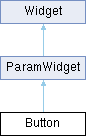
string name
 widget name, given at construction (read-only)
 
string displayName
 widget display name
 
string displayText
 custom text to display in place of the standard value display, on widgets that show one.
 
string tooltip
 widget tooltip, default is name
 
int x
 x position in pixels
 
int y
 y position in pixels
 
int width
 widget width in pixels
 
int height
 widget height in pixels
 
int w
 alias of width
 
int h
 alias of height
 
table size
 widget size {width, height}
 
table position
 widget position {x,y}
 
table pos
 alias of position
 
table bounds
 widget bounding rect {x,y,width,height}
 
number alpha
 transparency value between 0.0 and 1.0
 
bool enabled
 boolean flag to enable / disable the widget
 
bool visible
 boolean flag to toggle widget visibility
 
bool interceptsMouseClicks
 boolean flag to toggle mouse handling on widget.
 
bool showLabel
 show widgets label if any
 
bool persistent
 flag to tell if the widget values should be serialized when saving.
 
function changed
 callback function used by child widgets to be notified of changes.
 

Detailed Description

stateless transient button.

creates a push button widget on the user interface. Image properties support Retina @2x variants.

b = Button("button")
b.backgroundColourOff = "darkgrey"
b.backgroundColourOn = "darkred"
b.textColourOff = "white"
b.textColourOn = "white"
b.changed = function(self, mods)
-- mods is nil when the callback is run by push() rather than a click
print("button clicked:", mods and mods.altDown)
end
string backgroundColourOn
background colour On: colour string that defines the desired colour.
Definition ui.cpp:1062
void push(bool callChangedCallback)
push the button!
string textColourOn
textColour On: colour string that defines the
Definition ui.cpp:1067
string textColourOff
textColour Off: colour string that defines the desired colour.
Definition ui.cpp:1058
string backgroundColourOff
background colour Off: colour string that defines the desired colour.
Definition ui.cpp:1053
Button(string name)
creates a push button widget on the user interface.
function changed
callback function used by child widgets to be notified of changes.
Definition ui.cpp:1001
function run(fun,...)
launch a function in a separate parallel execution thread.
Definition api.lua:1364

Constructor & Destructor Documentation

◆ Button()

Button::Button ( string name)

creates a push button widget on the user interface.

Parameters
namethe name to give to the widget

Member Function Documentation

◆ push()

void Button::push ( bool callChangedCallback)

push the button!

Parameters
callChangedCallbacktrigger the button changed callback if true

◆ setLottieAnimation()

void Button::setLottieAnimation ( string path,
string mode )

dress the button with a Lottie animation.

See Lottie Animations.

Parameters
pathpath to a .json animation or a .lottie package
mode"toggle" walks the animation on and off, "trigger" replays it from the first frame on every click; any other string reads as "toggle". The argument is required – a call with the path alone raises an error. To keep the toggle mode, assign the lottieAnimation property instead

◆ setStripImage()

void Button::setStripImage ( string imagePath,
int numFrames )

dress the button from one image holding a frame per state, stacked top to bottom in the order off, on, hovered off, hovered on, held off, held on.

Fewer frames are read as the first few of that order, so a strip may stop wherever the separate images stopped. Supports Retina @2x variants.

Parameters
imagePathpath to the strip image
numFrameshow many frames the image holds

Member Data Documentation

◆ backgroundColourOff

string Button::backgroundColourOff

background colour Off: colour string that defines the desired colour.

It can be either a named colour like "blue" or "red" or an hexadecimal string in RGB ("#FF00CC") or ARGB ("#3C00FECD") format

◆ backgroundColourOn

string Button::backgroundColourOn

background colour On: colour string that defines the desired colour.

It can be either a named colour like "blue" or "red" or an hexadecimal string in RGB ("#FF00CC") or ARGB ("#3C00FECD") format

◆ dragAndDropText

string Button::dragAndDropText

text carried when the button is dragged inside the plugin window.

Dropped on a DnDArea of the same script whose acceptedText prefixes it, it calls that area's textDropped. The drag starts after a few pixels of travel, so a click stays a click. Empty (the default) disables it; when set, it takes precedence over dragAndDropFilepath.

◆ stripImage

string Button::stripImage

path to the strip image.

Nothing is drawn from a strip until the frame count is given, so assigning this alone is inert – call setStripImage

◆ textColourOff

string Button::textColourOff

textColour Off: colour string that defines the desired colour.

It can be either a named colour like "blue" or "red" or an hexadecimal string in RGB ("#FF00CC") or ARGB ("#3C00FECD") format

◆ textColourOn

string Button::textColourOn

textColour On: colour string that defines the

desired colour. It can be either a named colour like "blue" or "red" or an hexadecimal string in RGB ("#FF00CC") or ARGB ("#3C00FECD") format

◆ triggeredOnMouseDown

bool Button::triggeredOnMouseDown

Sets whether the button click should happen when the mouse is pressed or released.

By default the button is only considered to have been clicked when the mouse is released

ControlSignalSource Class Reference

a Modulation source More...

Inheritance diagram for ControlSignalSource:
Element

Public Attributes

table connections
 table of all SignalConnection for this modulation source
 
- Public Attributes inherited from Element
string name
 internal element name
 
string displayName
 name to display on the User Interface, name is used if displayName is not specified.
 
string type
 internal element type
 
string path
 full path of the element in the synthesis tree
 
Element & parent
 element parent
 
table children
 element children using the element name as key
 
table synthChildren
 children of the element in the synthesis hierarchy, as a 1-indexed array.
 
table mods
 all ControlSignalSource for this node as a 1-indexed array (same content as modulations, keyed by index instead of name)
 
int output
 output bus index for the element. Reading returns the index parsed from the current output bus name (1 when the element uses the default bus). Writing is asynchronous: the engine applies the new routing shortly after the assignment, so reading the property back immediately may still return the old value. Assigning on an element that cannot change its output raises an error.
 
int numParams
 number of parameters
 
table parameterDefinitions
 table of parameter definitions.
 

Additional Inherited Members

- Public Member Functions inherited from Element
void setParameter (string parameter, Value value)
 Sets an Element parameter.
 
Value getParameter (string parameter)
 Gets an Element parameter.
 
bool hasParameter (string parameter)
 
table getParameterConnections (string parameter)
 Get all SignalConnection for this parameter.
 
AsyncTask insertEffect (string type, int slot, function completion)
 Insert a new effect in this element's insert chain.
 
AsyncTask removeEffect (int slot, function completion)
 Remove the effect at slot from this element's insert chain.
 
AsyncTask moveEffect (int from, int to, function completion)
 Move the effect at from so that it ends up at to in this element's insert chain.
 

Detailed Description

a Modulation source

DnDArea Class Reference

DnDArea widget. More...

Inheritance diagram for DnDArea:
Widget

Public Member Functions

 DnDArea (string name)
 creates a DnDArea widget on the user interface.
 

Public Attributes

FileFormat::Type acceptedFileFormat
 accepted file format
 
string filepath
 last file path dropped (read-only)
 
string image
 image path for background image
 
string droppingImage
 image path for background image when dropping (drawn on top of image)
 
string backgroundColour
 background colour: colour string that defines the desired colour.
 
string droppingColour
 dropping colour (drawn on top of image/background colour): colour string that defines the desired colour.
 
function fileDropped
 callback invoked when a file is dropped
 
string acceptedText
 prefix of the dragged texts the area accepts; empty (the default) accepts none
 
string droppedText
 last text dropped (read-only)
 
function textDropped
 callback invoked when an accepted text is dropped
 
- Public Attributes inherited from Widget
string name
 widget name, given at construction (read-only)
 
string displayName
 widget display name
 
string displayText
 custom text to display in place of the standard value display, on widgets that show one.
 
string tooltip
 widget tooltip, default is name
 
int x
 x position in pixels
 
int y
 y position in pixels
 
int width
 widget width in pixels
 
int height
 widget height in pixels
 
int w
 alias of width
 
int h
 alias of height
 
table size
 widget size {width, height}
 
table position
 widget position {x,y}
 
table pos
 alias of position
 
table bounds
 widget bounding rect {x,y,width,height}
 
number alpha
 transparency value between 0.0 and 1.0
 
bool enabled
 boolean flag to enable / disable the widget
 
bool visible
 boolean flag to toggle widget visibility
 
bool interceptsMouseClicks
 boolean flag to toggle mouse handling on widget.
 
bool showLabel
 show widgets label if any
 
bool persistent
 flag to tell if the widget values should be serialized when saving.
 
function changed
 callback function used by child widgets to be notified of changes.
 

Detailed Description

DnDArea widget.

creates a DnDArea widget on the user interface. Image properties support Retina @2x variants.

dnd = DnDArea("DnD")
dnd.fileDropped = function(self)
print("fileDropped", self.filepath)
end
string filepath
last file path dropped (read-only)
Definition ui.cpp:1267
function fileDropped
callback invoked when a file is dropped
Definition ui.cpp:1282
FileFormat::Type acceptedFileFormat
accepted file format
Definition ui.cpp:1266
DnDArea(string name)
creates a DnDArea widget on the user interface.
Predefined format file types.
Definition ui.cpp:904

A DnDArea also receives texts dragged from a Button of the same script (dragAndDropText), which is how widgets are dragged onto each other, e.g. to reorder slots. Set acceptedText to the prefix of the texts the area takes. The area only catches the mouse while a file or an accepted text is being dragged, so it can be laid over other widgets without blocking them; give it a transparent backgroundColour for that.

local handle = Button("Handle")
handle.dragAndDropText = "slot:1"
local target = DnDArea("Target")
target.backgroundColour = "00000000" -- see-through until a drag hovers it
target.droppingColour = "40e0a030"
target.acceptedText = "slot:"
target.textDropped = function(self)
print("dropped", self.droppedText) -- "slot:1"
end
stateless transient button.
Definition ui.cpp:1036
DnDArea widget.
Definition ui.cpp:1258
string droppingColour
dropping colour (drawn on top of image/background colour): colour string that defines the desired col...
Definition ui.cpp:1276
string acceptedText
prefix of the dragged texts the area accepts; empty (the default) accepts none
Definition ui.cpp:1284
string backgroundColour
background colour: colour string that defines the desired colour.
Definition ui.cpp:1272
string droppedText
last text dropped (read-only)
Definition ui.cpp:1285
function textDropped
callback invoked when an accepted text is dropped
Definition ui.cpp:1286

See the FX Rack example.

Constructor & Destructor Documentation

◆ DnDArea()

DnDArea::DnDArea ( string name)

creates a DnDArea widget on the user interface.

Parameters
namethe name to give to the widget

Member Data Documentation

◆ backgroundColour

string DnDArea::backgroundColour

background colour: colour string that defines the desired colour.

It can be either a named colour like "blue" or "red" or an hexadecimal string in RGB ("#FF00CC") or ARGB ("#3C00FECD") format

◆ droppingColour

string DnDArea::droppingColour

dropping colour (drawn on top of image/background colour): colour string that defines the desired colour.

It can be either a named colour like "blue" or "red" or an hexadecimal string in RGB ("#FF00CC") or ARGB ("#3C00FECD") format

Element Class Reference

Common Elements base class. More...

Inheritance diagram for Element:
AuxEffect BusRouter ControlSignalSource EventProcessor InsertEffect Keygroup Layer Oscillator Part Program SampledReverb SignalConnection Synth

Public Member Functions

void setParameter (string parameter, Value value)
 Sets an Element parameter.
 
Value getParameter (string parameter)
 Gets an Element parameter.
 
bool hasParameter (string parameter)
 
table getParameterConnections (string parameter)
 Get all SignalConnection for this parameter.
 
AsyncTask insertEffect (string type, int slot, function completion)
 Insert a new effect in this element's insert chain.
 
AsyncTask removeEffect (int slot, function completion)
 Remove the effect at slot from this element's insert chain.
 
AsyncTask moveEffect (int from, int to, function completion)
 Move the effect at from so that it ends up at to in this element's insert chain.
 

Public Attributes

string name
 internal element name
 
string displayName
 name to display on the User Interface, name is used if displayName is not specified.
 
string type
 internal element type
 
string path
 full path of the element in the synthesis tree
 
Element & parent
 element parent
 
table children
 element children using the element name as key
 
table synthChildren
 children of the element in the synthesis hierarchy, as a 1-indexed array.
 
table mods
 all ControlSignalSource for this node as a 1-indexed array (same content as modulations, keyed by index instead of name)
 
int output
 output bus index for the element. Reading returns the index parsed from the current output bus name (1 when the element uses the default bus). Writing is asynchronous: the engine applies the new routing shortly after the assignment, so reading the property back immediately may still return the old value. Assigning on an element that cannot change its output raises an error.
 
int numParams
 number of parameters
 
table parameterDefinitions
 table of parameter definitions.
 

Detailed Description

Common Elements base class.

See also
Elements & parameters

Member Function Documentation

◆ getParameter()

Value Element::getParameter ( string parameter)

Gets an Element parameter.

Parameters
parameterparameterName or parameterId
Returns
parameterValue (number|bool|string) according to definition
See also
Elements & parameters

◆ getParameterConnections()

table Element::getParameterConnections ( string parameter)

Get all SignalConnection for this parameter.

Parameters
parameterparameterName or parameterId
Returns
table of parameter connections, or nil when nothing is connected to the parameter (or the parameter does not exist)
See also
Elements & parameters

◆ hasParameter()

bool Element::hasParameter ( string parameter)
Parameters
parameterparameterName or parameterId
Returns
true or false
See also
Elements & parameters

◆ insertEffect()

AsyncTask Element::insertEffect ( string type,
int slot,
function completion )

Insert a new effect in this element's insert chain.

Available on every element that has an inserts chain: Synth, Part, Program, Layer, Keygroup and AuxEffect. Calling it on any other element raises an error.

The edit is asynchronous: the call returns at once and the chain changes a little later, so read inserts again in the completion callback, not right after the call. task.success is false when the edit could not be applied: unknown type, a type that is not an effect, an effect that cannot run per voice on a Keygroup, or a slot past the end of the chain at the time the edit runs.

The new effect starts with its default settings; configure it with setParameter once the task has completed.

Parameters
typeeffect type, as listed in Elements & parameters (e.g. "Chorus", "SparkVerb")
slot(optional) 1-based position of the new effect; nil or omitted appends it
completion(optional) function called with the AsyncTask when the edit has been applied
Returns
an AsyncTask

Example:

Program:insertEffect("Chorus", 1, function(task)
if task.success then
Program.inserts[1]:setParameter("Mix", 0.3)
end
end)
AsyncTask insertEffect(string type, int slot, function completion)
Insert a new effect in this element's insert chain.
void setParameter(string parameter, Value value)
Sets an Element parameter.
A Patch that represents a monotimbral instrument.
Definition Engine.cpp:350
table inserts
all InsertEffect for this node
Definition Engine.cpp:355
Program & Program
convenience global pointing to the parent Program element
Definition Engine.cpp:702
See also
removeEffect, moveEffect, FX Rack example

◆ moveEffect()

AsyncTask Element::moveEffect ( int from,
int to,
function completion )

Move the effect at from so that it ends up at to in this element's insert chain.

The effect is not recreated: it keeps its settings, its modulations and its audio state (a reverb or delay tail carries on), and references to it stay valid. Asynchronous, like insertEffect; task.success is false when either slot is out of range by the time the edit runs.

Parameters
from1-based position of the effect to move
to1-based position the effect should have once moved
completion(optional) function called with the AsyncTask when the edit has been applied
Returns
an AsyncTask

Example:

-- put the last effect first
AsyncTask moveEffect(int from, int to, function completion)
Move the effect at from so that it ends up at to in this element's insert chain.
See also
insertEffect, removeEffect

◆ removeEffect()

AsyncTask Element::removeEffect ( int slot,
function completion )

Remove the effect at slot from this element's insert chain.

Asynchronous, like insertEffect. task.success is false when there is no effect at slot by the time the edit runs. A reference to the removed effect held by the script expires.

Parameters
slot1-based position of the effect to remove
completion(optional) function called with the AsyncTask when the edit has been applied
Returns
an AsyncTask
See also
insertEffect, moveEffect

◆ setParameter()

void Element::setParameter ( string parameter,
Value value )

Sets an Element parameter.

Parameters
parameterparameterName or parameterId
valueparameterValue (number|bool|string) according to definition
Warning
An unknown parameter name or id, or a value whose Lua type does not match the parameter type, is silently ignored: no error is raised. Check with Element::hasParameter when the name comes from user input or may differ between element types.
See also
Elements & parameters

Member Data Documentation

◆ parameterDefinitions

table Element::parameterDefinitions

table of parameter definitions.

returns the following table:

property type optional
name string no
id number no
type "int","float","bool","string" no
default type no
displayName string no
description string no
readOnly boolean no
serialize boolean no
min type yes
max type yes

◆ synthChildren

table Element::synthChildren

children of the element in the synthesis hierarchy, as a 1-indexed array.

Differs from children in both content and indexing: children is keyed by element name and lists every direct sub-element (insert and aux effects, event processors, modulation sources, sends, ...), while synthChildren is an ordered array restricted to the nested synthesis structure — the Parts of a Synth, the Program of a Part, the Layers of a Program, the Keygroups of a Layer. Use #element.synthChildren for the count or iterate with ipairs. Oscillators are not synthesis-tree nodes: a Keygroup exposes them through oscillators instead.

Only valid on synthesis-tree elements (Synth, Part, Program, Layer, Keygroup); reading it on any other element raises the error "this Element doesn't have sub elements".

Event Class Reference

Event types. More...

Public Types

enum  Type {
  NoteOn ,
  NoteOff ,
  ControlChange ,
  ProgramChange ,
  PitchBend ,
  PolyAfterTouch ,
  AfterTouch
}
 Event Type.
 

Detailed Description

Event types.

EventProcessor Class Reference

an Event processor. More...

Inheritance diagram for EventProcessor:
Element

Additional Inherited Members

- Public Member Functions inherited from Element
void setParameter (string parameter, Value value)
 Sets an Element parameter.
 
Value getParameter (string parameter)
 Gets an Element parameter.
 
bool hasParameter (string parameter)
 
table getParameterConnections (string parameter)
 Get all SignalConnection for this parameter.
 
AsyncTask insertEffect (string type, int slot, function completion)
 Insert a new effect in this element's insert chain.
 
AsyncTask removeEffect (int slot, function completion)
 Remove the effect at slot from this element's insert chain.
 
AsyncTask moveEffect (int from, int to, function completion)
 Move the effect at from so that it ends up at to in this element's insert chain.
 
- Public Attributes inherited from Element
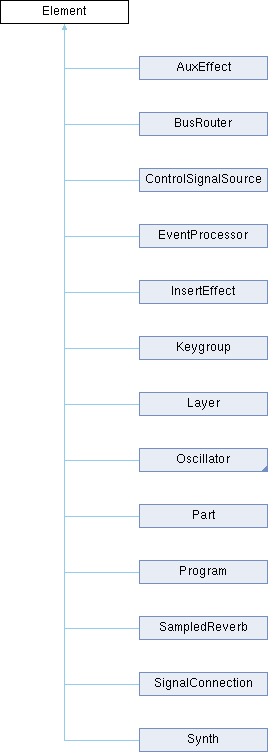
string name
 internal element name
 
string displayName
 name to display on the User Interface, name is used if displayName is not specified.
 
string type
 internal element type
 
string path
 full path of the element in the synthesis tree
 
Element & parent
 element parent
 
table children
 element children using the element name as key
 
table synthChildren
 children of the element in the synthesis hierarchy, as a 1-indexed array.
 
table mods
 all ControlSignalSource for this node as a 1-indexed array (same content as modulations, keyed by index instead of name)
 
int output
 output bus index for the element. Reading returns the index parsed from the current output bus name (1 when the element uses the default bus). Writing is asynchronous: the engine applies the new routing shortly after the assignment, so reading the property back immediately may still return the old value. Assigning on an element that cannot change its output raises an error.
 
int numParams
 number of parameters
 
table parameterDefinitions
 table of parameter definitions.
 

Detailed Description

an Event processor.

FileFormat Class Reference

Predefined format file types. More...

Public Types

enum  Type {
  All ,
  Audio ,
  MIDI
}
 File format type. More...
 

Detailed Description

Predefined format file types.

Member Enumeration Documentation

◆ Type

File format type.

Enumerator
All 

all file type

Audio 

Audio file type (wav, aiff, FLAC, ...)

MIDI 

MIDI file type.

FileSelector Class Reference

FileSelector widget. More...

Inheritance diagram for FileSelector:
Widget

Public Member Functions

 FileSelector (string name)
 creates a FileSelector widget on the user interface.
 
void prev ()
 selects the previous path
 
void next ()
 selects the next path
 

Public Attributes

string basepath
 root path for the file selector
 
string filepath
 current file path
 
string filetype
 pattern for allowed file extensions ex: '.txt;.json'
 
string textColour
 text colour.
 
string backgroundColour
 background colour.
 
string highlightColour
 selected path highlight colour.
 
string arrowColour
 arrow colour.
 
string scrollBarThumbColour
 scrollBar thumb colour.
 
string scrollBarTrackColour
 scrollBar track colour.
 
string scrollBarBackgroundColour
 scrollBar background colour.
 
string fillStyle
 fill style: 'gloss' or 'solid'
 
number fontSize
 font size
 
string font
 path to custom font file
 
int scrollBarThickness
 scrollBar size
 
int columnWidth
 width of each columns
 
int rowHeight
 height of each rows
 
bool displayExtension
 should we display file extension
 
bool allowDnD
 should we allow file DnD
 
bool invertColourOnSelection
 should we invert selected path colour scheme
 
function pathSelected
 callback invoked when a path is selected
 
function pathActivated
 callback invoked when a path is activated
 
- Public Attributes inherited from Widget
string name
 widget name, given at construction (read-only)
 
string displayName
 widget display name
 
string displayText
 custom text to display in place of the standard value display, on widgets that show one.
 
string tooltip
 widget tooltip, default is name
 
int x
 x position in pixels
 
int y
 y position in pixels
 
int width
 widget width in pixels
 
int height
 widget height in pixels
 
int w
 alias of width
 
int h
 alias of height
 
table size
 widget size {width, height}
 
table position
 widget position {x,y}
 
table pos
 alias of position
 
table bounds
 widget bounding rect {x,y,width,height}
 
number alpha
 transparency value between 0.0 and 1.0
 
bool enabled
 boolean flag to enable / disable the widget
 
bool visible
 boolean flag to toggle widget visibility
 
bool interceptsMouseClicks
 boolean flag to toggle mouse handling on widget.
 
bool showLabel
 show widgets label if any
 
bool persistent
 flag to tell if the widget values should be serialized when saving.
 
function changed
 callback function used by child widgets to be notified of changes.
 

Detailed Description

FileSelector widget.

Creates a FileSelector widget on the user interface.

fs = FileSelector("fs")
fs.filepath = getLocation("Script")
fs.columnWidth = 180
fs.rowHeight = 20
fs.x = 0
fs.y = 0
fs.width = 720
fs.height = 360
fs.filetype = "*.*"
function fs:pathSelected()
print("selected:", self.filepath)
end
function fs:pathActivated()
print("activated:", self.filepath)
end
int columnWidth
width of each columns
Definition ui.cpp:2570
string filepath
current file path
Definition ui.cpp:2537
FileSelector(string name)
creates a FileSelector widget on the user interface.
string filetype
pattern for allowed file extensions ex: '.txt;.json'
Definition ui.cpp:2538
int rowHeight
height of each rows
Definition ui.cpp:2571
function pathActivated
callback invoked when a path is activated
Definition ui.cpp:2577
function pathSelected
callback invoked when a path is selected
Definition ui.cpp:2576
int x
x position in pixels
Definition ui.cpp:979
int height
widget height in pixels
Definition ui.cpp:982
int y
y position in pixels
Definition ui.cpp:980
int width
widget width in pixels
Definition ui.cpp:981
string getLocation(string location)

Constructor & Destructor Documentation

◆ FileSelector()

FileSelector::FileSelector ( string name)

creates a FileSelector widget on the user interface.

–

Parameters
namethe name to give to the widget

Member Data Documentation

◆ arrowColour

string FileSelector::arrowColour

arrow colour.

It can be either a named colour like "blue" or "red" or an hexadecimal string in RGB ("#FF00CC") or ARGB ("#3C00FECD") format

◆ backgroundColour

string FileSelector::backgroundColour

background colour.

It can be either a named colour like "blue" or "red" or an hexadecimal string in RGB ("#FF00CC") or ARGB ("#3C00FECD") format

◆ highlightColour

string FileSelector::highlightColour

selected path highlight colour.

It can be either a named colour like "blue" or "red" or an hexadecimal string in RGB ("#FF00CC") or ARGB ("#3C00FECD") format

◆ scrollBarBackgroundColour

string FileSelector::scrollBarBackgroundColour

scrollBar background colour.

It can be either a named colour like "blue" or "red" or an hexadecimal string in RGB ("#FF00CC") or ARGB ("#3C00FECD") format

◆ scrollBarThumbColour

string FileSelector::scrollBarThumbColour

scrollBar thumb colour.

It can be either a named colour like "blue" or "red" or an hexadecimal string in RGB ("#FF00CC") or ARGB ("#3C00FECD") format

◆ scrollBarTrackColour

string FileSelector::scrollBarTrackColour

scrollBar track colour.

It can be either a named colour like "blue" or "red" or an hexadecimal string in RGB ("#FF00CC") or ARGB ("#3C00FECD") format

◆ textColour

string FileSelector::textColour

text colour.

It can be either a named colour like "blue" or "red" or an hexadecimal string in RGB ("#FF00CC") or ARGB ("#3C00FECD") format

Image Class Reference

Image widget. More...

Inheritance diagram for Image:
Widget

Public Member Functions

 Image (string imagePath)
 creates an Image widget on the user interface.
 

Public Attributes

RectanglePlacement::Type rectanglePlacement
 image alignement
 
string image
 image path for background image
 
string overImage
 image path for background image with mouse over
 
- Public Attributes inherited from Widget
string name
 widget name, given at construction (read-only)
 
string displayName
 widget display name
 
string displayText
 custom text to display in place of the standard value display, on widgets that show one.
 
string tooltip
 widget tooltip, default is name
 
int x
 x position in pixels
 
int y
 y position in pixels
 
int width
 widget width in pixels
 
int height
 widget height in pixels
 
int w
 alias of width
 
int h
 alias of height
 
table size
 widget size {width, height}
 
table position
 widget position {x,y}
 
table pos
 alias of position
 
table bounds
 widget bounding rect {x,y,width,height}
 
number alpha
 transparency value between 0.0 and 1.0
 
bool enabled
 boolean flag to enable / disable the widget
 
bool visible
 boolean flag to toggle widget visibility
 
bool interceptsMouseClicks
 boolean flag to toggle mouse handling on widget.
 
bool showLabel
 show widgets label if any
 
bool persistent
 flag to tell if the widget values should be serialized when saving.
 
function changed
 callback function used by child widgets to be notified of changes.
 

Detailed Description

Image widget.

creates an Image widget on the user interface. Supports Retina @2x variants.

img = Image("resources/image.png")
img.pos = {100, 100}
img.alpha = 0.5
Image(string imagePath)
creates an Image widget on the user interface.
table pos
alias of position
Definition ui.cpp:987

Constructor & Destructor Documentation

◆ Image()

Image::Image ( string imagePath)

creates an Image widget on the user interface.

Parameters
imagePaththe name to give to the widget

InsertEffect Class Reference

an Insert FX Generic structure that defines an insert FX More...

Inheritance diagram for InsertEffect:
Element

Additional Inherited Members

- Public Member Functions inherited from Element
void setParameter (string parameter, Value value)
 Sets an Element parameter.
 
Value getParameter (string parameter)
 Gets an Element parameter.
 
bool hasParameter (string parameter)
 
table getParameterConnections (string parameter)
 Get all SignalConnection for this parameter.
 
AsyncTask insertEffect (string type, int slot, function completion)
 Insert a new effect in this element's insert chain.
 
AsyncTask removeEffect (int slot, function completion)
 Remove the effect at slot from this element's insert chain.
 
AsyncTask moveEffect (int from, int to, function completion)
 Move the effect at from so that it ends up at to in this element's insert chain.
 
- Public Attributes inherited from Element
string name
 internal element name
 
string displayName
 name to display on the User Interface, name is used if displayName is not specified.
 
string type
 internal element type
 
string path
 full path of the element in the synthesis tree
 
Element & parent
 element parent
 
table children
 element children using the element name as key
 
table synthChildren
 children of the element in the synthesis hierarchy, as a 1-indexed array.
 
table mods
 all ControlSignalSource for this node as a 1-indexed array (same content as modulations, keyed by index instead of name)
 
int output
 output bus index for the element. Reading returns the index parsed from the current output bus name (1 when the element uses the default bus). Writing is asynchronous: the engine applies the new routing shortly after the assignment, so reading the property back immediately may still return the old value. Assigning on an element that cannot change its output raises an error.
 
int numParams
 number of parameters
 
table parameterDefinitions
 table of parameter definitions.
 

Detailed Description

an Insert FX Generic structure that defines an insert FX

Keygroup Class Reference

A range of keys and velocities. More...

Inheritance diagram for Keygroup:
Element

Public Types

enum  Parameters {
  Pan ,
  Gain ,
  Mute ,
  MidiMute ,
  Solo ,
  TransposeOctaves ,
  TransposeSemiTones ,
  ExclusiveGroup
}
 Keygroup Parameters. More...
 

Public Attributes

string displayName
 name shown on the user interface
 
table modulations
 all ControlSignalSource for this node using the modulation name as key
 
table inserts
 all InsertEffect for this node
 
table sends
 all BusRouter for this node; in Falcon, one send per aux of the Program, in the order of Program::auxs
 
Layer & layer
 parent layer for this Keygroup
 
table oscillators
 Oscillator list for this Keygroup.
 
- Public Attributes inherited from Element
string name
 internal element name
 
string displayName
 name to display on the User Interface, name is used if displayName is not specified.
 
string type
 internal element type
 
string path
 full path of the element in the synthesis tree
 
Element & parent
 element parent
 
table children
 element children using the element name as key
 
table synthChildren
 children of the element in the synthesis hierarchy, as a 1-indexed array.
 
table mods
 all ControlSignalSource for this node as a 1-indexed array (same content as modulations, keyed by index instead of name)
 
int output
 output bus index for the element. Reading returns the index parsed from the current output bus name (1 when the element uses the default bus). Writing is asynchronous: the engine applies the new routing shortly after the assignment, so reading the property back immediately may still return the old value. Assigning on an element that cannot change its output raises an error.
 
int numParams
 number of parameters
 
table parameterDefinitions
 table of parameter definitions.
 

Additional Inherited Members

- Public Member Functions inherited from Element
void setParameter (string parameter, Value value)
 Sets an Element parameter.
 
Value getParameter (string parameter)
 Gets an Element parameter.
 
bool hasParameter (string parameter)
 
table getParameterConnections (string parameter)
 Get all SignalConnection for this parameter.
 
AsyncTask insertEffect (string type, int slot, function completion)
 Insert a new effect in this element's insert chain.
 
AsyncTask removeEffect (int slot, function completion)
 Remove the effect at slot from this element's insert chain.
 
AsyncTask moveEffect (int from, int to, function completion)
 Move the effect at from so that it ends up at to in this element's insert chain.
 

Detailed Description

A range of keys and velocities.

It contains one or several Oscillators as well as modulation and fxs

Member Enumeration Documentation

◆ Parameters

Keygroup Parameters.

Enumerator
Pan 

stereo pan position

Gain 

output gain level

Mute 

mute state

MidiMute 

MIDI-triggered mute state.

Solo 

solo state

TransposeOctaves 

transpose in octaves

TransposeSemiTones 

transpose in semitones

ExclusiveGroup 

exclusive group assignment

Knob Class Reference

Knob widget. More...

Inheritance diagram for Knob:
ParamWidget Widget

Public Member Functions

 Knob (string name, number def, number min, number max, bool integer)
 creates a knob widget on the user interface.
 
void setValue (number value, bool callChangedCallback=true)
 
void setRange (number min, number max)
 
void setStripImage (string imagePath, int numImages)
 
void setLottieAnimation (string path)
 dress the widget with a Lottie animation, whose frame follows the value.
 

Public Attributes

number value
 the widget's value
 
number min
 the widget's minimum value (read-only, use setRange)
 
number max
 the widget's maximum value (read-only, use setRange)
 
number default
 the widget's default value
 
string stripImage
 path to knob strip image
 
bool showPopupDisplay
 show/hide the value popup display (if any)
 
bool showValue
 show/hide value display
 
string displayText
 custom text to display in place of the standard value display.
 
string fillColour
 fill colour.
 
string outlineColour
 outline colour.
 
string lottieAnimation
 path to a Lottie animation or package, see Lottie Animations
 
- Public Attributes inherited from ParamWidget
Mapper::Type mapper
 Mapper type, default is Mapper.Linear.
 
Unit::Type unit
 Unit type, default is Unit.Generic.
 
int paramId
 parameter id, assigned automatically (read-only)
 
bool exported
 default: false, set it to true to export this parameter as an automatable parameter
 
- Public Attributes inherited from Widget
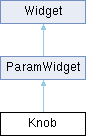
string name
 widget name, given at construction (read-only)
 
string displayName
 widget display name
 
string displayText
 custom text to display in place of the standard value display, on widgets that show one.
 
string tooltip
 widget tooltip, default is name
 
int x
 x position in pixels
 
int y
 y position in pixels
 
int width
 widget width in pixels
 
int height
 widget height in pixels
 
int w
 alias of width
 
int h
 alias of height
 
table size
 widget size {width, height}
 
table position
 widget position {x,y}
 
table pos
 alias of position
 
table bounds
 widget bounding rect {x,y,width,height}
 
number alpha
 transparency value between 0.0 and 1.0
 
bool enabled
 boolean flag to enable / disable the widget
 
bool visible
 boolean flag to toggle widget visibility
 
bool interceptsMouseClicks
 boolean flag to toggle mouse handling on widget.
 
bool showLabel
 show widgets label if any
 
bool persistent
 flag to tell if the widget values should be serialized when saving.
 
function changed
 callback function used by child widgets to be notified of changes.
 

Detailed Description

Knob widget.

creates a knob widget on the user interface.

k = Knob("knob", 0.5, 0.0, 1.0, false)
k.changed = function(self)
print("knob changed", self.value)
end
number value
the widget's value
Definition ui.cpp:1793
Knob(string name, number def, number min, number max, bool integer)
creates a knob widget on the user interface.
function changed
callback function used by child widgets to be notified of changes.
Definition ui.cpp:1001

Constructor & Destructor Documentation

◆ Knob()

Knob::Knob ( string name,
number def,
number min,
number max,
bool integer )

creates a knob widget on the user interface.

Parameters
namethe name to give to the widget
defdefault and initial value
minminimum value
maxmaximum value
integer(optional) default is false

Member Function Documentation

◆ setLottieAnimation()

void Knob::setLottieAnimation ( string path)

dress the widget with a Lottie animation, whose frame follows the value.

See Lottie Animations.

Parameters
pathpath to a .json animation or a .lottie package

◆ setRange()

void Knob::setRange ( number min,
number max )
Parameters
minminimum value
maxmaximum value

◆ setStripImage()

void Knob::setStripImage ( string imagePath,
int numImages )
Parameters
imagePathpath to knob strip image. Supports Retina @2x variants.
numImagesnumber of images in strip

◆ setValue()

void Knob::setValue ( number value,
bool callChangedCallback = true )
Parameters
valuethe new widget's value
callChangedCallbackcall the changed callback function if true

Member Data Documentation

◆ displayText

string Knob::displayText

custom text to display in place of the standard value display.

To revert to the standard behaviour, leave it empty.

◆ fillColour

string Knob::fillColour

fill colour.

It can be either a named colour like "blue" or "red" or an hexadecimal string in RGB ("#FF00CC") or ARGB ("#3C00FECD") format

◆ outlineColour

string Knob::outlineColour

outline colour.

It can be either a named colour like "blue" or "red" or an hexadecimal string in RGB ("#FF00CC") or ARGB ("#3C00FECD") format

Label Class Reference

text label widget. More...

Inheritance diagram for Label:
Widget

Public Member Functions

 Label (string name)
 creates a label widget on the user interface.
 

Public Attributes

string text
 text to display on screen
 
string align
 text alignement: "centred" | "left"| "right" | "top" | "bottom" | "topLeft" | "topRight" | "bottomLeft" | "bottomRight"
 
number fontSize
 font size
 
string font
 path to TrueType font
 
string backgroundColour
 background colour: colour string that defines the desired colour.
 
string textColour
 textColour: colour string that defines the desired
 
string backgroundColourWhenEditing
 background colour when editing: colour string that defines the desired colour.
 
string textColourWhenEditing
 textColour when editing: colour string that defines the desired colour.
 
bool editable
 whether the label text field can be edited.
 
float minimumHorizontalScale
 specifies the minimum amount that the font can be squashed horizontally before it starts using ellipsis.
 
string url
 URL to open when the label is clicked.
 
- Public Attributes inherited from Widget
string name
 widget name, given at construction (read-only)
 
string displayName
 widget display name
 
string displayText
 custom text to display in place of the standard value display, on widgets that show one.
 
string tooltip
 widget tooltip, default is name
 
int x
 x position in pixels
 
int y
 y position in pixels
 
int width
 widget width in pixels
 
int height
 widget height in pixels
 
int w
 alias of width
 
int h
 alias of height
 
table size
 widget size {width, height}
 
table position
 widget position {x,y}
 
table pos
 alias of position
 
table bounds
 widget bounding rect {x,y,width,height}
 
number alpha
 transparency value between 0.0 and 1.0
 
bool enabled
 boolean flag to enable / disable the widget
 
bool visible
 boolean flag to toggle widget visibility
 
bool interceptsMouseClicks
 boolean flag to toggle mouse handling on widget.
 
bool showLabel
 show widgets label if any
 
bool persistent
 flag to tell if the widget values should be serialized when saving.
 
function changed
 callback function used by child widgets to be notified of changes.
 

Detailed Description

text label widget.

creates a label widget on the user interface.

An editable label calls its changed callback when the user edits the text; setting text from the script does not call it. The text is truncated to 1023 bytes.

l = Label("label")
l.text = "a long description"
l.align = "left"
l.backgroundColour = "black"
l.textColour = "orange"
string text
text to display on screen
Definition ui.cpp:1311
string textColour
textColour: colour string that defines the desired
Definition ui.cpp:1322
string backgroundColour
background colour: colour string that defines the desired colour.
Definition ui.cpp:1318
Label(string name)
creates a label widget on the user interface.
string align
text alignement: "centred" | "left"| "right" | "top" | "bottom" | "topLeft" | "topRight" | "bottomLef...
Definition ui.cpp:1312

Constructor & Destructor Documentation

◆ Label()

Label::Label ( string name)

creates a label widget on the user interface.

Parameters
namethe name to give to the widget

Member Data Documentation

◆ backgroundColour

string Label::backgroundColour

background colour: colour string that defines the desired colour.

It can be either a named colour like "blue" or "red" or an hexadecimal string in RGB ("#FF00CC") or ARGB ("#3C00FECD") format

◆ backgroundColourWhenEditing

string Label::backgroundColourWhenEditing

background colour when editing: colour string that defines the desired colour.

It can be either a named colour like "blue" or "red" or an hexadecimal string in RGB ("#FF00CC") or ARGB ("#3C00FECD") format

◆ editable

bool Label::editable

whether the label text field can be edited.

default value is false

◆ minimumHorizontalScale

float Label::minimumHorizontalScale

specifies the minimum amount that the font can be squashed horizontally before it starts using ellipsis.

0 for a default value. 1 for no stretching

◆ textColour

string Label::textColour

textColour: colour string that defines the desired

colour. It can be either a named colour like "blue" or "red" or an hexadecimal string in RGB ("#FF00CC") or ARGB ("#3C00FECD") format

◆ textColourWhenEditing

string Label::textColourWhenEditing

textColour when editing: colour string that defines the desired colour.

It can be either a named colour like "blue" or "red" or an hexadecimal string in RGB ("#FF00CC") or ARGB ("#3C00FECD") format

Layer Class Reference

A layer of sounds. More...

Inheritance diagram for Layer:
Element

Public Attributes

string displayName
 name shown on the user interface
 
table modulations
 all ControlSignalSource for this node using the modulation name as key
 
table eventProcessors
 all EventProcessor for this node
 
table inserts
 all InsertEffect for this node
 
table sends
 all BusRouter for this node; in Falcon, one send per aux of the Program, in the order of Program::auxs
 
Program & program
 parent Program for this Layer
 
table keygroups
 Keygroup list for this Layer.
 
- Public Attributes inherited from Element
string name
 internal element name
 
string displayName
 name to display on the User Interface, name is used if displayName is not specified.
 
string type
 internal element type
 
string path
 full path of the element in the synthesis tree
 
Element & parent
 element parent
 
table children
 element children using the element name as key
 
table synthChildren
 children of the element in the synthesis hierarchy, as a 1-indexed array.
 
table mods
 all ControlSignalSource for this node as a 1-indexed array (same content as modulations, keyed by index instead of name)
 
int output
 output bus index for the element. Reading returns the index parsed from the current output bus name (1 when the element uses the default bus). Writing is asynchronous: the engine applies the new routing shortly after the assignment, so reading the property back immediately may still return the old value. Assigning on an element that cannot change its output raises an error.
 
int numParams
 number of parameters
 
table parameterDefinitions
 table of parameter definitions.
 

Additional Inherited Members

- Public Member Functions inherited from Element
void setParameter (string parameter, Value value)
 Sets an Element parameter.
 
Value getParameter (string parameter)
 Gets an Element parameter.
 
bool hasParameter (string parameter)
 
table getParameterConnections (string parameter)
 Get all SignalConnection for this parameter.
 
AsyncTask insertEffect (string type, int slot, function completion)
 Insert a new effect in this element's insert chain.
 
AsyncTask removeEffect (int slot, function completion)
 Remove the effect at slot from this element's insert chain.
 
AsyncTask moveEffect (int from, int to, function completion)
 Move the effect at from so that it ends up at to in this element's insert chain.
 

Detailed Description

A layer of sounds.

It contains one or several Keygroups as well as modulation, fxs and event processors

Mapper Class Reference

Predefined mapper types. More...

Public Types

enum  Type {
  Linear ,
  Exponential ,
  QuinticRoot ,
  QuarticRoot ,
  CubeRoot ,
  SquareRoot ,
  Quadratic ,
  Cubic ,
  Quartic ,
  Quintic
}
 Mapper type. More...
 

Detailed Description

Predefined mapper types.

Mappers are named after the function mapping from the widget's normalized range to the parameter's natural range.

e.g.: an exponential mapper from [0;1] to [1;10000] would have the following correspondances:

mapping from widget's position to parameter values
positionparameter
0%1.0
25%10.0
50%100.0
75%1000.0
100%10000.0

Example:

local knob = Knob{"ExpKnob", 100, 10, 1000, mapper = Mapper.Exponential}
Knob widget.
Definition ui.cpp:1763
Predefined mapper types.
Definition ui.cpp:745
@ Exponential
Exponential mapper, the parameter's range should be strictly positive.
Definition ui.cpp:757

Member Enumeration Documentation

◆ Type

Mapper type.

Enumerator
Linear 

Linear mapper:

param = min + (max-min)*pos
Exponential 

Exponential mapper, the parameter's range should be strictly positive.

param = min * (max/min)^pos
QuinticRoot 

QuinticRoot mapper:

param = min + (max-min)*pos^(1/5)
QuarticRoot 

QuarticRoot mapper:

param = min + (max-min)*pos^(1/4)
CubeRoot 

CubeRoot mapper:

param = min + (max-min)*pos^(1/3)
SquareRoot 

SquareRoot mapper:

param = min + (max-min)*pos^(1/2)
Quadratic 

Quadratic mapper:

param = min + (max-min)*pos^2
Cubic 

Cubic mapper:

param = min + (max-min)*pos^3
Quartic 

Quartic mapper:

param = min + (max-min)*pos^4
Quintic 

Quintic mapper:

param = min + (max-min)*pos^5

Menu Class Reference

Menu widget. More...

Inheritance diagram for Menu:
ParamWidget Widget

Public Member Functions

 Menu (string name, table items, int defaultValue)
 creates a menu widget on the user interface.
 
int addItem (string name)
 add a menu item.
 
void setItem (int index, string name)
 setItem text for a given index.
 
void setValue (number value, bool callChangedCallback=true)
 
void clear ()
 clear the menu entries.
 
string getText (int index)
 

Public Attributes

int length
 size of the menu (read-only)
 
int value
 selected index
 
int selected
 selected index
 
int default
 1-based index of the default entry
 
string selectedText
 selected text (read-only)
 
string text
 selected text (read-only)
 
bool showPopupDisplay
 show/hide the value popup display (if any)
 
number fontSize
 font size
 
string font
 path to TrueType font
 
string popupFont
 path to TrueType font for the popup menu
 
number popupFontSize
 popup menu font size
 
table items
 table of item names
 
string align
 text alignement: "centred" | "left"| "right" | "top" | "bottom" | "topLeft" | "topRight" | "bottomLeft" | "bottomRight"
 
string backgroundImage
 path to background image
 
string backgroundColour
 background colour: colour string that defines the desired colour.
 
string textColour
 text colour: colour string that defines the desired
 
string outlineColour
 outline colour: colour string that defines the desired colour.
 
string arrowColour
 arrow colour: colour string that defines the desired colour.
 
bool displayArrow
 show/hide the arrow on the right of the Menu, default is true
 
string popupBackgroundColour
 Popup menu background colour: colour string that defines the desired colour.
 
string popupTextColour
 Popup menu text colour: colour string that defines the desired colour.
 
string popupHighlightedBackgroundColour
 Popup menu highlighted background colour: colour string that defines the desired colour.
 
string popupHighlightedTextColour
 Popup menu highlighted text colour:
 
int menuHeight
 allows to override the popup menu height.
 
bool hierarchical
 allows to have sub-menus.
 
float minimumHorizontalScale
 specifies the minimum amount that the font can be squashed horizontally before it starts using ellipsis.
 
- Public Attributes inherited from ParamWidget
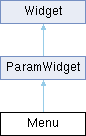
Mapper::Type mapper
 Mapper type, default is Mapper.Linear.
 
Unit::Type unit
 Unit type, default is Unit.Generic.
 
int paramId
 parameter id, assigned automatically (read-only)
 
bool exported
 default: false, set it to true to export this parameter as an automatable parameter
 
- Public Attributes inherited from Widget
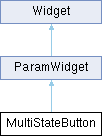
string name
 widget name, given at construction (read-only)
 
string displayName
 widget display name
 
string displayText
 custom text to display in place of the standard value display, on widgets that show one.
 
string tooltip
 widget tooltip, default is name
 
int x
 x position in pixels
 
int y
 y position in pixels
 
int width
 widget width in pixels
 
int height
 widget height in pixels
 
int w
 alias of width
 
int h
 alias of height
 
table size
 widget size {width, height}
 
table position
 widget position {x,y}
 
table pos
 alias of position
 
table bounds
 widget bounding rect {x,y,width,height}
 
number alpha
 transparency value between 0.0 and 1.0
 
bool enabled
 boolean flag to enable / disable the widget
 
bool visible
 boolean flag to toggle widget visibility
 
bool interceptsMouseClicks
 boolean flag to toggle mouse handling on widget.
 
bool showLabel
 show widgets label if any
 
bool persistent
 flag to tell if the widget values should be serialized when saving.
 
function changed
 callback function used by child widgets to be notified of changes.
 

Detailed Description

Menu widget.

creates a menu widget on the user interface.

m = Menu("menu", {"one", "two", "three"})
m:addItem("four")
m.changed = function(self)
print("menu selection changed:", self.value, self.selectedText)
end
void setValue(number value, bool callChangedCallback=true)
int addItem(string name)
add a menu item.
int value
selected index
Definition ui.cpp:1401
string selectedText
selected text (read-only)
Definition ui.cpp:1404
Menu(string name, table items, int defaultValue)
creates a menu widget on the user interface.
function changed
callback function used by child widgets to be notified of changes.
Definition ui.cpp:1001

Constructor & Destructor Documentation

◆ Menu()

Menu::Menu ( string name,
table items,
int defaultValue )

creates a menu widget on the user interface.

Parameters
namethe name to give to the widget
items(optional) array of strings to be displayed in the menu
defaultValue(optional) 1-based index of the initially selected entry, default is 1

Member Function Documentation

◆ addItem()

int Menu::addItem ( string name)

add a menu item.

Parameters
namenew menu item text
Returns
index of new menu item

◆ getText()

string Menu::getText ( int index)
Returns
the text for a given index, or an empty string if there is no such entry.
Parameters
index1-based menu item index

◆ setItem()

void Menu::setItem ( int index,
string name )

setItem text for a given index.

Parameters
indexmenu item index to change
namenew menu item text

◆ setValue()

void Menu::setValue ( number value,
bool callChangedCallback = true )
Parameters
valuethe new widget's value
callChangedCallbackcall the changed callback function if true

Member Data Documentation

◆ arrowColour

string Menu::arrowColour

arrow colour: colour string that defines the desired colour.

It can be either a named colour like "blue" or "red" or an hexadecimal string in RGB ("#FF00CC") or ARGB ("#3C00FECD") format

◆ backgroundColour

string Menu::backgroundColour

background colour: colour string that defines the desired colour.

It can be either a named colour like "blue" or "red" or an hexadecimal string in RGB ("#FF00CC") or ARGB ("#3C00FECD") format

◆ hierarchical

bool Menu::hierarchical

allows to have sub-menus.

The list should define path like entries. example: entries = { "a/1", "a/2", "a/3", "b/1", "b/2", "c/3", "foo/bar/toto", "foo/bar/tata", "foo/jo/bar"}

◆ menuHeight

int Menu::menuHeight

allows to override the popup menu height.

Mostly useful for special cases like having a big Menu on screen, but a standard drop-down list

◆ minimumHorizontalScale

float Menu::minimumHorizontalScale

specifies the minimum amount that the font can be squashed horizontally before it starts using ellipsis.

0 for a default value. 1 for no stretching

◆ outlineColour

string Menu::outlineColour

outline colour: colour string that defines the desired colour.

It can be either a named colour like "blue" or "red" or an hexadecimal string in RGB ("#FF00CC") or ARGB ("#3C00FECD") format

◆ popupBackgroundColour

string Menu::popupBackgroundColour

Popup menu background colour: colour string that defines the desired colour.

It can be either a named colour like "blue" or "red" or an hexadecimal string in RGB ("#FF00CC") or ARGB ("#3C00FECD") format

◆ popupHighlightedBackgroundColour

string Menu::popupHighlightedBackgroundColour

Popup menu highlighted background colour: colour string that defines the desired colour.

It can be either a named colour like "blue" or "red" or an hexadecimal string in RGB ("#FF00CC") or ARGB ("#3C00FECD") format

◆ popupHighlightedTextColour

string Menu::popupHighlightedTextColour

Popup menu highlighted text colour:

colour string that defines the desired colour. It can be either a named colour like "blue" or "red" or an hexadecimal string in RGB ("#FF00CC") or ARGB ("#3C00FECD") format

◆ popupTextColour

string Menu::popupTextColour

Popup menu text colour: colour string that defines the desired colour.

It can be either a named colour like "blue" or "red" or an hexadecimal string in RGB ("#FF00CC") or ARGB ("#3C00FECD") format

◆ textColour

string Menu::textColour

text colour: colour string that defines the desired

colour. It can be either a named colour like "blue" or "red" or an hexadecimal string in RGB ("#FF00CC") or ARGB ("#3C00FECD") format

MidiEvent Class Reference

A Midi Event. More...

Public Member Functions

 MidiEvent (number timestamp, int channel, int status, int byte1, int byte2)
 creates a MidiEvent.
 

Public Attributes

int byte1
 MIDI byte 1 in range [0;127].
 
int byte2
 MIDI byte 2 in range [0;127].
 
int channel
 MIDI channel in range [0;15].
 
int type
 MIDI event type (Event.NoteOn | Event.NoteOff | Event.ControlChange | Event.ProgramChange | Event.PitchBend | Event.AfterTouch | Event.PolyAfterTouch)
 
int status
 alias for type: writing it sets the event type, leaving the channel untouched
 
number timestamp
 event timestamp in midi ticks, resolution is given by the MidiSequence's division (read-only).
 

Detailed Description

A Midi Event.

Constructor & Destructor Documentation

◆ MidiEvent()

MidiEvent::MidiEvent ( number timestamp,
int channel,
int status,
int byte1,
int byte2 )

creates a MidiEvent.

Note the argument order: the channel comes before the event type.

local noteOn = uvi.MidiEvent(0, 0, Event.NoteOn, 60, 100) -- channel 0, note 60, velocity 100
Event types.
Definition Engine.cpp:905
int channel
MIDI channel in range [0;15].
Definition Engine.cpp:951
Note
Two channel conventions coexist. The event tables handled by callbacks and postEvent() use 1-based channels in [1;16]; in a table passed to postEvent(), channel = 0 is also accepted and means omni (same as omitting the field). MidiEvent objects (postMidiEvent(), MidiSequence) carry the raw MIDI channel, 0-based in [0;15]. Channel 1 in an event table and channel 0 in a MidiEvent designate the same MIDI channel.
Parameters
timestampevent timestamp in midi ticks
channelMIDI channel in range [0;15]
statusMIDI status (Event.NoteOn | Event.NoteOff | Event.ControlChange | Event.ProgramChange | Event.PitchBend | Event.AfterTouch | Event.PolyAfterTouch)
byte1MIDI byte 1 in range [0;127]
byte2MIDI byte 2 in range [0;127]

MidiSequence Class Reference

A Midi sequence that represent a midi file. More...

Public Member Functions

int getNumEventsForTrack (int trackIndex)
 return the number of events in the track.
 
MidiEvent & getEvent (int trackIndex, int eventIndex)
 get a MidiEvent
 
int findAt (int trackIndex, int songPosition)
 return the index of the first event not less than songPosition, nil otherwise.
 
int findNextAt (int trackIndex, int songPosition)
 return the index of the first event greater than songPosition, nil otherwise.
 
int findPreviousAt (int trackIndex, int songPosition)
 return the index of the last event whose position is before songPosition, nil otherwise.
 
void insertEvent (int trackIndex, MidiEvent event)
 insert a MidiEvent into a track.
 

Public Attributes

int format
 midi format type (0|1|2)
 
int numTracks
 number of midi Tracks
 
int division
 time division: number of ticks per beat
 
int ppq
 alias for division (pulses per quarter note)
 

Detailed Description

A Midi sequence that represent a midi file.

a Midi Sequence is a collection of tracks containing MidiEvents.

Member Function Documentation

◆ findAt()

int MidiSequence::findAt ( int trackIndex,
int songPosition )

return the index of the first event not less than songPosition, nil otherwise.

Parameters
trackIndexindex of the track (start at 1 and less or equal to numTracks)
songPositionsong position in ticks

◆ findNextAt()

int MidiSequence::findNextAt ( int trackIndex,
int songPosition )

return the index of the first event greater than songPosition, nil otherwise.

Parameters
trackIndexindex of the track (start at 1 and less or equal to numTracks)
songPositionsong position in ticks

◆ findPreviousAt()

int MidiSequence::findPreviousAt ( int trackIndex,
int songPosition )

return the index of the last event whose position is before songPosition, nil otherwise.

Also nil when songPosition is past the last event of the track.

Parameters
trackIndexindex of the track (start at 1 and less or equal to numTracks)
songPositionsong position in ticks

◆ getEvent()

MidiEvent & MidiSequence::getEvent ( int trackIndex,
int eventIndex )

get a MidiEvent

Parameters
trackIndexindex of the track (start at 1 and less or equal to numTracks)
eventIndexindex of the event (start at 1 and less or equal to getNumEventsForTrack(trackIndex))

◆ getNumEventsForTrack()

int MidiSequence::getNumEventsForTrack ( int trackIndex)

return the number of events in the track.

Parameters
trackIndexindex of the track (start at 1 and less or equal to numTracks)

◆ insertEvent()

void MidiSequence::insertEvent ( int trackIndex,
MidiEvent event )

insert a MidiEvent into a track.

Parameters
trackIndexindex of the track (start at 1 and less or equal to numTracks)
eventMidiEvent to insert

ModifierKeys Class Reference

Keyboard modifier key state information. More...

Public Attributes

bool altDown
 True if the ALT key (Option on macOS) is pressed.
 
bool commandDown
 True if the Command key (macOS) or Ctrl key (Windows/Linux) is pressed.
 
bool shiftDown
 True if the Shift key is pressed.
 

Detailed Description

Keyboard modifier key state information.

Provides information about which modifier keys (Alt, Command/Ctrl, Shift) are pressed when a widget's changed callback is triggered. This allows scripts to implement different behaviors based on modifier key combinations.

Availability: Modifier key information is passed as the second parameter to the changed callback for Button, OnOffButton, and MultiStateButton widgets. When a script sets an OnOffButton or MultiStateButton value, the callback still gets an object, but it reflects the last click rather than the change. It gets nil when the callback is called by push() or called directly (button:changed()), so guard before reading it.

Usage Example:

local button = Button("MyButton")
button.changed = function(self, mods)
if not mods then
print("pushed from script")
elseif mods.shiftDown then
print("Shift-clicked!")
elseif mods.commandDown then
print("Command/Ctrl-clicked!")
elseif mods.altDown then
print("Alt-clicked!")
else
print("Normal click")
end
end
stateless transient button.
Definition ui.cpp:1036
bool altDown
True if the ALT key (Option on macOS) is pressed.
Definition ui.cpp:961
bool commandDown
True if the Command key (macOS) or Ctrl key (Windows/Linux) is pressed.
Definition ui.cpp:962
bool shiftDown
True if the Shift key is pressed.
Definition ui.cpp:963
Note
On macOS, commandDown represents the Command key (⌘). On Windows and Linux, it represents the Ctrl key.
See also
Button, OnOffButton, MultiStateButton

MultiStateButton Class Reference

MultiStateButton widget. More...

Inheritance diagram for MultiStateButton:
ParamWidget Widget

Public Member Functions

 MultiStateButton (string name, table entries, int defaultValue)
 creates a menu widget on the user interface.
 
int addItem (string name)
 add a menu item.
 
void setItem (int index, string name)
 setItem text for given index.
 
void setValue (number value, bool callChangedCallback=true)
 
void clear ()
 clear the menu entries.
 
string getText (int index)
 

Public Attributes

int length
 number of states (read-only)
 
int value
 selected index
 
int selected
 selected index
 
int default
 1-based index of the default state
 
string selectedText
 selected text (read-only)
 
string text
 selected text (read-only)
 
bool showPopupDisplay
 show/hide the value popup display (if any)
 
string backgroundImage
 path to the background image strip
 
string backgroundColour
 background colour: colour string that defines the desired colour.
 
string textColour
 text colour: colour string that defines the desired
 
- Public Attributes inherited from ParamWidget
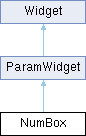
Mapper::Type mapper
 Mapper type, default is Mapper.Linear.
 
Unit::Type unit
 Unit type, default is Unit.Generic.
 
int paramId
 parameter id, assigned automatically (read-only)
 
bool exported
 default: false, set it to true to export this parameter as an automatable parameter
 
- Public Attributes inherited from Widget
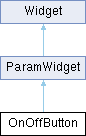
string name
 widget name, given at construction (read-only)
 
string displayName
 widget display name
 
string displayText
 custom text to display in place of the standard value display, on widgets that show one.
 
string tooltip
 widget tooltip, default is name
 
int x
 x position in pixels
 
int y
 y position in pixels
 
int width
 widget width in pixels
 
int height
 widget height in pixels
 
int w
 alias of width
 
int h
 alias of height
 
table size
 widget size {width, height}
 
table position
 widget position {x,y}
 
table pos
 alias of position
 
table bounds
 widget bounding rect {x,y,width,height}
 
number alpha
 transparency value between 0.0 and 1.0
 
bool enabled
 boolean flag to enable / disable the widget
 
bool visible
 boolean flag to toggle widget visibility
 
bool interceptsMouseClicks
 boolean flag to toggle mouse handling on widget.
 
bool showLabel
 show widgets label if any
 
bool persistent
 flag to tell if the widget values should be serialized when saving.
 
function changed
 callback function used by child widgets to be notified of changes.
 

Detailed Description

MultiStateButton widget.

creates a multi-state button widget on the user interface. Image properties support Retina @2x variants.

m = MultiStateButton("Multi", {"one", "two", "three"})
m:addItem("four")
m.changed = function(self)
print("multi state changed:", self.value, self.selectedText)
end
string selectedText
selected text (read-only)
Definition ui.cpp:1531
MultiStateButton(string name, table entries, int defaultValue)
creates a menu widget on the user interface.
void setValue(number value, bool callChangedCallback=true)
int value
selected index
Definition ui.cpp:1528
int addItem(string name)
add a menu item.
function changed
callback function used by child widgets to be notified of changes.
Definition ui.cpp:1001

Constructor & Destructor Documentation

◆ MultiStateButton()

MultiStateButton::MultiStateButton ( string name,
table entries,
int defaultValue )

creates a menu widget on the user interface.

Parameters
namethe name to give to the widget
entries(optional) array of strings to be displayed in the menu
defaultValue(optional) 1-based index of the initially selected entry, default is 1

Member Function Documentation

◆ addItem()

int MultiStateButton::addItem ( string name)

add a menu item.

Parameters
namenew menu item text
Returns
index of new menu item

◆ getText()

string MultiStateButton::getText ( int index)
Returns
the text for a given index, or an empty string if there is no such entry. Use selectedText for the text of the current state.
Parameters
index1-based state index

◆ setItem()

void MultiStateButton::setItem ( int index,
string name )

setItem text for given index.

Parameters
indexmenu item index to change
namenew menu item text

◆ setValue()

void MultiStateButton::setValue ( number value,
bool callChangedCallback = true )
Parameters
valuethe new widget's value
callChangedCallbackcall the changed callback function if true

Member Data Documentation

◆ backgroundColour

string MultiStateButton::backgroundColour

background colour: colour string that defines the desired colour.

It can be either a named colour like "blue" or "red" or an hexadecimal string in RGB ("#FF00CC") or ARGB ("#3C00FECD") format

◆ textColour

string MultiStateButton::textColour

text colour: colour string that defines the desired

colour. It can be either a named colour like "blue" or "red" or an hexadecimal string in RGB ("#FF00CC") or ARGB ("#3C00FECD") format

NumBox Class Reference

Numeric input widget. More...

Inheritance diagram for NumBox:
ParamWidget Widget

Public Member Functions

 NumBox (string name, number def, number min, number max, bool integer)
 creates a numbox widget on the user interface.
 
void setValue (number value, bool callChangedCallback=true)
 
void setRange (number min, number max)
 

Public Attributes

number value
 the widget's value
 
number min
 the widget's minimum value (read-only, use setRange)
 
number max
 the widget's maximum value (read-only, use setRange)
 
number default
 the widget's default value
 
bool showPopupDisplay
 show/hide the value popup display (if any)
 
number fontSize
 font size
 
string font
 path to custom font file
 
string align
 text alignement: "centred" | "left"| "right" | "top" | "bottom" | "topLeft" | "topRight" | "bottomLeft" | "bottomRight"
 
float minimumHorizontalScale
 specifies the minimum amount that the font can be squashed horizontally before it starts using ellipsis.
 
bool hitTestOnlyOnText
 only react to clicks on the text itself, default is true
 
string backgroundImage
 path to background image
 
string backgroundColour
 background colour: colour string that defines the desired colour.
 
string textColour
 text colour: colour string that defines the desired
 
string displayText
 custom text to display in place of the standard value display.
 
- Public Attributes inherited from ParamWidget
Mapper::Type mapper
 Mapper type, default is Mapper.Linear.
 
Unit::Type unit
 Unit type, default is Unit.Generic.
 
int paramId
 parameter id, assigned automatically (read-only)
 
bool exported
 default: false, set it to true to export this parameter as an automatable parameter
 
- Public Attributes inherited from Widget
string name
 widget name, given at construction (read-only)
 
string displayName
 widget display name
 
string displayText
 custom text to display in place of the standard value display, on widgets that show one.
 
string tooltip
 widget tooltip, default is name
 
int x
 x position in pixels
 
int y
 y position in pixels
 
int width
 widget width in pixels
 
int height
 widget height in pixels
 
int w
 alias of width
 
int h
 alias of height
 
table size
 widget size {width, height}
 
table position
 widget position {x,y}
 
table pos
 alias of position
 
table bounds
 widget bounding rect {x,y,width,height}
 
number alpha
 transparency value between 0.0 and 1.0
 
bool enabled
 boolean flag to enable / disable the widget
 
bool visible
 boolean flag to toggle widget visibility
 
bool interceptsMouseClicks
 boolean flag to toggle mouse handling on widget.
 
bool showLabel
 show widgets label if any
 
bool persistent
 flag to tell if the widget values should be serialized when saving.
 
function changed
 callback function used by child widgets to be notified of changes.
 

Detailed Description

Numeric input widget.

creates a numbox widget on the user interface.

n = NumBox("numbox", 0.5, 0.0, 1.0, false)
n.changed = function(self)
print("numbox changed", self.value)
end
number value
the widget's value
Definition ui.cpp:1648
NumBox(string name, number def, number min, number max, bool integer)
creates a numbox widget on the user interface.
function changed
callback function used by child widgets to be notified of changes.
Definition ui.cpp:1001

Constructor & Destructor Documentation

◆ NumBox()

NumBox::NumBox ( string name,
number def,
number min,
number max,
bool integer )

creates a numbox widget on the user interface.

Parameters
namethe name to give to the widget
defdefault and initial value
minminimum value
maxmaximum value
integeroptional default is false

Member Function Documentation

◆ setRange()

void NumBox::setRange ( number min,
number max )
Parameters
minminimum value
maxmaximum value

◆ setValue()

void NumBox::setValue ( number value,
bool callChangedCallback = true )
Parameters
valuethe new widget's value
callChangedCallbackcall the changed callback function if true

Member Data Documentation

◆ backgroundColour

string NumBox::backgroundColour

background colour: colour string that defines the desired colour.

It can be either a named colour like "blue" or "red" or an hexadecimal string in RGB ("#FF00CC") or ARGB ("#3C00FECD") format

◆ displayText

string NumBox::displayText

custom text to display in place of the standard value display.

To revert to the standard behaviour, leave it empty.

◆ minimumHorizontalScale

float NumBox::minimumHorizontalScale

specifies the minimum amount that the font can be squashed horizontally before it starts using ellipsis.

Default is 0.7

◆ textColour

string NumBox::textColour

text colour: colour string that defines the desired

colour. It can be either a named colour like "blue" or "red" or an hexadecimal string in RGB ("#FF00CC") or ARGB ("#3C00FECD") format

OnOffButton Class Reference

2 states boolean button. More...

Inheritance diagram for OnOffButton:
ParamWidget Widget

Public Member Functions

 OnOffButton (string name, bool def)
 creates a stateful on/off button widget on the user interface.
 
void setValue (bool value, bool callChangedCallback=true)
 
void setStripImage (string imagePath, int numFrames)
 dress the button from one image holding a frame per state, stacked top to bottom in the order off, on, hovered off, hovered on, held off, held on.
 
void setLottieAnimation (string path, string mode)
 dress the button with a Lottie animation.
 

Public Attributes

bool value
 the button's state
 
bool default
 the button's default state
 
bool showPopupDisplay
 show/hide the value popup display (if any)
 
string normalImage
 image path for the off state
 
string pressedImage
 image path for the on state, and for the button while held down
 
string overImage
 image path for the mouse being over the button while it is off
 
string overPressedImage
 image path for the mouse being over the button while it is on
 
string backgroundColourOff
 background colour Off: colour string that defines the desired colour.
 
string textColourOff
 textColour Off: colour string that defines the desired colour.
 
string backgroundColourOn
 background colour On: colour string that defines the desired colour.
 
string textColourOn
 textColour On: colour string that defines the
 
number fontSize
 font size
 
string font
 path to TrueType font
 
bool triggeredOnMouseDown
 Sets whether the button click should happen when the mouse is pressed or released.
 
string stripImage
 path to the strip image.
 
string lottieAnimation
 path to a Lottie animation or package, see Lottie Animations
 
- Public Attributes inherited from ParamWidget
Mapper::Type mapper
 Mapper type, default is Mapper.Linear.
 
Unit::Type unit
 Unit type, default is Unit.Generic.
 
int paramId
 parameter id, assigned automatically (read-only)
 
bool exported
 default: false, set it to true to export this parameter as an automatable parameter
 
- Public Attributes inherited from Widget
string name
 widget name, given at construction (read-only)
 
string displayName
 widget display name
 
string displayText
 custom text to display in place of the standard value display, on widgets that show one.
 
string tooltip
 widget tooltip, default is name
 
int x
 x position in pixels
 
int y
 y position in pixels
 
int width
 widget width in pixels
 
int height
 widget height in pixels
 
int w
 alias of width
 
int h
 alias of height
 
table size
 widget size {width, height}
 
table position
 widget position {x,y}
 
table pos
 alias of position
 
table bounds
 widget bounding rect {x,y,width,height}
 
number alpha
 transparency value between 0.0 and 1.0
 
bool enabled
 boolean flag to enable / disable the widget
 
bool visible
 boolean flag to toggle widget visibility
 
bool interceptsMouseClicks
 boolean flag to toggle mouse handling on widget.
 
bool showLabel
 show widgets label if any
 
bool persistent
 flag to tell if the widget values should be serialized when saving.
 
function changed
 callback function used by child widgets to be notified of changes.
 

Detailed Description

2 states boolean button.

creates a stateful on/off button widget on the user interface. Image properties support Retina @2x variants.

b = OnOffButton("button", false)
b.backgroundColourOff = "darkgrey"
b.backgroundColourOn = "darkred"
b.textColourOff = "white"
b.textColourOn = "white"
b.changed = function(self, mods)
print("button changed state:", self.value, mods and mods.altDown)
end
string textColourOff
textColour Off: colour string that defines the desired colour.
Definition ui.cpp:1158
string textColourOn
textColour On: colour string that defines the
Definition ui.cpp:1167
OnOffButton(string name, bool def)
creates a stateful on/off button widget on the user interface.
string backgroundColourOff
background colour Off: colour string that defines the desired colour.
Definition ui.cpp:1153
string backgroundColourOn
background colour On: colour string that defines the desired colour.
Definition ui.cpp:1162
bool value
the button's state
Definition ui.cpp:1143
function changed
callback function used by child widgets to be notified of changes.
Definition ui.cpp:1001

Constructor & Destructor Documentation

◆ OnOffButton()

OnOffButton::OnOffButton ( string name,
bool def )

creates a stateful on/off button widget on the user interface.

Parameters
namethe name to give to the widget
defdefault value to give to the widget

Member Function Documentation

◆ setLottieAnimation()

void OnOffButton::setLottieAnimation ( string path,
string mode )

dress the button with a Lottie animation.

See Lottie Animations.

Parameters
pathpath to a .json animation or a .lottie package
mode"toggle" walks the animation on and off, "trigger" replays it from the first frame on every click; any other string reads as "toggle". The argument is required – a call with the path alone raises an error. To keep the toggle mode, assign the lottieAnimation property instead

◆ setStripImage()

void OnOffButton::setStripImage ( string imagePath,
int numFrames )

dress the button from one image holding a frame per state, stacked top to bottom in the order off, on, hovered off, hovered on, held off, held on.

Fewer frames are read as the first few of that order, so a strip may stop wherever the separate images stopped. Supports Retina @2x variants.

Parameters
imagePathpath to the strip image
numFrameshow many frames the image holds

◆ setValue()

void OnOffButton::setValue ( bool value,
bool callChangedCallback = true )
Parameters
valuethe new widget's value
callChangedCallbackcall the changed callback function if true

Member Data Documentation

◆ backgroundColourOff

string OnOffButton::backgroundColourOff

background colour Off: colour string that defines the desired colour.

It can be either a named colour like "blue" or "red" or an hexadecimal string in RGB ("#FF00CC") or ARGB ("#3C00FECD") format

◆ backgroundColourOn

string OnOffButton::backgroundColourOn

background colour On: colour string that defines the desired colour.

It can be either a named colour like "blue" or "red" or an hexadecimal string in RGB ("#FF00CC") or ARGB ("#3C00FECD") format

◆ stripImage

string OnOffButton::stripImage

path to the strip image.

Nothing is drawn from a strip until the frame count is given, so assigning this alone is inert – call setStripImage

◆ textColourOff

string OnOffButton::textColourOff

textColour Off: colour string that defines the desired colour.

It can be either a named colour like "blue" or "red" or an hexadecimal string in RGB ("#FF00CC") or ARGB ("#3C00FECD") format

◆ textColourOn

string OnOffButton::textColourOn

textColour On: colour string that defines the

desired colour. It can be either a named colour like "blue" or "red" or an hexadecimal string in RGB ("#FF00CC") or ARGB ("#3C00FECD") format

◆ triggeredOnMouseDown

bool OnOffButton::triggeredOnMouseDown

Sets whether the button click should happen when the mouse is pressed or released.

By default the button is only considered to have been clicked when the mouse is released

Oscillator Class Reference

The Synthesis primitive. More...

Inheritance diagram for Oscillator:
Element SampleBasedOscillator SampleMappingOscillator SamplePlayer

Public Types

enum  Parameters {
  Pitch ,
  NoteTracking ,
  BaseNote ,
  Gain ,
  CoarseTune ,
  FineTune
}
 Oscillator Parameters. More...
 

Public Member Functions

table getSliceInfo (int sliceId)
 get slice information for the given sliceId.
 
- Public Member Functions inherited from Element
void setParameter (string parameter, Value value)
 Sets an Element parameter.
 
Value getParameter (string parameter)
 Gets an Element parameter.
 
bool hasParameter (string parameter)
 
table getParameterConnections (string parameter)
 Get all SignalConnection for this parameter.
 
AsyncTask insertEffect (string type, int slot, function completion)
 Insert a new effect in this element's insert chain.
 
AsyncTask removeEffect (int slot, function completion)
 Remove the effect at slot from this element's insert chain.
 
AsyncTask moveEffect (int from, int to, function completion)
 Move the effect at from so that it ends up at to in this element's insert chain.
 

Public Attributes

Keygroup keygroup
 parent keygroup for this oscillator
 
bool purged
 purged status for this oscillator (when true sample is not loaded in memory)
 
int numSlices
 number of slices (only valid for Slice oscillator)
 
table looplabInfo
 looplab information.
 
table sampleInfo
 sample information.
 
- Public Attributes inherited from Element
string name
 internal element name
 
string displayName
 name to display on the User Interface, name is used if displayName is not specified.
 
string type
 internal element type
 
string path
 full path of the element in the synthesis tree
 
Element & parent
 element parent
 
table children
 element children using the element name as key
 
table synthChildren
 children of the element in the synthesis hierarchy, as a 1-indexed array.
 
table mods
 all ControlSignalSource for this node as a 1-indexed array (same content as modulations, keyed by index instead of name)
 
int output
 output bus index for the element. Reading returns the index parsed from the current output bus name (1 when the element uses the default bus). Writing is asynchronous: the engine applies the new routing shortly after the assignment, so reading the property back immediately may still return the old value. Assigning on an element that cannot change its output raises an error.
 
int numParams
 number of parameters
 
table parameterDefinitions
 table of parameter definitions.
 

Detailed Description

The Synthesis primitive.

Member Enumeration Documentation

◆ Parameters

Oscillator Parameters.

Enumerator
Pitch 

oscillator pitch

NoteTracking 

keyboard note tracking on/off

BaseNote 

base MIDI note for pitch mapping

Gain 

oscillator output gain

CoarseTune 

coarse tuning in semitones

FineTune 

fine tuning in cents

Member Function Documentation

◆ getSliceInfo()

table Oscillator::getSliceInfo ( int sliceId)

get slice information for the given sliceId.

Returns
returns the following table:
property type unit
start number ms
duration number ms
beatPos number beats
beatDuration number beats

Member Data Documentation

◆ looplabInfo

table Oscillator::looplabInfo

looplab information.

Only valid for Slice oscillator, returns the following table:

property type
numerator number
denominator number
bars number
beats number
synced boolean
numSlices number

◆ sampleInfo

table Oscillator::sampleInfo

sample information.

Only valid for sample based oscillators, returns the following table:

property type unit optional
name string no
type number no
channels number no
duration number ms no
samplerate number Hz no
bits number no
tempo number bpm no
basenote number no
finetune number cents no
start number ms no
end number ms no
looped boolean no
loopStart number ms yes
loopEnd number ms yes

type is the audio file format code: 0 = WAV, 1 = AIFF, 2 = SD2, 3 = CAF, 4 = UVI, 5 = REX, 6 = USF, 7 = FLAC, 8 = multi, 9 = other. basenote is the MIDI root note of the sample (from the file's sampler chunk, 60 when the file does not specify one) and finetune its fine tuning in cents. Both, like the loop points, describe what the file says, not necessarily what the oscillator plays: see Sample File Metadata for which chunks are read and which values are applied.

Panel Class Reference

Panel widget. More...

Inheritance diagram for Panel:
Widget

Public Member Functions

 Panel (string name)
 creates a Panel widget on the user interface.
 

Public Attributes

string backgroundImage
 path to background image. Supports Retina @2x variants.
 
string backgroundColour
 background colour.
 
- Public Attributes inherited from Widget
string name
 widget name, given at construction (read-only)
 
string displayName
 widget display name
 
string displayText
 custom text to display in place of the standard value display, on widgets that show one.
 
string tooltip
 widget tooltip, default is name
 
int x
 x position in pixels
 
int y
 y position in pixels
 
int width
 widget width in pixels
 
int height
 widget height in pixels
 
int w
 alias of width
 
int h
 alias of height
 
table size
 widget size {width, height}
 
table position
 widget position {x,y}
 
table pos
 alias of position
 
table bounds
 widget bounding rect {x,y,width,height}
 
number alpha
 transparency value between 0.0 and 1.0
 
bool enabled
 boolean flag to enable / disable the widget
 
bool visible
 boolean flag to toggle widget visibility
 
bool interceptsMouseClicks
 boolean flag to toggle mouse handling on widget.
 
bool showLabel
 show widgets label if any
 
bool persistent
 flag to tell if the widget values should be serialized when saving.
 
function changed
 callback function used by child widgets to be notified of changes.
 

Detailed Description

Panel widget.

creates a Panel widget on the user interface.

Panel offers the widget creation functions (Knob, Slider...) as methods. In order to add sub-widgets, just call those functions on an existing Panel instance. Every constructor is available this way except SVG and ParameterValue, which exist as global functions only.

Note
A panel with no backgroundImage paints a translucent black rounded fill ("3f000000") by default, so a panel used only to group widgets darkens what is under it – set backgroundColour to "00000000" for those. A panel also takes the clicks over its whole area, so a widget placed under it (rather than in it) no longer responds there. Setting interceptsMouseClicks to false on a panel turns off the clicks of every widget inside it as well.
local panel = Panel("panel")
panel.x = 5
panel.y = 5
panel.width = 710
panel.height = 120
panel:Button("foo")
panel:OnOffButton("onoff", false)
panel:Knob("knob", 0, 0, 1)
panel:Slider("slider", 0, 0, 1)
panel:Label("label")
panel:NumBox("NumBox", 0, 0, 1)
panel:Menu("Menu", {"one", "two", "three"})
panel:Table("table", 24, 0, 0, 1)
panel.backgroundColour = "3f000000"
local panel2 = panel:Panel("panel2")
panel2.bounds = {5, 95, 700, 20}
stateless transient button.
Definition ui.cpp:1036
Knob widget.
Definition ui.cpp:1763
text label widget.
Definition ui.cpp:1303
Menu widget.
Definition ui.cpp:1359
Numeric input widget.
Definition ui.cpp:1624
2 states boolean button.
Definition ui.cpp:1128
Panel widget.
Definition ui.cpp:2234
string backgroundColour
background colour.
Definition ui.cpp:2244
Panel(string name)
creates a Panel widget on the user interface.
Horizontal or vertical slider widget.
Definition ui.cpp:1687
Table widget.
Definition ui.cpp:1556
int x
x position in pixels
Definition ui.cpp:979
int height
widget height in pixels
Definition ui.cpp:982
table bounds
widget bounding rect {x,y,width,height}
Definition ui.cpp:988
int y
y position in pixels
Definition ui.cpp:980
int width
widget width in pixels
Definition ui.cpp:981

Constructor & Destructor Documentation

◆ Panel()

Panel::Panel ( string name)

creates a Panel widget on the user interface.

Parameters
namethe name to give to the widget

Member Data Documentation

◆ backgroundColour

string Panel::backgroundColour

background colour.

It can be either a named colour like "blue" or "red" or an hexadecimal string in RGB ("#FF00CC") or ARGB ("#3C00FECD") format

ParameterValue Class Reference

A non-visual (logical) binding to an existing Element parameter. More...

Inheritance diagram for ParameterValue:
Widget

Public Member Functions

 ParameterValue (Element elementOrPath, string paramName)
 creates a logical binding to an existing Element parameter.
 
 ParameterValue (string name)
 creates an unbound binding, to be targeted later with bind.
 
void bind (Element elementOrPath, string paramName)
 bind the widget to another parameter, or bind an unbound widget for the first time.
 
string toString ()
 

Public Attributes

Value value
 the bound parameter's value (read and write)
 
bool bound
 true if the target element/parameter was resolved (read-only)
 
- Public Attributes inherited from Widget
string name
 widget name, given at construction (read-only)
 
string displayName
 widget display name
 
string displayText
 custom text to display in place of the standard value display, on widgets that show one.
 
string tooltip
 widget tooltip, default is name
 
int x
 x position in pixels
 
int y
 y position in pixels
 
int width
 widget width in pixels
 
int height
 widget height in pixels
 
int w
 alias of width
 
int h
 alias of height
 
table size
 widget size {width, height}
 
table position
 widget position {x,y}
 
table pos
 alias of position
 
table bounds
 widget bounding rect {x,y,width,height}
 
number alpha
 transparency value between 0.0 and 1.0
 
bool enabled
 boolean flag to enable / disable the widget
 
bool visible
 boolean flag to toggle widget visibility
 
bool interceptsMouseClicks
 boolean flag to toggle mouse handling on widget.
 
bool showLabel
 show widgets label if any
 
bool persistent
 flag to tell if the widget values should be serialized when saving.
 
function changed
 callback function used by child widgets to be notified of changes.
 

Detailed Description

A non-visual (logical) binding to an existing Element parameter.

Unlike the Param* widgets, this draws nothing: it exposes the parameter through a read/write value, staying in sync with host automation, modulation and preset changes. Useful to observe or drive a parameter without placing a control on the UI. It is a global function only (not a Panel method) and does not accept widget layout options.

Its changed callback is called each time the parameter changes, and once when the script's interface is built.

Note
A path-string target binds only when the script's interface is built: until then value is nil, writes are dropped and bound is false. An Element reference binds at once. A write whose Lua type does not match the parameter's type is dropped without an error.
-- inserts[4] is a Gain effect: its Volume is a linear gain, 1.0 is unity
local vol = ParameterValue(Program.auxs[1].inserts[4], "Volume")
vol.value = 0.5 -- write the parameter (about -6 dB)
print(vol.value) -- read it back
ParameterValue(Element elementOrPath, string paramName)
creates a logical binding to an existing Element parameter.
Value value
the bound parameter's value (read and write)
Definition ui.cpp:2193
A Patch that represents a monotimbral instrument.
Definition Engine.cpp:350
table auxs
all AuxEffect for this node, in position order. Falcon can add and delete them; a delete shifts the i...
Definition Engine.cpp:356

Constructor & Destructor Documentation

◆ ParameterValue() [1/2]

ParameterValue::ParameterValue ( Element elementOrPath,
string paramName )

creates a logical binding to an existing Element parameter.

Parameters
elementOrPathan Element reference, or a path string identifying one
paramNamethe parameter name (as used by setParameter)

◆ ParameterValue() [2/2]

ParameterValue::ParameterValue ( string name)

creates an unbound binding, to be targeted later with bind.

Until then it shows a placeholder and its value is nil.

Parameters
namethe widget name

Member Function Documentation

◆ bind()

void ParameterValue::bind ( Element elementOrPath,
string paramName )

bind the widget to another parameter, or bind an unbound widget for the first time.

The control is rebuilt with the new parameter's range, unit, mapper and value; rebinding to the same element and parameter does nothing. Typically called when the element the UI edits changes, e.g. the insert effect selected in an effect rack. Raises an error when the element no longer exists or has no such parameter.

Parameters
elementOrPathan Element reference, or a path string identifying one
paramNamethe parameter name (as used by setParameter)

◆ toString()

string ParameterValue::toString ( )
Returns
the parameter value formatted as a display string

ParamKnob Class Reference

A knob bound to an existing Element parameter. More...

Inheritance diagram for ParamKnob:
Widget

Public Member Functions

 ParamKnob (Element elementOrPath, string paramName)
 creates a knob bound to an existing Element parameter.
 
 ParamKnob (string name)
 creates an unbound knob, to be targeted later with bind.
 
void bind (Element elementOrPath, string paramName)
 bind the widget to another parameter, or bind an unbound widget for the first time.
 
void setRange (number min, number max)
 override the range inherited from the parameter.
 
void setStripImage (string imagePath, int numImages)
 
void setLottieAnimation (string path)
 dress the widget with a Lottie animation, whose frame follows the value.
 

Public Attributes

number value
 the widget's value (read-only; reflects the bound parameter)
 
Unit::Type unit
 unit override, default is taken from the parameter
 
number default
 value restored by a reset (alt-click), in parameter units. Reads the parameter's default until overridden; nil while unbound. Useful for modulation depths, whose Ratio default is always 1
 
string stripImage
 path to knob strip image
 
bool showValue
 show/hide value display
 
bool showPopupDisplay
 show/hide the value popup display (if any)
 
string fillColour
 fill colour (named colour or RGB/ARGB hex string)
 
string outlineColour
 outline colour (named colour or RGB/ARGB hex string)
 
string lottieAnimation
 path to a Lottie animation or package, see Lottie Animations
 
- Public Attributes inherited from Widget
string name
 widget name, given at construction (read-only)
 
string displayName
 widget display name
 
string displayText
 custom text to display in place of the standard value display, on widgets that show one.
 
string tooltip
 widget tooltip, default is name
 
int x
 x position in pixels
 
int y
 y position in pixels
 
int width
 widget width in pixels
 
int height
 widget height in pixels
 
int w
 alias of width
 
int h
 alias of height
 
table size
 widget size {width, height}
 
table position
 widget position {x,y}
 
table pos
 alias of position
 
table bounds
 widget bounding rect {x,y,width,height}
 
number alpha
 transparency value between 0.0 and 1.0
 
bool enabled
 boolean flag to enable / disable the widget
 
bool visible
 boolean flag to toggle widget visibility
 
bool interceptsMouseClicks
 boolean flag to toggle mouse handling on widget.
 
bool showLabel
 show widgets label if any
 
bool persistent
 flag to tell if the widget values should be serialized when saving.
 
function changed
 callback function used by child widgets to be notified of changes.
 

Detailed Description

A knob bound to an existing Element parameter.

It drives a parameter that already lives on an engine Element instead of carrying its own value. The parameter provides the range, default, unit and response curve, so no min/max/default is passed at construction: the unit gives display formatting and text parsing for free, and the knob follows the parameter's own mapper. Moving the knob writes the parameter, and external changes (host automation, modulation, preset load) move the knob.

It is a Widget (not a Knob); it exposes the appearance properties below plus setRange, unit and default to override the inherited range, unit and reset value. Like every Param* widget it never calls a changed callback: use a ParameterValue on the same parameter to react to it from the script.

local fx = Program.inserts[1]
local drive = ParamKnob(fx, "DriveAmount")
ParamKnob(Element elementOrPath, string paramName)
creates a knob bound to an existing Element parameter.
A Patch that represents a monotimbral instrument.
Definition Engine.cpp:350
table inserts
all InsertEffect for this node
Definition Engine.cpp:355

Constructor & Destructor Documentation

◆ ParamKnob() [1/2]

ParamKnob::ParamKnob ( Element elementOrPath,
string paramName )

creates a knob bound to an existing Element parameter.

Parameters
elementOrPathan Element reference, or a path string identifying one
paramNamethe parameter name (as used by setParameter)

◆ ParamKnob() [2/2]

ParamKnob::ParamKnob ( string name)

creates an unbound knob, to be targeted later with bind.

Until then it shows a placeholder and its value is nil.

Parameters
namethe widget name

Member Function Documentation

◆ bind()

void ParamKnob::bind ( Element elementOrPath,
string paramName )

bind the widget to another parameter, or bind an unbound widget for the first time.

The control is rebuilt with the new parameter's range, unit, mapper and value; rebinding to the same element and parameter does nothing. Typically called when the element the UI edits changes, e.g. the insert effect selected in an effect rack. Raises an error when the element no longer exists or has no such parameter.

Parameters
elementOrPathan Element reference, or a path string identifying one
paramNamethe parameter name (as used by setParameter)

◆ setLottieAnimation()

void ParamKnob::setLottieAnimation ( string path)

dress the widget with a Lottie animation, whose frame follows the value.

See Lottie Animations.

Parameters
pathpath to a .json animation or a .lottie package

◆ setRange()

void ParamKnob::setRange ( number min,
number max )

override the range inherited from the parameter.

Parameters
minminimum value
maxmaximum value

◆ setStripImage()

void ParamKnob::setStripImage ( string imagePath,
int numImages )
Parameters
imagePathpath to knob strip image. Supports Retina @2x variants.
numImagesnumber of images in strip

ParamMenu Class Reference

A dropdown menu bound to an existing enumerated Element parameter. More...

Inheritance diagram for ParamMenu:
Widget

Public Member Functions

 ParamMenu (Element elementOrPath, string paramName)
 creates a menu bound to an existing Element parameter.
 
 ParamMenu (string name)
 creates an unbound menu, to be targeted later with bind.
 
void bind (Element elementOrPath, string paramName)
 bind the widget to another parameter, or bind an unbound widget for the first time.
 

Public Attributes

number value
 the selected index (read-only; reflects the bound parameter)
 
bool hierarchical
 build nested sub-menus from "/"-separated entries
 
bool displayArrow
 show/hide the drop-down arrow
 
string align
 text alignment
 
number fontSize
 text font size
 
string font
 path to a custom TrueType font
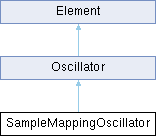
 
number minimumHorizontalScale
 minimum horizontal font squash before ellipsis
 
number menuHeight
 drop-down item height
 
string backgroundImage
 path to background image
 
string backgroundColour
 background colour
 
string textColour
 text colour
 
string outlineColour
 outline colour
 
string arrowColour
 drop-down arrow colour
 
string popupBackgroundColour
 popup background colour
 
string popupTextColour
 popup text colour
 
string popupHighlightedBackgroundColour
 popup highlighted-item background colour
 
string popupHighlightedTextColour
 popup highlighted-item text colour
 
string popupFont
 path to a custom TrueType font for the popup
 
number popupFontSize
 popup font size
 
- Public Attributes inherited from Widget
string name
 widget name, given at construction (read-only)
 
string displayName
 widget display name
 
string displayText
 custom text to display in place of the standard value display, on widgets that show one.
 
string tooltip
 widget tooltip, default is name
 
int x
 x position in pixels
 
int y
 y position in pixels
 
int width
 widget width in pixels
 
int height
 widget height in pixels
 
int w
 alias of width
 
int h
 alias of height
 
table size
 widget size {width, height}
 
table position
 widget position {x,y}
 
table pos
 alias of position
 
table bounds
 widget bounding rect {x,y,width,height}
 
number alpha
 transparency value between 0.0 and 1.0
 
bool enabled
 boolean flag to enable / disable the widget
 
bool visible
 boolean flag to toggle widget visibility
 
bool interceptsMouseClicks
 boolean flag to toggle mouse handling on widget.
 
bool showLabel
 show widgets label if any
 
bool persistent
 flag to tell if the widget values should be serialized when saving.
 
function changed
 callback function used by child widgets to be notified of changes.
 

Detailed Description

A dropdown menu bound to an existing enumerated Element parameter.

The menu entries come from the parameter's list of values and the selection follows the parameter. It is a Widget (not a Menu).

Constructor & Destructor Documentation

◆ ParamMenu() [1/2]

ParamMenu::ParamMenu ( Element elementOrPath,
string paramName )

creates a menu bound to an existing Element parameter.

Parameters
elementOrPathan Element reference, or a path string identifying one
paramNamethe parameter name (as used by setParameter)

◆ ParamMenu() [2/2]

ParamMenu::ParamMenu ( string name)

creates an unbound menu, to be targeted later with bind.

Until then it shows a placeholder and its value is nil.

Parameters
namethe widget name

Member Function Documentation

◆ bind()

void ParamMenu::bind ( Element elementOrPath,
string paramName )

bind the widget to another parameter, or bind an unbound widget for the first time.

The control is rebuilt with the new parameter's range, unit, mapper and value; rebinding to the same element and parameter does nothing. Typically called when the element the UI edits changes, e.g. the insert effect selected in an effect rack. Raises an error when the element no longer exists or has no such parameter.

Parameters
elementOrPathan Element reference, or a path string identifying one
paramNamethe parameter name (as used by setParameter)

ParamNumBox Class Reference

A numeric box bound to an existing Element parameter. More...

Inheritance diagram for ParamNumBox:
Widget

Public Member Functions

 ParamNumBox (Element elementOrPath, string paramName)
 creates a numeric box bound to an existing Element parameter.
 
 ParamNumBox (string name)
 creates an unbound number box, to be targeted later with bind.
 
void bind (Element elementOrPath, string paramName)
 bind the widget to another parameter, or bind an unbound widget for the first time.
 

Public Attributes

number value
 the widget's value (read-only; reflects the bound parameter)
 
string align
 text alignment
 
number fontSize
 text font size
 
string font
 path to a custom TrueType font
 
number minimumHorizontalScale
 minimum horizontal font squash before ellipsis
 
bool hitTestOnlyOnText
 only react to clicks on the text itself
 
string backgroundImage
 path to background image
 
string backgroundColour
 background colour
 
string textColour
 text colour
 
- Public Attributes inherited from Widget
string name
 widget name, given at construction (read-only)
 
string displayName
 widget display name
 
string displayText
 custom text to display in place of the standard value display, on widgets that show one.
 
string tooltip
 widget tooltip, default is name
 
int x
 x position in pixels
 
int y
 y position in pixels
 
int width
 widget width in pixels
 
int height
 widget height in pixels
 
int w
 alias of width
 
int h
 alias of height
 
table size
 widget size {width, height}
 
table position
 widget position {x,y}
 
table pos
 alias of position
 
table bounds
 widget bounding rect {x,y,width,height}
 
number alpha
 transparency value between 0.0 and 1.0
 
bool enabled
 boolean flag to enable / disable the widget
 
bool visible
 boolean flag to toggle widget visibility
 
bool interceptsMouseClicks
 boolean flag to toggle mouse handling on widget.
 
bool showLabel
 show widgets label if any
 
bool persistent
 flag to tell if the widget values should be serialized when saving.
 
function changed
 callback function used by child widgets to be notified of changes.
 

Detailed Description

A numeric box bound to an existing Element parameter.

Displays and edits the parameter as a number. It is a Widget (not a NumBox).

Constructor & Destructor Documentation

◆ ParamNumBox() [1/2]

ParamNumBox::ParamNumBox ( Element elementOrPath,
string paramName )

creates a numeric box bound to an existing Element parameter.

Parameters
elementOrPathan Element reference, or a path string identifying one
paramNamethe parameter name (as used by setParameter)

◆ ParamNumBox() [2/2]

ParamNumBox::ParamNumBox ( string name)

creates an unbound number box, to be targeted later with bind.

Until then it shows a placeholder and its value is nil.

Parameters
namethe widget name

Member Function Documentation

◆ bind()

void ParamNumBox::bind ( Element elementOrPath,
string paramName )

bind the widget to another parameter, or bind an unbound widget for the first time.

The control is rebuilt with the new parameter's range, unit, mapper and value; rebinding to the same element and parameter does nothing. Typically called when the element the UI edits changes, e.g. the insert effect selected in an effect rack. Raises an error when the element no longer exists or has no such parameter.

Parameters
elementOrPathan Element reference, or a path string identifying one
paramNamethe parameter name (as used by setParameter)

ParamOnOffButton Class Reference

An on/off button bound to an existing boolean Element parameter (e.g. More...

Inheritance diagram for ParamOnOffButton:
Widget

Public Member Functions

 ParamOnOffButton (Element elementOrPath, string paramName)
 creates an on/off button bound to an existing Element parameter.
 
 ParamOnOffButton (string name)
 creates an unbound button, to be targeted later with bind.
 
void bind (Element elementOrPath, string paramName)
 bind the widget to another parameter, or bind an unbound widget for the first time.
 
void setNormalImage (string imagePath)
 same as setting normalImage
 
void setPressedImage (string imagePath)
 same as setting pressedImage
 
void setOverImage (string imagePath)
 same as setting overImage
 
void setStripImage (string imagePath, int numFrames)
 dress the button from one image holding a frame per state, stacked top to bottom in the order off, on, hovered off, hovered on, held off, held on.
 
void setLottieAnimation (string path, string mode)
 dress the button with a Lottie animation.
 

Public Attributes

bool value
 the button state (read-only; reflects the bound parameter)
 
string normalImage
 image path for the off state
 
string pressedImage
 image path for the on state, and for the button while held down
 
string overImage
 image path for the mouse being over the button while it is off
 
string overPressedImage
 image path for the mouse being over the button while it is on
 
string backgroundColourOff
 background colour when off
 
string textColourOff
 text colour when off
 
string backgroundColourOn
 background colour when on
 
string textColourOn
 text colour when on
 
bool triggeredOnMouseDown
 fire on mouse-down instead of mouse-up
 
number fontSize
 text font size
 
string font
 path to a custom TrueType font
 
string stripImage
 path to the strip image.
 
string lottieAnimation
 path to a Lottie animation or package, see Lottie Animations
 
- Public Attributes inherited from Widget
string name
 widget name, given at construction (read-only)
 
string displayName
 widget display name
 
string displayText
 custom text to display in place of the standard value display, on widgets that show one.
 
string tooltip
 widget tooltip, default is name
 
int x
 x position in pixels
 
int y
 y position in pixels
 
int width
 widget width in pixels
 
int height
 widget height in pixels
 
int w
 alias of width
 
int h
 alias of height
 
table size
 widget size {width, height}
 
table position
 widget position {x,y}
 
table pos
 alias of position
 
table bounds
 widget bounding rect {x,y,width,height}
 
number alpha
 transparency value between 0.0 and 1.0
 
bool enabled
 boolean flag to enable / disable the widget
 
bool visible
 boolean flag to toggle widget visibility
 
bool interceptsMouseClicks
 boolean flag to toggle mouse handling on widget.
 
bool showLabel
 show widgets label if any
 
bool persistent
 flag to tell if the widget values should be serialized when saving.
 
function changed
 callback function used by child widgets to be notified of changes.
 

Detailed Description

An on/off button bound to an existing boolean Element parameter (e.g.

a Bypass toggle). It is a Widget (not an OnOffButton).

Constructor & Destructor Documentation

◆ ParamOnOffButton() [1/2]

ParamOnOffButton::ParamOnOffButton ( Element elementOrPath,
string paramName )

creates an on/off button bound to an existing Element parameter.

Parameters
elementOrPathan Element reference, or a path string identifying one
paramNamethe parameter name (as used by setParameter)

◆ ParamOnOffButton() [2/2]

ParamOnOffButton::ParamOnOffButton ( string name)

creates an unbound button, to be targeted later with bind.

Until then it shows a placeholder and its value is nil.

Parameters
namethe widget name

Member Function Documentation

◆ bind()

void ParamOnOffButton::bind ( Element elementOrPath,
string paramName )

bind the widget to another parameter, or bind an unbound widget for the first time.

The control is rebuilt with the new parameter's range, unit, mapper and value; rebinding to the same element and parameter does nothing. Typically called when the element the UI edits changes, e.g. the insert effect selected in an effect rack. Raises an error when the element no longer exists or has no such parameter.

Parameters
elementOrPathan Element reference, or a path string identifying one
paramNamethe parameter name (as used by setParameter)

◆ setLottieAnimation()

void ParamOnOffButton::setLottieAnimation ( string path,
string mode )

dress the button with a Lottie animation.

See Lottie Animations.

Parameters
pathpath to a .json animation or a .lottie package
mode"toggle" walks the animation on and off, "trigger" replays it from the first frame on every click; any other string reads as "toggle". The argument is required – a call with the path alone raises an error. To keep the toggle mode, assign the lottieAnimation property instead

◆ setStripImage()

void ParamOnOffButton::setStripImage ( string imagePath,
int numFrames )

dress the button from one image holding a frame per state, stacked top to bottom in the order off, on, hovered off, hovered on, held off, held on.

Fewer frames are read as the first few of that order, so a strip may stop wherever the separate images stopped. Supports Retina @2x variants.

Parameters
imagePathpath to the strip image
numFrameshow many frames the image holds

Member Data Documentation

◆ stripImage

string ParamOnOffButton::stripImage

path to the strip image.

Nothing is drawn from a strip until the frame count is given, so assigning this alone is inert – call setStripImage

ParamSlider Class Reference

A fader bound to an existing Element parameter. More...

Inheritance diagram for ParamSlider:
Widget

Public Member Functions

 ParamSlider (Element elementOrPath, string paramName)
 creates a slider bound to an existing Element parameter.
 
 ParamSlider (string name)
 creates an unbound slider, to be targeted later with bind.
 
void bind (Element elementOrPath, string paramName)
 bind the widget to another parameter, or bind an unbound widget for the first time.
 
void setRange (number min, number max)
 override the range inherited from the parameter.
 
void setStripImage (string imagePath, int numImages)
 
void setLottieAnimation (string path)
 dress the widget with a Lottie animation, whose frame follows the value.
 

Public Attributes

number value
 the widget's value (read-only; reflects the bound parameter)
 
Unit::Type unit
 unit override, default is taken from the parameter
 
number default
 value restored by a reset (alt-click), in parameter units; as on ParamKnob
 
bool horizontal
 true for a horizontal fader, false for vertical
 
bool showPopupDisplay
 show/hide the value popup display (if any)
 
string backgroundColour
 background colour (named colour or RGB/ARGB hex string)
 
string thumbColour
 thumb colour (named colour or RGB/ARGB hex string)
 
string fillColour
 fill colour (named colour or RGB/ARGB hex string)
 
string trackColour
 track colour (named colour or RGB/ARGB hex string)
 
string backgroundImage
 path to background image
 
string handleImage
 path to handle image
 
string lottieAnimation
 path to a Lottie animation or package, see Lottie Animations
 
- Public Attributes inherited from Widget
string name
 widget name, given at construction (read-only)
 
string displayName
 widget display name
 
string displayText
 custom text to display in place of the standard value display, on widgets that show one.
 
string tooltip
 widget tooltip, default is name
 
int x
 x position in pixels
 
int y
 y position in pixels
 
int width
 widget width in pixels
 
int height
 widget height in pixels
 
int w
 alias of width
 
int h
 alias of height
 
table size
 widget size {width, height}
 
table position
 widget position {x,y}
 
table pos
 alias of position
 
table bounds
 widget bounding rect {x,y,width,height}
 
number alpha
 transparency value between 0.0 and 1.0
 
bool enabled
 boolean flag to enable / disable the widget
 
bool visible
 boolean flag to toggle widget visibility
 
bool interceptsMouseClicks
 boolean flag to toggle mouse handling on widget.
 
bool showLabel
 show widgets label if any
 
bool persistent
 flag to tell if the widget values should be serialized when saving.
 
function changed
 callback function used by child widgets to be notified of changes.
 

Detailed Description

A fader bound to an existing Element parameter.

Like ParamKnob but rendered as a slider. It is a Widget (not a Slider).

Constructor & Destructor Documentation

◆ ParamSlider() [1/2]

ParamSlider::ParamSlider ( Element elementOrPath,
string paramName )

creates a slider bound to an existing Element parameter.

Parameters
elementOrPathan Element reference, or a path string identifying one
paramNamethe parameter name (as used by setParameter)

◆ ParamSlider() [2/2]

ParamSlider::ParamSlider ( string name)

creates an unbound slider, to be targeted later with bind.

Until then it shows a placeholder and its value is nil.

Parameters
namethe widget name

Member Function Documentation

◆ bind()

void ParamSlider::bind ( Element elementOrPath,
string paramName )

bind the widget to another parameter, or bind an unbound widget for the first time.

The control is rebuilt with the new parameter's range, unit, mapper and value; rebinding to the same element and parameter does nothing. Typically called when the element the UI edits changes, e.g. the insert effect selected in an effect rack. Raises an error when the element no longer exists or has no such parameter.

Parameters
elementOrPathan Element reference, or a path string identifying one
paramNamethe parameter name (as used by setParameter)

◆ setLottieAnimation()

void ParamSlider::setLottieAnimation ( string path)

dress the widget with a Lottie animation, whose frame follows the value.

See Lottie Animations.

Parameters
pathpath to a .json animation or a .lottie package

◆ setRange()

void ParamSlider::setRange ( number min,
number max )

override the range inherited from the parameter.

Parameters
minminimum value
maxmaximum value

◆ setStripImage()

void ParamSlider::setStripImage ( string imagePath,
int numImages )
Parameters
imagePathpath to slider strip image. Supports Retina @2x variants.
numImagesnumber of images in strip

ParamWidget Class Reference

base class for ParamWidget. More...

Inheritance diagram for ParamWidget:
Widget Knob Menu MultiStateButton NumBox OnOffButton Slider

Public Attributes

Mapper::Type mapper
 Mapper type, default is Mapper.Linear.
 
Unit::Type unit
 Unit type, default is Unit.Generic.
 
int paramId
 parameter id, assigned automatically (read-only)
 
bool exported
 default: false, set it to true to export this parameter as an automatable parameter
 
- Public Attributes inherited from Widget
string name
 widget name, given at construction (read-only)
 
string displayName
 widget display name
 
string displayText
 custom text to display in place of the standard value display, on widgets that show one.
 
string tooltip
 widget tooltip, default is name
 
int x
 x position in pixels
 
int y
 y position in pixels
 
int width
 widget width in pixels
 
int height
 widget height in pixels
 
int w
 alias of width
 
int h
 alias of height
 
table size
 widget size {width, height}
 
table position
 widget position {x,y}
 
table pos
 alias of position
 
table bounds
 widget bounding rect {x,y,width,height}
 
number alpha
 transparency value between 0.0 and 1.0
 
bool enabled
 boolean flag to enable / disable the widget
 
bool visible
 boolean flag to toggle widget visibility
 
bool interceptsMouseClicks
 boolean flag to toggle mouse handling on widget.
 
bool showLabel
 show widgets label if any
 
bool persistent
 flag to tell if the widget values should be serialized when saving.
 
function changed
 callback function used by child widgets to be notified of changes.
 

Detailed Description

base class for ParamWidget.

Part Class Reference

A Part. More...

Inheritance diagram for Part:
Element

Public Attributes

string displayName
 name shown on the user interface
 
table modulations
 all ControlSignalSource for this node using the modulation name as key
 
table eventProcessors
 all EventProcessor for this node
 
table inserts
 all InsertEffect for this node
 
table auxs
 all AuxEffect for this node
 
table sends
 all BusRouter for this node; in Falcon, one send per Master aux, in the order of Synth::auxs
 
Program & program
 child program for this Part
 
- Public Attributes inherited from Element
string name
 internal element name
 
string displayName
 name to display on the User Interface, name is used if displayName is not specified.
 
string type
 internal element type
 
string path
 full path of the element in the synthesis tree
 
Element & parent
 element parent
 
table children
 element children using the element name as key
 
table synthChildren
 children of the element in the synthesis hierarchy, as a 1-indexed array.
 
table mods
 all ControlSignalSource for this node as a 1-indexed array (same content as modulations, keyed by index instead of name)
 
int output
 output bus index for the element. Reading returns the index parsed from the current output bus name (1 when the element uses the default bus). Writing is asynchronous: the engine applies the new routing shortly after the assignment, so reading the property back immediately may still return the old value. Assigning on an element that cannot change its output raises an error.
 
int numParams
 number of parameters
 
table parameterDefinitions
 table of parameter definitions.
 

Additional Inherited Members

- Public Member Functions inherited from Element
void setParameter (string parameter, Value value)
 Sets an Element parameter.
 
Value getParameter (string parameter)
 Gets an Element parameter.
 
bool hasParameter (string parameter)
 
table getParameterConnections (string parameter)
 Get all SignalConnection for this parameter.
 
AsyncTask insertEffect (string type, int slot, function completion)
 Insert a new effect in this element's insert chain.
 
AsyncTask removeEffect (int slot, function completion)
 Remove the effect at slot from this element's insert chain.
 
AsyncTask moveEffect (int from, int to, function completion)
 Move the effect at from so that it ends up at to in this element's insert chain.
 

Detailed Description

A Part.

Structure that holds a mono-timbral instrument.

Program Class Reference

A Patch that represents a monotimbral instrument. More...

Inheritance diagram for Program:
Element

Public Attributes

string displayName
 name shown on the user interface
 
table modulations
 all ControlSignalSource for this node using the modulation name as key
 
table eventProcessors
 all EventProcessor for this node
 
table inserts
 all InsertEffect for this node
 
table auxs
 all AuxEffect for this node, in position order. Falcon can add and delete them; a delete shifts the indices of the auxes after it, and save/reload keeps the positions
 
table sends
 all BusRouter for this node
 
Part & part
 parent Part for this Program
 
table layers
 Layer list for this Program (1-indexed, use #Program.layers to get the count)
 
- Public Attributes inherited from Element
string name
 internal element name
 
string displayName
 name to display on the User Interface, name is used if displayName is not specified.
 
string type
 internal element type
 
string path
 full path of the element in the synthesis tree
 
Element & parent
 element parent
 
table children
 element children using the element name as key
 
table synthChildren
 children of the element in the synthesis hierarchy, as a 1-indexed array.
 
table mods
 all ControlSignalSource for this node as a 1-indexed array (same content as modulations, keyed by index instead of name)
 
int output
 output bus index for the element. Reading returns the index parsed from the current output bus name (1 when the element uses the default bus). Writing is asynchronous: the engine applies the new routing shortly after the assignment, so reading the property back immediately may still return the old value. Assigning on an element that cannot change its output raises an error.
 
int numParams
 number of parameters
 
table parameterDefinitions
 table of parameter definitions.
 

Additional Inherited Members

- Public Member Functions inherited from Element
void setParameter (string parameter, Value value)
 Sets an Element parameter.
 
Value getParameter (string parameter)
 Gets an Element parameter.
 
bool hasParameter (string parameter)
 
table getParameterConnections (string parameter)
 Get all SignalConnection for this parameter.
 
AsyncTask insertEffect (string type, int slot, function completion)
 Insert a new effect in this element's insert chain.
 
AsyncTask removeEffect (int slot, function completion)
 Remove the effect at slot from this element's insert chain.
 
AsyncTask moveEffect (int from, int to, function completion)
 Move the effect at from so that it ends up at to in this element's insert chain.
 

Detailed Description

A Patch that represents a monotimbral instrument.

It contains one or several Layers as well as modulations, fxs and event processors

RectanglePlacement Class Reference

Image placement and alignment options. More...

Public Types

enum  Type {
  Left ,
  Right ,
  HorizontallyCentred ,
  Top ,
  Bottom ,
  VerticallyCentred ,
  StretchToFit ,
  FillDestination ,
  OnlyReduceInSize ,
  OnlyIncreaseInSize ,
  DoNotResize ,
  Centred
}
 Placement type enumeration. More...
 

Detailed Description

Image placement and alignment options.

Defines how images are positioned and scaled within their container bounds. Used by widgets like Image to control image alignment and scaling behavior.

Usage Example:

local img = Image("resources/logo.png")
img.rectanglePlacement = RectanglePlacement.Centred
img.bounds = {0, 0, 200, 100}
Image widget.
Definition ui.cpp:1214
Image placement and alignment options.
Definition ui.cpp:879
@ Centred
Center image both horizontally and vertically.
Definition ui.cpp:897

Member Enumeration Documentation

◆ Type

Placement type enumeration.

Specifies how an image should be positioned and scaled within its bounds.

Enumerator
Left 

Align image to the left edge.

Right 

Align image to the right edge.

HorizontallyCentred 

Center image horizontally.

Top 

Align image to the top edge.

Bottom 

Align image to the bottom edge.

VerticallyCentred 

Center image vertically.

StretchToFit 

Stretch image to fill container (may distort aspect ratio)

FillDestination 

Scale image to fill container while maintaining aspect ratio (may crop)

OnlyReduceInSize 

Only scale down if image is larger than container.

OnlyIncreaseInSize 

Only scale up if image is smaller than container.

DoNotResize 

Keep image at original size.

Centred 

Center image both horizontally and vertically.

SampleBasedOscillator Class Reference

A sample-based Oscillator. More...

Inheritance diagram for SampleBasedOscillator:
Oscillator Element SamplePlayer

Additional Inherited Members

- Public Types inherited from Oscillator
enum  Parameters {
  Pitch ,
  NoteTracking ,
  BaseNote ,
  Gain ,
  CoarseTune ,
  FineTune
}
 Oscillator Parameters. More...
 
- Public Member Functions inherited from Oscillator
table getSliceInfo (int sliceId)
 get slice information for the given sliceId.
 
- Public Member Functions inherited from Element
void setParameter (string parameter, Value value)
 Sets an Element parameter.
 
Value getParameter (string parameter)
 Gets an Element parameter.
 
bool hasParameter (string parameter)
 
table getParameterConnections (string parameter)
 Get all SignalConnection for this parameter.
 
AsyncTask insertEffect (string type, int slot, function completion)
 Insert a new effect in this element's insert chain.
 
AsyncTask removeEffect (int slot, function completion)
 Remove the effect at slot from this element's insert chain.
 
AsyncTask moveEffect (int from, int to, function completion)
 Move the effect at from so that it ends up at to in this element's insert chain.
 
- Public Attributes inherited from Oscillator
Keygroup keygroup
 parent keygroup for this oscillator
 
bool purged
 purged status for this oscillator (when true sample is not loaded in memory)
 
int numSlices
 number of slices (only valid for Slice oscillator)
 
table looplabInfo
 looplab information.
 
table sampleInfo
 sample information.
 
- Public Attributes inherited from Element
string name
 internal element name
 
string displayName
 name to display on the User Interface, name is used if displayName is not specified.
 
string type
 internal element type
 
string path
 full path of the element in the synthesis tree
 
Element & parent
 element parent
 
table children
 element children using the element name as key
 
table synthChildren
 children of the element in the synthesis hierarchy, as a 1-indexed array.
 
table mods
 all ControlSignalSource for this node as a 1-indexed array (same content as modulations, keyed by index instead of name)
 
int output
 output bus index for the element. Reading returns the index parsed from the current output bus name (1 when the element uses the default bus). Writing is asynchronous: the engine applies the new routing shortly after the assignment, so reading the property back immediately may still return the old value. Assigning on an element that cannot change its output raises an error.
 
int numParams
 number of parameters
 
table parameterDefinitions
 table of parameter definitions.
 

Detailed Description

A sample-based Oscillator.

Base class for oscillators that play back samples.

SampledReverb Class Reference

SampledReverb. More...

Inheritance diagram for SampledReverb:
Element

Public Member Functions

AsyncTask loadImpulse (string pathToImpulseResponseFile)
 Load an Impulse response asynchronously.
 
- Public Member Functions inherited from Element
void setParameter (string parameter, Value value)
 Sets an Element parameter.
 
Value getParameter (string parameter)
 Gets an Element parameter.
 
bool hasParameter (string parameter)
 
table getParameterConnections (string parameter)
 Get all SignalConnection for this parameter.
 
AsyncTask insertEffect (string type, int slot, function completion)
 Insert a new effect in this element's insert chain.
 
AsyncTask removeEffect (int slot, function completion)
 Remove the effect at slot from this element's insert chain.
 
AsyncTask moveEffect (int from, int to, function completion)
 Move the effect at from so that it ends up at to in this element's insert chain.
 

Additional Inherited Members

- Public Attributes inherited from Element
string name
 internal element name
 
string displayName
 name to display on the User Interface, name is used if displayName is not specified.
 
string type
 internal element type
 
string path
 full path of the element in the synthesis tree
 
Element & parent
 element parent
 
table children
 element children using the element name as key
 
table synthChildren
 children of the element in the synthesis hierarchy, as a 1-indexed array.
 
table mods
 all ControlSignalSource for this node as a 1-indexed array (same content as modulations, keyed by index instead of name)
 
int output
 output bus index for the element. Reading returns the index parsed from the current output bus name (1 when the element uses the default bus). Writing is asynchronous: the engine applies the new routing shortly after the assignment, so reading the property back immediately may still return the old value. Assigning on an element that cannot change its output raises an error.
 
int numParams
 number of parameters
 
table parameterDefinitions
 table of parameter definitions.
 

Detailed Description

Member Function Documentation

◆ loadImpulse()

AsyncTask SampledReverb::loadImpulse ( string pathToImpulseResponseFile)

Load an Impulse response asynchronously.

Parameters
pathToImpulseResponseFilepath to the Impulse response file
Returns
returns a task to be notified of loading completion

SampleMappingOscillator Class Reference

A multi-zone sample dispatcher. More...

Inheritance diagram for SampleMappingOscillator:
Oscillator Element

Public Types

enum  Parameters {
  MappingPath ,
  InterpolationMode ,
  RoundRobinMode ,
  SampleStartMillisecond
}
 SampleMappingOscillator Parameters. More...
 
- Public Types inherited from Oscillator
enum  Parameters {
  Pitch ,
  NoteTracking ,
  BaseNote ,
  Gain ,
  CoarseTune ,
  FineTune
}
 Oscillator Parameters. More...
 

Public Member Functions

bool loadMapping (string path)
 load a mapping file, replacing the oscillator's whole zone set.
 
AsyncTask loadMapping (string path, function completion)
 load a mapping file and report the outcome.
 
void clearMapping ()
 drop every zone, cut every voice of the keygroup and clear MappingPath.
 
void purgeZones (int dim1, int dim2)
 free the samples of the matching zones.
 
void unpurgeZones (int dim1, int dim2)
 reload previously purged zones.
 
AsyncTask unpurgeZones (int dim1, int dim2, function completion)
 reload previously purged zones and report when they are in.
 
number getLoadingStatus ()
 loading progress, 0 to 1.
 
int getNumZones ()
 
void waitForLoading ()
 block until pending loads complete.
 
- Public Member Functions inherited from Oscillator
table getSliceInfo (int sliceId)
 get slice information for the given sliceId.
 
- Public Member Functions inherited from Element
void setParameter (string parameter, Value value)
 Sets an Element parameter.
 
Value getParameter (string parameter)
 Gets an Element parameter.
 
bool hasParameter (string parameter)
 
table getParameterConnections (string parameter)
 Get all SignalConnection for this parameter.
 
AsyncTask insertEffect (string type, int slot, function completion)
 Insert a new effect in this element's insert chain.
 
AsyncTask removeEffect (int slot, function completion)
 Remove the effect at slot from this element's insert chain.
 
AsyncTask moveEffect (int from, int to, function completion)
 Move the effect at from so that it ends up at to in this element's insert chain.
 

Additional Inherited Members

- Public Attributes inherited from Oscillator
Keygroup keygroup
 parent keygroup for this oscillator
 
bool purged
 purged status for this oscillator (when true sample is not loaded in memory)
 
int numSlices
 number of slices (only valid for Slice oscillator)
 
table looplabInfo
 looplab information.
 
table sampleInfo
 sample information.
 
- Public Attributes inherited from Element
string name
 internal element name
 
string displayName
 name to display on the User Interface, name is used if displayName is not specified.
 
string type
 internal element type
 
string path
 full path of the element in the synthesis tree
 
Element & parent
 element parent
 
table children
 element children using the element name as key
 
table synthChildren
 children of the element in the synthesis hierarchy, as a 1-indexed array.
 
table mods
 all ControlSignalSource for this node as a 1-indexed array (same content as modulations, keyed by index instead of name)
 
int output
 output bus index for the element. Reading returns the index parsed from the current output bus name (1 when the element uses the default bus). Writing is asynchronous: the engine applies the new routing shortly after the assignment, so reading the property back immediately may still return the old value. Assigning on an element that cannot change its output raises an error.
 
int numParams
 number of parameters
 
table parameterDefinitions
 table of parameter definitions.
 

Detailed Description

A multi-zone sample dispatcher.

Holds a whole sample set as a list of zones and selects one per note along four axes — key, velocity, and the two script-controlled dimensions dim1 (logical layer: articulation, microphone, dynamic) and dim2 (round-robin variant). The zone list is read from a mapping file (.dmap, .xml or .sfz).

See MultiSample (SampleMappingOscillator) for the mapping file format, the dispatch model, and the loading pitfalls this reference only summarises.

Falcon 27 also lets it treat the recorded velocity layers as a ladder and crossfade between them under a per-voice control — see Velocity dynamics. Those parameters, DynamicsMode, Morph, VelMorph, DynamicRange, Curve, VelGainRange, VelGainCurve and VelGainKeyTrack, have no constant in the enum below and are addressed by name:

osc:setParameter("DynamicsMode", 2) -- Velocity XFade, for the notes to come
osc:setParameter("VelMorph", 0.25) -- reaches the voices already playing
void setParameter(string parameter, Value value)
Sets an Element parameter.
local osc = Program.layers[1].keygroups[1].oscillators[1]
osc:loadMapping("Mappings/violin.dmap")
spawn(function() -- wait() only suspends inside a callback or a spawned thread
while osc:getLoadingStatus() < 1.0 do wait(50) end
print(osc:getNumZones(), "zones")
end)
A Patch that represents a monotimbral instrument.
Definition Engine.cpp:350
table layers
Layer list for this Program (1-indexed, use #Program.layers to get the count)
Definition Engine.cpp:359
bool loadMapping(string path)
load a mapping file, replacing the oscillator's whole zone set.
number getLoadingStatus()
loading progress, 0 to 1.
function wait(ms)
suspend the current thread callback execution for the given number of milliseconds.
Definition wrapper.lua:39
function spawn(fun,...)
Launch a function in a separate parallel execution thread (deferred execution)
Definition api.lua:1338
Note
A script drives an oscillator the program already contains; it cannot create one. Inserting a "MultiSample" oscillator is a user action, from the element browser.
It derives from Oscillator, not from SampleBasedOscillator, so the generic sample calls do not apply — and they fail in different ways. loadSample and setPlaybackOptions raise. purge / unpurge do nothing while still reporting success, and purged always reads false. Load through loadMapping and free memory with purgeZones / unpurgeZones.
Every method below exists only on this class, so calling one on a different oscillator raises rather than doing nothing — check type first.

Member Enumeration Documentation

◆ Parameters

SampleMappingOscillator Parameters.

Enumerator
MappingPath 

resolved path of the mapping the oscillator holds. Read-only in practice: writing it records the string without loading anything

InterpolationMode 

resampling quality: 0 = Lo-fi, 1 = Standard (default), 2 = Best

RoundRobinMode 

variant policy: 0 = First, 1 = Cycle (default), 2 = Random

SampleStartMillisecond 

per-voice sample start in ms; use setSampleOffset. Capped by the zone's maxSampleStart when the sample is streamed

Member Function Documentation

◆ getLoadingStatus()

number SampleMappingOscillator::getLoadingStatus ( )

loading progress, 0 to 1.

This is what a script waits on, and what drives a progress display: it drops to 0 as soon as loadMapping is called, before the mapping is even parsed, and climbs back to 1 when every zone has finished — including zones an unpurgeZones batch added while it was running, so a bar driven by it completes when everything really is in.

The drop-to-0 guarantee is specific to loadMapping. unpurgeZones does not move this value until its work reaches the worker, which is why it takes a completion of its own.

spawn(function()
while osc:getLoadingStatus() < 1.0 do wait(30) end
print("ready")
end)
string path
full path of the element in the synthesis tree
Definition Engine.cpp:205
Returns
the fraction of zones that have finished loading or failed. 1 when no mapping is loaded and none is on its way.

◆ getNumZones()

int SampleMappingOscillator::getNumZones ( )
Returns
the number of zones in the live mapping, 0 when none is loaded

◆ loadMapping() [1/2]

bool SampleMappingOscillator::loadMapping ( string path)

load a mapping file, replacing the oscillator's whole zone set.

Returns immediately; the samples arrive on a background thread. Poll getLoadingStatus to wait for them.

Warning
The return value is not a success indicator — the load is queued and this returns true whatever happens next, the only false being an empty path. Pass a completion function to learn whether the mapping loaded.
Note
This is for switching mappings at run time. The program's own mapping belongs in its MappingPath, which loads with the preset before any script code runs; a load started from onInit only exists after the first notes have been handled. See Program load and warm-up.
Parameters
pathmapping file (.dmap, .xml or .sfz). Tried as written, then against the script's folder, the program's folder, the performance's folder, the program's original folder, and finally the samples folder declared by the program's volume – see Path resolution
Returns
true unless path is empty

◆ loadMapping() [2/2]

AsyncTask SampleMappingOscillator::loadMapping ( string path,
function completion )

load a mapping file and report the outcome.

The completion runs once every zone has finished loading or failed, and the task's success says whether they all made it. Waiting is still getLoadingStatus's job — this answers whether the load worked, not when it ended.

Parameters
pathmapping file; resolved as above
completiona function called with the AsyncTask, or true to get the task back without a callback and poll it yourself
Returns
an AsyncTask

◆ purgeZones()

void SampleMappingOscillator::purgeZones ( int dim1,
int dim2 )

free the samples of the matching zones.

Parameters
dim1the logical layer
dim2the round-robin variant, or a negative value for the whole dim1 layer

◆ unpurgeZones() [1/2]

void SampleMappingOscillator::unpurgeZones ( int dim1,
int dim2 )

reload previously purged zones.

Asynchronous: the samples arrive on a background thread, so the zones become audible some time after this returns.

Parameters
dim1the logical layer
dim2the round-robin variant, or a negative value for the whole dim1 layer

◆ unpurgeZones() [2/2]

AsyncTask SampleMappingOscillator::unpurgeZones ( int dim1,
int dim2,
function completion )

reload previously purged zones and report when they are in.

The completion runs once every zone of this batch has finished loading or failed, and the task's success says whether they all made it. Take it rather than polling getLoadingStatus: that reports on the mapping's loading overall and still reads 1 in the window between this call and the worker picking it up, so a note fired on the strength of it lands on zones that have not arrived and plays silence.

Parameters
dim1the logical layer
dim2the round-robin variant, or a negative value for the whole dim1 layer
completiona function called with the AsyncTask, or true to get the task back without a callback and poll it yourself
Returns
an AsyncTask

◆ waitForLoading()

void SampleMappingOscillator::waitForLoading ( )

block until pending loads complete.

Warning
Do not call this from a script: it blocks the audio thread, and it races the same way getLoadingStatus does, so it can return before the load it was meant to wait for has even started.

SamplePlayer Class Reference

A sample player Oscillator. More...

Inheritance diagram for SamplePlayer:
SampleBasedOscillator Oscillator Element

Public Types

enum  Parameters {
  SampleStart ,
  SampleStartMillisecond
}
 SamplePlayer Parameters. More...
 
- Public Types inherited from Oscillator
enum  Parameters {
  Pitch ,
  NoteTracking ,
  BaseNote ,
  Gain ,
  CoarseTune ,
  FineTune
}
 Oscillator Parameters. More...
 

Additional Inherited Members

- Public Member Functions inherited from Oscillator
table getSliceInfo (int sliceId)
 get slice information for the given sliceId.
 
- Public Member Functions inherited from Element
void setParameter (string parameter, Value value)
 Sets an Element parameter.
 
Value getParameter (string parameter)
 Gets an Element parameter.
 
bool hasParameter (string parameter)
 
table getParameterConnections (string parameter)
 Get all SignalConnection for this parameter.
 
AsyncTask insertEffect (string type, int slot, function completion)
 Insert a new effect in this element's insert chain.
 
AsyncTask removeEffect (int slot, function completion)
 Remove the effect at slot from this element's insert chain.
 
AsyncTask moveEffect (int from, int to, function completion)
 Move the effect at from so that it ends up at to in this element's insert chain.
 
- Public Attributes inherited from Oscillator
Keygroup keygroup
 parent keygroup for this oscillator
 
bool purged
 purged status for this oscillator (when true sample is not loaded in memory)
 
int numSlices
 number of slices (only valid for Slice oscillator)
 
table looplabInfo
 looplab information.
 
table sampleInfo
 sample information.
 
- Public Attributes inherited from Element
string name
 internal element name
 
string displayName
 name to display on the User Interface, name is used if displayName is not specified.
 
string type
 internal element type
 
string path
 full path of the element in the synthesis tree
 
Element & parent
 element parent
 
table children
 element children using the element name as key
 
table synthChildren
 children of the element in the synthesis hierarchy, as a 1-indexed array.
 
table mods
 all ControlSignalSource for this node as a 1-indexed array (same content as modulations, keyed by index instead of name)
 
int output
 output bus index for the element. Reading returns the index parsed from the current output bus name (1 when the element uses the default bus). Writing is asynchronous: the engine applies the new routing shortly after the assignment, so reading the property back immediately may still return the old value. Assigning on an element that cannot change its output raises an error.
 
int numParams
 number of parameters
 
table parameterDefinitions
 table of parameter definitions.
 

Detailed Description

A sample player Oscillator.

Member Enumeration Documentation

◆ Parameters

SamplePlayer Parameters.

Enumerator
SampleStart 

sample start position in samples

SampleStartMillisecond 

sample start position in milliseconds

SignalConnection Class Reference

a Connection definition for a modulation More...

Inheritance diagram for SignalConnection:
Element

Additional Inherited Members

- Public Member Functions inherited from Element
void setParameter (string parameter, Value value)
 Sets an Element parameter.
 
Value getParameter (string parameter)
 Gets an Element parameter.
 
bool hasParameter (string parameter)
 
table getParameterConnections (string parameter)
 Get all SignalConnection for this parameter.
 
AsyncTask insertEffect (string type, int slot, function completion)
 Insert a new effect in this element's insert chain.
 
AsyncTask removeEffect (int slot, function completion)
 Remove the effect at slot from this element's insert chain.
 
AsyncTask moveEffect (int from, int to, function completion)
 Move the effect at from so that it ends up at to in this element's insert chain.
 
- Public Attributes inherited from Element
string name
 internal element name
 
string displayName
 name to display on the User Interface, name is used if displayName is not specified.
 
string type
 internal element type
 
string path
 full path of the element in the synthesis tree
 
Element & parent
 element parent
 
table children
 element children using the element name as key
 
table synthChildren
 children of the element in the synthesis hierarchy, as a 1-indexed array.
 
table mods
 all ControlSignalSource for this node as a 1-indexed array (same content as modulations, keyed by index instead of name)
 
int output
 output bus index for the element. Reading returns the index parsed from the current output bus name (1 when the element uses the default bus). Writing is asynchronous: the engine applies the new routing shortly after the assignment, so reading the property back immediately may still return the old value. Assigning on an element that cannot change its output raises an error.
 
int numParams
 number of parameters
 
table parameterDefinitions
 table of parameter definitions.
 

Detailed Description

a Connection definition for a modulation

Slider Class Reference

Horizontal or vertical slider widget. More...

Inheritance diagram for Slider:
ParamWidget Widget

Public Member Functions

 Slider (string name, number def, number min, number max, bool integer, bool vertical)
 creates a slider widget on the user interface.
 
void setValue (number value, bool callChangedCallback=true)
 
void setRange (number min, number max)
 
void setStripImage (string imagePath, int numImages)
 
void setLottieAnimation (string path)
 dress the widget with a Lottie animation, whose frame follows the value.
 

Public Attributes

number value
 the widget's value
 
number min
 the widget's minimum value (read-only, use setRange)
 
number max
 the widget's maximum value (read-only, use setRange)
 
number default
 the widget's default value
 
string backgroundColour
 background colour.
 
string thumbColour
 thumb colour.
 
string trackColour
 track colour.
 
string fillColour
 fill colour.
 
string backgroundImage
 path to background image
 
string handleImage
 path to handle image
 
bool showPopupDisplay
 show/hide the value popup display (if any)
 
string displayText
 custom text to display in place of the standard value display.
 
string lottieAnimation
 path to a Lottie animation or package, see Lottie Animations
 
- Public Attributes inherited from ParamWidget
Mapper::Type mapper
 Mapper type, default is Mapper.Linear.
 
Unit::Type unit
 Unit type, default is Unit.Generic.
 
int paramId
 parameter id, assigned automatically (read-only)
 
bool exported
 default: false, set it to true to export this parameter as an automatable parameter
 
- Public Attributes inherited from Widget
string name
 widget name, given at construction (read-only)
 
string displayName
 widget display name
 
string displayText
 custom text to display in place of the standard value display, on widgets that show one.
 
string tooltip
 widget tooltip, default is name
 
int x
 x position in pixels
 
int y
 y position in pixels
 
int width
 widget width in pixels
 
int height
 widget height in pixels
 
int w
 alias of width
 
int h
 alias of height
 
table size
 widget size {width, height}
 
table position
 widget position {x,y}
 
table pos
 alias of position
 
table bounds
 widget bounding rect {x,y,width,height}
 
number alpha
 transparency value between 0.0 and 1.0
 
bool enabled
 boolean flag to enable / disable the widget
 
bool visible
 boolean flag to toggle widget visibility
 
bool interceptsMouseClicks
 boolean flag to toggle mouse handling on widget.
 
bool showLabel
 show widgets label if any
 
bool persistent
 flag to tell if the widget values should be serialized when saving.
 
function changed
 callback function used by child widgets to be notified of changes.
 

Detailed Description

Horizontal or vertical slider widget.

creates a slider widget on the user interface.

s = Slider("slider", 0.5, 0.0, 1.0, false, false)
s.changed = function(self)
print("slider changed", self.value)
end
number value
the widget's value
Definition ui.cpp:1719
Slider(string name, number def, number min, number max, bool integer, bool vertical)
creates a slider widget on the user interface.
function changed
callback function used by child widgets to be notified of changes.
Definition ui.cpp:1001

Constructor & Destructor Documentation

◆ Slider()

Slider::Slider ( string name,
number def,
number min,
number max,
bool integer,
bool vertical )

creates a slider widget on the user interface.

Parameters
namethe name to give to the widget
defdefault and initial value
minminimum value
maxmaximum value
integeroptional default is false
verticaloptional default is false

Member Function Documentation

◆ setLottieAnimation()

void Slider::setLottieAnimation ( string path)

dress the widget with a Lottie animation, whose frame follows the value.

See Lottie Animations.

Parameters
pathpath to a .json animation or a .lottie package

◆ setRange()

void Slider::setRange ( number min,
number max )
Parameters
minminimum value
maxmaximum value

◆ setStripImage()

void Slider::setStripImage ( string imagePath,
int numImages )
Parameters
imagePathpath to knob strip image. Supports Retina @2x variants.
numImagesnumber of images in strip

◆ setValue()

void Slider::setValue ( number value,
bool callChangedCallback = true )
Parameters
valuethe new widget's value
callChangedCallbackcall the changed callback function if true

Member Data Documentation

◆ backgroundColour

string Slider::backgroundColour

background colour.

It can be either a named colour like "blue" or "red" or an hexadecimal string in RGB ("#FF00CC") or ARGB ("#3C00FECD") format

◆ displayText

string Slider::displayText

custom text to display in place of the standard value display.

To revert to the standard behaviour, leave it empty.

◆ fillColour

string Slider::fillColour

fill colour.

It can be either a named colour like "blue" or "red" or an hexadecimal string in RGB ("#FF00CC") or ARGB ("#3C00FECD") format

◆ thumbColour

string Slider::thumbColour

thumb colour.

It can be either a named colour like "blue" or "red" or an hexadecimal string in RGB ("#FF00CC") or ARGB ("#3C00FECD") format

◆ trackColour

string Slider::trackColour

track colour.

It can be either a named colour like "blue" or "red" or an hexadecimal string in RGB ("#FF00CC") or ARGB ("#3C00FECD") format

SVG Class Reference

SVG widget. More...

Inheritance diagram for SVG:
Widget

Public Member Functions

 SVG (string svgPath)
 creates an SVG widget on the user interface.
 

Public Attributes

string svg
 path to SVG file
 
RectanglePlacement::Type rectanglePlacement
 placement/alignment of the SVG within the widget bounds
 
- Public Attributes inherited from Widget
string name
 widget name, given at construction (read-only)
 
string displayName
 widget display name
 
string displayText
 custom text to display in place of the standard value display, on widgets that show one.
 
string tooltip
 widget tooltip, default is name
 
int x
 x position in pixels
 
int y
 y position in pixels
 
int width
 widget width in pixels
 
int height
 widget height in pixels
 
int w
 alias of width
 
int h
 alias of height
 
table size
 widget size {width, height}
 
table position
 widget position {x,y}
 
table pos
 alias of position
 
table bounds
 widget bounding rect {x,y,width,height}
 
number alpha
 transparency value between 0.0 and 1.0
 
bool enabled
 boolean flag to enable / disable the widget
 
bool visible
 boolean flag to toggle widget visibility
 
bool interceptsMouseClicks
 boolean flag to toggle mouse handling on widget.
 
bool showLabel
 show widgets label if any
 
bool persistent
 flag to tell if the widget values should be serialized when saving.
 
function changed
 callback function used by child widgets to be notified of changes.
 

Detailed Description

SVG widget.

Displays a Scalable Vector Graphics image.

local svg = SVG("myImage.svg")
SVG(string svgPath)
creates an SVG widget on the user interface.
string svg
path to SVG file
Definition ui.cpp:2596

Constructor & Destructor Documentation

◆ SVG()

SVG::SVG ( string svgPath)

creates an SVG widget on the user interface.

Parameters
svgPathpath to the SVG file

Synth Class Reference

The Master Element in the synthesis tree. More...

Inheritance diagram for Synth:
Element

Public Attributes

string displayName
 name shown on the user interface
 
table modulations
 all ControlSignalSource for this node using the modulation name as key
 
table eventProcessors
 all EventProcessor for this node (1-indexed)
 
table inserts
 all InsertEffect for this node
 
table auxs
 all AuxEffect for this node, in position order (Master auxes in Falcon). Falcon can add and delete them; a delete shifts the indices of the auxes after it
 
table parts
 Part list for this Synth.
 
- Public Attributes inherited from Element
string name
 internal element name
 
string displayName
 name to display on the User Interface, name is used if displayName is not specified.
 
string type
 internal element type
 
string path
 full path of the element in the synthesis tree
 
Element & parent
 element parent
 
table children
 element children using the element name as key
 
table synthChildren
 children of the element in the synthesis hierarchy, as a 1-indexed array.
 
table mods
 all ControlSignalSource for this node as a 1-indexed array (same content as modulations, keyed by index instead of name)
 
int output
 output bus index for the element. Reading returns the index parsed from the current output bus name (1 when the element uses the default bus). Writing is asynchronous: the engine applies the new routing shortly after the assignment, so reading the property back immediately may still return the old value. Assigning on an element that cannot change its output raises an error.
 
int numParams
 number of parameters
 
table parameterDefinitions
 table of parameter definitions.
 

Additional Inherited Members

- Public Member Functions inherited from Element
void setParameter (string parameter, Value value)
 Sets an Element parameter.
 
Value getParameter (string parameter)
 Gets an Element parameter.
 
bool hasParameter (string parameter)
 
table getParameterConnections (string parameter)
 Get all SignalConnection for this parameter.
 
AsyncTask insertEffect (string type, int slot, function completion)
 Insert a new effect in this element's insert chain.
 
AsyncTask removeEffect (int slot, function completion)
 Remove the effect at slot from this element's insert chain.
 
AsyncTask moveEffect (int from, int to, function completion)
 Move the effect at from so that it ends up at to in this element's insert chain.
 

Detailed Description

The Master Element in the synthesis tree.

Table Class Reference

Table widget. More...

Inheritance diagram for Table:
Widget

Public Member Functions

 Table (string name, int size, number def, number min, number max, bool integer)
 creates a table widget on the user interface.
 
void setValue (int index, number value, bool callChangedCallback=true)
 set a table value.
 
void setRange (number min, number max)
 
number getValue (int index)
 get a table value.
 

Public Attributes

int length
 table size; assigning it resizes the table, new entries taking the default value
 
number min
 minimum value (read-only, use setRange)
 
number max
 maximum value (read-only, use setRange)
 
number default
 default value, given to entries added when the table grows
 
string backgroundColour
 background colour: colour string that defines the desired colour.
 
string sliderColour
 slider colour: colour string that defines the
 
bool showPopupDisplay
 show/hide the value popup display (if any)
 
string fillStyle
 background and slider fill style: 'gloss' or 'solid'
 
bool drawInnerEdge
 draw separation line between each bar (default is true)
 
string innerEdgeColour
 inner edge colour: colour string that defines the desired colour.
 
- Public Attributes inherited from Widget
string name
 widget name, given at construction (read-only)
 
string displayName
 widget display name
 
string displayText
 custom text to display in place of the standard value display, on widgets that show one.
 
string tooltip
 widget tooltip, default is name
 
int x
 x position in pixels
 
int y
 y position in pixels
 
int width
 widget width in pixels
 
int height
 widget height in pixels
 
int w
 alias of width
 
int h
 alias of height
 
table size
 widget size {width, height}
 
table position
 widget position {x,y}
 
table pos
 alias of position
 
table bounds
 widget bounding rect {x,y,width,height}
 
number alpha
 transparency value between 0.0 and 1.0
 
bool enabled
 boolean flag to enable / disable the widget
 
bool visible
 boolean flag to toggle widget visibility
 
bool interceptsMouseClicks
 boolean flag to toggle mouse handling on widget.
 
bool showLabel
 show widgets label if any
 
bool persistent
 flag to tell if the widget values should be serialized when saving.
 
function changed
 callback function used by child widgets to be notified of changes.
 

Detailed Description

Table widget.

creates a table widget on the user interface.

t = Table("table", 10, 0, -12, 12, true)
t.changed = function(self, index)
print("table changed:", index, self:getValue(index))
end
Table(string name, int size, number def, number min, number max, bool integer)
creates a table widget on the user interface.
number getValue(int index)
get a table value.
function changed
callback function used by child widgets to be notified of changes.
Definition ui.cpp:1001

Constructor & Destructor Documentation

◆ Table()

Table::Table ( string name,
int size,
number def,
number min,
number max,
bool integer )

creates a table widget on the user interface.

Parameters
namethe name to give to the widget
sizenumber of element in the table
defdefault and initial value of all sliders
minminimum value
maxmaximum value
integeroptional default is false

Member Function Documentation

◆ getValue()

number Table::getValue ( int index)

get a table value.

Parameters
indexindex of the value to read

◆ setRange()

void Table::setRange ( number min,
number max )
Parameters
minminimum value
maxmaximum value

◆ setValue()

void Table::setValue ( int index,
number value,
bool callChangedCallback = true )

set a table value.

Parameters
indexindex of the value to write in the table
valuevalue to write in the table
callChangedCallbackcall the changed callback function if true

Member Data Documentation

◆ backgroundColour

string Table::backgroundColour

background colour: colour string that defines the desired colour.

It can be either a named colour like "blue" or "red" or an hexadecimal string in RGB ("#FF00CC") or ARGB ("#3C00FECD") format

◆ innerEdgeColour

string Table::innerEdgeColour

inner edge colour: colour string that defines the desired colour.

It can be either a named colour like "blue" or "red" or an hexadecimal string in RGB ("#FF00CC") or ARGB ("#3C00FECD") format

◆ sliderColour

string Table::sliderColour

slider colour: colour string that defines the

desired colour. It can be either a named colour like "blue" or "red" or an hexadecimal string in RGB ("#FF00CC") or ARGB ("#3C00FECD") format

Unit Class Reference

Predefined unit types. More...

Public Types

enum  Type {
  Generic ,
  Percent ,
  PercentNormalized ,
  Seconds ,
  MilliSeconds ,
  Hertz ,
  Decibels ,
  LinearGain ,
  UviFilter ,
  Pan ,
  Megabyte ,
  SemiTones ,
  Cents ,
  MidiKey
}
 Unit type. More...
 

Detailed Description

Predefined unit types.

Units are named after the type of data they represented

Example:

local knob = Knob{"PercentKnob", 0, 0, 1, unit = Unit.PercentNormalized}
Knob widget.
Definition ui.cpp:1763
Predefined unit types.
Definition ui.cpp:803
@ PercentNormalized
display % symbol but actual value is in the 0..1 range
Definition ui.cpp:818

Member Enumeration Documentation

◆ Type

enum Unit::Type

Unit type.

Enumerator
Generic 

no unit

Percent 

display % symbol

PercentNormalized 

display % symbol but actual value is in the 0..1 range

Seconds 

display s symbol.

Switches to ms below 1 s.

MilliSeconds 

display ms symbol.

Switches to s above 1000 ms.

Hertz 

display Hz symbol.

Switches to kHz above 1000 Hz.

Decibels 

display dB symbol

LinearGain 

display dB symbol but with normalized gain

UviFilter 

display filter frequency with UVI filter-specific formatting

Pan 

display -1;1 pan value type

Megabyte 

display MB symbol

SemiTones 

display semitones symbol

Cents 

display cents symbol.

Switches to semitones above 100 cents.

MidiKey 

display int value into MIDI value (ex C3)

Viewport Class Reference

Viewport widget. More...

Inheritance diagram for Viewport:
Widget

Public Member Functions

 Viewport (string name)
 creates a Viewport widget on the user interface.
 
void setViewPosition (int x, int y)
 changes the position of the viewed component
 

Public Attributes

int scrollBarThickness
 scrollBar size
 
string scrollBarThumbColour
 scrollBar thumb colour.
 
string scrollBarTrackColour
 scrollBar track colour.
 
string scrollBarBackgroundColour
 scrollBar background colour.
 
- Public Attributes inherited from Widget
string name
 widget name, given at construction (read-only)
 
string displayName
 widget display name
 
string displayText
 custom text to display in place of the standard value display, on widgets that show one.
 
string tooltip
 widget tooltip, default is name
 
int x
 x position in pixels
 
int y
 y position in pixels
 
int width
 widget width in pixels
 
int height
 widget height in pixels
 
int w
 alias of width
 
int h
 alias of height
 
table size
 widget size {width, height}
 
table position
 widget position {x,y}
 
table pos
 alias of position
 
table bounds
 widget bounding rect {x,y,width,height}
 
number alpha
 transparency value between 0.0 and 1.0
 
bool enabled
 boolean flag to enable / disable the widget
 
bool visible
 boolean flag to toggle widget visibility
 
bool interceptsMouseClicks
 boolean flag to toggle mouse handling on widget.
 
bool showLabel
 show widgets label if any
 
bool persistent
 flag to tell if the widget values should be serialized when saving.
 
function changed
 callback function used by child widgets to be notified of changes.
 

Detailed Description

Viewport widget.

creates a Viewport widget on the user interface.

A viewport scrolls a single child: each widget created in it replaces the previous one, so create one Panel in it, size that panel to the content, and put the widgets in the panel.

local viewport = Viewport("viewport")
viewport.x = 5
viewport.y = 5
viewport.width = 100
viewport.height = 100
local panel = viewport:Panel("panel")
panel.size = {700, 700}
panel:Button("foo")
stateless transient button.
Definition ui.cpp:1036
Panel widget.
Definition ui.cpp:2234
Viewport(string name)
creates a Viewport widget on the user interface.
int x
x position in pixels
Definition ui.cpp:979
int height
widget height in pixels
Definition ui.cpp:982
table size
widget size {width, height}
Definition ui.cpp:985
int y
y position in pixels
Definition ui.cpp:980
int width
widget width in pixels
Definition ui.cpp:981

Constructor & Destructor Documentation

◆ Viewport()

Viewport::Viewport ( string name)

creates a Viewport widget on the user interface.

Parameters
namethe name to give to the widget

Member Data Documentation

◆ scrollBarBackgroundColour

string Viewport::scrollBarBackgroundColour

scrollBar background colour.

It can be either a named colour like "blue" or "red" or an hexadecimal string in RGB ("#FF00CC") or ARGB ("#3C00FECD") format

◆ scrollBarThumbColour

string Viewport::scrollBarThumbColour

scrollBar thumb colour.

It can be either a named colour like "blue" or "red" or an hexadecimal string in RGB ("#FF00CC") or ARGB ("#3C00FECD") format

◆ scrollBarTrackColour

string Viewport::scrollBarTrackColour

scrollBar track colour.

It can be either a named colour like "blue" or "red" or an hexadecimal string in RGB ("#FF00CC") or ARGB ("#3C00FECD") format

WaveView Class Reference

WaveView widget. More...

Inheritance diagram for WaveView:
Widget

Public Member Functions

 WaveView (string name)
 creates a WaveView widget on the user interface.
 
void bind (Element oscillator)
 automatic binding to an oscillator own sample which allows to handle playback position as well
 

Public Attributes

string sample
 allow to load manualy a sample into the widget (won't change the sample in the oscilltor if bound)
 
string playbackCursorColour
 playback marker colour.
 
string hiWaveColour
 colour at the outer edges of the wave (top and bottom), blended towards lowWaveColour at the centre line; the same colour in both gives a flat fill.
 
string lowWaveColour
 colour at the centre line of the wave.
 
bool showPeak
 draws the peak envelope, the outer layer of the wave.
 
bool showRms
 draws the RMS body inside the peak envelope, a slightly lighter tone of the same colours.
 
string axisColour
 axis colour.
 
string channelSeparatorColour
 channel separator colour.
 
string sampleNameColour
 sample name colour.
 
string sampleNameBackgroundColour
 sample name background colour.
 
- Public Attributes inherited from Widget
string name
 widget name, given at construction (read-only)
 
string displayName
 widget display name
 
string displayText
 custom text to display in place of the standard value display, on widgets that show one.
 
string tooltip
 widget tooltip, default is name
 
int x
 x position in pixels
 
int y
 y position in pixels
 
int width
 widget width in pixels
 
int height
 widget height in pixels
 
int w
 alias of width
 
int h
 alias of height
 
table size
 widget size {width, height}
 
table position
 widget position {x,y}
 
table pos
 alias of position
 
table bounds
 widget bounding rect {x,y,width,height}
 
number alpha
 transparency value between 0.0 and 1.0
 
bool enabled
 boolean flag to enable / disable the widget
 
bool visible
 boolean flag to toggle widget visibility
 
bool interceptsMouseClicks
 boolean flag to toggle mouse handling on widget.
 
bool showLabel
 show widgets label if any
 
bool persistent
 flag to tell if the widget values should be serialized when saving.
 
function changed
 callback function used by child widgets to be notified of changes.
 

Detailed Description

WaveView widget.

creates a WaveView widget on the user interface.

local waveview = WaveView("waveview")
waveview.x = 5
waveview.y = 5
waveview.width = 100
waveview.height = 100
waveview.sample = "Drum Loop.wav"
string sample
allow to load manualy a sample into the widget (won't change the sample in the oscilltor if bound)
Definition ui.cpp:2275
WaveView(string name)
creates a WaveView widget on the user interface.
int x
x position in pixels
Definition ui.cpp:979
int height
widget height in pixels
Definition ui.cpp:982
int y
y position in pixels
Definition ui.cpp:980
int width
widget width in pixels
Definition ui.cpp:981

Constructor & Destructor Documentation

◆ WaveView()

WaveView::WaveView ( string name)

creates a WaveView widget on the user interface.

Parameters
namethe name to give to the widget

Member Data Documentation

◆ axisColour

string WaveView::axisColour

axis colour.

It can be either a named colour like "blue" or "red" or an hexadecimal string in RGB ("#FF00CC") or ARGB ("#3C00FECD") format

◆ channelSeparatorColour

string WaveView::channelSeparatorColour

channel separator colour.

It can be either a named colour like "blue" or "red" or an hexadecimal string in RGB ("#FF00CC") or ARGB ("#3C00FECD") format

◆ hiWaveColour

string WaveView::hiWaveColour

colour at the outer edges of the wave (top and bottom), blended towards lowWaveColour at the centre line; the same colour in both gives a flat fill.

It can be either a named colour like "blue" or "red" or an hexadecimal string in RGB ("#FF00CC") or ARGB ("#3C00FECD") format

◆ lowWaveColour

string WaveView::lowWaveColour

colour at the centre line of the wave.

It can be either a named colour like "blue" or "red" or an hexadecimal string in RGB ("#FF00CC") or ARGB ("#3C00FECD") format

◆ playbackCursorColour

string WaveView::playbackCursorColour

playback marker colour.

It can be either a named colour like "blue" or "red" or an hexadecimal string in RGB ("#FF00CC") or ARGB ("#3C00FECD") format

◆ sampleNameBackgroundColour

string WaveView::sampleNameBackgroundColour

sample name background colour.

It can be either a named colour like "blue" or "red" or an hexadecimal string in RGB ("#FF00CC") or ARGB ("#3C00FECD") format

◆ sampleNameColour

string WaveView::sampleNameColour

sample name colour.

It can be either a named colour like "blue" or "red" or an hexadecimal string in RGB ("#FF00CC") or ARGB ("#3C00FECD") format

◆ showPeak

bool WaveView::showPeak

draws the peak envelope, the outer layer of the wave.

Default true

◆ showRms

bool WaveView::showRms

draws the RMS body inside the peak envelope, a slightly lighter tone of the same colours.

Default true; false gives a peaks-only wave. A layer drawn alone keeps the plain colours

Widget Class Reference

Widget base class. More...

Inheritance diagram for Widget:
AudioMeter Button DnDArea FileSelector Image Label Panel ParamKnob ParamMenu ParamNumBox ParamOnOffButton ParamSlider ParamWidget ParameterValue SVG Table Viewport WaveView XY

Public Attributes

string name
 widget name, given at construction (read-only)
 
string displayName
 widget display name
 
string displayText
 custom text to display in place of the standard value display, on widgets that show one.
 
string tooltip
 widget tooltip, default is name
 
int x
 x position in pixels
 
int y
 y position in pixels
 
int width
 widget width in pixels
 
int height
 widget height in pixels
 
int w
 alias of width
 
int h
 alias of height
 
table size
 widget size {width, height}
 
table position
 widget position {x,y}
 
table pos
 alias of position
 
table bounds
 widget bounding rect {x,y,width,height}
 
number alpha
 transparency value between 0.0 and 1.0
 
bool enabled
 boolean flag to enable / disable the widget
 
bool visible
 boolean flag to toggle widget visibility
 
bool interceptsMouseClicks
 boolean flag to toggle mouse handling on widget.
 
bool showLabel
 show widgets label if any
 
bool persistent
 flag to tell if the widget values should be serialized when saving.
 
function changed
 callback function used by child widgets to be notified of changes.
 

Detailed Description

Widget base class.

All widget are derived from this one and all its properties are available in child widgets.

Member Data Documentation

◆ changed

function Widget::changed

callback function used by child widgets to be notified of changes.

Not every widget calls it: the Param* widgets (ParamKnob, ParamSlider, ParamOnOffButton, ParamMenu, ParamNumBox) never do, and a Label calls it only when the user edits its text

◆ displayText

string Widget::displayText

custom text to display in place of the standard value display, on widgets that show one.

Leave it empty to revert to the standard display

◆ interceptsMouseClicks

bool Widget::interceptsMouseClicks

boolean flag to toggle mouse handling on widget.

True by default on every widget, a Label or an Image included: set it to false on anything drawn over a control, or that control no longer receives clicks in the covered area

◆ persistent

bool Widget::persistent

flag to tell if the widget values should be serialized when saving.

True by default. Persistent widgets will call their changed function on reload

XY Class Reference

XY widget. More...

Inheritance diagram for XY:
Widget

Public Member Functions

 XY (string paramX, string paramY)
 creates an XY widget on the user interface.
 

Public Attributes

string paramX
 name of the parameter to control on the X axis
 
string paramY
 name of the parameter to control on the Y axis
 
string handleImage
 path to handle image
 
string backgroundColour
 background colour.
 
string handleColour
 handle colour.
 
bool canOnlyDragHandle
 should click on handle to move it.
 
- Public Attributes inherited from Widget
string name
 widget name, given at construction (read-only)
 
string displayName
 widget display name
 
string displayText
 custom text to display in place of the standard value display, on widgets that show one.
 
string tooltip
 widget tooltip, default is name
 
int x
 x position in pixels
 
int y
 y position in pixels
 
int width
 widget width in pixels
 
int height
 widget height in pixels
 
int w
 alias of width
 
int h
 alias of height
 
table size
 widget size {width, height}
 
table position
 widget position {x,y}
 
table pos
 alias of position
 
table bounds
 widget bounding rect {x,y,width,height}
 
number alpha
 transparency value between 0.0 and 1.0
 
bool enabled
 boolean flag to enable / disable the widget
 
bool visible
 boolean flag to toggle widget visibility
 
bool interceptsMouseClicks
 boolean flag to toggle mouse handling on widget.
 
bool showLabel
 show widgets label if any
 
bool persistent
 flag to tell if the widget values should be serialized when saving.
 
function changed
 callback function used by child widgets to be notified of changes.
 

Detailed Description

XY widget.

Creates an XY widget on the user interface.

paramX = Knob("X", 5, 0, 10)
function paramX:changed(v)
print("X changed ", paramX.value)
end
paramY = Knob("Y", 5, 0, 10)
function paramY:changed(v)
print("Y changed ", paramY.value)
end
xy = XY("X", "Y")
xy.bounds = {250, 0, 200, 200}
Knob widget.
Definition ui.cpp:1763
function changed
callback function used by child widgets to be notified of changes.
Definition ui.cpp:1001
table bounds
widget bounding rect {x,y,width,height}
Definition ui.cpp:988
XY widget.
Definition ui.cpp:2386
string paramY
name of the parameter to control on the Y axis
Definition ui.cpp:2397
string paramX
name of the parameter to control on the X axis
Definition ui.cpp:2396

Constructor & Destructor Documentation

◆ XY()

XY::XY ( string paramX,
string paramY )

creates an XY widget on the user interface.

Parameters
paramXthe name of the parameter to control on the X axis
paramYthe name of the parameter to control on the Y axis

Member Data Documentation

◆ backgroundColour

string XY::backgroundColour

background colour.

It can be either a named colour like "blue" or "red" or an hexadecimal string in RGB ("#FF00CC") or ARGB ("#3C00FECD") format

◆ canOnlyDragHandle

bool XY::canOnlyDragHandle

should click on handle to move it.

Allows to put different XY widget on top of each other

◆ handleColour

string XY::handleColour

handle colour.

It can be either a named colour like "blue" or "red" or an hexadecimal string in RGB ("#FF00CC") or ARGB ("#3C00FECD") format